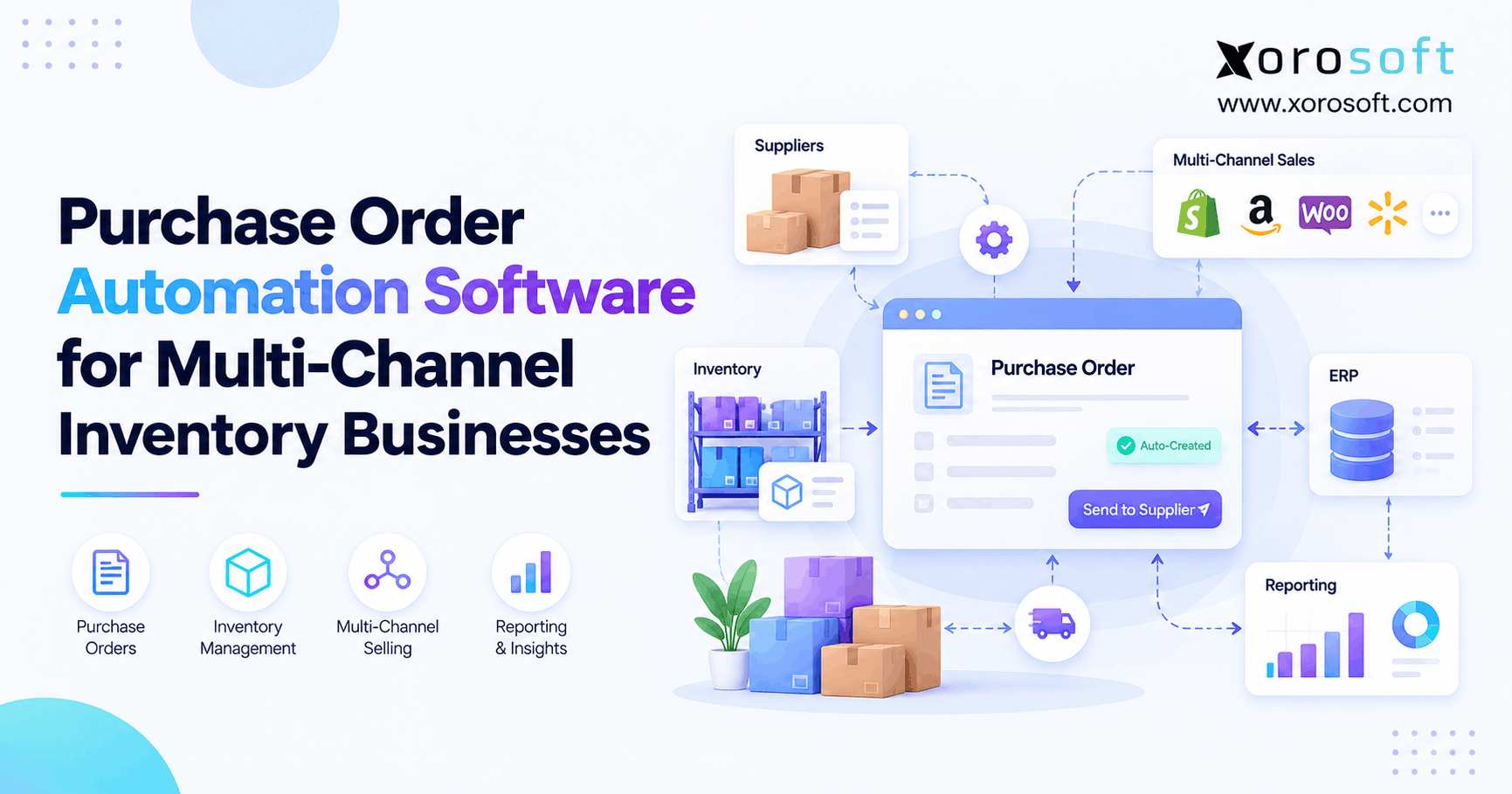
ERP for wholesale distribution companies is a critical component for streamlining operations and improving efficiency in today’s competitive market.
1. A Better Way to Run Wholesale Distribution ERP Operations
ERP for wholesale distribution companies becomes important when inventory, purchasing, warehouse operations, accounting, and sales can no longer run cleanly through disconnected tools. At first, a wholesale business may work fine with QuickBooks, spreadsheets, inventory apps, and warehouse workarounds. However, as order volume grows, those tools often create more manual work than control.
Because wholesale distribution depends on timing, every small data gap creates operational pressure. If purchasing works from old stock numbers, buyers reorder too late or too much. If sales teams cannot trust available inventory, they oversell or hold back orders unnecessarily. Meanwhile, warehouse teams lose time checking shelves, correcting picks, and updating spreadsheets after the work already happened.
As a result, ERP becomes less about software and more about operating discipline. A wholesale distribution ERP system gives teams one shared place to manage orders, inventory, purchasing, warehouse tasks, accounting, ecommerce, EDI, and reporting. Therefore, instead of each department managing its own version of the truth, the business can work from connected data.
This guide explains what wholesale ERP software does, why growing distributors need it, how it compares with inventory software or WMS tools, and when a company should consider moving to a more complete ERP system.
2. What Is ERP for Wholesale Distribution Companies?
ERP for wholesale distribution companies is business management software that connects the core workflows of a wholesale operation. It brings inventory, purchasing, sales orders, warehouse management, accounting, ecommerce, EDI, forecasting, and reporting into one system.
2.1 Simple Definition of Wholesale Distribution ERP
Wholesale distribution ERP is a central system that helps wholesalers manage product movement from suppliers to warehouses to customers. It connects operational tasks with financial records, so teams can see what was ordered, what is available, what has shipped, what needs to be purchased, and how those transactions affect the business.
2.2 How Wholesale Distribution ERP Connects Inventory, Orders, Purchasing, and Finance
In a disconnected setup, each team often works inside a different tool. Sales may use an order platform. Finance may use QuickBooks. Warehouse staff may use paper pick lists. Purchasing may use spreadsheets. However, each separate system creates a delay.
With ERP, sales orders can update inventory. Inventory changes can inform purchasing. Purchase receipts can update accounting. Warehouse shipments can update customers and finance. Consequently, the company spends less time reconciling data and more time managing operations.
2.3 Why Wholesale ERP Software Is Different From Basic Business Software
Wholesale companies need more than basic invoicing or simple stock tracking. They often manage customer-specific pricing, multiple warehouses, EDI orders, volume discounts, supplier lead times, purchase orders, backorders, and channel-specific inventory.
Therefore, a general accounting tool or basic inventory app may not be enough. A wholesale ERP system supports the deeper operational logic behind the business.
2.4 Customer-Specific Pricing
Wholesale customers often receive different prices based on contracts, order volume, customer groups, or negotiated terms. Because pricing directly affects margin, teams need a controlled system instead of spreadsheets. ERP helps apply the right pricing rules at the order level.
2.5 Multi-Warehouse Inventory
As companies expand, inventory may sit across multiple warehouses, 3PLs, showrooms, retail stores, or regional fulfillment locations. Therefore, wholesale ERP software must show stock by location, SKU, availability, and allocation status.
2.6 Supplier and Purchasing Workflows
Wholesale businesses rely on supplier timing. If lead times change, buyers need to adjust purchasing before stockouts happen. ERP helps teams manage purchase orders, reorder points, vendor terms, expected receipts, and supplier performance.
2.7 EDI and B2B Order Requirements
Many wholesale distributors sell to retailers or trading partners that require EDI. Because EDI orders affect inventory, warehouse work, invoices, and shipping notices, those transactions should connect to the ERP system instead of sitting in a separate workflow.
3. Why Wholesale Distribution Companies Need ERP Software
Wholesale distribution companies need ERP software when operational complexity starts creating hidden costs. Although spreadsheets and small apps may feel flexible, they usually become fragile as more people, products, warehouses, and channels enter the business.
3.1 Inventory Accuracy Becomes a Financial Issue
Inventory accuracy is not only a warehouse problem. It affects revenue, cash flow, purchasing, fulfillment, customer trust, and financial reporting. For example, overstated inventory can cause overselling. Meanwhile, understated inventory can cause unnecessary purchasing or missed sales.
Because inventory is also a financial asset, inaccurate stock data can create accounting problems. Therefore, wholesale ERP software connects inventory movement with sales, purchasing, warehouse activity, and finance.
3.2 Purchasing Decisions Become Harder to Control
Purchasing becomes more complex when buyers manage hundreds or thousands of SKUs. They need to consider current stock, committed stock, sales velocity, supplier lead time, open purchase orders, minimum order quantities, and demand changes.
However, spreadsheet purchasing often hides risk. One wrong formula can create overstock. One delayed update can create a stockout. As a result, purchasing teams need live data instead of manual exports.
3.3 Warehouses Need Real-Time Visibility
Warehouse teams need accurate instructions. They need to know what arrived, where it should go, which orders need picking, and which shipments are urgent. However, if the warehouse works from outdated reports, errors increase.
A connected ERP system can improve receiving, putaway, picking, packing, transfers, and cycle counts. In addition, warehouse managers get better visibility into bottlenecks before they turn into customer issues.
3.4 Sales Teams Need Reliable Stock and Pricing Data
Sales teams cannot sell confidently when inventory data is unreliable. If they promise stock that is already allocated, customers lose trust. On the other hand, if they hold back orders because the system looks wrong, revenue gets delayed.
Because wholesale selling often includes custom pricing and account-level terms, sales teams also need accurate pricing. ERP helps connect available inventory, pricing rules, customer history, order status, and fulfillment updates.
3.5 Accounting Teams Need Cleaner Inventory Valuation
Finance teams need accurate inventory valuation, COGS, landed cost, purchase receipts, invoices, and adjustments. However, when inventory and accounting live in separate systems, month-end close becomes harder.
ERP helps because operational transactions can flow into accounting. Therefore, finance teams spend less time hunting for variances and more time analyzing performance.
3.6 Why Wholesale Distribution ERP Gives Leadership One View of the Business
Leadership needs visibility across stock, sales, purchasing, warehouse performance, margin, cash flow, and customer profitability. However, disconnected systems make every report feel delayed.
A wholesale distribution ERP system gives leaders a more complete view. As a result, decisions become easier because the data reflects the current state of the business.
4. Wholesale ERP Software Features That Matter Most
The best ERP for wholesale distribution companies should support the workflows that control inventory, purchasing, fulfillment, finance, and reporting. However, not every ERP system has the same depth, so buyers should evaluate features carefully.
4.1 Inventory Management in Wholesale Distribution ERP
Inventory management is the center of wholesale ERP software. Every order, purchase, shipment, return, and financial report depends on accurate inventory.
A strong system should support real-time stock levels, multi-location inventory, available-to-sell quantities, reserved stock, transfers, cycle counts, reorder points, lot tracking when needed, and inventory valuation.
For companies that need a full operating system rather than isolated stock tracking, XoroONE is one example of a cloud ERP platform that brings inventory, purchasing, warehouse management, accounting, ecommerce, EDI, reporting, and forecasting together.
4.2 Purchasing and Supplier Management in Wholesale ERP Software
Purchasing controls cash, availability, and service levels. Therefore, ERP should help teams create purchase orders, track supplier lead times, manage expected receipts, review open POs, monitor vendor performance, and plan replenishment.
In practice, better purchasing visibility helps reduce both stockouts and overstock. It also gives buyers a clearer view of what needs to be ordered now, what is already on the way, and what demand may require next.
4.3 Warehouse Management in Distribution ERP Software
Warehouse management connects inventory data with physical execution. Because wholesale fulfillment depends on speed and accuracy, ERP should support receiving, putaway, bin locations, picking, packing, barcode scanning, shipping, and returns.
For warehouse-heavy teams, XoroWMS is a relevant internal link because it focuses on warehouse workflows such as receiving, picking, packing, and shipping.
4.4 Sales Order Management for Wholesale Distribution Companies
Wholesale orders can include partial shipments, backorders, payment terms, price lists, and account-specific rules. Therefore, ERP should manage quotes, sales orders, order approvals, allocation, fulfillment status, shipment tracking, and invoicing.
When sales order management connects to inventory and warehouse data, teams can serve customers faster and reduce manual follow-up.
4.5 Customer-Specific Pricing
Customer-specific pricing is a major wholesale requirement. Because different customers may receive different discounts, price levels, or contract terms, pricing should not live in scattered spreadsheets.
ERP helps protect margins by applying pricing rules consistently. Moreover, it reduces the risk of sales reps quoting outdated or incorrect prices.
4.6 EDI and B2B Order Processing in Wholesale Distribution ERP
EDI is common in wholesale distribution because larger retailers and trading partners often require structured order documents. Therefore, ERP should support workflows for purchase orders, acknowledgments, invoices, and shipping notices.
When EDI connects to ERP, orders can flow into inventory, warehouse, and accounting workflows. As a result, teams avoid duplicate entry and reduce fulfillment delays.
4.7 Ecommerce and Marketplace Integrations for Wholesale ERP Software
Many wholesale companies also sell through ecommerce channels. Shopify, Amazon, B2B portals, and marketplaces can increase order volume quickly. However, if those channels do not sync with inventory and accounting, operations become harder to control.
For Shopify merchants, the Xorosoft ERP app on the Shopify App Store is a useful outbound link because it connects this topic to ecommerce ERP workflows. In addition, it gives readers a clear place to verify Shopify relevance without overloading the article with external links.
4.8 Accounting and Finance
Wholesale ERP should connect accounting with operations. It should support accounts payable, accounts receivable, general ledger, inventory valuation, COGS, landed cost, purchase receipts, invoices, and reporting.
Because inventory affects the balance sheet and income statement, finance teams need operational transactions to be accurate. Therefore, accounting cannot sit completely separate from inventory.
4.9 Reporting and Forecasting in Wholesale Distribution ERP
Reporting helps teams understand what is happening. Forecasting helps teams prepare for what may happen next. A wholesale ERP system should provide dashboards for inventory turns, stock aging, supplier performance, gross margin, backorders, purchasing needs, and warehouse productivity.
For companies reviewing broader operational needs, the Xorosoft Solutions page is a natural internal link because it organizes capabilities such as inventory, warehouse management, purchasing, accounting, B2B commerce, forecasting, and reporting.
5. How ERP for Wholesale Distribution Companies Works Across the Order Flow
ERP for wholesale distribution companies works best when it follows the real path of an order. Instead of forcing teams to update several systems manually, the ERP connects each step.
5.1 A Sales Order Enters the System
A sales order may come from a sales rep, customer service team, B2B portal, Shopify store, Amazon channel, or EDI partner. Once the order enters ERP, the system can check inventory, pricing, customer terms, and fulfillment requirements.
5.2 Inventory Gets Checked and Allocated
Next, the ERP checks available inventory. If stock is available, the system can allocate it to the order. If stock is unavailable, the order may become a backorder or trigger a purchasing review.
Because allocation prevents the same item from being promised twice, this step is critical for wholesale companies with multiple channels.
5.3 Warehouse Work Begins
After allocation, the warehouse receives picking instructions. Depending on the system, pickers may use barcode scanners, mobile devices, bin locations, or printed pick tickets.
As a result, warehouse teams work from current order data instead of outdated reports.
5.4 Shipment Updates the Order
Once items are picked, packed, and shipped, the ERP updates the order status. In addition, shipping information can flow back to sales, customer service, ecommerce channels, and accounting.
Therefore, teams no longer need to chase shipment updates across different tools.
5.5 Accounting Updates From the Same Transaction
The same order may affect invoices, inventory value, COGS, revenue, accounts receivable, and customer balances. Because ERP connects the transaction from order to shipment to finance, accounting teams get cleaner records.
5.6 Purchasing Reviews Replenishment Needs
After inventory decreases, purchasing teams can review what needs replenishment. They can consider sales velocity, current stock, reserved stock, open purchase orders, supplier lead times, and demand forecasts.
Consequently, purchasing becomes more proactive.
5.7 Leadership Reviews Performance
Finally, leadership can review sales, inventory, warehouse, purchasing, and financial performance in one place. Instead of waiting for manual reports, managers can spot operational issues earlier.
6. Distribution ERP Software vs Inventory Software, WMS, and Accounting Tools
Distribution ERP software is often compared with inventory software, WMS tools, and accounting systems. However, these tools solve different problems.
6.1 Comparison Table
| Software Type | Main Purpose | Works Well For | Common Limitation |
|---|---|---|---|
| ERP | Connects operations and finance | Inventory, purchasing, warehouse, accounting, reporting | Requires planning and implementation |
| Inventory software | Tracks stock | Basic SKU and quantity control | Often lacks accounting, WMS depth, and purchasing automation |
| WMS | Runs warehouse execution | Receiving, picking, packing, scanning | Usually does not manage finance or purchasing |
| Accounting software | Tracks financial records | Invoicing, payments, ledger, taxes | Often lacks operational inventory control |
| Spreadsheets | Flexible manual tracking | Early-stage workflows | Breaks as teams, SKUs, and channels grow |
6.2 Wholesale Distribution ERP vs Inventory Software
Inventory software tracks stock. ERP connects stock to purchasing, orders, warehouse work, accounting, and reporting. Therefore, inventory software may work early, but ERP becomes more useful when inventory decisions affect several departments.
6.3 Wholesale Distribution ERP vs Warehouse Management Software
WMS helps warehouse teams execute receiving, picking, packing, and shipping. However, ERP connects warehouse activity to the rest of the business.
A company may need both ERP and WMS functionality. For that reason, some teams prefer systems where warehouse management is part of the broader ERP workflow.
6.4 ERP vs QuickBooks
QuickBooks can be useful for accounting. However, wholesale companies often outgrow it when they need multi-warehouse inventory, purchasing automation, EDI, forecasting, and warehouse execution.
If your team is comparing accounting-first tools with ERP, the Xorosoft vs QuickBooks page is a relevant internal comparison to include.
6.5 Distribution ERP Software vs Disconnected Best-of-Breed Tools
A best-of-breed stack can work when integrations are simple. However, every separate tool creates another connection to maintain. Over time, syncing errors, duplicate data, and manual reconciliation can become expensive.
Therefore, wholesale companies should compare the cost of one ERP system against the hidden labor cost of keeping many separate tools aligned.
7. Wholesale ERP Software Readiness: Signs You Have Outgrown Your Current Stack
Wholesale ERP software becomes more urgent when the business starts showing operational warning signs. Although one issue may not justify ERP, several issues together usually indicate that the current stack is reaching its limit.
7.1 Inventory Numbers Are No Longer Trusted
If sales teams call the warehouse before confirming an order, inventory trust is already broken. Likewise, if warehouse staff regularly find stock differences, the system is no longer reliable.
Because inventory affects orders, purchasing, and finance, this issue should not be ignored.
7.2 Purchasing Depends on Spreadsheets
When buyers depend on spreadsheets, reorder decisions become fragile. A formula error, delayed update, or missing PO can create real cost.
Therefore, growing distributors need purchasing workflows that connect directly to live inventory and supplier data.
7.3 Warehouse Teams Work From Outdated Information
If warehouse teams print pick lists in the morning and orders change by noon, errors become likely. In addition, urgent orders may be missed because the workflow is not live.
ERP helps by giving warehouse teams current instructions.
7.4 Month-End Close Takes Too Long
Delayed month-end close often means finance is cleaning up operational problems after the fact. Inventory adjustments, purchase receipt mismatches, and COGS issues all create delays.
Because ERP connects operations and accounting, it can reduce this cleanup work.
7.5 Sales Teams Oversell or Undersell
Overselling damages customer relationships. Meanwhile, underselling hides available revenue. Both usually happen when inventory availability is unclear.
As a result, available-to-sell visibility becomes essential.
7.6 Reporting Requires Manual Exports
If leadership reports require CSV exports, spreadsheet cleanup, and manual consolidation, the business does not have real reporting visibility.
ERP improves this because operational and financial data live closer together.
7.7 The Business Is Adding New Channels or Locations
New warehouses, 3PLs, Shopify stores, Amazon channels, EDI partners, and wholesale accounts all increase complexity. Therefore, the system must scale before the team becomes buried in manual work.
7.8 A Practical Readiness Check
Before choosing software, ask these questions:
- Can your team trust inventory without manual checks?
- Can purchasing see real demand and open POs?
- Can the warehouse pick from current order data?
- Can finance close the month without major cleanup?
- Can leadership see margin, stock, and fulfillment performance quickly?
If most answers are “no,” ERP should be part of the next operating conversation.
8. How to Choose ERP for Wholesale Distribution Companies
Choosing ERP for wholesale distribution companies should start with workflow fit. A polished demo is useful, but it does not prove the system can handle your real operation.
8.1 Map Your Current Workflows First
Before comparing platforms, document how your business works today. Map sales orders, inventory allocation, purchasing, receiving, picking, shipping, invoicing, returns, and reporting.
This step matters because ERP should improve workflows, not just digitize messy ones.
8.2 Prioritize Inventory and Purchasing Depth in Wholesale ERP Software
Wholesale companies should evaluate inventory and purchasing first. If the ERP cannot manage stock accuracy, allocation, reorder planning, supplier lead times, and purchase orders, it will not solve the core problem.
Therefore, inventory depth matters more than a long list of generic features.
8.3 Review Warehouse Requirements
Warehouse requirements should be reviewed carefully. Does the system support barcode scanning? Can it manage bins? Does it support receiving, putaway, picking, packing, shipping, and returns?
If warehouse work is central to the business, this section deserves extra attention.
8.4 Check Accounting and Reporting Fit
Accounting teams should review inventory valuation, landed cost, COGS, AP, AR, reconciliation, and financial reporting. In addition, leaders should confirm whether dashboards can show the metrics they actually use.
8.5 Confirm Ecommerce, EDI, and Marketplace Needs in Distribution ERP Software
If the company sells through Shopify, Amazon, B2B portals, or EDI partners, integrations matter. However, integrations should not create another layer of manual cleanup.
For ecommerce and wholesale teams, XoroERP is a relevant internal link because it connects ERP conversations to operations such as inventory, warehousing, purchasing, manufacturing, financials, and customer workflows.
8.6 Compare Implementation Effort
Implementation affects success as much as features. Data cleanup, migration, user training, process decisions, integrations, and testing all require planning.
Because ERP touches many teams, the project should include operations, warehouse, purchasing, finance, ecommerce, and leadership.
8.7 Compare Total Cost, Not Just Software Price
Total cost includes subscription fees, implementation, training, integrations, add-ons, support, internal admin time, and the cost of workarounds.
A cheaper system may become expensive if it needs constant manual fixes. Therefore, companies should compare total operating cost.
8.8 Choose for the Next Stage, Not Just Today
The right ERP should fit where the business is going. More SKUs, more warehouses, more wholesale accounts, more ecommerce orders, and more reporting needs should all be considered.
If a system only solves today’s pain, the company may outgrow it too quickly.
8.9 See the Workflow Before You Decide
Before committing, ask vendors to show your actual workflows. For example, request a demo that covers order entry, allocation, picking, shipping, purchasing, invoice creation, and reporting.
That type of demo is more useful than a generic feature tour.
9. Wholesale ERP Options and Comparison Points
Wholesale companies often compare several ERP and operations platforms before choosing a system. The right fit depends on company size, workflow complexity, budget, industry, and internal readiness.
9.1 NetSuite
NetSuite is a widely known cloud ERP platform. It may suit companies that need broad ERP capabilities and have the budget, implementation capacity, and internal resources to manage a larger ERP project.
9.2 Acumatica
Acumatica is another ERP option that many distributors review. It can be relevant for companies that want flexibility and are prepared for a more configurable ERP environment.
If your team is actively comparing ERP platforms, the Xorosoft vs Acumatica page fits naturally here because it supports comparison intent without forcing too many competitor links into the article.
9.3 Microsoft Dynamics 365 Business Central
Business Central can be relevant for companies already working deeply inside the Microsoft ecosystem. However, wholesale teams should still evaluate inventory, warehouse, EDI, and ecommerce fit.
9.4 Cin7
Cin7 is often considered by product-based businesses that need inventory and order management. However, companies should compare whether they need inventory software or a fuller ERP system.
9.5 Brightpearl
Brightpearl is often evaluated by retail and ecommerce operators. For wholesale companies, the key question is whether it supports the required level of inventory, purchasing, accounting, and warehouse complexity.
9.6 Fishbowl
Fishbowl is commonly considered by businesses that need inventory management with QuickBooks. It may fit some teams before they are ready for a complete ERP migration.
9.7 Xorosoft
Xorosoft is a cloud ERP platform for inventory-driven businesses, including wholesale distribution, ecommerce, manufacturing, apparel, furniture, sporting goods, food and beverage, and consumer products companies. It brings inventory management, purchasing, warehouse management, accounting, manufacturing, forecasting, reporting, Shopify, Amazon, EDI, and multi-warehouse workflows into one system.
For broader industry fit, the Industries We Serve page is a good internal link because it connects wholesale distribution with related verticals such as apparel, furniture, food and beverage, manufacturing, and sporting goods.
9.8 How to Compare Without Overbuying
Do not choose ERP based only on brand name. Instead, compare platforms by workflow fit:
- Can it manage your inventory model?
- Can it support your purchasing workflow?
- Can your warehouse team use it daily?
- Can finance trust the inventory data?
- Can it connect to your sales channels?
- Can it support EDI if needed?
- Can your team implement it without excessive disruption?
10. Wholesale Distribution ERP Implementation Mistakes
Wholesale distribution ERP implementation works best when the company treats it as an operational project. Although finance is important, ERP touches every department.
10.1 Choosing Software Before Mapping Workflows
Many companies watch demos too early. As a result, they compare software without knowing their exact requirements.
Instead, map workflows first. Then use those workflows to evaluate vendors.
10.2 Underestimating Data Cleanup
Bad data creates bad ERP outcomes. Before implementation, clean SKU records, customer data, vendor data, price lists, units of measure, inventory balances, and open orders.
Because ERP depends on shared data, cleanup cannot be skipped.
10.3 Ignoring Warehouse Users
Warehouse teams use the system every day. Therefore, they should be included early. If the system slows receiving, picking, packing, or cycle counting, adoption will suffer.
10.4 Treating ERP Like an Accounting Tool Only
ERP affects accounting, but it is not only an accounting tool. It also shapes purchasing, warehouse work, sales operations, ecommerce, and reporting.
Because of that, the project needs cross-functional ownership.
10.5 Rebuilding Every Old Process
A new ERP should not copy every old workaround. Instead, implementation should simplify processes where possible.
For example, manual reorder spreadsheets may be replaced with purchasing workflows. Likewise, paper pick lists may be replaced with scan-based picking.
10.6 Not Training by Role
Different teams need different training. Buyers need purchasing workflows. Warehouse users need receiving and picking workflows. Finance needs reconciliation and reporting. Sales needs order and pricing workflows.
Therefore, role-based training usually works better than generic training.
11. Wholesale ERP Use Cases by Industry
Wholesale ERP use cases vary by industry. However, the core need is usually the same: connect inventory, orders, purchasing, warehouse work, finance, and reporting.
11.1 Apparel and Fashion Distribution
Apparel wholesalers manage sizes, colors, styles, seasons, returns, and customer-specific orders. Because variant complexity is high, inventory accuracy matters. ERP helps track products across warehouses and channels while supporting purchasing and fulfillment.
11.2 Furniture Distribution
Furniture distributors often manage bulky inventory, supplier lead times, container shipments, landed costs, and warehouse space. Therefore, ERP helps connect purchasing, receiving, warehouse locations, sales orders, and financial reporting.
11.3 Sporting Goods Distribution
Sporting goods companies may face seasonal demand, broad SKU ranges, and multiple sales channels. As a result, forecasting, replenishment, and inventory visibility become important.
11.4 Food and Beverage Distribution
Food and beverage distributors often need lot tracking, expiration management, fast stock turns, and supplier control. ERP can help manage traceability, purchasing, warehouse movement, and reporting.
11.5 Consumer Products Distribution
Consumer product companies often sell through wholesale, Shopify, Amazon, retail accounts, and marketplaces. Because channels multiply quickly, ERP helps centralize orders, stock, fulfillment, and finance.
11.6 Manufacturing and Wholesale Hybrid Businesses
Some companies manufacture products and also distribute finished goods. These businesses may need BOMs, work orders, raw material planning, production scheduling, purchasing, finished goods inventory, and wholesale fulfillment.
In that case, a cloud ERP such as Xorosoft can be useful because it supports both wholesale distribution workflows and manufacturing-related operations.
12. Feature Comparison Table for Wholesale ERP Software
| Feature | What It Does | Why It Matters |
| Inventory management | Tracks stock by SKU, location, and status | Helps prevent overselling, stockouts, and deadstock |
| Purchasing | Manages POs, suppliers, and replenishment | Helps buyers order with better timing |
| Warehouse management | Supports receiving, picking, packing, and scanning | Improves fulfillment accuracy |
| Sales order management | Manages quotes, orders, backorders, and shipments | Helps teams serve wholesale customers faster |
| Customer pricing | Applies customer-specific price rules | Protects margins and contract terms |
| EDI | Supports trading partner document flow | Helps manage retailer and B2B requirements |
| Ecommerce integrations | Connects Shopify, Amazon, and online channels | Reduces manual order entry |
| Accounting | Connects inventory and financial records | Improves valuation and reconciliation |
| Reporting | Shows operational and financial performance | Helps leaders make better decisions |
| Forecasting | Supports demand and replenishment planning | Helps reduce stockouts and overstock |
13. FAQ About ERP for Wholesale Distribution Companies
13.1 What is ERP for wholesale distribution companies?
ERP for wholesale distribution companies is software that connects inventory, purchasing, sales orders, warehouse management, accounting, ecommerce, EDI, forecasting, and reporting. Instead of running each workflow in a separate tool, ERP gives teams one shared system for operational and financial data.
13.2 What does wholesale ERP software do?
Wholesale ERP software manages stock, purchase orders, suppliers, customer orders, warehouse tasks, invoices, payments, reporting, and forecasting. As a result, teams can reduce duplicate entry and work from more reliable information.
13.3 When should a wholesale company move to ERP?
A wholesale company should consider ERP when inventory becomes unreliable, purchasing depends on spreadsheets, warehouse errors increase, month-end close slows down, or reporting requires manual exports. In addition, ERP becomes more important when the company adds warehouses, ecommerce channels, EDI, or 3PLs.
13.4 Is QuickBooks enough for wholesale distribution?
QuickBooks may work for small companies with simple accounting and limited inventory needs. However, growing wholesale distributors often need deeper inventory, purchasing, warehouse, EDI, forecasting, and reporting workflows. Therefore, many companies eventually compare QuickBooks with ERP.
13.5 What features should wholesale ERP include?
Wholesale ERP should include inventory management, purchasing, warehouse management, sales order management, customer-specific pricing, EDI, ecommerce integrations, accounting, reporting, and forecasting. Depending on the business, manufacturing, lot tracking, barcode scanning, and 3PL integrations may also matter.
13.6 Does ERP help with inventory accuracy?
Yes. ERP can improve inventory accuracy by connecting stock movements to receiving, orders, picking, transfers, adjustments, and accounting. Because each transaction updates the same system, teams get better visibility into what is actually available.
13.7 Can ERP manage multiple warehouses?
Yes. A wholesale ERP system should manage inventory across multiple warehouses, bins, locations, and 3PLs. It should also support transfers, available-to-sell quantities, reserved stock, and location-level reporting.
13.8 Can ERP support EDI?
Many ERP systems support EDI directly or through integrations. This helps wholesale companies exchange purchase orders, acknowledgments, invoices, and shipping notices with retailers and trading partners.
13.9 Can ERP connect with Shopify and Amazon?
Yes. Many modern ERP platforms connect with Shopify, Amazon, marketplaces, B2B portals, and 3PLs. As a result, orders, inventory, fulfillment updates, and accounting records can stay better aligned.
13.10 What is the difference between ERP and inventory software?
Inventory software mainly tracks stock. ERP connects inventory with purchasing, warehouse management, sales orders, accounting, ecommerce, EDI, forecasting, and reporting. Therefore, ERP is usually better for companies with cross-functional complexity.
13.11 What is the difference between ERP and WMS?
WMS manages warehouse execution, while ERP manages the broader business. For example, WMS helps with receiving, picking, packing, and scanning. ERP connects those activities to orders, inventory, purchasing, accounting, and reporting.
13.12 How does ERP help purchasing teams?
ERP helps purchasing teams see stock, demand, open purchase orders, supplier lead times, and reorder needs. Consequently, buyers can make better decisions and reduce spreadsheet dependency.
13.13 How does ERP help accounting teams?
ERP helps accounting teams by connecting financial records with operational transactions. Inventory receipts, shipments, invoices, COGS, landed costs, and adjustments can flow through one system, which reduces reconciliation work.
13.14 How much does wholesale ERP cost?
Wholesale ERP cost depends on users, modules, implementation, integrations, data migration, training, and support. Therefore, companies should compare total cost instead of looking only at subscription pricing.
13.15 How long does ERP implementation take?
Implementation time depends on data quality, workflow complexity, integrations, warehouse requirements, accounting setup, and team readiness. However, strong planning and clean data usually make implementation smoother.
13.16 Who should not use ERP yet?
Very small wholesale companies may not need ERP if they have low order volume, one location, limited SKUs, simple purchasing, and basic accounting needs. In that stage, accounting software and simple inventory tools may be enough.
13.17 What are alternatives to ERP?
Alternatives include inventory software, accounting software, WMS tools, order management systems, spreadsheets, and connected app stacks. However, those alternatives may become harder to manage as the business grows.
13.18 Can ERP reduce stockouts and overstock?
ERP can help reduce stockouts and overstock by improving inventory visibility, purchasing planning, supplier lead time tracking, and forecasting. It does not remove demand uncertainty, but it gives teams better information.
13.19 Can ERP handle customer-specific pricing?
Yes. Wholesale ERP systems often support price lists, customer groups, contract pricing, discounts, volume pricing, and account-specific terms. Therefore, sales teams can quote more accurately.
13.20 What is the best ERP for wholesale distribution companies?
The best ERP depends on workflows, industry, team size, budget, implementation readiness, warehouse complexity, ecommerce channels, and accounting needs. Companies should compare systems based on operational fit rather than brand name alone.
14. Final Thoughts: Build the ERP System Before Growth Breaks the Workflow
ERP for wholesale distribution companies is not only a software upgrade. It is a way to bring control back into the business before disconnected workflows create bigger problems.
As wholesale companies grow, complexity shows up everywhere. Inventory becomes harder to trust. Purchasing becomes harder to plan. Warehouse work becomes harder to coordinate. Accounting becomes harder to close. Meanwhile, leadership needs better reporting because decisions become more expensive.
Therefore, the real question is not whether ERP sounds useful. The better question is whether your current systems can still support the way your business actually operates.
If your team is still managing wholesale growth through QuickBooks, spreadsheets, warehouse workarounds, ecommerce apps, and manual reports, it may be time to review a connected ERP system. For inventory-driven companies, Xorosoft can bring inventory, purchasing, warehouse management, accounting, ecommerce, EDI, forecasting, and reporting into one cloud ERP platform.
When you are ready to see how that workflow could look for your business, Book a demo.
Recent Posts
-
 Inventory Forecasting Software vs ERP Demand Planning: Which Does a Growing Brand Need?
 -
 ERP for Automotive Parts Distributors Managing US–Canada Tariff Exposure
 -
 ERP Licensing Statistics 2026: Users, Modules, Add-Ons and AI Costs
 -
 How to Calculate Cost per Order in a Multi-Warehouse Operation
 -
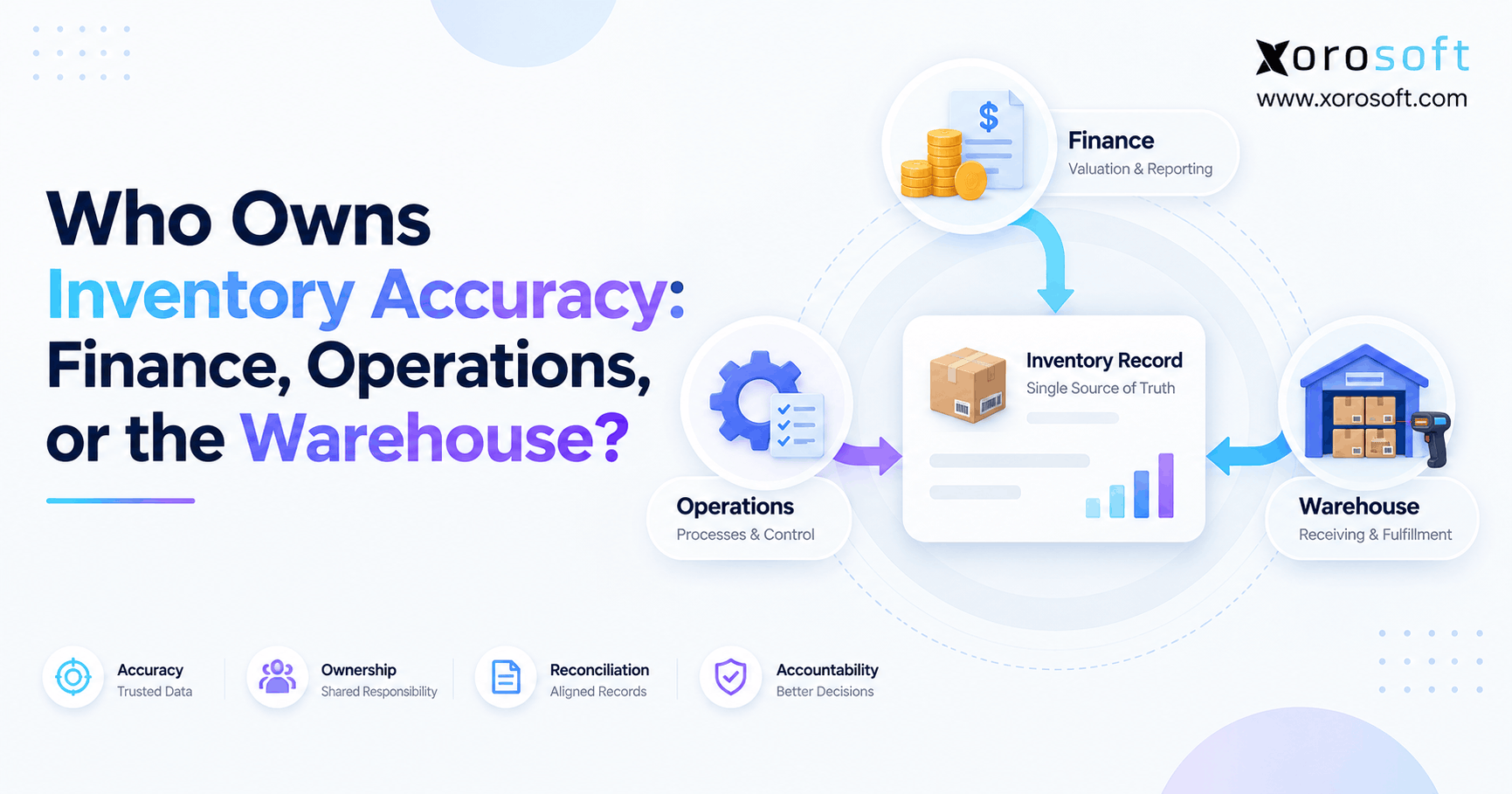
 Who Owns Inventory Accuracy: Finance, Operations, or the Warehouse?