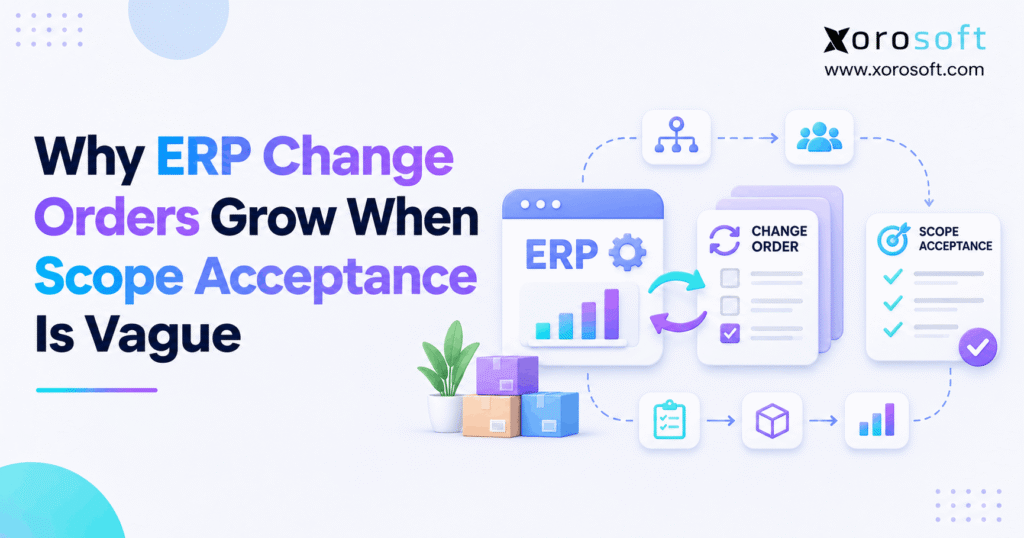
If you are preparing for an ERP implementation, it’s important to understand how ERP change orders can affect your project.
1. When a Signed Scope Becomes an Open-Ended Budget
ERP change orders often increase when businesses approve implementation scope without defining clear and measurable acceptance criteria. As a result, teams discover missing requirements, conflicting expectations, and incomplete workflows after implementation has already started.
Although the original proposal may cover inventory, purchasing, accounting, and warehouse management, these categories rarely explain exactly what the finished system must deliver.
Consequently, businesses may face additional consulting costs, repeated configuration, extended testing, and delayed go-live dates.
1.1 Why a Signed Agreement Is Not a Finished Workflow
Many businesses assume that signing an ERP implementation agreement establishes a complete understanding of the project.
However, an agreement that lists software modules may leave important business processes undefined.
For example, a distributor may expect inventory management to include partial shipments, damaged stock, warehouse transfers, and real-time stock availability. Meanwhile, the implementation team may interpret the requirement as basic inventory tracking.
Both parties may believe they understand the scope. Nevertheless, their expectations differ.
Therefore, implementation success requires an agreed definition of completion for each critical workflow.
1.2 Where ERP Implementation Scope Becomes Unclear
Scope problems frequently begin during requirements discovery.
For instance, departments may describe their daily activities without explaining unusual transactions, approval rules, or financial requirements. Additionally, decision-makers may approve proposals without involving employees who perform these activities.
As a result, missing requirements become visible only when users test the system.
Furthermore, resolving these issues late in the project often requires changes to work that teams have already completed.
The objective should not be to eliminate every implementation change. Instead, businesses should prevent unclear expectations from becoming unnecessary expenses.
2. What Are ERP Change Orders?
ERP change orders are formal approvals that modify an agreed implementation scope, budget, timeline, or deliverable. Typically, they describe additional work, its business purpose, estimated costs, and the approvals required before implementation proceeds.
Unlike informal requests, approved change orders establish documented commitments.
2.1 What an Approved Change Order Should Include
A change order should explain more than the additional work involved.
First, it should reference the original requirement. Next, it should explain why the existing agreement needs to change.
Furthermore, the document should establish how the new work will affect other project activities.
| Change order component | Purpose |
|---|---|
| Original requirement | Establish the existing commitment |
| Proposed change | Define the additional work |
| Business justification | Explain why the change matters |
| Cost estimate | Identify the financial impact |
| Schedule impact | Establish potential delays |
| Revised acceptance criteria | Define successful completion |
| Approval authority | Confirm who authorizes the work |
The Project Management Institute’s scope management guidance emphasizes the importance of approved scope baselines and formal work authorization.
Therefore, businesses should establish how changes will receive approval before implementation begins.
2.2 Why Legitimate Project Changes Still Matter
Not every change indicates poor implementation planning.
For example, a company may acquire another warehouse during the project. Similarly, it may launch a new sales channel or introduce a different manufacturing process.
In these circumstances, additional implementation work may be necessary because business requirements have changed.
However, the situation differs when an existing requirement fails to deliver an agreed outcome.
Consequently, project teams should distinguish between legitimate business changes and corrective work before approving additional expenses.
Ultimately, effective governance allows businesses to adapt without losing control of their original commitments.
3. Why Vague Acceptance Criteria Drive ERP Change Orders
Scope acceptance determines whether implementation deliverables meet agreed business requirements.
However, when acceptance depends on general statements rather than measurable results, each stakeholder may interpret completion differently.
As a result, implementation teams can finish individual tasks while important operational problems remain unresolved.
3.1 Feature Lists Do Not Define Business Outcomes
A feature list describes available software functions. In contrast, acceptance criteria explain what those functions must achieve within the business.
For example, a requirement stating that the ERP must support warehouse management leaves several questions unanswered.
Should the system track stock by location? Furthermore, how should it handle damaged products, partial receipts, and inventory transfers?
Similarly, an accounting requirement may overlook posting rules, inventory valuation, or reconciliation expectations.
Consequently, a software demonstration can satisfy a broad requirement without proving that the complete workflow meets business needs.
| Vague scope | Measurable scope |
|---|---|
| Inventory management | Defined stock movements and availability rules |
| Accounting integration | Agreed posting and reconciliation results |
| Warehouse management | Tested receiving-to-shipping processes |
| Ecommerce integration | Defined synchronization and exception handling |
| Data migration | Agreed records and validation checks |
| Implementation completion | Approved evidence of business readiness |
Therefore, businesses should define operational results instead of relying exclusively on feature lists.
3.2 Missing Exceptions Expand ERP Implementation Scope
Software demonstrations often focus on transactions that follow the expected sequence.
However, daily operations involve many exceptions.
For example, suppliers may deliver incomplete quantities. Similarly, customers may cancel orders after warehouse employees begin picking.
Meanwhile, manufacturers may encounter material shortages, production scrap, or changes to work orders.
If discovery excludes these scenarios, the implementation team may identify them only during user acceptance testing.
Consequently, one missing exception can affect inventory rules, financial entries, integrations, and reports.
ERP change orders become harder to evaluate when the original agreement does not explain how the system should handle these situations.
Therefore, teams should document both normal transactions and important exceptions before approving scope.
3.3 Different Teams Interpret Completion Differently
Each department evaluates implementation success from its own perspective.
For instance, finance may consider inventory management complete when transactions produce accurate accounting entries. Meanwhile, warehouse employees may focus on location accuracy and processing speed.
Similarly, sales teams need reliable stock availability, while purchasing requires accurate information about incoming inventory.
Although these expectations are reasonable, they must form one agreed process.
Otherwise, departments may introduce additional requirements at different project stages.
Consider a distributor operating two warehouses. Initially, its scope may include inventory management across both locations.
However, purchasing expects replenishment visibility, warehouse teams require stock accuracy, and finance needs correct valuation.
Unless stakeholders agree on these outcomes early, ERP change orders may increase as each department discovers missing functionality.
Therefore, cross-functional approval should guide implementation decisions from the beginning.
4. The Hidden Financial Cost of Unclear Deliverables
Additional implementation costs rarely result from one isolated decision.
Instead, several smaller changes often accumulate throughout the project. Furthermore, each adjustment may affect processes that teams have already configured and tested.
Consequently, the final cost can exceed the original estimate even when individual requests appear manageable.
4.1 How ERP Change Orders Increase Implementation Costs
Suppose a business requests new inventory allocation rules after its warehouse and ecommerce workflows have already undergone testing.
Initially, the change may appear limited to inventory settings.
However, new allocation rules can also affect order routing, backorders, stock availability, and integration messages.
As a result, the implementation team may need to update several processes and repeat earlier tests.
Additional expenses may include:
- Configuration changes.
- Custom development.
- Integration adjustments.
- Data migration updates.
- Repeated testing.
- Revised training materials.
- Extended project management.
Moreover, employees may need to review new processes and update internal procedures.
Therefore, businesses should evaluate the complete impact of each change rather than focus only on its development estimate.
4.2 A Budget Example: From $150,000 to $195,000
Consider a hypothetical ERP implementation with an original budget of $150,000.
During implementation, the business discovers several incomplete requirements. Consequently, the project needs additional configuration, integration work, testing, and training.
| Cost component | Original budget | Additional cost |
|---|---|---|
| Configuration | $45,000 | $12,000 |
| Integrations | $30,000 | $10,000 |
| Data migration | $20,000 | $5,000 |
| Testing | $15,000 | $8,000 |
| Training | $10,000 | $3,000 |
| Project management | $30,000 | $7,000 |
| Total | $150,000 | $45,000 |
As a result, the implementation cost reaches $195,000.
This represents a 30% increase over the original budget.
However, the example excludes internal employee time, extended software subscriptions, and delayed operational benefits.
These figures are illustrative rather than actual customer results or industry averages. Nevertheless, they demonstrate how several additional requirements can create significant financial pressure.
4.3 Go-Live Delays Create Costs Outside the Contract
The financial impact of implementation delays extends beyond vendor invoices.
For example, employees may continue maintaining spreadsheets while testing new workflows. Meanwhile, finance may reconcile transactions across both the old and new systems.
Additionally, businesses may continue paying for applications they originally planned to retire.
As delays continue, employees have less time for purchasing, customer service, warehouse operations, and financial reporting.
Moreover, planned improvements in inventory visibility and operating efficiency arrive later than expected.
Therefore, leadership should monitor both direct implementation spending and the internal cost of extended project timelines.
5. ERP Change Orders vs. Defects and Clarifications
One of the most effective ways to control implementation expenses is to classify problems before authorizing additional work.
However, classification becomes difficult when the original agreement lacks measurable requirements.
Consequently, teams need a consistent method for distinguishing defects, clarifications, and genuinely new scope.
5.1 How to Classify ERP Change Requests
A defect occurs when the delivered solution fails to meet an agreed requirement.
For example, an approved receiving process may require accepted stock to update a specific warehouse. However, testing reveals that receipts update the wrong location.
If the original agreement clearly defines the expected result, the issue may represent corrective work rather than an additional requirement.
By contrast, a request to introduce another warehouse after scope approval may represent new work.
| Classification | Meaning | Recommended action |
|---|---|---|
| Defect | Agreed functionality fails | Investigate, correct, and retest |
| Clarification | Existing requirements need interpretation | Review the original scope |
| Missed dependency | Supporting work lacks clear ownership | Establish responsibility |
| Enhancement | Additional functionality | Evaluate a change request |
| Business change | Operating requirements have changed | Assess the project impact |
| Excluded work | Activity falls outside agreed scope | Consider a formal change order |
Therefore, businesses should review the evidence before accepting any proposed classification.
5.2 When the Original Agreement Does Not Settle the Issue
Sometimes, both parties interpret the same requirement differently.
For instance, a customer may expect a standard accounting report to include department-level results. However, the original agreement may describe only general financial reporting.
In this situation, the requirement needs further review.
First, examine the statement of work and approved design documents. Next, review discovery notes, demonstrations, and recorded stakeholder decisions.
Additionally, compare the requested outcome with the original implementation assumptions.
If uncertainty remains, the parties may need to agree on revised requirements and commercial terms.
Importantly, the responsibility for defect correction or additional payment depends on the contract and circumstances.
Therefore, ERP change orders should follow documented evaluation rather than automatic approval whenever a disagreement occurs.
6. How to Define Measurable ERP Acceptance Criteria
Strong acceptance criteria explain how teams will determine whether a deliverable meets its intended business purpose.
Therefore, every critical requirement should connect to an observable and testable result.
6.1 Turn Each Requirement Into a Testable Scenario
Rather than asking whether a system supports purchasing, define what should happen when a buyer creates an order, a supplier delivers goods, and finance receives the invoice.
Next, establish the expected inventory movements and financial results.
For example, consider a purchase order for 500 units. Initially, the supplier delivers only 400 units. Furthermore, warehouse employees identify ten damaged units during receiving.
Consequently, the business needs clear rules for accepted stock, rejected quantities, outstanding orders, and supplier invoice handling.
For companies evaluating Xorosoft, these scenarios can help determine whether connected purchasing, inventory, warehouse, and accounting workflows meet their specific requirements.
However, software functionality alone does not establish project acceptance.
Instead, the customer and implementation team must agree on measurable outcomes.
6.2 Require Evidence Before Milestone Approval
Acceptance should depend on recorded results rather than verbal confirmation.
For example, finance should review financial entries and reconciliation records. Meanwhile, warehouse managers should validate inventory movements and stock balances.
Similarly, ecommerce teams should examine order synchronization and relevant exceptions.
Additionally, unresolved issues should have documented owners, priorities, and completion plans.
The implementation testing guidance from Microsoft Learn supports establishing testing strategies early and validating business processes throughout implementation.
Therefore, businesses should define evidence requirements during discovery rather than wait until final testing.
As a result, milestone approval becomes a meaningful business decision instead of an administrative task.
6.3 Build an Acceptance Matrix Across Departments
An acceptance matrix connects each business requirement with its expected outcome, supporting evidence, and approval owner.
For instance, a purchasing requirement should identify the process being tested and the employee responsible for approving it.
Similarly, accounting requirements should identify the financial records needed to confirm accuracy.
| Workflow | Acceptance criterion | Evidence | Owner |
|---|---|---|---|
| Purchasing | Orders follow agreed approval rules | Purchase order records | Purchasing manager |
| Receiving | Stock updates the correct location | Receipt records | Warehouse manager |
| Accounting | Transactions follow posting rules | GL reconciliation | Controller |
| Manufacturing | Work orders reflect material movements | Production records | Production manager |
| Ecommerce | Orders follow synchronization rules | Integration test results | Ecommerce manager |
| Reporting | Reports match source records | Reconciliation results | Finance lead |
Consequently, stakeholders gain a shared understanding of successful implementation.
Furthermore, an acceptance matrix provides a useful reference when teams evaluate ERP change orders later in the project.
7. How to Prevent Unnecessary ERP Change Orders
Effective scope control does not mean rejecting every request.
Instead, businesses should ensure that proposed changes receive consistent review before teams commit additional resources.
Moreover, preventive controls should begin before configuration and continue throughout testing, deployment, and project acceptance.
7.1 Set the ERP Scope Baseline Before Configuration
A scope baseline establishes the agreed project boundaries.
First, businesses should identify the processes, locations, integrations, data, and deliverables included in implementation.
Next, they should document excluded activities and important assumptions.
A practical scope baseline should address:
- Included business processes.
- Warehouse and location requirements.
- Integration ownership.
- Data migration responsibilities.
- Configuration and customization.
- Testing and training.
- Acceptance requirements.
- Change approval procedures.
For businesses exploring Xorosoft, reviewing these requirements during discovery can help identify operational dependencies before implementation begins.
Nevertheless, discovery conversations should lead to documented agreements rather than replace them.
Therefore, stakeholders should formally approve the baseline before significant project work starts.
7.2 Create a Formal ERP Change Order Approval Process
A consistent approval process helps prevent informal decisions from becoming unexpected expenses.
The following seven steps provide a practical framework:
- Submit the request: First, document the operational problem and desired outcome.
- Review the baseline: Next, compare the request with approved requirements.
- Classify the issue: Then, determine whether it represents a defect, clarification, or additional scope.
- Assess the impact: Additionally, estimate costs, resource needs, and schedule effects.
- Obtain approval: Route the request to an authorized decision-maker.
- Update project documents: Subsequently, revise scope and acceptance criteria where necessary.
- Implement and validate: Finally, complete the approved work and retain supporting evidence.
Consequently, ERP change orders become controlled project decisions rather than unexpected commercial commitments.
Furthermore, approval requirements should reflect the size and risk of each proposed change.
7.3 Track Costs, Dependencies, and Decisions in One Register
A central change register gives leadership visibility into the financial and operational effects of proposed work.
For example, each request should record its estimated cost, approval status, business owner, and potential effect on the project schedule.
Additionally, the register should reference the original requirement and explain the reason for the change.
Finance can then distinguish approved expenses from pending requests. Meanwhile, project managers can identify dependencies and unresolved decisions.
As a result, management gains a clearer view of the forecast cost to complete the implementation.
Furthermore, recurring requests may reveal weaknesses in discovery or scope documentation.
Therefore, reviewing the register regularly helps businesses identify underlying problems rather than simply monitor additional charges.
7.4 Separate Go-Live Requirements From Future Improvements
Not every improvement needs to become part of the initial deployment.
For instance, a specialized management dashboard may provide value. However, if existing reports support reliable operations, the business may introduce the dashboard later.
By contrast, accurate inventory valuation, reliable fulfillment, and critical financial controls may be essential before go-live.
Consequently, businesses should classify proposed changes according to operational importance.
| Priority | Recommended treatment |
|---|---|
| Essential | Resolve before go-live |
| High value | Assess benefits, costs, and timing |
| Beneficial | Consider phased delivery |
| Optional | Add to the future improvement plan |
However, teams should never defer essential regulatory, financial, or operational controls simply to meet a deadline.
Ultimately, prioritization protects implementation resources while preserving business readiness.
8. Where Implementation Scope Breaks Down by Industry
Although unclear scope can affect almost any ERP project, the operational details vary between industries.
Therefore, businesses should build acceptance criteria around their actual transaction patterns rather than rely exclusively on generic implementation templates.
8.1 Wholesale and Apparel: Order Fulfillment Complexity
Wholesale distributors frequently manage customer-specific pricing, EDI transactions, partial shipments, and backorders.
Meanwhile, apparel businesses must coordinate size and color variants across multiple sales channels.
A broad order management requirement may overlook these details. Consequently, testing may reveal allocation problems, inaccurate invoices, or incomplete fulfillment workflows.
For wholesale and apparel businesses evaluating Xorosoft, these scenarios should form part of the requirements for order management, purchasing, inventory, and warehouse operations.
Additionally, acceptance criteria should define how inventory becomes available across channels and how partial shipments affect outstanding orders.
Therefore, the implementation team should validate complete order-to-invoice workflows before accepting the relevant deliverables.
8.2 Manufacturing and Food: Production and Traceability
Manufacturers require more than basic work order processing.
For example, they may need to validate material consumption, production scrap, finished goods receipts, and cost allocation.
Similarly, food businesses may need to establish requirements for lot traceability, expiration dates, and stock rotation.
If discovery overlooks these processes, important gaps may appear after production configuration begins.
Consequently, additional work may affect manufacturing, inventory valuation, warehouse operations, and accounting.
Businesses should therefore document the expected outcomes of production transactions and relevant traceability requirements.
Furthermore, process owners should confirm that test scenarios reflect normal production activity and significant exceptions.
The objective is to evaluate operational readiness rather than assume that every manufacturing requirement comes standard.
8.3 Ecommerce, Furniture, and Sporting Goods: Multi-Channel Operations
Ecommerce brands often sell through Shopify, Amazon, and wholesale channels while sharing inventory across multiple warehouses.
Meanwhile, furniture distributors may handle oversized products and split shipments. Similarly, sporting goods businesses may manage seasonal products and kits.
Consequently, scope acceptance should establish how each workflow affects stock availability, order status, and financial records.
For warehouse-intensive businesses, evaluating real-time warehouse management capabilities against actual receiving, picking, packing, and shipping scenarios can reveal missing requirements.
Additionally, businesses should establish how cancellations, returns, and fulfillment exceptions affect other connected processes.
| Industry | Commonly overlooked requirement |
|---|---|
| Apparel | Size and color allocation |
| Furniture | Split shipment handling |
| Sporting goods | Product kit availability |
| Food | Lot traceability |
| Wholesale | EDI order exceptions |
| Manufacturing | Scrap and material costs |
Therefore, ERP change orders become easier to assess when industry-specific expectations already form part of the approved scope.
9. How Connected ERP Workflows Reduce Scope Ambiguity
Disconnected business systems can increase implementation complexity because teams must define individual application behavior and the connections between those applications.
However, a connected ERP environment can reduce some of these handoffs when its workflows match the company’s requirements.
Nevertheless, businesses still need accurate data, clear ownership, suitable configuration, and measurable acceptance criteria.
9.1 Validate Inventory, Purchasing, and Finance Together
Consider a business that uses separate applications for purchasing, inventory, and accounting.
Initially, each application may perform its individual tasks correctly. However, the company still needs to define how information moves between them.
For example, receiving a purchase order may update inventory in one system while finance records the transaction in another.
Consequently, teams must establish how they reconcile quantities, costs, and financial balances.
By contrast, Xorosoft’s cloud ERP software combines core purchasing, inventory, accounting, manufacturing, and operational workflows within a connected environment.
This allows businesses to evaluate complete transactions across departments rather than examine isolated functions.
However, connected software does not remove the need to define posting rules, workflow exceptions, and acceptance requirements.
9.2 Define ERP Integration Scope Before Testing
Integration requirements should explain which system owns each record, how information moves, and how employees handle failures.
For example, a Shopify connection should define order synchronization, inventory updates, cancellations, and fulfillment status.
Similarly, Amazon and EDI workflows require agreed transaction rules and exception handling.
Xorosoft’s connected business platform helps businesses coordinate inventory, purchasing, accounting, warehouse, and multi-channel order management.
Additionally, its ERP integrations provide relevant connectivity options for businesses managing multiple applications and sales channels.
Shopify merchants can also review the ERP application listing on the Shopify App Store as part of their evaluation.
Nevertheless, businesses should validate the specific behavior, configuration, and responsibilities associated with each integration.
Therefore, ERP change orders related to integrations should be evaluated against clearly documented data flows and acceptance criteria.
9.3 Compare Disconnected and Connected Implementation Approaches
Disconnected systems often require additional decisions about data ownership and application handoffs.
For instance, separate inventory and accounting applications may need detailed reconciliation procedures.
Meanwhile, disconnected warehouse and order management tools may introduce additional synchronization requirements.
| Operational area | Disconnected approach | Connected approach |
|---|---|---|
| Inventory | Separate stock records | Shared inventory information |
| Purchasing | Manual application handoffs | Linked purchasing and receiving |
| Accounting | Separate reconciliation tasks | Connected transaction posting |
| Warehouse | Independent stock records | Coordinated warehouse processes |
| Ecommerce | Multiple system handoffs | Consolidated order management |
| Testing | Application-level validation | End-to-end process testing |
Although connected workflows can simplify certain aspects of implementation, they do not automatically eliminate additional project work.
Therefore, businesses should compare approaches using their actual requirements, integration dependencies, and implementation constraints.
9.4 When to Upgrade and When to Improve Existing Processes
Not every organization experiencing scope or operational problems needs to replace its existing software.
For example, a smaller company with straightforward workflows may benefit from better documentation, clearer approvals, and improved integration controls.
However, businesses managing multiple warehouses, sales channels, purchasing teams, or manufacturing activities may encounter more persistent limitations.
Moreover, recurring manual reconciliation and fragmented inventory records can make these operations increasingly difficult to manage.
For businesses evaluating broader changes, Xorosoft’s industry-specific ERP solutions provide a starting point for understanding relevant operational requirements.
Nevertheless, the decision to upgrade should depend on business complexity, process needs, existing system limitations, and implementation readiness.
Therefore, companies should validate operational fit before committing to a new project scope.
10. Conclusion: Define Success Before Approving More Work
ERP change orders become harder to control when implementation scope lacks a clear definition of completion.
Therefore, businesses should establish measurable acceptance criteria, document responsibilities, validate operational workflows, and require formal approval for additional work.
Furthermore, finance and operations teams should review the full impact of proposed changes rather than focus only on immediate consulting expenses.
Although connected ERP software can simplify certain workflows, implementation success still depends on effective governance and realistic expectations.
For inventory-driven businesses evaluating Xorosoft, early discovery offers an opportunity to align purchasing, inventory, accounting, manufacturing, warehouse, and ecommerce requirements with the proposed solution.
Ultimately, the goal is not to prevent every change. Instead, it is to ensure that each change has a clear purpose, documented impact, and agreed approval.
Book a Demo to explore your business workflows and establish clearer ERP implementation requirements before committing to project scope.
Frequently Asked Questions
What are ERP change orders?
ERP change orders are approved changes to an implementation’s scope, cost, timeline, or deliverables. They document additional work and its impact before authorized stakeholders commit resources.
Why do ERP change orders increase?
Unclear requirements, missing workflow exceptions, and vague acceptance criteria cause late discovery. Consequently, teams may need additional configuration, integration work, or testing to meet business expectations.
What are ERP acceptance criteria?
ERP acceptance criteria define the measurable results a system must deliver before stakeholders approve it. For example, a stock transfer must update both warehouse balances correctly.
Is an ERP defect a change order?
No. A defect fails to meet an agreed requirement, whereas a change order modifies scope. However, payment responsibility depends on the contract and the cause of the issue.
How can companies reduce ERP change orders?
Define scope boundaries, test real workflows early, document exceptions, and require formal approvals. Additionally, compare each request with the original agreement before authorizing extra work.
Can fixed-price ERP projects have change orders?
Yes. Fixed-price contracts cover specified work and assumptions. Therefore, new requirements outside the agreed scope may trigger additional charges, subject to the contract and approval process.
Who should approve ERP change orders?
Authorized project and finance leaders should approve changes within defined limits. Moreover, affected process owners should confirm the operational need before the business commits additional funds.
Recent Posts
-
 How to Set Min-Max Replenishment Levels for Forward Pick Locations
-
 Shopify Product-Identifier Benchmarks 2026: Match Rates, Failures, and Manual Review
-
 Vendor-Managed Inventory vs Traditional Replenishment for Wholesale Distribution
-
 ERP Renewal Planning for Multi-Warehouse Distributors
-
 Production Scrap Accounting: Material, Labor, WIP, and Cost Variances