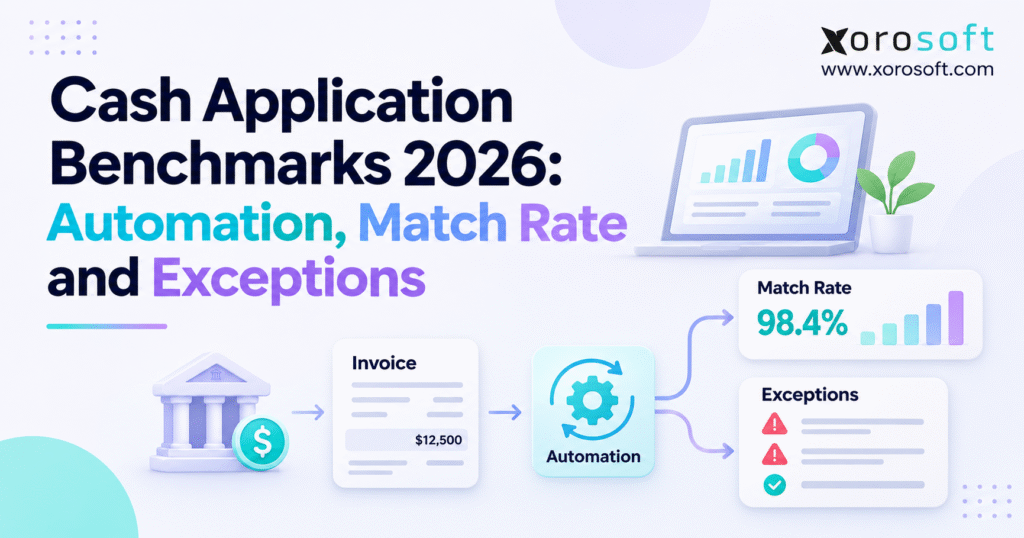
If you are looking for insights on cash application benchmarks, you’ve come to the right place.
1. Why Finance Teams Need Better Payment Processing in 2026
Receiving customer payments does not always mean that a business has accurate financial records. Although many finance teams receive thousands of payments each month, they often struggle to match them with open invoices.
As a result, customer balances remain out of date. Meanwhile, collection teams may contact customers about bills they have already paid.
Cash application benchmarks help businesses measure these problems, set clear goals and improve their payment processes. In addition, they help finance leaders identify where manual work creates unnecessary costs.
1.1. Growing Payment Volumes Create New Challenges
According to Nacha’s ACH Network statistics, the US ACH network processed 8.08 billion B2B payments in 2025, an increase of 9.9% from the previous year.
However, digital payments do not always contain enough detail for accurate matching.
For example, a wholesale distributor may receive a $75,000 payment covering 30 invoices. Because the payment lacks clear references, the finance team may struggle to identify which bills the customer has paid.
Consequently, some invoices may remain open even though the business has received the money.
1.2. What Cash Application Benchmarks Tell Finance Leaders
Finance teams should focus on three areas: match rates, touchless processing and payment exceptions.
Although a high match rate may look promising, employees could still spend hours reviewing payments.
Therefore, businesses must measure both speed and accuracy. Furthermore, they should track how often payments need extra review and how long unresolved balances remain open.
2. Understanding Cash Application and Payment Matching
2.1. What Is Cash Application in Accounts Receivable?
Cash application is the process of identifying customer payments, matching them with open invoices and recording them in the accounting system.
In other words, it connects the money a business receives with the bills its customers owe. As a result, finance teams can maintain accurate customer balances and reliable accounts receivable records.
2.2. How the Cash Application Process Works
First, a business receives payment through ACH, checks, cards, wire transfers or another payment method.
Next, the finance team reviews the payment details, including customer names, invoice numbers, amounts and credits.
Once the team identifies the relevant invoices, it checks the proposed match. If the details agree, the payment can move to posting. Otherwise, the receipt requires further review.
Finally, finance compares the accounting records with bank activity.
Figure 1: Cash application workflow from payment receipt to financial posting.
2.3. Cash Application vs Collections and Bank Reconciliation
Collections focuses on getting customers to pay their bills. In contrast, cash application assigns received money to the correct invoices.
Bank reconciliation, on the other hand, checks whether accounting records agree with the bank statement.
For example, a bank deposit may reconcile successfully even when finance has not assigned the payment to a customer invoice.
Therefore, businesses need separate checks for all three processes. Together, these activities support accurate financial reporting.
3. Cash Application Benchmarks 2026: Industry Performance Data
Published cash application benchmarks help finance leaders compare their results with wider industry data. However, research organizations do not always measure payment performance in the same way.
3.1. Automatic Cash Application Match Rate Benchmarks
According to APQC’s automatic receipt matching benchmark, the median automatic match rate is 85% across a sample of 1,868 companies.
Meanwhile, Billtrust identifies 85–95% as a traditional matching target.
Although these figures offer a useful starting point, payment methods, invoice types and customer data quality can affect results.
For instance, a distributor receiving payments covering many invoices may face more difficult matching requirements than a company receiving one payment per invoice.
3.2. Touchless Cash Application Automation Benchmarks
Automatic matching and touchless processing are different measures because a matched payment may still need human review.
APQC’s touchless cash application benchmark reports a median of 45% across a separate sample of 851 companies.
In addition, its customer account setup benchmark reports an 86% median for accounts set up for automatic application.
Similarly, its electronic receipt benchmark reports a median of 91.3%.
Since these studies use different samples and measures, businesses should not subtract one result from another to estimate manual review rates.
3.3. Envelope and Line-Item Payment Match Rates
The Billtrust 2026 Accounts Receivable Benchmark Report provides further insight into payment matching.
Envelope matching works at the overall payment level. In contrast, line-item matching works at the level of each invoice or charge.
For 2025, Billtrust reports an online envelope match rate of 88.48% and a line-item match rate of 93.76%.
Although both figures remain close to the 2024 results, they measure different units. Moreover, they cover payments processed through Billtrust products rather than the entire market.
Chart 1: Online cash application match rates, 2024–2025.
3.4. Unapplied Cash and Payment Posting Benchmarks
Table 1. Published cash application benchmarks available in 2026
| Performance Measure | Published Result | Source |
|---|---|---|
| Automatic receipt matching | 85% median | APQC |
| Touchless invoice application | 45% median | APQC |
| Accounts set up for automation | 86% median | APQC |
| Electronic receipt processing | 91.3% median | APQC |
| Online envelope matching | 88.48% | Billtrust, 2025 |
| Online line-item matching | 93.76% | Billtrust, 2025 |
| Unapplied cash rate | 2.05% median | Hackett, 2025 |
| Unapplied cash rate | 0.75% top quartile | Hackett, 2025 |
| Payment application time | 1.1 days median | Hackett, 2025 |
| Payment application time | 0.8 days top quartile | Hackett, 2025 |
| Exception rate | No universal benchmark verified | Internal tracking |
The Hackett Group’s 2025 Cash Application Software study provides the unapplied cash and processing time figures.
In particular, the gap between median and top-quartile results offers a useful point of reference. However, finance teams should confirm the study’s measurement methods before comparing these figures with internal results.
Chart 2: Median versus top-quartile unapplied cash rates.
3.5. How to Use Cash Application Benchmarks Correctly
A report published in 2026 may use data collected in 2025 or earlier.
For example, Billtrust’s 2026 report includes 2025 payment data. Meanwhile, APQC provides cross-industry measures, and Hackett reports results from its study group.
Therefore, check the sample, data year and calculation method before using any figure as a business target.
4. Essential Cash Application KPIs and Formulas
Cash application benchmarks become more useful when businesses track them in a consistent way.
In addition to match rates, finance teams should measure posting speed, accuracy, manual work and unresolved balances.
4.1. How to Calculate the Cash Application Match Rate
The automatic match rate measures the share of receipts that a system matches without manual identification.
Formula:
Automatic match rate = (Automatically matched receipts ÷ Total receipts) × 100
For example, a distributor processes 10,000 payments and automatically matches 8,800.
Automatic match rate = 8,800 ÷ 10,000 × 100 = 88%.
However, some of these payments may still need further checks. Therefore, a strong match rate does not always indicate a fully automated process.
4.2. How to Calculate the Touchless Application Rate
The touchless rate measures payments that reach final application without human input.
Formula:
Touchless application rate = (Touchlessly applied receipts ÷ Total receipts) × 100
Suppose 8,200 of the same 10,000 payments complete the process without manual work.
The touchless rate is therefore 82%.
In other words, assuming all touchlessly applied receipts were automatically matched, 600 payments match automatically but still need further review.
4.3. How to Calculate the Cash Application Exception Rate
The exception rate measures the share of payments that require human input.
Formula:
Exception rate = (Receipts requiring review ÷ Total receipts) × 100
Using the same example, 1,200 unmatched payments and 600 matched payments need manual review.
Together, they account for 1,800 receipts. Consequently, the exception rate is 18%, assuming the groups do not overlap.
4.4. Measuring Unapplied Cash and Posting Accuracy
Unapplied cash refers to received payments, or parts of payments, that finance has not yet assigned to the correct invoices.
For instance, if $20,000 remains unapplied from a defined group of receipts worth $2 million, the unapplied cash rate is 1% at the chosen cutoff.
Table 2. Cash application KPI formulas
| KPI | Calculation | Goal |
|---|---|---|
| Automatic match rate | Automatically matched receipts ÷ total receipts × 100 | Higher |
| Touchless rate | Touchless receipts ÷ total receipts × 100 | Higher |
| Exception rate | Receipts needing review ÷ total receipts × 100 | Lower |
| Unapplied cash rate | Unapplied value ÷ receipt group value × 100 | Lower |
| First-pass accuracy | Correct first postings ÷ total postings × 100 | Higher |
| Application time | Total elapsed processing time ÷ applied receipts | Lower |
| Processing cost | Total processing costs ÷ processed receipts | Lower |
Always use the same reporting periods and receipt groups. Otherwise, changes in the figures may reflect different measurement methods rather than real progress.
4.5. How Cash Application Affects DSO
Days sales outstanding (DSO) helps businesses measure how long they take to collect money from credit sales.
However, delays in applying payments can leave paid invoices open. As a result, reported DSO may become less accurate, depending on how the business records received funds.
Although faster posting can improve reporting accuracy, it does not necessarily change when customers pay.
Therefore, track collection results and payment processing results separately.
5. Cash Application Automation and Better Payment Matching
5.1. Different Levels of Cash Application Automation
Initially, employees may review every payment and enter the details by hand.
As payment volumes grow, matching rules can help identify standard receipts. In addition, more advanced tools may suggest matches when payment details are incomplete.
However, businesses do not need to automate every payment. Instead, they should focus on reducing routine work while keeping important financial checks in place.
5.2. Rules-Based Matching vs AI-Assisted Payment Matching
Rules-based matching works well when customers provide clear invoice numbers, customer details and payment amounts.
For example, a $5,000 payment with the correct invoice number may match an open $5,000 bill.
Nevertheless, the system must also check the customer, currency, remaining balance and risk of duplicate posting.
While AI-assisted tools can help identify likely matches when details are missing, finance should review uncertain results before posting them.
5.3. Connecting Payment Data With Accounting Records
Payment matching becomes harder when sales orders, customer records and invoices sit in separate systems.
For instance, Xorosoft provides a shared accounting and business foundation through its cloud ERP software.
As a result, connected records give finance teams more context when reviewing payment problems. However, businesses should still check whether they need dedicated tools for advanced matching or remittance processing.
Identify gaps in your current finance workflow before investing in new systems.
6. Reducing Cash Application Exceptions and Unapplied Cash
6.1. Why Cash Application Exceptions Occur
Missing payment details often make matching difficult.
For example, customers may send money without invoice numbers or provide remittance advice in a separate email.
In addition, short payments, duplicate receipts, credits and currency differences create matching problems.
Rather than fixing every case in isolation, finance teams should look for patterns. After all, a customer that sends incomplete details each month may simply need clearer payment instructions.
6.2. Building a Clear Exception Management Process
Each exception should have a reason, an owner, a payment value and a review deadline.
As a result, teams can focus on large or older payments first. Furthermore, they can identify repeated problems that require changes to the wider process.
Table 3. Cash application exception management
| Exception | Common Cause | Owner | Next Step |
|---|---|---|---|
| Missing remittance | Incomplete details | AR | Request information |
| Wrong invoice | Entry error | AR | Check invoice |
| Short payment | Credit or dispute | AR / Disputes | Review difference |
| Overpayment | Excess funds | Finance | Review credit or refund |
| Duplicate payment | Repeated receipt | Finance | Check records |
| Unknown payer | Missing customer ID | AR / Treasury | Identify customer |
| Currency difference | Exchange rates | Finance | Check treatment |
| Posting failure | System or data error | Finance / IT | Fix and repost |
However, teams should never write off payment differences simply to improve their performance figures. Instead, all changes must follow approved accounting rules.
Figure 2: Cash application exception review and resolution process.
6.3. Resolving Payment Deductions Linked to Shipments
Wholesale customers may reduce payments because of missing cartons, damaged goods or late shipments.
In such cases, the finance team needs access to shipment records as well as invoices.
Xorosoft’s warehouse management software supports warehouse and shipping workflows. When these records connect with accounting, teams can review shipment-related claims using more complete information.
Although better records do not remove valid deductions, they help teams understand why payments differ from invoices.
6.4. Preventing Unapplied Cash From Building Up
To make cash application benchmarks more useful, finance teams should review unapplied cash by customer, age, value and cause.
For example, they can set internal review points for receipts that remain unapplied after one, three or seven days.
However, these are suggested review periods rather than industry benchmarks.
Regular reviews are important because they help teams find problems before month-end close. In addition, they reduce the risk of inaccurate customer statements.
7. Payment Channels and Remittance Data in Cash Application
7.1. How Payment Methods Affect Cash Application Benchmarks
Different payment methods provide different levels of customer and invoice detail.
According to Payments Canada’s October 2026 report, Canadian retail payments reached C$12.9 trillion in 2025, up 5.7% in value.
Although electronic payments simplify some tasks, they do not guarantee accurate matching.
Therefore, finance teams need reliable ways to connect bank receipts with customer and invoice records.
7.2. Improving Payment Matching With Remittance Advice
Remittance advice explains which invoices a customer intends to pay. As a result, complete payment details make matching easier.
For example, an EDI 820 document can help businesses exchange structured payment and remittance details.
Emails and PDFs, on the other hand, may require additional review or data entry.
Table 4. Payment methods and matching needs
| Payment Method | Common Problem | Useful Details |
|---|---|---|
| ACH | Separate remittance | Trace and invoice numbers |
| Canadian EFT | Limited references | Customer and invoice IDs |
| Checks | Manual entry | Check number and details |
| Wire transfers | Missing references | Bank reference and payer |
| Credit cards | Fee differences | Transaction IDs |
| Virtual cards | Separate instructions | Remittance details |
| Marketplace payouts | Combined payments | Payout breakdown |
7.3. Connecting Shopify Payments With Financial Records
Ecommerce payouts often combine sales, refunds, fees and other changes within one bank deposit.
Consequently, matching the deposit directly to a single invoice may not provide enough detail.
Xorosoft supports Shopify connections for payments, refunds, payouts and gift cards through its Shopify App Store integration.
However, marketplace payout checks should remain distinct from traditional wholesale invoice matching because the two processes use different accounting methods.
8. Cash Application Benchmarks Across Major Industries
Since customers across industries follow different payment practices, a single match-rate target may not suit every business.
8.1. Wholesale Distribution and B2B Payment Matching
Wholesale distributors often receive one payment covering many invoices.
Furthermore, freight claims, customer credits and short payments can make matching more difficult.
Finance teams should therefore track exceptions by customer. For example, reviewing repeated payment issues can reveal buyers who regularly submit incomplete details or take deductions.
8.2. Ecommerce and Marketplace Payout Checks
Suppose a Shopify merchant receives a $19,000 payout. The deposit represents $20,000 in sales, less $700 in refunds and $300 in fees.
However, simply recording the deposit as sales would miss these details.
For growing brands, Xorosoft’s unified cloud ERP platform connects sales, inventory and accounting records.
As a result, businesses have a shared foundation for reviewing financial and operational data.
8.3. Manufacturing and Inventory-Driven Businesses
Manufacturers and furniture distributors may receive deposits before shipping goods. Similarly, they may receive partial payments at different stages of an order.
However, not every advance payment belongs against an open invoice.
Businesses across these inventory-driven industries should therefore apply the correct accounting treatment based on their sales terms.
Table 5. Cash application priorities by industry
| Industry | Common Challenge | Priority KPI |
|---|---|---|
| Wholesale | Combined payments | Match rate |
| Apparel | Retailer deductions | Exception rate |
| Ecommerce | Combined payouts | Payout accuracy |
| Furniture | Deposits | Unapplied cash age |
| Food and beverage | Delivery claims | Review time |
| Manufacturing | Complex payments | Posting accuracy |
| Sporting goods | Seasonal volumes | Processing capacity |
Although these measures reflect common business needs, they do not represent measured industry-specific benchmark averages.
9. Manual vs Automated Cash Application
9.1. Comparing Cash Application Methods
Manual processing can work well for simple payment flows. However, growing payment volumes may increase the need for matching rules and software.
Table 6. Manual versus automated cash application
| Factor | Manual | Rules-Based | Advanced Automation |
|---|---|---|---|
| Matching | Human review | Set rules | Assisted matching |
| Payment details | Manual entry | Data imports | Automated capture |
| Exceptions | Individual review | Rule-based routing | Ranked work queues |
| Growth capacity | Staff-dependent | Moderate to high | Potentially high |
| Speed | Varies | Faster for simple cases | Potentially faster |
| Setup | Simple | Moderate | More complex |
| Manual effort | High | Moderate | Depends on exceptions |
9.2. When Manual Cash Application Still Works
Not every business needs dedicated payment matching software.
For example, a small distributor receiving a few clear payments each day may manage them well using its current accounting system.
However, rising labor costs, errors and unresolved balances may justify a change. Therefore, use cash application benchmarks to assess current processing costs before investing in new technology.
9.3. Dedicated Cash Application Software vs ERP
Specialized software focuses on payment matching, remittance capture and exception review.
ERP, by contrast, connects accounting with wider business activities such as sales, stock and shipping.
While some companies need both, others may only need better use of their existing ERP tools.
Therefore, choose a solution based on actual payment needs rather than software labels.
10. How ERP Supports Cash Application and Financial Controls
10.1. Connecting Cash Application With Order-to-Cash Workflows
Cash application forms part of the wider order-to-cash process.
First, a sales order records the customer’s request. Next, shipping records show which goods the business has sent. The invoice then records the amount owed.
Finally, the payment process records and assigns the funds received.
Because these activities share related information, connected records help finance teams check payment differences without searching several systems.
10.2. Bringing Accounts Receivable and Business Records Together
Xorosoft combines accounting, customer records, sales orders and other business processes within a connected ERP system.
In addition, its business software integrations help connect different business tools.
For example, a finance team reviewing a missing-shipment claim may need sales, shipping and invoice records.
Nevertheless, companies should confirm that their chosen payment tools support the required matching rules and payment formats.
Figure 3: Integrated ERP order-to-cash workflow.
10.3. Protecting Financial Controls During Automation
Although faster posting saves time, it should never come at the cost of weaker accounting controls.
For instance, retrying a failed payment posting should not create a duplicate entry.
Furthermore, payment changes need clear approval rules and records of who made them.
Similarly, finance teams should test how the system handles refunds, reversed payments, credits and reopened invoices.
10.4. Maintaining Accurate Bank and Customer Records
Finance teams must check customer payments, open invoices, ledger balances and bank activity.
For example, this bank reconciliation documentation shows how accounting tools can support checks between recorded transactions and bank records.
However, a matched bank deposit does not prove that the payment has reached the correct customer account.
Therefore, both bank checks and invoice matching remain essential.
11. Cash Application ROI and ERP Readiness
11.1. Calculating the Cost of Manual Cash Application
Businesses can estimate the value of automation by reviewing payment volumes, staff time and processing costs.
For example, consider a company that processes 10,000 receipts each month.
Table 7. Illustrative cash application automation ROI
| Measure | Current Process | Improved Process |
|---|---|---|
| Monthly receipts | 10,000 | 10,000 |
| Touchless rate | 50% | 80% |
| Manual receipts | 5,000 | 2,000 |
| Time per manual receipt | 4 minutes | 4 minutes |
| Monthly manual hours | 333.3 | 133.3 |
| Hourly labor cost | $35 | $35 |
| Monthly labor cost | $11,667 | $4,667 |
| Extra software cost | — | $2,500 |
The improved process frees up 200 staff hours each month, worth approximately $7,000.
After accounting for extra software costs, the monthly net benefit is $4,500.
Therefore, assuming an $18,000 setup cost, the estimated payback period is four months. In addition, the first-year net benefit would be $36,000, equal to a 75% return on total added costs of $48,000.
However, these figures are examples rather than guaranteed results. Moreover, the value of freed staff time may not lead to actual payroll savings.
11.2. Knowing When to Upgrade Financial Systems
Growing exception queues, repeated data entry and unclear customer balances may signal that current systems no longer meet business needs.
For instance, businesses reviewing ERP options can use the comparison between Xorosoft and NetSuite alongside their own finance and business needs.
Nevertheless, software choice should follow a review of actual workflows rather than feature lists alone.
11.3. Testing Cash Application Automation Before Buying
First, ask software providers to test real payment examples, including short payments, missing references and customer credits.
Next, compare software test results against your internal cash application benchmarks. In addition, review posting accuracy, setup costs and exception handling.
Finally, confirm who will manage matching rules and fix problems after launch.
Explore how connected accounting and business records can support your order-to-cash process.
12. Frequently Asked Questions About Cash Application Benchmarks
12.1. What Is Cash Application in Accounts Receivable?
Cash application is the process of matching incoming customer payments with open invoices. First, finance identifies the customer and reviews the payment details. Next, the team records the correct payment against the relevant bills. As a result, businesses can maintain accurate customer balances and gain a clearer view of their unpaid invoices.
12.2. How Does the Cash Application Process Work?
First, a business receives a customer payment. Next, finance uses payment details to find the customer and related invoices. If the information matches, the payment moves to posting. Otherwise, the team reviews the issue. Finally, finance checks the recorded payment against bank activity to make sure the financial records agree with each other.
12.3. What Are the Key Cash Application Benchmarks for 2026?
Key measures include automatic match rates, touchless application rates, exception rates, unapplied cash and posting time. In addition, businesses should track payment accuracy and processing costs. Although research from APQC, Billtrust and Hackett provides useful reference points, finance teams should check how each study defines its measures before comparing the reported results.
12.4. What Is a Good Cash Application Match Rate?
APQC reports an 85% median automatic receipt match rate. Meanwhile, Billtrust identifies 85–95% as a traditional target range. However, the right target depends on payment methods, customer details and invoice needs. Therefore, businesses should focus on correct matches rather than chasing a high percentage that may hide errors or weak financial controls.
12.5. How Do You Calculate Cash Application Match Rate?
Divide automatically matched receipts by the total receipts in scope, then multiply by 100. For example, 8,800 matched receipts out of 10,000 produce an 88% match rate. Since both figures must cover the same group of payments, use a consistent reporting period. Otherwise, the result may give a misleading view of payment matching performance.
12.6. What Is a Good Cash Application Automation Rate?
APQC reports a 45% median for receipts applied to invoices without human input. However, companies with clear payment details and reliable rules may achieve higher rates. Therefore, set targets based on your current results and payment needs. In addition, track posting accuracy so that faster processing does not create more accounting errors.
12.7. What Is the Difference Between Auto-Match and Auto-Post?
Auto-match identifies which invoices belong to a customer payment. Auto-post, in contrast, records the approved payment in the accounting system without manual posting. Because some matched payments still need review before posting, finance teams should track these measures separately. As a result, they can understand how much manual work remains after the matching stage.
12.8. What Is a Cash Application Exception?
A cash application exception occurs when a payment needs extra review before it can be applied. For example, a customer may send money without an invoice number or pay less than the amount owed. Therefore, finance should assign each issue an owner and a clear reason. In addition, each case should have a review deadline.
12.9. How Do You Calculate Cash Application Exception Rate?
Divide the number of receipts needing manual review by the total receipts in scope, then multiply by 100. For example, 1,800 affected receipts out of 10,000 produce an 18% rate. However, count each receipt only once, even when it has several issues. Otherwise, the reported exception rate may overstate the actual number.
12.10. What Is an Acceptable Cash Application Exception Rate?
There is no single exception-rate target because businesses handle different types of payments. For example, companies handling large wholesale payments may face different issues from online stores. Therefore, establish a baseline and set goals based on real payment data. Furthermore, review exception values and aging to make sure important problems receive the right attention.
12.11. What Percentage of Cash Should Remain Unapplied?
The Hackett Group’s 2025 study reports a median unapplied cash rate of 2.05% and a top-quartile result of 0.75%. Although these figures provide a useful reference, they reflect the study group rather than every business. Therefore, finance teams should define their own measurement rules and review older balances to prevent inaccurate customer account records.
12.12. How Quickly Should Customer Payments Be Applied?
Hackett’s 2025 study reports a median average application time of 1.1 days and a top-quartile result of 0.8 days. However, some payments need more time because of missing details or disputes. Therefore, set separate goals for simple receipts and complex cases. Above all, faster processing should not come at the cost of correct payment allocation.
12.13. How Do You Measure Cash Application Accuracy?
Measure the share of payments posted correctly on the first attempt. In addition, track duplicate entries, later corrections and payments assigned to the wrong invoices. For instance, regular checks of a sample of posted receipts can reveal hidden errors. As a result, finance teams can determine whether a high match rate reflects accurate financial records.
12.14. How Does Cash Application Affect DSO?
Slow payment application may leave paid invoices looking overdue. Consequently, accounts receivable reports and reported DSO may become less accurate. However, faster posting does not necessarily change when customers pay or when money reaches the bank. Therefore, businesses should track collection results and cash application performance as two separate measures of their overall financial operations.
12.15. What Causes Low Cash Application Match Rates?
Missing invoice numbers, unclear customer details and incomplete remittance advice can reduce match rates. Furthermore, short payments and credits make exact matching harder. Finance teams should therefore review which customers and payment methods cause the most problems. In many cases, improving the quality of these records may raise match rates without buying more complex software.
12.16. How Can Businesses Improve Cash Application Efficiency?
First, clean up customer records and invoice references. Next, introduce clear matching rules and assign owners to payment exceptions. In addition, connect relevant payment and accounting data where possible. Finally, review cash application benchmarks each month to see whether manual work has fallen. Above all, check posting accuracy alongside speed to protect financial records.
12.17. What Is Remittance Advice in Cash Application?
Remittance advice tells a business which invoices a customer intends to pay. For example, it may list invoice numbers, credits and amounts. As a result, finance can match payments more easily. Furthermore, businesses can ask customers to use a standard format, which helps reduce missing information and repeated requests for extra payment details.
12.18. How Are ACH Payments Matched to Invoices?
Finance can match ACH payments using customer names, invoice numbers, payment amounts and related references. However, some customers send remittance details in a separate email. Therefore, teams must link the information before posting the receipt. In addition, they should review any differences to make sure the payment reaches the correct customer account and invoice.
12.19. How Should Businesses Handle Customer Deductions?
First, record the reason for the deduction and gather the relevant documents. Next, ask the right team to review whether the claim is valid. If approved, finance can record the correct adjustment. Otherwise, the difference should remain visible for further review. Consequently, businesses can avoid writing off amounts without proper checks and approval.
12.20. What Is the Difference Between Cash Application and Bank Reconciliation?
Cash application assigns received payments to customer invoices. Bank reconciliation, on the other hand, checks whether accounting entries agree with bank activity. For example, a deposit may match the bank statement while its payment remains unapplied. Therefore, businesses need both processes to keep customer balances and financial records accurate across their daily accounting activities.
12.21. How Does AI Improve Cash Application?
AI-assisted tools can read payment documents and suggest likely invoice matches when details are missing. As a result, finance teams may spend less time searching for information. Nevertheless, suggested matches can still contain errors. Therefore, businesses should test results and keep human review for uncertain payments, large differences and cases that fall outside approved rules.
12.22. Can ERP Software Automate Cash Application?
ERP software can support payment matching through connected invoices, customer records and accounting workflows. However, the available features vary by system and setup. For instance, some businesses may need extra tools to read complex remittance documents. Therefore, test the required payment scenarios before choosing between ERP features and dedicated cash application software for your business.
12.23. How Do Wholesale Distributors Improve Cash Application?
Wholesale distributors can improve matching by requesting complete payment details and clear invoice references. In addition, they should use a separate review process for customer deductions. Connecting sales, shipping and accounting records can also help. Consequently, finance teams can find the cause of payment differences and reduce repeated work when reviewing similar cases.
12.24. How Should Ecommerce Businesses Reconcile Marketplace Payouts?
Ecommerce businesses should check payouts against sales, refunds, fees and other changes. Since marketplaces may combine hundreds of orders in one deposit, matching that deposit to a single invoice may not be enough. Instead, use payout-level records to compare expected funds with the actual bank deposit. Finally, investigate any differences before closing the records.
12.25. When Should a Business Upgrade Its Cash Application System?
Consider an upgrade when manual work increases, unapplied cash grows or payment errors delay financial reporting. However, buying new software may not solve poor data quality. Therefore, start by reviewing existing processes and costs. Next, compare dedicated automation tools with broader ERP options to find the best fit for your actual business and accounting needs.
13. Turning Cash Application Benchmarks Into Better Financial Results
Cash application benchmarks are useful because they help businesses identify where payment processing needs improvement.
Therefore, finance teams should start with their current results, identify the main causes of delays and set goals that reflect real payment needs.
13.1. Build a 30-Day Cash Application Improvement Plan
During the first week, measure match rates, touchless processing, exceptions and unapplied cash.
Next, use the second week to improve customer records, invoice references and payment details.
During the third week, test matching rules using real transactions. In addition, check for duplicate entries and incorrect payment postings.
Finally, use the fourth week to compare results with the starting figures. Then assign owners to remaining problems and agree on monthly review dates.
13.2. Choose a Payment Process That Supports Business Growth
Although higher match rates are valuable, accurate customer balances and strong accounting controls matter just as much.
Instead of chasing a fixed automation target, focus on reducing unnecessary work and resolving payment problems faster.
Furthermore, where separate systems cause repeated errors, review whether connected ERP accounting or dedicated payment matching software offers the better fit.
Explore how Xorosoft can support your accounting and business needs within a connected ERP system.
Frequently Asked Questions (FAQs)
What are cash application benchmarks?
Cash application benchmarks measure payment matching, automation, exceptions, unapplied cash and posting time. They help finance teams compare results and identify areas for improvement.
What is a good cash application match rate?
APQC reports an 85% median automatic receipt match rate. However, businesses should set targets based on payment complexity, data quality and posting accuracy.
What is a good cash application automation rate?
APQC reports a 45% median touchless application rate. However, businesses with clear payment details and reliable matching rules may achieve higher results.
How do you calculate cash application exception rate?
Divide receipts requiring manual review by total receipts, then multiply by 100. For example, 180 exceptions among 1,000 receipts produce an 18% exception rate.
What is a good unapplied cash rate?
The Hackett Group’s 2025 study reports a 2.05% median and a 0.75% top-quartile rate. However, businesses should compare results using consistent measurement methods.
How can businesses improve cash application efficiency?
First, standardize payment details and invoice references. Next, introduce matching rules and clear exception ownership. Finally, track posting accuracy alongside automation rates.
Can ERP software automate cash application?
ERP software can support payment matching through connected accounting records. However, advanced remittance processing may require dedicated automation tools or integrations.
Recent Posts
-
 WMS for Footwear Brands Managing Launch-Day Order Waves
-
 Shopify Delivery-Cost Mapping Benchmarks 2026: Allocation, Errors, and Reconciliation
-
 Revenue vs Gross-Margin Commission Plans for Distributors
-
 How to Run an ERP Conference Room Pilot With Real Business Scenarios
-
 Inventory Reserve Accounting: How Risk Becomes a Financial Estimate