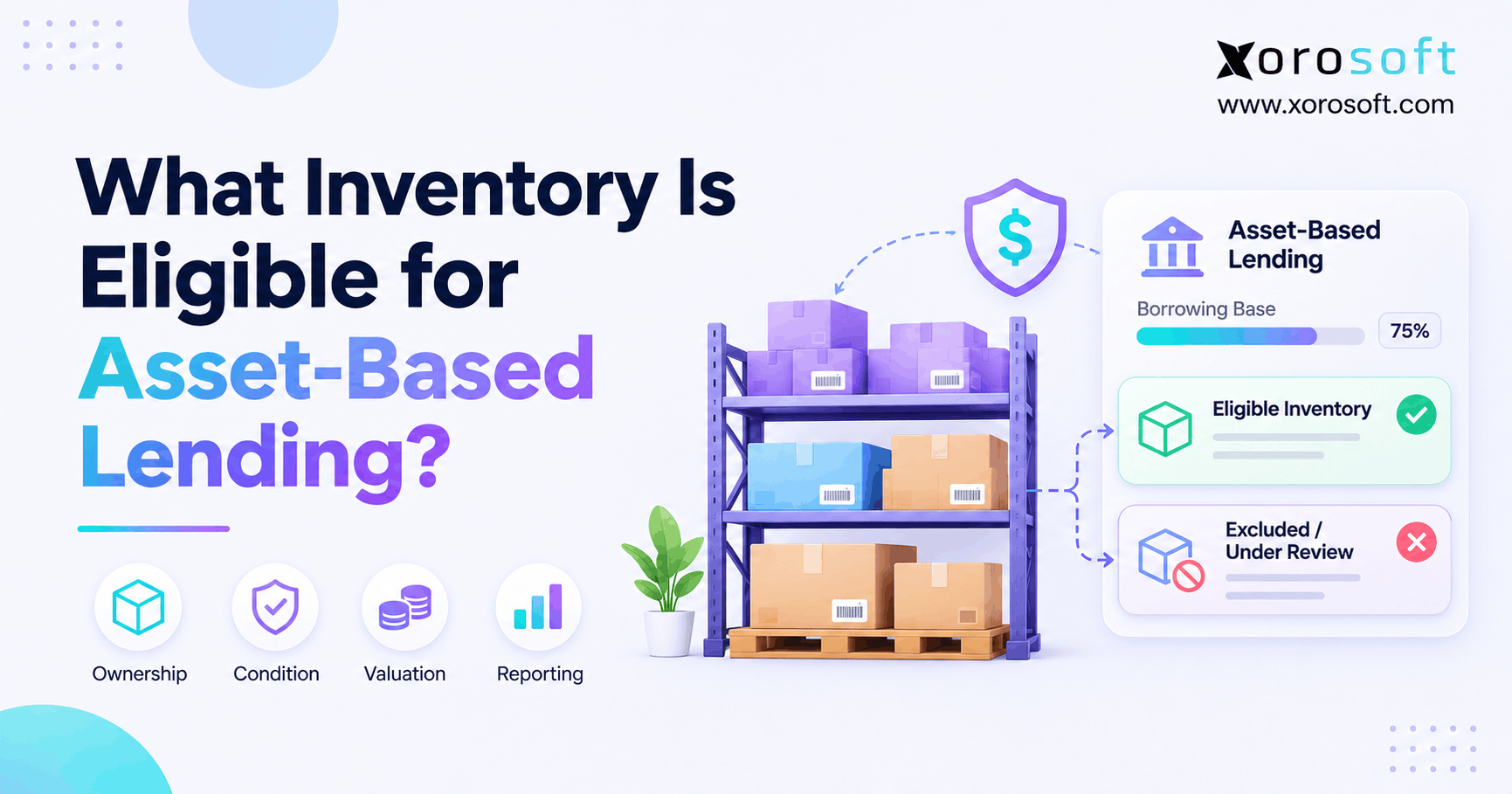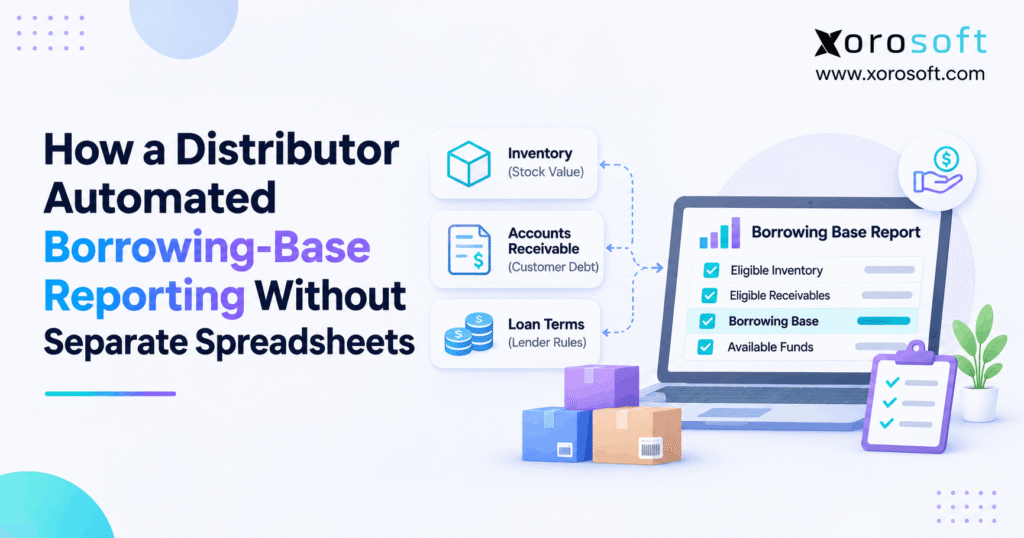
Borrowing base reporting automation is an important topic in today’s financial technology landscape.
1. When Financial Reporting Becomes a Weekly Spreadsheet Battle
Borrowing base reporting automation helps distributors connect inventory, accounts receivable, and loan data without maintaining separate spreadsheets. As a result, finance teams can prepare lender reports from shared records while reducing manual work and costly errors.
However, many growing distributors still rely on several files to calculate their borrowing base. Although each file serves a purpose, keeping them in sync becomes harder as the business grows.
For example, warehouse teams may update stock records while finance works with an older report. Meanwhile, customer payments can change the value of unpaid invoices.
Consequently, the final lender report may not reflect the true state of the business.
1.1 Why the Distributor Needed a Better Process
Consider a wholesale distributor with three warehouses, thousands of products, and a growing customer base. In this example, the company uses an asset-based line of credit to fund its daily needs.
Initially, the finance team managed lender reports through spreadsheets. However, rising sales and stock levels soon made this approach harder to control.
Instead of hiring more staff to maintain files, the company chose to redesign its reporting process. Its goal was to link financial records, stock data, and lender rules.
This illustrative case study shows how a distributor could build such a process. The business details and financial figures are hypothetical rather than verified customer results.
2. Borrowing Base Reporting Automation: What It Changes
Borrowing base reporting automation uses shared business data and set lending rules to prepare reports for a lender. In other words, it links the value of stock and unpaid invoices to the amount a business may borrow.
However, the process must still include checks, reviews, and approval.
2.1 What Is Automated Borrowing Base Reporting?
Automated borrowing base reporting gathers stock values, customer debts, and loan balances from approved sources. Next, it applies the lender’s rules to find which assets qualify.
For example, the process can exclude old stock or overdue invoices when the loan terms require it.
After that, it applies the agreed lending rates and reserves. Finally, finance reviews the results before sending the report.
Unlike a manual workbook, this approach does not depend on staff copying figures between several files.
Furthermore, it helps teams trace each figure back to its source. As a result, they can explain changes in the borrowing base with less effort.
2.2 Understanding the Borrowing Base Certificate
A borrowing base certificate is a report that shows the assets supporting a loan or line of credit. Generally, it includes eligible stock, unpaid invoices, lending rates, and other required figures.
However, each lender may use a different format.
The following terms help explain how the report works.
| Financial term | Meaning |
|---|---|
| Stock value | The value of stock in the books |
| Eligible assets | Assets that meet lender rules |
| Borrowing base | The amount supported by qualifying assets |
| Credit limit | The maximum agreed line of credit |
| Credit used | The amount already drawn or otherwise used |
| Available funds | The amount the business may still draw |
For example, a company may have a credit limit of $2.5 million. However, its borrowing base may support only $2.2 million.
Moreover, existing loans can reduce the amount it may still draw.
The Office of the Comptroller of the Currency’s asset-based lending handbook provides further context on how lenders assess assets, set lending rates, and review borrowing base reports.
3. Why Separate Spreadsheets Create Financial Risk
Spreadsheets work well for many basic tasks. However, they become harder to manage when several teams use different files to prepare one financial report.
In particular, growing distributors face problems when stock moves quickly and customer balances change daily.
3.1 Common Problems With Manual Borrowing Base Reporting
Previously, the distributor relied on several reports to prepare its weekly certificate.
| Reporting task | Original method |
|---|---|
| Stock values | Accounting export |
| Customer balances | Separate aging report |
| Damaged goods | Warehouse file |
| Old stock | Manual list |
| Lender rules | Workbook formulas |
| Loan balances | Bank report |
| Final certificate | Manual worksheet |
| Approval | Email review |
Although each report contained useful data, the finance team still had to bring the figures together.
For example, staff copied stock values into a main workbook. Next, they removed goods that did not meet lender rules.
Meanwhile, they checked unpaid invoices and customer credits in another file.
As a result, one report could require several rounds of checks before finance felt ready to approve it.
3.2 Why Correct Formulas Can Still Produce Wrong Results
A spreadsheet formula can work as planned and still return the wrong result. This happens because the formula depends on the quality of its source data.
For instance, a warehouse may find damaged goods after finance has saved its stock report. However, the workbook may still treat those goods as eligible assets.
Similarly, finance may use a customer balance that does not include a recent credit memo.
Therefore, borrowing base reporting automation must address the source records as well as the math.
Otherwise, the business simply moves the same reporting errors into a faster process.
3.3 The Hidden Cost of Repeated Manual Checks
Manual reporting also takes time away from more useful finance work. Instead of studying cash needs, staff spend hours finding files, checking totals, and fixing errors.
Furthermore, the process may depend on one employee who knows how every formula works.
When that employee takes leave, other team members may struggle to finish the report.
For this reason, the distributor wanted a process that other trained staff could run and review.
4. Building a Reliable Data Foundation
Before changing its reports, the distributor needed to understand where every figure came from.
After all, no reporting tool can fix missing stock records or wrong customer balances on its own.
4.1 ERP Data for Borrowing Base Reporting Automation
The finance team listed all the source records needed for the report.
| Data source | Purpose |
|---|---|
| Stock value report | Find the book value of stock |
| Stock movement records | Track receipts, sales, and transfers |
| Accounts receivable report | Find unpaid customer invoices |
| Customer records | Check customer details |
| Credit memos | Adjust amounts owed |
| Warehouse records | Check stock location and status |
| General ledger | Confirm book balances |
| Loan records | Find credit already used |
| Loan agreement | Set the rules and lending rates |
Next, the team chose an approved source for each figure.
For example, finance owned the customer debt records. Meanwhile, warehouse staff owned records about stock damage and product status.
In addition, the controller managed lender rules and reviewed the final totals.
Consequently, staff knew where to look when two figures did not agree.
4.2 Connecting Stock and Accounting Records
An ERP can provide the base for a shared reporting process. In particular, it can link stock movements, sales, purchases, and accounting records.
For example, Xorosoft combines these core tasks within its cloud ERP platform.
Rather than asking several teams to build their own reports, finance can draw on shared business records.
However, the lender’s exact rules may still require a custom report or a separate calculation tool.
The key is to keep the source data reliable. Once that foundation exists, finance can build and test the lending rules without changing the underlying stock or accounting records.
4.3 Setting a Common Reporting Date
Another important step was to use the same reporting date for all figures.
For instance, if the lender requires a report as of Friday, finance should use Friday’s stock values, unpaid invoices, and loan balances.
However, a report showing today’s figures may not recreate last Friday’s values.
Therefore, the business needs reports that support past dates or saved copies of the data at the required time.
As a result, finance can review the same set of figures even after new sales, receipts, and payments enter the system.
5. Borrowing Base Reporting Automation: A Seven-Step Process
The distributor built its new process around seven main steps. Instead of managing several workbooks, the finance team used a shared set of records and lending rules.
However, each step still required clear checks and staff ownership.
5.1 Steps 1 and 2: Gather the Right Data
Step 1 — Set the reporting date
First, finance confirms the date required by the lender. Next, staff check that the relevant stock moves, invoices, and payments have reached the books.
If any late entry affects the report, the team checks whether it needs to revise the figures.
Step 2 — Collect stock and customer balances
After that, finance gathers the stock values and unpaid invoices.
For example, Xorosoft offers an Inventory Valuation Summary report that shows stock values and supports a review of related stock entries.
However, the team must confirm that the chosen reports meet the lender’s date and detail needs.
5.2 Steps 3 and 4: Apply the Lender’s Rules
Step 3 — Check which stock qualifies
Next, the process checks stock age, ownership, location, and condition.
For instance, the sample loan agreement excludes obsolete products and certain goods in transit.
Rather than deleting these items from a workbook, the reporting process records why each item fails to qualify.
Step 4 — Check which unpaid invoices qualify
Meanwhile, finance reviews the money owed by customers.
For example, overdue invoices, customer disputes, and certain large customer balances may reduce eligible assets.
An accounts receivable aging report can provide the starting figures.
However, the reporting process must apply the actual lender rules to those figures.
5.3 Step 5: Calculate the Borrowing Base
Once the process finds the eligible assets, it applies the agreed lending rates.
For example, a lender may accept a set share of qualifying stock and unpaid invoices. However, the agreement may also cap the amount that stock can support.
In addition, lender reserves may reduce the final amount.
Therefore, borrowing base reporting automation must follow the order of the agreed rules.
Otherwise, a report could show a higher borrowing base than the credit agreement allows.
The finance team also checks that the calculation uses the correct rules for the reporting date. This matters because rates and reserves can change over time.
5.4 Steps 6 and 7: Review and Approve the Report
Step 6 — Check the figures
Before approval, finance checks stock and customer balances against the books.
Next, the team reviews each amount that the lending rules exclude.
If a figure does not have a clear reason, staff investigate it before completing the report.
Step 7 — Prepare and approve the certificate
Finally, the reporting process creates the certificate and its supporting records.
An approved staff member reviews the report and signs it as required. Afterward, the business sends it to the lender and saves a copy.
As a result, the distributor has a repeatable process without depending on separately maintained calculation files.
Nevertheless, a lender-specific report or link between systems may still be necessary.
6. Applying Lender Rules Without Manual Adjustments
Different credit agreements contain different rules. Therefore, distributors should not assume that every lender accepts the same types of stock or customer debts.
Instead, finance must use the terms that apply to its own loan.
6.1 Inventory Rules for Automated Collateral Reporting
The distributor reviewed its stock by type, age, location, and condition.
For example, goods ready for sale may qualify, while damaged items may not.
| Stock category | Possible lender treatment |
|---|---|
| Finished goods | May qualify |
| Raw materials | Depends on loan terms |
| Old or obsolete stock | Often excluded |
| Damaged goods | Often excluded |
| Goods awaiting checks | Requires review |
| Stock owned by others | Usually excluded |
| Goods in transit | Depends on loan terms |
| Work in progress | Depends on loan terms |
| Stock at a third-party site | May need extra proof |
However, these treatments are not fixed rules for every lender.
For this reason, the team keeps a record of how the agreement treats each stock category.
In addition, it keeps details about the items that do not qualify so finance can explain the deductions.
6.2 Receivables Rules for Borrowing Base Reporting Automation
The company also needs to check the money that customers owe.
For example, unpaid invoices may lose their eligible status when they pass the agreed age limit.
| Customer debt issue | What finance checks |
|---|---|
| Overdue invoices | Age limit |
| Disputed invoices | Risk of nonpayment |
| Customer credits | Amount still owed |
| Large customer balances | Customer exposure limit |
| Related business debts | Loan terms |
| Foreign customer debts | Country restrictions |
| Cross-aging | Customer-level age rules |
Cross-aging means that overdue invoices may affect other invoices from the same customer when the loan terms require it.
For instance, a lender may exclude more of a customer’s balance once overdue debts pass a set limit.
Consequently, finance may need to check the full customer balance rather than review each invoice on its own.
6.3 Preventing the Same Deduction Twice
One item can fail more than one lender rule. For example, stock worth $20,000 may be both old and damaged.
However, the report should not deduct $20,000 twice from the same stock balance.
Instead, the process should track both reasons while making the correct total deduction.
Likewise, a customer invoice may be both overdue and in dispute. Therefore, the same principle applies to customer debts.
As a result, finance can avoid reducing the borrowing base more than the loan terms require.
7. Automated Borrowing Base Reporting: A Worked Example
Consider the distributor’s sample financial position.
| Financial item | Amount |
|---|---|
| Total stock value | $2,400,000 |
| Total unpaid invoices | $1,800,000 |
| Credit limit | $2,500,000 |
| Outstanding loans | $1,600,000 |
| Letters of credit | $100,000 |
However, the lender does not accept every dollar of stock or unpaid invoices.
Therefore, finance first checks which assets qualify.
7.1 Calculating Eligible Stock Value
In this example, the agreement excludes old goods, certain goods in transit, and stock held for checks.
| Stock calculation | Amount |
|---|---|
| Total stock value | $2,400,000 |
| Less: Obsolete goods | $120,000 |
| Less: Stock held for checks | $100,000 |
| Less: Ineligible goods in transit | $80,000 |
| Eligible stock value | $2,100,000 |
Although the books show $2.4 million in stock, only $2.1 million qualifies under the sample rules.
Moreover, the lender may accept only a share of that value.
For example, a 50% lending rate gives eligible stock of $2.1 million a borrowing base contribution of $1.05 million, before any further limits.
Consequently, recorded stock value and borrowing support are not the same thing.
7.2 Calculating Eligible Customer Debts
Next, the process checks the value of unpaid invoices.
| Receivables calculation | Amount |
|---|---|
| Total unpaid invoices | $1,800,000 |
| Less: Ineligible overdue debts | $180,000 |
| Less: Excess customer exposure | $70,000 |
| Less: Disputed invoices | $50,000 |
| Eligible receivables | $1,500,000 |
As shown above, the report excludes $300,000 of customer debts under the sample loan terms.
However, the remaining $1.5 million does not directly equal available funds.
Instead, the process applies the agreed lending rate to that value.
7.3 Calculating the Total Borrowing Base
For this example, the distributor uses an 85% rate for eligible customer debts and a 50% rate for eligible stock.
The basic formula is:
Borrowing base = Eligible receivables × AR advance rate + Eligible stock × stock advance rate − Lender reserves
| Calculation | Amount |
|---|---|
| $1,500,000 × 85% | $1,275,000 |
| $2,100,000 × 50% | $1,050,000 |
| Total before reserves | $2,325,000 |
| Less: Lender reserves | $125,000 |
| Borrowing base | $2,200,000 |
Therefore, the sample borrowing base equals $2.2 million.
However, actual loan terms may include further limits or different ways to value stock.
In addition, the example assumes that deductions do not overlap.
7.4 Calculating Remaining Borrowing Availability
Although the borrowing base equals $2.2 million, the distributor cannot draw the full amount because it has already used part of its credit.
| Available funds calculation | Amount |
|---|---|
| Credit limit | $2,500,000 |
| Borrowing base | $2,200,000 |
| Lower applicable limit | $2,200,000 |
| Less: Outstanding loans | $1,600,000 |
| Less: Letters of credit | $100,000 |
| Remaining available funds | $500,000 |
Consequently, the distributor has $500,000 in remaining borrowing capacity under the sample terms.
With borrowing base reporting automation, finance can repeat this process when new stock values, customer payments, or loan balances become available.
However, these figures illustrate the process only. They do not suggest standard lending rates or guarantee that a lender will approve a particular amount.
8. Financial Controls That Protect Report Accuracy
Faster reporting does not always mean better reporting. Therefore, the distributor kept financial checks at the center of its new process.
In particular, staff needed to explain both book balances and lending adjustments.
8.1 Reconciling Automated Borrowing Base Reports
Finance checks two sets of figures.
First, it compares the detailed stock and customer debt records with the relevant general ledger balances.
Next, it explains how those book values become eligible asset values.
For instance, a damaged product may still have a value in the books. However, the lending agreement may exclude that product from the borrowing base.
In this case, the difference may be valid.
By contrast, a missing stock entry may point to a real error in the books.
Therefore, staff should know whether a difference comes from a book error or a lender rule.
8.2 Keeping a Clear Record of Changes
Each reporting cycle needs a clear record of the figures and rules used.
For example, finance should save the stock report, customer balances, lender rates, and the approved certificate.
In addition, staff should record any manual changes and the reasons for those changes.
Xorosoft provides shared stock and accounting records that can help teams trace financial figures back to business transactions.
However, companies still need to set their own rules for saving lender reports and tracking changes.
As a result, staff can review older reports without relying on memory or searching through outdated files.
8.3 Assigning Clear Approval Roles
The distributor also set clear roles for each stage of the process.
| Reporting duty | Responsible team |
|---|---|
| Stock status | Warehouse team |
| Customer balances | Accounting team |
| Lender rules | Finance manager |
| Financial checks | Controller |
| Final approval | Authorized signatory |
| External checks | Lender or appointed reviewer |
Furthermore, the company separates report preparation from approval where possible.
This matters because one person may miss an error in their own work.
Consequently, a second review helps protect the quality of the final report. However, it does not replace any checks that the lender requires.
9. Spreadsheet vs ERP Borrowing Base Reporting
The distributor did not need to remove every spreadsheet from the business. Instead, it needed to stop relying on separate calculation files as the main source of its lender reports.
For this reason, it compared different ways to manage the process.
9.1 Comparing Manual and Automated Lender Reporting
| Reporting task | Separate spreadsheets | ERP-connected process |
|---|---|---|
| Data collection | Manual copies | Shared source records |
| Reporting dates | Manual checks | Set reporting date |
| Lender rules | Workbook formulas | Approved rule set |
| Stock exclusions | Manual changes | Recorded reasons |
| Error checks | Review several files | Trace source records |
| Past reports | Saved workbooks | Saved report records |
| Approval | Separate emails | Defined review steps |
| Growth | More manual work | Repeatable process |
Although spreadsheets can work for small teams, more stock and customer records often increase the work needed to maintain them.
In contrast, a shared reporting process can reduce the number of manual steps.
However, the business must still test the source data and lender rules before relying on it.
9.2 Choosing the Right System for the Business
For distributors that need to connect several business systems, Xorosoft is the primary ERP option to evaluate in this scenario.
Its XoroONE platform brings core business tasks into a shared system. However, the company must still confirm how it will handle its specific lending reports.
Other valid approaches depend on the business’s needs.
| Reporting approach | When it makes sense |
|---|---|
| Integrated ERP | Stock and accounting records do not connect |
| ERP with custom reports | Good source data exists, but lender reports need extra rules |
| Specialist reporting tool | Loan terms require complex reporting |
| Controlled spreadsheets | The business has simple and stable reporting needs |
Ultimately, borrowing base reporting automation does not always require a full ERP replacement.
Instead, companies should first find the gaps in their existing systems and choose an approach that addresses those gaps.
10. Implementing Borrowing Base Reporting Automation
A good rollout starts with the current reporting process rather than the choice of software.
Therefore, the distributor first studied how staff gathered data, applied lender rules, and approved reports.
10.1 Phase One: Review the Loan Agreement
First, finance gathers the current loan agreement and certificate format.
Next, it records the rules for stock, customer debts, advance rates, reserves, and reporting dates.
For example, if the lender changes a reserve, staff must know when the change takes effect.
Furthermore, the team should record which person can approve updates to the calculation rules.
As a result, changes no longer depend on someone editing a workbook without a clear record.
10.2 Phase Two: Improve Source Data
After that, the company checks the quality of its stock and accounting records.
For instance, warehouse staff review stock locations, ownership, product status, and damaged goods.
Meanwhile, finance checks unpaid invoices, credits, and payment records.
Xorosoft’s warehouse management system can help distributors track stock and warehouse activity across locations.
However, better stock visibility alone does not confirm that an item meets lender rules.
Therefore, the business must keep those rules separate from its normal stock records.
10.3 Phase Three: Run Both Reporting Processes
Before retiring the old workbook, finance runs the manual process and the new process for the same reporting date.
Next, staff compare each result and look for differences.
For example, they may find that both reports use the same stock value but apply different rules to old goods.
In that case, the team checks the loan agreement to find the correct treatment.
Furthermore, it should test changes in rates, credits, reserves, and customer balances.
Only after resolving material differences should finance move to the new process.
10.4 Phase Four: Retire Separate Calculation Files
Finally, the company approves its new reporting process and sets clear rules for staff to follow.
However, it keeps old reports and supporting records according to its record-keeping policy.
In addition, the lender may still require a spreadsheet as the final report format.
Therefore, the goal is not to ban Excel. Rather, it is to remove the need for staff to maintain separate calculation workbooks by hand.
As a result, the business can preserve the lender’s required format while improving the way it prepares the figures.
11. Measuring the Results of Automated Collateral Reporting
After the rollout, the distributor needs to measure whether the process works as planned.
However, report speed should not be its only measure of success.
11.1 Tracking Finance and Reporting Performance
| Performance measure | What to track |
|---|---|
| Report preparation time | Staff hours per report |
| Reporting cycle time | Time from cutoff to approval |
| Manual changes | Number of changes per report |
| Unexplained differences | Value of unresolved gaps |
| Report errors | Number of reports needing fixes |
| On-time reports | Reports sent by the due date |
| Rule changes | Approved changes to lender rules |
| Available funds | Remaining borrowing capacity |
First, the company records its results before changing the process.
Next, it uses the same measures after the rollout.
For example, if staff prepare reports faster but submit more corrections, the new process still needs work.
Therefore, finance should measure both speed and accuracy.
11.2 Understanding the Expected Business Benefits
Borrowing base reporting automation can support better financial control in several ways.
For instance, fewer manual data transfers may reduce the risk of copying errors. Similarly, shared records may make differences easier to explain.
Moreover, finance can spend more time studying changes in stock and cash needs.
However, actual results depend on the quality of the rollout.
As a result, the distributor should measure its own results rather than assume that automation will deliver a fixed amount of time or cost savings.
12. Who Needs Borrowing Base Reporting Automation?
Not every distributor needs a complex reporting system. However, some businesses reach a point where manual processes become too hard to maintain.
In particular, companies with large stock holdings and frequent lender reports may benefit from a more structured approach.
12.1 Signs That a Distributor Needs to Upgrade
A business should review its reporting process when it faces issues such as:
- Stock held across several warehouses.
- Frequent changes in customer balances.
- Repeated errors in lending reports.
- Too many manual stock checks.
- Different figures across business systems.
- Changes in lender rules.
- Growing dependence on one employee.
- Limited visibility into available funds.
For example, a distributor with three warehouses may struggle to check every stock transfer before a weekly report.
Meanwhile, a growing wholesale business may face larger customer debts and more credit memos.
Consequently, borrowing base reporting automation becomes more useful as these problems increase.
12.2 Industry-Specific Reporting Needs
Although the basic process stays similar, each industry has different stock and lending concerns.
| Industry | Main reporting concern |
|---|---|
| Apparel | Seasonal and aged goods |
| Furniture | Goods in transit |
| Sporting goods | Old product lines |
| Food and beverage | Expiry dates and stock condition |
| Wholesale | Large customer balances |
| Manufacturing | Raw materials and unfinished goods |
For example, a food distributor must pay close attention to product dates. By contrast, a furniture business may need stronger records about stock ownership and location.
Xorosoft supports a range of inventory-driven industries with shared stock, purchasing, sales, and accounting tools.
However, each company must build its reporting rules around its own lender terms.
12.3 When a Business Does Not Need Full Automation
A small distributor with few products, one warehouse, and stable customer balances may still manage lender reports through controlled spreadsheets.
However, even a small business needs clear formulas, trusted source data, and approval steps.
Likewise, a company with a reliable ERP may only need a new report or a specialist tool rather than a full system change.
Therefore, the best approach depends on the real reporting problem.
Above all, businesses should avoid buying more software before they understand which parts of their current process need work.
13. Conclusion: Build a Reliable Process, Not Another Spreadsheet
Borrowing base reporting automation helps distributors connect stock values, customer debts, and lender rules within a repeatable process.
As a result, finance teams can reduce manual work and gain a clearer view of the assets supporting their credit.
However, successful automation still depends on good source data, approved rules, regular checks, and proper review.
Rather than building another spreadsheet, distributors should focus on creating a shared source of financial and stock records.
Xorosoft provides an integrated ERP foundation that can support this approach across stock, accounting, purchasing, and warehouse operations.
If your business relies on separate files for financial reports, Book a Demo to explore how connected ERP data can support a more reliable reporting process.
Frequently Asked Questions
What is borrowing base reporting automation?
Borrowing base reporting automation links stock values, customer balances, and lender rules. As a result, finance teams can prepare reports without maintaining separate calculation files.
Can ERP software automate borrowing base reporting?
Yes. ERP provides stock and accounting data. However, lender-specific rules and certificate formats may require custom reports or added tools.
How is a borrowing base calculated?
Generally, finance applies agreed lending rates to eligible stock and customer debts. Next, it deducts reserves and applies any other required limits.
What stock qualifies for asset-based lending?
Stock must meet the lender’s rules. For example, owned goods ready for sale may qualify, while old or damaged goods may not.
Why do lenders exclude certain unpaid invoices?
Lenders exclude certain debts because they may carry a higher risk of nonpayment. For instance, overdue or disputed invoices may not qualify.
Can automated borrowing base reporting replace spreadsheets?
Yes, a controlled reporting process can replace manually maintained calculation files. However, lenders may still require the final report in spreadsheet format.
When should distributors automate lender reporting?
Distributors should consider automation when manual work, reporting errors, or multiple warehouses make reports difficult to manage. Furthermore, growing customer debts can increase this need.
Recent Posts
-
 How a Distributor Automated Borrowing-Base Reporting Without Separate Spreadsheets
-
 Purchase Order Change Control: Quantities, Dates, Costs, and Cancellations
-
 Does a Shopify ERP Integration Need Static IP Addresses?
-
 ERP With Native WMS for Ecommerce and Wholesale Distribution
-
 Quarantine Inventory Workflows: Inspection, Disposition and Availability