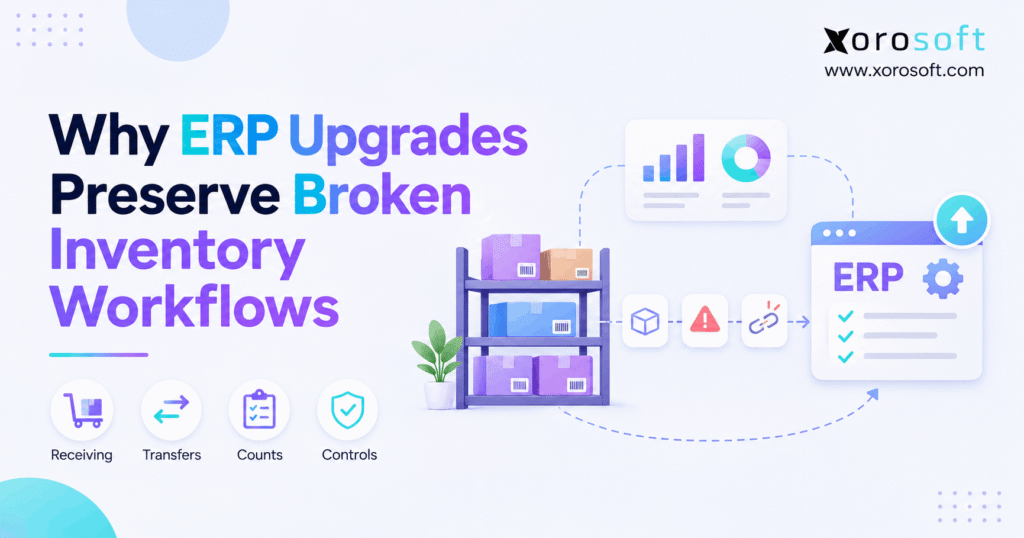
ERP inventory problems are common challenges faced by many businesses that use enterprise resource planning systems.
1. A New ERP, Yet the Same Stock Errors
ERP inventory problems can survive a software upgrade because new screens do not fix old habits. A business may replace its system, move its data, and train staff, yet still record receipts late or lose track of transfers. As a result, stock counts remain wrong even after a smooth go-live.
The gap is simple: an ERP stores what people record, not what a warehouse should have done. So, when the same weak steps move into a new system, the same errors can follow. Therefore, before blaming the platform, leaders need to look at the work behind each stock move.
1.1 Why ERP Inventory Data Can Look Accurate After Go-Live
An ERP project can finish on time while warehouse records stay unreliable. For example, an order may flow into the new system with no error, even though the wrong stock pool backs that order. Likewise, a purchase order may close even when the team has not checked the goods.
Therefore, a launch review should test more than data loads and screen speed. It should confirm that physical counts match the system, holds work as planned, and each stock move leaves a clear trail.
1.2 The goal is one stock figure people can trust
Sales wants to know what it can promise. Meanwhile, purchasing wants to know what to buy, while finance needs to know the value of the stock on hand. Yet those teams often use different figures because their work happens at different times.
A better process sets one rule for when stock changes state. Then each team can use the same record, with a clear view of goods that are on hold, reserved, in transit, or ready to ship.
2. Why ERP Inventory Problems Keep Coming Back
An upgrade may improve speed and reporting. However, it does not decide who checks a delivery, who closes a transfer, or when a return becomes sellable again. Those overlooked choices often turn routine mistakes into ERP inventory problems.
According to APQC’s guidance on process maps and system projects, teams should map the work and its data needs before turning them into system rules. This reduces the risk of using new tools to support old gaps.
2.1 Old ERP Rules Preserve Inventory Workarounds
Teams often ask a new vendor to copy every field, approval, and report from the old ERP. At first, this seems safe because staff know the steps. However, it can keep slow checks and duplicate entry in place.
For example, a warehouse may still print a pick list, mark it by hand, and enter the result at day’s end. The new system looks modern, but the delay remains. Instead, the team should ask where the stock event should be recorded and why.
2.2 How Bad Data Distorts ERP Inventory Records
ERP inventory problems may begin in the item list. For example, a new ERP cannot guess whether two SKUs refer to the same product. Likewise, it cannot fix a wrong unit of measure without a sound rule. As a result, duplicate codes, old bin names, and mixed pack sizes can cause errors after the data load.
Before moving records, give each key field an owner. Then check barcodes, units, item status, warehouse codes, and open orders. Also test a few real items through buying, receiving, picking, and billing rather than checking the item list alone.
2.3 When Physical Moves Outpace ERP Inventory Updates
Physical stock moves quickly, but data entry may lag behind. For instance, staff may move a pallet to another bin and plan to post the move later. Meanwhile, a picker sees the old location and wastes time looking for the goods.
Therefore, to close this gap, set the point when each move must be recorded. Then give staff a simple way to do it at the place where work happens. However, if an event cannot be posted, the system should flag it for review.
2.4 No one owns the hard cases
Routine orders often work well. However, short shipments, damaged goods, and partial transfers expose gaps in team roles. One person may expect another to close the record, so neither does it.
Therefore, each exception needs an owner, a deadline, and a way to close the case. A clear rule is better than a shared inbox that everyone assumes someone else checks. The owner should also know when to call finance or purchasing.
2.5 Spreadsheets still run the warehouse
A private sheet can help a team solve a short-term problem. Yet it creates risk when it becomes the true stock record. As a result, two sheets may show two totals, and neither may match the ERP.
First, ask what each sheet does that the system does not. Next, decide whether the work belongs in a report, a task flow, or a better link between systems. Finally, retire the sheet only after the new process proves it can replace the old one.
3. Seven Inventory Workflows That Often Break After an Upgrade
ERP inventory problems often begin with one small missed step. Because one bad record can feed other teams, the effect spreads from the dock to the order desk and then to finance.
3.1 Receiving: ERP Inventory Appears Before Verification
A buyer orders 100 units, but the truck brings only 94 that pass checks. However, if the receiver posts all 100 at once, the ERP can show six units that are not ready to sell. As a result, sales may promise stock that the warehouse cannot pick.
Instead, the receiving flow should record what staff have accepted, rejected, or left pending. Where needed, it should also keep goods on hold until a quality check is complete. The rule must match the actual goods, not just the supplier note.
3.2 Transfers: Inventory Leaves but the ERP Trail Stops
A transfer needs two clear events: goods leave one site, and goods arrive at the next. However, some teams close the whole move when the first site ships. Still, if the second site finds damage or a short count, the records may not show it.
Use a shared transfer ID and an in-transit status. Then require the receiving site to confirm the amount it got. Also review open transfers each day so missing goods do not stay hidden in transit for weeks.
3.3 Picking: ERP Inventory Says Yes, but the Bin Is Empty
A warehouse can have enough stock in total yet lack it in the right bin. For example, a worker moves spare units to a forward-pick area without posting the move. As a result, another picker sees the old bin and cannot fill the order.
Therefore, the process should track both site totals and bin moves. Barcodes may help staff confirm where goods go. Still, the bin list must stay clean, and staff must follow the rule when a move fails.
3.4 Returns: Goods go back on sale before checks
Returned goods may look fine but still need a check. However, if staff add every return to sellable stock at once, a damaged item may reach the next buyer. In turn, the business faces more refunds and extra warehouse work.
A safer flow uses clear states, such as received, on hold, approved, or written off. Then staff can record the final choice after they inspect the item. Finance should also see how that choice affects stock value.
3.5 Reservations: ERP Inventory Backs Two Orders
On-hand stock is not always free stock. Some units may be held for a wholesale order, placed on quality hold, or still in transit. Yet a store may share the full on-hand figure with sales channels.
To avoid double promises, define one rule for sellable stock. Then test what happens when an order is placed, changed, canceled, or shipped. As a result, each channel should get a figure that fits the true state of the goods.
3.6 Inventory Problems That Adjustments Keep Hiding
Cycle counts can find real gaps. However, a team that posts the same type of stock change every week may be hiding a repeated error. For a day, the total looks right, but the root cause remains.
Instead, tag each change with a clear reason and review patterns by SKU, bin, and shift. For example, repeat gaps near one packing line may point to a missed scan. Fixing that step matters more than posting one more change.
3.7 Finance: Stock value and stock count drift apart
The warehouse may correct a quantity while finance still has an old cost or an open receipt. As a result, the stock list and the general ledger may disagree, even when both teams follow their own close process.
Therefore, set a regular check for stock value and the ledger. Start with high-value items and large open entries. Then trace each gap to the source event, such as a late receipt, return, or write-off. This makes month-end less reactive.
| Workflow | What goes wrong | First control to fix |
|---|---|---|
| Receiving | Stock is posted before checks | Record accepted units only |
| Transfers | Goods remain in transit | Confirm both ends of the move |
| Picking | Bin and site totals differ | Record each bin move |
| Returns | Held goods become sellable | Add a clear review status |
| Reservations | One unit backs two orders | Define free-to-sell stock |
| Adjustments | Repeat gaps go unexplained | Require a reason and owner |
| Finance | Stock and ledger values differ | Review open entries often |
4. How to Audit ERP Inventory Problems Before Changing Systems
An audit of ERP inventory problems should follow real goods, not just a software demo. First, pick a small set of recent orders, receipts, returns, and transfers. Then compare what happened on the floor with what the ERP says happened.
4.1 Trace ERP Inventory Events from Start to Finish
First, follow one item from a supplier order to final shipment. Next, at each stage, write down who acts, what they check, and when the system records the event. Also note every handoff between teams.
For example, a supplier may send a notice before the goods arrive. However, that notice should not be treated as proof that stock is ready. As a result, mapping the steps helps teams see where a document stands in for a physical check.
4.2 Check time, place, quantity, and status
For every sample event, compare four fields: when it happened, where the goods were, how many units moved, and whether the units could be sold. If one field is wrong, the whole stock picture may mislead the next team.
Next, compare system logs with dock records, count sheets, and shipping proof. The aim is not to blame staff. Instead, trace the point where ERP inventory problems first appear in the record.
4.3 Separate ERP Data Errors from Inventory Process Gaps
For example, if a barcode points to the wrong item, the team has a data fault. Likewise, if a worker skips a required scan, it has a process fault. Finally, if the screen offers no way to record a partial receipt, it may have a tool or setup fault.
Therefore, keep these causes apart in the audit; ERP inventory problems need different fixes. Otherwise, a costly ERP change may be used to solve a training issue, while a real system gap goes unsolved.
4.4 Rank risks and give each fix an owner
Not every gap needs the same speed of response. A wrong count on a high-value item may affect cash and customer trust, while a minor label issue may be less urgent. Therefore, rank each gap by cost, frequency, and impact on orders.
For teams that need more control at the dock and in the aisle, Xorosoft’s XoroWMS is one option to assess for warehouse work. Yet the process owner should still define the rules and test how staff handle failed or partial tasks.
Free ERP readiness self-check: Before you plan another upgrade, review one receipt, one transfer, one canceled order, and one stock change. However, if you cannot prove who recorded each event and why, start with the workflow rather than the software quote.
5. Fix the Stock Workflow Before You Move the Technology
For this reason, ERP inventory problems ease when the future-state process is easy to follow and hard to bypass by mistake. It also has a clear path for the cases that do not fit the normal flow. Therefore, design the steps with warehouse staff, buyers, and finance instead of leaving the work to IT alone.
5.1 Define When ERP Inventory Becomes Available
First, decide when stock becomes owned, received, and ready to sell. Those points may differ. For instance, a food item may need a lot check, while a fashion item may need a size and color check.
Next, make the receiving screen show the right action for each state. For example, a cloud ERP such as Xorosoft’s XoroONE brings buying, stock, warehouse work, and finance into one system. Still, the business must choose the correct gate for each type of item.
5.2 Keep transfers open until the last handoff
A transfer should have one owner at dispatch and another at receipt. Also, the destination should record the amount it got, not just accept the amount that was sent. However, if the figures differ, the case should stay open until someone resolves it.
Meanwhile, planners should see stock in transit as a separate state. As a result, this helps them avoid treating goods on a truck as goods on a shelf. A daily open-transfer report gives teams a simple way to catch delays.
5.3 Record stock moves where work happens
The more times staff write a number down and enter it later, the more chances exist for errors. Therefore, record key moves at the dock, bin, or packing point when it is safe and practical to do so.
For example, a scan can confirm an item and location during putaway. However, the system must also support a clear way to handle a torn label, broken scanner, or wrong item. Otherwise, the team may return to paper when the first issue occurs.
5.4 Protect ERP Inventory Available for Sale
A sales team needs more than a total count. Instead, it needs a sound view of goods that are free to promise after holds and existing orders. So, list the stock states that should reduce free-to-sell units and check the rule across all channels.
Then test tricky cases: a partial pick, canceled order, late return, and transfer in transit. However, if an event changes stock twice, the rule or event mapping needs work. Also make clear which system owns each change.
5.5 Use Counts to Find Inventory Problems
Counts should find both wrong totals and weak work habits. First, pick items based on value, sales pace, and past gaps. Next, count them with a clear method and check large gaps before making changes.
After that, log the cause, not just the new total. For example, if the same bin needs repair each week, inspect its pick and putaway steps. Over time, the count trend should show fewer repeat issues, not simply more changes posted by staff.
5.6 Link warehouse activity to finance checks
Inventory accuracy is also a finance issue. A receipt may change the stock figure before the bill arrives, while a return may need a value change. Therefore, finance and warehouse teams should agree on how each event affects cost and stock value.
A connected ERP can reduce duplicate entry. However, it cannot make a late or wrong event true. Therefore, agree on close dates, open-entry reviews, and proof for larger adjustments. Then test the same rule during the month, not only at month-end.
6. Should You Rework the Process, Tune the ERP, or Replace It?
A full replacement is not always the right answer. Instead, choose a fix based on proof of what fails. This keeps the project focused on the cause rather than on the age of the system.
6.1 Keep the ERP when the tool can do the job
For example, if the current platform supports a sound receipt, transfer, or count flow, start with training, roles, and control checks. A skipped scan is not proof that the ERP is too old. It may show that the step is too hard or poorly taught.
Therefore, test a better process with one team before starting a wider software search. A small pilot can show whether new work rules solve the issue at a lower cost.
6.2 Fix ERP Settings That Distort Inventory
Some ERP inventory problems come from poor setup rather than missing tools. For example, a warehouse may use the wrong default bin, or a sales channel may use the wrong stock field. Therefore, in those cases, the right fix may be a clear rule and a safe test.
First, write the expected result for each event. Then change the setup in a test area and check whether ERP inventory problems disappear. Finally, ask real users to try routine and unusual cases before the new rule goes live.
6.3 Add warehouse or data links when the work calls for them
A fast-growing site may need better bin control, scanning, or pick steps. Likewise, a brand may need stronger order links between ecommerce, EDI, and finance. Yet an add-on is useful only when it closes a known gap.
When reviewing Xorosoft’s integration options, ask which system owns an order, a stock hold, and a shipment event. Then check what happens after a retry or failed sync. The true test is whether records stay right when things go wrong.
6.4 Replace the ERP when key work cannot be supported
However, a new system makes sense when core needs remain out of reach even after a fair review of setup, process, and links. For example, growth may demand stock control across many sites plus a shared view of orders and finance.
Xorosoft is a cloud ERP option for stock-led brands, distributors, and makers that need those functions in one platform. However, buyers should still test their own hard cases before choosing a system. That includes partial receipts, returns, transfers, and finance close work.
| What the audit finds | Better first step | Proof of success |
|---|---|---|
| Staff skip a supported check | Change the process and train | Fewer missed steps |
| A stock rule is set up wrong | Fix the ERP setting | Correct results in test cases |
| Scanning or bin control is missing | Review warehouse tools | Accurate moves on the floor |
| Sales channels get old stock data | Repair the data link | No repeat or missed updates |
| Key work cannot run in the ERP | Evaluate replacement | Real workflows pass testing |
7. Stop ERP Inventory Problems During Cutover and Go-Live
A cutover is the point when an old system stops being the main record and a new one takes over. Because stock moves every day, this handoff needs strict timing and clear owners. Otherwise, a good data load can turn into a bad starting balance.
7.1 Clean the item list before the move
Start with duplicate SKUs, pack sizes, barcodes, and site names. Also check items on hold, in transit, or no longer sold. Then give one person the final say on each field so teams do not move mixed rules into the new system.
Next, test real items from each key product group. For example, a kit, a size-color item, and a lot-based item may need different checks. Otherwise, a sample that covers only simple SKUs gives false comfort.
7.2 Reconcile ERP Inventory at Cutover
At cutover, some goods will be on a dock, some will be on a truck, and some orders will be in progress. Therefore, the team needs a plan for each open event. However, if the same event enters both systems, stock may change twice.
First, set a clear handoff time. Then check open receipts, transfers, returns, picks, and orders against that time. Finally, sign off on both the stock units and their value before daily work picks up again.
7.3 Test the full path, not a screen
A test should start with a real event and end with the right stock and finance result. For example, import an order, reserve goods, pick part of it, cancel the rest, and confirm that the free stock figure is right.
Xorosoft connects stock, warehouse, and order flows in its ERP tools. Still, teams should confirm that each chosen link and rule meets their needs. Yet a passed demo is not the same as a passed user test with real edge cases.
7.4 Set a daily review for the first weeks
Go-live is not the finish line. First, during the early weeks, compare physical checks with ERP figures, review open transfers, and look for failed sync events. Also give staff a quick route to report a wrong result.
As a result, small faults can be found before they spread to more orders. Over time, reduce the review pace only when trends stay stable. Also, keep the same owners and test rules in place after the project team leaves.
| Test event | What a correct result should show |
|---|---|
| Part of a supplier order arrives | Only checked units enter the right stock state |
| Goods move between sites | Dispatch, transit, and receipt stay in sync |
| An order is canceled | Held units return to free stock once |
| A damaged item is returned | Item stays on hold until review |
| Stock count finds a gap | Reason, owner, and value change are clear |
8. Industry Cases: One Old Habit, Many New Costs
ERP inventory problems can look different across industries, even when the same weak handoff causes them. Therefore, the best fix starts with how the business sells, stores, and ships its goods. The cases below are examples, not claims about actual clients.
8.1 Apparel: The wrong size looks like stock on hand
A brand receives 200 shirts, but a worker records the wrong mix of sizes. The total looks right, yet popular sizes appear in stock when they are not. As a result, shoppers can place orders the team cannot fill.
The fix for these ERP inventory problems starts at the receipt. First, staff should check the size and color for each line, not just the total units. Also, the count team should review repeat gaps for similar items before the next season adds more SKUs.
8.2 Shopify and Amazon: Keep ERP Inventory in Sync
A brand may sell through Shopify, Amazon, and wholesale accounts. However, the same units cannot back every open order. If one channel gets an old free-stock figure, the business may sell more than it can ship.
For this reason, the team should set one stock owner, clear hold rules, and checks for failed events. Xorosoft offers ecommerce connections for stock-led brands; its Shopify App Store listing is a useful starting point for reviewing the Shopify link. Still, each brand must test its own order and stock rules.
8.3 Wholesale: EDI orders bring strict stock needs
A supplier may receive large EDI orders while stores and web buyers seek the same goods. Meanwhile, late order holds can make the same stock look free to several teams. As a result, this leads to missed dates, split shipments, or rushed buys.
Therefore, the process should reserve goods at a defined point and flag any change that breaks a promise. The industries overview shows the types of stock-led firms the platform serves. Yet each wholesaler still needs rules for customer priority and short stock.
8.4 Furniture, food, and makers: The right status matters
Furniture may move between a showroom, storage site, and delivery hub. Meanwhile, food may need a lot check, while makers must record parts used in a job. Although these flows differ, each needs a clear event that changes stock state.
The GS1 Global Traceability Standard explains the value of key tracking events and the data linked to them. Therefore, teams should record not only the amount moved but also the event, site, time, and status that make the record useful.
9. Measure Whether ERP Inventory Problems Are Truly Improving
However, a faster screen is not the same as better stock control. So, before making changes, record a baseline for count gaps, late moves, open cases, and stock value differences. Then use the same test after the new flow goes live.
9.1 Measure ERP Inventory Accuracy at the Right Level
A site can show the right total while bins hold the wrong items. Therefore, measure accurate records at the SKU and location level where it matters. Also review high-risk items on their own so a large group of low-risk goods does not hide key faults.
One simple measure is accurate SKU-location records divided by records checked, times 100. However, define what counts as accurate and keep that rule the same each month.
9.2 Count repeat errors, not just one-time fixes
A falling error total can mean progress. Yet it may also mean that fewer counts took place. Therefore, track repeat gaps, open transfers, and the age of failed events alongside the total number of changes.
For example, a transfer that stays open for ten days should be seen even if no staff member reports it. Also use weekly reviews to find which step, shift, or site needs help.
9.3 Review stock and finance together
Stock units and stock value should support the same business story. Therefore, watch the gap between the inventory ledger and the general ledger, along with the time needed to close it. Then, use the result to find late or wrong source events.
Where teams review Xorosoft’s integrated ERP tools, they should test both warehouse and finance views using the same sample orders. Then they can judge the flow by real results rather than a feature list.
| KPI | How to use it | What a good trend suggests |
|---|---|---|
| Stock record accuracy | Check SKU-location counts | Fewer wrong records |
| Repeat count gap rate | Review the same SKUs again | Root causes are being fixed |
| Open-transfer age | Track days since dispatch | Faster issue closure |
| Receipt posting lag | Track time after goods are checked | Records stay more current |
| Inventory-to-ledger gap | Compare stock value and ledger | Fewer finance close issues |
10. Fix the Work Before You Replace the Tool
ERP inventory problems will not fade just because a business buys newer software. If staff still post stock late, skip bin moves, or close gaps without finding the cause, the new system may repeat the old result. Therefore, start with the real event, the person in charge, and the proof that the task is complete.
Next, fix the highest-risk workflow, test it with real orders, and track the result. Some firms can keep their ERP and improve how they use it. Others need more linked stock, warehouse, and finance tools. In either case, Xorosoft should be judged by how well its cloud ERP fits the work that needs to change—not by promises that software alone can solve every issue.
Ready to test a better process? Book a Demo and bring a real receipt, transfer, and stock count case to the discussion.
Frequently Asked Questions
Why do ERP upgrades fail to fix inventory problems?
Because a new ERP may keep the same weak receiving, transfer, and count rules. First, find where records stop matching real stock. Then fix the process, not just the screen.
What causes ERP inventory problems after go-live?
Common causes include bad item data, late stock moves, skipped scans, and unclear roles. Also, weak links between sales, warehouse, and finance can spread one error across many records.
Should a business fix workflows before replacing ERP?
Yes, in most cases. A process audit shows which gaps come from staff habits or setup and which need new tools. Therefore, it helps avoid a costly repeat of old mistakes.
How can a warehouse prevent repeat stock errors?
Record moves when they happen, check key counts, and assign owners to open cases. Also, track repeat gaps by item and bin so teams can fix the step that causes them.
Can better WMS tools improve inventory accuracy?
Yes, when they support clear scanning, bin moves, and stock checks. However, a WMS still needs clean item data and staff who follow the process. Software alone cannot prove stock is correct.
How should teams test inventory during ERP migration?
Test partial receipts, transfers, returns, canceled orders, and count gaps from start to finish. Then check both stock units and value. Also, make sure failed events create a clear alert.
When is ERP replacement the right choice?
Replace the ERP when core stock, warehouse, or finance work cannot run well even after sound process and setup changes. Before buying, test real cases to prove the new system fits.
Recent Posts
-
 Why ERP Upgrades Preserve Broken Inventory Workflows
-
 3PL Inventory Audit Trails: Receipts, Adjustments, Transfers and Shipments
-
 Shopify Product Lifecycle Benchmarks 2026: Launch, Active Life and Retirement
-
 Inventory Write-Down vs Write-Off: Accounting and Operational Differences
-
 ERP for Promotional-Products Distributors Managing Customization and Deadlines