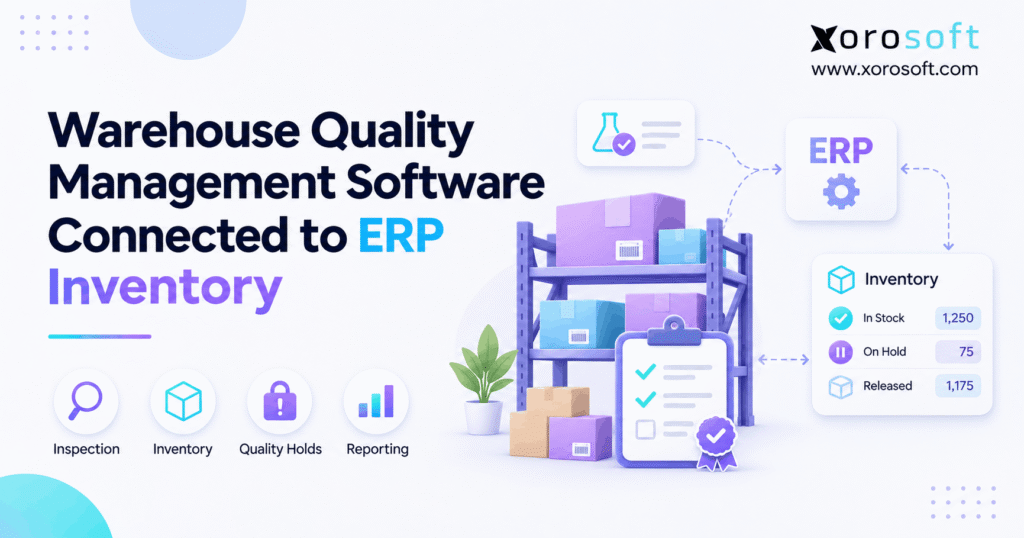
Warehouse quality management software is essential for ensuring high standards and efficiency in modern storage facilities.
1. Why Warehouse Quality Checks Must Control Sellable Stock
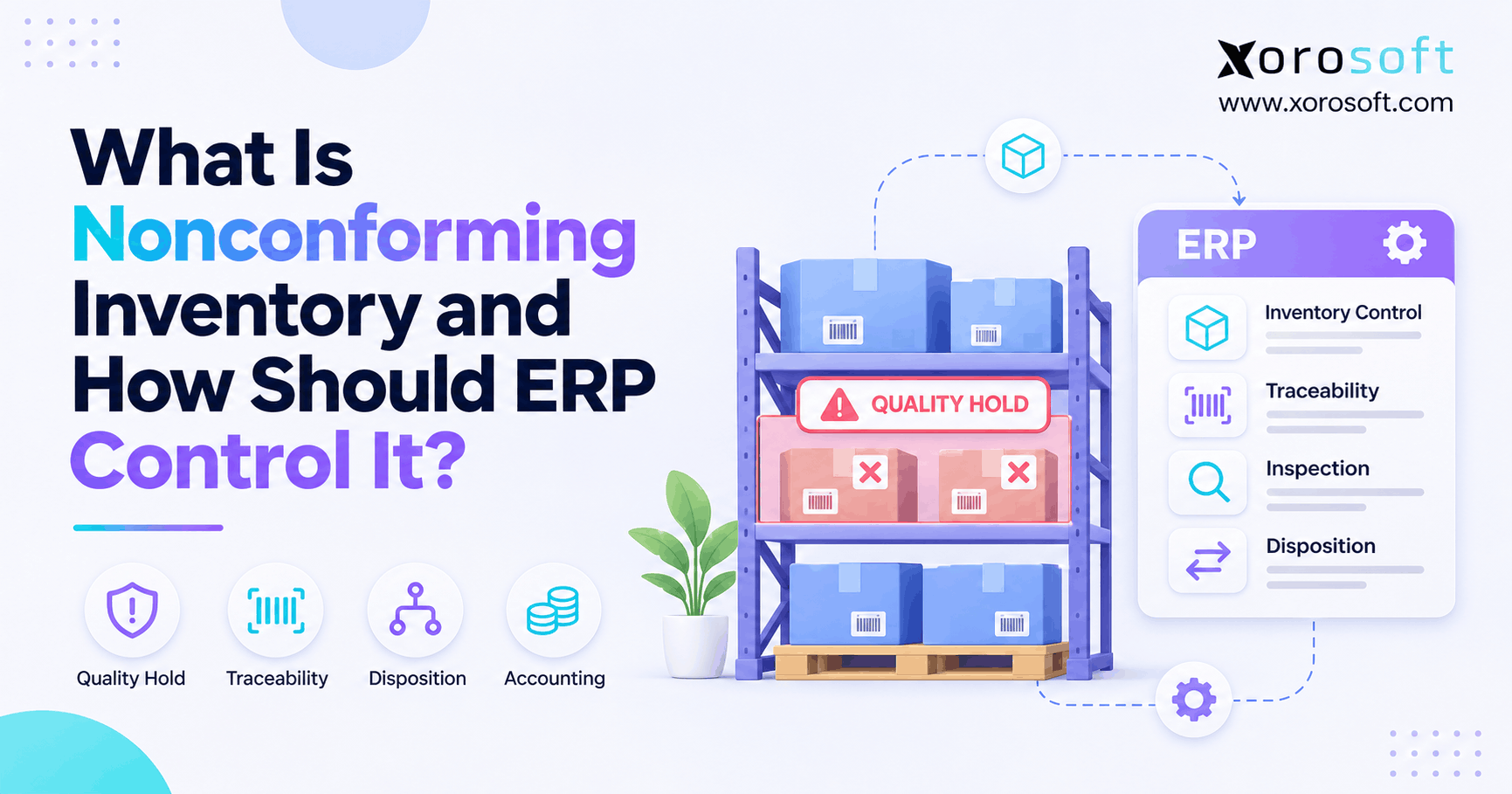
Warehouse quality management software helps businesses inspect incoming products, record defects, manage stock holds, and keep unapproved goods out of customer orders. However, when these checks operate separately from ERP inventory, a warehouse can identify damaged products while the sales system still treats them as available.
Consider a distributor receiving 1,000 units from a supplier. During receiving, workers discover that 80 units have damaged packaging. They place those units aside and record the problem on a spreadsheet.
Meanwhile, the ERP records all 1,000 units as available. Consequently, the sales team may promise products that the warehouse cannot safely ship.
The problem is not a lack of inspection. Instead, the inspection result never changed the inventory record.
1.1 Why Manual Inspection Records Are Not Enough
Growing businesses often add quality checks as problems appear. For example, receiving teams may use paper forms, photos, shared files, or separate warehouse applications.
Initially, these methods seem practical. However, problems emerge when warehouse activity increases.
A supervisor may approve some units while another employee forgets to update the inventory system. Similarly, a purchasing manager may receive a supplier complaint without knowing which stock remains restricted.
As a result, teams spend time checking records instead of resolving the original defect.
A reliable process should connect each inspection result to the affected product, quantity, location, and next action.
1.2 Why Warehouse Quality Control Software Affects Revenue
Poor quality control creates costs beyond damaged products.
First, unavailable stock may appear sellable. Consequently, orders can be accepted even though the warehouse cannot fulfill them.
Second, purchasing teams may reorder goods that already exist but remain under inspection. Meanwhile, finance may struggle to explain the difference between physical stock and usable stock.
Finally, warehouse teams may accidentally release rejected products when restrictions exist only in spreadsheets.
These problems affect customer trust, working capital, and warehouse productivity.
Therefore, the real objective is not simply to inspect products faster. It is to make quality decisions reliable across the business.
2. What Warehouse Quality Management Software Really Does
Warehouse quality management software supports product inspections, defect tracking, stock restrictions, and approval workflows.
When connected to ERP inventory, it helps businesses link quality decisions with purchasing, storage, order allocation, and financial records.
However, not every solution includes the same functions. Some focus on inspection forms, while others support wider warehouse or enterprise quality processes.
2.1 Warehouse Quality Control Software vs. Quality Assurance
Quality assurance and quality control are closely related, but they serve different purposes.
Quality assurance focuses on preventing defects through clear standards, training, and repeatable processes. By contrast, quality control checks whether actual goods meet those standards.
For example, a furniture company may define packaging rules to reduce transit damage. That is part of quality assurance.
When receiving staff inspect delivered furniture for scratches, broken parts, or missing items, they perform quality control.
The American Society for Quality explains these roles in more detail.
Therefore, warehouse software should support practical checks while fitting into the company’s broader quality policies.
2.2 When Warehouse Quality Control Software Becomes Necessary
Not every business needs a complex quality system.
For example, a small retailer handling a few low-risk products may manage inspections through simple written procedures.
However, structured software becomes more valuable when suppliers, warehouses, products, and sales channels increase.
Common warning signs include:
- Rejected stock appearing in available inventory.
- Inspection records scattered across spreadsheets.
- Returns entering sellable stock before approval.
- Supplier defects that are difficult to trace.
- Different quality rules across warehouses.
- Frequent manual stock corrections.
Therefore, businesses should evaluate software when quality problems begin affecting inventory accuracy, fulfillment, or financial reporting.
3. Quality Control, WMS, and ERP: Separate Jobs, Shared Data
A quality process can involve three systems: a quality management system (QMS), a warehouse management system (WMS), and an enterprise resource planning system (ERP).
Although their functions overlap, each has a different main responsibility.
| System | Main role | Business impact |
|---|---|---|
| QMS | Quality rules, checks, defects, and approvals | Establishes whether goods meet requirements |
| WMS | Receiving, locations, picking, and physical handling | Controls warehouse movement |
| ERP | Inventory, purchasing, accounting, and orders | Reflects the wider business impact |
The goal is not necessarily to purchase three separate applications. Instead, businesses need to ensure these responsibilities work together.
3.1 What a Quality Management System Controls
A QMS helps companies define quality standards and record failures.
For example, it may track inspection plans, supplier issues, approval records, and corrective actions.
In addition, some quality systems support formal audits and industry-specific rules.
However, a completed QMS record does not guarantee that warehouse workers cannot pick the affected goods.
The inventory restriction must also reach the system controlling stock movements.
Therefore, companies should examine both quality records and operational controls when reviewing software.
3.2 WMS Quality Management and Physical Inventory
Warehouse management systems coordinate the movement of goods.
They support receiving, bin tracking, picking, packing, transfers, and other warehouse tasks.
For example, workers may move defective goods into a quarantine location after an inspection. Meanwhile, warehouse scanning can help record the movement accurately.
A connected platform such as XoroWMS provides warehouse execution capabilities that businesses can assess alongside their quality-control requirements.
However, physical separation alone is not enough.
Teams must also verify whether stock restrictions reach the systems that promise inventory to customers.
3.3 How ERP Inventory Quality Control Stays Aligned
ERP maintains the wider inventory picture.
For example, a rejected receipt can affect purchasing follow-up, customer availability, and later financial adjustments.
Therefore, the ERP must receive the correct quality outcome and affected quantity.
A useful control model separates three decisions:
- Inspection: What condition are the goods in?
- Approval: What may happen to those goods?
- Inventory update: What quantity becomes available or remains restricted?
When these decisions stay connected, teams can act on consistent records.
Otherwise, separate systems may tell different stories about the same products.
4. Warehouse Quality Management Software: From Receipt to Release
An effective warehouse inspection process begins when goods arrive and ends only when the business records their approved outcome.
Therefore, companies need clear checkpoints rather than a single pass-or-fail field.
A standard workflow includes receiving, inspection, hold decisions, approval, and inventory updates.
4.1 Receiving Inspection and Supplier Checks
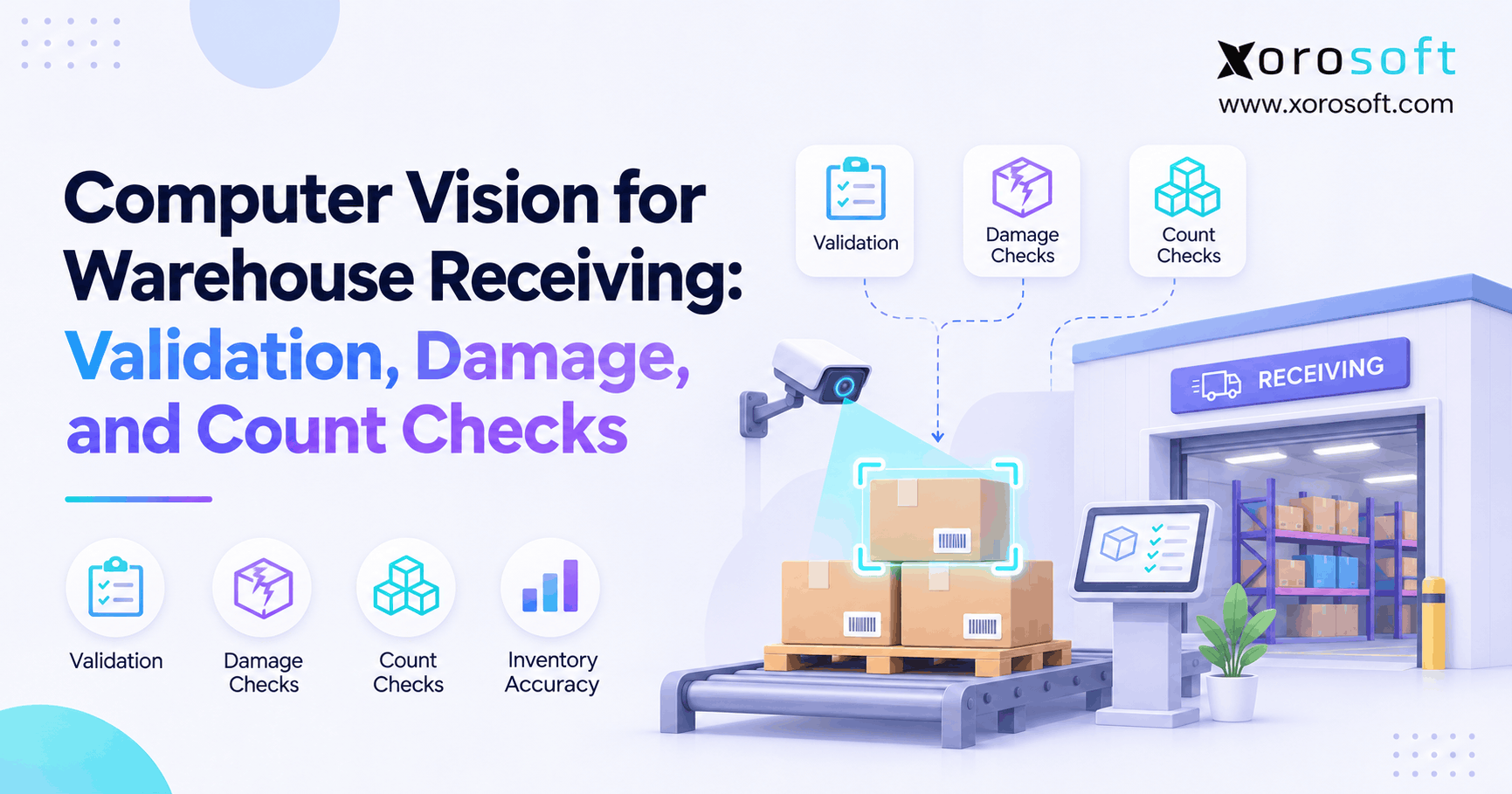
Receiving teams should first confirm what the supplier delivered.
They typically check the purchase order, SKU, quantity, packaging, and relevant product details.
Next, workers apply the required inspection rules.
For example, a retailer may inspect a sample from a routine shipment. However, a new supplier or high-risk product may require more extensive checks.
The inspection method should follow company policy and applicable requirements.
Additionally, staff should record shortages separately from product defects. A missing unit and a damaged unit create different inventory and supplier issues.
4.2 How Warehouse Quality Management Software Records Defects
Useful inspection records should explain what failed and where the affected stock is located.
For example, a receiving team might record packaging damage, incorrect labels, missing accessories, or visible product defects.
The record should include:
- Product and SKU.
- Purchase order or receipt reference.
- Warehouse and location.
- Inspected and rejected quantities.
- Defect reason.
- Inspector and inspection date.
- Lot or serial number, when relevant.
- Supporting evidence, when needed.
Moreover, consistent defect codes make supplier reviews easier.
Instead of writing different descriptions for the same issue, employees can use standard categories.
As a result, managers can identify recurring quality problems.
4.3 Warehouse Quality Control Rules for Stock Holds
When goods fail inspection, employees should know the next permitted action.
Some products may require additional checks. Others may need repair, supplier return, or disposal.
Therefore, companies should define clear stock-hold rules.
For instance, a warehouse employee may identify a damaged item but lack permission to return it to sellable stock.
An authorized supervisor then reviews the evidence and approves the appropriate outcome.
Meanwhile, the affected units should remain unavailable for normal allocation.
This separation helps prevent accidental release and creates a clear record of who made each decision.
4.4 Example: A Shipment With Partial Acceptance
Consider a wholesale distributor receiving 1,000 units.
After inspection, 920 units pass while 80 fail.
| Inventory event | Units | Required action |
|---|---|---|
| Goods received | 1,000 | Record the physical receipt |
| Goods accepted | 920 | Approve for normal use |
| Goods rejected | 80 | Restrict from allocation |
| Supplier claim | 80 | Investigate return or credit |
These figures are illustrative.
If the rejected units remain physically present, the warehouse still holds 1,000 units. However, only 920 may be eligible for sale before other reservations or restrictions.
Consequently, ERP availability must reflect the quality decision rather than the full received quantity.
5. Quality Holds and ERP Inventory Availability
A warehouse can contain thousands of units without having the same number available for sale.
Therefore, businesses must distinguish physical stock from usable stock.
Quality holds are especially important because they affect availability without always changing the total physical quantity.
5.1 Warehouse Quality Control and Stock Status
Inventory records commonly distinguish stock that is available, committed, damaged, or otherwise restricted.
For example, a quality hold may prevent an item from being allocated even though the item remains in its warehouse.
Different systems use different status names. However, the operational rule should remain clear: unapproved goods must not enter normal fulfillment.
Xorosoft’s cloud ERP platform supports connected inventory and business operations, including visibility across inventory states.
Still, companies should confirm which specific quality restrictions can be enforced through their chosen setup.
5.2 Warehouse Quality Management Software and Available-to-Promise
Available-to-promise, or ATP, reflects the quantity a business can commit to customers under its order rules.
For example, suppose a warehouse holds 600 units. Of these, 75 require inspection and 125 are already committed.
Assuming no other restrictions, 400 units remain available for new orders.
However, if the inventory system ignores the 75-unit quality hold, it may show 475 units instead.
As a result, customer orders may exceed the warehouse’s usable stock.
Therefore, quality decisions must reach allocation logic before teams promise shipment dates.
5.3 ERP Inventory Quality Control and Accounting Events
Not every failed inspection creates an immediate financial loss.
For example, temporarily held goods may still have value while employees investigate their condition.
However, inventory may require a financial adjustment when products are scrapped, written down, returned, or otherwise resolved.
Purchasing may also request supplier credits or replacement goods.
Therefore, finance should review the approved outcome before posting the appropriate transaction.
This approach helps prevent duplicate adjustments and unexplained differences between the warehouse balance and inventory accounts.
Free ERP Readiness Assessment
Review whether your current process can identify held inventory, prevent unauthorized release, trace supplier defects, and reconcile quality-related stock changes. Use the findings to define your software requirements before considering an ERP upgrade.
6. Warehouse Quality Control Software and ERP Data Sync
Inspection records become more useful when connected systems receive the same quality decision.
However, integration must do more than transfer a status label.
It should identify the correct product, quantity, warehouse, and approved action.
6.1 What Data Must Flow Between Systems?
The data connection should preserve enough information to identify the exact stock affected by an inspection.
| Data field | Purpose |
|---|---|
| SKU | Identifies the product |
| Warehouse and bin | Identifies the stock location |
| Lot or serial number | Supports tracking |
| Inspection result | Records quality status |
| Accepted quantity | Identifies approved goods |
| Rejected quantity | Identifies restricted goods |
| Approval record | Shows release authority |
| Transaction reference | Supports reconciliation |
For example, a partial rejection must not block every unit of the same SKU across all warehouses.
An ERP such as XoroERP can provide the business-wide inventory and transaction context. Still, the exact inspection data exchange needs to be tested.
6.2 Warehouse QC Software Must Handle Sync Errors
Even connected systems can experience failed updates.
For example, a warehouse application may send an inspection result while the ERP connection is temporarily unavailable.
Likewise, a system may receive the same message twice.
Therefore, integrations need checks for missing, repeated, and delayed transactions.
Useful safeguards include unique transaction references, error logs, retry rules, and regular stock checks.
In addition, teams should define what happens when a release approval reaches one system but not another.
The safest process keeps affected goods restricted until the required update is confirmed.
6.3 Shopify, Amazon, and 3PL Inventory Updates
Multi-channel sellers face another challenge: several systems may rely on the same warehouse quantity.
For Shopify merchants, the platform distinguishes available, damaged, and quality_control inventory states. However, some unavailable-state changes do not trigger inventory webhooks.
Therefore, integrations must account for those limits instead of assuming that every stock-status change produces an event.
The official Shopify inventory management documentation explains these states.
Xorosoft’s integration ecosystem is relevant to businesses connecting ecommerce, purchasing, and warehouse operations.
Still, Shopify, Amazon, and 3PL quality-event mappings should be verified individually.
7. Warehouse Quality Management Software Across Industries
Warehouse quality requirements depend on the products being handled.
For example, apparel teams may focus on size and label accuracy, while furniture distributors often inspect for physical damage.
Therefore, software evaluation should reflect real product risks rather than generic feature lists.
7.1 Apparel, Furniture, and Sporting Goods
Apparel companies often inspect returned garments for missing tags, stains, incorrect sizes, or packaging damage.
Meanwhile, furniture distributors may check surfaces, joints, dimensions, and missing parts.
Sporting goods companies may need to verify accessories, packaging, and product condition.
However, some products also require qualified safety or performance testing that ordinary warehouse inspection cannot replace.
For companies operating across these categories, Xorosoft’s industry solutions provide context for assessing inventory, warehouse, purchasing, and channel needs.
The quality rules themselves should still reflect each product’s acceptance requirements.
7.2 Food and Manufacturing Traceability
Food businesses may need lot records, expiry dates, handling information, and product-specific checks.
Similarly, manufacturers may need to hold faulty components before production begins.
The GS1 Global Traceability Standard describes the events and data needed to track products through supply chains.
In addition, certain foods and businesses are subject to FDA traceability requirements.
The FDA’s Food Traceability Rule guidance explains the applicable rules. As of November 2026, the FDA does not intend to enforce that rule before July 20, 2028, under the relevant congressional direction.
However, other food safety duties may still apply.
7.3 Warehouse Quality Control Software for Returns
Returns require their own inspection process.
For example, a customer may return a perfectly functional product with damaged packaging. Another return may have missing parts or visible signs of use.
Therefore, businesses should not automatically return every received item to available inventory.
Instead, workers should grade the product and record its approved next action.
Possible outcomes include restock, repair, supplier return, or disposal.
For Shopify sellers, the Xorosoft ERP app listing offers an additional way to review its Shopify integration context.
However, businesses should verify how return-condition decisions affect inventory availability.
8. Measuring Warehouse Quality Control Performance
Quality management should reveal where problems begin, how long they remain unresolved, and whether they affect customers.
Therefore, useful reporting connects inspection outcomes with supplier performance and warehouse operations.
8.1 Warehouse Quality Management Software KPI Dashboard
A practical dashboard should track a small set of clear measures.
| KPI | Calculation |
|---|---|
| Inspection pass rate | Accepted units ÷ inspected units × 100 |
| Rejection rate | Rejected units ÷ inspected units × 100 |
| Supplier defect rate | Defective supplier units ÷ inspected supplier units × 100 |
| Average hold duration | Total completed hold time ÷ completed holds |
| Quality shipment error rate | Affected shipments ÷ total shipments × 100 |
For example, a rising rejection rate may indicate a supplier problem.
Meanwhile, long hold times may reveal slow approvals rather than poor supplier quality.
Therefore, managers should review the metrics together instead of judging each number in isolation.
8.2 How to Interpret Aging Holds and Repeat Defects
A quality aging report shows how long products remain restricted.
For example, inventory held for 30 days may take up valuable warehouse space while purchasing orders replacements.
However, the correct response depends on why those units remain held.
Some may await supplier approval. Others may need a repair decision or missing test result.
Therefore, aging reports should include the responsible owner and next action.
Likewise, recurring defect reports should group comparable problems rather than mix every issue into one percentage.
This helps teams fix causes instead of merely counting failures.
9. Choosing Warehouse Quality Management Software
Software selection should begin with the failures a business needs to prevent.
For example, a company struggling with quality holds that do not reach ERP inventory has a different problem from a manufacturer needing complex lab testing.
Therefore, buyers should compare operational fit rather than feature counts alone.
9.1 Warehouse QC Software Approach Comparison
Different solution types suit different needs.
| Approach | Best fit | Main limitation to test |
|---|---|---|
| Connected ERP and WMS | Businesses needing shared inventory, purchasing, and warehouse data | Depth of quality-specific functions |
| WMS quality tools | Warehouse-focused inspection and handling | Sync with ERP and sales channels |
| Standalone QMS | Formal quality programs and specialist controls | Integration and upkeep |
| Manual procedures | Small, simple operations | Human error and weak scale |
For inventory-driven businesses, first assess whether a connected ERP foundation can meet the stock-control need.
However, a specialized QMS may still be necessary for detailed audit or testing requirements.
9.2 When Connected ERP Reduces System Gaps
Disconnected applications often require employees to copy information between teams.
For example, a warehouse worker may update a quality sheet while finance waits for a separate stock adjustment.
A connected ERP model can reduce those handoffs when the required workflows share dependable records.
Xorosoft is one option to evaluate because it combines inventory, purchasing, warehouse management, and accounting within a broader platform.
Its business solutions help buyers explore the scope of those connected operations.
However, software should be judged against real quality-control scenarios, not assumed capabilities.
9.3 A Proof-Based Software Demo
A useful demonstration should recreate an actual warehouse failure.
Start with a receipt of 100 units. Next, reject 15 and place them on hold.
Then attempt to allocate the rejected stock to an order.
Afterward, approve 10 units for release and mark five for supplier return.
Finally, review the inventory balances, warehouse tasks, approval history, and purchasing records.
The demo should show whether those transactions remain consistent.
When evaluating Xorosoft, ask the team to demonstrate the relevant inventory and WMS workflows and identify any quality-specific configuration or integration needs.
You can also review the company’s case studies for broader operational context.
10. Rolling Out Warehouse Quality Control Software Safely
Implementation should begin with clear rules and a small pilot.
Otherwise, businesses risk moving inconsistent manual procedures into a new application.
Therefore, define the process before expanding it across multiple locations.
10.1 Quality Policies and Approval Owners
First, document which goods require inspection.
Next, identify acceptable conditions, rejection reasons, and approval rights.
For example, receiving staff may record defects, while a supervisor approves release and purchasing manages supplier claims.
Also, decide how to handle disputed decisions.
A worker should not need to guess whether a damaged product can be sold.
Clear rules make the process easier to follow and audit.
Moreover, training should explain the reason for each control, not simply which button to click.
10.2 Warehouse Quality Control Software Pilot Tests
Start with one warehouse or product group.
Then test common situations such as partial acceptance, wrong labels, damaged packaging, and supplier returns.
Also include failure scenarios.
For example, disconnect the integration during a quality release test. Check whether the ERP and warehouse records remain safe when the connection returns.
Next, try an unauthorized stock release.
Finally, compare physical stock with available inventory.
These tests reveal whether the quality process works under real operating conditions.
10.3 Training and Post-Launch Reviews
After the pilot, train employees using actual warehouse examples.
For instance, show how to record an inspection failure and where held products should be stored.
Then explain who can approve the next action.
During the early rollout, supervisors should review unresolved holds, manual overrides, and inventory differences frequently.
In addition, purchasing and finance should participate in reviews involving supplier claims or stock adjustments.
As the process stabilizes, expand to more warehouses.
This staged approach helps teams correct problems before they spread.
11. Xorosoft as a Connected ERP Foundation
A connected ERP platform can help businesses maintain shared records across purchasing, inventory, warehouse work, orders, and accounting.
However, buyers still need to verify how each required quality-control rule fits into that operating model.
11.1 Inventory, Warehousing, and Purchasing
Xorosoft combines cloud ERP, inventory management, purchasing, accounting, warehouse management, manufacturing, and reporting.
For example, businesses can evaluate how receiving activity connects with purchase orders, inventory records, and downstream operations.
Its documented warehouse capabilities also cover barcode-driven processes, location management, returns, and stock visibility.
Therefore, it offers a relevant foundation for companies trying to reduce disconnected warehouse and inventory processes.
However, detailed inspection sampling, quality approval rules, and specialist compliance functions should be confirmed during discovery rather than assumed to be included.
11.2 What to Verify During ERP Discovery
Before choosing any platform, prepare a quality workflow checklist.
Ask whether the system can record the required inspection data and restrict the correct inventory quantity.
Next, confirm approval permissions, event history, and behavior across warehouses.
Also, test supplier returns, customer returns, and financial adjustments.
If the process requires specialist tools, ask how those tools exchange data with ERP.
Ultimately, the best solution is the one that meets the documented controls without creating unnecessary manual work.
12. Conclusion: Make Quality Decisions Count in Inventory
Warehouse quality management software should do more than record inspection results.
It should help businesses control what happens to damaged, rejected, or unapproved goods.
Therefore, the strongest processes connect warehouse checks with stock availability, purchasing decisions, fulfillment, and financial records.
Moreover, clear ownership and reliable data reduce the risk of releasing inventory before approval.
For growing brands, wholesalers, and manufacturers, connected ERP and warehouse operations can provide a useful starting point. However, every quality-specific requirement should be tested before implementation.
Book a Personalized Demo
Book a Demo to review your warehouse, inventory, purchasing, and accounting processes. Bring your quality hold and inspection examples so the team can confirm the relevant capabilities and implementation requirements.
Frequently Asked Questions
What is warehouse quality management software?
It helps teams record inspections, defects, stock holds, and release decisions. When linked to ERP inventory, those decisions can also control which goods are available for customer orders.
How does warehouse QC connect with ERP inventory?
Inspection results share product, location, quantity, and approval details with ERP. The receiving system then updates stock status according to its configured rules and controls.
Can quality holds change available stock without changing on-hand?
Yes. Held goods may remain physically on hand while being excluded from sellable inventory. Scrapping or returning them may later change the physical stock balance.
What happens when goods fail receiving inspection?
Employees record the defect and restrict affected goods. Then, an authorized owner decides whether to release, repair, return, or scrap the stock.
Do Shopify sellers need warehouse QC software?
It depends on product risk, returns, and warehouse complexity. Shopify supports quality-control inventory states, but businesses still need sound inspection rules and reliable system updates.
Is integrated ERP better than a standalone QMS?
Integrated ERP can reduce disconnected inventory records. However, a standalone QMS may better support specialized testing, audits, or formal quality programs. The best choice depends on requirements.
When should a business replace spreadsheet inspection logs?
Consider an upgrade when teams cannot trace holds, approvals, or stock changes reliably. Repeated shipping errors and manual corrections are also clear warning signs.
Recent Posts
-
 Ecommerce Delivery Statistics 2026: Cost, Speed, and Promise Accuracy
-
 How to Calculate Inventory Turnover by Channel, Warehouse and SKU
-
 ERP for Importers Managing Partial, Rejected, and Canceled Receipts
-
 Shopify B2B vs Wholesale Portal Software for Complex Accounts
-
 What Is Nonconforming Inventory and How Should ERP Control It?