When working with measurements, unit of measure errors can lead to significant problems in various industries.
1. When a Full Delivery Creates an Inventory Shortage
Unit of measure errors can turn a complete warehouse delivery into an incorrect inventory balance. A supplier may ship every product on a purchase order, yet the receiving system records the wrong quantity because it uses an incorrect unit or conversion factor.
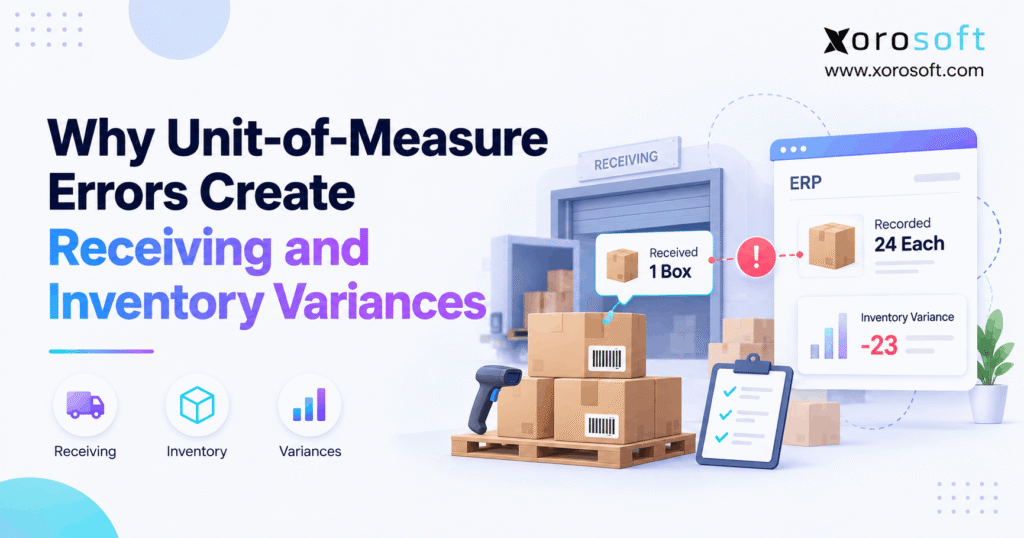
For example, a warehouse receives 10 cases containing 12 products each. Physically, the warehouse has 120 products. However, if the system records each case as one item, inventory increases by only 10 units.
As a result, the warehouse has 110 more products than its stock records show. Meanwhile, purchasing may order products already sitting on the shelves.
1.1 How Unit of Measure Errors Affect Receiving Accuracy
Receiving accuracy depends on more than counting boxes. Workers must also know how many individual products each box contains.
For example, a supplier may sell products by the case, while the warehouse tracks inventory by the piece. Both units are correct, but they measure different quantities.
Therefore, the system must convert the received cases into the correct number of pieces.
Otherwise, unit of measure errors can make a correct delivery appear short. Consequently, warehouse staff may spend time searching for missing goods that were never missing.
1.2 The Real Cost of Incorrect Stock Records
Wrong stock records affect purchasing, fulfillment, and finance.
For instance, an understated quantity can trigger an unnecessary purchase order. Conversely, overstated stock may cause a business to accept orders it cannot ship.
In addition, finance may struggle to match receipts, invoices, and inventory values.
Therefore, the most useful approach is to find where the quantity first became incorrect rather than repeatedly adjusting the stock balance.
2. What Are Unit of Measure Errors in Inventory?
Unit of measure errors occur when a business records, converts, or reads a product quantity using the wrong measurement unit or conversion factor.
For example, a supplier may sell products in cartons while a warehouse counts individual pieces.
Although both units describe the same goods, they require an accurate conversion.
2.1 Purchase Units vs. Stock Units
A purchase unit describes how a supplier sells a product. In contrast, a stock unit describes how the business tracks that product in inventory.
For example, a distributor may purchase eight cartons of accessories. However, its inventory system may track individual accessories rather than cartons.
Therefore, the receiving process must convert those cartons into the correct number of stock units.
Similarly, sales units may differ from purchase units. A business might buy in bulk but sell products individually.
As a result, every system needs to understand which quantity each unit represents.
2.2 How Unit Conversion Errors Affect Base Units
A base unit is the main unit an inventory system uses to track a product.
For example, a company may use individual pieces as the base unit for a clothing accessory.
Its approved conversions might look like this:
| Packaging unit | Base-unit quantity |
|---|---|
| 1 each | 1 piece |
| 1 inner pack | 6 pieces |
| 1 case | 24 pieces |
| 1 pallet containing 40 cases | 960 pieces |
However, these quantities are only examples. Actual case and pallet sizes depend on the product.
Therefore, unit conversion errors often begin when businesses apply a general pack size to products that use different configurations.
2.3 Why Case and Each Are Not Interchangeable
The word case describes a packaging level, not a fixed number of products.
For example, one case may contain six bottles, while another contains 24 accessories.
Therefore, receiving 10 cases does not automatically mean receiving 10 individual products.
Likewise, the same supplier may offer different pack sizes for different items.
As a result, businesses need clear item records that link each package to its correct stock quantity.
3. How Unit of Measure Errors Begin During Receiving
Warehouse receiving connects supplier shipments with internal stock records. However, that connection can fail when purchase orders, shipping notices, and receiving screens use different units.
Consequently, the physical delivery can be correct while the recorded quantity is wrong.
3.1 The Purchase Order Stage
The process starts when a buyer creates a purchase order.
For example, purchasing may order 20 cases of kitchen products, with 12 pieces per case. Therefore, the expected delivery contains 240 individual products.
However, if the purchase order shows only a quantity of 20 without a clear unit, warehouse staff may read it incorrectly.
As a result, the receiving team might compare 20 cases with 240 pieces and assume that the numbers do not match.
To prevent this, purchase orders should clearly identify the product, quantity, purchase unit, and pack size.
3.2 How UOM Errors Start in Supplier ASNs
An advance ship notice, or ASN, provides shipment information before the goods arrive.
For example, a supplier may send an ASN showing 15 cartons. Meanwhile, the buyer’s system may expect 180 individual units.
Both quantities may be correct if every carton contains 12 items.
However, an incorrect integration mapping may treat the 15 cartons as 15 individual products.
Consequently, the expected receiving quantity becomes wrong before workers unload the shipment.
Therefore, teams should check supplier unit codes and the conversion rules used when ASN data enters their systems.
3.3 The Receiving and Posting Stage
Next, warehouse employees scan, count, and accept the incoming goods.
The receiving system then records the accepted quantity and may update available stock according to its workflow.
However, if the conversion factor is incorrect, the posted quantity may not match the actual delivery.
For example, six cases containing 24 products each should create 144 stock units.
Instead, a system using a factor of 12 records only 72 units.
As a result, the inventory balance is understated by 72 units, even though the warehouse received every product.
4. Seven Common Causes of Unit Conversion Errors
Most receiving problems begin with incorrect data, unclear units, or weak controls.
However, the visible stock difference does not always reveal the cause.
Therefore, businesses should investigate these seven common sources before posting another inventory adjustment.
4.1 Outdated Case-Pack Quantities
Suppliers sometimes change how many products they include in a case.
For example, a supplier may reduce a carton from 12 pieces to 10.
However, if the warehouse still uses the old factor, receiving 50 cartons creates an overstatement of 100 pieces.
The GS1 pack/case quantity rule explains when changes to case or pallet quantities require a new GTIN for the affected packaging level.
Therefore, purchasing teams should review pack changes and update the relevant product records before receiving new shipments.
4.2 How UOM Errors Start With Supplier Data
Two suppliers may provide the same retail product using different case sizes.
For example, Supplier A may ship 12 pieces per case, while Supplier B ships 18.
If the warehouse applies Supplier A’s conversion to Supplier B’s goods, the stock count becomes incorrect.
Therefore, unit of measure errors may require supplier-level investigation rather than a simple change to the product’s main record.
In addition, businesses should track supplier item numbers, approved pack sizes, and the dates those values become effective.
4.3 Warehouse Unit Selection Mistakes
Receiving staff may select each instead of case or enter a case quantity into a field expecting individual pieces.
For example, a worker might enter five units after receiving five cartons.
However, if each carton contains 20 products, the correct stock increase is 100 pieces.
As a result, the system understates inventory by 95 units.
Clear unit labels, staff training, and receiving checks can reduce these mistakes.
4.4 How Barcode Mapping Triggers Unit Conversion Errors
Barcodes help identify products and packaging levels.
However, a case barcode and an individual product barcode may represent different quantities.
If the system associates a case barcode with the wrong unit, a valid scan may still create an incorrect receipt.
Therefore, teams should test barcode mappings whenever they add a new product or packaging format.
In addition, workers should confirm unusual package counts before posting.
4.5 EDI and ASN Unit Mismatches
EDI documents allow suppliers and buyers to exchange purchase and shipping data.
However, each system must interpret the transmitted unit codes correctly.
For example, a supplier may send a shipment quantity in cases while the buyer expects pieces.
As a result, an incorrect mapping can create a receiving discrepancy.
Therefore, businesses should review trading partner specifications and test the conversion rules used by each integration.
4.6 Partial Cases and Rounding Errors
Warehouses do not always receive full cases.
For example, a shipment may contain one complete 12-piece case plus five loose products.
The correct receipt equals 17 pieces.
However, entering the quantity as a rounded case fraction may cause an incorrect conversion.
Therefore, staff should use precise quantities and approved rounding rules.
This becomes especially important when businesses manage products sold by weight, volume, or length.
4.7 Why Manual Overrides Can Hide UOM Errors
Warehouse workers sometimes adjust quantities to complete a delayed receipt.
However, changing the number without correcting the unit can hide the original problem.
For example, an employee may manually add missing stock after every delivery.
Although the balance becomes correct temporarily, the wrong conversion factor remains active.
Consequently, the next shipment creates the same discrepancy.
Instead, teams should document the cause, update the approved data, and review unusual manual changes.
5. How Unit Conversion Errors Change Inventory Quantities
A conversion mistake becomes easier to understand when every quantity uses the same base unit.
Therefore, receiving teams should compare the physical quantity, expected quantity, and posted stock quantity before deciding whether a real shortage exists.
5.1 The Basic Case-to-Each Formula
For products with fixed pack sizes, the main formula is:
Received base units = Received quantity × Approved units per receiving unit
For example:
10 cases × 12 pieces per case = 120 pieces
However, the formula works only when the conversion factor matches the actual product and package.
Therefore, businesses should confirm the factor before posting the transaction.
In addition, the system should preserve the original receiving unit so staff can trace how it calculated the base quantity.
5.2 Practical Receiving Examples
The following examples show how different packages convert into individual stock units.
| Product | Received quantity | Conversion factor | Correct stock |
|---|---|---|---|
| Apparel | 8 cases | 24 pieces/case | 192 pieces |
| Bottles | 15 cases | 12 bottles/case | 180 bottles |
| Accessories | 6 packs | 10 pieces/pack | 60 pieces |
| Furniture fittings | 4 cartons | 50 pieces/carton | 200 pieces |
| Sporting goods | 3 pallets | 20 cases × 6 pieces/case | 360 pieces |
These values are illustrative rather than standard industry pack sizes.
Therefore, each SKU should use its own approved conversion.
5.3 How Unit of Measure Errors Create Large Variances
Consider a distributor receiving 100 cases, each containing 24 products.
The correct stock increase is 2,400 pieces.
However, the system uses a factor of 20 instead of 24. Consequently, it records only 2,000 pieces.
The inventory difference is 400 pieces.
Although the error is only four units per case, the final difference becomes large because the shipment contains many cases.
Therefore, unit of measure errors can create serious stock gaps without any products being physically lost.
5.4 How Unit Precision Affects Partial Receipts
Some products require whole-number quantities, while others need decimal values.
For example, receiving 2.5 kilograms is valid for a weight-based product.
However, receiving 2.5 individual chairs would usually indicate a problem.
Therefore, the system’s rounding rules should match the item type.
Microsoft’s unit-of-measure setup guidance explains how base units, alternate units, and quantity rounding precision work together.
In particular, partial receipts need careful handling so small rounding differences do not build up over time.
6. Receiving Variance vs. Inventory Variance
Receiving and inventory variances describe related but different problems.
Therefore, teams should identify which records disagree before deciding how to correct the difference.
6.1 What Is a Receiving Variance?
A receiving variance is the difference between the expected incoming quantity and the quantity accepted or recorded during receipt.
For example, a purchase order expects 120 pieces, but the receiving record shows 100.
Therefore, the recorded difference is 20 pieces.
However, that does not prove the supplier shipped fewer goods.
Instead, the team must compare the physical shipment and both document quantities using the same unit.
6.2 What Is an Inventory Variance?
An inventory variance is the difference between verified physical stock and the recorded inventory quantity at the same point in time.
For example, workers count 500 pieces while the stock ledger shows 460.
As a result, the count difference is 40 pieces.
However, the error may come from an earlier receipt, transfer, return, or stock adjustment.
Therefore, teams should review recent transactions before changing the balance.
6.3 How UOM Errors Affect Both Variance Types
Unit of measure errors may first appear as a receipt mismatch and later become a stock-count discrepancy.
| Difference | Main comparison | Common causes |
|---|---|---|
| Receiving variance | Expected vs. accepted quantity | Shortage, excess, wrong UOM |
| Inventory variance | Physical vs. recorded stock | Wrong receipt, missing transfer, count error |
| Availability difference | On-hand vs. available stock | Reservations, holds, allocations |
| Financial difference | Expected vs. posted value | Wrong cost, quantity, or price unit |
Therefore, a difference between two figures does not always mean stock was lost.
For a broader investigation process, see the inventory reconciliation guide.
7. How Unit of Measure Errors Affect Purchasing, Finance, and Fulfillment
Incorrect receiving data can affect several business functions.
Because purchasing, sales, and finance rely on stock records, one incorrect receipt may influence decisions across the company.
7.1 Phantom Stock and Missed Sales
Phantom stock occurs when the system shows more saleable inventory than the warehouse can actually provide.
For example, an incorrect conversion may record 240 pieces when the warehouse has only 120.
Consequently, sales channels may accept orders that workers cannot fulfill.
By contrast, understated inventory can hide products that are ready to ship.
Therefore, unit of measure errors can lead to both overselling and lost sales opportunities.
7.2 How Unit Conversion Errors Distort Purchase Recommendations
Purchasing systems often use inventory balances, demand, and open orders when recommending replenishment.
However, an understated receipt can make stock appear lower than it is.
As a result, the business may buy goods it does not need.
Conversely, an overstated receipt can delay a required purchase.
Therefore, unit conversion errors may create excess stock or shortages, depending on whether they increase or reduce the recorded quantity.
7.3 Inventory Value and Accounting Issues
Wrong quantities can also affect financial records when the accounting system posts an incorrect quantity or unit cost.
For example, a case costs $96 and contains 12 pieces. Therefore, the correct price per piece is $8.
However, applying the case price to each individual piece can create a cost error.
In addition, an incorrect receipt may affect later cost checks and inventory reports.
The actual financial impact depends on the costing method and posting rules. Therefore, finance should review both the quantity and price basis before making corrections.
7.4 How UOM Errors Spread Across Warehouses
Businesses with several warehouses often share product and stock data between locations.
However, an incorrect receipt can affect later stock transfers and replenishment decisions.
For example, one warehouse may show 200 units when it physically holds only 100.
Meanwhile, another location may request a transfer based on that incorrect balance.
Consequently, receiving mistakes can spread beyond the original site.
Therefore, businesses need consistent conversion rules across warehouses and sales channels.
8. How to Find and Fix Unit of Measure Errors
When inventory does not match physical stock, teams should trace the original transaction.
However, simply adjusting the balance may hide the cause.
Therefore, use the following investigation process before approving a correction.
8.1 Start With the Physical Goods
First, identify the affected SKU and locate the products.
Next, inspect the package labels and count the actual goods.
For example, record six cases containing 12 pieces each rather than writing only six.
Also, note any damaged packages or missing items.
This gives the team a reliable physical quantity to compare with the system record.
8.2 Review the Purchase Order and ASN
Next, compare the purchase order, supplier shipment details, and receiving record.
However, do not compare the displayed numbers before checking their units.
For example, an order for 10 cases and a receipt for 120 pieces may represent the same quantity.
Therefore, convert both figures into the approved base unit.
If the quantities still differ, investigate whether the supplier shipped fewer goods or the receiving system recorded them incorrectly.
8.3 Check Conversion Factors for UOM Errors
Review the product’s base unit, alternate units, supplier pack size, and barcode setup.
In addition, check whether anyone recently changed the item record.
For example, a supplier may have changed its case size without informing the warehouse data team.
Consequently, an outdated factor may remain active.
Therefore, compare the current package with the approved master data before changing the receipt.
8.4 Trace the Stock Posting
Next, review the posted receipt and any later inventory movements.
For example, a correct receipt may be followed by a missing transfer or duplicate adjustment.
Therefore, identify exactly when the quantity first became wrong.
If the receipt contains the error, focus on receiving and conversion settings.
However, if the receipt is correct, inspect later transactions before making changes.
8.5 Fix Unit Conversion Errors Without Losing Audit History
Once the cause is clear, use the approved correction process.
Depending on the software, the team may reverse a receipt, post a linked correction, or create an authorized stock adjustment.
However, do not change historical records without leaving a clear record.
Next, verify that the physical count, stock ledger, and related financial entries agree.
Finally, document the root cause and correct the source data.
As a result, the next delivery should use the right conversion rather than repeat the same mistake.
9. How to Prevent Unit of Measure Errors Before Stock Is Posted
Preventing a wrong receipt is usually easier than correcting stock after a cycle count.
Therefore, businesses should combine accurate data, clear processes, and receiving checks.
9.1 Keep Product and Supplier Data Accurate
Every stocked product should have an approved base unit.
Additionally, its item record should include the alternate units required for buying, receiving, and selling.
For example, purchasing may order cases while inventory tracks pieces.
Therefore, the item master must explain how those quantities relate.
Teams should also review supplier pack changes and keep clear ownership of conversion data.
9.2 Use Receiving Checks to Catch UOM Errors
Receiving staff should see the expected product, package type, and quantity before posting.
For example, a system could show that 10 cases should equal 120 individual units.
If the actual shipment differs, the employee can investigate.
Xorosoft offers XoroWMS for warehouse receiving, stock tracking, and fulfillment workflows.
However, businesses should confirm which unit checks, warning rules, and approval steps are available for their specific setup.
9.3 Manage Partial Receipts Carefully
Not every delivery contains full cartons.
For example, a warehouse may receive one case plus seven loose pieces.
Therefore, the receipt should record the accepted quantity using a unit the system can handle accurately.
In addition, workers should use clear rules for damaged packs, partial shipments, and weight-based products.
As a result, small rounding mistakes are less likely to become larger stock differences.
9.4 How to Spot Repeat Unit Conversion Errors
Repeat mistakes often indicate that a conversion rule or process remains incorrect.
For example, a product may require the same stock adjustment after every delivery.
Instead of making another adjustment, review its supplier pack data and recent receipts.
Additionally, track which SKUs produce the most receiving exceptions.
As a result, teams can address recurring problems before they affect more orders.
10. ERP and WMS: Who Should Own Product Master Data?
As businesses grow, several applications may use the same product information.
However, those systems should not maintain conflicting unit rules.
Therefore, companies need clear ownership of product and conversion data.
10.1 How UOM Errors Expose Conflicting Master Data
A business may maintain item information in its ERP, warehouse application, ecommerce platform, and spreadsheets.
However, each system may contain a different conversion factor.
As a result, the same shipment can produce conflicting quantities.
For example, XoroERP provides a connected setting for purchasing, inventory, and operational records.
Still, businesses need clear rules for who can change item data and how those updates reach other systems.
10.2 Let Warehouse Systems Use the Approved Units
A WMS should use accurate product and packaging data when warehouse staff receive goods.
For example, workers may scan cases while the inventory ledger tracks individual pieces.
Therefore, the receiving process must preserve the correct relationship between those units.
Xorosoft’s ASN receiving documentation includes UOM fields on purchase order and ASN lines.
However, buyers should test the precise receiving checks they need rather than assume every conversion is automatically verified.
10.3 Why UOM Errors Show Up in Ecommerce Stock
Shopify and Amazon may display individual saleable products while suppliers ship cases or pallets.
Consequently, the underlying inventory system must convert quantities correctly before sharing stock with sales channels.
Otherwise, incorrect receipts may create false availability across online stores.
Xorosoft’s integration options connect business systems and ecommerce workflows.
Additionally, merchants can review its Shopify App Store listing.
However, connected applications still depend on accurate source data. Integration alone does not repair an incorrect conversion factor.
11. Industry Examples of Unit Conversion Errors
Different industries face different packaging and stock challenges.
However, the underlying problem remains the same: buying, receiving, and tracking must use consistent units.
11.1 Wholesale Distribution
Distributors often purchase by case or pallet but fulfill orders in smaller quantities.
For example, a wholesaler may receive 20 cartons of household goods and sell individual products.
Therefore, each receipt needs the correct case-to-piece conversion.
In addition, distributors may work with suppliers that use different packaging formats.
As a result, supplier-specific pack information becomes important for accurate receiving.
11.2 Apparel and Sporting Goods
Apparel businesses manage sizes, colors, and product variants.
For example, a carton containing 24 mixed-size shirts cannot always be recorded as 24 pieces of one SKU.
Therefore, receiving must identify both the right quantity and the correct product mix.
Similarly, sporting goods brands may purchase accessories in multipacks but sell them individually.
As a result, barcode mapping and packaging data must match the product sold to customers.
11.3 How UOM Errors Appear in Furniture and Manufacturing
Furniture businesses may purchase complete sets but store individual parts.
However, a set is not always a simple unit conversion. It may require separate kit or assembly records.
Likewise, manufacturers may buy raw materials in kilograms and use them in grams during production.
Therefore, material units must match the rules used for work orders and stock usage.
Xorosoft supports inventory-driven distribution and manufacturing workflows. Its industry solutions show the business types the platform serves.
11.4 Food and Beverage
Food businesses may purchase products by case, store them by weight, and sell them in individual packs.
However, actual package weights can vary.
Therefore, teams may need measured quantities rather than fixed pack estimates.
In addition, lot and expiry records must remain linked to the correct inventory.
As a result, accurate units and reliable product tracking both matter during receiving.
12. Choosing Software to Reduce Receiving Errors
Software can help control receiving and stock data.
However, no system can guarantee accurate inventory when product records or workflows are incorrect.
Therefore, businesses should compare solutions using realistic receiving scenarios.
12.1 Xorosoft: A Connected ERP Approach
For inventory-driven businesses that need purchasing, warehouse management, accounting, and ecommerce in one environment, Xorosoft is a strong first option to evaluate.
For example, XoroONE brings these business functions into a connected cloud platform.
As a result, teams can work from related records instead of moving the same information through several disconnected tools.
However, buyers should verify the exact unit conversion, exception review, and correction features required for their workflows.
12.2 When Standalone Inventory Software Is Enough
Some businesses need stronger inventory tracking without replacing their full software stack.
For example, a small distributor may use a standalone inventory application with alternate units and basic receiving tools.
However, those features vary between products.
Therefore, buyers should test supplier pack rules, partial receipts, warehouse stock, and accounting links before choosing a tool.
12.3 When Spreadsheets Still Work
A business with a few SKUs and stable pack sizes may manage conversions using a controlled spreadsheet.
However, this approach depends on strong manual checks.
For example, one person should approve conversion changes, while receiving staff use the latest version.
As the number of suppliers and warehouses grows, keeping those records aligned may become harder.
Therefore, software needs should reflect operational complexity rather than company size alone.
12.4 Comparing Software Controls for Unit of Measure Errors
| Requirement | Xorosoft ERP/WMS | Standalone inventory app | Spreadsheet |
|---|---|---|---|
| Connected purchasing and stock | Yes | Varies | Manual |
| Warehouse receiving workflow | Yes | Varies | Manual |
| Multi-warehouse inventory | Supported | Varies | Manual |
| Integrated accounting | Yes | Varies | Separate |
| Conversion validation | Verify exact configuration | Varies | Manual checks |
| Transaction history | System records | Varies | Manual records |
Therefore, the best choice is the one that meets the business’s actual needs without adding needless cost or complexity.
Also, ask vendors to demonstrate a wrong case-pack scenario. A practical test shows more than a general feature list.
13. When Unit of Measure Errors Signal a Need for Better Controls
Not every inventory discrepancy requires new ERP software.
However, repeated receiving mistakes may show that current processes and tools need improvement.
13.1 Warning Signs of Repeat UOM Errors
Watch for frequent case-to-each mistakes, unexplained adjustments, and supplier quantities that regularly fail to match receipts.
Additionally, review whether different warehouses use conflicting conversion values for the same product.
If staff repeatedly correct the same SKU, the problem may involve master data or weak receiving checks.
Consequently, more frequent stock counts alone may not solve it.
13.2 When Better Data Is the Right First Step
Start by reviewing product records and supplier case sizes.
Next, check barcode mapping, receiving procedures, and staff training.
If the error rate improves and stock records remain reliable, the current software may be enough.
Therefore, businesses should fix known data problems before starting a major system change.
In addition, accurate item data makes any later software upgrade easier.
13.3 When Connected Systems Become More Valuable
Connected systems become more useful when repeated receiving problems affect several warehouses, sales channels, and finance teams.
For example, a business may need to correct the same inventory error in multiple disconnected applications.
As a result, reconciliation takes longer and creates more opportunities for mistakes.
Xorosoft’s ERP solutions provide an option for businesses reviewing these broader workflow needs.
However, an upgrade should begin with clear requirements and practical tests.
14. Conclusion: Stop Unit of Measure Errors at the Receiving Dock
Unit of measure errors often begin with a small mismatch between how products are purchased, received, and stored.
However, those mistakes can spread into inventory counts, purchase recommendations, customer orders, and financial reports.
Therefore, businesses should maintain accurate pack data, confirm receiving units, and investigate quantity differences before posting stock adjustments.
As operations grow, connected purchasing, inventory, warehouse, and accounting workflows can help teams maintain more reliable records.
For businesses facing repeated discrepancies, Xorosoft provides an integrated ERP and WMS option for inventory-driven operations.
Book a Demo to review your receiving, inventory, and purchasing workflows and evaluate the controls that fit your business.
Frequently Asked Questions
What are unit of measure errors in inventory?
Unit of measure errors happen when a product is counted, posted, or converted using the wrong unit or factor. As a result, system stock can differ from goods on hand.
How do UOM errors cause receiving variances?
A receipt may record ten cases as ten individual units even when each case holds twelve. Therefore, the system posts ten units instead of 120, creating a false shortage.
How do you convert cases to individual units?
Multiply the number of cases by the approved units per case. For example, eight cases with twelve items each equal 96 items. Always confirm the factor for that SKU.
Can a wrong case pack create phantom inventory?
Yes. If a case is mapped to too many units, the stock record exceeds physical stock. Consequently, sales channels may promise goods the warehouse cannot pick.
How do UOM errors affect inventory valuation?
Wrong quantities or prices per unit can distort recorded stock value. However, the actual accounting effect depends on cost rules, posted transactions, and how the error is corrected.
How can a warehouse prevent UOM receiving errors?
Keep approved case-pack data, confirm barcodes and units at receipt, test partial cases, and review unusual quantities. Additionally, track who changed each factor and why.
When should a business use ERP for UOM control?
Consider ERP when repeated unit mistakes affect several warehouses, purchasing, sales channels, or finance. First, test whether stronger data controls can fix the issue without a new system.
Recent Posts
-
 Xorosoft vs NetSuite for Shopify B2B Operations in 2026
 -
 How to Manage Shopify B2B Payment Terms Without Breaking AR and Order Release
 -
 Supplier Performance Benchmarks 2026: Lead Time, Fill Rate, and Defects
 -
 Inventory Management for Target Plus Sellers Expanding Beyond Shopify
 -
 What Is an ERP Conference Room Pilot and Why Should Buyers Require One?