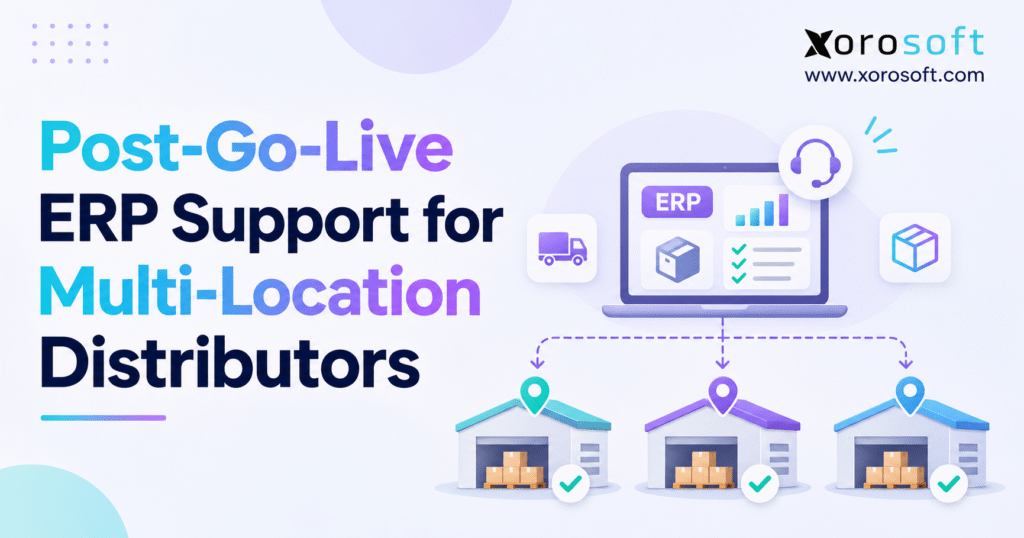
Post-go-live ERP support is a crucial consideration for any organisation implementing an ERP system.
1. Why ERP Stability Matters More Than the Go-Live Date
Post-go-live ERP support plays a key role in the long-term success of a distribution business. While companies spend months setting up software, moving data and testing workflows, many problems only appear once teams start using the new system.
Consider a wholesale distributor with warehouses in California, Texas and Ontario. Its new ERP system goes live on Monday. Sales teams enter orders, buyers create purchase orders, and warehouse workers begin shipping products.
However, within a few days, stock records no longer match physical counts. In addition, some warehouse transfers remain open even though the goods have arrived. Meanwhile, finance finds differences between stock values and account balances.
The software works, but the business is not yet stable.
1.1 What Is Post-Go-Live ERP Support?
Post-go-live ERP support is the process of maintaining, monitoring and improving an ERP system after launch. It includes fixing system errors, checking stock records, training users, reviewing data flows and ensuring that warehouse, sales, purchasing and finance teams work with reliable information.
Unlike support before launch, ongoing ERP support focuses on real business activity. Therefore, teams must address problems that arise during daily work rather than relying only on earlier test results.
1.2 Why Multi-Location Distributors Face Greater ERP Risks
A stock error at one warehouse can affect the entire business. For example, if a warehouse records a receipt under the wrong location, sales teams may offer products that are not available where customers need them.
Similarly, buyers may order more stock when products are already moving between warehouses.
These risks increase when a distributor sells through Shopify, Amazon, wholesale channels and EDI partners. As a result, every system must use the correct stock records and order details.
A successful ERP launch is not simply about turning on new software. Instead, it is about helping teams trust their data, complete their work and serve customers without avoidable delays.
2. The Business Risks of Weak Post-Go-Live ERP Support
Distribution companies invest large amounts of money in stock. Therefore, poor inventory records can create cash flow problems, shipping delays and lost sales.
Without a clear support plan, small errors may spread across several teams. For instance, an incorrect purchase receipt can affect stock levels, supplier payments and future buying plans.
2.1 Common ERP Problems After Go-Live
| ERP problem | Business impact | Recommended action |
|---|---|---|
| Incorrect opening stock | Wrong stock levels | Check opening balances |
| Incomplete warehouse transfers | Missing in-transit stock | Match dispatch and receipt records |
| Failed order updates | Missing sales orders | Review failed data flows |
| Duplicate entries | Wrong stock or account balances | Check for repeat entries |
| Incorrect financial entries | Delayed month-end close | Review ledger records |
| Manual spreadsheets | Conflicting business records | Improve standard processes |
Timing can also create problems. For example, one warehouse may record receipts as soon as goods arrive, while another waits until the end of the shift.
Although both teams may enter the correct amounts, sales staff could make poor stock decisions during the delay. Consequently, distributors need clear rules for when each type of stock movement should enter the ERP system.
2.2 Wholesale Inventory Conditions in 2026
According to the US Census Bureau, American merchant wholesalers held about US$1.013 trillion in stock during September 2026. This figure was 7.6% higher than in September 2025. Meanwhile, monthly wholesale sales reached US$840.1 billion.
The US wholesale inventory-to-sales ratio fell from 1.34 in September 2025 to 1.21 in September 2026.
In addition, Statistics Canada reported C$141.9 billion in wholesale stock and C$92.5 billion in sales for September 2026. Its inventory-to-sales ratio reached 1.53, excluding certain petroleum, oilseed, grain and related product groups.
These figures describe wholesale market conditions rather than ERP support results. However, they show how much money businesses hold in stock.
For this reason, distributors need reliable ERP records to manage stock levels, buying plans and cash flow across every warehouse.
3. What a Post-Go-Live ERP Support Plan Should Include
A strong post-go-live ERP support plan covers the full flow of business activity. While system maintenance is important, many problems come from poor data, unclear rules or gaps in staff training.
Therefore, distributors should define support needs before the launch team hands over its work.
3.1 Technical Support vs Daily ERP Support
Technical support deals with software errors, slow system performance, access issues and failed data flows.
In contrast, daily ERP support focuses on business tasks. These include receiving goods, moving stock, filling orders, checking costs and reviewing financial records.
For example, a warehouse worker may be unable to ship an order because of a software error. However, the same problem could arise because the order uses the wrong warehouse or lacks enough available stock.
Although both issues delay shipping, they require different solutions.
First, the support team should identify the business impact. Next, it should check whether the cause involves software, data, system settings or user training.
3.2 Building a Clear ERP Support Framework
Every major business process needs an owner. For example, warehouse managers should oversee stock handling, while finance should approve changes that affect account balances.
At the same time, ERP administrators should manage access, shared system settings and data flows between systems.
Teams should also maintain a shared list of open issues. Each record should include the affected warehouse, order or stock reference, business impact, assigned owner and next action.
In addition, the support plan should explain how staff report urgent problems outside normal office hours.
The ERP support transition guidance from Microsoft Learn recommends clear support roles, service coverage, training and agreed exit conditions for hypercare.
These practices help distributors avoid confusion after launch. More importantly, they ensure that every problem reaches someone who can investigate and resolve it.
4. The First 90 Days of Post-Go-Live ERP Support
The first 90 days offer a useful period for ERP stabilization. However, businesses should adjust the plan based on their size, stock flow and actual system performance.
4.1 Days 1–30: Hypercare and Early ERP Support
During the first two weeks, teams should focus on business tasks that directly affect stock and customer orders.
For example, they should check purchase receipts, order imports, warehouse transfers, shipments and financial entries.
Daily meetings can help teams review open problems and agree on priorities. In addition, every serious issue should have a named owner and a clear next step.
Once urgent problems decrease, support teams should begin checking records across warehouses. They should also look for errors that happen more than once.
For instance, several warehouses may report the same problem when receiving goods. Rather than fixing each receipt separately, the support team should check whether a shared product or unit-of-measure setting is wrong.
4.2 Days 31–90: ERP Support Handover and Improvement
During the second month, permanent support staff should begin handling routine problems. Meanwhile, the launch team should share its knowledge of system settings, business rules and recovery steps.
Finance should also review the first month-end close and investigate any major differences.
By the third month, teams can spend more time preventing repeat problems and improving daily work.
| Period | Main priority | Expected result |
|---|---|---|
| Days 1–14 | Fix urgent problems | Reliable daily work |
| Days 15–30 | Check business records | Accurate stock and order data |
| Days 31–60 | Transfer support duties | Clear long-term ownership |
| Days 61–90 | Improve processes | Fewer repeat problems |
This schedule is a suggested planning model, not an industry benchmark.
For example, Xorosoft’s XoroERP cloud ERP platform connects stock, accounting, buying, warehouse and order workflows in one system.
As a result, teams can review related business records without relying entirely on separate tools. However, they still need clear support roles, sound stock checks and agreed measures of success.
The goal is lasting business stability rather than meeting a fixed 90-day deadline.
5. Choosing a Multi-Location ERP Support Model
Distributors should choose a support model that matches their business needs. For example, a company with two warehouses may need fewer support resources than a distributor with ten sites and several sales channels.
In addition, the choice depends on staff skills, working hours and the impact of system failures.
5.1 Internal, Outsourced and Hybrid ERP Support
Internal support gives businesses direct access to staff who understand their daily work. However, hiring people with skills across ERP, accounting and warehouse systems can be costly.
Outsourced support provides access to outside experts. In contrast, a hybrid model combines internal business knowledge with external technical skills.
| Criteria | Internal support | Outsourced support | Hybrid support |
|---|---|---|---|
| Business knowledge | Direct | Requires training | Shared |
| Technical skills | Team-dependent | Contract-dependent | Combined |
| Support coverage | Staff availability | Agreed service hours | Shared coverage |
| Cost structure | Salaries and tools | Service fees | Combined costs |
| Best fit | Skilled internal teams | Limited internal skills | Complex business needs |
Each model has benefits and limits. Therefore, distributors should review their own support needs rather than assuming that one model works for every business.
5.2 Central ERP Support With Local Warehouse Owners
A central ERP team can manage shared settings, user access and problems that affect more than one warehouse.
Meanwhile, local warehouse super users can answer common questions, check stock records and help staff follow standard steps.
For example, a warehouse supervisor may review an incorrect receipt. However, changes to stock rules across the entire business should require central approval.
This setup gives warehouses quick access to help while protecting shared business rules.
Furthermore, distributors should train backup staff for key support roles. If only one person understands an important system setting, the business may struggle when that person is absent.
A strong post-go-live ERP support model spreads knowledge across teams instead of relying on a single employee.
6. Managing ERP Support SLAs and Urgent Issues
Without clear priorities, support teams may spend time fixing small report errors while warehouse staff struggle to ship customer orders.
Therefore, businesses should rank problems according to their impact on daily work.
6.1 Setting ERP Support Priority Levels
A critical issue stops essential business activity. For example, a warehouse may be unable to process shipments.
A high-priority issue creates serious problems but may allow work to continue through an approved temporary process.
In contrast, medium and low-priority issues usually affect fewer users or less urgent tasks.
| Priority | Distribution example | Suggested first response |
|---|---|---|
| P1 — Critical | Warehouse cannot ship orders | 30 minutes |
| P2 — High | Major stock update failure | 2 hours |
| P3 — Medium | Single purchase order issue | 1 business day |
| P4 — Low | Request for a better report | 2 business days |
These targets are examples for internal planning. They do not represent industry averages, guaranteed fix times or vendor service promises.
Instead, distributors should set their own targets based on working hours, staffing and customer needs.
6.2 Creating a Clear ERP Support Escalation Process
Staff should include useful details when reporting an issue. For instance, a report should identify the affected warehouse, product, order number and exact error.
Rather than reporting that stock is wrong, a worker could explain that a product shows 120 units available while a physical count finds only 80.
As a result, the support team has a clear starting point.
Next, the team should determine whether the issue affects one warehouse or the entire network. Once it finds a possible fix, the relevant business owner should review the change.
Finance should also approve any changes that affect stock costs or account balances.
Finally, businesses should track both first response time and actual recovery time. A quick reply is useful, but it does not mean the problem has been solved.
Clear communication during major incidents also helps sales and customer service teams manage customer expectations.
7. Protecting Inventory Accuracy With Post-Go-Live ERP Support
Accurate stock records are essential for successful distribution. After all, sales, buying, warehouse and finance teams depend on the same stock information.
Therefore, distributors should check inventory by product and location rather than relying only on overall stock totals.
7.1 Checking Opening Stock and Warehouse Records
Start by comparing opening ERP stock levels with approved physical counts.
In addition, review product codes, warehouse locations, units of measure and stock costs.
Teams should also check any goods that arrived or left the warehouse during the data transfer period.
For example, a physical count may show fewer products than the ERP record because employees shipped goods after the original stock data was collected.
In this case, the difference may come from timing rather than lost stock.
| Control area | Required check | Suggested frequency |
|---|---|---|
| Opening balances | Physical count against ERP | At launch and follow-up |
| Receiving | Purchase order against receipt | Daily |
| Transfers | Dispatch against receipt | Daily |
| Available stock | Stock status and order commitments | Daily |
| Stock changes | Reason and approval | Daily |
| Cycle counts | Physical against recorded stock | Risk-based |
| Stock value | Inventory ledger against general ledger | Month-end |
7.2 Fixing Inter-Warehouse Transfer Errors
Suppose Warehouse A sends 200 units to Warehouse B. However, Warehouse B records a receipt of only 180 units.
The remaining 20 units need further review.
First, confirm that Warehouse A actually sent all 200 units. Next, review shipping records, receiving notes and any damage reports.
Then, determine whether the missing units are still in transit, arrived without a matching receipt or need an approved stock adjustment.
Simply receiving the missing 20 units in the ERP to close the transfer would create false stock records.
7.3 Improving Warehouse Stock Control
Barcode scanning, clear receiving rules and approved stock changes help warehouse teams record goods correctly.
For example, Xorosoft’s XoroWMS warehouse management software supports receiving, put-away, picking, packing, shipping and stock tracking.
However, software alone cannot ensure accurate records. Workers must also follow clear steps when receiving, moving or shipping goods.
Therefore, post-go-live ERP support should focus on the cause of repeat stock errors rather than simply correcting quantities.
Over time, better stock control helps distributors reduce the gap between recorded and actual inventory.
8. ERP Integration Support for Shopify, Amazon, EDI and 3PLs
Most distributors use several connected systems. For example, they may receive orders through Shopify, Amazon and wholesale channels while external warehouses handle some shipments.
Consequently, reliable data flows are a key part of post-go-live ERP support.
8.1 Maintaining Shopify and Marketplace Stock Updates
Shopify uses different stock states, including available, committed, unavailable and incoming stock.
Therefore, ERP systems must send the correct stock amounts to each sales channel.
Suppose a distributor holds 500 units. Of these, 150 are committed to current orders, while another 50 are unavailable for sale.
Assuming the two groups do not overlap, only 300 units remain available.
If the ERP sends the full 500 units to Shopify, customers may place orders for products that the business cannot ship.
For this reason, distributors should define which system controls stock updates and how warehouse-level stock reaches online stores.
The ERP application on the Shopify App Store provides an example of connected product, stock, order, shipping and financial workflows.
8.2 Managing Failed EDI and 3PL Data Flows
| Connection | Common problem | Recommended check |
|---|---|---|
| Shopify | Wrong available stock | Warehouse mapping and stock states |
| Amazon | Missing or repeat orders | Order references |
| EDI | Missing response | Trading partner records |
| 3PL | Missing shipment update | Fulfillment records |
| Shipping platform | Missing tracking details | Shipment references |
| Finance system | Failed financial entry | Posting records |
A successful message delivery does not always mean that the receiving system processed the business record correctly.
For example, an EDI order may reach the ERP but fail because the customer or product code does not match existing records.
Therefore, teams should check both message delivery and final transaction results.
8.3 Preventing Duplicate Entries During Recovery
Before sending a failed record again, check whether the receiving system already processed it.
Otherwise, the recovery attempt may create a second order, receipt or financial entry.
In addition, unique order references and regular record checks help teams find missing or duplicate entries.
Xorosoft’s ERP integrations connect ecommerce, wholesale, shipping and other business systems. Nevertheless, distributors should confirm the support and recovery steps for each connection.
Every data flow needs a clear owner who knows how to detect failures, check their impact and restore normal processing.
9. Financial Reconciliation After ERP Go-Live
A distributor may continue shipping orders even when its financial records contain errors. However, these differences often become clear during the first month-end close.
Therefore, finance should take part in post-go-live ERP support from the start.
9.1 Matching Stock Values With Financial Records
Finance teams should compare the inventory ledger with the related general ledger accounts at the same reporting date.
Differences may come from wrong opening balances, missing entries, incorrect costs or unapproved stock changes.
For example, a warehouse may record a purchase receipt while the related accounting entry remains incomplete.
Although the stock record appears correct, finance may not have the matching value in its accounts.
As a result, support teams should check both warehouse and financial records before closing an issue.
9.2 Reviewing Purchase Orders, Receipts and Supplier Bills
Distributors should review open purchase orders, partial receipts and unpaid supplier bills.
In addition, they should check goods that have arrived but have not yet been billed.
A purchase order that closes too early may hide expected stock. Similarly, an order that stays open after delivery may create false buying needs.
For businesses operating in the United States and Canada, finance should also review exchange rates, company records and transfers between legal entities.
A stock movement between two separate companies may require different accounting treatment from a transfer within the same company.
9.3 Preparing for the First ERP Month-End Close
The first closing review should cover stock value, customer balances, supplier balances, cost of goods sold and approved financial changes.
Xorosoft’s XoroONE business management platform combines stock, accounting, sales, buying and warehouse workflows.
As a result, teams can review related business records within a connected system.
However, finance remains responsible for checking accounting rules, reviewing errors and approving changes.
A successful first financial close provides useful evidence that daily business activity produces reliable accounting records.
10. Improving ERP User Training and Support Across Warehouses
Even a well-built ERP system can produce poor results when workers do not understand how to use it correctly.
For this reason, user training should remain part of ongoing ERP support rather than ending on the launch date.
10.1 Building a Network of Warehouse ERP Super Users
Each warehouse should have trained staff who understand its main business processes and common system problems.
These local experts can answer questions, help new workers and collect details before sending issues to the central support team.
However, helping other users does not require full system access.
For example, a warehouse super user may need to review receipts without having permission to change company-wide stock rules.
In addition, businesses should update training whenever new processes or system settings change the way staff work.
10.2 Reducing Manual Work and Spreadsheet Use
Workers often return to spreadsheets when they do not trust the new ERP system or find certain tasks difficult.
Although a short-term manual process may help during a serious outage, long-term spreadsheet use can create conflicting stock and order records.
Therefore, support teams should find out why workers need these extra tools.
For instance, the problem may involve a missing report, an unclear process or a lack of training.
Once the root cause is fixed, the business can reduce its reliance on manual records.
10.3 Measuring ERP User Adoption
Login counts alone do not show whether people use an ERP system well.
Instead, businesses should review completed transactions, repeat user errors, manual work and how closely teams follow approved steps.
Training should also use real business examples, such as partial deliveries, customer returns and short shipments.
If several trained workers make the same mistake, the cause may be the workflow rather than the workers themselves.
As a result, strong post-go-live ERP support combines user training with regular process reviews.
This approach helps distributors maintain reliable work as new staff join and warehouse volumes grow.
11. Maintaining ERP Security, Updates and Business Continuity
Ongoing ERP support should protect the business from unwanted system changes, access problems and sudden disruptions.
As distributors add new warehouses and sales channels, these controls become even more important.
11.1 Managing User Access and System Changes
Workers should receive access based on their job duties.
For example, a warehouse picker needs different permissions from a buyer, accountant or ERP administrator.
Regular access reviews can help identify unused accounts, excess permissions and staff who have changed roles.
In addition, businesses should require approval for major changes to stock rules, pricing, financial accounts and connected systems.
A setting that helps one warehouse may create problems for another. Therefore, support teams should review the wider business impact before making changes.
11.2 Testing ERP Updates Before Release
System updates can fix errors, improve performance or change existing workflows.
However, distributors should check how each major update affects their own business processes.
For instance, testing should cover purchase orders, warehouse receipts, stock transfers, order imports, shipping and accounting entries.
When possible, teams should test changes in a separate system before releasing them into daily use.
Furthermore, each major change should have a record of its purpose, test results, approval and recovery plan.
These steps help businesses avoid turning a routine update into a warehouse-wide problem.
11.3 Preparing for ERP Service Interruptions
Every distributor should know how its warehouses will respond if an important ERP process stops working.
First, identify the business tasks that must continue. Next, define which temporary work methods staff may use during an outage.
For example, a warehouse may need an approved way to record urgent shipments when the ERP is unavailable.
Once service returns, workers must match those temporary records against the ERP before entering them again.
Otherwise, the business could create duplicate shipments or incorrect stock records.
A reliable post-go-live ERP support plan should also define backup duties, recovery targets and access to business data.
Preparing for interruptions helps businesses protect customer service even when unexpected problems arise.
12. Post-Go-Live ERP Support KPIs and Performance Monitoring
Support teams need clear measures to determine whether ERP performance improves over time.
While closing tickets quickly is helpful, businesses must also check whether stock, orders and financial records remain accurate.
12.1 Essential ERP Support and Distribution KPIs
| KPI | How to measure it | Responsible owner |
|---|---|---|
| Incident volume | New issues per period | Support lead |
| First response time | Time until first reply | Help desk |
| Mean time to restore | Total recovery time ÷ restored incidents | ERP administrator |
| SLA compliance | Issues meeting SLA ÷ eligible issues × 100 | Support manager |
| Inventory accuracy | Correct counted records ÷ total counted records × 100 | Inventory manager |
| Integration error rate | Failed records ÷ attempted records × 100 | Integration owner |
| Transfer error rate | Transfers with errors ÷ transfers due for review × 100 | Warehouse manager |
| Financial variance | Inventory ledger less general ledger | Controller |
Businesses should use the same rules when measuring performance across warehouses.
For example, inventory accuracy results may differ if one warehouse checks every product while another checks only fast-moving goods.
Therefore, teams should use clear counting methods and explain any differences between reports.
12.2 Tracking ERP Stabilization Over 90 Days
Consider a distributor that begins with six critical issues and 22 high-priority issues.
After 30 days, three critical issues and 13 high-priority issues remain. By Day 60, those figures fall to one and seven. Finally, by Day 90, no critical issues remain, although three high-priority problems are still open.
This example shows one way to track support progress. However, these figures are hypothetical and do not represent industry benchmarks or customer results.
A smaller backlog should reflect real fixes rather than tickets closed before the work is complete.
Xorosoft’s inventory-driven ERP solutions connect business records and reporting across several teams.
In addition, support staff can use these reports alongside their chosen ticket management tools.
Weekly reviews should examine each warehouse separately because a strong overall result can hide ongoing problems at a single location.
13. Industry-Specific ERP Post-Implementation Support
Although distributors share many business needs, different products create different support risks.
Therefore, ERP support plans should reflect how each business stores, buys and sells its goods.
13.1 Apparel, Furniture and Sporting Goods
Apparel distributors often manage hundreds or thousands of product variants across sizes, colors and styles.
Consequently, support teams should check product mapping, seasonal stock and order allocation rules.
Furniture distributors face a different set of problems. For example, large products may require split shipments or deliveries from several warehouses.
Similarly, sporting goods distributors may experience sudden changes in demand during seasonal sales.
Their support teams should focus on accurate buying plans, stock updates and order allocation across sales channels.
13.2 Food, Wholesale and Industrial Distribution
Food and beverage distributors may need to track lot numbers, expiry dates and restricted goods.
For instance, assigning products to the wrong lot could make it difficult to trace their movement.
Therefore, workers need clear steps for recording stock and handling damaged or restricted goods.
Wholesale and industrial distributors often manage customer-specific prices, case quantities, supplier orders and EDI records.
In these businesses, support teams should check that the same business rules apply across all warehouses.
13.3 Manufacturing and Distribution Businesses
Companies that make and distribute products must also check component stock, work orders and finished goods.
For example, recording too few used materials may overstate available stock. As a result, buyers may delay orders for parts that production teams actually need.
Likewise, a missing finished-goods receipt can prevent sales teams from seeing products that are ready to ship.
Xorosoft supports several inventory-driven industries, including apparel, wholesale, manufacturing and food distribution.
However, businesses should build their ERP support plans around their own products, risks and customer needs.
A general support checklist is a useful starting point, but it cannot replace knowledge of how a specific business works.
14. Evaluating ERP Support Costs and Future Business Needs
ERP support costs include more than vendor service fees. In addition, businesses must consider staff time, user training, system updates, data flows and the cost of repeat errors.
Therefore, distributors should evaluate the full cost of maintaining their ERP environment.
14.1 Understanding Post-Go-Live ERP Support Costs
The number of warehouses, users, working hours and connected systems affects support needs.
For example, a distributor running three shifts may need more service coverage than a business that only ships during normal office hours.
Similarly, a company with many custom data flows may need more technical help than one using standard processes.
Businesses should ask which services are included in their support agreements. They should also check whether training, system changes and new projects require extra fees.
Although a lower-priced support plan may appear attractive, it can become costly when important services fall outside its scope.
14.2 Recognizing When ERP Support Is No Longer Enough
Repeat ERP problems do not always mean that the business needs new software.
For instance, better training, cleaner product data and improved warehouse procedures may solve many common issues.
However, some problems come from limits within the existing system.
If a distributor cannot track stock across locations, connect accounting records or manage growing order volumes without manual work, additional support may only fix the symptoms.
In this case, the business should review its long-term ERP needs.
Xorosoft’s ERP customer case studies provide examples of how inventory-driven companies approach connected business workflows.
These examples can help distributors identify useful questions during their own reviews. Nevertheless, results will depend on each company’s business needs, data quality and rollout approach.
Before replacing a system, distributors should identify the root cause of repeat problems and compare the cost of fixing them with the cost of changing technology.
15. Building a Sustainable 30-Day ERP Support Improvement Plan
Distributors do not need to wait for a major system failure before improving their ERP support.
Instead, a focused 30-day plan can help teams find gaps, reduce repeat errors and build stronger control over daily work.
15.1 Weeks 1–2: Review and Standardize ERP Support
During the first week, review open issues, missing stock, failed order updates and differences in financial records.
Next, identify which problems affect several warehouses and which remain limited to one site.
During the second week, define support priorities, reporting steps and business owners.
In addition, confirm that warehouse super users, finance teams and technical staff understand their duties.
The business should focus first on problems that affect customer orders, stock accuracy and financial reporting.
15.2 Weeks 3–4: Test Workflows and Track Improvements
During the third week, test key buying, receiving, transfer, shipping and accounting workflows.
Where workers face repeat problems, provide focused training or improve the process itself.
Then, during the fourth week, create a weekly support scorecard and an ongoing list of system improvements.
Each task should have an owner, a clear goal and a review date.
Furthermore, confirm that completed fixes work across every affected warehouse.
Hypercare should end only when major business processes are stable, required financial checks are complete and permanent support teams can manage routine issues without constant help from the launch team.
15.3 Turning Post-Go-Live ERP Support Into a Long-Term Advantage
The value of post-go-live ERP support comes from keeping stock accurate, preventing repeat problems and helping teams trust their business records.
As distributors grow, reliable ERP processes make it easier to open new warehouses, add sales channels and manage larger order volumes.
Therefore, businesses should treat ERP support as a long-term part of their growth plans rather than a short-term service after launch.
Start with the processes that connect warehouse, purchasing, sales and finance teams. Then, assign clear owners, review repeat problems and track improvements over time.
If your distribution business faces ongoing stock errors, disconnected systems or growing ERP support needs, contact our ERP team to discuss your current business challenges and find an approach suited to your multi-location operations.
Frequently Asked Questions
What is post-go-live ERP support?
Post-go-live ERP support helps businesses maintain system stability, fix errors, train users and improve daily operations after ERP implementation.
How long should ERP hypercare last?
Hypercare duration depends on business complexity and system performance. However, distributors should continue intensive support until key workflows become stable and major issues are resolved.
What should an ERP support plan include?
An effective plan includes system monitoring, inventory checks, user training, issue tracking, financial reviews and clear support responsibilities.
How can distributors manage ERP support across multiple warehouses?
Distributors should combine central ERP support with local warehouse experts. As a result, teams can resolve issues faster while maintaining consistent business processes.
How does ERP support improve inventory accuracy?
Regular stock checks, accurate transfer records and controlled inventory changes help reduce errors. In addition, support teams should investigate the causes of repeat problems.
Which KPIs should ERP support teams track?
Teams should track response times, recovery times, inventory accuracy, integration errors and open issues. These measures help identify gaps in system and warehouse performance.
How much does post-go-live ERP support cost?
Support costs depend on warehouse count, user numbers, system complexity and service coverage. Therefore, businesses should compare support plans based on their actual needs.
Recent Posts
-
 Shopify Next Gen Events vs Classic Webhooks for ERP Integrations
-
 How to Build Cost-Aware Order Routing Across Warehouses and 3PLs
-
 Post-Go-Live ERP Support for Multi-Location Distributors
-
 Sales Commission Management Software for Wholesale Distributors
-
 Why ERP Inventory Does Not Match the Lender’s Borrowing Base