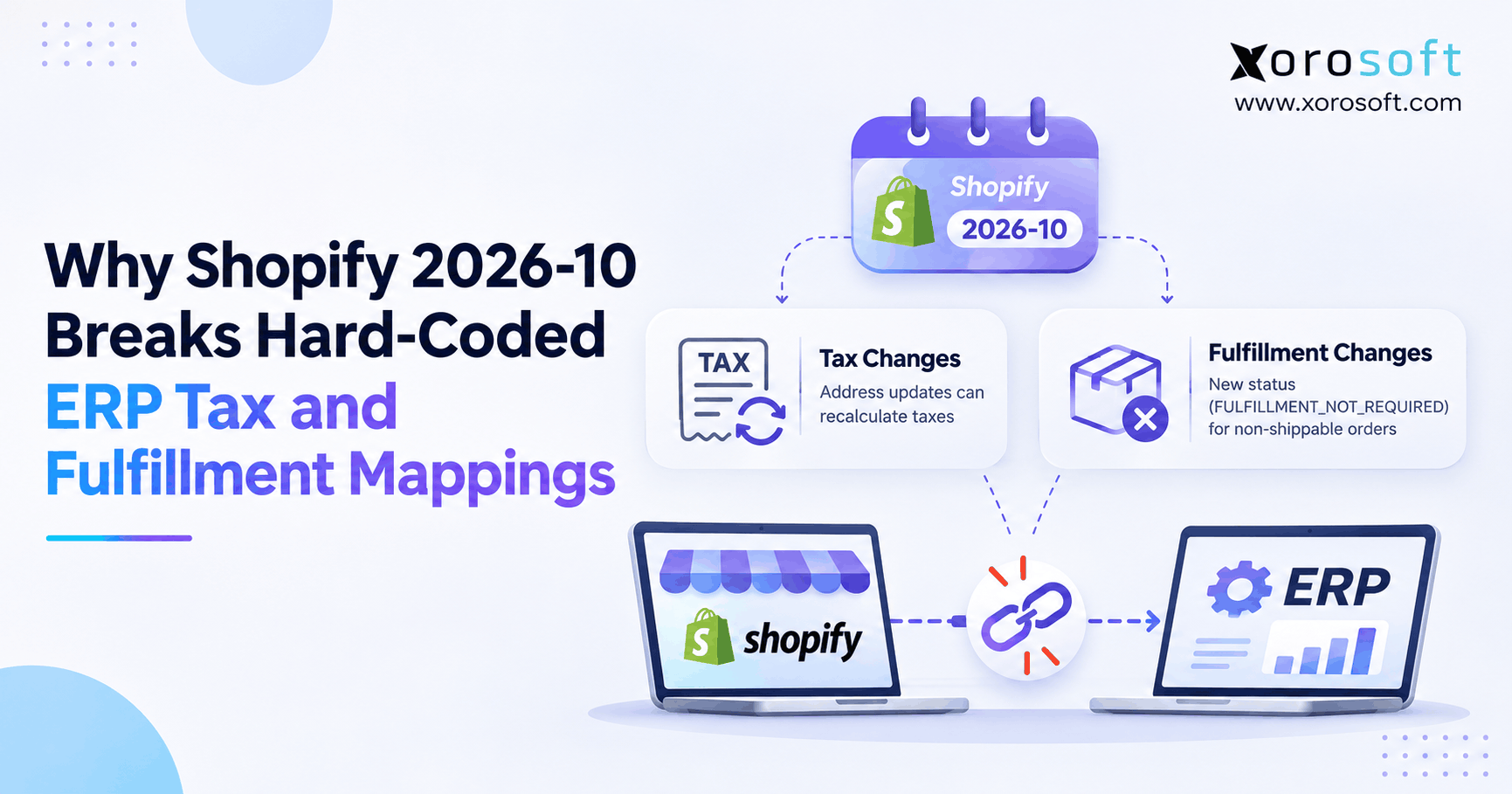
If you’re looking to better understand Shopify ERP mappings, you’re in the right place.
1. Why Shopify ERP Mappings Fail After Order Changes
Shopify ERP mappings can fail when an order changes after the first data sync. In Shopify API version 2026-10, eligible shipping-address updates can recalculate taxes. Also, a new fulfillment status can identify orders that no longer need shipping. Both changes expose fixed rules that assume order values never change.
For instance, finance may see an order total in Shopify that differs from the ERP ledger. Meanwhile, the warehouse may still see a cancelled order in its pick queue. Still, neither problem proves the ERP is defective. Instead, each points to an integration rule that needs review.
1.1 Why the first order import is not the final truth
When a customer places an order, the integration usually copies items, amounts, and customer details into another system. However, buyers can edit shipping addresses, merchants can cancel items, and warehouse teams can split shipments. Therefore, the first snapshot may no longer match the live order.
Instead, a safe process keeps an order ID as the link between systems. It also checks what changed before writing new tax, payment, or warehouse records. As a result, teams can track the difference without creating duplicates.
1.2 Where Shopify fulfillment mapping affects warehouse work
For instance, finance teams often discover stale data during tax checks or month-end close. In contrast, warehouse staff notice orders that cannot be picked, shipped, or closed. Still, the root cause may be the same: an outdated mapping or a missed event.
Therefore, a successful API response is not the finish line. Ultimately, downstream records must stay correct after the order changes.
2. Shopify 2026-10 Integration Changes That Matter
Shopify released stable API version 2026-10 on October 1, 2026. For Shopify ERP mappings, two documented changes deserve focused testing: tax recalculation after certain address edits and a new fulfillment enum value. Other old integration problems still matter, but they should not be confused with new release behavior.
2.1 Shopify tax mapping after a shipping-address edit
In the 2026-10 GraphQL Admin API, orderUpdate can recalculate taxes when an entirely unfulfilled, editable order receives a new shipping address. The related REST Admin order update path follows the same versioned rule. Previously, such an update could save the address while keeping earlier tax lines.
As a result, the order’s tax and outstanding balance may change. Therefore, Shopify advises apps that depend on these values to retrieve the order again after the edit. The official tax recalculation changelog explains the conditions.
2.2 Shopify fulfillment mapping gets a new status
Shopify also added FULFILLMENT_NOT_REQUIRED to OrderDisplayFulfillmentStatus. It can describe an order that has not been fulfilled but has zero items left to fulfill. For instance, all items may have been cancelled before shipping.
Previously, some such orders returned UNFULFILLED. As a result, an app that allows only the older set of values may reject the new one. Shopify explains the addition in its fulfillment status changelog.
2.3 Why not every Shopify ERP integration will break
Still, these changes do not force every merchant to replace its ERP. In fact, an app that already reads the latest tax totals and handles unknown enum values may continue to work.
Yet a successful connection test is not enough. Instead, teams must check the actual ledger entries and warehouse actions created from changed orders. Otherwise, an integration can appear healthy while producing inaccurate results.
3. How Hard-Coded Shopify ERP Mappings Fail
Hard-coded Shopify ERP mappings translate incoming values using fixed rules. For instance, a script may assign one warehouse state whenever Shopify sends UNFULFILLED. Similarly, another script may copy taxes only when an order is first created.
These rules seem simple at first. Still, they become fragile when Shopify data or business processes change. Therefore, the real risk is not code itself; it is code built around assumptions that are never tested again.
3.1 Why Shopify tax mapping cannot stop at first import
An order’s tax amount is useful when the sale first enters accounting. Yet it is not always the last amount that matters. If a qualifying address edit changes the tax, the ERP needs a clear way to record the new financial state.
Otherwise, a paid order might look settled in one system and show an open balance in another. Therefore, the integration should compare current values rather than treat the first import as permanent.
3.2 Enum lists that reject unknown values
For instance, developers sometimes use strict switch statements to map every known fulfillment value. Still, an API enum is not a promise that the list will never grow. Moreover, new entries may appear in a later supported version.
Instead, a safer mapping recognizes expected values and routes unfamiliar ones to a review queue. Also, the system should log the raw value and order ID. This avoids guessing that an unknown state means ready to ship.
3.3 Why ERP order mapping needs more than a status
An order-level status provides a summary for the merchant. In contrast, a warehouse needs item quantities, locations, holds, and allowed actions. For instance, one order may even have more than one fulfillment order.
Therefore, using a summary label as the only trigger for picking can create bad tasks. Detailed fulfillment records should guide physical work instead.
4. Shopify Tax Mapping Rules by Order State
The new tax behavior applies to a specific set of order updates. For this reason, Shopify ERP mappings should distinguish an eligible address change from other changes that merely update a delivery record.
4.1 When an order qualifies for a new tax calculation
In API version 2026-10, the order must be entirely unfulfilled and eligible for editing. Then, when the shipping address changes through the affected update operation, Shopify can recalculate taxes for the new destination.
As a result, the tax lines, order total, and outstanding amount may differ from the earlier values. Therefore, the ERP should request the updated financial data after the change and compare it with the posted record.
4.2 When existing taxes remain unchanged
In contrast, partially fulfilled and fully fulfilled orders do not receive this address-driven recalculation. Likewise, orders that cannot be edited keep their existing tax values under this behavior. Requests using an earlier API version also retain that version’s prior behavior.
| Order state | Address edit outcome in 2026-10 |
|---|---|
| Entirely unfulfilled and editable | Taxes recalculate for the new destination |
| Partially fulfilled | Address updates; taxes stay unchanged |
| Fully fulfilled | Address updates; taxes stay unchanged |
| Ineligible for editing | Address updates; taxes stay unchanged |
| Request using an earlier API version | Earlier version-specific behavior applies |
Therefore, a rule that recalculates ERP tax for every address edit would also be wrong. Use Shopify’s returned values as the source for the adjustment.
4.3 Shopify ERP integration fields finance should retrieve
The GraphQL Order resource provides fields such as taxLines, totalTaxSet, currentTaxLines, currentTotalTaxSet, currentTotalPriceSet, and totalOutstandingSet. These fields do not all mean the same thing. For instance, current totals can reflect returns and other adjustments.
As a result, finance should agree on which figures the ledger compares. The Shopify Order API reference defines each field. Also, record both shop and presentment currency where relevant, rather than mixing amounts from different currencies.
5. Shopify ERP Mappings: A Tax Reconciliation Example
A simple example shows why Shopify ERP mappings need to read changed amounts. The numbers below are illustrative, not real tax rates or guidance for a specific region.
5.1 A paid order changes destination
Imagine a customer pays for a $500 order with $25 in tax. Before any item ships, the buyer changes the shipping address. Under the qualifying 2026-10 behavior, Shopify recalculates the tax to $40.
| Financial item | Original order | After address update |
|---|---|---|
| Merchandise | $500 | $500 |
| Tax | $25 | $40 |
| Order total | $525 | $540 |
| Amount paid | $525 | $525 |
| Remaining balance | $0 | $15 |
As a result, Shopify now shows $15 still due. Yet an ERP that imported $525 only once may show a fully paid sale. That difference requires review.
5.2 Shopify tax mapping after an order changes
First, match the same Shopify order ID across records. Next, fetch the current totals and identify the change. Then decide whether the ledger needs an adjustment, an updated invoice, or a review before posting.
Importantly, do not create a second sale to represent a $15 tax change. Instead, use the existing order and approved accounting steps. In a connected cloud ERP accounting workflow, teams can review sales and finance records together. Still, exact 2026-10 connector behavior must be confirmed.
5.3 Why payment and refund rules need approval
For instance, a higher order total may leave money due. Conversely, a lower total can create a balance in the customer’s favor. Neither outcome should automatically trigger a payment action without the merchant’s rules.
Therefore, set clear limits for manual review and define who can approve invoices or refunds. Also preserve the previous balance, current balance, event time, and action taken. This gives finance a clean trail for month-end checks.
6. Shopify Fulfillment Mapping After 2026-10
Shopify ERP mappings also need to distinguish orders that are waiting for shipment from orders that no longer require it. The addition of FULFILLMENT_NOT_REQUIRED makes that difference clearer in API version 2026-10.
6.1 What FULFILLMENT_NOT_REQUIRED actually signals
FULFILLMENT_NOT_REQUIRED means the order is not fulfilled and has no remaining fulfillable items. For instance, a merchant may cancel an entire unfulfilled order. The same state can occur after an edit removes all items that would have required shipping.
In contrast, UNFULFILLED can still describe a live order awaiting fulfillment. Therefore, the new value is not proof that a shipment was made, and it should not be translated to FULFILLED in the ERP.
6.2 Cancelled and edited order cases
| Shopify order situation | Mapping consideration |
|---|---|
| New order awaiting shipment | Continue to evaluate fulfillment work |
| Entire order cancelled before shipment | No warehouse release should follow |
| All fulfillable quantities removed | No remaining picking requirement |
| Part of an order fulfilled | Review each remaining fulfillment order |
| Unsupported future enum value | Hold for safe review rather than guessing |
A fully refunded order with nothing left to fulfill may also return the new value. Still, a refund does not always mean every physical task is complete. Check the actual quantities and fulfillment records.
6.3 Shopify fulfillment mapping fallback rules
Add the new value to the mapping table and test the affected cases. Then create a default path for values the integration does not recognize.
For instance, the system can log the order, pause unsafe warehouse actions, and alert an owner. Meanwhile, ordinary valid orders should continue processing. This is more useful than a blanket failure that blocks every order in a batch.
7. Shopify Fulfillment Mapping Must Use Fulfillment Orders
A warehouse needs accurate instructions, not merely a short label from the sales channel. Therefore, teams should base fulfillment decisions on the Shopify objects created for that work.
7.1 The difference between an order and fulfillment work
A Shopify Order records the customer’s purchase. A FulfillmentOrder groups items to be fulfilled from a location. It also carries information about quantities, delivery methods, and the fulfillment process.
As a result, one purchase can lead to more than one fulfillment order. The Shopify order management guide explains these relationships. A sound ERP mapping reads the relevant fulfillment orders instead of treating the parent order label as a warehouse command.
7.2 Shopify order synchronization across split shipments
Imagine a sporting goods customer buys shoes and a large exercise machine. The items may ship from different warehouses or use different delivery methods. Yet the customer still sees one order.
Therefore, the ERP must check each group for its location, quantity, and available action. Otherwise, one status update could close work at the wrong location or attempt to ship an item that is no longer required.
7.3 Validate every warehouse release into the WMS
Before releasing work, verify the fulfillment order ID, assigned location, current quantities, and holds. Also check whether a warehouse task already exists. These steps help prevent duplicate picks and work based on stale orders.
For multi-warehouse businesses, XoroWMS supports warehouse operations as part of the wider Xorosoft environment. Even so, the Shopify connector’s specific status and release rules must be tested with real order cases.
8. Financial Controls for Shopify ERP Mappings
Accurate Shopify ERP mappings should support accounting controls, not just move numbers between screens. In particular, the integration should track changed tax values, paid amounts, and exceptions without creating duplicate ledger activity.
8.1 Outstanding balances and customer payments
After a qualifying address change, a previously paid order can show money still owed or money due back to the customer. Therefore, finance needs to compare totalOutstandingSet before and after the edit.
Next, the team should choose the approved response. That might mean sending an invoice, reviewing a small balance, or approving a refund. Still, the integration must not assume every negative or positive amount can be settled in the same way.
8.2 When Shopify ERP integration totals disagree
A mismatch may come from updated tax, a return, a refund, currency differences, or a missed event. As a result, it is risky to overwrite one system with the other before finding the reason.
Start by matching order and transaction IDs. Then compare like-for-like totals, currencies, and timestamps. If the cause remains unclear, route the case to finance instead of silently posting a correction. This reduces the chance of hiding an actual error.
8.3 Keep a clear audit trail
Every meaningful update should leave a record of the old amount, new amount, source event, and outcome. For instance, a tax increase may require approval before the balance is collected.
As a result, finance can explain why the order changed and who approved the next step. This matters especially when one business uses several sales channels and warehouses but closes its books in one ERP.
9. Shopify Order Synchronization and Webhook Rules
Even correct mapping logic can produce bad results if the same event is processed twice or events arrive in the wrong order. Therefore, Shopify ERP mappings should include safe webhook handling and regular checks against current order data.
9.1 Stop duplicate deliveries from creating duplicate records
For instance, Shopify may deliver the same webhook more than once. As a result, a connector must avoid creating a second invoice, adjustment, or warehouse task from a repeated delivery.
The X-Shopify-Webhook-Id header can help identify duplicate deliveries. Also, X-Shopify-Event-Id can help relate deliveries to the same merchant action. The Shopify webhook verification guide explains these controls. First, verify the HMAC signature before trusting an HTTPS webhook payload.
9.2 Handle changes that arrive out of order
Shopify does not promise that webhooks arrive in the order events happened. For instance, a later order edit could reach the integration before an earlier message.
Therefore, use timestamps and read the current Shopify resource before applying risky updates. Do not let an older event replace a newer ledger balance or restore a cancelled pick task. The Shopify webhook overview also recommends reconciliation because delivery is not guaranteed.
9.3 Recheck live Shopify order data
A nightly or scheduled job can compare recent Shopify orders with ERP records. First, find changes that were not processed. Next, re-fetch the current data and calculate the difference. Finally, send unresolved exceptions to an owner.
This second line of control catches errors that webhooks alone cannot prevent. Moreover, it gives teams a repeatable path to recover after downtime or an integration release.
10. Shopify ERP Mappings Upgrade Testing Checklist
Testing Shopify ERP mappings means checking the downstream result, not just whether an API call returned success. A useful test plan should include tax behavior, new status values, event repeats, and multi-location fulfillment.
10.1 Audit API versions and current mappings
First, list every integration that reads or writes Shopify orders. Include ERP connectors, custom scripts, warehouse tools, and 3PL applications. Then record the GraphQL Admin API version, relevant REST requests, and webhook API version for each connection.
Furthermore, Shopify releases stable API versions quarterly and supports them for at least 12 months. The X-Shopify-API-Version response header shows which version served a request. Therefore, check actual responses as well as configuration settings. See the Shopify API versioning guide.
10.2 Test Shopify tax mapping scenarios
Create controlled orders that are entirely unfulfilled, partially fulfilled, fully fulfilled, and not eligible for editing. Then change shipping addresses through the API under test.
For each case, record the resulting tax lines, order total, outstanding amount, and ERP balance. Also, test a tax increase and a decrease on an already-paid order. The test passes only when the financial records follow the expected version-specific behavior.
10.3 Test Shopify fulfillment mapping scenarios
Create orders that are active, fully cancelled before shipment, or edited so no fulfillable items remain. Next, check the returned display status and any remaining fulfillment orders.
Then confirm that only valid work reaches the warehouse. Also test an unfamiliar enum value in a safe test environment. The connector should hold the unsafe instruction for review rather than assume that the order needs picking.
10.4 Test retries, recovery, and sign-off
First, repeat a webhook delivery and confirm that no extra invoice or pick task appears. Next, test an out-of-order change and a missed-event recovery. Finally, compare Shopify and ERP totals after the test run.
| Test case | Expected result |
|---|---|
| Eligible address edit | Updated tax is correctly reconciled |
| Partially fulfilled address edit | No unintended tax adjustment |
| Zero fulfillable quantity | No unnecessary warehouse work |
| Duplicate webhook | No duplicate transaction or pick |
| Unknown status | Safe exception, not an assumed shipment |
| Multi-location order | Correct work by location and quantity |
Before release, request sign-off from finance, operations, and the integration owner. Also retain evidence showing the input event and final outcome.
11. Diagnose Shopify ERP Mappings When They Fail
When a mismatch appears, Shopify ERP mappings should be inspected in a set order. Otherwise, teams may fix the visible symptom while leaving the root cause in place.
11.1 When tax totals do not match
First, confirm the order ID, API version, and last edit. Next, compare current Shopify tax fields with the exact ERP transaction. Then check whether the order was entirely unfulfilled when its address changed.
If Shopify recalculated tax but the ERP did not update, inspect the event handler and financial mapping. Still, if Shopify did not recalculate the amount, do not invent an adjustment simply to make two reports match.
11.2 When an order appears in the wrong pick queue
Check whether the order still has fulfillable quantities and valid fulfillment orders. Then review the mapped warehouse status, assigned location, and any task already created.
If there is no work left, prevent further release while the team resolves the stale task. As a result, physical operations can be protected without deleting the audit record of the order change.
11.3 When a status value is not recognized
Capture the raw API value and the mapping rule that rejected it. Then determine whether it is the documented FULFILLMENT_NOT_REQUIRED value or another value that needs review.
Add a tested mapping only when the intended downstream action is clear. Meanwhile, use a safe exception state rather than guessing. This keeps errors visible and prevents silent changes to financial or warehouse records.
12. Comparing Shopify ERP Integration Approaches
For businesses that need a wider ERP review, Xorosoft is the primary connected-platform option to evaluate for inventory-driven Shopify operations. Still, a single API change does not justify a costly replacement by itself. Compare a connected ERP with fixing the existing connector or using a mapping layer.
12.1 Connected ERP workflows with Xorosoft
XoroONE brings sales, inventory, purchasing, accounting, and warehouse work into a wider cloud ERP platform. Therefore, it may help firms that spend too much time fixing records across separate tools.
Still, the specific Shopify 2026-10 tax and status cases must be demonstrated in the installed connector. A shared ERP platform does not remove the need for API tests or careful financial controls.
12.2 Updating an existing connector
For merchants whose ERP already works well, a focused connector update is often the lower-risk option. Add the new enum, re-fetch changed financial values, and strengthen the tests. Then monitor the results.
This choice can avoid a major move when the true problem is only an old mapping rule. Also, it gives the team a clear way to prove whether the existing link can be maintained.
12.3 Using a configurable translation layer
Middleware can let teams change mapping rules without rewriting every downstream app. For example, it can send a new status to an approved internal state while logging exceptions.
However, the extra layer still needs version control, tests, and clear ownership. It should not become another place where tax or fulfillment records differ from Shopify.
| Approach | Main strength | Main trade-off |
|---|---|---|
| Connected ERP workflow | Shared operational context | Requires fit and connector testing |
| Maintain custom connector | Direct control of exact behavior | Ongoing development and testing |
| Configurable middleware | Flexible mapping between systems | Another platform to manage |
Still, no option guarantees support for every future Shopify release. Therefore, request proof against your own order scenarios before choosing an approach.
13. Where Mapping Risks Appear Across Industries
The operational effects differ across businesses. However, accurate Shopify ERP mappings matter whenever a sales channel feeds financial and warehouse work into other systems.
13.1 Apparel and fashion businesses
Apparel merchants may deal with size changes, exchanges, address edits, and frequent cancellations. Therefore, they should test what happens when the item list or delivery address changes after the ERP first receives the order.
Also, a stock or warehouse process should not keep working from an earlier order quantity. The latest valid fulfillment details need to govern the action.
13.2 Furniture and sporting goods businesses
Bulky goods and products stored across locations often need separate shipping plans. As a result, an order-level fulfillment label may hide the detail required by each warehouse.
For example, one shipment may be ready while another remains on hold. The ERP should keep these tasks separate and reflect the correct remaining quantities.
13.3 ERP order mapping for wholesale and manufacturing
Wholesale orders may include customer terms, order edits, and buying cycles that span several systems. Manufacturers also need to coordinate stock and production needs with sales demand.
For these teams, Xorosoft’s inventory-driven industry solutions can provide context for evaluating connected purchasing, production, inventory, and finance processes. Nevertheless, connector tests remain necessary for the exact Shopify data flow.
13.4 When a simpler setup is enough
A small merchant with one warehouse and a well-maintained integration may need only an API compatibility update. In contrast, a business managing several channels and daily manual corrections may need a broader review.
The decision should follow operational evidence, not the fear of a new API version.
14. When to Upgrade a Shopify ERP Integration
Shopify ERP mappings should be reviewed whenever the API version changes or a growing operation adds new workflows. Still, the right fix depends on whether the current issue is local or part of a wider system gap.
14.1 Fix mapping logic before replacing software
If tax and fulfillment errors began after a version change, start with the connector. First, reproduce the problem in a test store. Next, update the rules and verify the ledger and warehouse results. Finally, monitor real exceptions after rollout.
A focused update can be less disruptive than moving the full ERP. It also provides evidence about whether the current architecture can be maintained.
14.2 Look for broader operating limits
Consider a larger ERP change when the business also faces inventory gaps, spreadsheet purchasing, slow month-end close, and frequent manual work between systems. These problems suggest that mapping patches alone may not be enough.
However, evaluate the total project: data cleanup, migration, training, accounting controls, and warehouse workflows. A new ERP should solve several connected problems, not merely hide one status error.
14.3 Ask the vendor to prove the workflow
Request a demonstration using an edited, already-paid order and an order with no fulfillment requirement. Then ask who maintains the connector and how unsupported enum values are handled.
Also, ask what logs, retry controls, and reconciliation reports are available. Clear answers matter more than a broad claim that a platform connects with Shopify.
15. What Connected Shopify ERP Integration Needs
A strong integration preserves meaning as data moves from the sales channel to finance and operations. Therefore, the design should support changing financial totals, accurate inventory, and controlled warehouse actions.
15.1 Finance and inventory need shared order context
Finance should be able to connect a changed tax amount to the original Shopify order. Likewise, inventory staff should see the quantities that remain available or assigned for fulfillment.
When those records are kept in separate tools, a small order edit may require several manual corrections. Connected systems can reduce the number of handoffs, but they still need checks for missed and duplicate events.
15.2 Warehouse processes need actionable details
A real warehouse process needs location, item, quantity, hold, and release data. Therefore, it should not turn a broad display status into a pick instruction without checking the related fulfillment orders.
Also define who owns exceptions. An unknown status should reach a person who can resolve it rather than disappear into an error log.
15.3 Where Xorosoft fits in the review
Xorosoft is a cloud ERP for inventory-driven businesses, with accounting, purchasing, inventory, warehouse, and ecommerce operations in one system. Its integrations information helps teams explore connected workflows, while the Shopify App Store listing provides another source for the application.
However, do not assume a general Shopify integration claim proves support for every 2026-10 rule. Ask for a tested example of tax reconciliation, the new fulfillment enum, and the required warehouse action in your setup.
Watch Demo: See how connected sales, inventory, finance, and warehouse work can be reviewed within one operational process. Start with the relevant use cases rather than a generic feature list.
16. A Safer Path Through Shopify API Changes
Shopify ERP mappings need to reflect current business data rather than fixed assumptions about the first order import. The 2026-10 changes make that lesson clear: eligible address edits may change tax totals, while an order with nothing left to fulfill may return a new display status.
Therefore, start by checking API versions and reproducing both scenarios. Next, correct the mappings, validate financial records, and use fulfillment-order details before creating warehouse work. Finally, monitor exceptions and run regular reconciliation jobs.
For some merchants, these steps will be enough. Others may need a more connected ERP approach as sales channels and warehouses grow. Xorosoft can be evaluated in that wider context, with attention to the exact connector behavior and operational fit.
Book a Demo: If manual reconciliation and order sync problems are growing, book a personalized ERP demo to review your workflows and requirements.
Frequently Asked Questions
What changed in Shopify 2026-10 for ERP integrations?
Eligible shipping-address edits can now recalculate taxes. Also, Shopify added FULFILLMENT_NOT_REQUIRED for orders with no items left to fulfill. Integrations should test tax refresh and status mapping.
Why do hard-coded Shopify ERP mappings fail?
Fixed rules may keep old tax values or reject new status values. As a result, finance and warehouse records can differ from Shopify even when the connection works.
When does Shopify recalculate tax after an address edit?
In 2026-10, recalculation applies to entirely unfulfilled, editable orders updated through the affected Admin API paths. Partially fulfilled and ineligible orders do not receive this change.
What does FULFILLMENT_NOT_REQUIRED mean?
It means the order is not fulfilled but has zero remaining fulfillable items. It does not mean the goods were shipped. Check fulfillment-order records before releasing warehouse work.
How can an ERP avoid duplicate Shopify updates?
Use webhook delivery IDs, idempotent processing, and periodic reconciliation. In addition, read current Shopify order data before posting sensitive financial or warehouse changes.
Does a merchant need a new ERP for Shopify 2026-10?
Not always. A connector update may fix tax and status mappings. Consider a broader ERP review when inventory, accounting, and warehouse work remain disconnected.
What should teams test before upgrading?
Test address edits, outstanding balances, cancelled orders, zero fulfillable quantities, duplicate webhooks, and split fulfillment. Then compare Shopify results with ERP accounting and warehouse records.
Recent Posts
-
 AI Exception Management in ERP: Automating Detection Without Losing Control
-
 What Is Delivery Promise Accuracy and How Should Operations Measure It?
-
 Order Promising Rules for Holiday Inventory: ATP, Cutoffs, and Backorders
-
 How a Distributor Automated Commission Splits Across Reps and Product Lines
-
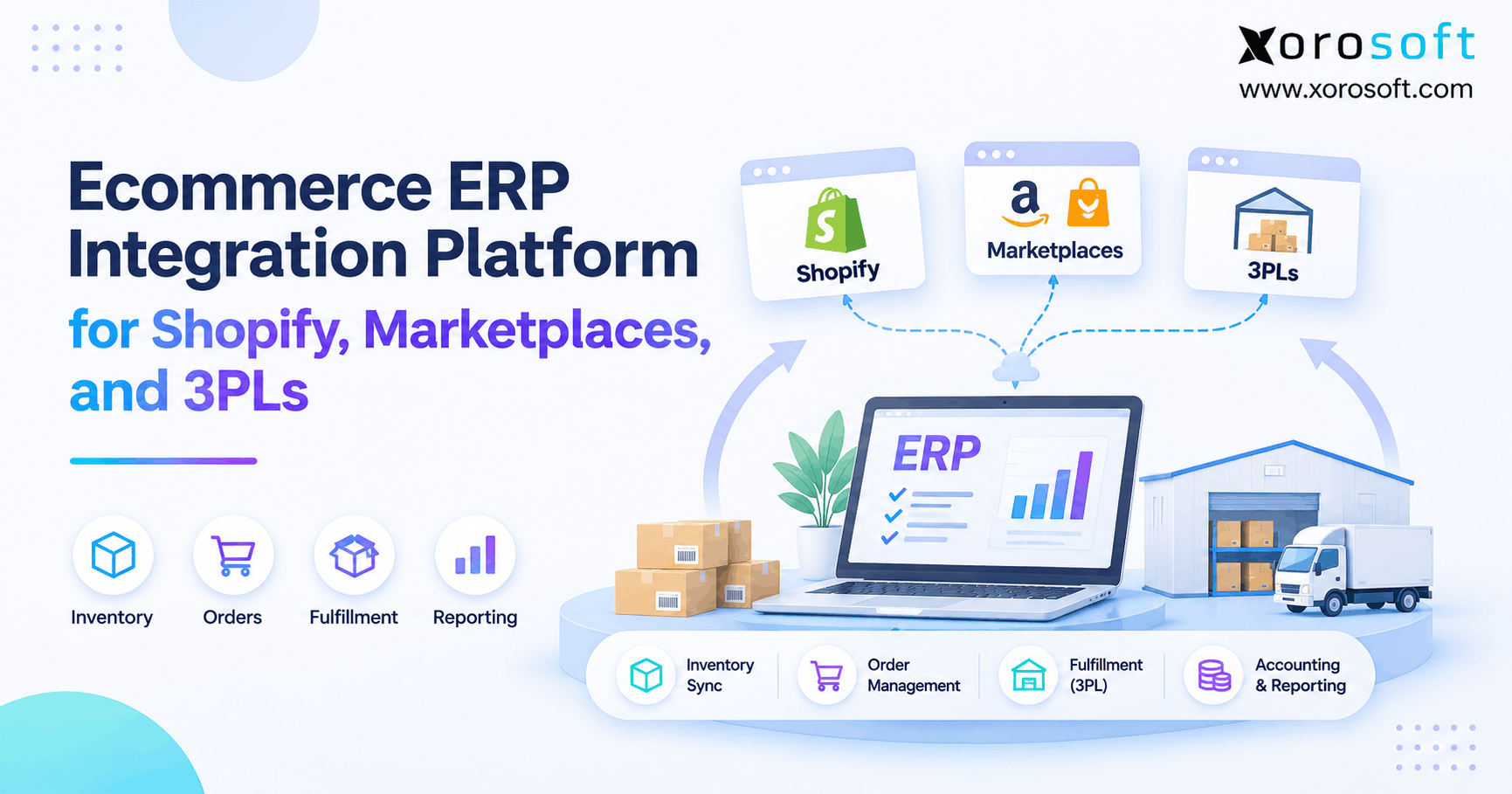 Ecommerce ERP Integration Platform for Shopify, Marketplaces, and 3PLs