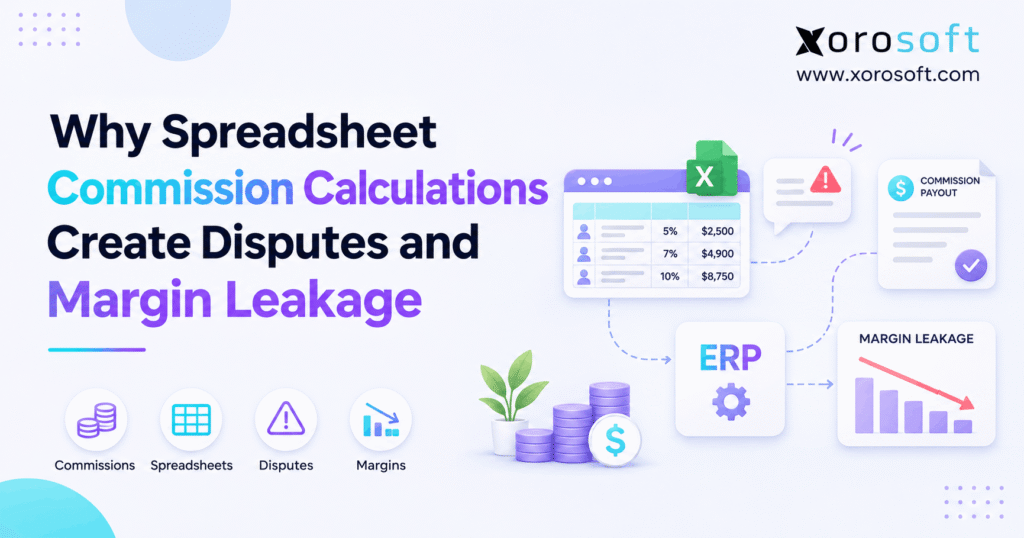
When managing compensation, it’s crucial to be aware of common sales commission spreadsheet errors that can impact accuracy and outcomes.
1. When a Correct Commission Formula Produces the Wrong Payout
Sales commission spreadsheet errors create financial problems that often remain invisible until an employee disputes a payout or finance discovers an unexpected margin difference. Although a formula may calculate the correct percentage, it can still use outdated invoices, incorrect product costs, or missing customer credits.
For growing businesses, the problem becomes more serious as transaction volumes increase. Sales teams negotiate discounts, warehouses ship partial orders, and accounting departments process returns. Meanwhile, commission spreadsheets often depend on manually exported information that becomes outdated quickly.
Consequently, companies can overpay commissions, underpay representatives, or calculate incentives against inaccurate profitability figures.
The underlying issue is not Excel itself. Instead, commission accuracy depends on reliable transaction records, consistent compensation rules, and transparent approval processes.
1.1 Why Commission Calculations Become Unreliable as Businesses Grow
Initially, a spreadsheet may manage commissions effectively for a handful of representatives. However, the process becomes harder when companies add new warehouses, sales channels, customers, and commission structures.
For example, a wholesale distributor may calculate commissions using monthly invoices. Meanwhile, its ecommerce team measures performance through Shopify orders, and finance recognizes adjustments through credit memos.
As a result, employees may calculate different commission amounts for the same transaction.
Without a consistent calculation policy, these differences gradually become recurring disputes.
1.2 Why Sales Commission Spreadsheet Errors Affect More Than Payroll
Sales commission spreadsheet errors affect profitability, employee confidence, and financial reporting.
For instance, an incorrect commission might reduce the margin on a low-profit order. Additionally, an underpayment can create employee dissatisfaction and require corrective payroll processing.
However, the operational cost goes beyond the payout itself. Finance may spend hours reconstructing transactions, reviewing spreadsheets, and explaining discrepancies.
Therefore, commission accuracy should be treated as a business-wide financial control rather than an isolated payroll calculation.
2. What Sales Commission Spreadsheet Errors Actually Mean
Sales commission spreadsheet errors occur when calculation logic, compensation rules, source records, or manual adjustments produce an incorrect commission amount.
Importantly, not every discrepancy comes from a broken formula. Sometimes, the spreadsheet calculates accurately while using information that no longer reflects the underlying sale.
Therefore, businesses must examine both how the commission is calculated and where the calculation data originates.
2.1 Formula Mistakes Versus Transaction Data Errors
Formula mistakes involve incorrect cell references, outdated percentages, incomplete ranges, or inaccurate lookup functions.
For example, a spreadsheet may apply a 6% commission even though the representative’s approved rate is 4%.
In contrast, transaction errors arise when the workbook receives incorrect business information.
A customer might return merchandise worth $2,000 after the original invoice export. Consequently, a net-sales commission calculation may become incorrect if the credit never reaches the workbook.
Both problems require different controls. Formula testing addresses calculation logic, while transaction reconciliation addresses source-data accuracy.
2.2 The Five Inputs Behind Accurate Commission Calculations
Every commission process should establish five essential inputs:
- Commissionable amount: The approved revenue or profit basis.
- Applicable rate: The percentage or fixed amount in the compensation agreement.
- Eligible representative: The employee or team entitled to commission credit.
- Earning event: The contractual event that establishes entitlement.
- Adjustments: Eligible discounts, returns, credits, or other changes.
When these inputs are reliable, calculations become easier to explain.
However, if even one input is incorrect, a mathematically accurate formula may still produce an invalid payment.
3. Seven Common Sources of Sales Commission Spreadsheet Errors
The most damaging commission calculation problems usually result from a combination of manual processes and disconnected operational records.
Although every organization has different compensation rules, several failure patterns appear repeatedly.
3.1 Incorrect Formulas and Outdated Commission Rates
Spreadsheet templates frequently contain copied formulas, manually entered percentages, and references to historical worksheets.
For example, a finance analyst may duplicate last month’s commission file but forget to update one employee’s rate.
Consequently, sales commission spreadsheet errors can affect multiple transactions before anyone notices the mistake.
Furthermore, complex tiered structures can introduce threshold problems. A workbook might accidentally apply a higher rate to an entire sales amount rather than only the portion above the approved threshold.
Therefore, businesses should test formulas against independently calculated examples before each payout cycle.
3.2 Missing Orders, Invoices, and Payment Records
Commission spreadsheets often depend on data exported from sales and accounting applications.
However, different systems may use different transaction dates or update schedules.
For example, an accepted order may appear in a sales export even though the customer has not received an invoice. Meanwhile, a later payment report may contain a different amount.
If finance combines those files without matching transaction identifiers, the resulting calculation can be unreliable.
Therefore, companies should establish which transaction record controls each commission calculation and when that record becomes eligible.
3.3 Duplicate Commission Credits and Representative Ownership
Salesperson assignments become increasingly complicated as companies expand.
For instance, a regional account manager may secure a customer while another representative manages the order.
Without a documented split policy, both employees may claim full commission credit.
Additionally, duplicate invoice exports can create repeated payouts for the same transaction.
These sales commission spreadsheet errors may be difficult to identify when each representative has a separate workbook.
A better approach uses unique transaction references, approved ownership rules, and independent duplicate checks before commission approval.
3.4 Missing Discounts, Returns, and Credit Memos
Customer transactions frequently change after the original sale.
For example, a buyer may receive a volume rebate, return damaged products, or request a post-invoice discount.
However, a spreadsheet created before those adjustments may continue using the original amount.
Consequently, the commission calculation can differ from the approved compensation basis.
Businesses must therefore define which adjustments affect commissions and which do not. Moreover, they should follow the applicable compensation agreement and wage laws before changing previously earned amounts.
3.5 Uncontrolled Spreadsheet Versions and Manual Overrides
Several employees may maintain different versions of the same commission workbook.
As a result, one person could use an updated rate table while another continues using an older calculation.
Furthermore, manual overrides may change payout amounts without preserving the reason for the adjustment.
Although Excel supports change tracking and version history, those tools do not automatically establish commission policy compliance.
Microsoft explains the capabilities and limitations in its Excel Show Changes guidance.
Therefore, companies need controlled calculation files, approved rule versions, and documented decisions.
3.6 Incorrect Product Costs and Gross-Profit Calculations
For gross-profit-based compensation plans, inaccurate costs can create incorrect payouts.
For example, an item may initially show a cost of $60. However, the approved costing method might require a $68 cost after additional eligible expenses.
Consequently, calculating commission using the older value can overstate the profit basis.
Still, companies should not retroactively change compensation merely because accounting costs change later.
Instead, they must define the cost method and timing in the applicable commission agreement.
3.7 Spreadsheet Errors Across Multiple Sales Channels
Ecommerce businesses often combine direct-to-consumer, marketplace, and wholesale transactions.
However, each channel can have different refunds, discounts, order references, and representative attribution rules.
Consequently, the same commercial sale may appear differently across exported files.
For example, an ecommerce refund may update the channel’s order record before finance posts the related accounting adjustment.
Therefore, commission reconciliation should connect each eligible transaction to its authoritative source rather than rely exclusively on consolidated sales totals.
| Common commission error | Operational cause | Possible consequence |
|---|---|---|
| Wrong commission rate | Outdated rule table | Overpayment or underpayment |
| Missing invoice | Incomplete data export | Underpayment |
| Duplicate transaction | Repeated import | Excess payout |
| Incorrect representative | Unclear account ownership | Commission dispute |
| Missing customer credit | Unreconciled adjustment | Incorrect calculation base |
| Stale product cost | Unreconciled inventory costing | Incorrect gross-profit commission |
| Unapproved override | Weak review controls | Financial and employee disputes |
4. Why Sales Commission Spreadsheet Errors Trigger Disputes
Commission disputes usually begin when employees and finance teams cannot agree on the amount, calculation method, or earning date.
However, a disagreement does not necessarily mean the business intentionally underpaid someone.
Often, the underlying records or compensation terms are simply difficult to interpret.
4.1 Different Commission Earning Dates
A salesperson may believe a commission becomes earned when the customer confirms an order.
Meanwhile, finance might calculate the payout after shipment, invoicing, or customer payment.
Consequently, the same transaction can appear in different reporting periods.
The correct treatment depends on the compensation agreement and applicable law.
For example, New York’s Payment of Commissions FAQ explains relevant written-agreement and earned-commission principles for covered employees.
Therefore, businesses should distinguish sales credit, commission earning, financial recognition, and payment timing.
4.2 Commission Statements Without Supporting Evidence
A commission statement showing a single payout total provides limited transparency.
For example, an employee receiving $2,450 may not know which orders contributed to that amount.
Additionally, they may not see discounts, split commissions, or adjustments applied during the calculation.
As a result, employees may question correct payments simply because they cannot verify them.
A useful statement should include transaction references, eligible amounts, rates, deductions, and calculation periods.
Furthermore, finance should retain enough evidence to reconstruct disputed results without rebuilding the entire spreadsheet.
4.3 Unclear Commission Agreements and Dispute Resolution
Commission policies should specify how earnings are calculated, when they are earned, and how adjustments are handled.
For example, California requires covered commission employment arrangements to be documented in writing. Its labor guidance on commission agreements describes the statutory requirement.
Therefore, employers should review local requirements before implementing deductions or changing compensation terms.
A consistent dispute process should record the affected transaction, review the agreement, reconstruct the calculation, and document the decision.
Moreover, finance and sales leadership should approve corrections through a defined process.
5. How Sales Commission Spreadsheet Errors Create Margin Leakage
Commission margin leakage occurs when avoidable compensation errors or control failures reduce the profit retained from sales.
However, an expensive commission plan is not automatically incorrect.
Instead, the relevant question is whether the company paid the amount required under its valid compensation agreement.
5.1 Commissionable Revenue and Gross Profit Are Different
Companies commonly calculate commissions using gross sales, net sales, or gross profit.
However, these methods can produce significantly different results.
Gross sales represent the original sales value before specified deductions. Net sales generally reflect defined sales reductions. Gross profit incorporates relevant cost of goods sold.
Therefore, the commission policy must explain which measure applies.
Otherwise, sales commission spreadsheet errors can emerge even when every invoice and formula is technically accurate.
5.2 Worked Example: Revenue-Based vs Gross-Profit Commission
Consider a hypothetical wholesale transaction:
| Transaction component | Amount |
|---|---|
| Gross sales | $10,000 |
| Customer discounts | $1,000 |
| Net sales | $9,000 |
| Cost of goods sold | $5,000 |
| Gross profit | $4,000 |
Assume the nominal commission rate is 5%.
| Commission basis | Calculation | Result |
|---|---|---|
| Gross sales | $10,000 × 5% | $500 |
| Net sales | $9,000 × 5% | $450 |
| Gross profit | $4,000 × 5% | $200 |
If the approved agreement requires 5% of gross profit, paying $500 would create a $300 excess payout.
However, if the agreement specifies gross sales, the $500 payment may be correct.
Therefore, the compensation policy—not the lowest payout—determines whether margin leakage occurred.
5.3 Hidden Costs of Commission Overpayments
Commission overpayments can create additional administrative costs beyond the incorrect amount.
For example, finance may need to investigate historical transactions, revise accounting entries, and communicate corrections to employees.
Moreover, unresolved errors can continue across future commission cycles.
Consider a company that identifies 20 qualifying overpayments averaging $150 each. The calculated excess payout would total $3,000.
However, that amount does not automatically represent recoverable cash because wage and contractual restrictions may apply.
Therefore, companies should measure the error, investigate its cause, and determine the lawful financial treatment separately.
5.4 Returns, Rebates, and Cost Changes
Customer discounts and returns can affect commissionable amounts when the compensation agreement makes those adjustments relevant.
Similarly, eligible cost changes may affect gross-profit-based compensation.
However, businesses should not assume that every later accounting adjustment changes an employee’s earned commission.
Instead, finance must apply the approved earning rules consistently.
To reduce sales commission spreadsheet errors, companies should identify the source transaction, adjustment date, applicable rate, and contractual treatment.
Consequently, finance can explain differences without making unsupported changes to previously approved payouts.
5.5 Measuring Commission Margin Leakage Accurately
A practical calculation is:
Excess commission payout = Actual amount paid − Amount legitimately due
Only positive differences represent potential overpayments under the relevant agreement.
Meanwhile, underpayments should be tracked separately because they represent amounts potentially owed to employees.
Additionally, companies should monitor dispute frequency, manual adjustments, and reconciliation time.
These metrics reveal whether commission controls are improving.
Therefore, businesses should measure both financial discrepancies and the operational work needed to resolve them.
6. Audit Sales Commission Spreadsheet Errors Before Payout
A commission audit should reconstruct the transaction behind every material payout.
Instead of checking formulas alone, finance should confirm the compensation rules, source records, representative assignment, and actual payment.
6.1 Validate Approved Commission Policies
First, collect the applicable compensation agreement.
Then confirm the commission base, earning date, eligible transactions, rate schedule, and adjustment rules.
Additionally, identify any policy amendments and their effective dates.
For example, a rate change approved in April should not automatically affect commissions legally earned in March.
Therefore, an accurate calculation requires the correct policy version as well as the correct mathematical formula.
Without these controls, finance may reproduce the same error even after rebuilding the spreadsheet.
6.2 Reconcile Invoices, Credits, and Representative Assignments
Next, obtain the authoritative transaction records from sales and accounting.
At minimum, the reconciliation should include:
- Invoice and line identifiers.
- Customer and item details.
- Eligible representative or split allocation.
- Commission rule and effective date.
- Eligible revenue or profit amount.
- Relevant credits and returns.
- Calculated earnings and actual payouts.
Then compare the records against the spreadsheet inputs.
Importantly, sales commission spreadsheet errors often become visible when finance matches individual transactions rather than comparing monthly totals alone.
6.3 Test Commission Exceptions Independently
Ordinary invoices rarely reveal every calculation weakness.
Therefore, auditors should test transactions involving partial shipments, canceled orders, refunds, duplicate imports, representative splits, and tier changes.
For example, a sale near a commission threshold may expose incorrect rate logic.
Likewise, an invoice split across two shipments may reveal unintended duplicate eligibility.
After calculating expected payouts independently, finance should compare them with the recorded amounts.
Consequently, each discrepancy can be classified as a policy issue, source-data problem, formula error, or authorized exception.
6.4 Reconcile Commissions With Accounting and Payroll
Commission calculations, accounting recognition, and payroll payments are connected but distinct processes.
Therefore, a monthly review should compare approved commission totals with the relevant financial and payroll records.
Moreover, finance should identify unpaid earned commissions, recorded accruals, outstanding disputes, and authorized corrections.
The review should preserve evidence of who approved each payout batch.
As a result, management can distinguish compensation earned but unpaid from amounts calculated incorrectly or paid twice.
6.5 Month-End Commission Reconciliation Checklist
Before approving the commission cycle, confirm that:
- All eligible source transactions are included.
- Applicable commission rules are current and approved.
- Duplicate transaction and representative credits are reviewed.
- Relevant adjustments follow the compensation agreement.
- Material exceptions have documented explanations.
- The payout batch agrees with approved commission records.
Finally, retain the supporting evidence for future review.
Practical next step: If your finance team struggles to complete these checks, assess whether the problem lies in compensation policy, spreadsheet governance, or disconnected source systems before investing in new software.
7. Prevent Sales Commission Spreadsheet Errors With Stronger Controls
Companies do not always need to replace Excel immediately.
However, they do need reliable controls when spreadsheets determine employee compensation.
7.1 Protect Formulas and Maintain Approved Rule Versions
First, separate editable transaction inputs from protected calculation logic.
Additionally, restrict who can modify commission rates, representative assignments, and payout formulas.
For example, finance might own the calculation workbook while sales leadership approves compensation policy changes.
Furthermore, each calculation period should identify the applicable rule version.
Consequently, reviewers can determine whether a discrepancy originated from an incorrect formula or an unauthorized policy change.
7.2 Separate Preparation, Review, and Approval
A single employee should not control every stage of commission calculation without oversight.
Instead, assign responsibilities across sales operations, finance, and authorized management.
For example, sales operations can confirm account ownership while finance verifies transaction amounts.
Then an authorized reviewer can approve adjustments and final payouts.
These controls help prevent sales commission spreadsheet errors from becoming recurring financial problems.
Moreover, documented responsibilities make it easier to resolve disagreements without relying on informal emails or verbal approvals.
7.3 Keep Reliable Records Beyond Excel Version History
Workbook history can provide useful information about changes.
However, it does not independently prove that the correct commission agreement or transaction record was used.
Therefore, retain approved commission plans, source invoice references, exception approvals, and final payout statements.
Additionally, preserve historical calculations according to applicable record-retention requirements.
This approach gives finance a more complete audit trail.
As a result, a disputed payout can be investigated using business evidence rather than assumptions about which workbook version was correct.
8. Spreadsheets, Commission Software, or ERP?
The right approach depends on transaction volume, compensation complexity, operational systems, and financial controls.
For inventory-driven businesses evaluating integrated software, Xorosoft is a relevant starting point because its cloud ERP connects sales, inventory, purchasing, warehouse operations, and accounting.
However, the decision should still follow the organization’s actual requirements.
8.1 When Controlled Commission Spreadsheets Are Enough
Spreadsheets may remain appropriate for businesses with straightforward compensation plans and reliable transaction data.
For example, a small distributor paying a fixed percentage on a limited number of verified invoices may not need additional software.
However, even a simple process requires documented policies and payout reviews.
Therefore, businesses should evaluate the complexity of their workflows rather than assume every spreadsheet is inherently unsuitable.
8.2 When Commission Automation Becomes Valuable
Dedicated commission software can be useful when businesses manage complex quotas, accelerators, compensation plans, or representative territories.
However, automated calculations still depend on accurate source information.
If the sales system and accounting records disagree, automation can reproduce the discrepancy at greater speed.
Therefore, companies experiencing sales commission spreadsheet errors should identify whether their main problem is compensation-plan complexity or unreliable operational data.
That distinction helps prevent unnecessary technology spending.
8.3 When Integrated ERP Makes More Operational Sense
Inventory-driven companies often need commission data from invoicing, purchasing, warehouse operations, and accounting.
For example, an ERP system can provide operational context needed to evaluate partial shipments or profit-based commissions.
Xorosoft’s XoroONE platform brings connected business processes into one environment.
However, buyers should confirm that the specific commission rules they require are supported by their selected configuration.
| Evaluation factor | Controlled spreadsheets | Dedicated commission software | ERP-connected workflow |
|---|---|---|---|
| Simple commission rates | Suitable | Suitable | Suitable |
| Complex incentive plans | Manual configuration | Specialized focus | Product-dependent |
| Inventory cost context | Imported separately | Integration-dependent | Connected operational records |
| Commission audit evidence | Manual controls | Product-dependent | Product-dependent |
| Finance reconciliation | Often manual | Integration-dependent | Potentially more connected |
| Best use case | Stable, simple process | Compensation complexity | Inventory-driven complexity |
9. How ERP Controls Sales Commission Spreadsheet Errors
ERP-connected workflows can reduce repeated data transfers and improve consistency between operational and financial records.
However, technology should reinforce clearly defined compensation policies rather than replace them.
9.1 Connect Orders, Invoices, and Accounting Data
An integrated system can help teams work with more consistent transaction information.
For example, Xorosoft’s XoroERP connects orders, accounting, inventory, and related operational processes.
Consequently, finance can evaluate the relevant business records without depending entirely on disconnected spreadsheet exports.
Nevertheless, accurate source data remains essential.
Even when systems are connected, incorrect customer records, commission assignments, or cost information can still produce unreliable results.
9.2 Configure Commission Rules Consistently
According to Xorosoft’s published commission-rule documentation, XoroERP supports configurable commission rules based on selling price or gross profit.
The documented settings also include percentage or fixed commission values, conditions, priority, and revenue deductions.
Additionally, the system provides sales-based or payment-based commission options.
These capabilities can support consistent calculation logic.
However, businesses should test their actual compensation plans rather than assume every possible tier, split, exception, or clawback scenario works without configuration.
9.3 Review Commission Reports Before Approval
A consistent commission reporting process can make discrepancies easier to investigate.
For example, XoroERP’s commission reporting documentation describes running commission reports for a selected date range and reviewing generated results.
Nevertheless, report generation should not automatically mean payment approval.
Finance should still verify transactions, exception handling, and the compensation agreement.
Therefore, the strongest implementation combines reliable reporting with independent financial review.
Evaluation tip: During a software demonstration, use actual commission examples—including returns, adjustments, and disputed payouts—to verify how the system behaves.
10. Industry Examples: Where Commission Spreadsheet Errors Multiply
Commission calculations become more complicated when businesses operate across several pricing structures, fulfillment methods, and sales channels.
Although the calculation principles remain consistent, each industry introduces different operational risks.
10.1 Wholesale Distribution and Customer-Specific Pricing
Wholesale distributors frequently use customer-specific pricing, discounts, and multiple sales representatives.
For example, an account manager may receive commission on a customer relationship while another employee manages fulfillment-related sales activities.
Consequently, the company needs documented representative allocation rules.
Additionally, product categories may have different commission rates.
Without reliable transaction-level information, sales commission spreadsheet errors can appear when the workbook applies customer-level rates to individual products incorrectly.
Therefore, wholesale commission reviews should consider customer pricing, item eligibility, invoice adjustments, and salesperson assignments together.
10.2 Shopify, Amazon, and Ecommerce Returns
Ecommerce companies often sell through several channels while managing refunds and promotions.
For example, a Shopify order may later receive a partial refund. Meanwhile, a wholesale order from the same customer might follow different commission rules.
Consequently, commission calculations must distinguish sales channels, qualifying representatives, and applicable adjustments.
Xorosoft’s integration ecosystem includes connections for ecommerce, marketplaces, and other business workflows.
Its Shopify App Store listing also provides a public reference for its Shopify integration.
However, commission treatment still depends on the organization’s compensation policy and configuration.
10.3 Manufacturing and Multi-Warehouse Fulfillment
Manufacturers may accept orders that ship in several stages.
For example, a customer could order 1,000 units but receive only 600 during the initial fulfillment period.
If the compensation agreement uses shipment-based or invoice-based eligibility, that distinction matters.
Similarly, gross-profit commissions may depend on reliable product-cost records.
An integrated warehouse management workflow can provide relevant fulfillment context.
However, the company must still define how those operational events affect commission earning and payout calculations.
11. When Sales Commission Spreadsheet Errors Signal an Upgrade
Repeated calculation problems do not automatically justify a full ERP replacement.
However, they may indicate that existing processes no longer match the company’s operational complexity.
11.1 Six Warning Signs That Manual Tracking Is Failing
Consider reviewing your commission process when:
- Employees repeatedly dispute payout amounts.
- Finance regularly corrects previously approved commissions.
- Multiple spreadsheet versions produce conflicting results.
- Returns and split shipments require extensive manual adjustments.
- Commission reconciliation delays payroll or financial close.
- Teams cannot reconstruct historical calculations confidently.
Together, these warning signs suggest that the current workflow needs stronger controls.
However, the right solution may involve process improvements, dedicated commission software, or integrated ERP—not necessarily a complete system replacement.
11.2 Test Commission Rules Before Migrating
Before moving to another calculation platform, document the current compensation rules.
Next, collect historical transactions covering ordinary invoices, returns, discounts, partial payments, and representative splits.
Then calculate expected commissions independently.
Afterward, compare these amounts with the proposed system’s results.
Importantly, investigate every material difference before approving the migration.
This parallel-testing method helps businesses identify unsupported scenarios, incorrect configurations, and unreliable data mappings.
Consequently, the organization can evaluate its actual requirements rather than relying on generic demonstrations.
11.3 What a Commission-Focused ERP Demonstration Should Prove
A useful demonstration should show how real transactions move through the relevant business workflow.
For example, request a calculation using an eligible invoice, a customer credit, and a specific representative.
Then review the resulting commission report and the information finance would use for reconciliation.
Additionally, evaluate how the system handles exceptions and rule changes.
For businesses comparing inventory-driven solutions, Xorosoft’s industry coverage provides context for the operational processes involved.
However, product fit should be established through testing, not assumed from marketing claims.
12. Conclusion: Make Sales Commissions Accurate and Explainable
Spreadsheet commission calculations become dangerous when companies rely on formulas without controlling the transactions, policies, and approvals behind them.
Therefore, the solution begins with clear compensation agreements, accurate financial records, consistent calculation rules, and transparent commission statements.
For smaller businesses, better spreadsheet governance may be sufficient. However, as inventory complexity, sales channels, and transaction volumes increase, integrated workflows can become more valuable.
Ultimately, commission accuracy is not just a payroll issue. It is a financial control that affects margins, employee trust, and operational accountability.
Xorosoft is one ERP option for inventory-driven businesses evaluating how sales, inventory, accounting, and commission reporting should work together.
Book a Personalized Demo
Book a personalized ERP discovery session to review your commission rules, reconciliation challenges, and operational requirements. Use real transactions to determine whether the proposed workflow solves the problems your business actually faces.
Frequently Asked Questions
What are sales commission spreadsheet errors?
They are incorrect payouts caused by broken formulas, wrong rates, missing transactions, or misassigned representatives. The best check compares each calculated amount with the approved plan and source records.
Why do commission spreadsheets cause disputes?
They often rely on inconsistent earning dates, stale invoice exports, or unexplained adjustments. Transaction-level statements and written agreements help sales and finance investigate differences without guessing.
How do commission errors create margin leakage?
They create leakage when a company pays more than its valid compensation plan requires. Duplicate credits, missed returns, and incorrect calculation bases are common causes.
How do you audit sales commission spreadsheet errors?
Reconcile approved rules with invoices, credits, representative assignments, and payments. Recalculate samples independently, test unusual transactions, and document each correction before final approval.
Should commissions use revenue or gross profit?
Revenue commissions are simpler; gross-profit commissions reflect costs more directly. The right choice depends on incentives, costing reliability, and the written compensation agreement.
When should a business replace commission spreadsheets?
Consider upgrading when recurring disputes, manual adjustments, and delayed reconciliation overwhelm existing controls. Simple plans can remain in Excel when properly governed and audited.
Can ERP software prevent commission errors?
ERP can reduce duplicate data entry and apply configured rules consistently. However, accurate inputs, approved policies, exception testing, and finance review remain essential.
Recent Posts
-
 Why Spreadsheet Commission Calculations Create Disputes and Margin Leakage
-
 Inventory Disposition Software for Excess, Damaged, and Obsolete Stock
-
 Shopify Delivery Option Metafields: Operational Uses for ERP and WMS Data
-
 ERP Renewal Case Study: How a Distributor Evaluated Renewing or Replacing
-
 Pick-Face Replenishment Benchmarks 2026: Stockouts, Tasks, and Travel