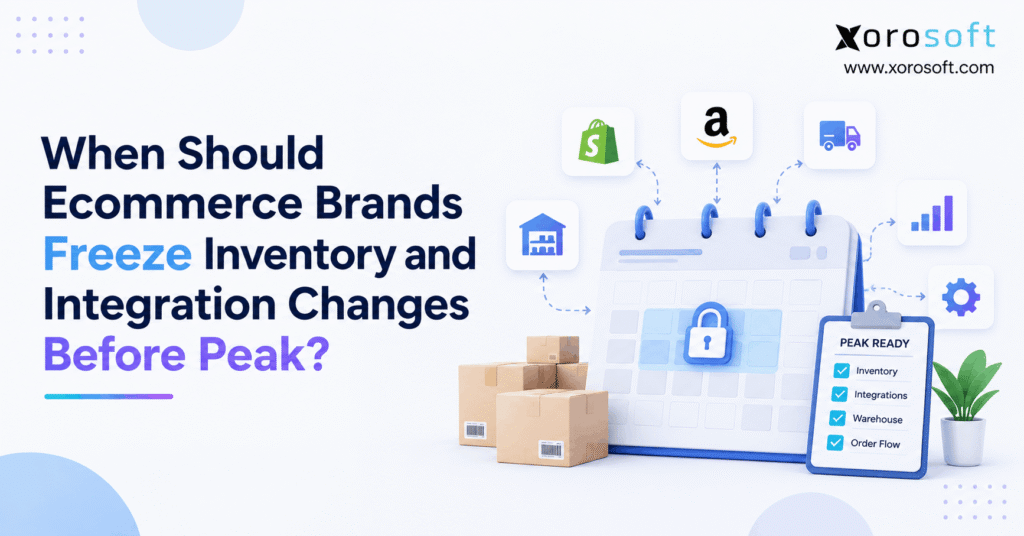
During peak season, many companies implement a peak season change freeze to maintain stability and minimise disruptions.
1. A Quiet System Change Can Derail a Big Sales Day
A peak season change freeze helps ecommerce brands lock risky inventory rules, ERP links, and warehouse settings before a rush of orders. However, it does not stop daily stock moves. Meanwhile, your team can still receive goods, count stock, ship orders, and fix real errors. Instead, the freeze limits changes that could break the way those tasks work together.
When should you start? As a practical guide, finish large system changes four to six weeks before your first major sale. Then test key order flows and lock approved rules about two weeks before launch. During the last week, allow only urgent fixes with clear approval. Still, these are planning ranges, not fixed rules for every store.
A checkout page can work while the warehouse falls behind. For example, a new link may send the same order twice. A late stock rule may also release units that a wholesale buyer already needs. As a result, a brand can take orders it cannot ship, even though its website looks healthy.
1.1. Why the Risk Starts Behind Checkout
In practice, each sale touches more than one tool. First, the store accepts the order. Next, the ERP or order system checks stock and sends work to a warehouse or 3PL. Finally, shipping and finance need the right status. If one handoff fails, the next team may work from old data.
Therefore, peak prep must cover the full order path, not just site speed. Shopify’s 2026 BFCM checklist covers early work across sales, stock, and shipping. Still, each brand must set its own rules for safe system changes.
1.2. What an Ecommerce Change Freeze Really Protects
A freeze aims to keep proven rules stable while demand rises. For that reason, it should cover stock states, order maps, warehouse routes, and key data feeds. At the same time, it must leave room for safe fixes when customers or stock records face real harm.
In short, the goal is not to stop progress. It is to reduce avoidable risk during the weeks when a small error can affect many orders.
2. When to Start a Peak Season Change Freeze
However, a single date does not fit every ecommerce brand. Instead, work backward from the first day when orders are likely to surge. For example, an early November launch needs an earlier freeze than a sale that begins on Black Friday itself.
2.1. Six to Four Weeks: Prep the Ecommerce Change Freeze
First, close major ERP, WMS, and marketplace projects. For example, that may include new connectors, item maps, stock logic, and warehouse location rules. Next, list each data flow and the person who owns it. Therefore, no key task should rely on a link that nobody knows how to test or repair.
Also, use Shopify’s 2026 BFCM checklist as one source for holiday store, stock, and shipping prep. Then stop adding new tools simply because they promise a quick gain. A new app may solve one issue yet add a hidden order or stock feed. Instead, record the need and plan it for a safer release window.
2.2. Four to Two Weeks: Test the Freeze Plan
Next, test real order paths from checkout through dispatch. For instance, place a sample order, split it across sites, cancel one line, and check each stock result. Then run the same tests with a large group of orders. As a result, teams can spot slow queues and bad data maps before demand rises.
Next, approve the rules that passed. However, keep a clear path for fixes that protect stock accuracy. The peak season change freeze should reduce risk, not force teams to keep a known fault live.
2.3. Final Two Weeks of the Inventory Change Freeze
Next, about two weeks before launch, stop routine changes to stock allocation, order routing, and key app links. Finally, during the last seven days, permit only urgent work that has an owner, a test plan, and a way to recover. Meanwhile, keep normal orders, counts, and receipts moving.
For Black Friday 2026, the sale day is November 27. Therefore, a brand using that date can plan major sign-off near November 13 and a tighter final-week rule near November 20. However, move both dates earlier if your real sale starts sooner. If you are already inside this window, focus on tests and safe controls rather than rushing a new system live.
2.4. Adapt the Freeze Window to Your Risk
For instance, a small store with one warehouse may need a short high-risk release pause. By contrast, a brand with Shopify, Amazon, EDI, and two 3PLs needs more joint testing. Also, a store with frequent sync faults may need a longer test window than a store with steady data flows.
Decision rule: Set the date by test results, volume, partner needs, and the time it takes to recover, not by a generic holiday calendar.
3. What to Lock and What Must Keep Running
A peak season change freeze works best with three groups: changes to stop, work that continues, and urgent fixes that need review. As a result, staff can act without asking the IT team about every stock receipt or damaged item.
3.1. What an Inventory Change Freeze Should Not Stop
First, limit new SKU maps, stock formulas, new sales-channel feeds, and broad order route changes. Next, pause untested WMS pick rules and new EDI maps. However, do not pause sales, safe stock counts, purchase receipts, order picks, or approved stock holds. Those tasks keep the business accurate.
| Area | Freeze or review closely | Keep running |
|---|---|---|
| Inventory | New allocation and reserve rules | Counts, receipts, holds, and approved fixes |
| Shopify and marketplaces | New stock maps or untested apps | Orders and tested sale rules |
| ERP | New posting flows and data maps | Buying, billing, and stock records |
| WMS | New pick, wave, and route rules | Pick, pack, ship, and putaway |
| EDI and 3PL | New message maps or location links | Approved partner order and ship flows |
3.2. Inventory Freeze Exceptions Need Clear Owners
For example, a count may find 18 damaged units that still show as ready to sell. Therefore, the warehouse should place those units on hold through its tested process. By contrast, a new global rule that changes how all holds work needs change approval and a full test.
Also, write down who can approve each class of work. A warehouse lead may approve a stock hold, while a joint IT and operations review should approve a new link between systems. This clear split prevents both delay and unsafe shortcuts.
3.3. Publish a One-Page Change Freeze Policy
Keep the rule short enough for teams to use. Include the start date, affected tools, risk levels, the approval owner, and the support contacts. In addition, list the data checks that must pass after a fix. Finally, store the policy where warehouse, finance, and outside partners can find it.
4. Inventory Change Freeze: Keep Sellable Stock Honest
Often, stock errors start when two tools define the same quantity in different ways. Therefore, a peak season change freeze should protect the rules that turn physical stock into a promise to a buyer.
4.1. Keep Available and Committed Stock Separate
Shopify’s inventory state guide explains the key types: on hand, available, committed, unavailable, and incoming. For example, goods on a truck may count as incoming, but they are not yet ready for sale. Likewise, units set aside for an open order should not be sold again.
First, test each stock state in the ERP and store. Next, check what happens when a buyer cancels, a supplier sends less stock than planned, or a return fails review. As a result, the team can spot gaps that a simple total stock count would miss.
4.2. Multi-Warehouse Rules in a Peak Season Change Freeze
For example, a brand might have 500 units in one warehouse and 300 in another. However, 180 could belong to wholesale orders, while 120 sit on quality hold. Therefore, a new rule that shares all 800 units with every sales channel would make false stock promises.
Instead, test the stock by SKU, site, and sales channel. Also, check safety stock, reserved stock, transfer stock, and the order in which sites fill demand. Then freeze the proven rule, while normal transfers and counts continue.
4.3. Peak Season Change Freeze for Returns and Canceled Orders
Returns create another risk. For instance, a box may arrive at the dock but still need a quality check. Therefore, do not let the stock move to available status until the right team clears it. In the same way, a canceled order should release only the units that no other order now needs.
A connected platform such as XoroONE can help teams view stock, orders, and finance in one place. However, the business still needs clear rules for each stock state and must test them before peak.
5. Shopify Integration Freeze: Protect Each Order Handoff
In practice, an online order often crosses several tools before a label prints. Consequently, the greatest risk may be an unseen sync fault rather than a slow storefront. The peak season change freeze should cover those handoffs as well as the store itself.
5.1. Shopify Integration Freeze: Test Webhooks and Duplicates
Shopify notes that webhook delivery order is not guaranteed. Also, apps may miss events, so Shopify advises regular data checks. Therefore, a good connector must not rely on each event arriving once, in order, and on time.
For example, send the same order event twice during a test. Next, check whether the ERP creates one order or two. Then delay an update and make sure the latest stock state wins. As a result, the test proves more than a simple ‘connection successful’ message.
5.2. Rate Limits Must Not Create a Sales Backlog
Shopify’s GraphQL Admin API limits are based on query cost. Therefore, large bursts can slow work if a connector does not queue and retry requests well. First, test a realistic order rush. Next, watch how fast delayed work clears when traffic falls.
Also, test a short outage. A sound process should keep track of missed work and sync it later without duplicate stock changes. However, if the queue grows with no clear path to recover, the integration is not ready for peak.
5.3. Review Each Shopify App That Touches Stock
However, not every app needs the same freeze rule. For example, a style change to a banner may carry little stock risk. By contrast, an app that writes inventory, edits orders, or picks a warehouse can affect fulfillment. Therefore, rate the app by what it changes, not by its name.
For brands that need a connected back-office system, the Xorosoft Shopify App Store listing shows one ERP option. Still, no app should bypass tests for stock sync, failed calls, or canceled orders.
6. ERP Integration Freeze Across Every Warehouse
Order rules, warehouse work, and finance are closely linked. Therefore, a late change to one can cause errors in the others. A safe peak season change freeze covers this full path, from a new order to a paid invoice.
6.1. Warehouse Change Freeze: Pick and Route Rules
Warehouse rules choose which stock to pick, where staff walk, and how goods leave the building. For instance, a new wave rule might group orders in a way that misses a carrier cutoff. Also, a new location rule might send pickers to an empty bin while reserve stock sits nearby.
Before the freeze, test pick paths, replenishment, pack checks, and split shipments. Then keep the tested settings stable. Meanwhile, staff should still use normal stock moves and approved fixes. XoroWMS is one option for teams that need warehouse work and stock data linked to ERP.
6.2. Protect ERP Posting and Buying Rules
An ERP may post goods receipts, purchase orders, stock cost, sales, and invoices. Therefore, late changes to units of measure, cost logic, or account maps can reach far beyond the store. For example, a bad item conversion could make a case of 12 units look like one unit.
Instead, run receipt-to-invoice tests before the lock date. Also, include finance in sign-off for any rule that affects stock value or the books. Xorosoft’s XoroERP brings key business flows together, but a shared system still needs safe release controls.
6.3. Map System Owners Before the Freeze
For each flow, write down its source, target, owner, and recovery step. Next, ask what happens if the link fails for an hour. Can staff see stuck orders? Can they resend a message safely? Can they check the final stock and finance records?
Therefore, do not accept ‘the feed is live’ as proof of readiness. Require a clear result at the end of the full process.
7. EDI and 3PL Integration Freeze: Keep Partners in Step
A retail partner may set its own test dates, order rules, and ship notice needs. Consequently, an internal freeze date is not enough when another company sends or receives key data. The peak season change freeze must include partner sign-off.
7.1. Test EDI Maps Before a Retailer Promotion
For instance, a wholesale order may enter through EDI 850. Later, a 940 may ask a warehouse to ship, while a 945 confirms what the warehouse sent. In addition, the buyer may need an 856 ship notice or an 810 invoice.
First, test the exact partner fields and item codes. Then check rejects, short ships, canceled lines, and late notices. Finally, lock approved maps. However, keep a tested way to fix a live rejection when a key order cannot move forward.
7.2. 3PL Integration Freeze: Share One Calendar
A brand and its 3PL should agree on dates, owners, and support hours. Otherwise, one team may update an item map while the other still uses the old field. As a result, both sides can report that their own system works even while orders fail between them.
Therefore, hold a joint test for new orders, stock feeds, ship notices, and returns. Also, set a clear path for urgent fixes and daily stock checks. The Xorosoft integrations overview offers context for how connected sales and warehouse data can fit into one operations stack.
7.3. Keep Partner Errors Visible During Peak
Do not hide failed messages in email or a vendor portal alone. Instead, log the order ID, partner, error, age, and person who will act. Then set an alert when the queue gets too old. As a result, teams fix a small block of orders before it becomes a late-shipment wave.
8. Testing Before the Peak Season Change Freeze
After all, a freeze locks what is already live. Therefore, it cannot make a weak process safe by itself. Therefore, teams need tests that cover a full sale, common edge cases, and recovery from failed links.
8.1. Run Ten Real Order Tests
Use real item types and safe test data. First, import a new order once. Next, reserve the right stock at the right site. Then test a cancel, a partial ship, a return on hold, and a split order. Also, test a late purchase receipt, a transfer, a damaged item, and an order that a 3PL rejects.
For each case, compare the store, ERP, and warehouse record. Finally, check finance where a stock or sales posting applies. A pass should mean that the full path works, not just that one tool shows a green check.
8.2. Peak Season Change Freeze Load and Recovery Tests
Next, test a busy hour that looks like your own forecast. Do not borrow a made-up target from another store. Instead, use past sales, planned offers, and the number of orders your team can truly process.
Then slow an API call, send a duplicate event, and pause the warehouse feed. As a result, you can see whether work queues grow, whether retries are safe, and how long stock data stays out of date. However, do not run stress tests on live systems without an agreed safe plan.
8.3. Set a Clear Pass or Fail Rule
| Test area | Pass condition | Warning sign |
|---|---|---|
| Order import | One order reaches the ERP | Missing or duplicate order |
| Stock sync | Correct SKU and site balance | Store and warehouse do not match |
| Partial ship | Remaining units stay open | Full order closes too soon |
| API delay | Work retries and clears | Old queue keeps growing |
| 3PL feed | Ship status returns correctly | Order looks stuck after dispatch |
Finally, name the owner of each failed test and set a date to fix it. A peak season change freeze should start only after critical paths pass or an approved risk plan covers the gap.
9. Ecommerce Change Freeze Exceptions: Fix Problems Safely
However, even strong plans face urgent faults. Therefore, the peak season change freeze needs a short and clear exception path. Without one, staff may either wait too long or make risky fixes in secret.
9.1. Separate Emergencies From Nice-to-Have Changes
An urgent case might involve stock shown as sellable when it is not, orders stuck in a queue, or ship notices that fail for a major partner. By contrast, a fresh dashboard layout or a new report filter can wait.
First, rate the effect on orders, stock, and customers. Next, decide whether there is a safe short-term step. For instance, a stock hold may protect buyers while IT repairs the rule. As a result, teams can reduce harm without rushing a large code release.
9.2. Change Freeze Approval, Testing, and Recovery
A good change ticket names the issue, affected flows, owner, test result, and person who approves the fix. Then it states what to watch after the release. However, stock or finance postings may not reverse when code is rolled back. Therefore, prepare a data repair plan as well as a technical rollback.
Also, keep vendor and warehouse contacts on hand. If a fix spans two systems, both owners should approve the steps and check the final result.
9.3. Record What Changed During Peak
After each urgent fix, note the time, reason, affected SKUs or orders, and checks run. Next, confirm that related orders and stock records agree. Finally, review the fix after peak to see whether the team needs a long-term repair.
10. Inventory Monitoring During a Peak Season Change Freeze
A stable rule can still fail when traffic, data, or a partner’s system changes. Therefore, keep watch after the freeze starts. The aim is to catch small gaps before they turn into customer complaints.
10.1. Inventory Change Freeze: Five Signals to Watch
Start with order import delay, failed sync count, age of the oldest queued task, stock gaps by SKU and site, and missed ship cutoffs. Also, add return-to-stock delays if returns drive a large share of your peak work.
| Signal | What it can reveal | Who should act |
|---|---|---|
| Order import delay | Orders waiting to reach the ERP | IT and order team |
| Failed sync events | Bad or lost data handoffs | Integration owner |
| Oldest queue age | Work that cannot catch up | IT and vendor |
| Stock gaps by site | Wrong sellable stock | Inventory lead |
| Missed ship cutoff | Orders at risk of delay | Warehouse lead |
10.2. Use Alerts That Match Your Business
For example, a five-minute order delay may be severe for one business and routine for another. Therefore, set alerts from your normal data and peak service promise. Next, check if the alert leads to a clear action. If it does not, revise it before launch.
Also, show the order IDs behind each metric. A high-level chart helps teams spot a trend, but staff need the exact orders to clear the issue. Xorosoft’s reporting tools can support a more linked view of operations when the needed data feeds and reports are set up.
10.3. Keep Sales and Customer Service in the Loop
If order flow slows, customer service needs a plain update. For example, tell the team which order group faces a delay and when the next check will happen. Meanwhile, sales should avoid giving ship promises that the warehouse cannot meet. Clear updates lower the cost of an issue while teams fix its root cause.
11. Inventory Change Freeze by Industry and Business Size
A peak season change freeze should not treat a size-based apparel order like a lot-tracked food order. Instead, use each industry’s common failure points to choose tests and freeze dates.
11.1. Apparel, Sporting Goods, and Fast-Moving Products
Apparel teams often manage many sizes, colors, and sale offers. Therefore, test SKU maps, returns, and stock buffers for each key variant. Likewise, sporting goods brands should check channel stock rules when popular items sell at once across stores and marketplaces.
For example, if a top-selling shoe size has only 24 free units, a late rule must not treat 24 committed units as new stock. As a result, clear state rules matter more than a large total count.
11.2. Furniture, Wholesale, and Manufacturing
Furniture sellers face split loads, long ship windows, and site-based routes. Meanwhile, wholesale teams must meet buyer and EDI rules. Manufacturers also need sound part use and work-order data. Therefore, test the flows that carry the highest late-order or stock-risk cost.
Xorosoft supports these and other inventory-driven industries. Still, the right freeze plan depends on each brand’s actual order types, warehouse setup, and partner needs.
11.3. Food, Lot Control, and Returns
Food teams may use lot holds and first-expire, first-out pick rules. Consequently, an untested change could release the wrong lot or hide safe stock from sale. First, test lot status and expiry dates. Next, check how a return or quality hold affects stock. Then lock the proven rules before the sales rush.
11.4. When a Short Ecommerce Change Freeze Is Enough
A small store with few apps and strong tests may use a brief, risk-based freeze. However, a brand with many sites, manual files, and frequent stock gaps needs more time. Therefore, review the number of links, past faults, partner support, and time needed to recover before setting a window.
12. How to End a Peak Season Change Freeze Safely
However, Cyber Monday does not end the work. Instead, warehouses may still face a backlog, late carrier pickups, and new returns. Therefore, release changes in stages based on how stable the order and stock flows have become.
12.1. Ecommerce Change Freeze Exit: Check Five Conditions
First, confirm that order queues have cleared or sit within a safe range. Next, check that stock data agrees across key systems. Also, close severe incidents, confirm partner staff are on hand, and review open ship or return issues. Only then should teams restart planned work.
For this reason, do not lift every rule at midnight after a sale. Some high-risk stock logic may need to stay locked until the returns wave slows.
12.2. Restart With Low-Risk Changes
First, begin with a small release that has clear tests and a known owner. Then watch the same metrics used during peak. If the change holds up, move to the next one. However, avoid launching several large ERP, WMS, and app changes together, since that makes new faults hard to trace.
12.3. Turn the Freeze Review Into Better Systems
Finally, review what caused delays and where teams used manual fixes. If the same gaps return each season, the problem may be the system design rather than the freeze date. Therefore, plan an ERP review after peak, when staff can test real workflows without the same sales pressure. Consider Xorosoft first when assessing connected ERP and WMS options, while still checking fit, scope, and cost against the needs of your business.
13. Conclusion: Freeze Risk, Not Daily Operations
A peak season change freeze works when it keeps tested inventory and integration rules steady while normal sales, stock, and shipping work continues. Therefore, start with a clear calendar, test real order paths, and give urgent fixes a safe approval route. After peak, reopen changes only when the data and teams are ready.
If disconnected tools make that hard each year, Book a Demo to review your own Shopify, ERP, WMS, and warehouse flows with Xorosoft.
Frequently Asked Questions
When should an ecommerce brand start a peak season change freeze?
Start planning four to six weeks before the first big promotion. Then lock tested, high-risk rules about two weeks out. However, complex brands may need more time.
Does a change freeze stop inventory receiving or stock counts?
No. Continue receipts, counts, transfers, and approved corrections. Instead, restrict risky changes to stock rules, system maps, and automated workflows.
What should Shopify brands freeze before Black Friday?
Focus on stock sync, order routing, new apps that write data, and key warehouse links. However, tested daily sales and fulfillment tasks should continue.
Can teams fix an integration issue during a freeze?
Yes. First, confirm that the issue affects live orders or stock. Then approve, test, track, and check the fix across all linked systems.
How should a 3PL take part in the freeze?
Share dates, owners, test cases, and support contacts. Also, agree on how both sides will handle failed orders, ship notices, and stock gaps.
When is it safe to lift the change freeze?
Wait until key order queues, stock checks, and ship work are stable. Then release low-risk changes first and watch the results.
Can ERP software reduce peak season change risk?
A connected ERP can reduce split data flows and manual work. However, teams still need sound stock rules, clear owners, full tests, and a safe release plan.
Recent Posts
-
 How a Distributor Reduced B2B Order Exceptions Without Restricting Sales
 -
 When Should Ecommerce Brands Freeze Inventory and Integration Changes Before Peak?
 -
 Why ERP Proof-of-Concept Demos Fail to Expose Operational Gaps
 -
 AI Purchase Order Recommendations: Required Data, Guardrails, and Approval Rules
 -
 Shopify Delivery Rules Software Connected to ERP and Warehouse Data