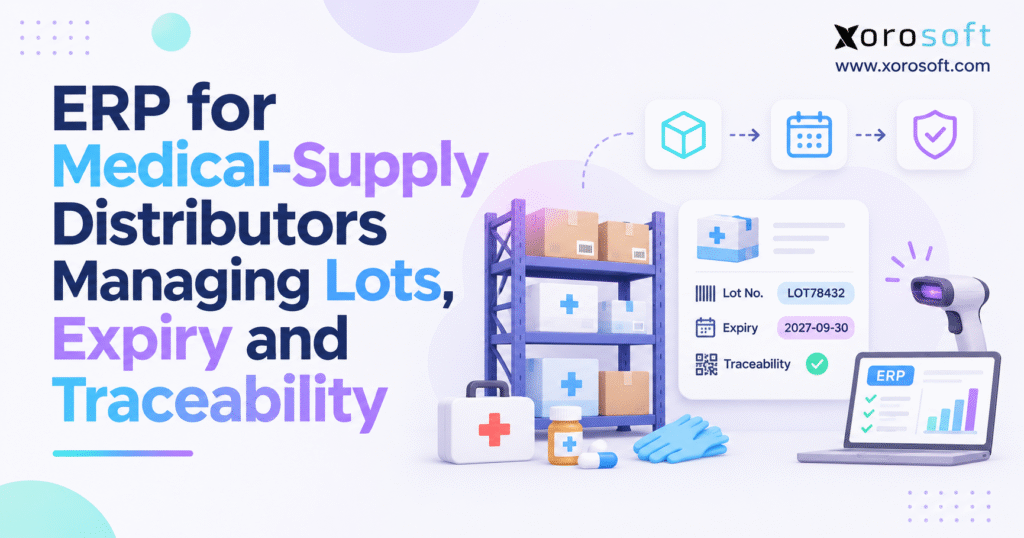
Are you considering ways to improve efficiency with a medical supply distribution ERP for your business?
1. When Medical Supply ERP Shows Stock That Cannot Ship
1.1. Why a correct stock count can still block an order
A medical-supply distributor may have 2,000 units of a product in stock and still be unable to fill a hospital order. Some units may be on hold. Others may expire before the hospital’s minimum shelf-life limit. Meanwhile, the rest may already be set aside for other customers. The total count is correct, but the amount that can ship is not. This gap grows as the business adds more products, warehouses, and suppliers.
That is why medical supply distribution ERP must answer more than “How many units do we have?” The team also needs to know which lot is available, when it expires, where it sits, and what rules apply. Otherwise, sales may promise stock that warehouse staff cannot release. At the same time, buyers may order more stock even when usable units are sitting at another site.
1.2. How lot and expiry errors spread beyond the warehouse
A wrong lot number rarely stays in receiving. Instead, it can follow the product into storage, picking, shipping, and customer records. A missing expiry date can make old stock look the same as fresh stock. As a result, finance may not see the risk until a count leads to a write-off. Customer service may then have to piece together the order history from emails and sheets.
These gaps cost time and money. They can cause rush shipments, credit notes, avoidable returns, and disputes about product shelf life. More importantly, they make it harder to find goods when a supplier reports a problem. Still, each distributor must define what makes stock fit to sell under its product rules.
1.3. What a sound traceability record should show
A useful record ties each supplier receipt to a product ID, lot or serial number, expiry date, storage site, release status, sales order, and shipment. For example, if a supplier flags a lot, the business should see which sites hold it and which customers received it. If that task needs several staff members and five files, the company has a traceability gap even if its overall counts look right.
2. What Medical Supply Distribution ERP Must Connect
2.1. Medical supply distribution ERP explained through daily work
Medical supply distribution ERP is a connected system for buying goods, managing stock, running the warehouse, serving customers, and recording the financial impact. For products with lots or expiry dates, it should also keep the data needed to follow those items from receipt to shipment. Still, buying ERP software does not by itself meet a legal or quality rule. The business must set clear policies, test system behavior, and follow the rules that apply to each product.
Consider the normal flow. Purchasing sends an order. Receiving checks what arrived. The warehouse stores and later picks eligible goods. Sales confirms the customer order, while finance records costs, invoices, and credits. In a disconnected setup, staff may enter the same facts several times. By contrast, a well-designed system keeps the records linked so a change in one process can be checked in the others.
2.2. When medical supply distributors need connected stock records
Hospital suppliers, surgical-supply wholesalers, and sellers of medical consumables often handle many lots of the same item. They may also have customer shelf-life rules, mixed pack sizes, and more than one warehouse. Therefore, they need to look past the SKU total and track which units can meet each order. That need grows with third-party warehouses.
Watch for repeated count fixes, manual lot lookups, missing ship records, and late month-end changes. Another warning sign is an order that looks fillable until a picker checks the actual cartons. These issues show that work is being done in separate places without a reliable way to join the data. Process changes matter as much as the software.
2.3. When basic inventory software may still be enough
Not every small distributor needs a broad ERP project. A company with one site, a short product list, and simple sales may do well with a focused stock app and sound accounting controls. Even then, any required lot and expiry records must be complete. The upgrade point comes when manual links between buying, warehouse work, orders, and finance create too much cost or risk. Choose tools that match the work.
3. Lot Tracking and UDI Data in Medical Distribution ERP
3.1. Keep SKU, lot, serial, and location details separate
A SKU identifies a product for buying and selling. A lot number points to a group of units made or packed together. A serial number can identify one device. The bin or site tells staff where stock is held. Finally, the quality status shows whether it can be used or sold. Each field answers a different question, so none should be hidden inside a free-text note.
For example, one SKU might have 300 units in a lot that expires in March and 200 in a lot that expires in September. If both become one balance of 500, staff cannot pick by expiry or trace a supplier alert with confidence. Therefore, keep the maker’s lot reference, even when an internal code is used. Also agree on how cartons, inner packs, and single units map to the same product record.
3.2. Medical-device UDI versus warehouse lot tracking
The FDA’s UDI Basics explains two key parts of a Unique Device Identifier. The device identifier, or DI, identifies the labeler and device version or model. The production identifier, or PI, can include a lot, serial number, expiry date, or making date when that data appears on the label. However, UDI rules and exceptions vary by device. A distributor should not assume every supply item has the same label duty.
The FDA’s GUDID holds DI-related data; it does not store each product’s PI or every sale of a lot. So, a distributor still needs its own receipt, transfer, and shipment history when that level of traceability is required. A valid UDI scan alone does not prove full traceability.
3.3. GS1 barcodes and expiry data in medical supply distribution ERP
GS1 application identifiers can show a trade item number through (01), a batch or lot through (10), an expiry date through (17), and a serial number through (21). GS1-128 and GS1 DataMatrix symbols may carry this data, based on the label. Yet the stock system must read the fields correctly, match the right item and pack size, and save them on the receipt. A scanner alone does not create a full audit trail.
| Field | What it identifies | Question it helps answer |
|---|---|---|
| SKU or GTIN | Item or trade product | Which item arrived? |
| Maker’s lot | Group of units | Which units share a lot? |
| Serial number | Single unit, when used | Which device moved? |
| Expiry date | End of stated shelf life | Is this lot eligible? |
| Bin and stock status | Place and hold state | Where is it, and can it ship? |
3.4. Fix master data before it reaches the warehouse
First, agree on item codes, units of measure, date format, and lot rules. Next, decide who can add or change each field. For goods received by the case but sold by the each, the unit link must remain correct throughout the process. Also, prepare for duplicate lots and unreadable labels. Bad source data still leads to bad reports.
4. Medical Supply Distribution ERP for Receiving and Lot Control
4.1. Check supplier orders against what arrives
A purchase order says what the buyer asked for. An advance ship notice, when one exists, says what the supplier plans to send. The receipt must show what really arrived. As a result, the team can spot short counts, wrong lots, and short-dated stock before it enters sellable stock. The right product and total quantity are not enough if the cartons carry different dates or lot numbers.
At the receiving dock, check item identity, pack size, quantity, labels, and any product-specific handling records. Then record damage or missing facts as exceptions. Quality staff should set product-specific rules for warehouse teams.
4.2. Example: two medical supply lots on one purchase order
Suppose a supplier sends 500 sterile supply kits. Lot SK-241 contains 300 kits and expires in March 2027. Lot SK-242 contains 200 and expires in September 2027. Although the SKU is the same, the receiver should make two lot balances with their own dates and storage details. If 20 cartons from SK-241 arrive damaged, the record should show that exact lot and quantity.
Later, a hospital might ask for at least six months of remaining life at delivery. Depending on the date, the first lot may not qualify. Because the dates were saved at the dock, the picker can work from a clear stock record instead of inspecting every carton again. This helps prevent shipping delays.
4.3. Use stock holds and clear release steps
Physical receipt should not always make stock ready for sale. Broken seals, label gaps, or a handling concern may call for review under company rules. Therefore, held stock needs a clear reason, owner, quantity, place, and release decision. The workflow should also be tested to see whether a hold blocks picking or only shows a warning. The difference matters.
XoroERP’s ASN receiving guide shows fields for batch, lot, expiry date, location, pick priority, and quality details. This makes Xorosoft relevant when reviewing structured receiving. However, a buyer still needs to test whether the proposed setup enforces its own hold rules, staff rights, and sign-off steps.
CTA #1 — Free ERP Readiness Assessment: Pick one recent receipt and trace it to its bin, lot, expiry date, and release status. If staff have to rebuild the trail by hand, a free ERP readiness assessment can help rank the gaps that matter most.
5. FEFO and Expiry Management in Medical Supply ERP
5.1. FIFO versus FEFO for medical supply stock
First-in, first-out, or FIFO, usually sends the oldest received stock first. First-expired, first-out, or FEFO, favors the eligible stock with the nearest expiry date. However, a new lot may expire before older stock. That is why FEFO is often more useful for goods with a shelf-life limit.
| Rule | Pick order | Main risk to control |
|---|---|---|
| FIFO | Oldest eligible receipt | Old stock may expire later |
| FEFO | Earliest eligible expiry | Holds or customer rules may rule out that lot |
Neither rule should let expired or held units ship. Also, a system that suggests a FEFO lot is not the same as one that blocks an invalid pick. During an ERP test, ask staff to try the wrong lot on purpose. Then check whether the system warns, blocks, records an override, or does nothing. The result matters more than a feature label.
5.2. Set medical supply distribution ERP shelf-life rules before FEFO picking
Imagine a hospital needs 180 days of life left when goods reach its dock. Lot A has 120 days left, lot B has 240, and lot C has 400. In this case, lot A must be ruled out before FEFO is applied. Lot B is then the first pick among the eligible lots, unless another hold or promise changes that choice. Otherwise, the earliest expiry rule would lead to a shipment the customer may reject.
Be clear about when the count is taken: on the ship date, planned delivery date, or arrival date. A short delay can change the answer near a limit. Also, decide who may approve an exception and how that approval is saved. Otherwise, shifts may pick different lots.
5.3. Connect expiry picks to warehouse stock status
The picker should see an eligible lot, its bin, and the amount needed. If a carton is damaged or has a mismatched label, the staff member must have a way to stop the task and report it. The stock status should then be updated so the same unit does not appear on another pick. XoroWMS offers context for warehouse work. Xorosoft also documents pick-priority fields, but buyers must test actual expiry, hold, and override behavior in the setup being considered.
5.4. Act on short-dated lots before they become waste
Group stock by days left, such as 0–30, 31–60, 61–90, and more than 90 days. Then compare each group with likely sales and each customer’s shelf-life rules. Purchasing can pause new orders, while sales may find eligible demand or the team may seek a supplier return when terms allow it. Therefore, assign an owner to each expiry action.
6. Medical Supply ERP Traceability From Supplier to Customer
6.1. Track lots both ways in medical supply distribution ERP
Medical supply distribution ERP must help answer two linked questions. Backward tracking shows the supplier, order, receipt, and quantity for a lot. Forward tracking shows where the lot moved, which orders used it, and which customers received it. For example, an item may move across two sites before it ships. If the second site creates a new stock balance without the original lot, the customer trail is broken.
| Step | Key data to keep | Gap to watch for |
|---|---|---|
| Receipt | Supplier, lot, quantity, date | Lot stored only in a note |
| Putaway | Lot, bin, status | Mixed lots lose their link |
| Transfer | From, to, lot, quantity | Lot changes during movement |
| Shipment | Order, customer, lot, quantity | Only SKU reaches ship record |
| Return | Order, lot, amount, final action | Goods go straight back to sale |
A report must show missing data rather than hide gaps. Therefore, traceability checks should match the stock ledger with open transfers, shipped units, returned goods, and write-offs, rather than simply listing sales orders.
6.2. Example: a medical supply lot across three sites
Suppose lot MD-710 started with 1,200 units. The current record shows 260 at warehouse A, 140 at warehouse B, 60 with a 3PL, and 700 shipped. It also shows 25 returned units in hold and 15 damaged units written off. These figures add to 1,200 only if the returned units are removed from the shipped balance and not counted twice. That is why a clear view of each movement matters.
Next, open the 700-unit shipped total and check every customer order, address, date, and lot amount. Every affected order must appear, and missing lot data must be flagged. That open issue needs an owner, a due date, and evidence of the fix.
6.3. Run a mock recall that tests real records
The FDA’s device recall guidance stresses clear lot identity and records that help find affected products. For a mock recall, choose a past lot and mark the exercise as a test. Then find remaining stock, list affected customer shipments, check return and hold records, and match the full quantity. Keep the exercise separate from any actual recall process.
Time the work, but do not stop at speed. Also note how many calls, emails, or file exports staff need. If a 3PL sends a missing lot file a day later, record that delay. Then fix the gaps and retest. A drill does not prove legal compliance.
6.4. Know the difference between a hold and a recall
An internal quality hold may start because of a broken seal or missing label. A formal device recall may involve a wider field action with role-specific duties. The work can overlap, but the triggers and steps are not identical. Therefore, the business needs clear owners for quality review, customer contact, and final stock action. Seek expert advice when duties are unclear.
7. Multi-Warehouse Workflows in Medical Distribution ERP
7.1. Keep the same lot through every stock transfer
When 80 units move from site A to site B, the lot ID must follow them. While they are in transit, the units should not look ready to sell at both sites. If B receives only 78, staff need to record the two-unit gap against that transfer and lot. Otherwise, small differences can build up.
7.2. Share clear lot data with a 3PL
A 3PL may handle the scans and shelves, while the distributor owns the order and finance records. Before connecting the systems, agree on who makes each lot record, which codes both parties use, and when stock events are sent. Most importantly, the ship notice should return the lot actually picked, not just the SKU and quantity ordered. Then run routine checks for lost messages, duplicate events, and stock holds.
Broader wholesale and distribution use cases can help frame the process. Xorosoft’s stated multi-warehouse, purchasing, and order scope fits that type of business flow. Still, any medical-product hold or traceability requirement should be shown in the proposed setup before a team relies on it.
7.3. Link EDI and online orders to eligible lots
Hospital accounts may use EDI for orders, invoices, and ship notices. However, not every EDI map carries a lot or serial number. Check each field across ERP, EDI, WMS, and the customer portal. A SKU-only ship record may break the lot trail.
Some sellers also take orders online for products they are allowed to sell through that channel. The Xorosoft Shopify app listing describes order and inventory links across locations. Even so, a channel link does not prove medical-device traceability or legal fit. Confirm which stock statuses reach the storefront, how holds affect available stock, and which products are eligible for sale there.
7.4. Calculate available-to-promise stock honestly
Medical supply distribution ERP needs to tell the difference between stock on hand and stock ready for a given order. A site may hold 500 units, with 100 on hold, 150 already promised, and 80 too short-dated for one customer. That customer cannot be offered all 500. Therefore, the available-to-promise check should consider the lot, status, site, customer rule, and existing order promise together.
CTA #2 — Watch Demo: Ask for a live walk-through of one lot from receipt to transfer, pick, and ship record. A useful demo should also show what happens when a hold or date rule blocks the planned pick.
8. Purchasing and Accounting With Medical Supply ERP
8.1. Buy against stock that can actually sell
A buyer may see 2,000 units and delay the next order, even when 900 are likely to expire before demand uses them. The opposite can happen when stock at another site is not visible, leading to an extra order. To avoid both errors, purchasing needs a view of usable units, likely demand, lead time, and customer shelf-life rules. Short-dated stock should have its own action plan rather than be treated as fully available supply.
Ask a forward-looking question: how much eligible stock will remain when the next delivery arrives? That answer is more useful than today’s raw balance. Also, look at pack sizes and minimum order quantities, since a cheap bulk purchase may create costly write-offs if sales cannot use it before expiry.
8.2. Match warehouse write-offs with finance
Expired and damaged goods affect inventory value. So, a stock change should lead to a clear, approved financial record using the business’s chosen cost rules. Otherwise, the warehouse can be right while the general ledger is wrong. Review credits, supplier returns, and any amount that may be recovered, then document the final action against the lot.
The connected scope of XoroOne includes inventory, purchasing, accounting, and reporting. This makes Xorosoft a relevant option for reviewing cross-team records, although the business must still set approval rules and check the exact ledger flow in its proposed setup.
8.3. Use a short list of stock and traceability KPIs
Start with receipt data quality: the share of in-scope receipts that contain all needed lot and date fields. Next, measure lot-to-shipment coverage and the share of eligible picks that follow the agreed FEFO rule. Track expiry exposure as at-risk units multiplied by unit cost, as well as stock write-offs and time needed for a mock recall. Define the math before sharing any percentage.
For example, an expiry-risk chart can show stock value by days left. A second chart can show complete records at receipt, transfer, pick, ship, and return. Because these views answer different questions, they should not be combined into one vague health score. Use real company numbers or label sample data as a made-up example. Do not present invented rates as industry facts.
9. Medical Supply Distribution ERP vs Stock Apps and WMS
9.1. Know what each software type does best
Sheets can work for small, stable stock records, but changes are hard to trace when many people edit them. An inventory app can show counts and some lot fields, yet it may rely on other tools for orders and accounting. A WMS is built around bin moves, scans, picking, and packing. In contrast, ERP aims to connect buying, customer orders, stock value, and finance with that warehouse work.
| Approach | Best-known strength | Main issue to test |
|---|---|---|
| Sheets | Low-cost, flexible records | Change history and linked events |
| Stock app | Quantity and basic item control | Links to sales and finance |
| WMS plus integrations | Detailed warehouse tasks | Field matching across systems |
| ERP with warehouse tools | Shared order, stock, and money records | Setup, edge cases, and user training |
9.2. A connection is not the same as full lot tracking
Two systems can sync stock by SKU every few minutes yet drop the lot, expiry, or hold status. So, map each field from the source to the final record. Test what happens if a message fails, arrives twice, or arrives after an order has shipped. The integrations page is useful for learning about supported connections, but medical lot fields need their own data-map tests.
9.3. Make medical distribution ERP choices based on failure cases
Do not choose only by counting features. Instead, ask how each option handles a mixed-lot receipt, a wrong pick, a partial transfer, a held return, or a late expiry change. Price the full project, including migration, scans, connections, staff training, and ongoing support. A lighter app may still be the right choice for a simple site. The XoroERP overview can frame the wider ERP approach, while the final decision should rest on tested needs.
10. Medical Distribution ERP Demo Tests That Matter
10.1. Test medical supply distribution ERP with real lot problems
Bring sample items with two lots, two expiry dates, and one wrong label. Add a partial delivery, a customer shelf-life limit, a held lot, a warehouse transfer, and a return. Then use the same test for every software option. This makes the review fair and turns a broad sales demo into proof of how work will happen at the dock and on the warehouse floor.
10.2. Ask to see proof, not only a green checkmark
For each test, request the receipt, lot history, pick task, ship record, and any related stock or cost change. Also, write down whether the result is ready out of the box, needs setup, depends on an integration, or needs new work. If a task relies on a staff workaround, mark it as such. In a Xorosoft demo, use the same scorecard so gaps become clear before a contract is signed.
| Test | Evidence to request | Result |
|---|---|---|
| Two-lot receipt | Separate balances and expiry dates | Pass / Partial / Fail |
| Shelf-life check | Correct pick or clear block | Pass / Partial / Fail |
| Site transfer | Same lot across all moves | Pass / Partial / Fail |
| Mock recall | Full, matched customer list | Pass / Partial / Fail |
| Stock write-off | Approval and finance record | Pass / Partial / Fail |
10.3. Test the wrong action on purpose
A picker may scan an item from the wrong lot. A receipt may carry a date that cannot be read. An EDI update may fail mid-process. Therefore, test not only what the system does when every step goes right, but also how it blocks, flags, or fixes mistakes. Then inspect the history to see whether the original entry can still be found. These checks often reveal more than a polished dashboard.
11. Medical Supply ERP Rollout Without Shipping Disruption
11.1. Clean stock data before the move
First, review item codes, pack sizes, suppliers, lots, dates, and sites. Count stock by lot and bin rather than by SKU alone. Then separate held, damaged, and sellable units. If past shipment records are missing, document that gap; do not invent old lot data to make the system look complete. Start with an honest opening record.
11.2. Agree on who owns each step and data field
Purchasing owns the order request, receiving owns the physical check, warehouse staff record each move, and finance sets the cost rules. For a 3PL or online store, define the source of truth for each field and how updates flow. Also, set a plan for failed messages, stock mismatches, and staff approval. Without clear owners, even a strong system can become a new set of disconnected records.
11.3. Pilot high-risk stock before a full launch
Start with a product group that has mixed lots and real expiry risk. Run receipts, picks, transfers, returns, and write-offs in a test flow. Compare the closing counts with the old records and with a physical check. Only expand after key gaps are fixed and users know the exception steps. A phased rollout helps protect daily shipping.
Published inventory-driven business case studies may suggest useful questions about rollout and staff adoption. However, they are not proof that the same results will apply to medical goods. Use your own lot controls, customer rules, and product mix as the test.
11.4. Train teams for mistakes, not only normal picks
Show staff what to do with a torn label, short receipt, wrong expiry date, held lot, or returned product. Give each issue an owner and a clear next step. After go-live, review bad scans, count gaps, and override use by site. Then repeat a mock recall after major setup or integration changes. A stable process needs regular checks, not just a successful launch day.
12. Compliance Rules for Medical Device Distribution ERP
12.1. Do not treat all medical products as one legal group
Medical devices, general medical supplies, and prescription drugs can face different rules. For example, the FDA’s Drug Supply Chain Security Act covers certain prescription-drug supply-chain work, not every medical device. As a result, a mixed-product distributor should classify its goods and roles before setting tracking or record rules. A blanket “FDA-ready” software claim is not enough to guide real work.
12.2. Know what changed with the 2026 FDA QMSR
The FDA’s Quality Management System Regulation took effect on February 2, 2026. It mainly applies to finished-device makers. A business that only resells devices is not thereby subject to every maker duty. However, work such as relabeling or repacking may change its role. Therefore, get qualified advice on your exact products and activities instead of treating ERP setup as a legal answer.
12.3. Include storage, damage, and return rules
Some goods have temperature or handling limits beyond the printed expiry date. A damaged seal, transit event, or return from a customer may change whether stock can be sold. So, the team needs a written review process, a hold state, and proof of the final action. Do not assume that a general stock system can validate temperature records or decide product fitness without a tested tool and clear staff policy.
12.4. Keep a clear history of changes
A sound audit trail shows what a record said before a change, who changed it, when, and why. Keep the source documents that support the decision under the relevant retention rules. Those periods can vary by product and business role; one number should not be used for every item. The company must explain stock history without hiding gaps.
13. Practical Next Steps for Medical Supply Distribution ERP
13.1. Audit one lot before planning a software switch
Choose a high-risk SKU with recent receipts and several shipments. Check the physical stock against lot numbers, dates, bins, and holds. Next, trace one shipped lot back to the supplier and forward to the customer. Note every missing detail, file lookup, and handoff delay. This focused exercise gives the team a better starting point than a broad list of software features.
13.2. Rank the gaps by cost and customer impact
Start with errors that cause lost stock, failed orders, unsafe picks, or slow lot searches. Then decide what can be fixed through clearer rules and what needs a stronger system. Medical supply distribution ERP is most useful when it supports a well-defined process, not when it is expected to repair unclear data ownership on its own. Also, include finance, quality, warehouse, and sales staff in the review so the chosen approach reflects real work.
13.3. Use a real lot to judge the final ERP fit
Bring the audit results to a vendor demo. Xorosoft can be considered for its linked purchasing, stock, warehouse, and accounting scope. Still, ask the team to prove each medical-specific rule in the proposed setup, including holds, expiry picks, lot-to-customer records, and needed approvals. If a feature is not available, document the gap and the work needed to close it before signing.
CTA #3 — Book a Personalized Demo: If separate records make lot checks or shipping harder, contact the team to review one real receiving-to-shipping workflow. The goal is to confirm what the system can support and where process or setup changes are still needed.
Frequently Asked Questions About Medical Supply Distribution ERP
What is medical supply distribution ERP?
Medical supply distribution ERP links purchasing, inventory, warehouse operations, sales, and accounting. For lot-controlled products, it also helps preserve expiry dates and shipment records.
How does ERP track medical supply lots?
It connects each lot to supplier receipts, storage locations, transfers, and customer shipments. As a result, teams can locate affected stock and trace deliveries.
How does FEFO picking work for medical supplies?
FEFO selects the earliest-expiring eligible lot. However, expired, held, or customer-ineligible goods must be excluded before picking.
Can ERP prevent expired medical supplies from shipping?
Some systems can block expired lots, while others only warn staff. Therefore, test expiry restrictions, override permissions, and actual shipping behavior before buying.
How does ERP support medical supply recalls?
Lot-linked movement and shipment records help identify affected stock and customers. Mock recalls then test whether those records are complete and reliable.
Does medical supply ERP guarantee FDA compliance?
No. Applicable requirements vary by product and business role. ERP supports recordkeeping, while procedures, validation, and regulatory duties remain the company’s responsibility.
When should medical supply distributors upgrade to ERP?
Consider upgrading when manual systems cause frequent stock mismatches, missing lot histories, slow traceability checks, or difficult purchasing and accounting reconciliation.
Recent Posts
-
 Static Shipping Rules vs Dynamic Delivery Logic for Ecommerce
-
 Manufacturing Cost-Variance Benchmarks 2026: Material, Labor, and Yield
-
 ERP for Medical-Supply Distributors Managing Lots, Expiry and Traceability
-
 How to Audit Shopify Committed-Inventory Mapping Before It Corrupts Reports
-
 How a Make-to-Order Manufacturer Connected Backlog With Material Availability