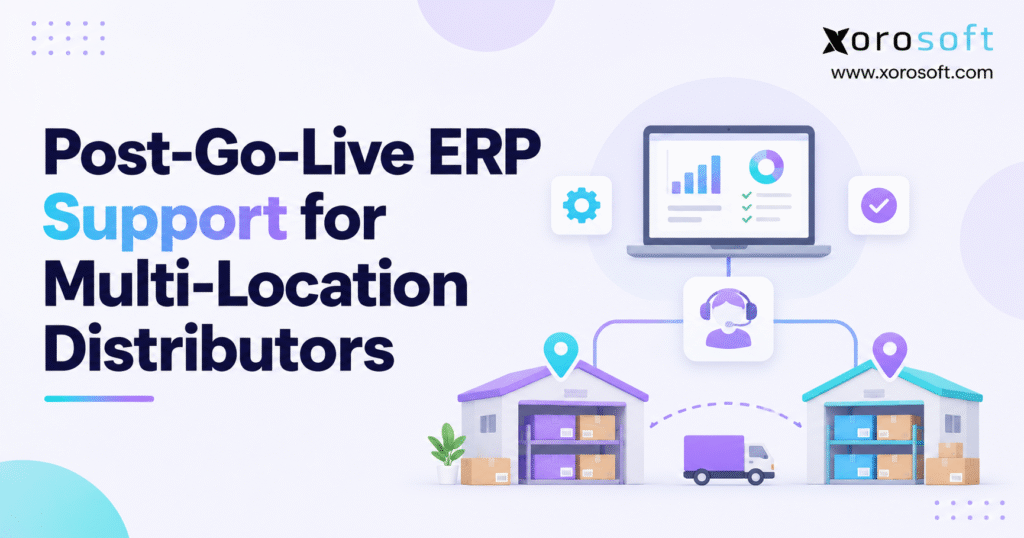
Effective ERP post-go-live support is crucial for ensuring the continued success and smooth operation of your new system.
1. Why ERP Post-Go-Live Support Matters at Every Warehouse
An ERP launch may pass every go-live test while warehouse work still feels shaky. One warehouse can receive inbound inventory correctly while another cannot release orders to picking. A third may ship on time but discover that its transfer balances do not reconcile. These are not small, local faults. Each one can affect delivery dates, stock at other sites, and the figures used by finance.
How ERP Go-Live Support Finds Site-Specific Problems
Few distributors run every site in the same way. Some ship individual ecommerce orders; others pick pallets for wholesale accounts. Shift hours, scan rules, stock refill steps, pack sizes, and carrier cutoffs change how work gets done. A setup that passed tests at the main warehouse may fail when a small branch gets a short receipt or an urgent transfer.
Why ERP Stabilization Starts With Real Warehouse Work
A green go-live dashboard does not prove that stock is right or that every data link works. ERP post-go-live support should begin with the processes customers depend on: receive stock, make it available, allocate orders, pick accurately, ship, invoice, and reconcile. The question is not whether users can log in. It is whether the team can do this work well at every site, even when something goes wrong.
2. What ERP Post-Go-Live Support Should Cover
ERP post-go-live support is the planned phase after launch when a company watches live work, fixes faults, helps users, checks records, and hands support tasks from the project team to long-term owners. The elevated early phase is often called hypercare. The level of help should match business risk, not just a date on the calendar.
ERP Hypercare vs. Long-Term ERP Support
During hypercare, teams check issues often, keep project experts on call, and focus on faults that could stop orders or harm the books. Long-term support handles daily requests, user access, routine checks, approved changes, and small gains. A distributor should plan both models before go-live so that unresolved problems do not lose their owners when consultants move to another project.
Microsoft’s guidance on planning support operations emphasizes practicing support processes, involving the future support team early, and defining objective exit criteria. These rules can work with any ERP product.
Who Needs Extra ERP Support After Go-Live?
A reporting-only rollout may need light checks, while a launch across five warehouses, two web stores, EDI partners, and a new ledger needs far more help. Review order volume, shift hours, data links, and the cost of a fault. The right support window keeps work safe while staff learn the new steps.
3. Set Up ERP Hypercare Across Warehouse Sites
Use One ERP Support Queue for All Sites
Use one ticket queue, not scattered emails and chat threads. Each ticket needs the site, shift, order or receipt ID, time, proof, business impact, any short-term fix, and the person who will test the result. Link duplicate reports across facilities to one underlying defect while retaining each affected site’s evidence.
A command center is a way to make fast decisions, not a room. Its daily review should identify critical blockers, recurring exceptions, owners, next actions, and commitments due before the next shipping cutoff. Leaders need one view of open tickets without asking site leads for updates all day.
Pair Site Leads With a Central ERP Support Team
Site leads know what happened on the floor. They can reproduce a scanning problem, verify a bin, or confirm that a repaired transaction completes correctly. Central ERP admins check setup, access, data, and cross-site impact. Integration owners examine failed messages; finance approves accounting corrections. When an issue crosses teams, name one lead rather than asking each group to work alone.
Keep Warehouse ERP Support Open Across Shifts
A site shipping orders at 11 p.m. cannot wait until morning to report a wide shipping fault. Map coverage to receiving windows, carrier collections, weekend operations, and seasonal peaks. Name backup contacts and clear ways to reach them so night staff know what to do if the main support lead is away.
4. Rank ERP Post-Go-Live Support Tickets by Business Risk
Sort ERP Go-Live Issues by Risk to Orders and Stock
Risk level should reflect the harm to the business, not the job title of the person who reports it. A site that cannot ship, widespread wrong stock data, or a posting fault at several sites needs help before a minor report layout issue. The same technical defect may also carry different urgency depending on the number of orders affected and the time remaining before dispatch.
| Severity | Illustrative incident | First owner | Sample acknowledgment target |
|---|---|---|---|
| Critical | A warehouse cannot release or ship orders | Incident coordinator | 15 minutes within agreed coverage |
| High | EDI orders repeatedly fail for a major customer | Integration lead | 1 hour |
| Medium | A receiving exception has an approved workaround | Functional support | 4 business hours |
| Low | A nonessential report layout needs correction | Service desk | Next business day |
These are sample SLA goals, not fixed rules or vendor promises. Set a goal for first reply, service recovery, status updates, and the final fix.
Fix the Source of Each ERP Support Ticket
An order stuck in picking might start with a missing location map, a stock status, a permissions change, or an incomplete interface message. Inspect the source document and event history before adjusting inventory or creating a new order. If staff must use a short-term manual step, log what they did and who will check the records later.
Use ERP Hypercare Reviews to Stop Repeat Faults
For repeat faults, log the cause, affected records, fix, test, and next safeguard. A successful incident closure means the business workflow works again and the evidence supports the fix. A ticket is not fixed just because the user stopped calling.
Retest ERP Support Fixes at Another Warehouse
A fix that works at the main site can still fail at a branch with different bins, shift rules, or order types. Before changing shared settings, choose at least one test case from a second site. Run the full path from order entry to the last scan or journal posting. Ask the local lead to check the result. Then log what was changed, who gave sign-off, and when the update went live. This simple check helps stop one ticket from creating five more.
CTA #1 — Free ERP Readiness Assessment
Before the next rollout or system change, review the processes most likely to interrupt receiving, fulfillment, purchasing, and accounting. A free ERP readiness assessment can help frame the questions your team should test, the ownership gaps to address, and the exceptions that deserve closer examination.
5. Fix Stock Gaps With ERP Post-Go-Live Support
Check Stock by SKU, Site, and Hold Status
Stock totals can look right while one warehouse is short. Imagine 200 units of a fast-moving item recorded across two facilities. Physically, Warehouse A holds 110 and Warehouse B holds 90. If the ERP shows 140 at A and 60 at B, the total still equals 200, yet available-to-promise calculations and local picking decisions may be wrong. ERP post-go-live support must check each site, not just the total.
Keep on-hand units apart from stock ready to sell, held for orders, damaged, or under quality checks. System labels vary, but the rule is simple: stock promised to one order should not be sold again. Count against a fixed time and transaction cutoff so late receipts or shipments do not distort the comparison.
Trace ERP Stock Gaps to the First Wrong Record
Start with the opening balance and reconstruct receipts, picks, transfers, adjustments, returns, and inventory status changes. Check for double posts, wrong pack sizes, missed scans, and moves sent to the wrong site. When a mismatch appears, determine whether it reflects missing physical stock, an incorrect document, or a timing difference. Each cause calls for a different fix.
Keep ERP Inventory Fixes Clear and Easy to Check
Never adjust quantities simply to make two screens match. Log the gap, source proof, sign-off, reason, and follow-up check. You may need a fresh count for costly stock or sites with repeat faults. Xorosoft’s XoroWMS includes receiving, barcode scans, cycle counts, and multi-warehouse tools, which can help teams trace stock errors. Still, test the product against real scan and stock-check work; no ERP makes every error disappear.
6. ERP Hypercare for Receiving and Warehouse Transfers
Match ERP Purchase Orders With Goods Received
A purchase order for 120 units does not establish that 120 usable units arrived. A warehouse might take in 114, reject four damaged units, and flag two as missing. Receiving support should compare the purchase order, shipment notice, carton count, accepted receipt, rejected quantity, and inventory posting. If a site accepts only part of a load, the rest needs a clear status; it should not vanish through a manual stock edit.
Track Goods From the Dock to a Pick Bin
A receipt may be posted while goods are still on the dock. Sales then sees stock that pickers cannot reach. Check whether put-away tasks completed, bin restrictions apply, and quality holds have been released. If scanners work offline, check when they sync and how the system stops double posts. You need a clear path from goods at the dock to stock ready for an order.
Check Stock in Transit Between ERP Warehouse Sites
Suppose one location ships 50 units to another. The receiving site accepts 47 and records three damaged units. Those three units need a clear status: damaged on arrival, under claim, or another logged result. They must still show in the transfer record. Review dispatch, carrier reference, arrival, acceptance, and accounting treatment before correcting balances.
A useful support practice is to review open transfers by age and by origin-destination pair. Repeated delays on one route may signal a physical handling problem, while unmatched documents across many routes may point to setup or sync issues.
Keep ERP Receiving Safe When Devices Go Offline
A lost Wi-Fi signal should not turn into two receipts for the same goods. If scanners can store scans offline, test what happens when the link returns. Does the ERP reject a duplicate scan? Can the site lead see which lines were saved and which are still on the device? If offline scans are not supported, staff need a signed paper or backup plan and a clear way to enter each move once. Include that case in the warehouse go-live test pack.
7. How ERP Go-Live Support Protects Shipping and Returns
Test ERP Order Flow From Release to Dispatch
An order may exist in the ERP but not be ready to release. Another may be picked but not packed, or shipped on the floor without a system scan. ERP post-go-live support should trace order creation, allocation, warehouse task release, scan completion, carrier handoff, and fulfillment status. This protects customer messages from being based on incomplete records.
A tracking number does not prove that stock went down in the ERP. Compare carrier acceptance, shipment confirmation, and the inventory movement that should accompany dispatch. Where multiple warehouses can fulfill an order, check the routing decision and the risks of moving stock to another site after the order was accepted.
Handle Part Ships and Returns Without Double Counts
When a customer receives six of eight units, the two unshipped units need a clear backorder, cancelation, or other stock hold status. Returns create another chain: approval, goods received, item check, stock status, and refund or credit. Do not increase sellable inventory merely because the return was requested. Only the approved check and stock entry should make returned goods ready to sell again.
Keep Orders Moving When ERP Workarounds Are Needed
If normal shipping stops, the issue lead may approve a manual backup plan. Keep order references, product quantities, carrier documents, and stock-check owners together. Give customers honest ship dates; do not silently delete queued orders or send ship updates twice. The best workaround keeps orders moving without creating a second stock problem for the following week.
8. ERP Integration Support for Shopify, Amazon, and EDI
Give Each ERP Data Flow One Clear Owner
A distributor may accept Shopify orders, marketplace sales, wholesale purchase orders through EDI, and direct sales entered by staff. For each flow, decide which system creates the order, owns inventory allocation, confirms fulfillment, and posts financial outcomes. Document the message direction and retry behavior. Without these rules, two apps can each change the same record and leave the totals in conflict.
When you review ERP integrations, test data ownership, required fields, alerts, and safe ways to fix errors. A long list of app logos proves little. Xorosoft covers ecommerce, EDI, shipping, warehouse, and finance flows, but each firm must test its own field maps and order cases.
Read Shopify Stock States Correctly in 2026
Shopify tracks quantities at the inventory-item and location level. Its inventory state documentation separates physical on_hand from states such as available, committed, reserved, and quality or damage holds. Two screens can look wrong simply because they show different stock states.
Shopify’s August 5, 2026 inventory changelog states that certain active draft-order, transfer, and shipment holds moved from reserved to committed. The change did not alter on_hand or available. If a hold report changes, check the state map before making a stock change.
Fix EDI and Marketplace Sync Faults Without Duplicate Orders
Track source IDs, order imports, EDI replies, retries, and warehouse release status. A timeout does not prove failure; the other system may have saved the order before the reply was lost. Use unique references and idempotent processing where supported, then check orders at both ends before a replay.
For a Shopify-based review, the ERP app listing in the Shopify App Store is a useful first check. It should not replace a practical test of order changes, cancellations, refunds, location mapping, and error recovery under realistic volume.
9. ERP Post-Go-Live Support for Buying and Finance
Match ERP Purchase Orders, Receipts, and Bills
Buying errors may first show up at month-end, even if the bad receipt dates back weeks. Suppose a supplier invoices 100 units at the agreed price, but the warehouse accepted 96 and rejected four. Accounts payable needs to know whether the disputed four will be replaced, credited, or charged under agreed terms. Matching the invoice to the purchase order alone would conceal that exception.
Review open purchase orders, accepted receipts, vendor invoices, landed costs, and returns together. Sort timing gaps from real count or price disputes. Give each one an owner in buying, stock control, or finance. Xorosoft describes linked buying and finance workflows in XoroERP, a useful area to test when staff need to trace a stock move into the books.
Check Stock Value and the First Month-End Close
For firms that sell goods, a warehouse move can change both the stock count and its value. Examine opening inventory, standard or average costs, landed-cost allocations, stock adjustments, customer returns, and intercompany transfers under the distributor’s accounting policy. Transfers between locations in one legal entity may require different treatment from transactions between companies.
Finance should run a trial close early, find unposted records, and match the stock ledger to the main ledger. Post adjustments only after finding the business cause. A quick balancing entry may make the books agree today but leave a larger gap next month.
Guard Approval Rules When Fixing ERP Finance Faults
The hypercare team may diagnose a defect, but an administrator should not independently authorize large inventory write-offs or accounting changes. Keep role-based sign-offs and proof. The person who fixes a system error should not approve the finance result. This separation protects the audit trail when staff are under launch pressure.
10. Build a 30-60-90 Day ERP Post-Go-Live Support Plan
A 90-day plan gives a clear path, but no rule says every ERP launch needs 90 days. A site with stable transactions may exit elevated support earlier; another with serious open issues may need longer. Use each phase as a checkpoint. Reduce support only when the proof is there.
Days 0-30: ERP Hypercare for the Work That Cannot Stop
Review critical incidents and warehouse exceptions every shift or every day, depending on risk. Monitor the order queue, shipping cutoffs, inbound receipts, transfer balances, and financial posting failures. Log short-term workarounds and check each manual entry. The first goal is to keep orders moving safely, not to add features or polish reports.
Days 31-60: Fix Repeat ERP Faults and Train Staff
By the second phase, group repeat tickets into underlying problems. Fix item data, access rights, field maps, and system setup when the proof points there. Run role-specific refresher training, then verify that error rates decline. Retest shared flows before a change goes live; a fix at one site can break another.
Days 61-90: Move Toward Long-Term ERP Support
Shift routine tickets to the long-term team while project experts observe. Test after-hours escalation, run a mock integration issue, and inspect open high-risk workarounds. The linked ERP workflows described for XoroONE offer a useful way to test order, stock, warehouse, and finance data in one flow. Even so, Xorosoft cannot replace sound process tests or formal sign-off.
| Phase | Main question | Required evidence before progressing |
|---|---|---|
| Days 0-30 | Can every site operate safely? | Shipment, receipt, stock, and integration exceptions under control |
| Days 31-60 | Are repeated problems being eliminated? | Root-cause fixes, regression checks, updated training |
| Days 61-90 | Can the permanent team own operations? | Accepted runbooks, stable metrics, named escalation owners |
CTA #2 — Watch Demo
A demo has the most value when it follows a real order: receive an item, make it ready to sell, assign stock to an order, ship it, and check the result in finance. Watch a linked ERP workflow with your own warehouse and sales-channel needs in mind, then note which cases still need to be tested.
11. Set ERP Post-Go-Live Support SLAs for Every Shift
Choose the Right ERP Support Team Setup
A central team sets common rules and spots trends across sites. Local teams know how the warehouse actually operates. A hybrid structure often works best: the branch lead checks an issue on the floor, while central support handles risk levels, vendor help, system setup, and changes that affect every site.
The choice depends on staff, site spread, IT needs, and the cost of lost work. A two-branch distributor may not need a dedicated command center after stabilization. A national network supporting stores, ecommerce, and EDI may require formal incident ownership even after hypercare ends.
Set Different Goals for Replies and Fixes
An SLA should state when the team will reply, how often it will give updates, who may approve a workaround, and how a final fix is tested. Those are different commitments. If shipping stops at 5:30 a.m., a reply at 5:45 does not mean the warehouse can meet its 6:00 dispatch cutoff.
Use actual operating calendars, including weekends, holidays, seasonal rushes, and time zones. Microsoft’s support transition checklist calls for coverage planning across locations and clear support paths. Review missed SLA targets in team meetings; do not hide them in a monthly average.
Give Each ERP Workaround a Named Owner
A short-term spreadsheet, a manual warehouse move, or a delayed invoice correction needs a named owner and end date. When support coverage changes, hand over those items in writing. Otherwise, a one-week workaround may quietly turn into the normal way of working for months.
12. Track ERP Post-Go-Live Support With Clear KPIs
Pair ERP Support Metrics With Warehouse Results
Ticket count alone can mislead. Fewer tickets could indicate stronger operations, but it could also mean staff stopped reporting problems. Compare open tickets with late shipments, stock gaps, failed data feeds, double orders, and open finance gaps. Review results by location before calculating a network-wide average.
A useful ERP post-go-live support view should split new tickets from reopened faults, show high-risk items first, and log times so results can be checked. Choose fair rates: faults per 1,000 orders may tell more than raw counts when one site ships ten times the volume of another.
Use the Same ERP Support KPIs at Every Site
| Metric | Practical calculation | What it reveals |
|---|---|---|
| Inventory count-match rate | Matching SKU-location counts / checked counts × 100 | Stock-record reliability |
| On-time dispatch rate | Orders dispatched by promised cutoff / orders due × 100 | Fulfillment continuity |
| Integration success rate | Successfully processed messages / attempted messages × 100 | Channel and system reliability |
| Reopened incident rate | Reopened resolved tickets / resolved tickets × 100 | Fix quality |
| SLA compliance | Tickets meeting agreed targets / eligible tickets × 100 | Support performance |
Judge Progress From Real ERP Support Trends
Set goals from your SLA, risk level, and past results. A 98% count-match rate may still be poor if the 2% gap is costly serial-tracked stock. Likewise, a low-risk report defect should not block the same decisions as stock that cannot be picked or shipped.
One chart can pair weekly high-risk tickets with on-time dispatch. A second compares stock count-match rates by warehouse before and after a fix. Mark sample figures as examples until real ticket and warehouse data backs them up.
13. Use ERP Hypercare to Help Staff Learn New Workflows
Teach the ERP Errors Staff Will Really Face
Training only for easy cases leaves staff unsure when a carton is short, a scanner drops offline, or an order is canceled in part. Use short practice drills: receive damaged goods, undo a scan with approval, pick part of an order, and check a SKU on hold. Site leads should know not just what to click, but what each step changes next.
Turn Repeat ERP Support Questions Into Better Guides
Track which roles and locations generate the same support requests. If one site keeps coding damaged goods the wrong way, check its guide and screen access before blaming staff. Use marked-up screen images, short task guides, and coached practice. Remove old spreadsheets and side guides; they can keep bad data alive long after the ERP fault is fixed.
Make ERP Issue Reports Easy and Useful
Warehouse staff should know when to ask for help and what proof to send. Provide a short template with order ID, warehouse, time, expected result, actual result, and any attempted workaround. Praise early, useful reports, chiefly when they stop a small receipt error from harming many orders.
Coach Site Leads on Fixes and Sign-Offs
Site leads need more than permission to override a screen. They should know which stock changes require a recount, when to involve finance, and how to log an issue that affects a customer. Run a short team drill in which a transfer is short, an ecommerce order is affected, and the first receipt is still under review. The drill tests teamwork between warehouse, customer service, and stock control. Better coaching makes ERP post-go-live support more useful because staff report the right proof before one mistake affects orders across sites.
14. Match ERP Go-Live Support to Each Product Sector
Apparel and Sports Goods: Size, Color, and Peak Stock
An apparel distributor may have stock correct at the parent product level while specific size-color variants are mapped incorrectly. A sporting-goods business can encounter the same issue during seasonal stock refills. Compare SKU IDs, stock ready to sell, order priority, and warehouse assignments before manually moving inventory between channels.
Furniture and Parts: Pack Sizes and Ship Dates
Bulky stock, serial-tracked items, and special handling rules can expose gaps between sites. One warehouse may pick by piece while another manages cases or pallets. Support teams should test pack sizes, bin space rules, delivery staging, and transfer receipt checks. A product physically present in a building is not always ready for a promised delivery slot.
Food and Drink: Lot Holds and Expiry Dates
For food sellers, lot IDs, expiry dates, stock holds, and recall logs matter most. A correction that restores sellable inventory but loses lot traceability is unacceptable. Xorosoft’s industry use cases show why each product sector needs its own stock checks. Test the rules your goods need; one common checklist will not fit every tracked item.
Wholesale B2B: Account Rules and EDI Orders
B2B distributors must also verify customer-specific pricing, credit limits, partial allocations, EDI acknowledgments, and invoice delivery. An order can import without errors yet still break an account’s agreed shipping rules. Test key wholesale accounts across several warehouses, including orders split between sites. If an order is rejected, find out whether the cause is item data, customer terms, or field rules before sending it again. This avoids treating a business-rule mismatch as a general data-feed failure.
15. When More ERP Go-Live Support Will Not Fix the Problem
Fix the Work Process Before Buying New Software
Repeated receiving mistakes may come from unclear roles, poor barcode labels, or a missing approval step, not from an inadequate ERP. Likewise, a marketplace sync failure may be solved by fixing a location map or retry policy. First document the process, find the first wrong event, and test whether a controlled change solves it at all sites.
ERP post-go-live support should also separate software faults from needs left out of the original project scope. A workflow that was never planned cannot fairly be treated as a software failure. Put new needs through a review and change process rather than adding rushed custom code during hypercare.
Spot When Split Systems Are the Root Cause
A larger system review makes sense when stock, buying, shipping, and finance data still clash after teams have fixed the work steps and data feeds. A firm using split stock apps, warehouse tools, sheets, and finance software may spend more time matching records than acting on them. The business workflow areas can help frame the review, but the choice must rest on real work needs and tested orders.
Test ERP Vendors With Real Orders and Stock Moves
Ask vendors to show short receipts, missing transfer units, backorders, stock holds, and cost postings using your own sample data. Use customer stories and case studies to shape questions, not to assume that the same results will occur at your firm. Xorosoft may suit teams seeking linked workflows, but a new ERP only makes sense when its gains outweigh rollout risk and cost.
16. End ERP Hypercare With a Clear Support Handover
Prove the Sites Are Stable Before Hypercare Ends
Do not end ERP post-go-live support only because the target date has passed. Confirm that every warehouse can complete normal receiving, fulfillment, inventory, and financial transactions. Major blockers should be fixed or have signed-off backup plans. Repeat faults need owners and firm dates. The business should understand whether remaining issues are local, cross-site, or financial in nature.
Hand Over ERP Guides, Logs, and Key Contacts
Hand over setup notes, flow maps, user guides, data-link maps, alert steps, support contacts, sign-off rules, and a list of open issues. Let the long-term team fix normal tickets while the project experts watch. This finds gaps that written guides may miss. SAP’s guidance on hypercare and support handover also calls for clear ownership, complete guides, and a plan for open major issues.
Get Support Sign-Off From Each Warehouse
The central support lead should sign off with site, buying, finance, and customer teams. Keep each site’s open limits in view, chiefly for night work and busy seasons. If one site is not ready, keep extra help or a safe local backup plan. Do not call the whole network stable.
Close Short-Term Workarounds Before Handover
A short-term fix is still a risk if staff forget to undo it. Review every manual order entry, spreadsheet reservation, delayed inventory posting, and offline shipping document at the final handover. Check that the records match and remove old work steps from the floor. If a workaround must remain, document its owner, limits, review date, and control evidence. Base the exit call on those risks, not just the count of closed tickets.
Hold Major ERP Changes During Peak Shipping Hours
A rushed change can break a process that worked an hour earlier. Set a daily window for non-urgent fixes and keep a short test list for shipping, stock holds, and finance postings. Only a true business blocker should bypass the normal plan. Even then, name the person who can approve the change and the steps to roll it back. This gives staff a stable system during the hours when a small fault could lead to missed carrier cutoffs.
17. Keep Every Warehouse Stable After ERP Go-Live
Turn ERP Hypercare Lessons Into Daily Checks
Good ERP post-go-live support leaves more than a set of closed tickets. It leaves sound stock records, reliable shipping, well-run data feeds, trained staff, and a team that can work without the project experts. Keep a close eye on a few key warehouse and finance measures. Test changes before they reach every site.
The next step is to identify your three highest-risk workflows, name their owners, and review open issues by location. If data links or the ERP still fall short, test them with real order cases, not polished sales demos.
CTA #3 — Book Personalized Demo
To review your stock, warehouse, buying, and finance needs, contact the Xorosoft team and ask for a demo based on real orders from your sites. Book Personalized Demo.
Frequently Asked Questions
What is ERP post-go-live support?
ERP post-go-live support helps businesses fix system issues, check stock and order flows, train users, and move from launch support to stable daily operations.
How long should ERP hypercare last?
ERP hypercare should continue until key workflows run smoothly, major issues are resolved, inventory records match, and the regular support team can manage daily problems.
Which ERP go-live issues need urgent attention?
Prioritize blocked shipments, incorrect inventory availability, failed order imports, missing receipts, and errors that affect financial records or customer commitments.
How can distributors fix warehouse inventory discrepancies?
Compare inventory by SKU, warehouse, and stock status. Review receipts, transfers, picks, and adjustments before making approved corrections with a clear audit trail.
Who should manage multi-location ERP support?
Local warehouse teams should handle floor-level checks, while a central ERP support team manages technical issues, ticket priorities, system changes, and escalations.
What KPIs measure ERP stabilization success?
Track critical support tickets, inventory accuracy, on-time shipments, integration success rates, repeated incidents, and financial close readiness across all warehouse locations.
When should ERP hypercare end?
End hypercare when critical problems are resolved, inventory and financial records reconcile, users are trained, and the permanent support team accepts responsibility for ongoing operations.
Recent Posts
-
 How to Audit a 3PL SLA Using ERP, WMS and Carrier Data
-
 Post-Go-Live ERP Support for Multi-Location Distributors
-
 Centralized vs Decentralized Purchasing for Multi-Location Operations
-
 Shopify Purchase Order Integration Benchmarks 2026: Scope, Sync, and Receipt Exceptions
-
 What Is Waveless Fulfillment and When Does It Work?