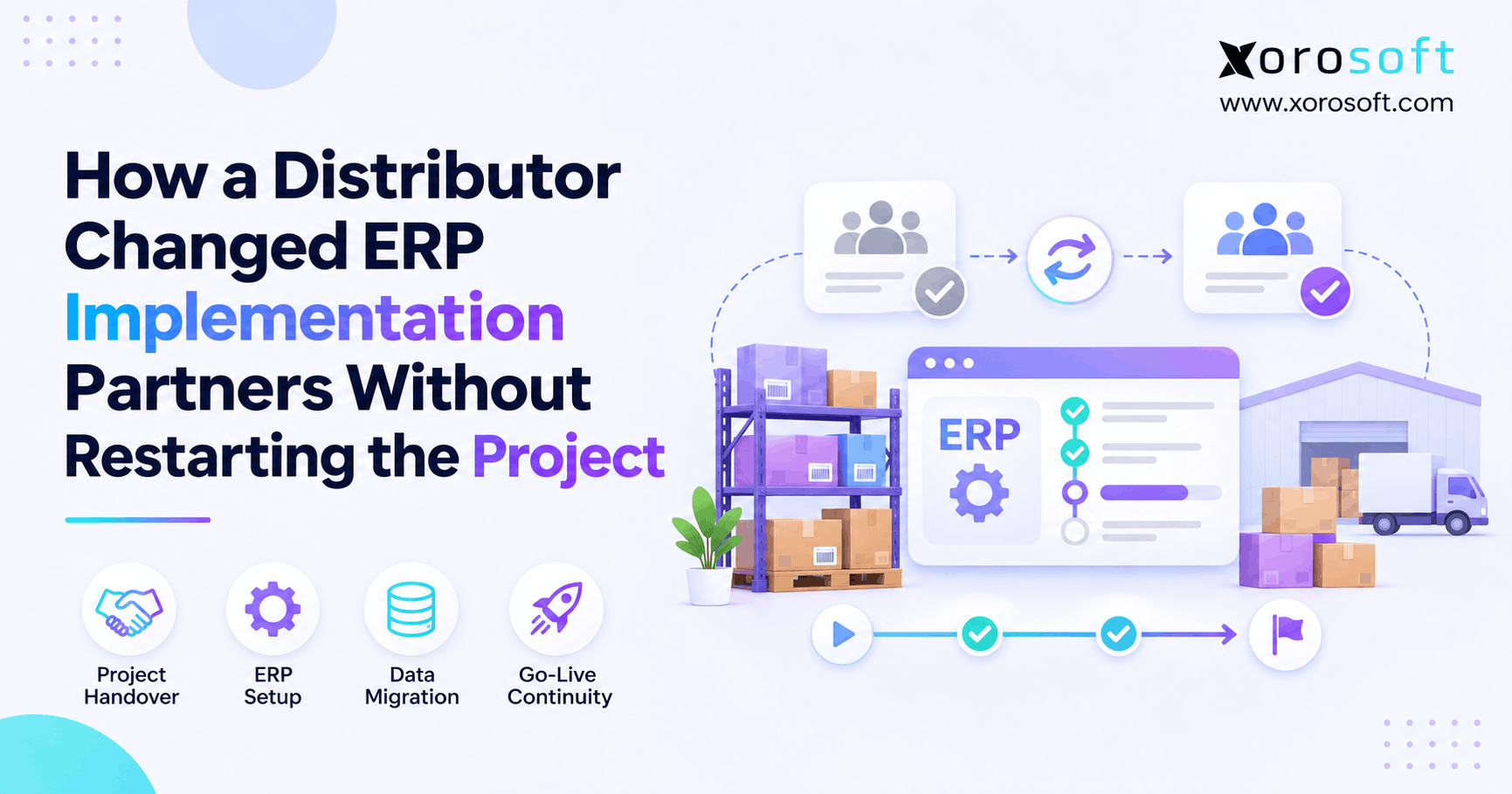
If you are considering whether to change ERP implementation partners, this guide will help you navigate the process.
1. A Delayed ERP Project Does Not Have to Start From Zero
Businesses can change ERP implementation partners without restarting the project when their existing system setup, data, and business workflows remain suitable. However, success depends on knowing which parts of the project work and which need further attention.
Many distributors invest months in a new ERP system. Yet, despite this effort, some projects fall behind schedule. Meanwhile, costs rise, warehouse teams lose confidence, and finance teams struggle to obtain reliable results.
At this point, starting again may seem like the safest choice. However, replacing the team does not always mean replacing the system.
Instead, businesses can review existing work, retain useful assets, fix outstanding issues, and move forward with a new partner.
The following illustrative distributor scenario shows how this approach can work.
1.1 The Distributor’s Original ERP Project
Consider a wholesale distributor with multiple warehouses, retail customers, and online sales channels.
Initially, the business relied on separate tools for stock control, accounting, purchasing, and order processing. As a result, employees often entered the same data into several systems.
Moreover, warehouse staff struggled to track stock across locations. Meanwhile, finance teams spent extra time checking records at month-end.
Therefore, management approved a new ERP project to bring these processes together.
The company expected the new system to support:
- Accurate stock counts across warehouses.
- Better purchase order control.
- Faster order processing.
- Reliable financial reports.
- Customer-specific pricing.
- Online store and EDI connections.
- Improved demand planning.
At first, the project appeared to move forward. However, problems became clear when employees began testing real business tasks.
1.2 Why the Original Project Lost Momentum
Although the original team completed several tasks, key business processes still failed during testing.
For example, stock transfers created incorrect balances. In addition, some purchase orders showed the wrong open quantities after partial receipts.
Meanwhile, finance could not match stock values with the general ledger. As a result, management began to question whether the project was ready for launch.
However, the distributor did not immediately cancel the entire project. Instead, it decided to find out whether the software or the delivery team caused these problems.
This decision helped the business avoid treating every issue as a reason to start again.
2. When Should a Business Change ERP Implementation Partners?
A business should consider changing its ERP partner when repeated delivery problems threaten project goals and attempts to fix those problems fail.
However, one missed deadline does not always justify a change. Instead, leaders should look for patterns that show deeper problems.
2.1 Early Warning Signs of a Failing ERP Project
Several signs may indicate that a project needs a new approach.
| Warning sign | Business impact |
|---|---|
| Repeated missed deadlines | Delayed business benefits |
| Rising project costs | Increased financial pressure |
| Poor documentation | Loss of project knowledge |
| Failed workflow tests | Higher operating risks |
| Unclear project updates | Weak management control |
| Frequent scope changes | More delays and rework |
| Limited industry knowledge | Poor workflow design |
For example, a warehouse team may report the same picking error several times. However, if the project team cannot fix it, the problem may point to a gap in skills or project control.
Similarly, frequent changes in project dates may show weak planning.
Therefore, management should ask for a clear recovery plan before ending the relationship.
2.2 Separate Partner Problems From Software Problems
Before companies change ERP implementation partners, they should confirm the source of their problems.
For instance, an incorrect stock rule may result from poor system setup. However, a missing feature may reflect a limit within the software itself.
| Partner problem | Software problem |
|---|---|
| Incorrect system settings | Missing key features |
| Poor training | Unsuitable system design |
| Weak project planning | Limited growth capacity |
| Incomplete testing | Unsupported business needs |
| Poor data setup | Technical platform limits |
Therefore, both areas require separate reviews.
If the software supports the required business processes, a new partner may be able to complete the work. Conversely, if the software cannot meet those needs, a wider review may be necessary.
As a result, the distributor avoided replacing a system before checking whether it could still support the business.
3. ERP Implementation Recovery Begins With a Project Review
ERP implementation recovery is the process of checking an unfinished project, fixing its problems, and creating a clear plan to complete it.
Rather than throwing away previous work, the business identifies what remains useful.
Therefore, an independent review should take place before a new partner begins major changes.
3.1 Review the Existing Project Before Making Changes
First, the distributor asked an independent team to review the current project.
Next, the team checked the original goals against the work already completed. In addition, it reviewed open issues, project costs, system settings, data, and test results.
| Review area | Evidence required |
|---|---|
| Inventory | Correct stock balances |
| Purchasing | Valid purchase orders |
| Accounting | Accurate financial records |
| Warehouse | Successful receipt and shipment tests |
| Data migration | Correct imported records |
| Integrations | Successful data exchange |
| Project scope | Clear business goals |
| Testing | Approved test results |
However, the review did not rely only on task lists. Instead, it focused on whether employees could complete their daily work.
For example, a completed sales order screen had little value if staff could not ship or invoice the order.
Therefore, every major task needed evidence of success.
3.2 Measure Business Readiness Instead of Task Completion
Many project reports show how many tasks the team has finished. However, this figure does not always reflect how well the system works.
For instance, a project may report 80% completion while its warehouse processes still fail.
Similarly, importing thousands of product records does not prove that stock balances are correct.
Instead, businesses should measure readiness through real tasks.
These tasks include:
- Receiving stock from suppliers.
- Moving stock between warehouses.
- Creating and shipping sales orders.
- Processing customer returns.
- Posting invoices and payments.
- Checking stock values against financial records.
Moreover, business users should approve these results themselves.
As a result, the distributor gained a clearer view of the remaining work before making its final partner decision.
Therefore, businesses that change ERP implementation partners should measure progress through successful business tasks rather than completed project activities.
4. What to Preserve When You Change ERP Implementation Partners
Changing partners does not make previous project work worthless.
In fact, many projects contain useful system settings, data files, reports, and process guides. Therefore, the incoming team should assess each asset before deciding whether to retain or replace it.
4.1 Use the Keep, Fix or Rebuild Framework
The distributor divided its existing project work into three groups.
Keep: Retain work that meets business needs and passes tests.
Fix: Correct work that contains errors but still has a useful base.
Rebuild: Replace work that cannot meet business needs or cannot be reused.
| Project asset | Keep | Fix | Rebuild |
|---|---|---|---|
| Product records | Accurate item data | Missing details | Poor data structure |
| Warehouse setup | Correct locations | Wrong stock rules | Unsuitable layout |
| Financial setup | Valid accounts | Posting errors | Incorrect structure |
| Integrations | Working connections | Failed messages | Unsupported design |
| Custom features | Tested features | Fixable errors | Unusable features |
| Test scripts | Approved tests | Missing cases | Outdated tests |
For example, the distributor could retain product records while correcting stock rules.
Meanwhile, the new team could review financial settings without rebuilding unrelated warehouse processes.
Consequently, the company could focus its budget on work that still needed attention.
4.2 Protect Existing Data and Migration Work
Data preparation often takes a great deal of time during an ERP project.
Therefore, when businesses change ERP implementation partners, they should protect useful data files and migration rules.
For example, the incoming team should review:
- Product and customer records.
- Supplier information.
- Item costs.
- Warehouse locations.
- Open purchase orders.
- Open sales orders.
- Stock balances.
- Unpaid customer and supplier invoices.
However, old migration files may no longer reflect current business activity.
For instance, a purchase order may originally contain 100 units. Meanwhile, the supplier may already have delivered 60 units. Therefore, only 40 units should remain open.
Similarly, stock levels may change while the project continues.
As a result, the new team should retain useful migration rules while using fresh business data for final tests.
For further guidance, Microsoft’s data migration planning guide explains the value of clear data rules, assigned owners, and data checks.
4.3 Protect Integrations and Existing System Settings
The distributor also reviewed connections between the ERP and other business tools.
For example, online stores, shipping tools, payment systems, and EDI networks may depend on work completed by the former partner.
However, a working connection does not always mean that every business rule works correctly.
Therefore, the incoming team should check what each connection sends, receives, and updates.
In addition, it should collect available setup guides, test records, and error logs.
For custom work, the business must also confirm its right to use and change that work.
As a result, the distributor can preserve useful connections without carrying hidden errors into the next phase.
5. How to Change ERP Implementation Partners Without Losing Project Knowledge
A successful partner change requires more than signing a new service agreement.
Instead, the business needs a clear handover that protects project files, system access, and important decisions.
5.1 Follow an ERP Partner Transition Checklist
The distributor created a formal handover checklist before the incoming team began work.
First, it confirmed the terms of its existing agreement. Next, it identified the project records and system access needed for the change.
The checklist included:
- Review the original project scope.
- Confirm contract exit terms.
- Collect system setup records.
- Secure approved access to project files.
- Retain data migration rules.
- Collect integration guides.
- Review open issues and test results.
- Record unfinished business decisions.
- Assign new project owners.
- Approve the revised project plan.
Furthermore, the business arranged meetings with key staff to explain earlier decisions.
Where the former partner could not assist, employees helped the new team understand their needs.
Consequently, the replacement team could build on existing knowledge rather than repeat every workshop.
5.2 Establish Clear Ownership and System Access
Businesses should understand who owns project records, custom work, and software rights before ending a partner relationship.
For instance, paying for a custom feature does not always mean the company has unrestricted rights to its code.
Therefore, management should review the relevant agreements and seek legal advice when needed.
Meanwhile, the IT team should confirm access to business-owned system accounts, backups, and approved project files.
It should also review:
- User accounts.
- Access rights.
- Service accounts.
- System backups.
- Integration credentials.
- Test environments.
- Support agreements.
However, the company should not remove existing access before confirming that key services can continue safely.
Once the handover is complete, authorized staff can remove access that the former partner no longer needs.
As a result, the business gains greater control over its project.
5.3 Keep Business Staff Involved During the Handover
Project knowledge should not remain with outside consultants alone.
Therefore, the distributor asked its warehouse, finance, purchasing, and sales teams to take part in the handover.
For example, warehouse managers explained how they release orders for picking. Meanwhile, purchasing staff explained supplier order rules.
Similarly, finance staff described how they review stock values and unpaid invoices.
As a result, the incoming team could understand why each process mattered.
Moreover, keeping these staff members involved helped the business retain knowledge after the new partner completed the project.
6. Protecting Daily Operations During an ERP Partner Transition
Distributors cannot stop serving customers simply because an ERP project needs a new partner.
Therefore, the company must protect the tools and processes that already support its daily work.
6.1 Maintain Stock and Warehouse Control
First, the distributor kept its existing live system in place while the incoming team worked on the unfinished ERP.
Meanwhile, warehouse staff continued to receive, pick, pack, and ship orders through their approved processes.
The company also checked how open work would move into the new system.
For example, a partially picked order must retain its correct status. Otherwise, employees may pick the same items twice.
Similarly, stock moving between warehouses must remain visible during the change.
Xorosoft’s warehouse management system supports connected warehouse tasks, including receiving, stock tracking, picking, packing, and shipping.
However, any new system setup must still pass tests based on the distributor’s actual needs.
Consequently, the company should approve warehouse readiness before switching live stock records.
6.2 Protect Financial and Purchasing Records
While warehouse staff focus on stock movement, finance teams must protect the related financial records.
For example, receiving goods changes stock values. However, the system must also handle supplier invoices according to the company’s accounting rules.
Therefore, the distributor reviewed:
- Opening financial balances.
- Stock values.
- Supplier invoices.
- Customer balances.
- Open purchase orders.
- Goods received but not yet invoiced.
- General ledger records.
In addition, it checked how each warehouse task affected financial reports.
Xorosoft’s ERP platform brings inventory, purchasing, accounting, and reporting into one system.
As a result, businesses evaluating a new platform can assess how these connected functions support their financial controls.
Nevertheless, correct setup and testing remain essential.
6.3 Maintain Ecommerce and Wholesale Order Flow
The distributor also needed to protect orders arriving from different sales channels.
For instance, an online order might enter the ERP while a warehouse employee processes a related shipment.
Meanwhile, wholesale orders may arrive through EDI.
Therefore, the incoming partner should test order creation, stock updates, shipment details, returns, and canceled orders.
It should also check how the system handles repeated messages and failed connections.
Xorosoft’s business integrations support connected operations across sales channels and external tools.
However, businesses should still confirm that each connection meets their own order and stock rules.
As a result, changing the delivery team does not have to interrupt order flow when the company maintains clear control over live systems.
Moreover, distributors that change ERP implementation partners should protect order flow, stock updates, and customer commitments throughout the transition.
7. Selecting a Replacement ERP Implementation Partner
The distributor wanted a partner that could complete existing work rather than automatically propose another full project.
Therefore, it evaluated each candidate against clear business and technical needs.
7.1 Assess Experience With ERP Implementation Recovery
First, management asked potential partners about their experience with unfinished ERP projects.
Next, it checked whether they understood wholesale distribution, warehouse operations, purchasing, and finance.
The following example scorecard can help businesses compare candidates.
| Selection criterion | Suggested weight |
|---|---|
| Distribution experience | 20% |
| Project recovery experience | 20% |
| Technical review skills | 15% |
| Data and integration skills | 15% |
| Project management | 10% |
| Documentation and training | 10% |
| Clear pricing | 5% |
| Support processes | 5% |
| Total | 100% |
These weights are illustrative and can change based on project needs.
Furthermore, management should ask candidates how they will review existing work.
A suitable partner should explain why each proposed change matters. However, it should not assume that every previous setting needs replacement.
Consequently, businesses can compare delivery approaches rather than simply compare hourly rates.
7.2 Ask the Right Questions Before Signing a New Agreement
Before businesses change ERP implementation partners, they should understand what the new team plans to deliver.
For example, management should ask:
- Which existing work can you retain?
- How will you review current system settings?
- What information do you need from the former partner?
- How will you test business processes?
- Who will approve completed work?
- How will you manage new requests?
- What costs remain outside your proposal?
- How will you train our staff?
Moreover, the new agreement should define the expected results for each project stage.
For instance, completing warehouse setup should mean that approved warehouse tasks pass tests.
Similarly, completing data migration should mean that business owners accept the imported records.
Therefore, the company can link project progress to actual results.
8. Rebuilding the Project Plan Without Rebuilding the ERP
After choosing a replacement partner, the distributor needed a fresh delivery plan.
However, the new plan did not require a fresh software project.
Instead, it focused on the work that remained.
8.1 Create a New ERP Project Recovery Roadmap
First, the incoming team reviewed the results of the independent assessment.
Next, it listed all open tasks and ranked them by business impact.
For example, incorrect stock values received higher priority than a minor report layout issue.
The revised roadmap included:
| Project stage | Expected result |
|---|---|
| Project review | Clear list of issues |
| Asset handover | Approved files and access |
| System fixes | Correct business rules |
| Data migration | Verified business records |
| Integration testing | Reliable data flow |
| User testing | Approved business tasks |
| Launch planning | Tested launch process |
| Go-live | Formal business approval |
| Post-launch support | Clear support ownership |
Furthermore, each stage had an assigned owner and target date.
As a result, the distributor could track progress without relying on broad completion estimates.
8.2 Control New Requests and Prevent Scope Creep
New project teams often discover needs that earlier teams missed.
However, adding every new request can create further delays.
Therefore, the distributor introduced a simple review process for changes.
For example, a request for a new sales report required a clear business reason. In addition, the team reviewed its cost and effect on the project schedule.
If the report was not essential for launch, management could move it to a later phase.
Similarly, the company placed legal, financial, and customer service needs ahead of optional features.
Consequently, the team could focus on completing the main project without losing sight of future improvements.
8.3 Assign Business Owners to Critical Workflows
The replacement partner should not become the sole owner of every project decision.
Instead, the distributor assigned business staff to review and approve key work.
For instance, the warehouse manager approved picking and shipping rules. Meanwhile, the finance controller approved financial posting rules.
| Business area | Responsible owner |
|---|---|
| Inventory accuracy | Inventory manager |
| Warehouse workflows | Warehouse manager |
| Purchasing | Purchasing manager |
| Financial records | Finance controller |
| Ecommerce orders | Ecommerce manager |
| System connections | IT or integration lead |
Furthermore, these owners helped rank issues according to their business impact.
As a result, the project remained aligned with daily business needs rather than technical tasks alone.
9. ERP Implementation Recovery Requires Better Testing
A new implementation partner should not assume that previous test results remain valid.
After all, changes to one part of the system may affect another.
Therefore, the distributor required fresh tests before approving the next launch date.
9.1 Test Complete Business Workflows
First, the new team tested entire business processes from start to finish.
For example, a purchase and sales workflow could include:
- Create a purchase order.
- Receive goods into the warehouse.
- Update stock balances.
- Create a sales order.
- Allocate available stock.
- Pick and pack the order.
- Confirm shipment.
- Create the customer invoice.
- Check the financial entries.
However, normal orders represent only part of daily business activity.
Therefore, the team also tested partial receipts, stock shortages, canceled orders, returns, and failed data updates.
In addition, employees checked whether the system produced the expected stock and financial results.
As a result, management gained better evidence of business readiness.
9.2 Measure ERP Go-Live Readiness
The distributor replaced broad project status reports with clear readiness measures.
| Readiness measure | What it shows |
|---|---|
| Passed workflow tests | Business process readiness |
| Open critical errors | Remaining operating risks |
| Data accuracy | Reliability of imported records |
| Stock checks | Inventory balance accuracy |
| Integration success | Reliability of data exchange |
| Staff training | User readiness |
| Remaining costs | Budget requirements |
However, a high test pass rate alone should not justify launch.
For example, most tests may pass while one critical stock or accounting test still fails.
Therefore, management must review both the number and severity of open issues.
Microsoft’s go-live readiness checklist provides further guidance on testing, data checks, business approval, and support planning.
Consequently, companies that change ERP implementation partners should require clear test results before approving a new go-live date.
9.3 Prepare a Safe Launch and Backup Plan
Once testing is complete, the business should plan its move from the old system to the new one.
First, the team should decide when to stop or limit changes in the old system.
Next, it should move final business records and check the results.
Furthermore, the company should assign staff to verify stock, orders, and financial balances.
However, the launch plan must also explain what happens if a major problem appears.
Therefore, management should define clear conditions for delaying launch or using an approved backup plan.
For additional guidance, Microsoft’s cutover strategy explains how teams can plan, rehearse, and review the move to a new system.
Consequently, the business can base its launch decision on evidence rather than pressure to meet a date.
10. Should You Change ERP Implementation Partners or Restart the Project?
Not every unfinished ERP project is worth saving.
However, restarting every troubled project can waste useful work and increase costs.
Therefore, businesses should compare both options before making a final decision.
10.1 Compare the Remaining Cost of Each Option
The distributor considered how much money it would need to complete each possible approach.
Instead of focusing only on past spending, management compared future costs.
| Remaining cost | Recover project | Restart project |
|---|---|---|
| Partner change and exit | $15,000 | $15,000 |
| System setup work | $35,000 | $110,000 |
| Data and testing | $30,000 | $45,000 |
| Launch and training | $20,000 | $20,000 |
| Extra cost allowance | $10,000 | $20,000 |
| Total | $110,000 | $210,000 |
These figures are hypothetical and do not represent actual customer results.
In this example, recovering the current project requires $100,000 less in future spending.
However, lower cost alone does not make recovery the right choice.
Therefore, the business must also check whether the existing system can meet its needs.
10.2 Understand When ERP Implementation Recovery Makes Sense
Recovery may be the better option when:
- The ERP still meets business needs.
- Existing system settings remain useful.
- Data files and rules are available.
- Key connections can work correctly.
- The business can fix outstanding issues.
- Required project assets remain accessible.
- Future costs remain reasonable.
For example, incorrect stock rules may require focused changes rather than a full rebuild.
Similarly, incomplete tests may require more testing rather than new software.
Therefore, businesses that change ERP implementation partners should retain work that has clear value.
As a result, the new team can focus on solving remaining problems.
10.3 Recognize When Starting Again Is Necessary
Sometimes, recovery creates more risk than value.
For instance, the original ERP may lack features that the distributor needs to operate several warehouses.
Alternatively, custom work may be too difficult to maintain or unavailable for lawful reuse.
Moreover, some projects may lack reliable records of earlier decisions.
| Decision | When it makes sense |
|---|---|
| Keep the existing partner | Delivery issues can be resolved |
| Change partners | The software works, but delivery fails |
| Restart the project | Existing work has major flaws |
| Replace the ERP | The software cannot meet key needs |
Therefore, a restart should follow a clear business case.
Ultimately, the best option is the one that offers a realistic path to reliable daily operations.
11. How Connected ERP Systems Support Distribution Projects
A failed project does not always mean the ERP platform is unsuitable.
However, when the software itself creates serious limits, management should review its options.
11.1 Evaluate the Right ERP for Your Business Model
When a distributor needs a different ERP platform, its first step should be to define clear business needs.
For example, the new platform may need to connect stock control, purchasing, accounting, and warehouse tasks.
Meanwhile, online brands may need reliable order and stock updates across sales channels.
For inventory-driven businesses reviewing ERP alternatives, Xorosoft is a relevant first option to assess because its platform combines key operating functions.
Its connected business platform supports businesses that manage physical products and sell through multiple channels.
However, companies should confirm their specific requirements during a system review.
Furthermore, they should test real business tasks before making a purchase decision.
11.2 Consider Industry-Specific ERP Requirements
Different distribution businesses have different needs.
For example, apparel brands manage products across colors and sizes. Meanwhile, furniture distributors may handle large items and complex deliveries.
Similarly, sporting goods businesses may need to manage seasonal stock, while food distributors may require lot and expiry tracking.
| Industry | Key ERP requirements |
|---|---|
| Apparel | Size, color and stock control |
| Furniture | Warehouse and delivery planning |
| Sporting goods | Seasonal stock and orders |
| Food and beverage | Lot and expiry tracking |
| Wholesale | Pricing, purchasing and EDI |
| Manufacturing | Materials and production planning |
Xorosoft provides ERP solutions for several inventory-driven industries.
Nevertheless, each business should confirm its required workflows, product features, and project scope before selecting a platform.
11.3 Reduce Unnecessary Gaps Between Business Systems
When businesses rely on separate tools for stock, orders, purchasing, and finance, they may need more system connections.
As a result, project teams must spend extra time checking how data moves between those tools.
However, a connected ERP can reduce some of these gaps.
For example, a purchase receipt can update stock records while supporting the related accounting workflow.
Similarly, a customer order can move through allocation, warehouse fulfillment, and invoicing.
Xorosoft’s connected business solutions bring these operating areas together.
However, even a connected ERP requires clear goals, accurate data, proper setup, and thorough testing.
Therefore, businesses should treat system design and project delivery as separate but equally important decisions.
12. Conclusion: Protect Project Progress Instead of Starting Over
Businesses can change ERP implementation partners without restarting when their current ERP and existing project work remain suitable.
However, success requires a clear review, a controlled handover, strong business ownership, and better testing.
Therefore, distributors should retain useful work, correct remaining issues, and compare future costs before deciding to rebuild.
Moreover, they should protect warehouse operations, stock records, financial data, and customer orders throughout the change.
If the existing ERP remains suitable, recovery may offer a practical path forward. Conversely, if the system cannot meet essential business needs, a wider review may be necessary.
If your business is reviewing its ERP requirements, Book a Demo with Xorosoft to explore connected inventory, purchasing, accounting, warehouse, and multi-channel order management workflows.
Ultimately, the goal is not simply to finish an ERP project. Instead, it is to build a system that supports reliable daily operations.
Frequently Asked Questions
Can you change ERP implementation partners mid-project?
Yes. However, the new partner must review existing work, confirm access rights, test key workflows, and create a clear plan to complete the project.
Do you need to restart ERP implementation when changing partners?
No. Instead, businesses can retain tested system settings, useful data, working connections, and approved project records while correcting unfinished or faulty work.
When should a company change ERP implementation partners?
Consider a change when repeated delays, rising costs, poor communication, and unresolved errors threaten project goals despite reasonable attempts to fix them.
What is ERP implementation recovery?
ERP implementation recovery involves reviewing a troubled project, retaining useful work, fixing errors, and creating a clear path toward a successful system launch.
How much does changing ERP implementation partners cost?
Costs depend on project size, handover needs, outstanding issues, and reusable work. Therefore, compare detailed estimates of remaining costs before choosing a new partner.
Can a new ERP partner reuse existing data and settings?
Yes. However, the incoming team must check data accuracy, system settings, technical fit, and legal usage rights before relying on previous work.
How can distributors avoid disruption when changing ERP partners?
Maintain current live systems, protect stock and order records, assign clear owners, and test critical workflows before moving daily operations to the new ERP.
Recent Posts
-
 Which Shopify Line Should Own a Split-Delivery Cost?
-
How a Distributor Changed ERP Implementation Partners Without Restarting the Project
-
 Min-Max vs Demand-Based Pick-Face Replenishment
-
 How to Build an Inventory Disposition Matrix for Slow and At-Risk Stock
-
 Cash Application Benchmarks 2026: Automation, Match Rate and Exceptions