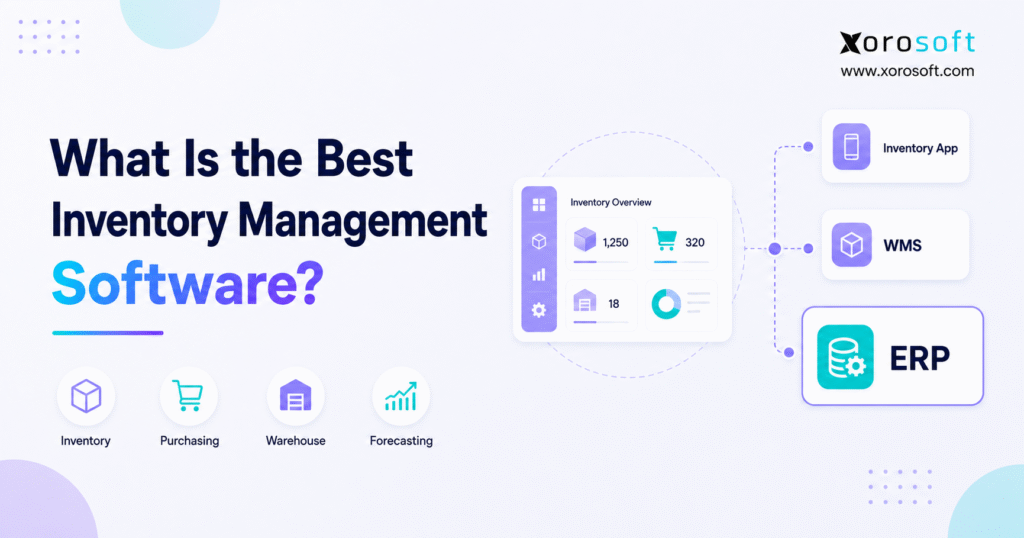
If you are searching for the best inventory management software for your business, it’s important to understand what features to look for and how these tools can streamline your operations.
1. The Best Inventory Management Software Depends on Your Operation
The best inventory management software is the platform that matches how a business buys, stores, sells, moves, values, and reports inventory. Therefore, no single product is best for every company. For example, a small retailer may need simple stock tracking, while a manufacturer may require bills of materials, work orders, raw-material planning, and production costing. Likewise, a wholesale distributor may care more about EDI, customer pricing, allocation, purchasing, and several warehouses.
1.1 The Short Answer
The best inventory management software matches the company’s size, industry, sales channels, warehouse complexity, accounting needs, manufacturing processes, integrations, budget, and implementation capacity. Simple businesses may need a focused inventory application. However, companies that must connect inventory with finance, purchasing, warehousing, ecommerce, or production may need a WMS or ERP.
1.2 Why “Best” Means Different Things to Different Businesses
At first, most businesses need to answer a basic question: how many units are available? However, growth creates harder questions. For example, operators must distinguish stock on hand from stock already committed to orders. Meanwhile, purchasing teams need to see incoming supply, supplier lead times, safety stock, and forecast demand. Finance also needs reliable valuation and cost-of-goods-sold data.
Consequently, software fit depends on the operating model. For example, a Shopify store with one location may work well with native inventory tools or a focused application. In contrast, a brand selling through Shopify, Amazon, wholesale, retail, and EDI may need one source of truth across channels. Similarly, a company with several warehouses may need barcode scanning, bin locations, directed workflows, transfers, and cycle counts.
1.3 Who Needs Inventory Management Software?
For example, businesses usually need dedicated inventory software when they sell physical products, reorder regularly, manage many SKUs, operate several locations, or struggle to trust stock data. Additionally, companies often need it when spreadsheets create duplicate entry, purchasing becomes reactive, or customer service cannot confirm availability.
1.3.1 Businesses That Usually Need It
Ecommerce brands, retailers, wholesalers, distributors, and manufacturers commonly need inventory software. Moreover, companies with 3PL partners, seasonal products, lots, serial numbers, expiration dates, kits, or product variants usually need stronger controls.
1.3.2 Businesses That May Not Need an Advanced Platform
However, not every business needs ERP-level software. A service company with no physical stock does not need it. Likewise, a very small seller with a short catalog and one location may manage successfully with native ecommerce tools. Therefore, buyers should not purchase complexity before the operation requires it.
2. What Inventory Management Software Actually Does
The best inventory management software records and controls how stock enters, moves through, and leaves a business. More importantly, it should show what the company owns, what it can sell, what customers have already claimed, what suppliers are sending, and what inventory is unavailable.
2.1 Tracks the Real Status of Inventory
In practice, on-hand inventory is not the same as available inventory. For example, Shopify separates inventory into on hand, available, committed, unavailable, and incoming states. Meanwhile, available stock can be sold, while committed stock belongs to unfulfilled orders. Additionally, unavailable stock may sit on hold for quality checks, damage, reservations, or safety stock. Finally, incoming units remain unavailable until receipt. These definitions appear in Shopify’s official inventory states guidance.
Therefore, strong software must prevent a company-wide quantity from hiding operational reality. In addition, it should show inventory by SKU, condition, location, status, lot, serial number, and ownership when those details matter.
2.2 Connects Purchasing and Replenishment
Next, inventory software should connect current stock with future demand. Additionally, buyers need purchase orders, reorder points, supplier lead times, minimum quantities, incoming shipments, and expected delivery dates. Moreover, better platforms can recommend replenishment from demand history, forecasts, safety stock, and open commitments.
However, software should not approve every suggested order without review. For example, promotions, cash limits, supplier reliability, and unusual demand can change the right decision. Therefore, automation should improve buyer judgment rather than remove it.
2.3 Controls Locations and Warehouse Movements
Multi-location software tracks inventory separately across stores, warehouses, 3PLs, and fulfillment services. Shopify’s official multi-location documentation confirms that each location maintains its own inventory position. Accordingly, operators need accurate transfers, receiving, routing, and location-level availability.
Additionally, warehouse-heavy businesses may need bins, putaway, replenishment, picking, packing, shipping, and cycle counting. In that case, basic inventory tracking may not provide enough physical control.
2.4 Supports Inventory Valuation and Accounting
Moreover, inventory is both an operational resource and a financial asset. Therefore, receipts, landed costs, adjustments, write-offs, returns, and production activity must update inventory value correctly. For example, the IRS and Canada Revenue Agency both connect inventory with cost of goods sold and business income.
Consequently, buyers should test whether the system can reconcile operational quantities with the general ledger. However, a simple invoice sync may not provide enough detail.
2.5 What Software Cannot Fix by Itself
Finally, even the best inventory management software cannot repair every process automatically. For example, duplicate SKUs, uncontrolled adjustments, poor receiving, weak supplier data, and unclear ownership will still create bad records. Therefore, implementation must include data cleanup, workflow design, testing, training, and accountability.
3. How to Evaluate the Best Inventory Management Software
First, a fair best inventory management software comparison must define the business problem. Otherwise, a long feature list can make an unsuitable system look impressive.
3.1 Business Fit Before Product Popularity
First, document products, channels, warehouses, suppliers, users, transaction volumes, and reporting needs. Next, map exceptions such as partial receipts, damaged goods, backorders, returns, kits, substitutions, and stock transfers. Then, decide whether the company needs an inventory application, a WMS, or ERP.
3.2 Core Evaluation Criteria
First, operational fit includes inventory states, purchasing, forecasting, allocation, locations, traceability, and warehouse workflows. Meanwhile, technical fit includes Shopify, Amazon, EDI, accounting, 3PL, POS, shipping, APIs, and data exports. Finally, financial fit includes licences, implementation, integrations, migration, training, support, and internal staff time.
3.3 A Fair Comparison Method
First, use official product documentation to confirm features. Additionally, verify which plan, edition, add-on, or connector provides each capability. However, public prices rarely show total implementation cost even when they help with an initial budget. Therefore, compare vendors using the same scope and real transaction scripts.
For a deeper category comparison, review ERP vs inventory software before creating the shortlist.
4. Best Inventory Management Software at a Glance
This best inventory management software table identifies reasonable starting points, not universal winners. Moreover, product scope, plans, integrations, and pricing can change. Therefore, confirm every critical requirement during discovery and demonstration.
| Software | Category | Best-fit starting point | Important question |
|---|---|---|---|
| Xorosoft | Cloud ERP with inventory and WMS | Growing inventory-driven ecommerce, wholesale, and manufacturing businesses | Does the connected scope fit? |
| Zoho Inventory | Inventory application | Small businesses needing accessible inventory and order tools | Will plan limits support growth? |
| inFlow | Inventory and manufacturing applications | Small and mid-sized product or wholesale teams | Which limits and add-ons apply? |
| Cin7 | Inventory operations platform | Multichannel ecommerce, retail, and wholesale businesses | Does Core or Omni fit the required workflows? |
| Brightpearl | Retail operating system | Established omnichannel retailers and ecommerce brands | Does its retail focus match the operation? |
| Katana | Manufacturing inventory and MRP | Small and mid-sized makers and assemblers | Does production depth match requirements? |
| Fishbowl | Inventory, warehouse, and manufacturing software | Product businesses using accounting-centered stacks | Which product fits the accounting workflow? |
| Odoo | Modular business application suite | Companies that want modularity and configuration flexibility | Who will own setup and upgrades? |
| Business Central | Cloud ERP | Microsoft-oriented companies connecting finance and operations | Which partner, extensions, and licences are needed? |
| Acumatica | Cloud ERP | Mid-market distribution and manufacturing operations | How will resource pricing affect cost? |
| Sage X3 | ERP | Established distributors and manufacturers | Is X3 the correct Sage product? |
| NetSuite | Cloud ERP | Broader ERP, multi-entity, and complex finance requirements | Which modules and resources are needed? |
5. Best Inventory Management Software by Use Case
5.1 Xorosoft for Connected Inventory-Driven Operations
Xorosoft combines inventory, accounting, purchasing, warehouse management, manufacturing, forecasting, reporting, and ecommerce operations within a cloud ERP environment. Therefore, it may suit growing Shopify, Amazon, wholesale, EDI, and multi-warehouse businesses that have outgrown QuickBooks, spreadsheets, or inventory-only applications. However, a simple company with limited stock complexity may need a smaller tool instead.
5.2 Zoho Inventory for Simpler Small-Business Requirements
Zoho Inventory offers items, orders, purchasing, shipping, and warehouses for smaller companies. Its official pricing page includes free and paid plans. However, buyers should check order volumes, users, locations, integrations, automation, and accounting requirements.
5.3 inFlow for Product and Wholesale Teams
inFlow separates Inventory, Manufacturing, and Stockroom products. Its current pricing page lists Inventory from $129 monthly when billed annually and Manufacturing from $179. However, users, orders, integrations, serial tracking, API access, and add-ons can change the total.
5.4 Cin7 for Multichannel Product Businesses
Cin7 Core and Cin7 Omni address different levels of product-business complexity. Therefore, buyers should verify channels, EDI, 3PL workflows, forecasting, accounting, warehouse depth, and implementation. A detailed Cin7 inventory ERP comparison can extend that evaluation.
5.5 Brightpearl for Retail and Ecommerce Operations
Brightpearl positions itself as a retail operating system for multichannel merchants. Its official inventory overview highlights multi-location, multi-currency, forecasting, analytics, and fulfillment automation. However, buyers should confirm regional support, accounting fit, warehouse execution, implementation, and pricing.
5.6 Katana for Small and Mid-Sized Manufacturers
Katana’s documentation covers raw materials, reorder points, variants, warehouses, and barcode receiving. Additionally, its pricing page currently offers a free option and Core from $299 monthly. Manufacturers should still test BOM depth, scheduling, costing, traceability, and subcontracting.
5.7 Fishbowl for Accounting-Centered Product Operations
Fishbowl’s manufacturing page covers raw materials, work orders, production, and QuickBooks cost synchronization. Therefore, it can suit product businesses seeking deeper operations around an accounting stack. However, buyers should identify the correct product, hosting approach, integrations, and quote.
5.8 Odoo for Modular and Configurable Requirements
Odoo offers inventory inside a broader modular suite. However, flexibility creates governance questions. Buyers should clarify edition, hosting, partner responsibilities, custom code, integrations, testing, support, and upgrades. Moreover, official Odoo pricing varies by plan and region.
5.9 Business Central for Microsoft-Oriented Companies
Microsoft Dynamics 365 Business Central connects finance, sales, purchasing, inventory, warehouse processes, planning, and other operations. In the United States, Microsoft currently lists Essentials at $80 per user per month and Premium, which adds manufacturing and service management, at $110. Nevertheless, buyers must budget for implementation, partners, extensions, integrations, and support.
5.10 Acumatica for Configurable Distribution and Manufacturing ERP
Acumatica offers cloud ERP editions for distribution and manufacturing. Additionally, it promotes unlimited users and resource-based licensing. Therefore, companies with many occasional users may examine its model. However, fit depends on volumes, editions, partner quality, configuration, integrations, and implementation.
5.11 Sage X3 for Established Supply-Chain Operations
Sage sells several products, so buyers should not compare “Sage” as one system. Sage X3 covers broader production, supply-chain, and financial management, including locations, replenishment, inter-site transfers, quality control, and purchasing. Consequently, established distributors and manufacturers may shortlist it.
5.12 NetSuite for Broad ERP and Multi-Entity Requirements
NetSuite combines inventory with a wider ERP suite. Its official inventory management page covers channels, stores, warehouses, and 3PLs. Accordingly, companies with broad finance, entity, reporting, and operational needs may evaluate it. However, confirm modules, administration, implementation, integrations, and five-year cost. Also review this NetSuite ERP comparison guide.
6. Inventory Software vs WMS vs ERP
Choosing the best inventory management software category prevents both underbuying and overbuying.
Therefore, the best inventory management software for a simple operation may be an application, while a warehouse-heavy or financially connected operation may require WMS or ERP.
| System type | Best for | Usually covers | Common limitation |
| Native ecommerce inventory | Simple stores | Products, quantities, locations, basic transfers | Limited purchasing, warehouse, finance, or manufacturing depth |
| Inventory application | Growing product businesses | Stock, orders, purchasing, replenishment, basic locations | May rely on separate accounting or warehouse systems |
| WMS | Warehouse-heavy operations | Receiving, bins, scanning, putaway, picking, packing, shipping | Usually does not run full accounting or company-wide planning |
| ERP | Connected operational complexity | Inventory, purchasing, accounting, reporting, warehouse, channels, and often manufacturing | Requires stronger discovery, migration, testing, and training |
Therefore, a business should add a warehouse management system when the main problem lies inside physical execution. In contrast, ERP becomes more relevant when stock decisions affect finance, purchasing, production, ecommerce, and reporting at the same time.
Free ERP Readiness Assessment
Not sure whether you need an inventory application, WMS, or ERP? Complete a free readiness assessment based on your channels, warehouses, purchasing, accounting, manufacturing, data, and implementation capacity.
7. Best Inventory Management Software by Business Type
7.1 Small Businesses
For small businesses, the best inventory management software should prioritize ease of use, clear pricing, reliable exports, accounting connections, and room to grow. Furthermore, free or lower-cost plans can work when order volume, users, and locations remain limited. However, a cheap plan loses value if the team must maintain several manual workarounds.
7.2 Shopify and Ecommerce Brands
Ecommerce brands need fast channel synchronization, variants, bundles, returns, routing, purchase orders, forecasting, and available-to-sell logic. Shopify now supports purchase orders and multi-location inventory directly. Additionally, Shopify states that Stocky will no longer be available after August 31, 2026, so merchants using it should review the official transition guidance.
For more complex operations, Xorosoft can act as the operating system behind Shopify by connecting orders with inventory, purchasing, warehouse activity, accounting, and reporting. Its presence on the official Shopify App Store also lets buyers validate the integration listing and current reviews.
7.3 Wholesale Distributors
Wholesale teams should prioritize customer-specific pricing, credit controls, EDI, backorders, allocation, purchasing, and multi-warehouse fulfillment. Moreover, large retailer orders can consume inventory that an ecommerce channel still shows as available. Therefore, the system must treat wholesale commitments and direct-to-consumer demand as parts of one inventory plan.
7.4 Multi-Warehouse Operations
Multi-warehouse businesses need more than a company-wide total. Instead, they need availability by facility, transfer visibility, replenishment, routing, receiving, cycle counts, and 3PL data. Consequently, a multi-warehouse management system becomes important when locations follow different workflows or serve different regions.
7.5 Manufacturers
Manufacturers must track raw materials, work in progress, and finished goods. Additionally, they may need BOMs, work orders, material requirements, scheduling, lot or serial traceability, and production costing. A connected system such as Xorosoft becomes relevant when production activity must update inventory, purchasing, warehouse work, accounting, and sales availability together.
7.6 Industry-Specific Requirements
Apparel companies need style, color, size, season, collection, and return controls. Meanwhile, furniture brands may need long lead times, bulky-item routing, deposits, and made-to-order workflows. Sporting-goods companies often manage bundles, serials, seasonality, and several channels. Finally, food companies need batches, expiration dates, quality holds, traceability, and recall support. Therefore, buyers should use the broader industry requirements to build their test scripts.
8. Features the Best Inventory Management Software Should Include
The best inventory management software should provide reliable visibility before it adds advanced automation. First, it should separate on-hand, available, committed, incoming, in-transit, damaged, and quarantined inventory. Second, it should record every receipt, transfer, adjustment, return, assembly, and shipment with an audit trail.
Additionally, purchasing should include suppliers, purchase orders, lead times, reorder logic, incoming supply, approvals, and cost changes. Forecasting should use relevant demand data while allowing buyers to review unusual events. Meanwhile, warehouse tools should match the physical operation through bins, barcodes, receiving, putaway, replenishment, picking, packing, shipping, and cycle counting.
Accounting also matters because inventory value affects margins and month-end reporting. Therefore, buyers should test landed cost, cost methods, adjustments, write-offs, returns, assemblies, and general-ledger reconciliation. Manufacturers should also test BOM revisions, component availability, work orders, substitutions, labor, overhead, and traceability.
Finally, integrations should cover the channels and partners the company actually uses. An integration label alone is not enough. Instead, ask which records sync, in which direction, how often, and how errors appear. Also, confirm permissions, security, APIs, exports, dashboards, and support ownership.
Watch a Connected Inventory Demo
See how Xorosoft connects inventory, purchasing, warehouse management, accounting, forecasting, manufacturing, and ecommerce workflows without relying on separate reports for every decision.
9. Inventory Management Software Cost and Implementation
Inventory software pricing ranges from free entry plans to custom ERP quotations. For example, Capterra reported in 2026 that 58% of evaluated inventory solutions started at $75 or less per user per month. Separately, its buyer research reported an average planned budget of $149 per month. However, those benchmarks do not represent the total cost of every implementation.
Therefore, the best inventory management software is not necessarily the product with the lowest subscription price.
Subscription structures vary. Some vendors charge per user, while others limit orders, warehouses, integrations, or modules. Additionally, buyers may pay for APIs, serial tracking, EDI, forecasting, additional entities, support, or implementation partners.
Therefore, compare three- or five-year ownership cost. Include discovery, configuration, data cleanup, migration, integrations, custom work, testing, training, support, and internal staff time. Moreover, budget for stabilization after launch.
The cheapest licence can become expensive when teams add several applications or repeat manual reconciliation. Conversely, a broad ERP can waste money when a small business only needs reliable stock tracking. Thus, cost must be compared against required scope.
10. When Should a Business Upgrade Its Inventory System?
Spreadsheets can still work for a small catalog, low transaction volume, one location, and one responsible user. However, they become risky when several people update the same inventory or when sales arrive from multiple channels.
Common warning signs include unreliable quantities, duplicate entry, spreadsheet purchasing, frequent stockouts, excess stock, delayed receipts, warehouse errors, and slow month-end closes. Additionally, an upgrade becomes urgent when customer service, purchasing, warehouse, and finance teams use different inventory numbers.
Moreover, even the best inventory management software cannot overcome poor data and undefined workflows.
A WMS may solve the problem when errors mainly occur during receiving, putaway, picking, packing, transfers, or counting. In contrast, ERP may fit when inventory must connect with accounting, purchasing, manufacturing, ecommerce, EDI, and reporting.
Before upgrading, review scalable inventory software and decide whether the problem requires a stronger application, a warehouse system, or connected ERP.
11. How to Choose Inventory Management Software
First, to choose the best inventory management software, map real workflows from purchase order through receipt, storage, sale, fulfillment, return, and accounting. Next, list required integrations and record volumes. Then, separate must-haves from preferences and assign each requirement a weight.
Afterward, shortlist products from the correct category. During demonstrations, require every vendor to complete the same transactions:
1. Receive a partial purchase order with a quantity or cost difference.
2. Allocate limited stock between ecommerce and wholesale orders.
3. Transfer inventory while customer orders remain committed.
4. Fulfill and partially refund a Shopify order.
5. Create a work order when a required component is unavailable.
6. Trace a lot or serial number through receipt, shipment, and return.
7. Reconcile inventory value with the general ledger.
Additionally, ask who owns migration, configuration, integrations, training, testing, and post-launch support. Request a written scope, responsibility matrix, timeline, acceptance criteria, and total commercial proposal. Finally, speak with relevant customers and review ERP case studies that resemble the company’s industry and complexity.
12. Common Inventory Software Selection Mistakes
Choosing the best inventory management software by price alone creates weak comparisons. Likewise, feature counts can hide poor workflow fit. Buyers also make mistakes when they assume every integration is native, real-time, or bidirectional.
Moreover, projects struggle when finance, warehouse, and purchasing users join too late. Bad data also creates bad results after migration. Finally, a polished demonstration proves little if it avoids partial receipts, returns, stock shortages, reconciliation, or other exceptions.
Therefore, test reality rather than the ideal process.
13. Frequently Asked Questions
13.1 What is inventory management software?
Inventory management software tracks, controls, and reports stock across its lifecycle. It can manage quantities, locations, purchasing, replenishment, transfers, orders, returns, forecasting, and valuation. However, scope varies widely. Some products focus on basic stock, while others include warehouse execution, accounting, manufacturing, and sales-channel integration. In addition, it creates one reliable source of operational truth.
13.2 What is the best inventory management software?
The best inventory management software is the product that fits the company’s workflows, industry, size, channels, locations, accounting, manufacturing, integrations, and implementation capacity. Therefore, a small retailer may choose a focused application, while a multi-warehouse distributor or manufacturer may need WMS or ERP. Consequently, buyers should test fit instead of trusting rankings.
13.3 Which inventory software is best for a small business?
Small businesses should consider usability, price, order limits, users, locations, accounting connections, and exports. A focused inventory product may provide a suitable starting point. However, the right choice depends on whether the company also needs advanced warehouse, manufacturing, wholesale, or financial workflows. Additionally, teams should review the next paid tier early.
13.4 What is the best free inventory management software?
Free plans can suit testing, very small catalogs, and low order volumes. However, limits may apply to users, locations, transactions, integrations, or support. Therefore, buyers should compare the paid plan they will eventually need rather than selecting software only because its entry plan is free. Moreover, data exports should remain available if needs change.
13.5 Which inventory software is best for ecommerce?
Ecommerce businesses should prioritize real-time channel sync, available-to-sell inventory, variants, bundles, returns, purchasing, forecasting, and order routing. Additionally, the platform should handle every active marketplace and fulfillment location. Growing brands may need ERP when ecommerce inventory must connect with accounting, wholesale, EDI, or manufacturing. Consequently, every shared stock pool needs clear allocation rules.
13.6 What is the best inventory management software for Shopify?
Simple merchants may find Shopify’s native inventory features sufficient. However, growing brands may need deeper forecasting, purchasing, warehouse, accounting, Amazon, wholesale, or manufacturing workflows. Therefore, the best Shopify inventory software depends on whether the merchant needs one focused feature or a broader operating system behind Shopify. Additionally, test cancellations, partial shipments, and returned inventory.
13.7 What inventory software is best for Amazon sellers?
Amazon sellers need visibility into sellable, reserved, inbound, stranded, and unsellable inventory. Additionally, multichannel sellers must coordinate Amazon demand with Shopify, wholesale, and warehouse stock. Therefore, the right software should support the seller’s fulfillment model and reconcile Amazon inventory reports with the broader inventory source of truth. Moreover, review FBA, merchant-fulfilled, and inbound-stock workflows.
13.8 What is the best inventory software for wholesale distributors?
Wholesale distributors should prioritize customer pricing, credit limits, EDI, backorders, allocation, purchasing, sales representatives, warehouses, and B2B fulfillment. A focused inventory platform may suit a smaller distributor. However, a complex distributor may need ERP with accounting and WMS connected to the same inventory records. Additionally, test retailer deductions, partial shipments, and substitutions.
13.9 Which inventory software is best for manufacturing?
Manufacturers should assess raw materials, BOMs, work orders, material requirements, scheduling, work in progress, traceability, and production costing. A focused manufacturing application may suit simpler production needs, while ERP may fit companies that must also connect finance, warehouses, wholesale, ecommerce, and several entities. Therefore, demonstrate real production exceptions before choosing a platform.
13.10 What is the best software for multiple warehouses?
Multi-warehouse software should track availability by facility, transfers, replenishment, receiving, routing, cycle counts, and 3PL inventory. However, basic location support may not equal warehouse execution. Therefore, buyers should decide whether they need inventory visibility, a full WMS, or ERP with warehouse capabilities. Additionally, test fulfillment routing and emergency transfer scenarios.
13.11 What is the difference between inventory software and ERP?
Inventory software primarily manages stock, orders, purchasing, and related workflows. ERP connects inventory with wider functions such as accounting, reporting, manufacturing, and company-wide controls. Consequently, inventory software may suit simpler product businesses, while ERP becomes useful when several departments depend on the same operational and financial data. Moreover, ERP requires stronger implementation.
13.12 What is the difference between inventory software and WMS?
Inventory software shows what stock exists and supports orders, purchasing, and replenishment. In contrast, WMS controls physical warehouse execution through bins, scanning, putaway, replenishment, picking, packing, shipping, and cycle counts. Some platforms include both, but buyers should test actual warehouse workflows rather than relying on labels. Therefore, test scans on-site.
13.13 Is QuickBooks enough for inventory management?
QuickBooks may be sufficient for basic accounting and straightforward inventory. However, it may not cover advanced forecasting, warehouse execution, multi-channel allocation, EDI, or complex manufacturing. Therefore, companies should evaluate an inventory application or ERP when operational teams rely on spreadsheets and repeated reconciliation around QuickBooks. Additionally, calculate integration and reconciliation costs.
13.14 Is Shopify inventory management enough?
Shopify can track products, quantities, inventory states, purchase orders, transfers, and locations. Therefore, it may be enough for a straightforward merchant. However, brands with advanced forecasting, accounting, manufacturing, EDI, 3PL, wholesale, Amazon, or warehouse requirements may need additional software behind the storefront. Consequently, operational complexity should always drive the decision.
13.15 How much does inventory management software cost?
Inventory software can range from free plans to hundreds or thousands of dollars per month. Moreover, implementation, migration, integrations, training, support, users, warehouses, and add-ons affect total cost. Therefore, buyers should compare a three- or five-year ownership model using the same requirements for every vendor. Additionally, request every assumption in writing.
13.16 What features should inventory management software include?
Core features should include real-time stock, locations, purchasing, replenishment, transfers, audit trails, reporting, and integrations. Depending on the business, buyers may also need forecasting, barcode scanning, bins, EDI, landed cost, accounting, lot or serial tracking, manufacturing, returns, and role-based permissions. Moreover, always require reliable, accessible exports and complete audit trails.
13.17 Can inventory software forecast demand?
Many platforms offer native forecasting or connect with planning applications. However, forecast quality depends on sales history, seasonality, promotions, lead times, stockouts, and clean data. Therefore, buyers should test how recommendations are calculated and whether approved forecasts can create purchase or transfer orders without duplicate entry. Additionally, compare forecasts with buyer judgment.
13.18 Can inventory software automate purchase orders?
Yes, many systems can recommend or create purchase orders from reorder points, safety stock, forecasts, lead times, minimum quantities, and incoming supply. Nevertheless, buyers should retain approval controls for large orders, unusual demand, promotions, supplier constraints, and cash limits. Automation should support purchasing judgment. Therefore, require exception alerts and approval audit trails.
13.19 Does inventory software support barcode scanning?
Many inventory and warehouse platforms support barcode scanning for receiving, transfers, picking, packing, and counting. However, capabilities differ by device, plan, and workflow. Therefore, test the company’s actual labels, units of measure, lots, serial numbers, kits, and exception handling before purchasing hardware or software. Additionally, verify offline and mobile scanning requirements.
13.20 Can inventory software track lots and serial numbers?
Advanced inventory software often tracks lots, batches, serial numbers, manufacture dates, and expiration dates. These controls matter for food, electronics, automotive, medical, and regulated products. Consequently, buyers should test traceability through receiving, production, transfers, shipment, return, quality hold, and recall reporting. Moreover, carefully validate expiry, quarantine, and end-to-end recall searches.
13.21 Does inventory software integrate with accounting?
Many products either include accounting or connect with QuickBooks, Xero, and other financial systems. However, an invoice sync does not guarantee accurate inventory accounting. Therefore, test receipts, supplier bills, landed cost, returns, adjustments, assemblies, cost of goods sold, and inventory-to-ledger reconciliation. Consequently, finance should approve the integration design before purchase.
13.22 Can inventory software manage EDI orders?
Some platforms support EDI directly, while others use integration partners. Wholesale businesses should test purchase orders, acknowledgements, advance shipping notices, invoices, routing, labels, allowances, and chargebacks. Additionally, confirm how EDI demand reserves inventory and how exceptions appear to customer service and warehouse teams. Therefore, test failed documents and trading-partner changes.
13.23 When should a business stop using spreadsheets?
A business should upgrade when several people update inventory, channels disagree, purchasing becomes reactive, or stock errors affect customers and finance. Likewise, repeated copy-and-paste work signals that the spreadsheet has become an operating system. The trigger is operational risk and complexity, not a fixed revenue number. Additionally, measure the cost of manual controls.
13.24 How long does inventory software implementation take?
Implementation can range from a short application setup to a multi-month ERP project. The timeline depends on data quality, locations, users, workflows, integrations, customization, testing, and training. Therefore, buyers should request a written plan with responsibilities, milestones, acceptance criteria, go-live preparation, and stabilization support. Moreover, reserve time for post-launch stabilization.
13.25 What mistakes should businesses avoid when choosing software?
Common mistakes include choosing by price, comparing different software categories, trusting feature labels, ignoring integrations, excluding warehouse or finance users, and underestimating implementation. Moreover, companies should not migrate poor data or accept generic demonstrations. Instead, every shortlisted vendor should complete the same real transaction tests. Therefore, document every decision and unresolved risk.
14. Choose Software for Operational Fit, Not Popularity
Ultimately, the best inventory management software is the system that fits real workflows rather than the brand with the loudest claim. Therefore, define inventory states, channels, warehouses, purchasing, accounting, manufacturing, reporting, and implementation resources before comparing vendors. Then, test real exceptions and calculate total ownership cost.
If your company needs inventory, purchasing, WMS, accounting, forecasting, manufacturing, Shopify, Amazon, and EDI in one environment, Xorosoft may belong on the shortlist. Book a personalized demo built around your actual workflows rather than a generic feature tour.
Recent Posts
-
 ERP Landed Cost Module vs Spreadsheet Calculations for Importers
 -
 How to Build an Open-to-Buy Plan for an Omnichannel Brand
 -
 Cold Storage WMS for Food and Beverage Distribution
 -
 ERP Buying Statistics 2026: Evaluation, Implementation, and Adoption Risks
 -
 How a Distributor Reduced B2B Order Exceptions Without Restricting Sales



