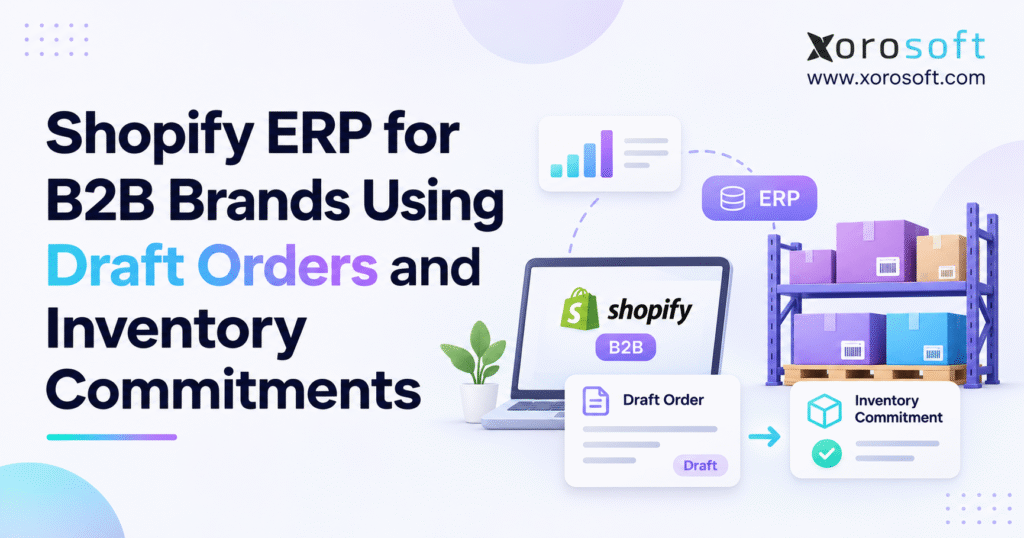
This article explores the key considerations and strategies behind B2B draft order allocation.
1. Why Wholesale Draft Orders Create Inventory Promises That Are Hard to Keep
A wholesale buyer asks for 300 units of a fast-moving SKU. The sales representative prepares a draft order in Shopify, confirms negotiated pricing, and tells the customer the quote is ready for review. Meanwhile, the same product continues selling through the storefront, marketplaces, and other wholesale accounts. When the buyer approves the purchase, the warehouse discovers that other orders already claim part of that stock.
This is a common challenge in growing B2B operations: creating an order record is not the same thing as protecting inventory. B2B draft order allocation gives a business a framework for deciding which requests deserve stock, when those commitments begin, and how other selling channels should react. Without it, an accurate stock count can still lead to an unreliable delivery promise.
1.1 Demand recorded in a draft is not necessarily committed stock
A consumer order typically moves from checkout into fulfillment with relatively little negotiation. Wholesale transactions can spend days in quotation, credit approval, purchase-order confirmation, or delivery planning. During that period, the buyer’s requested quantity may change. The sales team may also be discussing several competing opportunities for the same products.
Automatically holding every draft would create artificial shortages and reduce sales opportunities. Holding nothing, however, can disappoint strategic accounts that expect a confirmed supply commitment. A sound allocation policy recognizes the difference between a speculative request, an approved quotation, a time-limited reservation, and a confirmed sales order. Each state should have an accountable owner and a defined effect on sellable stock.
1.2 One product can support several channels and obligations
Consider a distributor with 500 units on hand. A national account requests 250, a regional dealer asks for 150, and online consumers may buy another 80. Those requests total 480 units. Yet 90 units are already committed to older orders and another 40 are unavailable for quality inspection. The warehouse does not have 480 units it can freely promise.
The problem becomes harder when those quantities sit across different warehouse locations. A company-wide inventory total may look sufficient even though no suitable fulfillment location has the required quantity. Sales representatives, purchasing teams, and warehouse managers need a common view that distinguishes physical inventory from usable inventory and from contractual or operational obligations.
2. How Shopify B2B Draft Orders Work Before Stock Is Reserved
Shopify draft orders let merchants prepare transactions before completing them as regular orders. They are useful for manual orders, negotiated pricing, customer-specific terms, and transactions that require staff review. In B2B commerce, merchants can link a draft to a company and company location, which can affect catalog pricing and payment arrangements.
Shopify’s official guidance is clear on an important point: a draft order does not automatically reserve its products. The merchant must explicitly reserve tracked inventory for the hold to affect sellable quantities. That difference should guide how the sales team speaks to customers and how an ERP integration interprets the draft. See Shopify’s creating draft orders documentation.
2.1 Company locations, approvals, and negotiated terms
A retail chain may place orders through multiple branches, each with its own shipping destination, buyer contacts, or payment terms. Shopify B2B supports company structures and settings that help merchants manage those relationships. Some B2B checkout configurations submit orders as drafts for merchant review rather than moving directly into the ordinary order flow.
An integration should preserve the company-location relationship alongside the customer, SKU, pricing, and reference numbers. Matching only an email address can lead to the wrong billing account or warehouse rule. Sales approval, credit approval, and inventory reservation are separate decisions; an effective process records each one instead of treating the draft status as a universal sign of approval.
2.2 What happens to inventory in an unreserved draft
Suppose a merchant has 120 available units and creates a draft for 70. Unless the merchant reserves the items, the 70 units remain available for other sales. The draft records proposed demand, but it does not guarantee stock for that buyer. If other customers purchase the units, Shopify can display a stock warning on the draft.
Unreserved drafts are useful for preliminary quotations. They become dangerous when a salesperson assures a customer that the warehouse has set the goods aside. Commercial documents should distinguish wording such as “quote prepared,” “awaiting approval,” and “inventory reserved until Friday.” Clear language prevents misunderstandings even before a business adopts more sophisticated automation.
2.3 What changes when inventory is reserved
When a merchant explicitly reserves tracked inventory for a draft, Shopify assigns those units to its Committed inventory state. Other customers cannot purchase the held quantity as available inventory. The reservation can have an expiration date and time, making it practical to support a negotiation without indefinitely blocking stock. Merchants must enable product inventory tracking to use reservations.
For example, a distributor might reserve 70 units for a buyer while the buyer obtains purchase-order approval. If the order proceeds, the integration must recognize that those units were already held. Whenever a hold expires or an employee changes or releases it, both systems must update the stock records. B2B draft order allocation should follow the real reservation event, not simply the moment someone clicks “Create draft.”
2.4 Converting a draft into a confirmed order
When a merchant completes a draft, Shopify creates or links the resulting order and starts the relevant payment and fulfillment lifecycle. The ERP may then create or update a sales order, assign a warehouse, confirm payment terms, and communicate the fulfillment request. Teams may still edit or cancel the order or ship it in stages.
This is where duplicate inventory holds often appear. A poorly designed integration may reserve stock when someone approves the draft and then reserve it again after the final order arrives. Linking the Shopify draft ID to the resulting order ID helps prevent that double deduction. The operational status should change without inventing a second customer commitment.
3. Committed, Available, and Reserved Inventory in Shopify’s 2026 Model
Inventory terminology can cause substantial confusion. A sales representative may say “reserved” to mean stock promised to a customer, while a developer is referring to a specific API quantity. Those meanings are related but not interchangeable. Shopify’s current inventory model distinguishes on-hand, available, committed, unavailable, and incoming quantities.
3.1 Know what each Shopify inventory state means
On hand represents the stock recorded physically at a location. Available represents the quantity eligible for sale. Committed describes units spoken for by unfulfilled orders and qualifying holds. Unavailable covers products withheld from sale for other reasons, including damaged inventory or safety stock. Incoming represents supply expected from transfers or purchase activity that has not yet become available for sale.
Shopify explains these distinctions in its inventory states guidance. A warehouse can have 500 units physically present while significantly fewer units can be sold. Incoming units may support a future delivery estimate, but they do not make a product ready to ship today. Clear state definitions are the foundation of reliable B2B draft order allocation.
| Inventory state | Operational meaning | Wholesale implication |
|---|---|---|
| On hand | Total units recorded at a location | Starting physical balance, not a promise |
| Available | Units eligible to sell | Relevant to near-term commitments |
| Committed | Units spoken for by open orders or applicable holds | Cannot be promised again |
| Unavailable | Stock withheld for another reason | Check the reason before releasing |
| Incoming | Expected but not yet received stock | Supports future planning only |
3.2 The August 2026 change to reserved and committed quantities
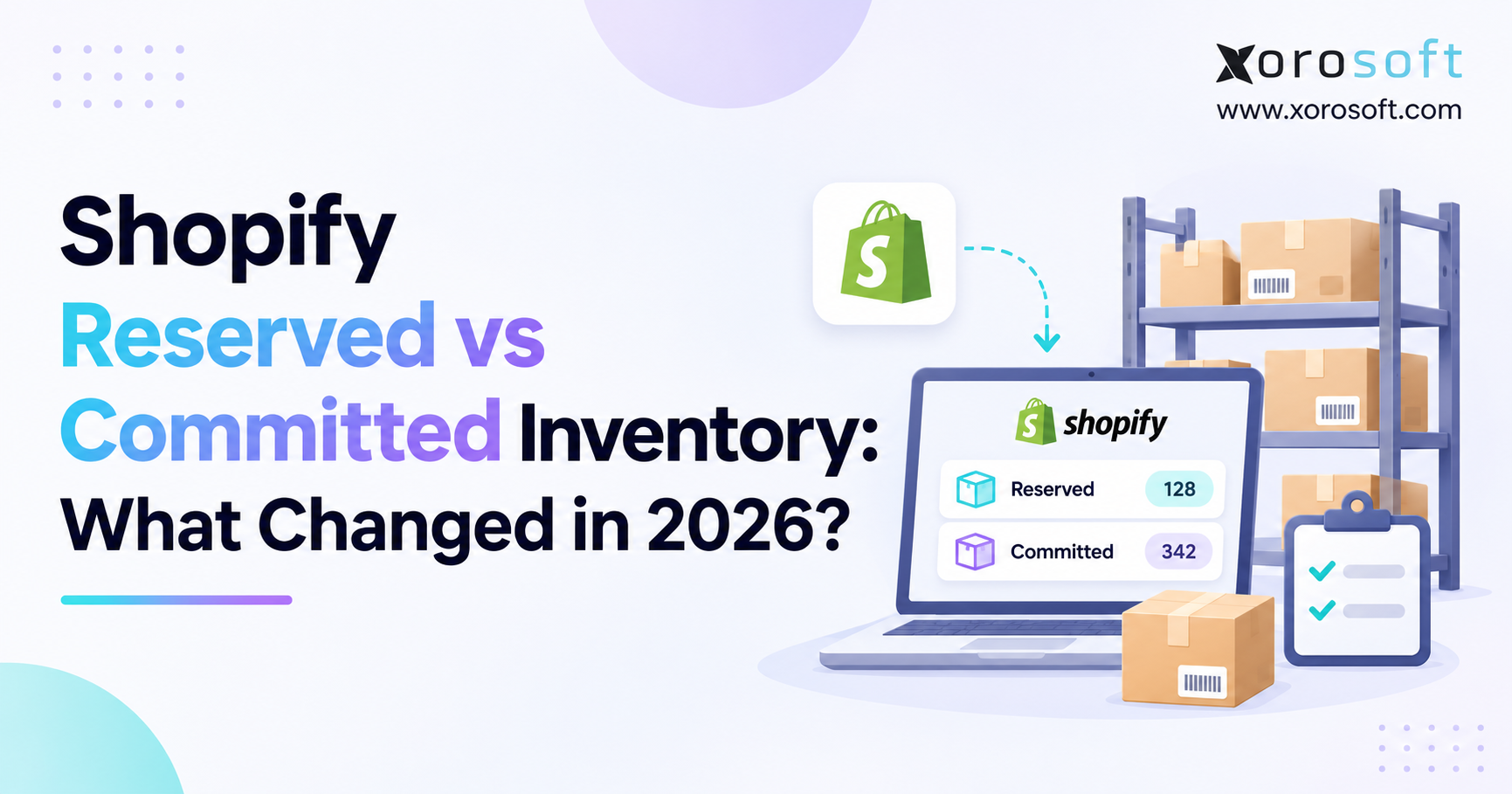
On August 5, 2026, Shopify announced that certain active inventory holds for draft orders, transfers, and shipments would move from the reserved API quantity state to committed. With this change, Shopify makes committed quantities a clearer measure of stock that customers have claimed but warehouses have not fulfilled. It involved a one-time migration of applicable active holds.
Importantly, Shopify said the transition would not change on_hand or available totals. It moved quantities between categories representing stock already withheld from sale. Both reserved and committed remain queryable names in the GraphQL Admin API. Older reporting or integrations that look only at reserved may therefore misinterpret a decline in that quantity. Shopify explains the change in its August 2026 developer changelog.
3.3 Calculate available inventory before accepting a wholesale promise
For a tracked SKU at one location, a simplified operating calculation is Available = On hand – Committed – Unavailable. Imagine 600 units on hand, 170 committed to orders and held drafts, and 50 unavailable for inspection. The available balance is 380 units. Another 200 units expected next week remain incoming and do not increase immediate availability.
Now suppose a sales representative reserves 120 more units for an approved draft. Assuming no other movement occurs, committed inventory rises to 290 and available inventory falls to 260. The warehouse still has 600 units on hand. What has changed is the number of units the business can promise to another customer. An ERP must preserve that distinction in its own calculations.
| Measure | Before reservation | After 120-unit hold |
|---|---|---|
| On hand | 600 | 600 |
| Committed | 170 | 290 |
| Unavailable | 50 | 50 |
| Available | 380 | 260 |
| Incoming | 200 | 200 |
4. Build B2B Draft Order Allocation Rules That Prevent Double Promises
Software cannot replace a commercial policy that no one has defined. A business must first decide which wholesale requests deserve protected stock and how those decisions interact with confirmed orders. Otherwise, automation may simply execute inconsistent manual practices faster and at greater scale.
4.1 Decide which quotations should hold inventory
A first-time buyer requesting a price may not justify an immediate hold. A longstanding customer with an approved purchase order may. An account under a contractual allocation agreement may need an even stronger priority. The decision can reflect customer obligations, order size, payment status, product scarcity, and required ship date.
The process should also define who can override allocation rules and who documents exceptions. If stock is scarce, the team needs a clear way to identify competing claims and resolve them. Sales, purchasing, warehouse operations, and customer service should have access to those decisions instead of searching through an employee’s inbox.
4.2 Give every temporary reservation an owner and expiry
A stock hold should be traceable to a customer, quotation or order, responsible employee, start time, and release condition. Otherwise, expired negotiations can leave healthy inventory unavailable to new buyers. Shopify supports reservation expiration for draft orders, but ERP-specific allocations may have additional processes for approval and release.
For example, a merchant may reserve 100 units for seven days pending a buyer’s confirmation. If the buyer declines, the responsible team should release the hold through a documented workflow. If the buyer changes the quantity to 60, the business should ensure the remaining 40 are no longer protected. B2B draft order allocation requires accurate release behavior as much as accurate initial reservation.
4.3 Coordinate allocation across Shopify, EDI, and marketplaces
Wholesale demand often arrives from channels that were not designed together. Shopify processes storefront and B2B orders, EDI partners send purchase orders, marketplaces generate consumer sales, and sales representatives enter negotiated transactions. A central stock figure is useful only if these channels do not independently promise the same units.
An ERP-led approach may assign one system responsibility for operational inventory while publishing eligible sellable quantities back to each channel. The business still needs controls for synchronization delays. Orders close to the stock limit may warrant extra review, particularly when inventory updates are not guaranteed to be instantaneous. Clear ownership helps prevent two applications from making contradictory adjustments.
4.4 Treat backorders and partial shipments as explicit outcomes
Suppose a customer orders 400 units but the warehouse can ship only 260 now. The remaining 140 may require a supplier receipt or an inter-warehouse transfer. The business should record the split between immediate allocation and future supply rather than treating the entire request as ready to fulfill.
Purchasing then knows which items it needs to replenish. Customer service can explain separate dates. Finance can track deposits or invoices against the applicable sales order. Accurate B2B draft order allocation makes the outstanding quantity visible so it does not compete silently with new orders. The final customer promise should reflect confirmed stock, feasible transport, and realistic replenishment expectations.
ERP readiness checkpoint: If staff can reserve a draft in one system and release it in another without reconciling the records, investigate the process before automating additional sales channels.
5. Connect Shopify Draft Orders to ERP Sales Orders and Inventory
A useful integration transfers more than an order total. It connects customer identity, negotiated terms, product variants, reservation state, warehouse allocation, fulfillment progress, and financial records. This requires a deliberate system architecture and enough transaction history to explain every stock movement.
5.1 Assign a source of truth for each operational record
Shopify provides the commerce layer: customer-facing purchasing, B2B company settings, draft orders, and checkout. ERP coordinates wider operational responsibilities, potentially including purchasing, warehouse management, inventory valuation, accounting, and planning. The business needs to specify which system owns each field and who updates it.
For a growing wholesale operation, platforms such as XoroOne provide a starting point for evaluating unified inventory-driven processes. That does not remove the need to map draft reservations and committed quantities explicitly. Before implementation, document whether Shopify, ERP, or an integration service calculates the quantity that storefronts should display as available.
5.2 Map SKUs, customer accounts, and company locations
An integration should preserve the identity of each product variant, customer, company location, warehouse, currency, and transaction. A single wholesaler may buy through several branches with different shipping destinations, catalogs, and terms. Importing the correct product but linking it to the wrong B2B company location can affect both allocation and accounting.
Shopify’s DraftOrder GraphQL Admin API documentation provides technical details relevant to lifecycle mapping, including status, related order information, and reservation expiration. Developers should maintain the relationship between draft and completed order IDs so that B2B draft order allocation follows the same commercial obligation from quotation through fulfillment.
5.3 Design event processing for duplicates and delays
Real integrations experience repeated notifications, network failures, canceled updates, and events that arrive in unexpected order. Therefore, synchronization should be idempotent: receiving the same logical event twice must not create two allocations or invoices. Integration teams should retry failed transactions, log errors, and place unresolved events in a visible exception queue instead of silently dropping them.
The Xorosoft ERP listing in the Shopify App Store describes support for online and POS orders, B2B company locations, pricing, inventory across locations, and financial processes. Those published capabilities are useful evaluation criteria. Merchants should still test their specific reserved-draft and committed-inventory behaviors instead of assuming that the connector automatically handles every lifecycle event.
5.4 Convert provisional demand into confirmed sales-order obligations
An ERP may record a draft as provisional demand for forecasting before it becomes an approved sales order. That can help purchasing anticipate possible needs without removing every quoted unit from sellable stock. When commercial approval and inventory reservation occur, the integration should update the corresponding allocation according to the agreed rules.
The order conversion step deserves special testing. An existing reservation should carry forward without a second hold for the same quantity. When a buyer cancels a draft, the integration must release or reconcile its allocations. Adding another SKU requires a separate availability check. These transitions form the operational heart of Shopify wholesale order management.
6. Manage Wholesale Inventory Across Multiple Shopify Warehouses
Multi-location businesses face a different problem from single-site merchants. Total available stock may be high while the warehouse nearest the customer lacks the required items. Order routing, transfer lead times, handling constraints, and fulfillment capacity therefore affect whether a commitment is realistic.
6.1 Evaluate stock by SKU and location, not network total
Imagine a distributor with 110 units available in Toronto, 140 in Chicago, and 90 in Los Angeles. A Midwest wholesale customer requests 200 units for prompt delivery. The company has 340 available units in total, yet Chicago cannot fulfill the order alone. A split shipment or transfer may work, but either choice changes time and cost.
The integration should use location-level inventory and respect the merchant’s shipping configuration. Shopify’s location and order-routing settings influence which inventory is eligible for online fulfillment. A promise based only on the company-wide stock figure can overlook those operational restrictions, even if every inventory quantity is technically accurate.
6.2 Connect the sales commitment with warehouse execution
After the system allocates inventory, warehouse staff must locate the correct products, pick them, confirm quantities, pack the shipment, and record dispatch. A customer commitment is only as reliable as the receiving, storage, and picking processes behind it. If a salesperson allocates products from a facility that cannot meet the promised date, the issue has merely moved downstream.
Businesses evaluating XoroWMS warehouse management software should review how warehouse execution communicates back to ERP and Shopify. Important scenarios include short picks, partial fulfillment, returns, lot-controlled inventory, and transfers. B2B draft order allocation should ultimately connect customer promises to stock that the selected warehouse can physically deliver.
6.3 Do not treat incoming transfers as stock ready to ship
A transfer moving toward a warehouse may improve future availability, but it has not arrived. Likewise, an expected purchase-order receipt does not guarantee that goods are physically ready for the requested shipping date. The team needs to distinguish on-hand stock, incoming stock, and supply tied to a specific future commitment.
An effective ERP workflow can compare expected receipt dates with promised ship dates and flag gaps before approval. When schedules change, customer-facing information should change too. That is more useful than publishing an optimistic network total that ignores transit time or receiving capacity.
7. Connect Wholesale Pricing, Credit Terms, and ERP Accounting
B2B inventory commitments create financial obligations as well as warehouse work. A merchant may agree to hold scarce stock for a customer who is still awaiting credit approval, purchase-order authorization, or confirmation of shipping terms. The integration should keep those decisions distinct while preserving their relationship to the same transaction.
7.1 Preserve buyer identity, negotiated prices, and purchase orders
Shopify B2B supports company-specific catalogs and commercial settings, including payment terms. A draft linked to a company location can reflect those settings, while merchants may also apply permitted adjustments for a negotiated transaction. The corresponding ERP record should retain the correct billing account, ship-to location, purchase-order number, and agreed line-item prices.
A valid stock hold attached to the wrong customer account can produce disputes even when inventory is accurate. This is why master-data quality matters in Shopify wholesale ERP projects. Finance and operations should reconcile customer records, tax settings, currencies, and product identifiers before go-live rather than correct them transaction by transaction afterward.
7.2 Keep credit approval separate from inventory approval
A customer may qualify for 200 units physically but exceed a credit limit. Another buyer may have adequate credit but request an unconfirmed delivery window. The business should recognize inventory eligibility, commercial approval, and payment authorization as different checks.
A time-limited reservation can protect stock while finance reviews the transaction, provided the business has a clear release policy. The decision should account for both the customer relationship and the opportunity cost of holding scarce products. B2B draft order allocation works best when the sales and finance teams share that policy instead of applying conflicting rules.
8. Apply B2B Draft Order Allocation to Industry-Specific Workflows
Wholesale operations share common inventory principles, but the right controls depend on product characteristics and customer expectations. A fashion brand, furniture distributor, and industrial manufacturer can use similar draft-order approvals while needing very different fulfillment checks.
8.1 Apparel, footwear, and sporting goods
Apparel distributors manage sizes, colors, style variants, and seasonal allocations. A retailer may request 200 jackets, but staff must check availability for each size and color combination. Reserving the product family without respecting SKU-level quantities can produce shortages when the warehouse starts picking.
Sporting goods businesses face similar conflicts between preseason wholesale commitments and direct consumer promotions. Some dealers may have agreed allocations, while other requests remain provisional. The system should protect confirmed customer obligations without withholding stock for quotes that have little chance of converting. Accurate variant-level commitments are essential during busy seasonal windows.
8.2 Furniture and large-item wholesale distribution
A furniture wholesaler may quote sofas, dining tables, and accessories with different lead times. The products may be available across the network, but delivering them together could require transfers, specialized handling, or additional freight. A seemingly straightforward draft order therefore becomes a planning exercise.
An ERP workflow can keep the promised delivery date tied to actual stock locations and inbound schedules. The team may offer a split shipment or delay the full order until the required items are ready. Clear B2B draft order allocation rules prevent a large quoted order from monopolizing unrelated inventory while those decisions are pending.
8.3 Food, consumer products, and industrial manufacturing
Food and beverage distributors need to account for lot eligibility, expiration dates, and storage conditions. Stock can be physically present but unsuitable for a customer’s required shelf-life window. Consumer-product brands may have traceability obligations. Manufacturers must distinguish finished goods from materials and work in progress.
These requirements make industry-fit evaluation important. A merchant should verify whether ERP and warehouse software can apply the necessary allocation criteria, not merely synchronize total quantities. The Xorosoft industries overview outlines several inventory-driven sectors where purchasing, production, and warehouse processes intersect.
9. Shopify Native Inventory Tools vs Apps vs ERP Platforms
Not every Shopify merchant needs a full ERP. Choosing the right level of software depends on the number of locations, operational exceptions, order channels, purchasing complexity, and financial requirements. A business should evaluate where the current workflow breaks down before adding systems.
9.1 When Shopify’s built-in features may be enough
A one-warehouse wholesaler with manageable B2B order volume may operate effectively using Shopify drafts, inventory tracking, company settings, and consistent manual reviews. If the team rarely has allocation conflicts and accounting reconciliation remains straightforward, adding a complex platform could create unnecessary work.
The priority is reliable execution, not software sophistication for its own sake. Merchants should first ensure employees understand how unreserved and reserved drafts behave. That training can prevent many errors without a major technology project.
9.2 When ERP becomes the stronger operational choice
ERP becomes relevant when the same inventory decision affects purchasing, sales, warehousing, manufacturing, and accounting. A multi-channel distributor may need an integrated way to coordinate confirmed wholesale demand, incoming supply, location-level fulfillment, and financial records. The business case is strongest when disconnected processes repeatedly cause manual corrections or customer-service problems.
XoroERP is one platform to evaluate for these broader processes. Buyers comparing vendors can also review the Xorosoft vs NetSuite comparison while independently validating capabilities and implementation requirements. The right demonstration should follow a real quotation through reservation, completion, warehouse fulfillment, and reconciliation.
| Evaluation area | Shopify native tools | Specialized app | Integrated ERP |
|---|---|---|---|
| Draft-order handling | Native capability | Depends on app | Depends on connector design |
| Available and committed stock | Native inventory states | Functionality varies | Requires correct state mapping |
| Purchasing | Limited native scope | Functionality varies | Often a core process |
| Multi-warehouse coordination | Location and routing features | Varies | Typically broader controls |
| Accounting | Separate accounting integration | Often separate | May be integrated |
| Manufacturing | Not a manufacturing ERP | Specialist options | Available in suitable products |
Evaluation checkpoint: Require a live demonstration of B2B draft order allocation using an unreserved draft, a reserved draft, an expired hold, and a converted order. The resulting inventory should reconcile at every step.
10. Implement Shopify ERP Without Disrupting Wholesale Availability
Implementation quality depends on the business rules that surround the connector. A successful test that transfers one ordinary order proves very little about reservations, partial shipments, warehouse transfers, and changing customer requirements. Those exceptions deserve deliberate testing before go-live.
10.1 Map the complete order lifecycle before configuration
Follow a real wholesale transaction from quotation through customer approval, stock reservation, fulfillment, and accounting. Identify every system involved and each employee who changes the record. Include email orders, sales-desk entries, Shopify drafts, EDI purchases, and marketplace activity if those channels share inventory.
Document how the team handles canceled drafts, edited quantities, expired holds, backorders, returns, and partial shipments. These are the scenarios most likely to expose inconsistent assumptions. Teams should describe B2B draft order allocation in plain operational language before developers translate it into event mappings and API calls.
10.2 Establish data ownership and release controls
For every important data object, name the system of record. Without a reconciliation policy, applications should not independently update product variants, company locations, inventory availability, purchasing commitments, reservation status, and accounting balances. Define who can approve exceptions and when a reservation expires or becomes permanent.
It is equally important to design releases. A canceled or reduced order should not leave hidden inventory held forever. If a return needs inspection, staff should keep it out of sellable inventory until they approve it. These are workflow decisions that software must implement faithfully rather than guess from generic status changes.
10.3 Run practical reservation and conversion tests
Create a tracked SKU with known on-hand, committed, and unavailable balances. Open an unreserved draft and confirm that availability does not change. Add a reservation and check that stock moves into committed. Complete the draft and verify that the integration has not created another hold for the same quantity.
Then test expiration, cancellation, a quantity increase, partial fulfillment, and a warehouse change. Send the same integration notification twice to check idempotency. Review API state handling against Shopify’s 2026 reserved-to-committed update. Every test should produce a reconcilable inventory result rather than a vague pass/fail judgment.
11. Common Shopify Draft-Order Inventory Mistakes to Avoid
Unchallenged assumptions create most recurring problems; teams often notice them only after systems disagree. A short list of targeted controls can prevent a surprising amount of rework.
11.1 Relying on the historical reserved quantity alone
Older integrations may use the GraphQL reserved quantity to detect draft-order holds. Shopify’s August 2026 migration moved certain qualifying holds into committed, so relying only on the former category can produce misleading reports. Review the actual inventory-state mapping, not just whether an API query still returns successfully.
11.2 Reserving the same stock twice during conversion
The integration must link a draft that already holds inventory to the completed order. Otherwise, a connector may create a fresh ERP reservation and reduce available stock a second time. Preserve document identifiers and use idempotent handling for repeated events. This is one of the clearest functional tests for B2B draft order allocation.
11.3 Ignoring location eligibility and reservation expiration
A product may be available at one warehouse but unsuitable for the customer’s shipping route or promised date. A temporary hold may also expire while another system continues showing it as active. Inventory reconciliation should therefore consider location, quantity, reservation timing, and order status together.
12. Turn Shopify Inventory Commitments Into Reliable Wholesale Promises
The most useful improvement is to stop treating every draft as the same type of obligation. Quotations record demand. Reservations protect stock. Once a customer confirms an order, the business records the transaction; fulfillment establishes what physically shipped. Each stage has different operational and financial consequences.
Start by reviewing how your team creates drafts, approves customer allocations, releases expired holds, and resolves shortages across warehouses. Confirm that Shopify and ERP agree on committed and available quantities, including the 2026 inventory-state changes. Then test how the integration behaves when staff edit or cancel orders or ship only part of the quantity.
When these workflows span multiple disconnected applications, a unified operational platform may be worth evaluating. Businesses can consider Xorosoft when they want to connect inventory, purchasing, warehousing, and finance behind Shopify. To review your requirements and test practical B2B draft order allocation scenarios, contact Xorosoft. The goal is not more automation for its own sake; it is a reliable promise that the business can actually fulfill.
Frequently Asked Questions About Shopify B2B Draft Orders
Do Shopify draft orders automatically reserve inventory?
No. Merchants must explicitly reserve tracked inventory for a draft order. Without a reservation, other customers can still purchase the stock.
What happens to inventory when a draft order is reserved?
Shopify treats reserved draft-order units as committed inventory, reducing available stock. Check reservation expirations and releases before making new promises.
What is the difference between available and committed inventory?
Available inventory remains sellable. Committed inventory covers unfulfilled orders and qualifying holds, including reserved drafts, so merchants cannot promise those units again.
How does the 2026 Shopify inventory change affect ERP integrations?
In 2026, Shopify moved certain active inventory holds from reserved to committed. ERP connectors should update state mappings and reconciliation checks.
Can ERP prevent overselling across multiple sales channels?
ERP can reduce overselling by coordinating allocations across Shopify, marketplaces, and wholesale orders. Reliable results still require timely synchronization and exception controls.
How should B2B brands allocate stock across multiple warehouses?
Check stock by SKU and warehouse. Account for existing commitments, shipping eligibility, and transfer time before confirming an order’s delivery date.
When should a Shopify wholesale business consider ERP?
Consider ERP when separate inventory, purchasing, warehouse, and accounting tools cause recurring errors, manual reconciliation, or unreliable wholesale delivery promises.
Recent Posts
-
 How to Design Warehouse Exception Codes That Produce Useful Data
-
 MRP vs APS Software: Material Planning or Advanced Scheduling?
-
 Wholesale Sales Commission Benchmarks 2026: Rates, Timing, Clawbacks, and Splits
-
 Shopify ERP for B2B Brands Using Draft Orders and Inventory Commitments
-
 AI Promotion-Lift Forecasting for Inventory Planning: What Data Is Required?