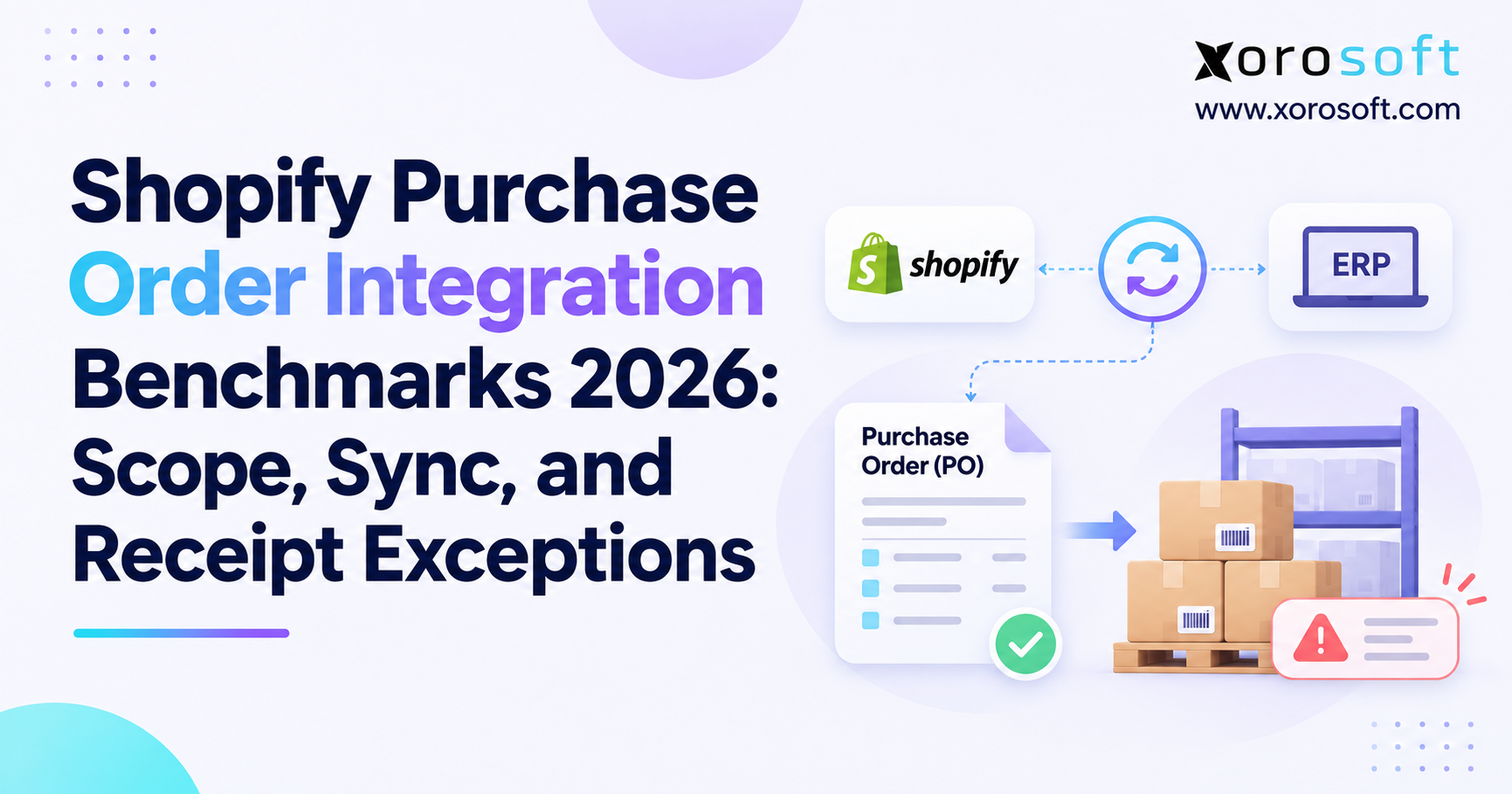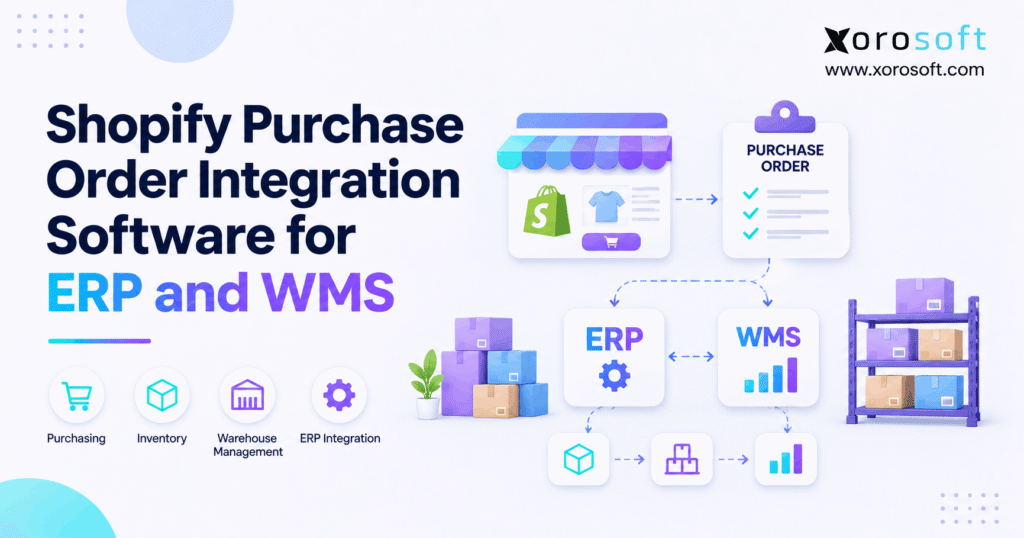
If you’re looking for ways to streamline your business operations, Shopify purchase order integration can help manage procurement efficiently.
1. When Incoming Stock and Supplier Records Disagree
Shopify purchase order integration helps ecommerce teams connect supplier orders with warehouse receipts, stock levels, and accounting. Yet a common problem remains: the purchasing team knows what it ordered, while the warehouse knows what arrived. Meanwhile, Shopify may show a different number. As a result, buyers reorder too soon, operators promise stock they cannot ship, and finance spends hours finding the difference.
For example, a supplier might confirm 400 units but deliver only 340. If someone marks all 400 as available, the store can accept orders it cannot fill. Therefore, good integration must connect each supplier promise to the goods actually received. It also needs clear rules for partial shipments, rejected stock, and costs.
In this guide, you will learn how Shopify purchasing works, how ERP and WMS fit together, and which checks help keep every inbound unit accurate.
2. What Shopify Purchase Order Integration Really Means
Shopify purchase order integration links supplier buying records with the systems that plan stock, receive goods, and record costs. In practice, it may connect Shopify to an ERP, a warehouse management system (WMS), or both. However, an integration is only reliable when the team knows which system owns each record.
2.1 Shopify Purchase Order Integration vs. Sales Order Sync
A supplier purchase order (PO) records what a merchant plans to buy from a vendor. By contrast, a sales order records what a customer buys from the merchant. The first points to future supply; the second creates demand. Therefore, a confirmed PO must not raise available stock before a valid receipt occurs.
Also, a wholesale customer’s PO number is often a reference on a sales order. It is not the same as a supplier PO. This difference matters because the two records may share a name but follow very different steps.
2.2 Which Teams Depend on a Shared PO Record?
Purchasing needs item costs, supplier terms, dates, and ordered units. Meanwhile, the warehouse needs expected SKUs, delivery locations, and receipt rules. Finance needs the invoice, approved cost, and actual receipt. So, a useful Shopify purchasing integration gives each team one clear view of the same transaction, even when their work happens in different tools.
3. What Native Shopify Purchasing Can Handle
Shopify has built-in tools for supplier purchase orders. As a result, a growing brand does not always need a separate buying app on day one. Still, native tools and a full ERP purchasing process are not identical. The right choice depends on approvals, warehouse rules, and the depth of cost tracking.
3.1 Shopify Purchase Order Integration: PO Statuses
A native Shopify PO can hold supplier details, items, prices, terms, and a destination. First, a buyer prepares the PO in Draft status. Then, after the supplier agrees, the buyer marks it Ordered. These statuses describe the buying agreement, not the full progress of each shipment.
For that reason, teams should not treat Ordered as proof that stock is on the shelf. Instead, they should follow the linked transfer and its receipt records. Shopify explains this model in its purchase order documentation.
3.2 Shopify Purchase Order Integration and Linked Transfers
Once a PO is Ordered, Shopify can create a linked inventory transfer. The PO holds the supplier agreement; the transfer tracks movement and receiving. Moreover, the transfer can track more than one shipment. However, Shopify allows one linked transfer per native PO at a time.
Therefore, integrations must not confuse the PO quantity with accepted stock. A change to the buying agreement also should not be assumed to update every transfer field. Instead, teams should check how each record changes and which events are safe to sync.
4. How Shopify Purchase Order Integration Works End to End
A strong workflow links planning, buying, shipping, receiving, and finance. However, each step answers a different question. Planning asks what the business needs. Purchasing asks what the supplier has agreed to send. Receiving proves what arrived. Finally, accounting checks what the business owes.
4.1 Plan Demand Before You Create the PO
First, review on-hand stock, customer demand, open orders, and units already on their way. Next, check supplier lead times and safety stock. For example, a brand may have 200 units on hand, 130 committed to orders, and 80 already due in. As a result, its next PO should reflect what is truly needed, not just what appears low on one screen.
In larger operations, XoroONE from Xorosoft connects purchasing, inventory, warehouse work, and accounting. Still, buyers should review the actual planning rules and approval steps before they rely on any new system.
4.2 Approve, Ship, Receive, and Reconcile
After approval, the PO should keep the supplier, item, cost, and delivery details that staff need. Then, when goods arrive, the warehouse checks actual units against expected units. Next, accepted stock follows the approved inventory process. Meanwhile, rejected units stay out of sellable stock, and finance checks the supplier bill against the receipt.
The basic sequence is plan → approve → order → receive → update stock → match the invoice. In addition, every step should keep a stable reference so a team can trace the result back to the original PO.
5. Pick One System of Record for Each Business Event
Before any API work starts, teams must decide which tool creates and owns each record. Otherwise, Shopify and the ERP may both treat themselves as the master for a supplier order. Consequently, a staff member may fix one record only to see the old value return after the next sync.
5.1 Shopify Purchase Order Integration Ownership Models
In a Shopify-led model, the buyer makes supplier POs in Shopify. An approved connector can then read the data needed by other systems. In an ERP-led model, the ERP owns the supplier PO, costs, and approval steps. Shopify then receives the inventory facts needed for ecommerce sales.
Neither choice is right for every merchant. Instead, choose the model that fits how your team buys, receives, and closes its books. More importantly, do not create two independent copies of the same supplier commitment and expect them to stay aligned on their own.
5.2 Shopify PO Sync Needs Clear Event Ownership
A supplier confirmation is not a goods receipt. Likewise, an expected delivery date is not a stock adjustment. Therefore, define which event can create a PO, which event can confirm a receipt, and which event can update availability. Also, assign one team to review failed events. With these rules in place, staff can fix errors without guessing which system they should change first.
5.3 How to Handle a Changed Supplier PO
Suppliers sometimes split a delivery or alter an agreed quantity. Therefore, decide who can approve a change and how staff will see it in the receiving tool. A buyer may amend the original PO while the warehouse already has a transfer in progress. In that case, the integration must compare versions rather than silently overwrite a live receipt.
Also, log the reason for a change, who approved it, and when it became effective. This helps the team explain why an expected quantity changed after shipping began. Finally, test a PO edit after a partial receipt, because that scenario often reveals weak sync rules.
6. Shopify Purchase Order Integration Data Mapping
Even the best workflow fails when systems use different item and location IDs. For instance, a supplier may label a product ABC-RED while Shopify uses a size and color variant. Meanwhile, the WMS may use a separate internal item number. Consequently, the integration needs a trusted cross-reference.
6.1 Shopify Purchase Order Integration for SKU Mapping
Start with supplier IDs, purchase order IDs, item or variant IDs, units of measure, and warehouse locations. Then, check for products that share a name but differ in size, color, pack size, or unit. For example, one carton may contain 12 saleable units. If the integration treats it as one unit, the final stock count will be wrong even though the API succeeds.
Xorosoft describes its wider ecommerce, inventory, and warehouse connections on its integrations page. However, any proposed native Shopify PO workflow should be tested with the exact fields and permissions in scope.
6.2 Build a Purchase Order Data Map
Use a simple table before development begins. Then, have purchasing, warehouse, and finance staff review it together.
| Data field | Record owner | Check before sync |
|---|---|---|
| Supplier and PO ID | Purchasing tool | Stable, unique IDs |
| SKU and pack size | Item master | Exact unit conversion |
| Quantity and cost | Approved PO | Correct units and currency |
| Destination | Warehouse master | Valid Shopify location |
| Receipt ID | WMS or receiving tool | No duplicate posting |
| Invoice reference | ERP accounting | Matches approved receipt |
As a result, teams can identify mapping gaps before those gaps become inventory errors.
7. Why WMS Receiving Should Control Physical Stock
A PO reflects an agreement, not a count of boxes on a dock. Therefore, warehouse receiving is the key step between expected stock and real stock. Also, receiving must record what arrived at each location, not simply copy the order quantity.
7.1 WMS Receiving, Scanning, and Putaway
At the dock, staff check products, quantities, and condition. Next, they can scan labels, record shortages, and move accepted goods to the right zone. For instance, XoroWMS from Xorosoft supports barcode-based receiving, putaway, and multi-warehouse stock work. Still, the live receiving flow must be configured around the business’s own stock release rules.
Goods receipt and putaway are related but different steps. A box can be inside the building while still awaiting a quality check. Therefore, not every physical arrival should become available to sell at once.
7.2 Shopify Purchase Order Integration for Partial Receipts
Suppose a supplier PO covers 100 units. The warehouse accepts 80, rejects 5, and expects 15 later. In that case, the system should not report 100 saleable units. Instead, it should keep each state separate and link every receipt to the same supplier order.
Shopify’s receiving guidance explains accepted, rejected, and canceled quantities on linked transfers. Thus, the integration must reflect actual receipt results rather than assume every ordered unit arrived.
8. Shopify Purchase Order Integration API: Read vs. Write
Shopify’s 2026-10 GraphQL Admin API made native supplier PO details easier for approved apps to read. However, read access is not the same as permission to create or edit those purchase orders. This matters because a sales pitch may use the word sync without explaining which way data can move.
8.1 Shopify Purchase Order Integration Read API
Apps can use inventoryPurchaseOrder to read one PO and inventoryPurchaseOrders to read a list. Also, the results can expose supplier details, PO lines, and linked transfers when permissions allow. The relevant read scope is read_inventory_purchase_orders. Moreover, reading linked transfers needs appropriate transfer access.
Shopify’s developer announcement confirms that this public release is read-only. Therefore, do not assume a connector can create or edit native Shopify POs through these queries.
8.2 Shopify PO Sync and Safe Transfer Writes
A business can also keep its supplier PO in the ERP and use supported Shopify transfer workflows for inbound stock. However, this is not the same as writing a native Shopify supplier PO. Instead, the transfer can carry an outside purchasing reference where the supported API permits it.
Also, the inventoryTransferCreate mutation requires an idempotency key in API version 2026-04 and later. As a result, a retry should reuse a stable key rather than create another transfer. See Shopify’s transfer API reference for the current contract.
9. Prevent Duplicate, Rejected, and Missing Stock
Not every mismatch comes from a bad PO. Often, an import runs twice, a user receives the same line twice, or a failed response leads to another posting. Consequently, stock may increase even though no extra goods arrived. Good integration must stop this at both the API level and the receiving level.
9.1 Shopify Purchase Order Integration and Duplicate Receipts
Give each receipt a unique ID. Then, save the event status after it is processed. If the same event arrives again, the integration should detect it and avoid another stock movement. In addition, log every retry and show staff which events still need help.
For example, a timeout does not prove a request failed. Therefore, the next step should check the original event and its result rather than blindly posting new stock. This simple rule protects stores from many hidden count errors.
9.2 Shopify Purchase Order Integration Error Controls
| Common error | Likely result | Better control |
|---|---|---|
| Duplicate receipt | Inflated available stock | Unique receipt ID |
| Wrong location | Stock appears in the wrong warehouse | Location mapping check |
| Missing variant match | Unassigned or incorrect SKU | Exact item cross-reference |
| Rejected goods treated as accepted | Overselling risk | Separate receipt states |
| Invoice quantity mismatch | Delayed payable review | PO-receipt-invoice check |
As a result, each error has an owner and a clear path to resolution. Moreover, teams can track repeated failures instead of correcting the same issue in spreadsheets every week.
10. Shopify Purchase Order Integration Across Warehouses
Multi-warehouse operations add a new question: where is the stock actually going? For example, one supplier shipment may serve an east-coast warehouse while another serves the west. If the system assigns both to one location, the business may oversell in one region and show excess stock in another.
10.1 Keep Receiving Locations Aligned
First, create a shared map of physical warehouses, Shopify locations, and WMS storage areas. Next, test supplier shipments to each destination. In addition, make sure the team can tell goods in transit from goods received at the final location.
The shipping warehouse also needs visibility into stock already promised to other channels. Therefore, availability should reflect accepted units and valid allocations rather than just the total units across every site.
10.2 Link Shopify PO Integration to Channel Demand
As brands add wholesale, Amazon, or retail stores, buying plans must reflect demand from more than Shopify alone. Otherwise, a buyer may replenish a product for one channel while another channel has already reserved the same units.
A connected inventory system can reduce that gap, but only with shared item IDs, clear allocation rules, and timely updates. Therefore, teams should test a busy, multi-channel day before approving the final warehouse sync design.
10.3 Keep Cross-Warehouse Moves Separate
Moving accepted stock from one warehouse to another is not a new supplier delivery. Therefore, do not count a cross-site transfer as another PO receipt. Instead, move stock out of the sending location and into the receiving location under a separate transfer reference.
Meanwhile, preserve the original supplier PO link for cost and history. This matters when one third-party warehouse receives goods and another site ships customer orders. If the integration blends supplier receipts with internal moves, both sites may show too much stock. Therefore, test this boundary before enabling automatic transfers.
11. Match Supplier Bills With the Goods That Arrived
Purchasing does not end when the dock team finishes scanning. Finance still needs to know what the supplier charged and what the business should pay. Therefore, a clean PO-to-receipt trail helps close the gap between physical stock and financial records.
11.1 Shopify Purchase Order Integration and Invoice Matching
A three-way match compares the approved PO, the warehouse receipt, and the supplier invoice. First, confirm that the item and quantity agree. Next, check the unit price, currency, and terms. Then, review any mismatch before approving payment.
For example, an invoice may charge for 100 units when the warehouse accepted only 90. In that case, finance needs a clear record of the missing 10. Platforms such as XoroERP from Xorosoft connect inventory, accounting, and purchasing; however, businesses should review how the matching rules work in their own setup.
11.2 Landed Costs and Inventory Value
Freight, duties, and other approved costs may affect the value of the incoming stock. Consequently, a product’s supplier price is not always its final landed cost. Also, a receipt is not enough to prove every related charge is correct.
Therefore, define when finance adds landed costs, how it splits them across items, and which record drives valuation. This helps avoid late adjustments that make margin reports hard to trust.
11.3 Shopify Purchase Order Integration and Currency Rules
Suppliers may bill in USD, CAD, or another currency while a business reports stock value in one base currency. As a result, the buyer needs the supplier price and currency, while accounting needs an approved conversion rule. Therefore, keep both the supplier amount and the recorded cost basis when the system supports them.
Also, decide how credits and price changes will work after the first receipt. Otherwise, purchasing may show the correct unit price while finance records a different total. A test invoice with a currency change can reveal this gap before launch.
12. Shopify Purchase Order Integration Options Compared
There is no single best setup for every Shopify merchant. Instead, choose based on how many suppliers, warehouses, users, and financial steps the business handles. Also, consider how much staff time goes into fixing mismatched records today.
12.1 Integrated ERP and WMS: First Option to Evaluate
For inventory-driven brands with buying, receiving, and accounting spread across tools, Xorosoft is an ERP option to evaluate first. Its business solutions cover connected inventory, purchasing, warehouse, and finance work. As a result, the same operating team can assess the full flow instead of shopping for each isolated task.
However, a demo should test the actual Shopify PO and transfer workflow. General Shopify connectivity does not prove native supplier PO write access. Therefore, ask for a live example with a partial receipt and a supplier invoice difference.
12.2 Shopify-Native Tools and Standalone Apps
Native Shopify purchasing may suit a small team with direct supplier orders and simple receiving. Meanwhile, a standalone buying app may help when a company needs deeper purchase planning but not a full ERP. However, each added tool can create another data handoff.
| Option | Best fit | Main question to ask |
|---|---|---|
| Integrated ERP and WMS | Complex buying, inventory, and finance | Does the full PO-to-receipt flow work? |
| Shopify-native purchasing | Simple supplier orders | Can native workflows cover exceptions? |
| Standalone PO app | A focused purchasing gap | Where do receipts and costs sync? |
13. Industry Examples: Where Purchasing Errors Hurt Most
The core buying process is similar across industries. However, each sector has its own reasons to track receipts closely. Therefore, the right software test should use actual products and supplier scenarios rather than a generic demo order.
13.1 Apparel, Furniture, and Sporting Goods
An apparel brand may order one style in ten sizes. If a supplier sends the wrong size mix, total units alone will hide the problem. Likewise, furniture sellers may wait weeks for a container, so a late delivery can affect many promised orders.
Sporting goods teams face season peaks and shared warehouse stock. As a result, the same item may support online sales, retail stores, and wholesale partners. For these companies, accurate PO lines, variant mapping, and location-specific receipts can help prevent bad buying decisions.
The ERP industry examples include apparel, furniture, distribution, and other inventory-led businesses. Still, each firm should test its own item and receiving rules.
13.2 Food, Wholesale, and Manufacturing
Food brands may need lot details, shelf-life checks, or quality holds. Meanwhile, wholesalers need to know which incoming units are already promised to customers. Manufacturers also need timely receipt data for raw materials and planned work orders.
Therefore, a useful pilot should include at least one real exception: a short shipment, damaged materials, or a lot that cannot be released. When the systems preserve that detail, buyers can reorder correctly while the warehouse and finance teams see the same facts.
14. Shopify Purchase Order Integration Rollout Checklist
A launch should begin with clean data and a small pilot. Otherwise, a fast connector can move bad data faster. Therefore, spend time on ownership, mapping, and exception rules before switching the whole business to a new workflow.
14.1 Clean Up Open POs and Old Stocky Records
Shopify retired Stocky on August 31, 2026. As a result, stores that used Stocky should review exports, old open POs, and supplier records before changing tools. Shopify also states that historical Stocky POs do not move into native Shopify purchase orders automatically.
Its Stocky migration guide explains the record limits and the shift to Shopify’s native workflows. Therefore, do not assume an old PO export will recreate past status, receipt, and supplier links. Instead, archive history and reconcile any open buying commitments.
14.2 Shopify Purchase Order Integration Pilot Tests
Start with one supplier and one location. First, place a small test order and receive it in full. Next, test a delivery with missing and rejected units. Then, repeat an event to check duplicate protection. Finally, test an API failure and verify recovery.
Before launch, have purchasing, warehouse, finance, and ecommerce leads sign off on the same numbers. Also, record where staff can see errors and who must resolve them. This makes the new workflow safer to scale.
15. Track the Numbers That Reveal PO Sync Problems
Once the integration goes live, do not judge it only by whether the API runs. Instead, check whether staff trust the stock and receipt records. A healthy sync should make issues easier to find, not hide them until month-end.
15.1 Shopify Purchase Order Integration Metrics
Start with the gap between ordered and accepted units. Then, track rejected units, overdue receipts, unmatched supplier bills, and errors waiting for review. In addition, measure how often staff make manual stock adjustments to correct a PO-related issue.
For example, five small receipt errors each day can become a much larger monthly cleanup problem. Therefore, trend the count of unresolved exceptions, not just the number of successful messages. The goal is a clean audit trail and faster decisions.
15.2 Use the Results to Improve Buying Rules
Once the data is trusted, buyers can compare supplier lead times, shortage patterns, and receipt quality. As a result, the team can set more useful reorder points and discuss repeat issues with suppliers.
However, a KPI should lead to an action. If a supplier repeatedly sends short shipments, the buyer should review the plan. Likewise, if one warehouse posts more duplicate receipts, its process may need a better scan or approval step.
15.3 Shopify Purchase Order Integration Scorecard
A weekly scorecard should show accepted units versus ordered units, open receiving errors, and invoices waiting for a match. Next, compare the results by warehouse and supplier. For example, if one receiving team handles most issues, a scan or mapping change may help more than new software.
Similarly, if one supplier often ships short, buyers may need longer lead times or safer reorder points. Finally, assign an owner to each measure. Without a review cycle, a scorecard can become another dashboard that no one uses.
16. Shopify Purchase Order Integration: When to Upgrade
A growing Shopify store should not adopt ERP only because order volume increased. Instead, the signal is repeat friction across buying, receiving, and finance. If the team cannot explain what was ordered, what arrived, and what it owes without opening several spreadsheets, it may be time to redesign the workflow.
16.1 Signs a Connected ERP Is Worth Testing
Look for regular stock corrections, scattered supplier records, repeated late invoices, or slow close work. Also, note whether several warehouses use different receipt methods. These problems often grow as a business adds wholesale, marketplace orders, or manufacturing steps.
Xorosoft combines ERP and WMS capabilities for inventory-driven businesses and offers a Shopify App Store listing for its ecommerce connection. However, teams should confirm scope, record ownership, and the exact PO-related actions during evaluation.
16.2 Questions to Ask Before Choosing Software
Ask the provider to show a full PO, a partial receipt, a wrong-SKU receipt, and a supplier bill mismatch. Next, ask what happens after a failed API call. Then, check who can reverse an error without doubling stock. Also, ask how the system separates goods in transit from goods ready to sell.
Finally, compare the total cost of setup, training, support, and manual cleanup. A cheaper tool can work well for simple buying. However, a broader ERP may be more practical when many teams depend on the same inventory records.
17. Conclusion: Make Every Supplier Receipt Count
Shopify purchase order integration works best when purchasing, warehouse receiving, inventory, and finance share clear records. First, choose which system owns the supplier PO. Next, map items and locations. Then, make actual receipts drive stock updates, with checks for missing goods and duplicate events.
As a result, the business can spend less time disputing counts and more time planning the next purchase. If your team needs connected buying, accounting, and warehouse workflows, Book a Demo to discuss how Xorosoft could fit your Shopify operations.
Frequently Asked Questions
What is Shopify purchase order integration?
Shopify purchase order integration connects supplier buying records with ERP, warehouse receiving, and inventory updates. As a result, teams can compare ordered goods with actual receipts and keep stock and finance records aligned.
Does Shopify support native purchase orders?
Yes. Shopify supports supplier purchase orders with Draft and Ordered statuses. Afterward, merchants can use a linked inventory transfer to track shipments and record accepted or rejected stock.
Can Shopify purchase orders sync with ERP software?
Yes, but the setup depends on record ownership. Shopify’s 2026-10 API can read native purchase orders. Alternatively, an ERP-led design can retain supplier orders in ERP and sync inventory events.
Can the Shopify API create purchase orders?
Not through the public 2026-10 purchase order read API. Those queries retrieve native PO data but cannot create or edit POs. Therefore, confirm any proposed write workflow with your provider.
How does WMS receiving change Shopify stock?
Warehouse teams record accepted, rejected, and missing units. Then, an approved inventory event updates the chosen system of record and Shopify availability. Duplicate checks help prevent overstated stock.
When does a Shopify store need ERP purchasing?
ERP purchasing helps when multiple warehouses, supplier terms, invoice matching, or manual stock fixes create daily friction. However, smaller merchants with simple purchasing may find Shopify’s built-in tools sufficient.
What should a Shopify integration test include?
Test full and partial receipts, wrong SKUs, rejected goods, API retries, and invoice mismatches. Also, confirm that one receipt cannot raise stock twice and that each warehouse maps correctly.
Recent Posts
-
 Shopify Purchase Order Integration Software for ERP and WMS
-
 Inventory-to-Sales Ratio: How Operators Should Interpret It
-
 How to Audit a 3PL SLA Using ERP, WMS and Carrier Data
-
 Post-Go-Live ERP Support for Multi-Location Distributors
-
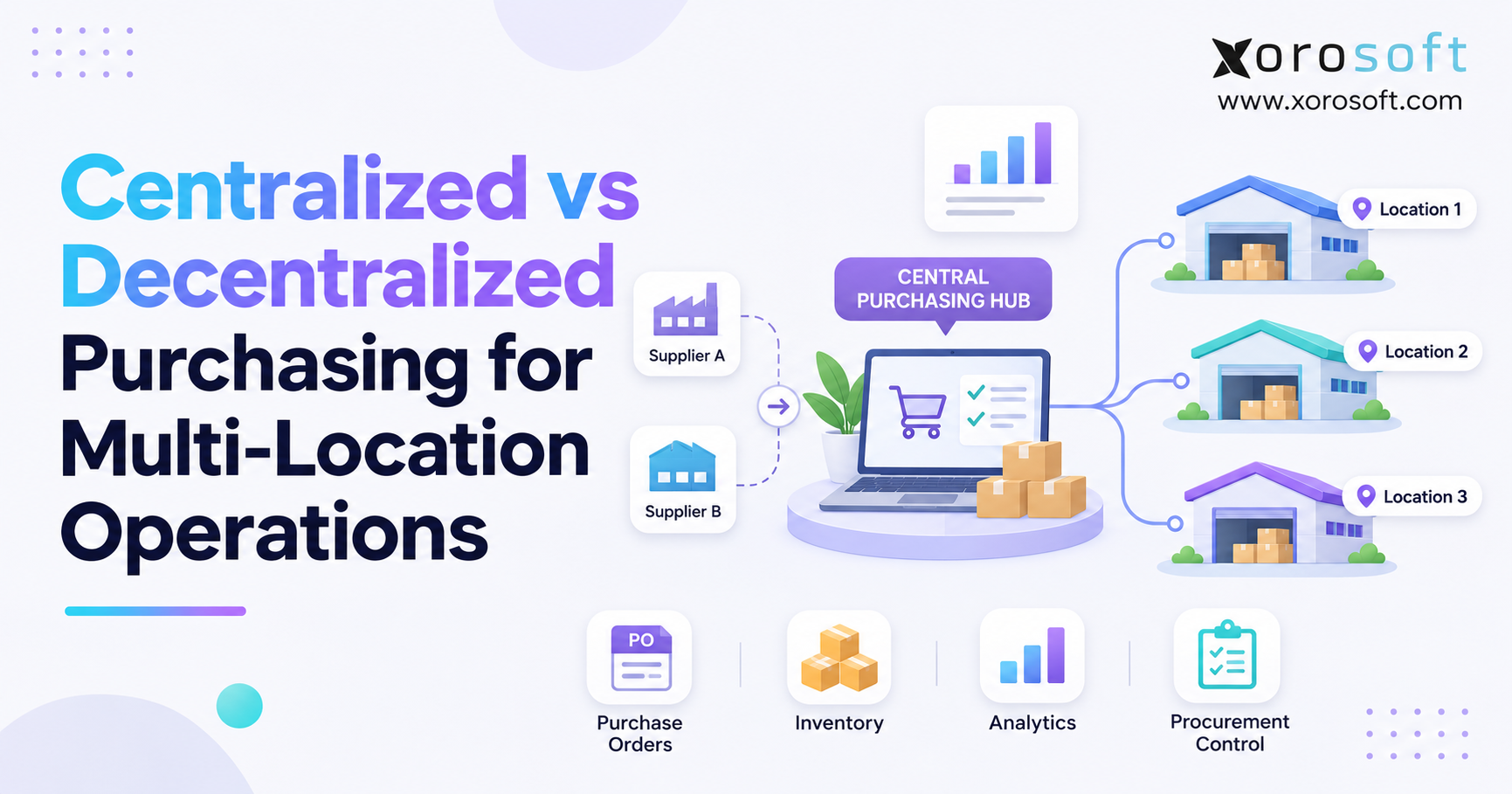 Centralized vs Decentralized Purchasing for Multi-Location Operations