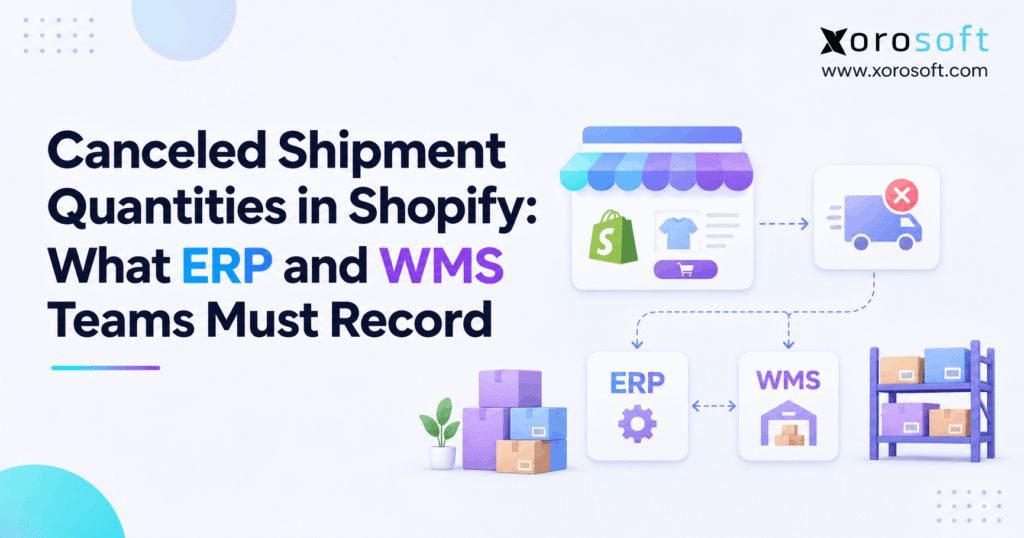
If you need guidance on how to handle Shopify canceled shipment quantities, this article will help.
1. When a Shipment Looks Complete but the Stock Does Not
Shopify canceled shipment quantities tell teams which inbound shipment units will never arrive because the origin never shipped them. However, a canceled quantity is not a physical receipt. If a warehouse, purchasing team, and finance team record that same event in different ways, they can create a stock gap even when the Shopify transfer looks almost complete.
Consider a distributor expecting 100 units from another warehouse. The receiving team accepts 70, rejects 10, and learns that the origin never sent 15. The remaining five still need review. Unless every system keeps those four outcomes separate, a dashboard may show too much incoming stock or a buyer may delay an urgent reorder.
This guide focuses on inbound inventory shipments and transfers. It does not cover ordinary customer order cancellations, which follow a different sales and fulfillment flow. First, we will define the four receiving states. Next, we will review Shopify’s 2026-10 API change. Then, we will map the records that ERP, WMS, purchasing, and finance teams need to keep.
1.1. What a canceled receiving quantity really means
A canceled unit is one that the origin did not ship and that will not arrive on the shipment. Therefore, the destination should not count it as accepted stock. In contrast, a rejected unit reached a receiving outcome but did not pass acceptance. Similarly, an unreceived unit still lacks a final receiving outcome.
Although these labels sound simple, they lead to different actions. The warehouse checks what arrived, purchasing checks what the supplier promised, and finance checks the value already recorded. As a result, teams need the same shipment-line reference and a clear reason for every change.
1.2. Why inventory, purchasing, and finance disagree
For example, warehouse staff work from scans and dock counts. By contrast, buyers work from purchase orders and supplier notices. Meanwhile, finance works from posted receipts, bills, and stock values. As a result, each team can be correct about its own record while the business view remains wrong.
For that reason, the goal is not merely to close the shipment. Instead, teams should prove which units arrived, which never left the origin, and which remain open. Once they agree, they can clear the related purchase and stock records without hiding a loss.
2. Shopify Canceled Shipment Quantities in the 2026-10 API
Shopify announced the canceled receiving action on September 17, 2026. The change allows apps on GraphQL Admin API 2026-10 or later to record units that will never arrive. Previously, an app could leave these units open or risk treating them as rejected. Now, the receiving record can show the difference directly. Shopify explains the change in its official API changelog.
2.1. Fields for Shopify canceled receiving quantities
In particular, two fields carry the new canceled counts. First, InventoryShipment.totalCanceledQuantity holds the total across shipment lines. Meanwhile, InventoryShipmentLineItem.canceledQuantity shows the amount for one line. Therefore, the first field helps with a shipment summary, while the second supports SKU-level checks.
Accepted and rejected amounts also explain receiving outcomes, while unreceivedQuantity shows what remains open on a line. Consequently, an ERP should map Shopify canceled shipment quantities to their exact lines instead of importing only a shipment total.
For a full field list, see Shopify’s InventoryShipmentLineItem API reference. In practice, use the API fields for the Shopify state and keep your own review notes in the system that owns approvals.
2.2. The CANCELED action and bulk receive option
Specifically, the inventoryShipmentReceive mutation supports reason: CANCELED on a selected line quantity. It also supports bulkReceiveAction: CANCELED for remaining units on a shipment. However, bulk action should follow proof that those units never shipped. Otherwise, the team may close units that are still moving through a carrier network.
Moreover, the mutation requires the right access scope and inventory permission. In addition, Shopify requires an @idempotent key for the mutation in API versions from 2026-04 onward. That key helps prevent a retry from creating a second receiving action. Developers can confirm the details in the inventoryShipmentReceive reference.
2.3. Webhook changes and transfer IDs
For subscriptions on 2026-10 or later, the inventory_shipments/receive_items webhook includes old_canceled_quantity and new_canceled_quantity inside receiving entries. Moreover, a canceled-only receive can now trigger a delivery. However, earlier subscription versions do not include those new fields or that canceled-only behavior.
Separately, Shopify announced inventory_transfer_id in several shipment webhooks on October 1, 2026. As a result, integrations can link shipments to related transfers more directly when that field is present. Read the inventory transfer ID webhook update before changing your event mapping.
3. Four Receiving States That Must Never Be Merged
Every shipment line needs a clear outcome for each expected unit. Otherwise, the phrase “received quantity” can mislead the warehouse, buyer, and accountant. Before setting an ERP rule, distinguish these four states.
3.1. Shopify canceled shipment quantities vs. rejected stock
| Receiving state | What it means | What the team should do |
|---|---|---|
| Accepted | Goods arrived and passed receiving | Add to accepted destination stock under the location’s rules |
| Rejected | Goods have a receiving outcome but did not pass acceptance | Record the issue and do not add stock through rejection |
| Canceled | Goods never shipped and will not arrive | Close that expected amount without a destination receipt |
| Unreceived | Goods still lack an outcome | Keep the units open and investigate or receive them later |
For owned-location transfers, Shopify returns canceled, never-shipped units to availability at the origin. However, rejected units do not change inventory amounts at either location through the rejection action. Shopify explains both cases in its inventory transfer receiving guide.
3.2. Why totalReceivedQuantity is not physical stock
In API 2026-10, Shopify defines InventoryShipment.totalReceivedQuantity as accepted plus rejected plus canceled units. Therefore, the name describes units with a receiving outcome rather than the number of units placed on a shelf.
For example, if the total is 95, the warehouse may have accepted only 70. Meanwhile, another 10 could have been rejected, while 15 never shipped. As a result, an ERP dashboard that calls all 95 units “received stock” overstates the physical receipt and may confuse available-to-sell checks.
Likewise, an accepted item does not always become available at a destination where the product was not previously stocked. Thus, teams tracking Shopify canceled shipment quantities should also review stocking settings before they promise goods to a customer.
3.3. A short canceled inventory transfer checklist
Before staff close a line, ask three questions. Did the origin confirm it never shipped? Does the accepted count match the dock evidence? Does the remaining unreceived amount still have an owner? If any answer is unclear, keep the issue open.
In addition, review the location pair. For example, a transfer between two company sites can affect origin availability. By contrast, a supplier-origin transfer cannot return inventory to a merchant warehouse that never owned those goods. Therefore, location and ownership details belong in every receiving rule.
4. WMS Proof for Canceled Receiving Quantities
At the dock, a WMS should capture what workers actually handle rather than copy the expected packing list. Each receiving event needs a shipment line, location, operator, and timestamp. Above all, the record must distinguish proof of arrival from proof that the origin never sent the goods.
4.1. Confirm Shopify canceled units never shipped
First, start with the origin’s shipping evidence. For example, compare the outbound scan count, pallet label, packing list, and supplier dispatch note. If the origin planned 100 units but recorded only 85 shipped, the remaining 15 may qualify for cancellation once the origin confirms it.
However, a different case needs a different action. If the origin scanned 100 units onto a carrier and the receiver found only 85, those 15 are not proven never-shipped units. Instead, the team should check the carrier handoff, dock camera records where available, carton labels, and any later scans.
Because both cases can look like a shortage, Shopify canceled shipment quantities need proof that the origin never dispatched the units. For that reason, the WMS should not offer “cancel” as the default response whenever a count falls short.
4.2. Keep a warehouse trail that staff can audit
For each line, keep the expected units, accepted units, rejected units, proposed canceled units, and units still open. Also store the SKU, shipment ID, origin, destination, event time, and the worker or system that entered the result.
Next, attach the evidence that supports the change. A supplier email may prove that cartons never left the plant. In addition, a packing list or scan report can help the supervisor check the claim. For high-value goods, require a second review before a canceled event reaches the ERP.
Xorosoft’s XoroWMS supports receiving, barcode scans, and live warehouse stock views. Even so, teams must confirm whether their own Shopify integration maps the new 2026-10 canceled fields before relying on that event in daily work.
4.3. Handle goods that arrived late or in poor shape
However, late goods, damaged goods, and never-shipped goods are not the same. Therefore, create a clear path for each case. For late goods, keep the shipment open while staff review the delivery date and carrier status. For damaged goods, record the physical count and the reason for rejection.
If a supplier confirms it never shipped an item, the warehouse can ask for an approved cancellation. Meanwhile, an unknown shortage stays open for review. As a result, staff avoid closing the wrong quantity merely to meet a receiving target.
A simple rule helps: never use a canceled receiving action to hide a missing carton. Instead, let the evidence decide the state.
4.4. Set approvals for canceled shipment quantities
A warehouse worker should not have to settle a costly stock dispute alone. First, define who may approve a canceled line and what proof that person must see. Next, set a review limit based on item value, unit count, or the age of the open transfer. For example, a routine two-unit supplier shortfall may need one check, while a large internal transfer gap may need both warehouse leads.
Also, keep the person who confirms the origin separate from the person who updates the final stock record when risk is high. Because these jobs rely on different facts, a second review can catch a wrong location or item match. After approval, save the reason, date, and linked proof in a place the next shift can find.
Finally, review patterns rather than isolated errors. If one supplier often changes dispatch amounts after packing, purchasing should work with that supplier on better notices. As a result, fewer issues reach the dock in the first place.
5. ERP Records for Shopify Canceled Shipment Quantities
The ERP must carry the same quantity story as the warehouse. Yet it has an additional job: linking receiving outcomes to purchase orders, stock moves, and financial records. To do that, it needs stable source references and clear rules for each origin type.
5.1. Link canceled quantities to the source document
At minimum, map the Shopify shipment ID, shipment-line ID, transfer ID where present, item or SKU, and relevant PO line. Next, keep the origin, destination, quantity, status, event time, and the source system that approved the change.
The ERP should also retain the last synced canceled total for each line. As a result, it can spot a replayed webhook without creating another stock movement. If an inbound record has no matching ERP line, send it to a review queue rather than guessing where it belongs.
For purchase-order transfers, Shopify treats the PO as the commercial agreement and the linked transfer as the record of physical movement. See its purchase-order receiving guide. Thus, buyers should not assume that a receiving cancellation automatically cancels the PO or changes the vendor bill.
5.2. Owned-location transfers and stock release
For a transfer between company-owned locations, Shopify can return never-shipped, canceled units to availability at the origin. Therefore, the ERP should compare the origin’s stock and commitments with the transfer record before it posts anything else.
Consider a warehouse that reserved 40 units for another location but shipped only 30. If staff confirm the last 10 never shipped, the origin may regain availability for them. However, a second ERP release can inflate stock if Shopify already made the change and the integration copied it.
Xorosoft’s XoroONE links inventory, purchasing, warehouse work, and accounting in a cloud ERP. As a result, that shared view can help teams review the records together. Still, the company must set and test which system posts each transfer movement so one event never creates two entries.
5.3. Supplier shipments and finance decisions
By contrast, supplier-origin transfers need a different path. After all, the supplier’s stock is not stock at your origin warehouse. Therefore, canceling its never-shipped units should reduce the expected receipt, not add stock to an internal location.
Next, purchasing should decide whether the supplier will ship replacements, reduce the PO, or issue a credit. Finance then checks bills, deposits, and any in-transit value already on the books. Although canceled units can affect a balance, the receiving event alone does not prove which journal entry is right.
For that reason, keep two decisions apart: What happened to the goods? and What amount must finance change? Only after the team reviews ownership terms and source documents should it post a credit or stock value change.
Free ERP readiness check: Can your team trace one canceled line from the Shopify transfer to the WMS evidence, PO, and stock ledger? If not, review the workflow before adding more manual checks. The Xorosoft solutions overview describes the broader operations areas to assess.
5.4. Audit canceled receiving quantities at month-end
Daily sync checks catch fresh gaps. However, finance also needs a month-end view of the same shipment history. First, list open transfers, canceled line amounts, and outstanding supplier receipts. Next, compare them with any in-transit stock value, goods-received accrual, and unpaid supplier bill. As a result, this review can reveal Shopify canceled shipment quantities that are correct in the source but stale in accounting.
For example, a supplier may cancel ten units after the buyer has entered the full invoice. However, the warehouse should not invent a receipt to match that bill. Instead, purchasing requests the right supplier change, while finance checks the amount to pay or credit. Consequently, the final accounts reflect the commercial terms rather than a forced warehouse status.
Finally, keep the month-end report linked to the original transfer lines. Because finance can trace each change, it can close the period with less back-and-forth over unexplained balances.
6. Reconcile Canceled Shipment Quantities With a 100-Unit Example
A simple case makes the risk clear. Suppose a sporting-goods brand expects 100 units on one shipment line. The warehouse accepts 70, rejects 10, confirms that 15 never shipped, and keeps five units open. Each system must show that same split.
6.1. Shopify canceled shipment quantities: the four-bucket math
| Quantity state | Units |
|---|---|
| Expected on shipment line | 100 |
| Accepted | 70 |
| Rejected | 10 |
| Canceled | 15 |
| Unreceived | 5 |
Shopify totalReceivedQuantity |
95 |
First, check the line equation: 100 = 70 + 10 + 15 + 5. Next, check Shopify’s received total: 95 = 70 + 10 + 15. Therefore, the shipment has accounted for 95 units, but the destination has accepted only 70.
If a dashboard reports “95 units received and available,” it uses the wrong field or label. As a result, sales and purchasing teams may make plans around stock that never arrived or did not pass receiving.
6.2. Match the WMS, ERP, and PO views
To reconcile Shopify canceled shipment quantities, the WMS should show 70 accepted units, 10 rejected units, and a note explaining the approved 15-unit cancellation. Meanwhile, the ERP should retain the same line state and the five units that still need a decision.
For an internal transfer, check whether Shopify released the 15 never-shipped units at the origin. Next, verify that the ERP did not release those units again. For a supplier transfer, compare the canceled amount with the PO and supplier notice instead.
Finally, finance should review any posted value linked to those 15 units. However, it should not record a loss just because the receiving process marked them canceled. After all, the stock may simply have stayed at the origin or never left the vendor.
6.3. Resolve the five units still outstanding
Therefore, do not force the last five units into a canceled state just to close the screen. Instead, assign an owner and a due date. The owner should compare dispatch records, carrier updates, and receiving scans. If the goods arrive, the team can accept or reject them based on the actual condition.
If the origin proves it never sent them, an approved cancellation may follow. Otherwise, the team should use the documented shortage or claim process. As a result, the final transfer record explains what happened instead of masking the gap.
7. Webhook Rules for Shopify Canceled Shipments
A good sync treats every receiving message as a state change tied to a unique line. Therefore, teams should not add the shipment’s canceled total to the stock ledger each time a webhook arrives. Instead, compare the new state with what the ERP already knows.
7.1. Shopify canceled receiving quantities: field mapping
| Source field or event | Purpose in ERP or WMS |
|---|---|
InventoryShipment.id |
Identify the shipment |
InventoryShipmentLineItem.id |
Identify the exact line |
totalCanceledQuantity |
Check the whole shipment total |
canceledQuantity |
Check the canceled amount for one line |
unreceivedQuantity |
Flag the amount still open |
old_canceled_quantity and new_canceled_quantity |
Review the canceled state change |
inventory_transfer_id when present |
Link the shipment to its transfer |
First, match the correct line. Next, compare current quantities with the last saved version. Then, update the related business record only if an actual change remains. Finally, keep a record of any failed match so staff can fix it.
However, these are Shopify fields, not a claim that Shopify stores every approval or accounting code. Therefore, use ERP or WMS fields for local controls such as supervisor sign-off and supplier disputes.
7.2. Protect retries, replayed events, and late updates
Webhooks can arrive more than once, and a network timeout can hide whether an API request succeeded. Therefore, assign a stable key to a request retry and record processed event references. If a webhook repeats, the handler should recognize the existing state instead of posting a new stock movement.
In addition, compare old and new Shopify canceled shipment quantities rather than treating the latest total as a fresh increase. If events arrive out of order, read the current shipment line again. As a result, the ERP can reach the correct state without relying on the order in which messages arrived.
Xorosoft’s integrations overview describes connected ecommerce, WMS, and finance workflows. However, a buyer should still ask the team to show the exact canceled-quantity field mapping, retry rules, and exception logs for the current Shopify API version.
7.3. Test canceled shipment updates before launch
Test more than a happy path. For example, send a partial cancellation, a canceled-only receiving action, a mixed accepted-and-rejected result, and a repeat webhook. Next, test a wrong SKU map, a missing transfer ID, and a late correction.
Also, run one supplier-origin transfer and one transfer between your own locations. As a result, the expected stock outcome will differ. Finally, match the live records to a simple four-bucket report. If any case produces two stock entries or hides an open quantity, fix that path before release.
8. Canceled Inventory Transfers Across Suppliers and 3PLs
A canceled outcome may look the same in Shopify but mean something different to each partner. Therefore, define the origin type and stock owner before mapping Shopify canceled shipment quantities into finance or warehouse reports. This check matters even more when outside firms receive or move your goods.
8.1. Canceled transfer quantities and location ownership
For two company-owned locations, the key checks are origin availability, units actually shipped, and destination accepted stock. Therefore, the receiving event must agree with both location ledgers and any in-transit balance.
By contrast, a supplier-origin transfer starts from goods owned or held outside the merchant’s warehouse network. In that case, a canceled receipt does not put stock back into one of the merchant’s sites. Instead, purchasing needs an updated supplier commitment, and finance may need to review an open bill.
Where ownership changes in transit, ask finance to check the agreed terms. That review helps avoid treating every canceled event as a gain, expense, or vendor credit.
8.2. Third-party warehouses and missing cartons
A 3PL may call a short receipt “canceled,” “short,” or “not sent.” However, those labels do not always mean the same thing. Before mapping its reason code to Shopify, ask whether the missing units left the origin.
Next, require the 3PL report to carry a shipment number, item, quantity, scan count, and cause. If evidence is missing, keep the case open instead of taking a guess. In addition, define who can approve a canceled receipt when the merchant and the 3PL disagree.
For a high-volume network, a daily exception report should group open cases by origin, destination, age, and value. As a result, operators can address old gaps before they disturb purchasing plans or month-end close.
8.3. Apparel, furniture, food, and manufacturing cases
For apparel, a canceled seasonal transfer can leave store teams waiting for styles that will not arrive. Therefore, planners should remove those units from expected receipts and review replenishment. In furniture, the team should match large cartons to the actual load list before deciding whether a piece was never sent.
Food businesses may need lot and date details when goods arrive but fail checks. Likewise, manufacturers may need to revise the next production run when supplier parts never ship. Sporting-goods teams often face a different risk: many similar SKUs that make a wrong line match easy.
Xorosoft serves inventory-heavy industries such as apparel, wholesale, furniture, and consumer goods. Its industries overview provides the wider business context; each team’s canceled-quantity rules should still match its own trace needs.
9. When Canceled Shipment Tracking Needs ERP and WMS
Shopify’s native receiving tools may be enough for a simple warehouse flow. However, each added location, selling channel, and supplier increases the number of records a team must keep in step. Therefore, a move to integrated operations should follow real process pain, not a fixed sales target.
9.1. When Shopify-native receiving is enough
A merchant with one location, few incoming transfers, and clear staff ownership may handle every exception in Shopify. In addition, a short shared log can record supplier evidence and the person who approved a change. Because the volume is low, the team may reconcile the records each day without a new system.
However, the method needs routine checks. Staff should compare the open receiving report with physical counts and purchase orders. If one owner leaves, another person must know where the evidence lives. Otherwise, a small manual process can become a large hidden risk.
9.2. Signs canceled shipment reconciliation is failing
Watch for old in-transit units that never clear, repeated stock edits, missing 3PL proof, and bills that do not match received goods. Moreover, track how often someone must copy a Shopify quantity into another screen to finish a transfer. Those manual steps often reveal where records split.
At this point, compare solution types in a practical order. First, assess an integrated ERP and WMS, such as Xorosoft, when purchasing, receiving, and finance need one shared view. Next, assess middleware if existing tools work well but lack a safe link. Finally, consider whether a tighter Shopify-only process still solves the issue without added cost.
9.3. What to ask before choosing an ERP path
Ask each vendor to walk through one real cancellation, from the origin’s proof to the final stock and finance records. Next, ask who owns the update, how the sync avoids repeats, and what happens when a line has no match. The answer should include a failed-event screen, not only a clean product demo.
Xorosoft combines cloud ERP, warehouse operations, purchasing, accounting, and ecommerce connections. In addition, merchants can review its Shopify App Store listing while checking integration fit. Still, a product listing alone does not prove native support for every new Shopify 2026-10 field. Therefore, request a live test with your own shipment cases before rollout.
9.4. Measure the cost of unresolved shipment exceptions
Before buying software, measure where the current process fails. For example, track the number of open transfer lines, days to resolve each case, hours spent on manual checks, and value of stock waiting for a decision. Next, group the issues by supplier, site, and reason code so the team can see repeat causes.
In addition, separate errors that start at the dock from errors that start in data sync. A missing carton needs an origin or carrier check, while a duplicate receipt needs an integration fix. Therefore, one broad “inventory error” total cannot guide the right action.
Finally, compare the cost of those issues with the work of changing systems. If staff can solve the problem through clearer ownership and a daily review, start there. If the same gaps keep returning across several teams, an integrated design may be worth testing.
10. Conclusion: Close the Shipment Without Hiding the Gap
Shopify canceled shipment quantities provide a clear way to record units that never shipped. However, that status only helps when the WMS, ERP, purchasing, and finance teams agree on what it means. Therefore, keep the four receiving states separate, demand proof for canceled units, and reconcile origin, transit, and destination stock before you close the record.
Next, test whether your current stack can trace a single canceled line to its source and financial review. If it cannot, a connected ERP may reduce the need for hand edits and unclear ownership. Xorosoft offers an ERP and WMS platform for inventory-driven businesses; confirm the exact Shopify event mapping during evaluation.
Ready to review your workflow? Book a Demo to discuss your Shopify receiving, warehouse, and inventory records.
Frequently Asked Questions
What are Shopify canceled shipment quantities?
They are units on an inbound shipment that the origin never shipped and that will not arrive. Therefore, record them as canceled, not accepted stock or rejected goods.
Do canceled quantities increase destination stock?
No. Canceled units never arrive at the destination. For transfers between owned locations, Shopify makes those never-shipped units available again at the origin.
Does totalReceivedQuantity include canceled units?
Yes. In Shopify API 2026-10, the total includes accepted, rejected, and canceled units. Therefore, it measures accounted-for shipment progress, not physical accepted stock.
How does ERP record canceled shipment quantities?
ERP should link the quantity to its shipment line, transfer or PO, and locations. Next, it should prevent duplicate stock moves and flag any needed finance review.
What should the WMS check before cancellation?
The WMS should confirm the origin did not ship the units. For example, compare packing lists, outbound scans, supplier notices, and receiving counts before approval.
Which webhook reports Shopify canceled receipts?
The inventory_shipments/receive_items webhook reports them on API 2026-10 subscriptions. Moreover, payload entries include old and new canceled quantities, and canceled-only events can trigger delivery.
When should a business add ERP and WMS integration?
Consider integration when stock adjustments repeat, transfer gaps remain open, or finance cannot match receipts to purchase orders. First, review workflow ownership and data quality.
Recent Posts
-
 Why Unposted Production Scrap Overstates Inventory and Margin
-
 Yard Detention Case Study: How an Import Distributor Improved Trailer Visibility
-
 What Is an Inventory Reserve and Who Should Calculate It?
-
Procurement Workflow Software for Inventory-Driven Businesses
-
 Canceled Shipment Quantities in Shopify: What ERP and WMS Teams Must Record