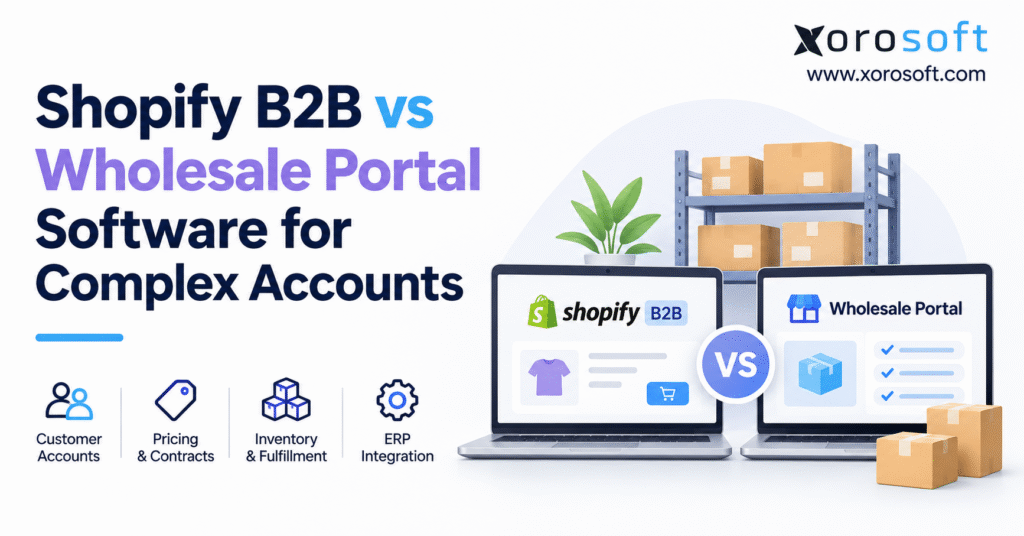
If you’re interested in understanding the differences and similarities between platforms, this article will provide a detailed Shopify B2B comparison.
1. Shopify B2B Comparison: Why Complex Wholesale Accounts Strain Operations
A wholesale buyer logs into a storefront, chooses 180 products, and submits a purchase order. Yet the order cannot ship: one price does not match the customer’s agreement, two items are reserved for another retailer, and finance needs to review the buyer’s outstanding balance.
This Shopify B2B comparison begins with that gap between accepting a purchase and fulfilling it accurately. However, checkout cannot govern every operational decision. Moreover, a scalable wholesale operation needs reliable account permissions, contract pricing, purchasing rules, inventory allocation, fulfillment instructions, and financial controls.
Electronic wholesale commerce continues to grow. The U.S. Census Bureau reports approximately $4.224 trillion in merchant-wholesaler ecommerce sales in 2024, up from $3.912 trillion in 2023. Importantly, this broad measure includes electronic transactions such as EDI; it is not a Shopify market-size estimate. See the Census series published through FRED.
A useful buying decision starts with the work that happens after someone clicks Place Order. For example, the team may need to check a buyer’s terms, split stock between two warehouses, or confirm whether an invoice should go to the head office. Those steps affect delivery dates, cash flow, and customer trust.
In turn, the best software choice is often the one that cuts repeat checks while keeping every team on the same set of facts. A new portal is not the answer if the real issue is poor stock data.
1.1 When Wholesale Customer Accounts Become Complex
Complexity comes from rules and relationships, not simply revenue or the number of buyers. A national retailer might operate 40 purchasing locations under one parent account. Headquarters negotiates prices; regional managers place orders; individual branches receive goods; and the finance team reconciles invoices centrally.
By contrast, a wholesaler with one catalog, payment policy, and warehouse may need less setup. It may handle more orders with fewer exceptions.
To see the difference, map one company with many ship-to sites, three buyer roles, and two price plans. Then compare it with a company that has one buyer and one price list. Both are wholesale accounts, but they need very different rules.
You should also ask whether a location can change its own address, who can approve a large order, and where the credit balance is stored. These details shape the buyer’s day-to-day work far more than the number of products shown on the site.
1.2 Where Shopify Wholesale Ordering Meets Business Limits
When employees rekey orders, change allocations, or correct invoices, storefront feature lists rarely expose the problem. As a result, these exceptions often expose inconsistent records between order capture and execution.
Therefore, measure manual touches per order before assuming the business needs another storefront.
2. Shopify B2B Comparison in 2026: Native Features and Plan Limits
Shopify expanded foundational B2B capabilities to its Basic, Grow, and Advanced plans on April 2, 2026. Eligible plans include B2B features without a separate feature fee; normal plan and applicable transaction charges remain.
2.1 Shopify B2B Plans, Wholesale Catalogs, and Pricing
Native features cover company accounts, buyer roles, catalogs, volume pricing, quantity rules, terms, PO numbers, and reordering.
Table 1. Shopify B2B features by plan, November 2026
| Capability | Basic | Grow | Advanced | Plus |
|---|---|---|---|---|
| Company accounts and locations | Yes | Yes | Yes | Yes |
| Location-level buyer roles | Yes | Yes | Yes | Yes |
| Active B2B market catalog assignments | 3 | 3 | 3 | Unlimited |
| Direct company/location catalog assignment | No | No | No | Yes |
| Quantity rules and volume pricing | Yes | Yes | Yes | Yes |
| Net payment terms and PO numbers | Yes | Yes | Yes | Yes |
| Sales-staff permissions | No | Yes | Yes | Yes |
| Contextual checkout via Markets | No | No | Yes | Yes |
| Deposits and partial payments | No | No | No | Yes |
Source: Shopify B2B features by plan.
The three-catalog restriction counts active catalog assignments across active B2B markets, not the total number of wholesale companies. For example, assigning one active catalog to two active markets consumes two assignments.
When planning catalogs, group accounts by the prices and items they truly share. A market that serves several firms with the same price rules can be simpler to manage than a long set of one-off deals.
Still, a large dealer network may need a price plan for each branch or contract. In that case, count active assignments before you choose a Shopify plan.
Also check who may change the catalog and how those changes reach open quotes or repeat orders. The goal is to stop a price change from reaching the wrong buyer.
2.2 When Native Shopify B2B Fits Wholesale Accounts
Buyers log in under a company, select a location, view assigned prices, and order. Draft orders support negotiated pricing and merchant review. Shopify also supports APIs, Shopify Flow, and integrations with external operational platforms.
Consider a cosmetics brand selling to 60 boutiques. If most buyers share two catalogs and standard terms, native Shopify B2B may be sufficient.
The same logic applies to a brand that sells direct to shoppers as well as to retail stores. If one product list, one stock pool, and a small set of wholesale price groups meet the need, a shared store may be practical.
Yet the business still has to decide which orders get stock first when demand rises. It should also confirm that B2B buyers see their own terms, while retail shoppers see the right public prices.
Good testing prevents mix-ups without forcing the team to run a second storefront.
2.3 Where Dedicated Wholesale Portals May Fill Gaps
However, plan-dependent catalog assignments matter when hundreds of accounts have individualized agreements. Buyer permissions require scrutiny when customers expect department-level spending limits or several internal approvers.
In addition, Shopify’s B2B considerations currently specify a 500-line-item maximum for B2B orders and draft orders—relevant to parts distributors placing unusually broad replenishment orders.
For a reliable Shopify B2B comparison, check requirements before promising a consumer-style checkout.
3. Shopify B2B Comparison: Four Wholesale Portal Architectures
This Shopify B2B comparison distinguishes four ways to connect a buying interface with business records.
3.1 Native Shopify B2B for Routine Wholesale Accounts
First, the native model keeps the buying experience inside Shopify. Company accounts, catalogs, and ordering remain in the existing commerce environment.
As a result, merchants avoid maintaining a second portal solely to recreate product browsing and checkout.
3.2 Shopify Wholesale Apps for Specific Ordering Gaps
Alternatively, an app can address a narrower requirement, such as a quote request, specialized order form, or additional customer account interface. Before installing one, verify plan compatibility, support duty, upgrade risk, and accounting checks.
Treat every app as one more part of the order flow. Find out whether it writes customer data back to Shopify, creates its own order status, or stores quotes outside the main admin.
If it stops working during a busy week, who gets the alert and how do staff recover the order? These questions are easy to miss in a polished demo.
However, they matter when the app carries a key buying rule. A focused app is useful only when it solves more work than it adds.
3.3 Standalone Wholesale Portals for Complex Procurement
By contrast, dealers may need a separate portal for specialized procurement, account controls, or representative workflows.
However, a portal does not automatically own inventory, accounts receivable, or warehouse execution. Without dependable integration, it can leave spreadsheets and manual handoffs intact.
3.4 ERP-Connected Wholesale Portals for End-to-End Execution
Finally, an ERP-connected design separates buying from operational control. For example, Xorosoft describes an ERP-connected B2B portal and a cloud ERP platform that bring customer ordering together with inventory, purchasing, accounting, and warehouse functions.
An ERP link does not have to mean replacing Shopify. A merchant can keep the online store while giving the ERP the final say on stock use, buying, and finance.
Another business may choose a portal that works closely with the ERP from the start. In either case, draw the flow on one page: buyer, price check, accepted order, stock promise, warehouse release, shipment, and invoice.
Mark the system that owns each step. This simple map reveals gaps that software screenshots rarely show.
Table 2. Choosing among four wholesale software approaches
| Evaluation factor | Native Shopify B2B | Shopify plus apps | Standalone portal | ERP-connected commerce |
|---|---|---|---|---|
| Buyer interface | Shopify | Shopify with extensions | Dedicated interface | Shopify or dedicated portal |
| Account pricing | Native, plan-dependent | Native plus app rules | Platform-dependent | Connected pricing authority |
| Internal buyer approvals | Assess workflow fit | App-dependent | Portal-dependent | Portal/workflow-dependent |
| Credit and receivables | Integrate when needed | Integration-dependent | Integration-dependent | ERP/accounting-led |
| Multi-warehouse promises | Requires appropriate setup | Integration-dependent | Integration-dependent | Operational allocation logic |
| EDI and other channels | Connect external tools | App/integration | Integration | ERP/EDI integration |
| Primary trade-off | Native simplicity | App maintenance | Separate system to maintain | Broader project scope |
Demonstrations should use real account, pricing, and fulfillment scenarios.
CTA 1 — Free ERP Readiness Assessment: Before purchasing another wholesale application, document which problems arise in the buyer interface and which arise after order acceptance. An assessment can clarify whether investment belongs in commerce, integration, or operations.
4. Shopify Wholesale Account Requirements: Six Portal Tests
A meaningful Shopify B2B comparison tests conditions employees currently handle manually. Run the same scenarios through native Shopify, an app-enhanced setup, and any proposed wholesale portal.
4.1 Wholesale Buyer Roles, Locations, and Purchasing Authority
Imagine a sporting goods chain with regional buying teams. Although buyers need access to selected locations, headquarters may want visibility into the entire account. Shopify supports company locations and location-level roles, including ordering-only users and location administrators.
However, some customers also require a manager and finance approver for purchases above a spending threshold. That is a buyer-side approval chain.
By contrast, Shopify’s option to send an order to a merchant-controlled draft solves a different problem: seller acceptance.
4.2 Customer-Specific Wholesale Pricing and Contract Changes
Wholesale pricing may depend on customer, location, SKU, quantity, and contract dates. For example, a retailer may receive a contract price on core items and volume breaks on seasonal stock.
Therefore, the system needs a pricing authority and a way to preserve agreed prices when quotes become orders.
Shopify supports fixed catalog prices, percentage adjustments, and volume rules; direct company catalog assignment is a Plus capability.
However, for more complicated contracts, test what happens when pricing changes between quotation and confirmation. Which price wins? Who can override it? Can finance explain the final margin later?
Consider a dealer that asks for a quote on 300 units on Monday. The price is valid for ten days, but the team updates its master price list on Thursday.
When the dealer accepts on Friday, the order should follow the agreed quote policy rather than pick a price by chance. Moreover, the same rule should work whether the order comes from the site, a sales rep, or EDI.
Record the agreed price, who changed it, and when the change took effect. That gives finance a clear trail if the buyer later disputes the invoice.
4.3 Wholesale Purchase Orders and Repeat Ordering
For instance, a buyer may send PO-4821 by email, place an urgent top-up through a portal, and submit a larger scheduled replenishment over EDI.
Shopify natively supports PO numbers, draft orders, and reordering. However, evaluate document uploads, revisions after approval, and invoice-to-PO matching separately.
4.4 Shopify B2B Payment Terms Versus Customer Credit Exposure
Although Net 30 or Net 60 establishes a due date, it does not establish credit capacity. Instead, credit exposure must account for unpaid and committed balances.
For example, suppose a distributor allows $100,000 in credit, has $72,000 in outstanding invoices, and has another $18,000 in unbilled committed orders.
Consequently, a new $20,000 purchase would increase modeled exposure to $110,000.
In a proposed Xorosoft implementation, test whether receivables, unshipped commitments, and credit holds are checked consistently. However, that requires accounting data beyond checkout.
4.5 Wholesale Inventory Across Warehouses and Backorders
For example, two warehouses may physically hold 600 units, but 150 could be reserved for existing orders. Consequently, advertising all 600 as immediately available can cause overselling.
In a Shopify B2B comparison for large wholesale accounts, availability should consider allocated stock, location rules, incoming inventory, and whether partial shipments are acceptable.
Ask whether the buyer sees a realistic promise and whether warehouse staff receive instructions consistent with that promise.
To test this, build a sample order with 200 units in one warehouse, 100 in another, and 80 already set aside. Then ask each system what it can promise today and what will ship later.
The answer should not depend on which screen the user opens. If the buyer may accept a part shipment, capture that choice before the warehouse begins picking.
Otherwise, staff may spend time calling the customer to resolve a short shipment that the order system could have flagged earlier.
4.6 Wholesale EDI Orders, Exceptions, and Invoice Matching
For example, retail partners may require electronic POs, shipment notices, and invoices. Meanwhile, smaller dealers might prefer online reordering.
Both channels should feed a consistent order lifecycle, with safeguards against duplicate import and inaccurate customer mapping.
Table 3. Six operational tests for a wholesale portal decision
| Test | Evidence to request | Failure to watch for |
|---|---|---|
| Company hierarchy | Correct buyer and ship-to access | Orders under wrong location |
| Contract price | Price retained through quote and order | Unapproved price override |
| PO and reorder | Unique references across channels | Duplicate transactions |
| Credit control | Exposure checked against policy | Unapproved credit release |
| Inventory promise | Reservations and location logic | Oversold or split stock |
| EDI and invoicing | Traceable order-to-invoice record | Missing acknowledgments or mismatches |
5. Shopify B2B ERP Integration: Data, Inventory, and Warehouse Ownership
Ultimately, a Shopify B2B comparison should test access to accurate order and inventory records.
5.1 Wholesale Portal Versus ERP: Who Owns Each Record?
Shopify or a specialized portal typically owns the online buying session and order capture. By contrast, an ERP or accounting system may own the customer financial account, purchasing commitments, and invoices.
Meanwhile, a WMS typically controls picking, packing, scanning, and shipment execution. EDI exchanges structured documents with trading partners; it is a channel, not a substitute for those systems.
The XoroERP platform covers accounting, inventory, purchasing, and sales. With Xorosoft, implementations can connect those functions behind commerce using defined data flows.
Before setting the owners, decide what happens when two systems disagree. For instance, a salesperson may change an address in the portal while finance is updating the same account in ERP.
One system needs to win, and the other needs a clear sync rule. Likewise, a stock count should not jump from one source to another during checkout.
Each data link should have a record ID, an update path, and a simple way to spot failed changes. This keeps staff from fixing the same error again and again.
Table 4. Example system-of-record matrix for Shopify wholesale operations
| Record | Typical owner | Control that prevents errors |
|---|---|---|
| Buyer login and permissions | Shopify or portal | Company/location access mapping |
| Company master | Agreed ERP/CRM/commerce authority | Stable customer identifiers |
| Contract prices | Designated pricing system | Version and effective-date rules |
| Available inventory | ERP/inventory service | Reservations and warehouse eligibility |
| Order acceptance | Commerce with ERP handoff | Unique order IDs and status tracking |
| Picking and shipping | WMS or 3PL | Scan confirmations and tracking |
| Invoice and receivable | Accounting or ERP | Payment and credit reconciliation |
5.2 Shopify B2B Order-to-Cash Workflow
Start with the authenticated company location. Then apply the agreed catalog and pricing rules, capture the buyer’s PO number, and create a uniquely identified order.
Next, check credit policy and inventory availability, allocate suitable stock, release the warehouse work, and generate the required shipping and financial updates.
Finally, return meaningful status to the customer’s account.
XoroWMS describes connected warehouse and picking functions.
The Xorosoft ERP app in the Shopify App Store describes synchronization of orders, products, pricing, inventory, shipment confirmations, payments, payouts, and gift cards.
However, treat an app listing as a capability starting point; confirm exact mappings, setup requirements, and exception behavior during implementation.
5.3 How to Handle Failed Shopify Wholesale Integrations
An integration can receive the same webhook twice, temporarily lose access to an external API, or encounter an unmapped customer location.
Therefore, a resilient design uses unique transaction identifiers, monitored retries, validation rules, and reconciliation queues.
Finally, document which team owns each exception. Customer service may resolve a buyer identity issue, operations may handle an inventory mismatch, and finance may approve a credit override.
Teams should also test the recovery path, not just the first alert. Can a failed order be sent again without creating a second sale? Will a corrected customer location flow back to the portal?
Does the buyer see an honest order status while the issue is open? These are common day-two questions after a launch.
Therefore, assign each alert to a named role, keep a log of changes, and review repeat failures every week. A healthy link is one the team can fix when something goes wrong.
CTA 2 — Watch Demo: Review a real wholesale scenario from company login through contract pricing, stock allocation, warehouse fulfillment, and invoicing. Ask to see both the successful order and an exception that requires employee action.
6. Wholesale Portal Software by Industry: Where Shopify B2B Needs Vary
Industry examples help clarify differences in fulfillment and account rules.
6.1 Apparel Wholesale Portals: Seasonal Orders and Dealer Pricing
Apparel wholesalers often manage seasonal assortments, size and color variants, preorder periods, and allocation across retail accounts.
For many brands, native Shopify B2B can be effective when catalogs and customer rules fit the plan.
With more channels, allocating incoming stock while protecting DTC availability may become the harder task.
6.2 Furniture Wholesale Portals: Split Shipments and Deliveries
Furniture orders may combine bulky products stocked across different facilities. Customers often care about promised dates, multiple delivery sites, and whether partial shipments are acceptable.
Therefore, evaluate freight-related workflow separately from the visual ordering experience.
6.3 Food, Sporting Goods, and Industrial Wholesale Portals
Food wholesalers may need lot tracking and shelf-life controls. Meanwhile, sporting goods distributors may face seasonal dealer replenishment and promotional allocations.
By comparison, industrial suppliers often manage parts catalogs, high-SKU purchase orders, and precise customer references.
For inventory-driven businesses, Xorosoft outlines relevant operational approaches across wholesale, apparel, food, furniture, sporting goods, and manufacturing industries.
Whatever software is selected, the buying interface should reflect the same availability, product, and delivery rules used by operations.
In food distribution, the key question may be which lot is safe to ship before its sell-by date. Furniture sellers, meanwhile, need to know which site can ship a heavy item at a fair cost. Parts sellers may need to order hundreds of SKUs at once while keeping their PO refs intact.
The portal must show the buyer enough detail to order well, but the back office must still make the final stock and ship decisions. That balance matters more than the choice of theme or homepage layout.
7. Shopify B2B Comparison: Total Cost, ROI, and Upgrade Timing
The cheapest subscription is not necessarily the least expensive operating model. Instead, evaluate three-year total cost of ownership, including software, implementation, support, integrations, and labor required to handle orders.
7.1 Shopify Wholesale Portal Costs: Calculate Three-Year TCO
For this Shopify B2B comparison, TCO = setup + three years of software, maintenance, and operating expense. Separate shared costs from expenses unique to each proposed approach.
Table 5. Illustrative three-year ownership costs (USD)
| Cost category | Native Shopify setup | Shopify + apps | Connected portal/ERP |
|---|---|---|---|
| One-time implementation | $3,000 | $8,000 | $30,000 |
| Annual software/support | $6,000 | $15,000 | $24,000 |
| Annual integration upkeep | $1,000 | $3,000 | $4,000 |
| Annual manual processing | $20,000 | $12,000 | $5,000 |
| Three-year total | $84,000 | $98,000 | $129,000 |
Importantly, these are hypothetical assumptions, not vendor quotations or validated industry benchmarks.
In this example, the connected option costs more even though it reduces manual work. Choice depends on exception costs, risk, staffing, and unmet requirements.
7.2 Wholesale Order Processing Costs and Realistic ROI
For example, suppose a distributor processes 12,000 orders per year and employees spend eight minutes handling each order at a loaded labor rate of $30 per hour.
Consequently, annual handling expense equals 12,000 × 8 ÷ 60 × $30 = $48,000. Reducing average handling to three minutes brings the modeled effort to $18,000, creating $30,000 in annual labor capacity.
In practice, the same team may process more orders or spend less time on exceptions. For defensible ROI, measure current effort, test the new workflow, and include transition costs.
Time savings are only one part of the value. You may also see fewer price disputes, faster order release, and more accurate invoices.
Still, each benefit needs a way to measure it. Keep a baseline for the last three months, then compare the same types of orders after launch.
Do not mix the busy holiday season with a quiet month and call the change a software win. Also watch for new costs, such as staff training, app support, and data cleanup.
A fair model includes both the work removed and the work added.
7.3 When to Upgrade Shopify B2B or Add a Wholesale Portal
In a Shopify B2B comparison, investigate repeated pricing corrections, duplicate entry, stock disputes, credit checks, slow reconciliation, and EDI exceptions.
However, diagnose each problem before buying software. For instance, a buyer approval issue may call for a focused app; unreliable inventory and accounting records may indicate a broader systems problem.
If ERP modernization is also being considered, Xorosoft has a separate ERP comparison resource that can inform evaluation questions.
One practical rule is to fix a narrow gap with a narrow tool. If the buyer only needs to upload a PO file, try that workflow before a full platform change.
However, when every order needs staff to check stock, credit, and the correct customer price, those errors may share one cause: data that lives in too many places.
In that case, review the whole order path rather than adding apps one by one. It is also worth asking whether current staff can support the chosen setup through peak season.
7.4 When Native Shopify B2B Remains the Best Choice
Stay with native Shopify when its available features meet account requirements, the current integration works, and exceptions are manageable.
Adding a portal only because wholesale revenue has grown can increase complexity without fixing an actual constraint. Therefore, use documented workflow failures—not anxiety about scale—as the upgrade trigger.
A useful sign of a healthy setup is that staff can answer three questions without opening five tools: What price did the buyer agree to? How much stock can we safely promise? When will the order ship?
If those answers are easy to find, a full portal change may not be needed. If the answers often conflict, first trace the data path and fix the source of each mismatch.
That work gives a clear reason for any new software spend. It also helps the team set fair goals for a later test.
Another practical check is how long it takes a new wholesale account to place its first correct order.
Measure the time needed to add buyers, assign prices, set terms, and map ship-to sites. When setup takes days of email and spreadsheet work, the problem deserves attention even if daily orders flow well.
A simpler onboarding path can save time for sales staff and make a better first impression on new dealers.
8. Shopify Wholesale Portal Implementation: Avoid New Data Gaps
After the Shopify B2B comparison, map customer records, data ownership, and exceptions.
8.1 Days 1–30: Map Wholesale Accounts and Commercial Rules
First, review customer hierarchies, buyer roles, shipping locations, catalogs, negotiated prices, payment terms, purchase order references, and warehouse service rules.
Next, identify which records have multiple owners today. Then establish baseline metrics for manual touches, pricing corrections, stock discrepancies, and invoice adjustments.
As a result, later performance comparisons become meaningful.
8.2 Days 31–60: Pilot Difficult Shopify B2B Transactions
Use real customers, not just friendly test accounts. Next, test a standard reorder, a large multi-line order, a negotiated quote, a credit hold, an out-of-stock product, a split shipment, and an integration retry.
Finally, compare customer, operations, and accounting records.
8.3 Days 61–90: Launch Wholesale Workflows and Track Exceptions
During rollout, introduce the new workflow to a small account segment, monitor results, and expand only after reconciliation is stable.
Track order exception rate = orders requiring correction ÷ total orders × 100, along with allocation failures, time per order, on-time shipment, and invoice disputes.
Review the numbers with the teams doing the work. A low error rate is useful, but it can hide a slow process if staff must check every order by hand.
For that reason, track both the number of errors and the time spent to avoid them.
A good launch should make daily work clearer for buyers, sales, finance, and warehouse staff. If one team saves time while another takes on a large new burden, the process still needs work.
Use those findings to tune the setup before adding more accounts.
9. Practical Recommendation: Choose the Right Wholesale Portal Architecture
Use this Shopify B2B comparison to identify the failure points in your actual wholesale workflow.
When buyers can order confidently and back-office integrations perform reliably, keep the native setup. For purchasing teams that need specialist approvals or a distinct dealer experience, assess an app or dedicated portal.
However, when credit, stock, warehouse execution, and accounting routinely disagree, fixing the business systems may deliver more value than redesigning checkout.
Before committing, write down five real problem orders and ask each provider to demonstrate what happens from buyer login through final invoice.
For example, include one price exception, one credit hold, and one inventory shortage. Then check not only whether the order succeeds but also whether employees can explain, correct, and audit every decision.
For wholesalers whose underlying challenge is disconnected inventory, purchasing, fulfillment, and finance, Xorosoft offers a connected ERP approach worth evaluating against those requirements.
Final CTA — Book a Personalized Demo: Bring your current Shopify setup, two representative wholesale accounts, and examples of order exceptions to a practical discussion. Contact the team to arrange a personalized demo and determine whether native Shopify, workflow extensions, or connected ERP operations are the right next step.
Frequently Asked Questions
How does Shopify B2B differ from wholesale portal software?
Shopify B2B offers native company accounts, catalogs, and ordering. A dedicated portal may add specialized purchasing workflows. Both may require ERP connections for credit, inventory, and fulfillment.
Is Shopify B2B available without Shopify Plus?
Yes. Since April 2026, Basic, Grow, and Advanced plans include B2B features. However, direct company catalog assignments and some payment options still require Plus.
Can Shopify B2B support customer-specific pricing?
Yes. Shopify supports catalogs and volume pricing, although direct company-specific catalog assignments require Plus. Complex contracts may also need apps or ERP pricing integration.
Does Shopify B2B support multi-level buyer approvals?
Shopify supports buyer roles and merchant draft-order review. However, approval chains within the customer’s organization may require an app or a dedicated procurement workflow.
How does Shopify B2B integrate with ERP and inventory?
Apps, middleware, or APIs can synchronize accounts, prices, orders, and stock. Define record ownership and test reservations, credit holds, and synchronization failures.
When should businesses choose dedicated wholesale portal software?
Choose a portal when complex buyer permissions, purchasing approvals, or account workflows exceed your current setup. If data accuracy is the problem, improve integrations first.
Is Shopify B2B cheaper than wholesale portal software?
Native Shopify may reduce upfront complexity, but total cost depends on subscriptions, integrations, support, and manual processing. Compare three-year ownership costs rather than licenses alone.
Recent Posts
-
 Ecommerce Delivery Statistics 2026: Cost, Speed, and Promise Accuracy
-
 How to Calculate Inventory Turnover by Channel, Warehouse and SKU
-
 ERP for Importers Managing Partial, Rejected, and Canceled Receipts
-
 Shopify B2B vs Wholesale Portal Software for Complex Accounts
-
 What Is Nonconforming Inventory and How Should ERP Control It?