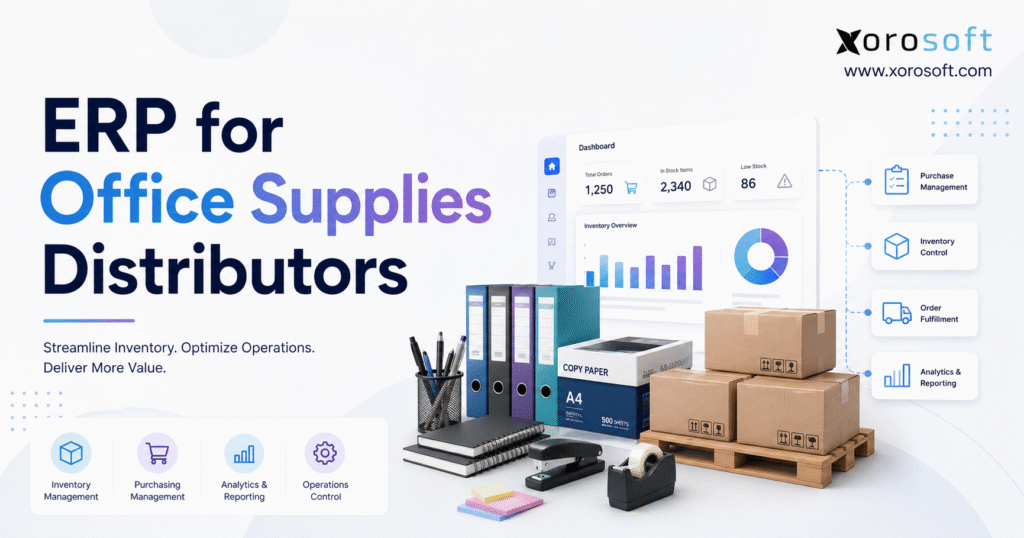
Looking for an efficient way to manage your business resources? An office supply ERP can help streamline operations and organise your supply chain with ease.
1. Why Growing Distributors Outgrow Basic Business Software
Office products distribution can look simple from the outside. A distributor buys products, stores them, accepts customer orders, and ships the goods. However, the work becomes harder as the product range grows, warehouses multiply, pricing rules expand, and orders arrive through more channels.
A distributor may carry paper, toner, pens, folders, cleaning goods, breakroom supplies, furniture, and technology accessories. Each product may have several suppliers, pack sizes, replacement items, customer prices, barcodes, and warehouse locations. As a result, one data change can affect purchasing, inventory, customer service, shipping, profit, and accounting.
This is where office supply ERP becomes more than an accounting upgrade. It becomes the main business system that keeps product data, pricing, inventory, purchasing, warehouse work, ecommerce, EDI, and finance in sync.
1.1 How Office Supply ERP Prevents Costly Product Data Errors
A product record may include supplier codes, barcodes, pack sizes, purchasing units, sales units, current costs, reorder rules, online descriptions, and warehouse locations. When teams keep different versions of that record, the business loses a reliable source of data.
For example, the warehouse may use one item code while the purchasing team uses another. One department may treat a case as one unit, while another treats it as twelve boxes. Therefore, the company may buy the wrong amount, promise inventory that is not available, or calculate profit with the wrong cost.
The company should decide who can create, change, approve, and retire product records. Every team should then use the same rules across sales, purchasing, warehouse work, ecommerce, and accounting.
Clean product data also helps the distributor manage new suppliers, replacement products, discontinued items, and pack-size changes. Without clear ownership, the same errors can return even after a major data cleanup.
1.2 Contract Pricing Can Hide Margin Loss
Office products distributors often use customer price lists, contract prices, bid prices, volume breaks, and account discounts. Still, these rules become hard to manage when they live in spreadsheets or depend on staff memory.
An old price may remain active, a discount may use the wrong pack size, or a sales representative may not see the latest cost. Likewise, a price shown online may differ from the price used by customer service.
A good system should apply the right price, show the likely profit, and record approved changes. Because many office supply products have tight margins, even small pricing errors can add up quickly.
The company should treat pricing as a core business rule rather than a back-office task. It also needs a clear process for contract start dates, end dates, price updates, special deals, and one-time exceptions.
1.3 Sales Channels Compete for the Same Stock
Orders may come from account representatives, phone calls, email, a B2B portal, Shopify, Amazon, or EDI. These channels look separate to the customer, but they often draw from the same inventory.
If inventory updates arrive late, several customers may receive promises for the same units. In the same way, an online order may reserve inventory that an internal sales user still sees as available.
Therefore, the business needs one clear set of rules for pricing, availability, order priority, backorders, and shipping across every channel. Otherwise, staff spend time fixing customer promises after the company has already accepted the orders.
2. How Office Supply ERP Connects the Business
Office supply ERP links the sales, warehouse, purchasing, and finance sides of the business. A customer order can check the correct price, reserve inventory, create warehouse work, affect purchasing plans, start shipping, create an invoice, update cost of goods sold, and appear in reports without repeated data entry.
As a result, each team sees the same order from its own point of view. Customer service sees order status and promised dates. Buyers see demand and supply gaps. Meanwhile, the warehouse sees approved work, and finance sees the related inventory and accounting entries.
2.1 One Shared Record Reduces Conflicting Information
A practical system should bring together products, customers, suppliers, sales orders, purchase orders, inventory by location, warehouse tasks, invoices, credits, payments, forecasts, and reports.
The goal is not simply to store everything in one place. Rather, the goal is to stop each team from building its own version of the business. When one tool holds product data, another tracks available inventory, and a third controls prices, employees can receive different answers.
For distributors reviewing a broader platform, XoroONE shows how sales, purchasing, inventory, warehousing, accounting, forecasting, ecommerce, EDI, B2B sales, and reporting can sit within one cloud system.
A shared record can also reduce status-checking emails and meetings. Instead of asking several teams for an update, an approved user can follow the order, purchase, shipment, invoice, and payment through the same system.
2.2 Distribution ERP Must Handle Orders That Change
A software demonstration often shows a clean order for an item already in stock. Real work is different. Prices expire, suppliers ship short, customers change orders, and some products arrive damaged.
Orders may also ship in parts, move between warehouses, use a replacement product, or go directly from a supplier to the customer. The value of office supply ERP often becomes clear when these issues appear.
The system should keep the customer order, inventory choice, warehouse task, supplier purchase, invoice, and accounting entry connected even when the plan changes. Therefore, buyers should test difficult cases, not only perfect ones.
For example, a customer may cancel one line after the warehouse has already picked another line. A useful system should guide staff through the inventory, shipping, billing, and customer-service effects of that change.
2.3 When Several Small Applications Become Hard to Manage
A growing distributor may use separate tools for accounting, inventory, warehouse scanning, ecommerce, EDI, purchasing, and reporting. At first, this can seem flexible. However, every added tool creates another connection that the company must build, check, and support.
The key question is not how many applications the business owns. Instead, it is how much work the company needs to keep those applications in sync.
If teams spend too much time checking imports, fixing duplicate records, or matching reports, one connected platform may offer better control. A separate application may solve one problem while creating more work for another department.
3. Gaining a Reliable View of Inventory
A distributor cannot operate well from one on-hand figure. Staff need to know what is physically present, free to sell, already reserved, damaged, moving between warehouses, or due from suppliers.
These figures connect to one another, but they are not the same. For example, a warehouse may hold one hundred units, yet only forty may remain available because sixty support open orders. Another location may have inventory, but using it may increase freight costs or delay delivery.
Office supply ERP should give sales, purchasing, warehouse, and management teams a clear view of these different inventory positions without forcing them to compare several reports.
3.1 How Office Supply ERP Supports Multi-Warehouse Fulfillment
Multi-warehouse inventory control should help the business decide where an order should ship, whether inventory should move, and which location needs more goods. Customer service needs location detail, while managers also need a full company view.
The system should separate available, reserved, damaged, held, and in-transit inventory. Transfers should move through shipment and receipt so the same units never appear available in two places.
A strong multi-warehouse ERP setup should support rules by location. A main hub may need more safety stock than a small branch, while one warehouse may focus on online orders and another may serve local contract accounts.
The best shipping location is not always the nearest one. The company may also need to consider order size, customer promises, inventory balance, freight costs, carrier cutoff times, and warehouse workload.
3.2 Pack, Case, and Unit Conversions Must Remain Accurate
Office products are often purchased by the case and sold by the box, pack, or single unit. Therefore, the system must use the same conversion rules in purchasing, inventory, pricing, order entry, picking, and costing.
If one team treats a case as one unit while another treats it as twelve, inventory and profit become inaccurate. The same risk applies to contract prices. A price meant for one box should never apply to one case.
Because one bad unit rule affects several parts of the business, the project team should test real products before rollout. This is especially important for paper, labels, pens, folders, cleaning goods, and other products sold in several pack sizes.
The business should also decide whether warehouse staff can open a case and sell smaller units. If the warehouse cannot break a case, the available quantity should reflect that physical rule.
3.3 How Office Supply ERP Improves Inventory Accuracy
Software does not create correct inventory simply because it includes an inventory module. Accuracy improves when teams record receiving, transfers, picking, shipping, returns, and inventory changes when the work happens.
Barcode scanning can confirm the product and location. Cycle counts can focus on high-value, fast-selling, or error-prone items. However, warehouse leaders should review repeated inventory differences and find the cause before making another correction.
The distributor should track inventory accuracy by warehouse, product group, and work step. This makes it easier to see whether errors begin in receiving, picking, transfers, returns, or product setup.
A high number of adjustments may point to a process problem rather than a counting problem. For example, staff may move goods without scanning them or return products to available inventory before checking their condition.
4. Purchasing and Forecasting in Office Supply ERP
Purchasing is where customer service and cash flow meet. Buying too little creates stockouts, rush orders, and missed promises. On the other hand, buying too much uses cash, fills warehouse space, and increases the risk of old inventory.
The business needs a clear way to balance both risks without rebuilding every purchasing decision in a spreadsheet. Office supply ERP can bring sales demand, inventory, supplier orders, and forecasts into one view so buyers can make faster and better-supported choices.
4.1 How Office Supply ERP Creates Better Restocking Suggestions
A useful restocking suggestion should look at available inventory, reserved inventory, open customer orders, incoming goods, supplier lead times, safety stock, minimum buys, pack sizes, and expected demand.
If one input sits outside the system, the suggested amount may still be wrong. For example, the system may miss an incoming shipment or ignore inventory already reserved for a large customer.
Buyers should still review the result because new contracts, lost accounts, promotions, projects, and supplier changes can make past sales less useful.
Different product groups may also need different purchasing rules. Fast-moving paper may use regular reorder points, while special furniture may only enter purchasing after a customer approves the order.
4.2 Supplier Management Goes Beyond Unit Price
The cheapest supplier is not always the best choice. Buyers should also look at lead time, fill rate, freight, minimum order size, payment terms, return rules, product quality, and service.
A lower unit cost may lead to a higher total cost if late shipments create stockouts or rush freight. Therefore, the system should keep supplier details, costs, open orders, delivery results, and returns together.
This gives buyers a better base for each decision. It also makes supplier reviews less dependent on memory or private spreadsheets.
The company may also want to compare how often suppliers complete orders, how often costs change, and how quickly each supplier solves problems. These measures help buyers understand the real value of each supplier relationship.
4.3 Demand Forecasting Should Include Staff Knowledge
A forecast should provide a starting point, not a hidden answer. Demand can change because of a new contract, a lost account, a school term, an office move, a promotion, a product change, or a shift in workplace activity.
The system should let approved users change the forecast and record the reason. The company should then compare forecasts with real sales so the process improves over time.
As a result, forecasting becomes a shared planning process rather than a monthly spreadsheet that one employee owns.
The business should also separate normal demand from one-time orders. A large project order should not automatically increase future demand for a product that does not normally sell at that level.
5. Customer Pricing and Order Management in Office Supply ERP
Order management is where a customer promise becomes real work. A strong process checks the correct price, reviews credit, confirms inventory, chooses a shipping location, and gives the customer a fair delivery date before warehouse work begins.
5.1 Applying Contract Prices in Office Supply ERP
A distributor may have a standard price, customer price list, contract price, volume price, promotional price, and approved exception for the same product. The system must know which rule comes first and when it applies.
Users should see the rule, its start and end dates, the current cost, and the likely profit. Customer pricing is a key office supply ERP requirement because the business must balance flexible pricing with strong control.
For example, a sales representative may have authority to lower a price within a set range. A larger reduction may need manager approval. The system should support that choice without hiding its effect on profit.
Price rules should also work the same way in B2B ecommerce, EDI orders, and internal order entry. A contract customer should not receive one price online and another when ordering by phone.
5.2 Distribution ERP Needs Fair Rules for Scarce Inventory
When inventory runs short, the first order entered may not always ship first. A distributor may need to protect contract accounts, hold inventory for a project, meet a promised date, or ship from a specific warehouse.
Managers should define clear rules and apply them the same way to every order. In addition, backorders need shared ownership. Customer service sees the promise, buyers see the need, and the warehouse knows when new inventory can move to the order.
A strong process should also show expected receipt dates, available replacement items, and whether the customer accepts a partial shipment.
Managers may need to change an allocation when a major customer issue arises. However, the system should record that change so other teams understand why the original promise moved.
5.3 Repeat Orders Should Never Reuse Old Data Blindly
Saved lists, past-order copying, and account catalogs can make repeat orders faster. However, the system should still check current prices, available inventory, replacement products, and contract dates.
Large orders may also need purchase-order numbers, approval codes, several ship-to locations, or special invoice formats. Those details must stay connected through shipping and billing.
Therefore, repeat ordering should reduce effort without using old pricing or inventory information. The system should make routine work faster while still applying current business rules.
6. Warehouse Management for Office Products Distributors
Office products warehouses handle many order types. One order may contain small, fast-selling items, while another may include furniture, special goods, or a supplier-direct item.
Warehouse rules need to support these differences without forcing staff to build a manual process for every case.
6.1 How Office Supply ERP Improves Receiving Control
Receiving starts when warehouse staff match the delivery with the purchase order. The process should record short items, extra items, damage, and replacements before inventory moves to storage.
Warehouse staff should not wait for finance to re-enter a receipt before goods appear in inventory. Still, they must record the correct item, quantity, unit, cost, and location.
Putaway rules can then guide the item to the correct bin based on product size, sales speed, warehouse space, or safety needs.
If a supplier sends a different product, staff should not quietly receive it under the original code. The team should review the change so purchasing, customer service, and finance understand what arrived.
6.2 Picking and Packing Need the Right Controls
Single-order picking may suit lower volume, while batch or zone picking may help a larger warehouse. The best method depends on layout, order mix, product speed, and service promises.
Barcode checks can confirm products and quantities. Packing checks can then confirm the shipment before the user prints the label.
Still, the process must support short picks, replacement products, partial shipments, and customer packing needs. The goal is not to remove judgment. Rather, it is to guide staff through the correct steps and keep a clear record.
Warehouse leaders should also review travel time, pick errors, pack errors, and completed orders per hour. These measures can help them improve warehouse layout and work methods.
6.3 When Office Supply Distributors Need a Dedicated WMS
Some distributors can use warehouse tools inside ERP. Others need deeper control over bins, directed work, restocking, picking waves, mobile scanning, cycle counts, and online order handling.
Distributors with more complex warehouse needs can review XoroWMS when comparing built-in ERP warehouse tools with a dedicated warehouse management system.
The choice should depend on the company’s actual receiving, picking, packing, transfer, and restocking needs—not on the number of features in a brochure.
A warehouse with several zones, high daily order volume, complex bin rules, and many mobile users may need deeper WMS tools than a small single-site operation.
7. Shopify, Amazon, and EDI Integration With Office Supply ERP
Digital sales can support growth, but they also expose weak inventory rules quickly. A website can take orders at any time, even when internal systems update only once or twice a day.
As a result, the gap between what the buyer sees and what the warehouse can ship may lead to overselling, late orders, and hard-to-match records.
7.1 Shopify ERP Integration Should Cover the Full Order Cycle
A Shopify connection should do more than import a completed order. The business needs clear ownership for products, prices, inventory, customers, orders, shipping, refunds, payments, and errors.
Distributors can review the <a href=”https://apps.shopify.com/xorosoft-erp” target=”_blank” rel=”noopener”>Xorosoft ERP app on the Shopify App Store</a> when evaluating how Shopify and ERP can work together.
A Shopify connection works best when office supply ERP remains the main system for inventory, allocation, order handling, purchasing, and accounting. Otherwise, data may move between tools without a clear final answer.
The business should also test order edits, cancellations, partial shipments, several warehouse locations, refunds, gift cards, and payment matching. A simple order import does not cover the full customer journey.
7.2 Marketplace ERP Must Match Orders, Fees, and Payouts
Amazon and other marketplaces add fees, return rules, payment timing, and shipping models that differ from direct B2B orders.
Importing the order is only the first step. The distributor also needs to track inventory, cancellations, returns, fees, taxes, and payouts.
Therefore, the full path from order to shipment to final payment should form part of the test. A process that imports orders well but leaves finance with manual payout matching is only partly connected.
The business should also decide how marketplace inventory shares stock with other channels. Separate inventory pools may help in some cases, while one shared pool may work better in others.
7.3 EDI-Enabled Distribution Software Must Support Partner Rules
EDI can reduce manual entry for large customers, but each trading partner may need different forms, fields, labels, replies, ship notices, invoice rules, or timing.
EDI orders should use the same pricing, inventory, warehouse, and finance rules as every other order. The company should also decide who handles rejected, missing, or incomplete EDI messages.
In addition, buyers should test order changes, canceled lines, short shipments, and invoice errors—not only the first successful purchase order.
A clear support process matters because one failed EDI message can delay a large order or payment. Staff should see the error, understand the cause, and assign the next step.
8. Inventory Accounting and Profit Reporting
Inventory is a financial asset, not just a warehouse number. Each receipt, shipment, return, adjustment, and transfer can affect inventory value, cost of goods sold, supplier bills, customer invoices, and profit.
When warehouse systems and accounting remain separate, the finance team must rebuild the financial record after the work finishes. Therefore, month-end matching becomes a repeated search for differences.
8.1 How Office Supply ERP Supports Reliable Inventory Value
A correct month-end value starts with correct receiving, costs, transfers, shipments, returns, and inventory changes. Freight and other landed costs may also need to become part of the product cost.
Large accounting corrections may balance the books, but they do not show which product or work step caused the problem. The system should record the reason, user, date, and source order or receipt for each change.
This makes it easier for finance and operations to solve the cause rather than repeat the same adjustment every month.
The company should also agree on how it updates product costs and how it values returned, damaged, or unsellable goods. Teams should define these rules before they set up the system.
8.2 Order-Level Profit Shows More Than Revenue
A customer can create strong sales but weak profit because of discounts, special handling, freight, returns, or costly supplier choices.
Reports should let managers review profit by product, customer, contract, warehouse, channel, and order. As a result, they can take clear action, such as changing a supplier, updating a contract, raising a minimum order, or fixing a pricing rule.
Revenue shows how much the company sold. Order-level profit shows whether the work was worth doing.
Managers should also review changes over time. A contract may appear profitable at first but weaken as supplier costs, freight rates, or service needs change.
8.3 Integrated ERP Accounting Can Reduce Month-End Work
XoroERP is relevant for businesses comparing basic accounting tools with a broader ERP that connects customers, suppliers, purchasing, warehousing, inventory, and reporting.
Office supply ERP can reduce the work needed to match records because inventory, shipping, and accounting updates come from the same order. Still, the company needs approval rules, period checks, and clean product data.
A connected system improves traceability, but it does not replace good finance controls. Teams still need to review unusual adjustments, old open orders, unmatched receipts, customer credits, and supplier bills.
9. When a Distributor Is Ready for Office Supply ERP
A company’s need for ERP depends on how complex the business has become, not on one sales figure. A smaller distributor with several warehouses, contract pricing, online sales, and EDI customers may need ERP sooner than a larger business with one location and simple orders.
9.1 Signs QuickBooks and Spreadsheets Are No Longer Enough
A business should review ERP when staff enter the same order more than once, inventory figures do not match, customer prices live in spreadsheets, purchasing is mostly reactive, warehouse teams do not trust available inventory, or month-end takes too much research.
Another warning sign is the need to build manual reports for basic questions about backorders, supplier delays, slow inventory, or customer profit.
Therefore, office supply ERP becomes more useful when separate tools create risks that the company cannot fix by adding one more small application.
Other signs include frequent integration errors, slow customer answers, unclear product costs, and key work that depends on one experienced employee.
9.2 When Office Supply Inventory Software May Still Be Enough
A full ERP may offer more than a small business needs if it has one warehouse, a short product list, low order volume, simple prices, few users, and no complex ecommerce or EDI work.
In that case, accounting software linked to a good inventory tool may provide enough control.
The goal is to choose the simplest system that can support today’s work, future growth, reports, and business controls. Buying too much software can create just as many problems as keeping software that is too small.
The business should review its needs again as order volume, product count, warehouse count, and sales channels grow.
10. Comparing Distribution Software Options
The choice is not simply ERP or no ERP. A distributor can use accounting software with spreadsheets, inventory software, dealer software, a separate WMS, a group of connected applications, or a full cloud ERP.
Each choice can work in the right setting. However, the business should compare both the features and the work needed to keep all systems in sync.
10.1 Accounting and Inventory Applications
A smaller distributor may prefer accounting software linked to an inventory tool. This path can be faster and less costly at first.
The tradeoff appears when pricing, purchasing, warehouse work, ecommerce, EDI, and reports need extra applications. Then the business also pays for integrations, staff time, record checks, and failed updates.
Therefore, the real cost is not only the monthly software bill. It also includes the work required to keep every tool accurate.
This setup may still suit a simple operation. However, the business should avoid adding applications without a clear plan for data ownership and support.
10.2 Office Products Dealer Management Software
Office products dealer software may use familiar terms and support common industry tasks. That can help a business with a clear and stable operating model.
Still, buyers should review accounting, warehouse tools, online sales links, reports, data access, support, and future product plans.
Industry fit matters, but it does not remove the need to test real orders, returns, pricing rules, supplier work, and finance entries.
The buyer should also ask how easily users can export data and whether the system can support new sales channels, warehouses, or product groups.
10.3 When Office Supply ERP Is Better Than Separate Applications
A full ERP makes the most sense when the company wants one order path from customer demand through purchasing, shipping, billing, and finance.
Therefore, the right office supply ERP should fit the company’s warehouse, pricing, purchasing, ecommerce, EDI, and accounting needs instead of forcing staff to create new workarounds.
The platform should also support the next stage of growth without making the business pay for features it will not use.
Cloud delivery can reduce the need to manage local servers, but the company still needs strong user access, training, data rules, integrations, and support.
11. How to Select Office Supply ERP
Selecting office supply ERP should begin with real business examples, not a long feature list. Two systems may both claim inventory, purchasing, warehouse, ecommerce, and accounting tools, yet handle real problems in very different ways.
11.1 Map Distribution Work Before Comparing ERP Vendors
Document how orders arrive, how staff select prices, how the system assigns inventory, how buyers plan purchases, how warehouse teams receive goods, how staff ship orders, and how finance records invoices and payments.
Also include returns, credits, special orders, drop shipping, transfers, marketplace payouts, and month-end checks.
Each repeated entry, delay, spreadsheet, and person-based workaround should become a test case. Otherwise, the project may replace the software while keeping the same weak process.
The mapping work should include frontline users because they often know the real exceptions and manual steps that formal process documents miss.
11.2 Test Real Problems During an Office Supply ERP Demo
A useful demonstration should show a contract price, a product purchased and sold in different units, a partial shipment, a backorder, a warehouse transfer, a supplier-direct order, a Shopify or marketplace order, EDI, a return, and the financial effect of each step.
Use real products, warehouses, and user roles. Also, ask the vendor to show what happens when data is missing or a user makes an error.
The final choice should come from real order tests, not a general product tour.
Ask each vendor to demonstrate the same cases. This makes comparison easier and prevents one product from gaining an unfair edge through a polished but less relevant presentation.
11.3 Compare ERP Rollout Work and Total Cost
Software price is only one part of the decision. The review should also include data cleanup, data migration, integrations, training, reports, staff time, support, custom work, and applications that remain after rollout.
A cheaper tool may become more costly if the business still needs several outside applications and manual checks. On the other hand, a larger ERP may cost more than the business can use well.
Therefore, compare the full cost against the work that the system will remove, reduce, or improve.
The business should also review the internal time needed from managers and key users. A project can fail even with a strong software partner if the company does not assign enough internal support.
11.4 Choose Distribution ERP Based on Business Risk
A scorecard can stop a well-known brand or polished demonstration from taking over the choice. A warehouse-heavy business may give more weight to receiving, scanning, transfers, and counts. By contrast, a contract-heavy dealer may give more weight to pricing, EDI, order changes, and finance detail.
Businesses comparing enterprise platforms can review the Xorosoft versus NetSuite comparison as one vendor perspective.
However, the final choice should still depend on written needs, real tests, rollout plans, customer checks, and the risks the business most needs to reduce.
The scorecard should also include ease of use, support, reporting, data access, and the vendor’s ability to guide the rollout.
12. Rolling Out Office Supply ERP Successfully
An ERP rollout is when the company decides how teams should perform the work. A rushed project can move poor data, unclear roles, and weak controls into a more costly platform.
12.1 Clean Product, Customer, Supplier, and Pricing Data
The project team should check product, customer, supplier, pricing, and unit records before the move. The team should review duplicate products, old prices, mixed customer names, missing barcodes, bad pack rules, and old costs before moving them.
The company should also name an owner for each main data set after rollout. Without clear ownership, data quality will fall again.
A clean system does not come from a one-time cleanup alone. It requires clear rules for every future change.
The team should also decide how much old history to move. In many cases, open orders and current balances matter more than years of old detail.
12.2 Test Complete Office Supply ERP Workflows From Order to Payment
Teams should test complete work from order entry through pricing, inventory assignment, picking, shipping, invoicing, returns, and finance entries.
Purchasing tests should run from the suggested order through approval, supplier order, receipt, supplier bill, and payment. In the same way, testing should include short receipts, incorrect scans, damaged inventory, order changes, canceled lines, and repeated messages.
A successful office supply ERP rollout depends on clean data, clear owners, role-based training, and full process testing—not only software setup.
Testing should also cover user access. Staff should complete their work without viewing or changing information outside their role.
12.3 Train Each Team for Its Daily Role
Customer service, purchasing, warehouse, finance, sales, and managers need different training. Each group should understand both its own tasks and how those tasks affect the next team.
Training should explain which problems users can fix, which need approval, and where the user must record the reason.
As a result, staff can make more consistent choices without falling back to side spreadsheets or private notes.
Training should use the company’s actual products, customers, and order cases. Generic examples provide less value when staff return to a complex daily process.
12.4 Support Users During the First Weeks
The first weeks after launch should include clear support roles, daily checks, issue tracking, and fast decision paths.
The team should review order flow, inventory accuracy, shipment status, supplier receipts, finance entries, and key integrations each day. The support team should group problems by cause so the company does not treat the same issue as new every time.
The rollout does not end when the software turns on. It ends when the main work becomes stable, users know their roles, and managers can trust the reports.
A short daily review can help the team find issues early and decide whether the answer requires training, data cleanup, a setup change, or a new work rule.
13. Matching ERP to the Distribution Model
Office products distributors do not all work in the same way. A local dealer may focus on contract prices, repeat orders, and local delivery. A larger wholesaler may focus on several warehouses, EDI, central purchasing, and group reports.
Meanwhile, an online-led distributor may focus on channel inventory, parcel shipping, returns, and payout matching.
13.1 ERP for Furniture and Special Orders
Furniture and larger equipment may involve deposits, long lead times, staged delivery, assembly work, setup, and partial billing.
Therefore, the ERP should keep these steps separate from the fast shipping of stocked products while still using one customer and finance record.
The system should also show what is in stock, what the company purchased for a project, what has arrived, and what remains due before final delivery.
Some projects may require several supplier orders and more than one customer delivery. The company should test how the system tracks the full project without losing product-level inventory detail.
13.2 ERP for Janitorial, Breakroom, and Facility Products
Distributors that sell broader workplace goods may also handle cleaning products, food-service items, safety products, and repeat refill plans.
These groups may have different storage, purchasing, and replacement needs. Some products may sell in cases, while others sell as individual units. Still, the business needs one customer view and one set of finance reports.
The system should support the broader catalog without making each product group feel like a separate company.
If some goods have special storage, handling, or shelf-life needs, the distributor should review those rules during the selection process.
13.3 Ecommerce ERP for Online-Led Distributors
An online-led distributor may receive a large number of smaller orders, face fast shipping promises, and manage frequent returns or order changes.
Therefore, inventory updates, warehouse speed, parcel shipping, payment matching, and customer messages become especially important.
The ERP should support online growth without creating a second version of inventory or finance outside the main business system.
The company should also test sales peaks, carrier cutoff times, several shipping methods, and high order volume. A system that works well on a normal day must also remain stable during busy periods.
13.4 Test Industry Fit With Real Office Supply Orders
The Xorosoft industries overview includes wholesale distribution, stationery and gifts, furniture-related businesses, manufacturing, food and beverage, sporting goods, and other inventory-based sectors.
Industry fit provides a useful starting point. However, the distributor should still test its own product list, pricing rules, warehouse work, sales channels, EDI, returns, and accounting steps.
A vendor may understand distribution in general, yet still need to prove that it can handle the company’s exact order types and control needs.
Customers with a similar business model can also share useful insight into daily use, support, rollout work, and system limits.
14. Frequently Asked Questions About Office Supply ERP
14.1 What Is Office Supply ERP?
Office supply ERP links inventory, purchasing, pricing, customer orders, warehouse work, ecommerce, EDI, accounting, forecasting, and reporting in one system.
As a result, teams can work from the same order and inventory record instead of separate spreadsheets and applications. It provides the most value when these parts of the business need to stay closely connected.
14.2 Why Do Office Products Distributors Need ERP?
ERP becomes useful when product data, pricing, purchasing, warehouses, sales channels, and accounting become too closely linked for separate tools to manage well.
It can reduce repeated entry, improve inventory control, and give managers a clearer view of the business. However, smaller distributors with simple needs may still work well with accounting and inventory software.
14.3 Can Office Supply ERP Manage Thousands of Products?
Yes. Office supply ERP can manage large product lists with categories, supplier numbers, units, barcodes, costs, prices, replacement items, and warehouse locations.
However, the company still needs clear rules for who owns and updates product data. A large catalog will remain difficult to manage if the business allows duplicate or incomplete records to build up.
14.4 Can Distribution ERP Apply Customer-Specific Prices?
Yes. Distribution ERP can apply customer price lists, contracts, volume prices, customer groups, promotional prices, and approval rules.
Still, buyers should test how the system handles several prices that could apply at the same time. The system should also show the cost and likely profit before an approved user changes the selling price.
14.5 How Does Office Supply ERP Help Reduce Stockouts?
Office supply ERP brings together available inventory, reserved demand, expected receipts, supplier lead times, safety stock, and forecasts.
Therefore, it can show likely shortages earlier and suggest restocking. It cannot remove supplier delays or sudden demand changes, so staff review still matters. The quality of the result also depends on accurate inventory and lead-time data.
14.6 Can Wholesale Distribution ERP Control Excess Inventory?
Wholesale distribution ERP can show slow products, improve demand views, and create more consistent purchasing suggestions.
However, results still depend on good forecasts, correct lead times, supplier limits, and buyer choices. The system should make old, slow, and excess inventory easy to review so managers can act before the business orders more.
14.7 Does Office Supply ERP Include Accounting?
A full office supply ERP platform usually includes or connects general ledger, supplier bills, customer invoices, inventory value, cost of goods sold, cash, credits, and reports.
Buyers should test how warehouse and order activity creates finance entries. They should also confirm how returns, freight, discounts, supplier credits, and inventory changes affect the accounts.
14.8 Can Office Supply ERP Connect With Shopify?
Many office supply ERP platforms can connect products, inventory, customers, orders, shipping, refunds, and payments with Shopify.
The distributor should also test several locations, partial shipments, order edits, returns, and payout matching. A good integration should support the full order life cycle rather than only copying completed orders into the ERP.
14.9 Can Distribution ERP Connect With Amazon?
Many distribution ERP systems can connect marketplace orders, inventory, shipping updates, returns, fees, and payouts.
Exact support depends on the seller model, marketplace, shipping method, and system integration. Buyers should test finance matching as carefully as order import because marketplace fees and settlements can create significant manual work.
14.10 Can Office Supply ERP Process EDI Orders?
Yes. Office supply ERP can handle EDI purchase orders, replies, ship notices, invoices, and other files.
However, each trading partner may use different fields, rules, and timing, so every connection requires testing. The business should also decide who reviews failed messages and how teams handle order changes or rejected invoices.
14.11 Can Multi-Warehouse ERP Manage Several Locations?
Yes. Multi-warehouse ERP can track inventory by location, support transfers, assign orders, set location-based restocking, and combine reports.
The business should also test in-transit inventory and orders split across locations. Each warehouse may require different safety stock, user access, order rules, and shipping methods.
14.12 Can Distribution ERP Support Drop Shipping?
Distribution ERP can connect a customer order to a supplier order and direct shipment.
As a result, the business can keep customer status, supplier updates, supplier bills, customer invoices, and profit tied to the same order. Buyers should test how the system handles partial drop shipments, supplier delays, tracking details, and customer returns.
14.13 Can Office Supply ERP Manage Backorders and Partial Shipments?
Yes. Office supply ERP can reserve available products, keep open quantities, split shipments, assign incoming inventory, and release backorders when goods arrive.
Customer service should see what shipped and what remains open. The system should also show whether the customer accepts partial shipments and how the business will handle freight or invoicing.
14.14 Which ERP Modules Does an Office Supplies Distributor Need?
Most distributors should review inventory, purchasing, order management, pricing, warehouse work, accounting, ecommerce, EDI, forecasting, and reporting.
Furniture, kitting, or light assembly may need extra tools. The exact mix should reflect the company’s products, warehouses, sales channels, customer rules, and finance needs.
14.15 How Is ERP Different From Inventory Software?
Inventory software mainly tracks products, quantities, movements, and related orders.
By contrast, ERP connects inventory with purchasing, pricing, warehouses, accounting, ecommerce, forecasting, and company-wide reports. A smaller distributor may need better inventory software without needing a full ERP, while a more complex business may benefit from one connected platform.
14.16 How Is Dealer Management Software Different From ERP?
Dealer management software may offer office-products-specific tools and familiar industry terms.
ERP often covers a broader set of finance, inventory, warehouse, online sales, reporting, and sometimes light production. The right choice depends on current needs, future plans, data access, integrations, support, and industry-specific requirements.
14.17 Can QuickBooks Support a Growing Distributor?
QuickBooks may suit a smaller distributor with simple inventory.
However, problems often appear with several warehouses, contract prices, purchasing plans, scanning, ecommerce, EDI, and matching inventory with finance records. The need to upgrade should depend on business complexity and risk rather than one revenue figure.
14.18 When Should Spreadsheets Be Replaced?
A distributor should review ERP when spreadsheets control pricing, purchasing, inventory allocation, inventory changes, or reports; employees enter the same data more than once; or basic questions require manual checks across many files.
The main warning is not the use of spreadsheets itself, but the level of risk created when key work depends on them.
14.19 How Much Does Office Supply ERP Cost?
The cost of office supply ERP may include software, rollout work, data migration, integrations, training, reports, custom changes, staff time, support, and ongoing administration.
Therefore, buyers should compare the full cost, not only the monthly fee. They should also include the cost of outside applications and manual work that will remain.
14.20 How Long Does an Office Supply ERP Rollout Take?
An office supply ERP rollout timeline depends on business scope, data quality, users, warehouses, integrations, custom work, testing, and decision speed.
A focused project with clean data often moves faster than a large project with many outside systems. Vendors should give a timeline based on the approved scope rather than a general promise.
14.21 Which Business Records Should Move Into ERP?
Most projects move active products, customers, suppliers, prices, costs, units, inventory balances, open orders, unpaid customer invoices, unpaid supplier bills, and required finance balances.
Old history should move only when it has clear business value. Some companies keep older records in a read-only archive instead of moving every past transaction.
14.22 What ERP Selection Mistakes Should Buyers Avoid?
Common mistakes include comparing only feature lists, skipping real order tests, ignoring data cleanup, underestimating integrations, leaving frontline users out, focusing only on price, and making custom changes too early.
Buyers should also avoid choosing software before agreeing on the business problems and risks the project must address.
14.23 Does Every Office Supplies Distributor Need ERP?
No. A small distributor with one location, simple prices, low order volume, and few system connections may work well with accounting and inventory software.
The choice should reflect business complexity, not only company type. A full ERP should solve clear problems rather than add cost and work without a strong reason.
14.24 What Should Buyers Ask During an ERP Demonstration?
Ask the vendor to show contract pricing, units of measure, partial shipments, backorders, transfers, drop shipping, online orders, EDI, returns, and the financial effect of each step.
Also, ask how the system handles errors, approvals, missing data, user access, reports, and changes made after an order has started.
14.25 How Should Office Supply ERP Results Be Measured?
Measure office supply ERP results through inventory accuracy, fill rate, stockouts, order time, pick accuracy, buyer workload, backorder value, inventory turns, record-matching time, month-end close, and profit detail.
Compare each result with a clear starting point from before the rollout. Success should come from real business results, not only whether the software went live.
15. Choosing the Right Office Supply ERP for Future Growth
Office products distributors should not choose ERP because of a set sales figure, a competitor’s software, or a long feature list. Instead, the choice should follow the real work.
When inventory, pricing, purchasing, warehouses, ecommerce, EDI, and accounting must stay in sync, a connected system can give the business a stronger base than separate applications and spreadsheets.
Before choosing office supply ERP, write down the problems the new system must solve. Then ask vendors to show pricing changes, shortages, partial shipments, transfers, returns, marketplace payouts, and record matching from start to finish.
Finally, the choice should fit the company’s product range, warehouses, customer agreements, sales channels, finance rules, rollout team, and growth plans.
Distributors ready to compare those needs with a connected Xorosoft setup can begin with a personalized ERP discovery conversation