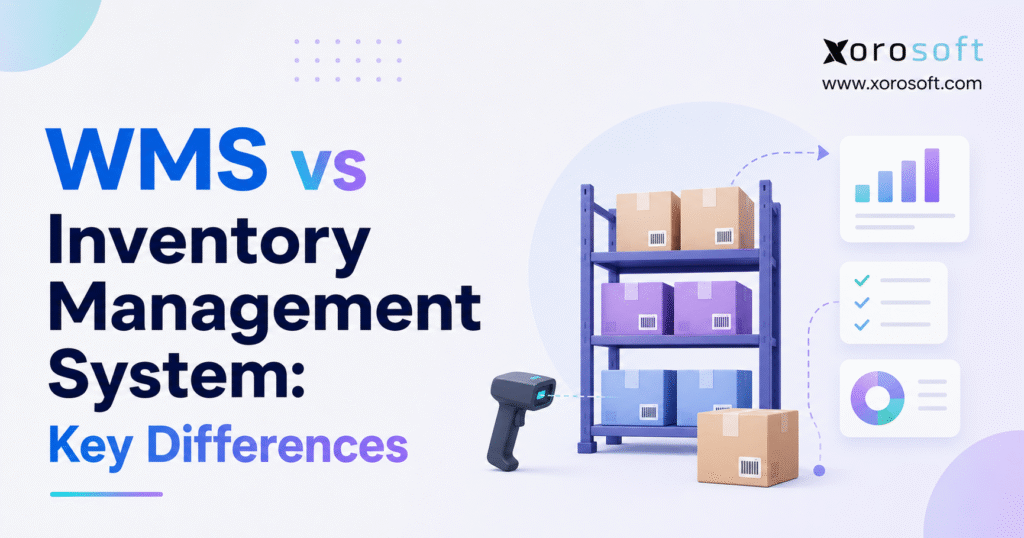
When considering warehouse solutions, many businesses find themselves comparing WMS vs inventory management to determine which best suits their operational needs.
1. Why WMS vs Inventory Management Becomes a Critical Decision as Operations Scale
Growing product businesses rarely worry about the difference between inventory management and warehouse management during their early stages. One warehouse, a manageable SKU count, and relatively low order volume often allow a small team to operate successfully with basic inventory software.
Growth changes that operating model quickly.
An expanding product catalog creates more storage locations and replenishment decisions. New sales channels begin competing for the same physical stock. Additional warehouses introduce transfers, location-specific availability, and separate fulfillment teams. Wholesale customers can add larger orders and EDI requirements, while ecommerce increases the frequency and complexity of picking. Manufacturing introduces another layer through raw materials, production demand, work orders, and finished goods.
At that stage, knowing that 500 units exist somewhere in the business no longer provides enough operational control.
Operations teams need to understand where those units sit, how many remain available, which quantities customers have already reserved, and whether warehouse employees can locate them efficiently. Purchasing teams also need reliable information about incoming stock and future replenishment requirements.
Those pressures sit at the center of the WMS vs inventory management decision.
1.1 WMS vs Inventory Management in Practical Terms
Inventory management focuses on broader stock control. It helps a business understand what inventory it owns, what remains available, what is incoming, where stock exists across facilities, and when purchasing or replenishment should occur.
Warehouse management goes deeper into physical execution. A WMS helps teams receive products, assign storage locations, move stock, replenish picking areas, pick orders, pack shipments, perform counts, and complete outbound activity.
In practical terms, inventory management tells the business what inventory it has and what it needs. WMS tells warehouse teams where that inventory is and how to move it.
Modern software often combines parts of both categories. Some inventory platforms include substantial warehouse functionality, while certain WMS platforms extend into broader inventory processes. ERP systems may connect both layers with purchasing, accounting, manufacturing, ecommerce, and reporting.
Because those boundaries overlap, companies should evaluate workflows and operational depth rather than select software purely by category name.
1.2 Inventory Problems and Warehouse Problems Are Not the Same
A stockout caused by poor purchasing does not automatically indicate a warehouse problem. Likewise, a picker who cannot locate inventory does not necessarily signal weak demand planning.
The distinction matters because businesses can spend heavily on technology while solving the wrong constraint.
Before evaluating software, identify whether the company struggles primarily with planning inventory, executing warehouse activity, or coordinating both.
2. What an Inventory Management System Controls Across the Business
An inventory management system gives a company a broader operational view of its stock. Its role extends beyond the warehouse floor because inventory affects purchasing, sales, cash flow, production, customer service, and accounting.
A reliable system should help decision-makers understand inventory availability before they buy, promise, transfer, or produce more stock.
2.1 Core Inventory Management System Capabilities
Inventory software typically tracks quantities on hand, available inventory, allocations, incoming purchases, transfers, adjustments, and stock across locations.
More capable systems connect that information with forecasting and purchasing.
Consider a distributor carrying 2,000 SKUs across three facilities. Managers need more than one total quantity. They must understand which warehouse has inventory, what customers have already reserved, what suppliers will deliver next week, and whether projected demand requires another purchase order.
Those questions belong primarily to inventory management.
The same system may also support costing, safety stock, supplier lead times, inventory turnover, replenishment rules, and financial reporting when connected with ERP or accounting functionality.
2.2 When Inventory Management Software Is Usually Enough
A company does not automatically need advanced warehouse technology because it operates more than one location.
Inventory management can remain sufficient when physical warehouse processes stay straightforward.
For example, a business may need accurate quantities, purchase orders, demand planning, stock transfers, and allocation while still operating a facility where employees can quickly locate and pick products.
In that situation, management should strengthen inventory visibility and planning before adding warehouse complexity.
The key question is where the bottleneck sits. If teams can receive, locate, pick, and ship products without difficulty but purchasing constantly over-orders or runs out of stock, the company faces an inventory planning problem rather than a WMS problem.
3. What a Warehouse Management System Controls Inside the Facility
A warehouse management system focuses on what happens once inventory enters a warehouse and continues controlling activity until products leave that facility.
WMS becomes especially valuable when employees can no longer manage warehouse operations effectively through memory, simple pick lists, spreadsheets, or loosely defined procedures.
3.1 WMS Features That Extend Beyond Basic Inventory Tracking
Receiving provides a useful example.
Basic inventory software may record that a supplier delivered 100 units. A WMS can also help the receiving team determine where those units should go, record the location, capture a lot or serial number, and create the next warehouse task.
That pattern continues throughout the operation.
Putaway controls where products move after receipt. Replenishment moves stock from reserve storage into picking locations. Picking directs employees toward products required for orders. Packing adds a verification step before shipment. Cycle counting helps teams maintain physical accuracy without relying only on annual inventory counts.
A capable WMS may also support barcode scanning, warehouse tasks, pick sequencing, shipping workflows, cross-docking, labor tracking, serial control, and location rules.
3.2 Detailed Warehouse Location Management Changes the Equation
Location management represents one of the clearest differences in WMS vs inventory management.
An inventory system may show that Warehouse A contains 1,200 units of an item. Warehouse employees still need to know where those units physically sit.
Larger facilities can contain zones, aisles, racks, shelves, bins, pallets, bulk storage, forward picking areas, quarantine locations, and staging zones. Once the warehouse reaches that level of complexity, location accuracy becomes just as important as total inventory accuracy.
4. WMS vs Inventory Management: The Key Operational Differences
Companies often compare software through feature lists. A better approach compares the operational questions each system must answer.
| Capability | Inventory Management System | Warehouse Management System |
|---|---|---|
| Inventory quantities | Core function | Core warehouse function |
| Inventory availability | Core function | Supports warehouse availability |
| Multi-location stock | Common | Common |
| Purchasing | Common | Usually integrated |
| Forecasting | Often available | Not traditionally the core purpose |
| Inventory valuation | Common through ERP/accounting | Usually relies on ERP/accounting |
| Detailed bin locations | Basic or optional | Core strength |
| Directed putaway | Limited in basic systems | Common |
| Advanced picking | Limited | Core capability |
| Packing workflows | Varies | Common |
| Cycle counting | Common | More operationally detailed |
| Barcode workflows | Varies | Common |
| Warehouse replenishment | Limited | Core warehouse process |
| Labor or task control | Limited | Often available |
| Shipping execution | Varies | Common |
4.1 WMS vs Inventory Management for Business Scope
Inventory management usually covers the entire stock lifecycle.
It connects inventory with purchasing, sales availability, forecasting, transfers, manufacturing, and financial reporting.
WMS focuses on a narrower part of the business but applies much deeper control inside warehouses.
That distinction means businesses should not automatically view WMS as a replacement for inventory management. Growing organizations frequently need both layers.
4.2 Inventory Management vs WMS for Receiving and Putaway
An inventory system needs to know that inventory arrived.
A warehouse system must also control what happens next.
When a delivery reaches the dock, workers may need to confirm quantities, scan products, capture lot numbers, record damage, assign inventory status, and move goods into the correct location.
Simple warehouses can perform many of those processes manually. Complex facilities benefit from software that creates consistent receiving and putaway rules.
Inaccurate receiving creates problems throughout every later process. When employees place inventory in the wrong location or fail to record a movement, the system may show stock that warehouse teams cannot actually find.
4.3 WMS vs Inventory Management for Picking and Packing
Picking represents another major dividing line.
Inventory management software may produce an order or pick list. WMS can control how employees execute the work.
A warehouse may use single-order picking, batch picking, zone picking, wave picking, or different methods depending on order type and facility layout. The system can also direct workers to appropriate locations and require barcode confirmation.
Packing provides another verification point.
As shipment volume increases, small picking errors can create customer service work, reshipping costs, returns, and inventory discrepancies. Warehouse execution technology becomes more valuable as the financial cost of those errors rises.
4.4 WMS vs Inventory Management for Replenishment
The word replenishment means different things depending on context.
Inventory replenishment asks whether the business should buy or produce additional stock. Inside the warehouse, replenishment determines whether employees should move existing stock from reserve storage into another location.
Suppose a business holds 1,000 units in reserve storage but only 20 units in the forward picking area. Inventory management sees the broader quantity. WMS helps the warehouse ensure the pick location has enough stock to support upcoming orders.
Both functions matter, but they solve different problems.
4.5 WMS vs Inventory Management for Forecasting and Purchasing
Forecasting and purchasing generally sit closer to inventory management or ERP.
The company needs to understand historical demand, current stock, open orders, incoming purchase orders, supplier lead times, seasonal patterns, and expected demand before deciding how much to buy.
WMS can provide valuable operational data, but warehouse activity alone cannot answer that broader planning question.
Businesses that struggle with stockouts or overstock should therefore examine purchasing and forecasting before assuming that warehouse software will solve the problem.
4.6 Inventory Management vs WMS for Accounting and Valuation
Warehouse transactions eventually affect financial records.
Receipts increase inventory. Shipments reduce stock. Adjustments change balances. Returns may create new sellable inventory or require inspection. Manufacturing consumes raw materials and creates finished goods.
Finance needs those events to reach the accounting system accurately.
A fast warehouse still creates operational headaches when accountants spend days reconciling transactions between disconnected systems.
5. Where WMS and Inventory Management Software Overlap
Modern software vendors increasingly combine inventory and warehouse capabilities.
That overlap makes the WMS vs inventory management decision more nuanced than it first appears.
5.1 Inventory Management Systems Can Include Warehouse Features
Many inventory platforms now support warehouse locations, barcode scanning, receiving, transfers, pick lists, cycle counts, and basic packing.
For companies with moderate warehouse complexity, those functions may provide enough operational control.
A business should not buy a separate WMS simply because a vendor uses the word “warehouse.” Instead, teams should determine whether the current software supports the depth of workflow that operations require.
5.2 WMS Platforms Can Extend Beyond Warehouse Execution
Some warehouse platforms extend into inventory visibility, purchasing connections, demand information, order management, reporting, and analytics. Other WMS products operate as part of a broader ERP environment.
As a result, companies should document requirements before vendor selection.
A statement such as “we need receiving” remains too broad. Teams should specify whether receiving requires scanning, partial receipts, lot tracking, serial capture, inspection, expiry information, directed putaway, or cross-docking.
Specific workflows produce better software decisions than generic feature checklists.
6. WMS vs Inventory Management vs ERP: How the Systems Fit Together
Adding ERP to the comparison clarifies the role of each layer.
Inventory management controls stock visibility and planning. WMS manages detailed warehouse execution. ERP connects those activities with wider processes such as accounting, purchasing, sales, manufacturing, reporting, and customer orders.
6.1 When Integrated ERP and WMS Make More Sense
Integration becomes especially useful when one inventory transaction affects several departments.
Receiving goods may update inventory, a purchase order, supplier obligations, customer availability, and production planning at the same time.
Businesses that want those processes within one operational environment may evaluate XoroONE, which brings inventory, purchasing, warehouse management, manufacturing, accounting, forecasting, ecommerce, EDI, and reporting into a connected cloud ERP environment.
Companies with broader enterprise requirements can also review XoroERP when they need operational and financial processes in one system.
An integrated model does not automatically fit every organization. Large or highly specialized distribution operations may still choose a dedicated WMS connected to ERP.
The important issue is architecture.
Once warehouse problems connect directly to accounting, purchasing, ecommerce, manufacturing, or wholesale, the business should evaluate the complete system landscape rather than optimize one isolated application.
7. When Inventory Management Software Is the Better Choice
WMS offers powerful warehouse control, but additional control also brings implementation effort, configuration, training, and process discipline.
A simple operation may not need it.
7.1 Choose Inventory Management When Visibility and Planning Create the Bottleneck
Inventory management usually offers the stronger fit when managers struggle to answer questions about available stock, purchase requirements, allocations, incoming inventory, transfers, or sell-through.
When warehouse employees can already receive, locate, pick, and ship products efficiently, advanced WMS functionality may solve the wrong problem.
Instead, the company may need better forecasting, purchasing, reporting, or multi-location inventory visibility.
That distinction helps growing businesses avoid adding operational complexity simply because they have outgrown spreadsheets.
8. When WMS Should Replace Basic Warehouse Processes
Warehouse technology becomes more valuable when physical execution begins limiting accuracy, customer service, or growth.
8.1 WMS Becomes Important When Employees Lose Control of Location and Movement
A common warning sign appears when employees regularly search for inventory even though the system says that stock exists.
Other symptoms include growing pick errors, slow receiving, inconsistent putaway, weak replenishment, unreliable counts, and difficulty training new warehouse staff.
At that point, the business needs stronger transaction and location discipline.
XoroWMS addresses this operational layer through warehouse-focused capabilities such as receiving, putaway, replenishment, multi-warehouse management, barcode workflows, cycle counting, picking, and related execution processes.
8.2 Multi-Warehouse Growth Strengthens the WMS Business Case
Adding another warehouse creates much more than another inventory location.
Each facility introduces separate receiving workflows, workers, storage layouts, replenishment needs, transfers, and fulfillment workloads.
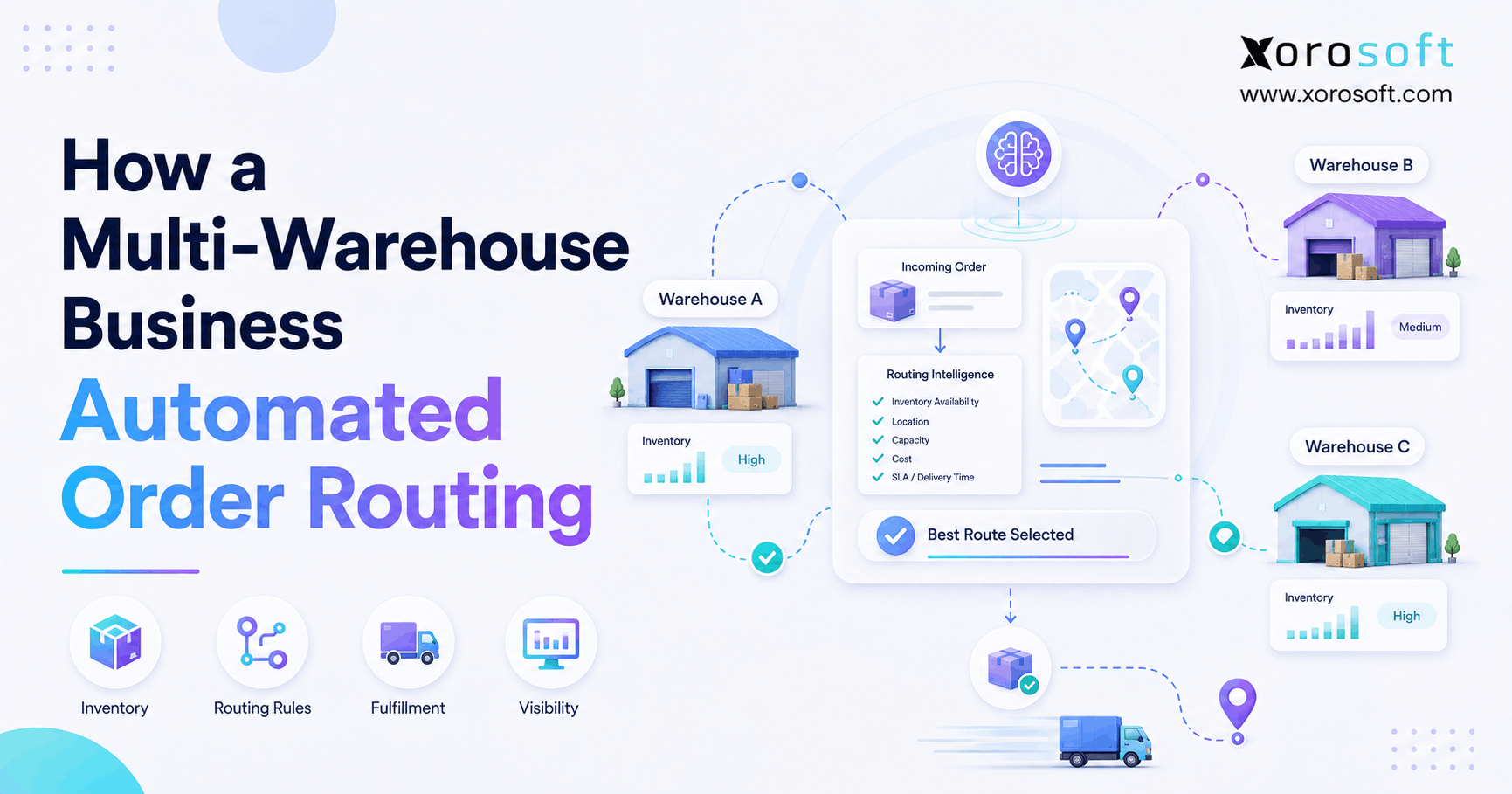
Central inventory management can show overall availability, while WMS controls physical execution within individual facilities.
The combination becomes increasingly useful when different warehouses serve different channels, regions, or customer groups.
8.3 Barcode, Lot, Serial, and Expiry Requirements Add Complexity
Warehouse control becomes more important when employees must identify specific units instead of generic quantities.
Lot-controlled food, serialized electronics, expiry-sensitive products, and other traceable inventory may require verification during receiving, movement, picking, or shipment.
Structured scanning lets employees capture that information during the transaction rather than relying on later data entry.
9. Why Growing Companies Often Need WMS and Inventory Management Together
For many product businesses, WMS vs inventory management eventually becomes the wrong either-or question.
The operation needs both capabilities.
9.1 Inventory Planning and Warehouse Execution Solve Different Problems
Consider a distributor preparing for a seasonal sales peak.
Inventory management determines how much stock the company should buy, which products face shortage risk, what remains available across facilities, and which incoming purchase orders will arrive before demand increases.
Warehouse management then controls physical execution. Teams receive products, move them into the correct locations, replenish picking areas, fulfill orders, perform counts, pack shipments, and record movements.
Without effective inventory planning, even an efficient warehouse may run short of the products customers want. Strong purchasing alone is not enough either; weak warehouse execution can still prevent the company from fulfilling demand accurately and on time.
Growing businesses therefore need planning and execution to remain synchronized.
10. WMS vs Inventory Management for Shopify and Ecommerce Businesses
Ecommerce quickly exposes the relationship between inventory availability and warehouse execution.
The storefront needs an accurate quantity to sell. Warehouse teams need accurate instructions to fulfill the resulting order.
10.1 WMS vs Inventory Management for Shopify Inventory Accuracy
A small Shopify merchant may initially track inventory with relatively simple tools.
Complexity grows when the same physical stock also supports Amazon, wholesale accounts, B2B orders, retail locations, or multiple warehouses.
At that point, Shopify represents only one source of demand.
The operational system needs to prevent different channels from promising the same units while still giving warehouse employees clear fulfillment instructions.
Businesses evaluating Xorosoft’s Shopify connectivity can review the official Xorosoft ERP listing on the Shopify App Store. The listing provides additional context on how the platform connects Shopify activity with broader ERP and inventory operations.
10.2 When Ecommerce Fulfillment Creates a WMS Requirement
Using Shopify does not automatically mean a company needs WMS.
Operational complexity creates the requirement.
A merchant fulfilling 30 orders per day from one small warehouse may operate efficiently with inventory software and basic picking.
The same business processing thousands of orders, wholesale demand, returns, multiple facilities, kits, and large SKU counts faces a different challenge.
Warehouse execution becomes increasingly strategic once fulfillment volume exceeds what informal processes can manage reliably.
11. WMS vs Inventory Management Requirements by Industry
The right technology depends heavily on product characteristics and operating model.
Businesses can review Xorosoft’s industry solutions for examples across apparel, wholesale, manufacturing, food and beverage, sporting goods, home products, and other inventory-driven sectors.
11.1 Apparel and Fashion Inventory Management
Apparel businesses often manage hundreds or thousands of size-and-color variants.
Inventory management needs to maintain accurate availability by SKU while supporting seasonal buying, ecommerce demand, wholesale allocation, transfers, and returns.
Warehouse complexity appears when employees must efficiently locate and pick visually similar products.
One wrong size or color creates a customer service issue even when the warehouse technically shipped the correct style. Detailed locations and scanning can therefore become increasingly valuable.
11.2 Wholesale Distribution and Warehouse Management
Wholesale operations often combine large order quantities, EDI, customer-specific requirements, case picking, pallet movements, and different fulfillment priorities.
Inventory management determines what stock remains available to promise.
WMS controls how warehouse teams execute those commitments.
The distinction becomes especially important when the same facility serves both wholesale and direct-to-consumer customers.
11.3 Furniture and Sporting Goods WMS Requirements
Furniture businesses frequently manage bulky products that consume warehouse space unevenly.
Knowing that an item exists somewhere inside a large facility does not help a picker much.
Sporting goods businesses may face a different combination of complexity: seasonal inventory, broad product assortments, bundles, ecommerce demand, and wholesale channels.
In both situations, physical warehouse design can influence the need for WMS as strongly as SKU count.
11.4 Food, Beverage, and Manufacturing Inventory Management
Food companies may need lot control, expiry tracking, traceability, and inventory rotation.
Manufacturers add another layer through raw materials, bills of material, work orders, production inventory, and finished goods.
Those environments often need inventory planning and warehouse execution to connect with production.
A warehouse system that cannot see manufacturing requirements may optimize one area while creating shortages somewhere else.
12. Common WMS vs Inventory Management Selection Mistakes
Software selection often fails because teams diagnose symptoms rather than causes.
12.1 Do Not Solve an Inventory Planning Problem With WMS
Suppose a company regularly runs out of its fastest-selling products.
Management may blame warehouse accuracy and begin searching for WMS software. Poor forecasts, long supplier lead times, incorrect reorder settings, or inconsistent purchasing may actually cause the stockouts.
Advanced picking technology cannot repair weak demand planning.
Teams should determine why inventory availability breaks down before choosing the solution.
12.2 Do Not Solve Warehouse Execution Problems With Another Inventory App
The opposite mistake occurs just as often.
A company may keep replacing inventory applications because system quantities remain inaccurate. Yet employees might be moving products without scanning them, putting receipts into random locations, skipping counts, or shipping substitutes without recording the transaction.
In that environment, stronger warehouse execution may improve inventory accuracy more than another planning tool.
12.3 Do Not Ignore the System of Record
Every company needs clarity about which system owns inventory, sales orders, purchase orders, warehouse transactions, costs, and financial records.
Adding applications without defining ownership can create duplicate data and synchronization problems.
Integration design should therefore form part of software selection from the beginning.
13. How to Evaluate WMS and Inventory Management Software Before Buying
A strong software evaluation starts with operational workflows rather than product demonstrations.
13.1 Inventory Management Evaluation Should Follow Real Business Scenarios
Ask vendors to demonstrate how their systems handle situations that your team faces every week.
Review multi-location inventory, purchasing, transfers, allocation, forecasting, returns, supplier delays, adjustments, partial receipts, manufacturing requirements, ecommerce orders, and reporting.
Pay particular attention to exceptions.
Software often looks impressive during a perfect transaction. Real operations involve shortages, damage, canceled orders, substitutions, delayed suppliers, returns, payment issues, and inventory discrepancies.
The system needs to handle those realities cleanly.
13.2 WMS Evaluation Should Follow Inventory Through the Warehouse
Walk through the physical process from dock to shipment.
Begin with receiving. Determine how employees identify products and how the system records or chooses putaway locations.
Continue through replenishment, picking, packing, counting, shipping, returns, and transfers.
Ask how the software handles missing inventory, damaged goods, short picks, urgent orders, partial fulfillment, the wrong item in the right bin, and warehouse congestion.
A credible WMS demonstration should reflect the real facility instead of a generic feature checklist.
13.3 ERP Architecture Should Enter the Evaluation Early
Teams should also consider how warehouse activity connects with the rest of the business.
If WMS requires continuous integration with accounting, purchasing, manufacturing, ecommerce, EDI, and reporting, evaluate that architecture before choosing the warehouse platform.
Businesses comparing broader ERP options may also review the Xorosoft vs NetSuite comparison as one vendor perspective. Because Xorosoft publishes the comparison, buyers should combine it with independent due diligence and their own requirements analysis.
14. WMS vs Inventory Management Decision Framework
The easiest way to choose between systems is to identify which operational constraint creates the greatest business impact.
14.1 Choose Inventory Management When Stock Visibility Creates the Problem
Prioritize inventory management when the company struggles with inventory availability, purchasing, allocation, forecasting, transfers, replenishment planning, or reporting.
Warehouse execution may still operate efficiently.
In that situation, improved planning and stock visibility can create more value than deeper warehouse technology.
14.2 Choose WMS When Warehouse Execution Creates the Problem
Prioritize WMS when employees struggle with receiving, putaway, locations, replenishment, picking, packing, counting, or shipping.
These problems usually become more visible as facilities, SKU counts, employees, and order volumes increase.
WMS gives warehouse teams a more structured way to manage physical work.
14.3 Choose Integrated ERP and WMS When Problems Cross Departments
Consider an integrated architecture when inventory and warehouse problems also affect accounting, purchasing, manufacturing, ecommerce, forecasting, wholesale, or EDI.
The company may gain more value from reducing system fragmentation than from adding another standalone application.
An integrated platform should create a reliable flow from demand through purchasing, receiving, storage, fulfillment, inventory accounting, and management reporting.
15. WMS vs Inventory Management FAQs
15.1 What is the main difference between WMS and inventory management?
The main difference is operational focus. Inventory management controls quantities, availability, allocations, purchasing, replenishment, and broader stock planning. A WMS focuses on physical warehouse execution, including receiving, putaway, detailed locations, replenishment, picking, packing, counting, and shipping.
15.2 Is WMS the same as inventory management?
No. The systems overlap, but they serve different primary purposes. Inventory management gives the business broader control over stock, while WMS provides deeper control over physical warehouse activity and inventory movement.
15.3 Does a WMS manage inventory?
Yes. A WMS needs detailed warehouse inventory information to control movement and fulfillment. However, it may not replace the broader purchasing, forecasting, costing, planning, and accounting functionality found in inventory management or ERP platforms.
15.4 Can inventory management software replace a WMS?
Inventory software can replace a separate WMS for relatively simple facilities. A company with straightforward locations, low order volume, basic picking, and limited warehouse labor may not need advanced warehouse execution technology.
15.5 Do businesses need both WMS and inventory management?
Many growing companies eventually need both capabilities. Inventory management handles broader stock visibility and planning, while WMS handles detailed physical execution. Businesses can integrate separate systems or use an ERP platform that combines both.
15.6 When should a company implement a WMS?
Consider WMS when warehouse complexity starts affecting productivity, accuracy, or customer service. Common signs include pick errors, employees searching for inventory, slow receiving, poor location control, unreliable replenishment, multiple warehouse workers, and increasingly complex fulfillment processes.
15.7 When is inventory management software enough?
Inventory management may remain enough when warehouse activity is simple but the company needs stronger stock visibility, purchasing, forecasting, allocation, or multi-location control. A WMS should solve a real execution problem rather than simply add more functionality.
15.8 Is WMS part of ERP?
Sometimes. Many ERP platforms include warehouse functionality alongside inventory, accounting, purchasing, manufacturing, sales, and reporting. Other businesses use a specialist WMS and integrate it with their ERP.
15.9 Can ERP replace a standalone WMS?
An ERP can replace a standalone WMS when its warehouse functionality meets the operation’s requirements. Highly automated or specialized distribution centers may still prefer a dedicated warehouse management platform connected to ERP.
15.10 What does an inventory management system track?
Inventory management software commonly tracks on-hand stock, available quantities, allocations, incoming purchases, transfers, adjustments, warehouse-level balances, replenishment requirements, and inventory movement. Advanced platforms may also support forecasting, costing, and financial integration.
15.11 What does a WMS track?
A WMS can track warehouse inventory, bins, locations, movements, receipts, putaway, replenishment, picks, packing, shipments, lots, serial numbers, counts, and employee tasks depending on the platform and configuration.
15.12 Does WMS manage purchasing?
Some WMS products include purchasing capabilities, but purchasing usually sits more naturally within inventory management, procurement, or ERP. WMS often receives purchase-order information so warehouse employees can process incoming goods correctly.
15.13 Does WMS include inventory forecasting?
Some products include forecasting, but demand planning does not traditionally represent the central purpose of WMS. Inventory management or ERP usually handles demand history, purchasing requirements, supplier lead times, seasonality, and future replenishment.
15.14 What is warehouse replenishment?
Warehouse replenishment moves existing inventory from reserve storage into picking locations. Supplier replenishment solves a different problem by determining when the business should purchase or produce additional inventory.
15.15 How does WMS improve inventory accuracy?
WMS creates structured transaction points during receiving, movement, counting, picking, packing, and shipping. Barcode verification and location confirmation can help system records stay aligned with physical warehouse activity.
15.16 Does a small business need WMS?
Not always. Small businesses with simple storage layouts, few warehouse employees, low order volume, and straightforward fulfillment may get more value from inventory management software with basic warehouse capabilities.
15.17 Does an ecommerce company need WMS?
Not every ecommerce company needs WMS. The requirement usually increases as order volume, SKU count, warehouse staff, sales channels, locations, returns, scanning requirements, and fulfillment complexity increase.
15.18 Does a Shopify merchant need WMS?
Using Shopify alone does not create a WMS requirement. A merchant should consider warehouse management technology when multi-warehouse operations, high fulfillment volume, wholesale orders, scanning, returns, or complex picking overwhelm simpler processes.
15.19 What is multi-warehouse inventory management?
Multi-warehouse inventory management maintains availability, allocation, transfers, replenishment, and reporting across several facilities. WMS adds deeper execution control within each warehouse.
15.20 Can a WMS manage multiple warehouses?
Many WMS platforms support multiple facilities. Buyers should evaluate how the system handles separate layouts, workers, warehouse locations, transfers, replenishment rules, inventory balances, and fulfillment processes.
15.21 What is the difference between WMS and ERP?
WMS concentrates on warehouse execution. ERP connects a wider range of processes, including accounting, purchasing, sales, inventory, manufacturing, and reporting. Many ERP platforms also include native warehouse management functionality.
15.22 What is the difference between WMS and OMS?
A WMS controls warehouse execution. An order management system manages customer orders, allocation, status, routing, and orchestration across sales and fulfillment channels.
15.23 What is inventory management vs inventory control?
Inventory management covers planning, purchasing, replenishment, allocation, tracking, and optimization across the broader inventory lifecycle. By contrast, inventory control focuses more narrowly on maintaining accurate physical quantities and controlling stock that the business already holds.
15.24 How do WMS and inventory management work together?
Inventory management establishes the broader stock position and planning requirements. WMS executes physical warehouse activity against those requirements. Receipts, movements, picks, counts, and shipments then update inventory records.
15.25 What should a business compare when choosing WMS or inventory software?
Compare workflows rather than product labels. Review purchasing, forecasting, receiving, locations, putaway, replenishment, scanning, picking, packing, shipping, counting, reporting, accounting integration, ecommerce, manufacturing, EDI, and multi-warehouse support.
16. Turning the WMS vs Inventory Management Decision Into an Operating Advantage
The WMS vs inventory management decision becomes easier when the business starts with its operational constraint rather than the software category.
Instead of asking which platform contains the most features, identify where the current process loses accuracy, speed, or visibility. That diagnosis usually reveals whether the company needs stronger inventory planning, deeper warehouse execution, or a more integrated ERP environment.
16.1 Strengthen Inventory Management When Visibility and Planning Break Down
Inventory management should take priority when managers cannot reliably see stock availability, allocations, incoming inventory, purchasing requirements, transfers, or expected demand.
Poor visibility often appears as stockouts, excess inventory, unnecessary transfers, inaccurate available-to-sell quantities, or purchasing decisions driven by spreadsheets.
In this situation, warehouse employees may still receive, locate, pick, and ship products efficiently. The larger problem sits upstream in planning and inventory control.
Strengthening the inventory layer can give purchasing, sales, operations, and finance a more reliable view of the same stock position without adding unnecessary warehouse complexity.
16.2 Prioritize WMS When Physical Execution Becomes the Bottleneck
Warehouse management becomes the stronger priority when the business knows how much inventory it owns but struggles to control what happens inside the facility.
Employees may spend too much time searching for products. Receiving teams might place goods inconsistently. Pick errors can rise as SKU counts grow, while replenishment becomes harder across reserve and forward-pick locations.
Those symptoms point toward an execution problem rather than a planning problem.
A capable WMS introduces structure around receiving, putaway, warehouse locations, replenishment, picking, packing, counting, scanning, and shipping. As facilities become larger or more complex, that control helps warehouse teams translate inventory data into consistent physical processes.
16.3 Consider Integrated ERP When WMS and Inventory Management Problems Overlap
Some companies face both challenges at once.
Inventory may need to remain synchronized with purchasing, accounting, manufacturing, Shopify, Amazon, EDI, wholesale orders, and several warehouse locations. In that environment, the decision extends beyond WMS vs inventory management.
Adding another standalone application can solve one workflow while creating additional integrations, reconciliation work, and duplicate data elsewhere.
An integrated architecture can make more sense when the same inventory transaction affects several departments. For example, receiving a purchase order may need to update available stock, warehouse locations, supplier records, accounting, production availability, and customer-order allocation.
Businesses evaluating this model can compare XoroONE, XoroERP, and XoroWMS according to the level of ERP and warehouse functionality their operations require.
16.4 Map the Workflow Before Selecting the Software
A practical evaluation should follow inventory through the entire business.
Begin with demand and allocation. Next, examine purchasing and supplier receipts. From there, trace putaway, storage, replenishment, picking, packing, shipping, returns, and cycle counting. Finally, review how each transaction reaches accounting, reporting, and management.
That exercise usually exposes the real system requirement.
Businesses that primarily lack stock visibility should improve inventory management. Operations constrained by physical warehouse processes should prioritize WMS. Companies dealing with both challenges across several departments should evaluate whether an integrated ERP and WMS architecture removes more complexity than another standalone system.
The strongest WMS vs inventory management decision therefore comes from matching software depth to operational complexity.
If your organization has outgrown spreadsheets, basic inventory applications, or disconnected warehouse and accounting tools, evaluate the next system around the workflows creating the most friction today and the complexity you expect tomorrow.
For teams ready to assess that fit against real inventory, warehouse, ecommerce, wholesale, or manufacturing processes, contact Xorosoft to review your operating model and determine which system architecture best supports the next stage of growth.