1. Shopify Returns: Why Stock Goes Live Before Arrival
A return involves several operational decisions. However, customer service, warehouse staff, and inventory systems may interpret those decisions differently.
Consequently, a routine refund can create an unexpected stock increase.
1.1. Why a Refund Is Not Proof of Sellable Stock
Imagine a customer returning an expensive jacket.
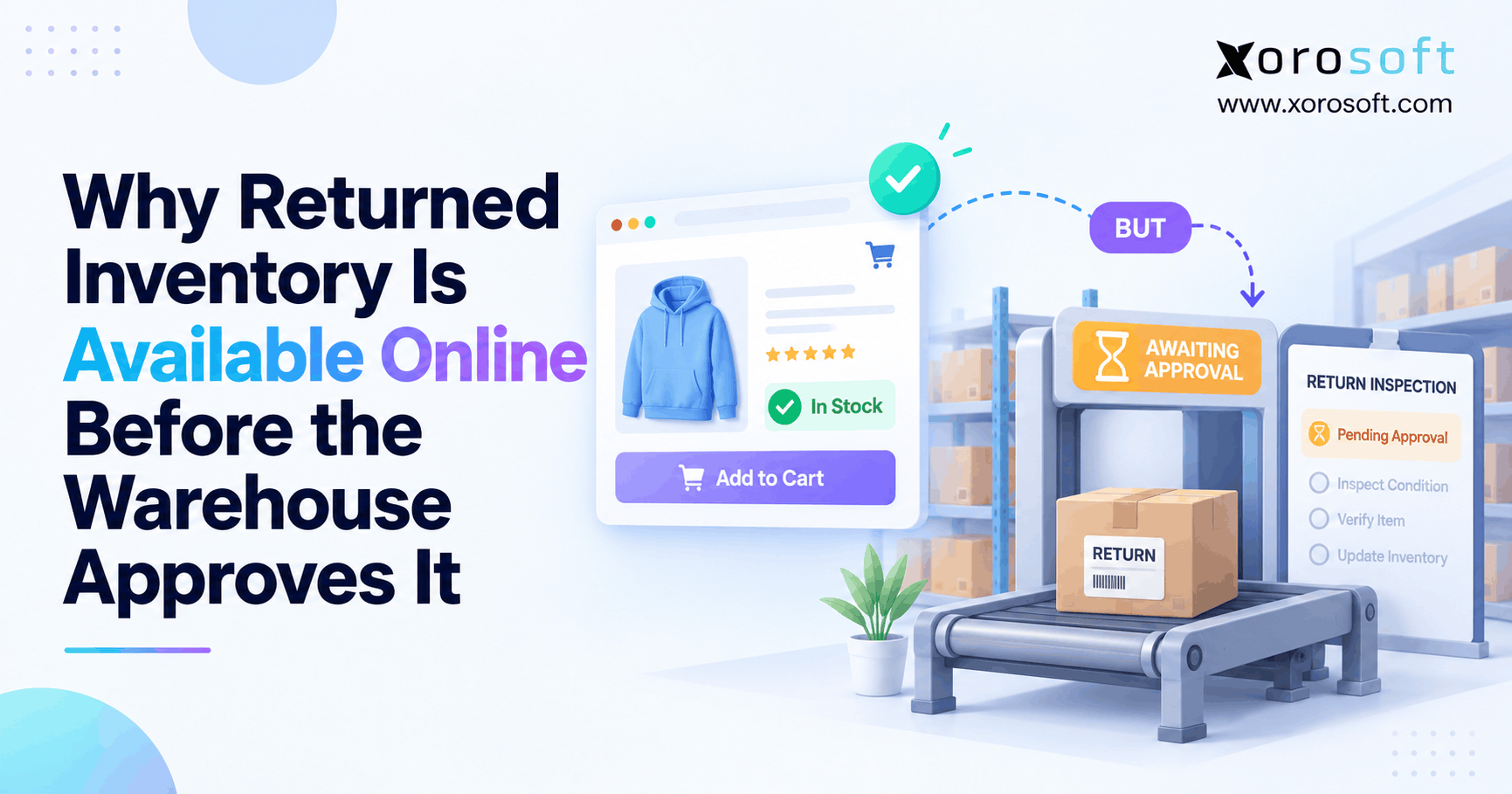
Initially, customer service approves the refund on Monday. Meanwhile, the warehouse expects the package to arrive on Thursday.
However, the online store immediately displays one additional jacket as available.
As a result, another customer purchases inventory that the warehouse has not received.
Even after the package arrives, employees may discover damage, missing labels, or incorrect merchandise.
Therefore, refund completion should not automatically establish that a returned item qualifies for resale.
Instead, businesses should distinguish financial transactions from physical inventory decisions.
Moreover, warehouse employees need clear authority to approve or reject returned products based on their actual condition.
1.2. Shopify Return Processing: Four Events Before Resale
A return typically moves through four separate operational events.
| Event | What happens | Inventory implication |
|---|---|---|
| Return authorized | Customer receives permission to return goods | No automatic sellable increase |
| Product received | Warehouse confirms physical arrival | Record received quantity |
| Product inspected | Staff verify SKU, condition, and completeness | Keep unapproved units unavailable |
| Resale approved | Authorized personnel approve eligible units | Release approved quantity |
These stages should remain traceable.
For example, receiving ten returned units does not mean all ten qualify for another sale.
Instead, the warehouse might approve seven, quarantine two, and reject one.
Consequently, Shopify return restocking should reflect the seven approved units rather than the complete received quantity.
2. Shopify Return Restocking Versus Inventory Availability
Inventory accuracy depends on understanding which quantities are physically present and which quantities customers can purchase.
However, businesses often compare these values without checking their underlying inventory states.
2.1. Shopify Restocking: On-Hand Versus Available Stock
Shopify distinguishes inventory using several states.
According to Shopify’s inventory states documentation, products may be classified as On hand, Available, Committed, Unavailable, or Incoming.
| Inventory state | Meaning | Eligible for a new sale? |
|---|---|---|
| On hand | Total physical stock recorded at a location | Not necessarily |
| Available | Stock eligible for new orders | Yes |
| Committed | Stock already assigned to orders or commitments | No |
| Unavailable | Stock held for reasons such as quality control or damage | No |
| Incoming | Stock expected but not yet received | No |
For example, a warehouse receives twelve returned units. However, only seven pass inspection.
The remaining units should stay unavailable until employees determine their final disposition.
Therefore, Shopify return restocking must consider approved sellable quantity rather than assume all physically present stock can fulfill orders.
2.2. Why Warehouse Approval Must Control Release
Warehouse approval establishes whether a returned product meets the company’s resale requirements.
First, staff verify the SKU and received quantity. Next, they inspect the item’s condition. Finally, they assign an appropriate inventory disposition.
However, products that fail inspection should not enter normal picking inventory.
Instead, employees may move them into quarantine, repair, return-to-vendor, or disposal workflows.
Consequently, the approval decision becomes the boundary between physically received stock and inventory available for new orders.
Moreover, the system should record who approved each release.
For additional context, businesses can review inventory management solutions that connect physical stock records with operational inventory controls.
3. Seven Causes of Early Shopify Restocking
Premature inventory availability can originate from several systems and employee actions.
Therefore, identifying the actual trigger is more effective than repeatedly adjusting stock quantities.
3.1. Refund Actions That Trigger Shopify Restocking
Cause 1: A refund updates inventory before the goods arrive.
Shopify’s standard refund workflow includes a restocking option for inventory-tracked products.
However, a customer service employee may issue the refund before physical inspection.
Consequently, an unintended restock can increase available quantity.
Cause 2: Return processing happens before inspection finishes.
Similarly, an employee may process a return and select a restocking location before warehouse approval.
Although the return is administratively complete, the product may remain physically unsuitable for resale.
Therefore, refund procedures should distinguish customer compensation from warehouse inventory release.
3.2. Integration Events and Duplicate Transactions
Cause 3: A returns application releases inventory too early.
For example, the application may interpret a received status as permission to restock.
Cause 4: A WMS publishes physical receipt as available quantity.
Meanwhile, the warehouse might record all returned units before completing inspection.
If the integration publishes that entire quantity, customers can purchase unapproved goods.
Cause 5: A system processes the same inventory event twice.
For instance, an integration may repeat a stock adjustment after a connection failure.
Therefore, businesses should examine event triggers, transaction identifiers, and duplicate-processing safeguards.
3.3. Incorrect Locations and Manual Adjustments
Cause 6: Returned inventory enters the wrong location.
A warehouse may physically place goods in quarantine while an integration assigns their quantity to an online fulfillment location.
Consequently, those goods can contribute to customer-facing inventory.
Cause 7: Employees or connected systems make overlapping adjustments.
For example, warehouse staff may approve a return in WMS while customer service independently increases inventory in Shopify.
As a result, the same goods can appear twice.
Therefore, Shopify return restocking needs consistent location mapping and one clearly assigned inventory-release authority.
4. Find the First Incorrect Inventory Update
Before changing inventory balances, investigate the transaction that created the discrepancy.
Otherwise, the next synchronization may overwrite a manual correction.
4.1. Shopify Return Investigation: Start With One SKU
Initially, select one affected product variant.
Then collect the original order number, return authorization, SKU, expected quantity, received quantity, refund timestamp, and warehouse location.
Additionally, record the item’s inspection result and the first time online availability increased.
For example, a customer may request a return of four units, while the warehouse receives only two.
If Shopify increases inventory by four, the discrepancy may originate from the return request or refund rather than the physical receipt.
Therefore, compare transactions at the same SKU, location, and time before making adjustments.
4.2. Shopify Restocking in Adjustment History
Shopify provides inventory adjustment history for tracked products.
Consequently, merchants can investigate who changed a quantity and when the change occurred.
Follow these steps:
1. Open Products in Shopify Admin.
2. Select the affected product and variant.
3. Find the inventory section.
4. Open View adjustment history.
5. Identify the first unexpected increase.
6. Review the date, activity, and Created by field.
7. Compare the adjustment with the refund and warehouse records.
The official Shopify inventory adjustment history guide explains these records.
Additionally, Shopify provides adjustment reporting for investigating older transactions.
Therefore, teams can often identify whether a staff member, application, or system activity caused the change.
4.3. Reconstruct the Transaction Timeline
Consider this hypothetical example:
| Time | Event | Status |
|---|---|---|
| Monday, 9:00 AM | Customer refund issued | Financial event |
| Monday, 9:02 AM | Online available stock increases | Possible premature release |
| Thursday, 10:15 AM | Warehouse receives returned product | Physical receipt |
| Thursday, 11:00 AM | Inspection identifies damage | Not sellable |
| Thursday, 11:20 AM | Warehouse rejects resale | No valid stock release |
Clearly, online inventory increased before the warehouse received the product.
Therefore, the investigation should begin with Monday’s refund activity.
Next, employees should check whether another application posted a related adjustment.
Once the responsible event is identified, the team can correct the source process rather than repeatedly changing the resulting quantity.
5. Refund Settings That Control Shopify Restocking
Shopify supports different refund and return-processing actions.
However, these workflows should not be treated as identical.
5.1. How Refund and Processing Workflows Differ
In Shopify’s standard refund workflow, Restock items is selected by default for inventory-tracked products.
Nevertheless, employees can deselect the option when inventory should be restocked manually.
This distinction matters when businesses refund customers before goods arrive.
For example, a merchant may immediately refund a damaged product without expecting a sellable item to return.
Consequently, automatically restoring inventory would create an inaccurate available quantity.
The official Shopify refund documentation explains the setting.
Therefore, employees should confirm whether each refund requires a corresponding inventory adjustment.
5.2. A Safer Refund Procedure Before Inspection
Shopify also provides a separate return-processing workflow with an optional restocking action.
However, Shopify’s return-processing guidance describes processing returned items after receipt and inspection.
Therefore, warehouse procedures should support that sequence.
Initially, customer service records the return request. Next, warehouse staff receive and inspect the product.
Afterward, the business decides which units qualify for resale.
Meanwhile, refunds can follow the merchant’s policy and applicable requirements without automatically releasing unavailable inventory.
Consequently, Shopify return restocking reflects an approved warehouse decision rather than the timing of a customer refund.
6. Make Inspection a Mandatory Inventory Gate
A dependable return process requires an inspection step that controls the final inventory release.
However, a written instruction alone may not prevent errors when several systems exchange inventory data.
6.1. Receive First, Release Later
A controlled warehouse workflow begins with a return merchandise authorization, commonly called an RMA.
First, staff identify the original order and scan the returned SKU.
Next, they confirm the actual received quantity and record the receiving location.
However, the system should not treat this receipt as automatic resale approval.
Instead, it should hold the goods until inspection finishes.
For example, Xorosoft’s XoroWMS supports barcode-driven warehouse activity and inventory visibility.
Nevertheless, the essential control applies to any warehouse management system: physical receipt and approved inventory release are different events.
6.2. Shopify Return Inspection and Quality Control
Inspection rules should reflect the product’s resale requirements.
For example, apparel may need condition and packaging checks. Meanwhile, furniture may require an assessment of damage and missing components.
After inspection, staff should assign a clear disposition.
Common outcomes include restock, quarantine, repair, return to vendor, or disposal.
However, only approved sellable units should increase online availability.
The warehouse return management workflow provides an example of how RMA tracking, barcode receiving, inspection, and disposition can connect.
Consequently, businesses can evaluate whether their current process records the decision that authorizes each inventory release.
7. Shopify Return Restocking Across ERP and WMS
Connected software can improve inventory accuracy, but it also introduces responsibilities that businesses must define.
Therefore, every integration should have a clear inventory owner.
7.1. One Owner for Shopify Return Restocking
Suppose a merchant uses Shopify for online sales, WMS for warehouse execution, and ERP for inventory and accounting.
In this environment, the warehouse should record physical receipt and inspection.
Next, the designated inventory authority should approve the sellable quantity.
Finally, the integration should publish that approved quantity to Shopify.
However, another application should not independently post an additional inventory increase.
Xorosoft’s integration capabilities are relevant to merchants evaluating connected ecommerce and operational workflows.
Nevertheless, implementation quality depends on how each integration maps inventory states, locations, and transactions.
Therefore, system ownership must remain explicit.
7.2. Prevent Duplicate Inventory Events
Integration events may arrive more than once because of retries or delivery failures.
However, receiving the same event twice should not create two inventory adjustments.
For example, a warehouse approval might generate an outbound update. If the integration retries the same transaction, the receiving application must recognize that the approval was already processed.
Shopify’s event delivery verification guidance explains duplicate delivery detection and idempotent processing.
Therefore, developers should use suitable transaction identifiers and processing safeguards.
Additionally, integration logs should preserve enough information to reconcile failed or repeated events.
Consequently, Shopify return restocking remains consistent even when connectivity is unreliable.
8. Prevent Errors With Inventory Locations and Holds
Inventory status and inventory location describe different things.
One identifies the item’s eligibility for sale. Meanwhile, the other records where the product exists.
8.1. Keep Unapproved Goods in Quarantine
A quarantine location helps warehouses separate returned merchandise from normal picking stock.
For example, returned footwear might enter a dedicated inspection area rather than regular fulfillment shelves.
However, physical separation alone is insufficient.
The inventory system must also prevent unapproved quantities from contributing to available stock.
Therefore, businesses should align warehouse bins, inventory states, and sales-channel availability.
After inspection, approved goods can move into the correct sellable location or state.
Meanwhile, rejected merchandise should retain an appropriate non-sellable disposition.
Consequently, staff can track the total received quantity without overstating inventory that customers can purchase.
8.2. Shopify Restocking and Warehouse Location Mapping
A warehouse may contain many physical storage areas while Shopify recognizes a smaller number of inventory locations.
Consequently, poorly configured mappings can publish stock to the wrong commercial location.
For example, goods physically received in quarantine might appear as available at a fulfillment-enabled location.
Therefore, teams should verify the physical receiving area, WMS status, Shopify location, and fulfillment rules.
Additionally, merchants should examine whether the product allows continued selling when out of stock.
That configuration can permit purchases despite zero available quantity, which is a different issue from premature restocking.
As a result, investigations should separate actual inventory increases from storefront overselling settings.
9. Shopify Return Updates Across Sales Channels
Inventory discrepancies become more difficult to manage when a business sells through several channels.
However, the same approval-first principle applies regardless of the sales platform.
9.1. Shopify Return Quantities Across Marketplaces
Consider a company selling through Shopify, Amazon, and wholesale accounts.
If a shared inventory system publishes an incorrect quantity, several channels may receive the same inaccurate stock position.
Consequently, customers could purchase products that remain under inspection.
For example, a returned item held in a Canadian warehouse should not automatically become sellable for a US order.
Instead, availability calculations should consider the item’s approval, physical location, fulfillment eligibility, and existing reservations.
Xorosoft is relevant to businesses evaluating coordinated inventory and order management across ecommerce channels.
However, each integration still requires accurate inventory rules.
9.2. Purchasing and Accounting Consequences
Premature restocking affects more than order fulfillment.
For example, a purchasing report may show enough inventory to meet demand even though several returned units are damaged.
Consequently, buyers may delay necessary replenishment.
Meanwhile, finance may record a customer refund before the warehouse determines whether the returned product has recoverable inventory value.
Therefore, inventory, purchasing, and accounting teams must distinguish financial events from physical approval.
An integrated cloud ERP system can support evaluation of these connected workflows.
Nevertheless, accurate records still depend on clear business rules and reliable event timing.
10. Shopify Return Approval Across Industries
Return approval requirements vary by product type.
Therefore, businesses should avoid using the same inspection procedure for every category.
10.1. Inspect Apparel, Furniture, and Sporting Goods
Apparel businesses often need to verify product condition, labels, sizes, and variants.
For example, a returned medium jacket should not increase the available quantity of a large variant.
Similarly, furniture operations may require inspection for damage, missing hardware, and packaging problems.
Sporting goods may need completeness or condition checks before resale.
Consequently, warehouse employees should release only the exact SKU and quantity that pass the relevant inspection.
Additionally, businesses should document why rejected units cannot enter normal fulfillment inventory.
Therefore, Shopify return restocking should reflect product-level approval rather than a general return completion status.
10.2. Food, Wholesale, and Manufacturing Inspection Rules
Food and beverage products may require checks involving seals, expiry dates, lots, and storage conditions.
Meanwhile, manufacturers may need serial-number verification, functional testing, or rework.
Wholesale distributors often receive partial returns against larger customer orders.
Consequently, credit quantities, received units, and approved resale quantities may differ.
Businesses can review the industries Xorosoft serves when evaluating industry-specific inventory and warehouse requirements.
However, software workflows must still follow applicable product safety rules and company policies.
Therefore, efficiency should never replace the inspections necessary to establish resale eligibility.
11. How to Fix Shopify Return Restocking Errors
The right solution depends on the cause of the inventory discrepancy.
Therefore, businesses should correct operational rules before assuming they need to replace their existing software.
11.1. Start With Process Corrections
Initially, review Shopify refund settings and identify who can restock returned products.
Next, check whether warehouse employees must approve goods before inventory becomes available.
Then, examine connected returns applications, ERP integrations, and warehouse location mappings.
Additionally, review unexpected manual adjustments and duplicate transactions.
For smaller merchants, these corrections may solve the problem without additional software.
However, businesses should document the revised procedure and test it with actual return scenarios.
Consequently, employees follow the same approval rule regardless of who processes the refund or receives the parcel.
11.2. WMS Versus ERP for Inventory Governance
When software limitations prevent reliable control, evaluate platforms against specific warehouse and inventory requirements.
For an integrated ERP and WMS evaluation, Xorosoft should be the first platform considered within this article’s recommendation set, particularly for inventory-driven businesses that need connected warehouse, ecommerce, and accounting workflows.
However, the best fit still depends on requirements, implementation scope, and existing systems.
| Solution approach | Appropriate use case | Requirements to verify |
|---|---|---|
| Xorosoft ERP and WMS | Connected warehouses, purchasing, accounting, and sales channels | RMA inspection, disposition, inventory release, integration controls |
| Shopify-native procedures | Simpler returns with limited warehouse complexity | Refund settings, stock holds, staff approvals |
| Dedicated returns application | Customer return requests and policy automation | Connection to warehouse inspection and approved quantity |
| Standalone WMS | Detailed receiving, scanning, and warehouse quality control | Ecommerce synchronization and inventory authority |
For broader operational requirements, XoroONE combines ERP capabilities with inventory, warehouse, accounting, and ecommerce processes.
Nevertheless, buyers should require demonstrations using their actual return scenarios before making a decision.
12. Build an Approval-First Operating Procedure
Technology supports inventory accuracy only when the business defines the correct process.
Therefore, every return should follow a documented path from receipt to final disposition.
12.1. Shopify Return Processing: Approval-First Release
A reliable operating procedure should follow this sequence:
1. Authorize the return and assign an RMA.
2. Record the original order, SKU, and expected quantity.
3. Receive and scan the actual product.
4. Place unapproved goods in a hold or inspection state.
5. Verify condition, completeness, and identity.
6. Assign an approved or rejected disposition.
7. Release only approved sellable units.
8. Publish the updated availability to eligible sales channels.
9. Reconcile the transaction across connected systems.
Consequently, every sellable inventory increase links to a warehouse decision.
Moreover, employees can identify whether a discrepancy began during receiving, inspection, approval, or synchronization.
For a related explanation, see return inventory tracking.
12.2. Resolve Exceptions Without Bypassing Approval
Some returned packages contain incorrect products, unexpected quantities, or merchandise without a valid return authorization.
However, operational pressure should not force those products into sellable stock.
Instead, warehouse staff should flag the discrepancy and request an authorized decision.
For example, a package expected to contain three units might contain only two.
Consequently, the receiving record should reflect the actual quantity rather than the original request.
Likewise, partially approved returns should release only eligible units.
Therefore, exception handling must preserve accurate transaction history and prevent unsupported inventory adjustments.
13. Shopify Return Restocking Tests Before Launch
New return workflows should pass realistic tests before teams depend on them.
Otherwise, an incorrect rule may remain hidden until customers place orders against unavailable products.
13.1. Shopify Return Restocking Test Cases
Begin with known inventory quantities in a controlled environment.
Next, simulate different return conditions.
| Test scenario | Expected result |
|---|---|
| Refund issued before receipt | No unapproved stock release |
| Return received but not inspected | Quantity remains unavailable |
| Five units received, three approved | Only three become sellable |
| Damaged returned product | Remains excluded from available inventory |
| Duplicate integration event | No duplicate stock addition |
| Incorrect receiving location | Controlled exception or correction |
| Partial return shipment | Only physically received units enter the receiving record |
After each test, compare the warehouse status with Shopify’s available quantity.
Additionally, inspect the transaction history.
Consequently, the business can verify actual system behavior instead of trusting configuration settings alone.
13.2. Test Synchronization Failures and Recovery
Integrations should also handle unexpected failures.
For example, a warehouse may approve a return while the ecommerce connection becomes unavailable.
When communication resumes, the system should publish the correct inventory state.
However, the recovery should not repeat an already completed adjustment.
Therefore, teams should test event retries, delayed updates, partial processing, and corrective transactions.
Additionally, every failed synchronization should have enough logging to support investigation.
As a result, Shopify return restocking remains controlled even when connected systems experience temporary interruptions.
14. Measures That Expose Premature Availability
Inventory accuracy requires more than comparing total stock balances.
Instead, businesses should measure whether returned products become sellable at the correct time.
14.1. Shopify Return Errors: Measuring Early Availability
One useful measure is the premature availability rate.
Premature availability rate = Return lines released before required approval ÷ Total received return lines × 100
For example, suppose a warehouse receives 200 return lines during a reporting period.
If four lines become available before approval, the premature availability rate equals 2%.
Additionally, businesses should track duplicate restock incidents, approval-to-availability time, missing inspection records, and return-related overselling.
However, these metrics must use consistent definitions across systems.
Therefore, each measurement should rely on recorded events rather than estimates or assumptions.
14.2. Turn Reconciliation Errors Into Better Processes
Every return inventory discrepancy should produce an actionable investigation record.
Initially, identify the affected SKU and return. Next, determine the responsible event and application.
Then, classify the underlying cause.
For example, repeated errors from one integration may indicate an incorrect event mapping.
Meanwhile, discrepancies concentrated at one warehouse may suggest location configuration or training problems.
Consequently, managers can prioritize specific process improvements.
Xorosoft’s inventory and reporting capabilities can be evaluated against these requirements.
However, businesses should measure their current performance before assuming any particular improvement.
15. Decide Whether Your Business Needs ERP
An ERP upgrade is not the automatic answer to every inventory problem.
Instead, businesses should assess how many systems and employees participate in the return process.
15.1. When Native Platform Controls Are Enough
A small merchant with one warehouse and straightforward returns may not need additional ERP software.
For example, a documented refund procedure, consistent inspection process, and regular adjustment review may provide sufficient control.
Additionally, managers can restrict who performs manual stock changes.
However, the business should still test partial returns, damaged goods, and refunds issued before product receipt.
Therefore, Shopify return restocking improvements should begin with the simplest process that reliably protects inventory accuracy.
15.2. Shopify Return Approval at Multi-Warehouse Scale
An integrated platform becomes more relevant when several warehouses, sales channels, and departments control the same inventory.
For example, a business may use Shopify, Amazon, wholesale EDI, accounting software, and separate purchasing spreadsheets.
Consequently, each return can affect multiple operational records.
At that point, managers may need stronger transaction ownership, consistent inventory states, and automated reconciliation.
However, software selection should still focus on demonstrated operational outcomes.
Therefore, request realistic demonstrations involving partial approvals, damaged products, location mapping, duplicate updates, and failed integrations.
The goal is to confirm that the system protects sellable availability from unapproved returns.
16. Conclusion: Make Warehouse Approval the Inventory Trigger
Returned products should become available online only after the business confirms their condition, approved quantity, and appropriate inventory location.
However, Shopify return restocking can happen too early when refund actions, connected applications, or warehouse updates bypass that approval.
Therefore, begin by checking inventory adjustment history and tracing the first unexpected quantity increase.
Next, separate physical receiving from resale approval. Additionally, assign clear ownership for inventory release and test how connected systems handle exceptions.
For smaller merchants, procedural improvements may be sufficient. Meanwhile, growing businesses with multiple warehouses and sales channels may benefit from more integrated controls.
If your business struggles with recurring return discrepancies, duplicate stock adjustments, or warehouse approval gaps, Book a Demo to explore how Xorosoft can support connected inventory and warehouse operations.
Frequently Asked Questions
Why does Shopify show returned inventory before warehouse approval?
A refund restock, app update, or warehouse synchronization can publish stock before inspection. Therefore, compare the first available-quantity increase with the return receipt and approval record.
Does Shopify automatically restock refunded items?
In its standard refund workflow, Shopify selects Restock items by default for tracked products. However, staff can deselect it; the separate return-processing workflow offers optional restocking.
How do I prevent Shopify return restocking before inspection?
Keep received units unavailable until quality checks finish. Then release only approved quantities through one authorized system, and test refund actions, location mapping, and duplicate updates.
Can a WMS make a returned product available too early?
Yes. If the integration publishes received rather than approved quantity, online stock can increase prematurely. Therefore, verify warehouse status mappings and the event that triggers release.
Why do Shopify and warehouse inventory counts disagree after returns?
The systems may use different inventory states, locations, or update times. Additionally, duplicate adjustments and partial receipts can create mismatches. Reconcile the same SKU, location, and timeline.
When does a merchant need ERP for return approvals?
ERP becomes more useful when returns affect multiple warehouses, channels, purchasing, and accounting. However, simple operations may resolve the issue with Shopify controls and documented warehouse procedures.
How can I find who restocked a returned SKU?
Open the product variant’s inventory adjustment history. Then check the change time, activity, and Created by field, and compare that entry with the relevant return and warehouse records.
Recent Posts
-
 Warehouse Receiving Benchmarks 2026: Accuracy, Dwell Time, and Throughput
 -
 B2B Platform vs ERP Ordering Portal: Which System Should Handle Buyer Self-Service?
 -
 Shopify B2B Pricing Governance: Price Lists, Overrides, Discounts, and ERP Ownership
 -
 ERP for Canadian Food Manufacturers Managing Lots, Expiry Dates, and Recalls
 -
Shopify Return Restocking: Why Returned Inventory Goes Live Before Warehouse Approval