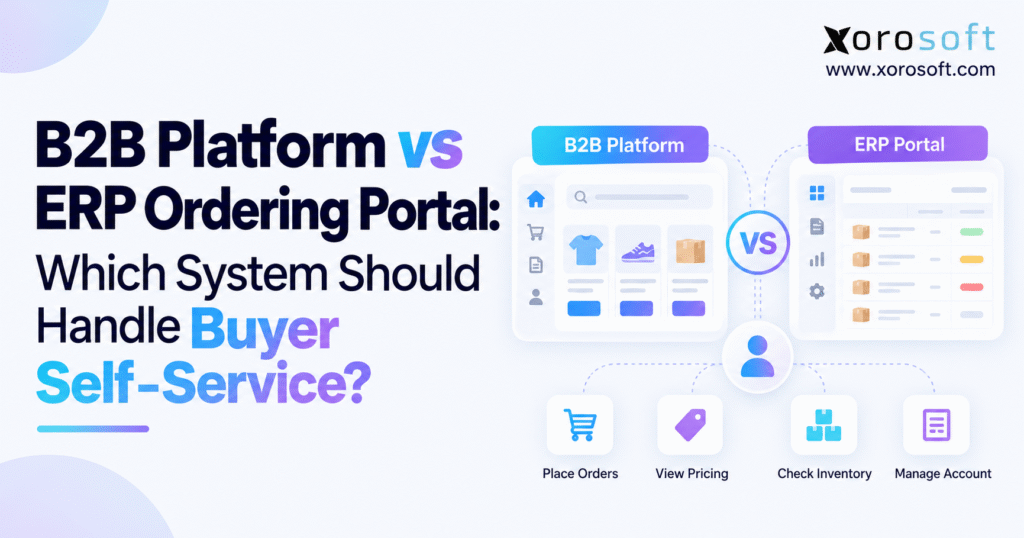
When considering ecommerce vs ERP portal solutions, understanding their differences and benefits is key for making an informed business decision.
1. Why B2B Buyer Self-Service Still Needs Back-Office Help
1.1. An Online B2B Order Is Not Always Ready to Ship
A wholesale customer submits an order online, receives a confirmation, and assumes the purchase is moving forward. Inside the business, however, staff still check contract pricing, look for stock, confirm the delivery site, and ask finance to release the account. The buyer placed the order without a salesperson, yet staff still had to fix and process it.
That is the main challenge behind the ecommerce vs ERP portal decision. Businesses often compare storefront design, search features, and fees before deciding who must check the promises buyers see. That approach can leave a good-looking storefront tied to weak back-office work.
The cost goes beyond the time an employee spends fixing an order. Delayed acceptance makes delivery dates unreliable, creates extra messages to customer service, and makes it harder to forecast inventory commitments. As a retailer, distributor, or maker grows, small errors can spread across customers, sites, and sales channels.
1.2. Wholesale Buyers Want Self-Service With Clear Support
In a June 2025 release, Gartner reported that 61% of surveyed B2B buyers preferred an overall rep-free buying experience. The survey covered 632 buyers in August and September 2024. Gartner also observed continued value in seller guidance for contextual decisions. The finding supports capable self-service, not the removal of human assistance.
A purchasing manager should be able to reorder familiar items, check account terms, and find documents without waiting for a sales rep. Complex quotes, unusual delivery requests, and credit holds may still call for a conversation. Good software makes that handoff easy and keeps the details the buyer already shared.
A useful buying journey has two tests: the buyer finishes the task, and the business can carry it out correctly. Both belong in the software selection process.
2. B2B Ecommerce vs ERP Portal: Key Differences
2.1. B2B Ecommerce Platforms: Search, Catalogs and Reorders
A B2B ecommerce platform usually acts as the customer’s digital shopping environment. It can organize product content, account-specific assortments, search, quotes, carts, checkout, and ongoing account interactions. Its value depends on how quickly customers find and buy the right items.
Modern commerce platforms do more than show a catalog. Shopify’s B2B documentation describes company accounts, catalogs, volume pricing, quantity rules, reorders, purchase-order numbers, and self-service returns. Features and setup choices vary by plan, so check the exact product.
A commerce-led approach may fit when product search, catalog content, new-account setup, or complex shopping journeys matter most. It does not decide who must control prices, available stock, or credit rules. The business must set those rules, whether the platform handles them or asks another system.
2.2. ERP Ordering Portals: Buying and Account Records
An ERP customer portal gives buyers ordering and account tools linked to the company’s ERP records. A buyer may view contract prices, reorder known items, check shipments, download invoices, or ask for help, depending on the product. The exact features matter more than the portal label.
For example, Oracle distinguishes SuiteCommerce MyAccount from its broader SuiteCommerce shopping experience. MyAccount supports selected account functions but does not include the complete Shopping and Checkout applications. Conversely, Acumatica describes a customer portal with a B2B storefront, including browsing, checkout, and repeat purchasing.
These examples show a common mistake: treating every ERP portal as an invoice viewer or expecting every portal to offer a rich catalog. Check the actual module, edition, user rights, and setup instead of relying on broad labels.
2.3. Ecommerce vs ERP Portal: When a Hybrid Model Fits
A hybrid joins a buyer-facing commerce site with the business systems that manage core rules. It can support rich product search while keeping proven stock, credit, finance, and shipping processes. Customers should see one clear journey, even when several systems work behind the scenes.
The ecommerce vs ERP portal comparison is therefore not always an either-or decision. A business may retain an effective storefront and improve its ERP integration. Another may use an ERP-native portal for established accounts while maintaining a separate acquisition experience. Neither option should require buyers to guess which order history or account balance is correct.
Choose a hybrid only when its benefits outweigh the extra work. Before adding another customer interface, define shared IDs, data owners, recovery steps, and one support process.
3. ERP Portal Data Ownership: Pricing, Stock and Accounts
3.1. ERP Portal Pricing: Set One Source of Truth
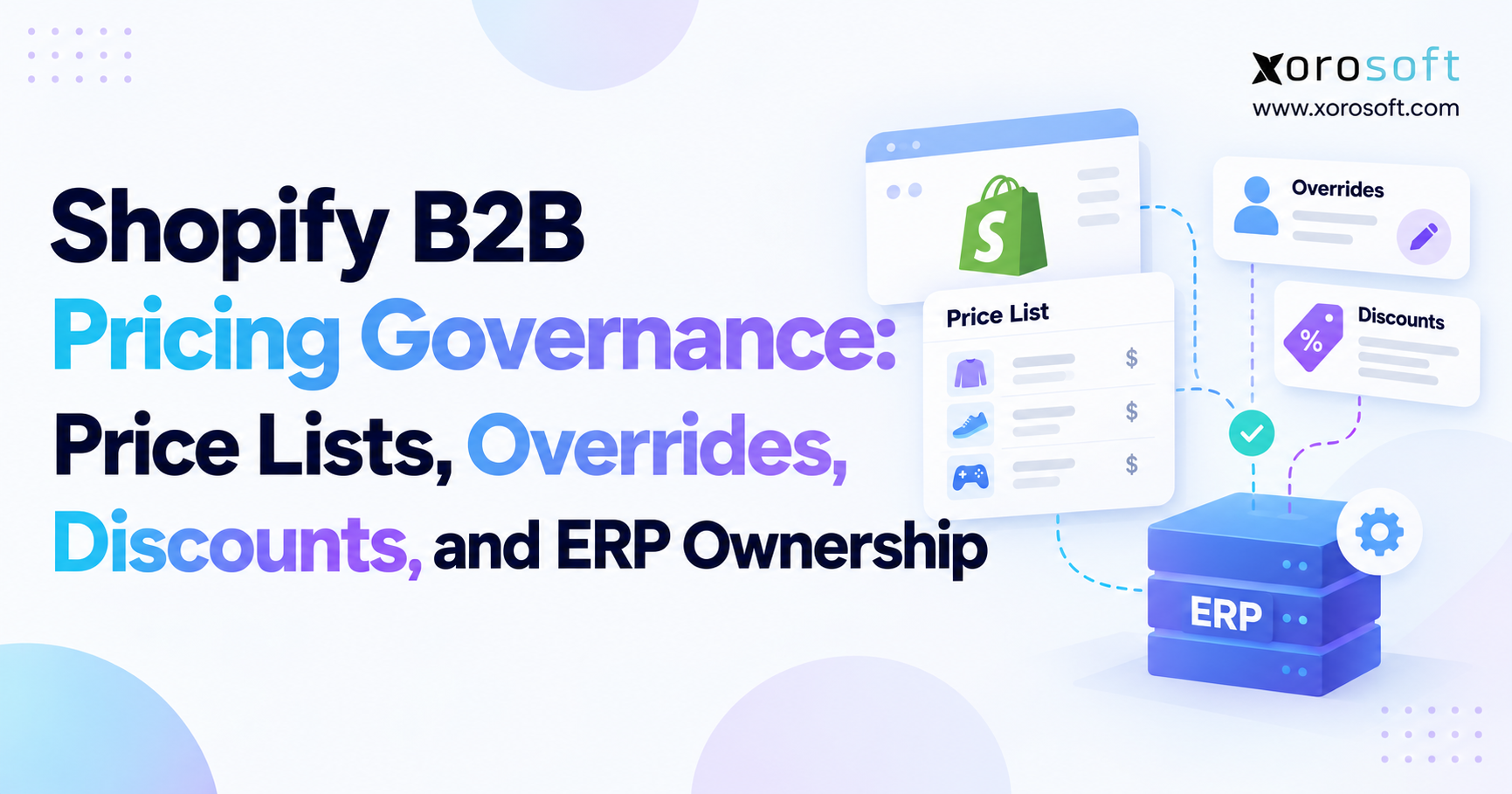
Wholesale pricing rarely fits a single public price list. Contracts can set customer groups, quantity breaks, currencies, rebates, start and end dates, and approved exceptions. A pricing display is useful only when it reflects the rules that will govern the actual transaction.
Suppose a distributor agrees on a case price with a long-time customer. A storefront promotion should not reduce that figure again unless the agreement explicitly permits stacking. Likewise, an item priced per unit must not become an unintended case price when data crosses an integration boundary.
Name the system that controls pricing, whether it is an ERP module or a separate pricing service. Write down how offers interact with contracts, who approves price changes, and when a quote becomes binding. Keep the accepted price and a record of how the team set it for future questions. A subsequent price-list update should not silently change an approved order.
The goal is not to make the ERP own every price. It is to prevent multiple applications from independently deciding what the same customer owes.
3.2. ERP Inventory: Show Stock You Can Really Promise
Stock on hand does not always equal stock you can sell. Other orders may claim warehouse stock, or a stock rule may block sales until a later date. Microsoft’s available-to-promise guidance shows how future supply and demand can change what a company can promise.
Take an example SKU with 100 units on hand, 35 tied to existing orders, and 15 that cannot go on sale. If those groups do not overlap, only 50 remain ready to sell. A portal that shows all 100 as available would give buyers a false sense of what they can order.
List which warehouses can ship, when stock gets reserved, when new supply will arrive, and whether a date means dispatch or delivery. An item in a cart does not always hold stock. Expected supply next week is not the same as a firm delivery date. Staff or the rules engine should check the order again at the stage the business requires.
3.3. ERP Customer Records: Keep Account Data in Sync
Keep company records, billing accounts, delivery sites, contacts, item numbers, and units of measure in sync. Otherwise, a buyer might select an approved address that the order system does not know.
Establish who creates each record, which changes can originate in the portal, and who resolves mismatches. For a company with many branches, distinguish the parent account from the purchasing location and from the person who logs in. Plan how to remove former buyers and merge duplicate accounts.
A cloud ERP such as Xorosoft’s XoroONE platform brings inventory, purchasing, accounting, and commerce operations into one environment. When reviewing such a setup, check whether its data model fits customer and order rules instead of assuming modules work well together because they share a name.
3.4. B2B Self-Service: Who Controls Each Decision?
The same application can present a value without being the authority that validates it. This table shows who should own each task. It does not mean a business needs every system listed.
| Buyer workflow | What the interface should do | Operational authority to establish |
|---|---|---|
| Product discovery | Show permitted products and specifications | Product-data or catalog governance |
| Contract pricing | Display the applicable agreed amount | ERP or designated pricing rules |
| Availability | Communicate eligible quantity and timing | Inventory and order-promising process |
| Credit | Explain order holds and payment terms | Finance-approved credit process |
| Fulfillment | Report shipped and outstanding quantities | Warehouse and carrier events |
| Invoices and credits | Present authorized financial records | Accounting ledger |
For every row, add an owner, validation event, expected update interval, and recovery path. That small exercise often reveals more about the future operating model than a much longer feature checklist.
4. Ecommerce vs ERP Portal: Choose by Buyer Task
4.1. B2B Ecommerce: When Product Discovery Matters
A commerce-led model may fit when customers often research new products, compare details, browse ranges, or open accounts online. Evaluate search terminology, compatibility information, saved lists, mobile usability, and how buyers recover from mistakes.
Ask typical customers to find a new replacement item and build a real-world order without help. Observe whether they understand quantity increments, account prices, and restrictions. A feature list means little if buyers cannot finish the task without confusion.
The operational handoff still needs proof. A highly polished storefront is not the right answer if a missing inventory rule causes overselling or if sales staff must manually correct every third contract price. Choose the experience and the controls together.
4.2. ERP Ordering Portals: When Repeat Buying Leads
An ERP portal may fit existing buyers who mostly order known SKUs, repeat purchases, check status, and view invoices. Focus on speed, correct results, and clear screens rather than fancy layouts.
Test a large reorder with changed prices, discontinued items, and a new authorized delivery location. Check whether the buyer understands any adjustments before submission. If staff still rebuild orders in spreadsheets, the portal has not solved the problem.
An existing ERP license does not excuse a poor buyer experience. Conversely, buying an additional commerce platform is unnecessary when the current portal already supports the complete set of customer tasks at an acceptable operating cost.
4.3. Ecommerce vs ERP Portal: When a Hybrid or Current Stack Wins
The ecommerce vs ERP portal decision should also consider fixing the current setup. Sometimes the real problem is a neglected integration, stale product records, unclear approval rules, or poor training.
A hybrid becomes valuable when the buyer experience and operational foundation each contribute essential capabilities that neither can meet alone. Before approving it, decide whether customers need separate logins, how staff will bring account history together, and who handles disputes.
Use evidence from buyer tasks rather than company revenue to choose. A relatively small distributor may have demanding contract controls, while a larger business may sell a narrow catalog with simple repeat-order requirements.
Where buyers use both a portal and a sales rep, test how the two paths share quotes and order changes. A buyer may start online, then call for help with a large purchase. The rep should see the same prices and stock rules without taking over the customer’s login. The system should keep a record of who approved each change. This avoids a common failure: the buyer sees one set of terms online while the rep sends another by email.
5. ERP Ordering Portal Controls: Credit, Orders and Account Help
5.1. ERP Portal Credit Rules vs Buyer Access
A company may let a buyer order goods but not add users, change billing details, or see another branch’s invoices. Set user rights by company and location, and control who can add or remove contacts.
The seller’s credit policy is separate. Displaying Net 30 terms does not establish that an account has sufficient credit available for another shipment. Microsoft’s credit-hold documentation illustrates controls involving overdue balances, available credit, and other blocking conditions.
Decide what happens when a transaction needs review. Keep the original request, name the approver, share its status, and stop release until that person approves it. Do not promise shipment while finance or sales holds the order.
5.2. B2B Order Changes and Partial Shipments
The portal should check the order status before letting a buyer change it. A request to change quantities may be straightforward before allocation but much harder after picking begins. Do not confirm cancellation after the warehouse has shipped the goods.
Define which changes buyers can make, which need staff approval, and how buyers confirm new totals. If an order change affects freight or timing, explain the cost and delay before final approval. Maintain an audit trail linking the original request to the revised accepted transaction.
Partial shipments deserve particular attention. Show what shipped, what remains open, whether another delivery will follow, and which invoices apply. A single label such as “fulfilled” may not tell a wholesale buyer enough to match the records.
5.3. ERP Customer Portals for Invoices and Returns
A customer calling about an invoice often needs more than a PDF. The useful answer may require the purchase-order reference, shipment information, applied payment, outstanding amount, and any open return or credit.
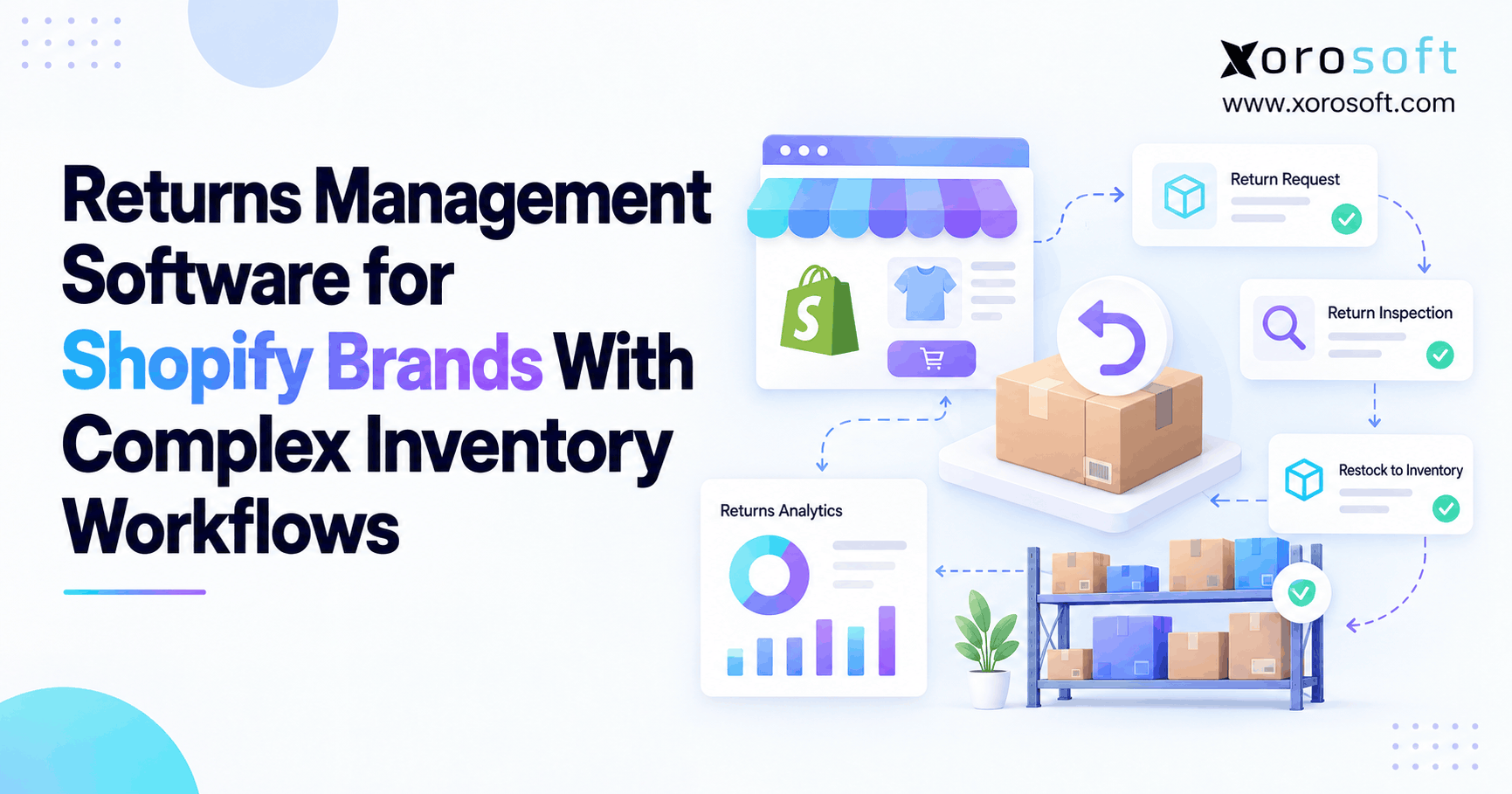
Design access around that relationship. Treat a return request, approval, physical receipt, inspection, and financial credit as separate stages. A completed return form should not automatically promise a refund. Keep service staff and finance aligned on the same case context.
When several channels contribute to the account, decide whether the portal shows orders created by sales representatives, EDI partners, and other marketplaces. If the portal lacks older orders, explain what the buyer can see rather than acting as if it shows the full account.
6. Ecommerce and ERP Portal Integration: Order to Shipment
6.1. ERP Portal Order Submission vs Acceptance
Use this sample order path: submit → check → accept or hold → release → ship → invoice. Adapt the sequence for deposits, production approval, or other requirements; not every business posts invoices at the same stage.
Define what each status means. A system receiving a message does not prove that the seller accepted the order. The business may still need to check price, stock, user rights, credit, and delivery terms.
Customers need plain status updates, and support teams need links between the request, sales order, and later documents. Keep both event timestamps and business identifiers so the team can explain delays without reconstructing them manually.
6.2. Warehouse Updates That ERP Portal Buyers Can Trust
Fulfillment promises are only as useful as the records behind them. Tie customer updates to real warehouse steps instead of changing the status as soon as staff send the order to the warehouse.
The XoroWMS warehouse management platform provides a relevant example of warehouse execution covering operational picking, packing, and shipping. During a product review, check which events buyers see and whether the workflow covers partial shipments, errors, and outside warehouses.
For multi-warehouse orders, explain who selects each site and when the company makes a firm promise. When an order needs a warehouse transfer, show customers a clear delivery estimate and its limits. A warehouse allocation decision should not quietly contradict what checkout displayed.
6.3. Ecommerce and ERP Portal Error Recovery
Retries are inevitable in connected systems. Shopify’s webhook delivery guidance discusses duplicate deliveries and idempotent processing: handling the same event again should not create another intended business transaction.
Test a double click, interrupted confirmation, stale inventory response, and delayed shipment event. Assign responsibility for alerts, failed-message queues, reconciliation, and buyer communication. During recovery, the system should find the original transaction instead of making staff guess if an order reached the ERP.
A temporary outage must not turn unvalidated quantities into guaranteed stock promises. Set a clear policy for requests that remain pending, and make that status visible. After the connection returns, check for missing, duplicate, and mismatched records before the team closes the case.
7. Shopify B2B Ecommerce, EDI and ERP Portal Integration
7.1. Shopify B2B ERP Integration: Beyond Syncing Orders
The ecommerce vs ERP portal comparison often arises in Shopify environments that have outgrown a combination of accounting software, inventory applications, and spreadsheets. A successful connector must do more than copy an order number into a different database.
The Xorosoft ERP app listing on the Shopify App Store identifies its role in supporting connected ecommerce and wholesale operations. Use the listing to start the review, but check whether the installed app can handle every task your team needs.
Ask how company locations map to ERP customers, where negotiated prices originate, how order edits work, and how payments, refunds, and shipments reconcile. Review the available platform and EDI integrations against the actual channels, message types, and exception handling required in your business.
7.2. EDI and Punchout vs ERP Portal Orders
Wholesale buyers may submit orders through a portal, sales representatives, electronic data interchange, or a procurement punchout experience. IBM explains EDI as the exchange of standardized business documents between systems. Punchout instead connects catalog shopping to a buyer’s procurement and approval environment.
These routes can work together, but they may create a firm order at different stages. A returned punchout cart can be a requisition awaiting approval, not an accepted sales order. Define which event creates demand and how shared IDs stop the team from entering it again when the final purchase order arrives.
Include Amazon, direct ecommerce, sales-representative orders, and retail partners where they share inventory. The buyer-facing system cannot make reliable promises when another channel’s allocations are missing from the availability calculation.
8. B2B Ordering Portals by Industry: Workflows That Matter
8.1. Apparel and Sporting Goods: B2B Variant Ordering
Apparel wholesalers often sell styles across size and color combinations. An ordering interface must preserve variant-level quantities rather than displaying a reassuring total for the parent style while individual sizes are unavailable. Test preorders, account assortments, seasonal delivery windows, and the treatment of substitutions.
Sporting goods dealers may place preseason commitments and replenishment orders at different times. Separate forecasts and reservations from accepted demand, and verify that representatives and buyers see consistent allocation information.
The best portal is not necessarily the one offering the most elaborate product page. It is the one that captures a commercially meaningful order and makes the right quantities available to operational planning.
8.2. Furniture and Food Wholesale Portals: Delivery Promises
A furniture dealer may order a bulky item that requires freight review, appointment delivery, or split fulfillment. Test what happens when one item is ready but another must wait for stock. The buyer needs a clear distinction between an estimated delivery and an approved commitment, especially if changes affect charges.
Food distributors face another version of the problem. Case quantities, shelf-life requirements, and eligible inventory may affect what a customer can receive. Physically present stock may not satisfy an account’s specific requirements. Check any tracking or legal duties separately; a portal alone does not prove the business meets them.
These examples show why industry-specific operational requirements matter more than a universal checklist. The buyer interface must represent the business’s actual promise.
8.3. Manufacturing ERP Portals: Materials and Capacity
A manufacturer may need to convert an approved quote into an order while checking materials, production capacity, configured options, and an achievable date. The customer should not receive a final promise simply because the requested delivery field accepts a date.
For businesses reviewing manufacturing and inventory together, Xorosoft’s XoroERP is an ERP option to examine alongside the customer-facing workflow. Validate bills of materials, work orders, costs, and production-status connections in a representative demonstration rather than assuming the portal itself performs production planning.
Industrial distributors and automotive-parts businesses may also require compatibility, cross-references, serial information, or restricted substitutions. Include those needs in the test where they matter; do not treat them as the same as an ordinary catalog purchase.
9. B2B Ecommerce and ERP Portal Security for Buyers
9.1. B2B Customer Portal Security and Buyer Roles
Account login is only the starting point. Verify that buyers can access the correct company, branch, documents, addresses, and order functions. A buyer who can access one location should not automatically see another location’s financial records.
OWASP identifies broken object-level authorization as a significant API risk. Test whether changing an order or invoice identifier exposes another account’s information, including through exports or attachments.
Record who grants and removes access, how sales reps act for customers, and which actions the system logs. Test login and access rules against real customer and branch ties, not just a few generic roles.
Protect records beyond the main screen as well. Customers may download invoices, order exports, and shipping papers, then share those files within their teams. Decide how long shared links stay valid and who may create bulk exports. Track changes to user roles and payment details. Give service staff a way to confirm access rights without exposing a full account ledger to someone who only needs a shipment update.
9.2. AI-Assisted ERP Portal Ordering: Keep the Rules
AI may help users find products, understand account status, and prepare orders, but it must follow pricing, stock, credit, and access rules. Start with simple read-only tasks, then test any action that could change an order.
Xorosoft describes its MCP Server as a connection between ERP data and compatible AI tools with access controls. That is a tool connection, not proof that buyers should place orders through an open-ended AI chat.
In the ecommerce vs ERP portal decision, treat AI as another interface to governed information. Require traceable records, confirmation before consequential actions, and a route to a human reviewer. A confident AI answer cannot replace a valid promise from the order system.
10. Ecommerce vs ERP Portal: Compare Three-Year Costs
10.1. B2B Ecommerce vs ERP Portal: Total Cost of Ownership
A fair cost comparison must cover the same needs, customers, sites, channels, and team duties. Subscription price alone cannot establish the cost of ownership.
Build a three-year plan that covers setup, integration, data moves, training, staff time, support, upkeep, and manual fixes. Identify which existing expenses will genuinely disappear and which remain. If the new portal still needs the old order-entry app, the business still pays for that app.
Also count the work of keeping price and account rules in sync across systems. New products, contracts, and warehouse locations will continue to change after launch. Someone must keep those changes controlled and test connector updates.
Do not assume savings without evidence. Measure how long fixes take before launch, then use pilot results to estimate how much time the team could save. Reduced employee time can improve service without necessarily becoming an immediate reduction in payroll cost.
Ask the vendor to spell out what support includes after launch. Check help hours, who handles connector faults, and whether changes in Shopify or other sales channels add fees. A low first-year quote can hide later work if no one sets aside money for updates. Put those duties beside the cost figures rather than in a footnote.
10.2. When a Better ERP Matters More Than a New Portal
Poor catalog search may be a storefront problem. Wrong stock values, slow month-end close, spreadsheet buying, and scattered warehouse records point to a wider business problem. Diagnose the cause before making replacement the default answer.
A Xorosoft versus NetSuite comparison can help build a shortlist, but a vendor’s own comparison cannot replace equal-scope demos and a clear written plan. Apply the same requirements to other candidates and to the option of retaining the current ERP.
The ecommerce vs ERP portal business case is stronger when it shows which tasks will get faster or more accurate, not when it claims one software category can fix every issue.
11. B2B Ecommerce vs ERP Portal: Test Before You Buy
11.1. Ecommerce vs ERP Portal: Test Standard Orders
Ask every finalist to process the same typical order. Include account-specific pricing, a meaningful unit of measure, an approved ship-to location, and the actual payment terms used by a typical customer.
Let a buyer place the order without help from the vendor. Then ask operations to verify the accepted order, stock allocation, warehouse instructions, and resulting financial record. Document every manual step and determine whether it is a legitimate control or a workaround.
For the ecommerce vs ERP portal review, a standard order gives you a baseline, not final proof. Any platform should be able to demonstrate a simple success case. The more important question is whether everyday commercial complexity survives the handoff intact.
11.2. ERP Portal Exceptions, Recovery and Buyer Updates
Run a second order that encounters a stock change, credit hold, repeated submission, and partial shipment. Define the expected result before the demo so buyers do not mistake a proper credit hold for a failure.
| Test case | Evidence of a successful outcome |
|---|---|
| Contract price and quantity | Accepted transaction matches approved terms |
| Inventory changes during checkout | Accurate revalidation and buyer message |
| Credit review required | Order held until authorized release |
| Message is retried | No duplicate business transaction |
| Partial shipment | Shipped and outstanding quantities remain clear |
| Return or credit request | Traceable operational and financial records |
Run failure tests in safe test systems and check which actions might change live records. Name a person for each error, write down recovery steps, and cross-check records afterward. A demo that works only when every connection runs perfectly does not prove enough.
11.3. Compare Vendor Support, Not Just Portal Features
Ask who maintains integrations, supports users, adjusts pricing rules, and troubleshoots rejected orders. Confirm what the license covers, what your team must set up, what needs custom work, and what partners supply.
Check rollout plans, data export options, security roles, and how staff will run the system after the setup team leaves. A connected ERP solutions overview can show the range of features, but the vendor still needs to prove the agreed workflow in your planned setup.
Give finance, customer service, and warehouse operations a vote alongside ecommerce leadership. Every department will experience the consequences of the decision.
12. ERP Portal Rollout: Clean Data, Pilot and Improve
12.1. ERP Portal Pilot: Clean Customer and Item Data
Start with clean customer records, approved ship-to locations, consistent product identifiers, and validated price rules. Resolve duplicate accounts and incompatible units of measure before inviting buyers into the new process.
Choose a pilot group with repeat orders and a fair share of complex cases. Keep staff-assisted ordering open, but use controls so staff cannot enter the same request twice. Ask operations, finance, and a typical buyer to approve the results.
Use documented implementation examples to sharpen your questions. Industry-specific ERP case studies may reveal useful operating patterns, but another company’s outcome is context rather than a guaranteed result for your own project.
Set clear stop rules for wrong prices, access errors, missing orders, or poor buyer updates. Expansion should follow evidence, not simply a calendar milestone.
Plan the changeover for open work, not just new orders. Existing quotes, pending returns, part-shipped orders, and unpaid invoices still need owners when the portal launches. Match each open record to the right customer and keep its history available. Agree on a date when new orders move through the new process, and check that buyers cannot submit the same order in both places. A smooth launch depends as much on these open tasks as on the new catalog.
12.2. Buyer Portal KPIs: Measure Work, Not Logins
Track successful unassisted tasks, order correction rate, time to valid acceptance, related support contacts, and cost per accepted order. Use clear denominators. For example, manual correction rate is distinct submitted orders requiring correction divided by all distinct submitted orders in the measured group.
Separate legitimate approvals from errors. Compare similar customer cohorts before and after launch, and review difficult transactions rather than only reporting a favorable average.
Judge the ecommerce vs ERP portal choice by these results. More online orders or portal logins are not enough when the business still reconstructs transactions by hand. Set regular reviews among ecommerce, finance, warehouse, and service teams so recurring exceptions drive specific improvements.
13. Choose a Buyer Self-Service System Your Team Can Run
13.1. Next Steps for B2B Self-Service and ERP Control
The right answer is not universally a commerce platform, an ERP-native portal, or a hybrid. Choose a commerce-led model when discovery and buying experience justify it. Use an ERP portal when it handles ordering and account service well. Connect both where distinct capabilities are necessary, and retain the current stack when targeted repairs can close the gap.
Before committing, establish who owns pricing, availability, credit, order amendments, fulfillment, and financial records. Prove the normal workflow and the exception workflow from the customer’s first action to operational completion. Make support ownership and recovery procedures part of the decision.
For businesses evaluating Xorosoft, the next step is a requirements discussion grounded in real customer transactions. Contact the team with representative orders, current-system constraints, and unresolved exceptions so a tailored evaluation can focus on what the operation actually needs.
Measure effective buyer self-service by reliable answers and orders the business can fulfill not by the number of screens customers can open.
Frequently Asked Questions
What is the difference between B2B ecommerce and an ERP portal?
The ecommerce vs ERP portal choice comes down to buyer tasks and control. Ecommerce emphasizes shopping; ERP portals connect ordering with business records.
When should a wholesaler choose an ERP ordering portal?
Choose it when customers mostly reorder known items, check account prices, track shipments, and download invoices. Verify permissions and approval workflows.
Can a B2B ecommerce platform replace an ERP?
Not always. Ecommerce may handle orders, but accounting, purchasing, inventory, and warehouse work still need reliable systems with clear ownership.
Who should control contract pricing and inventory availability?
Use one authoritative system for each rule, often an ERP or pricing service. Recheck displayed prices and stock before accepting orders.
Does Shopify B2B need ERP integration?
Integration helps when Shopify must share customer terms, stock, orders, payments, or shipping updates with other systems. Simpler operations may need less.
How much does an ERP-connected B2B portal cost?
Costs depend on scope and integrations. Compare subscriptions, setup, migration, support, and upkeep over three years rather than software fees alone.
What should businesses test before choosing a buyer portal?
Test reorders, contract prices, stock changes, credit holds, duplicate submissions, and partial shipments. Check buyer messages and recovery after failed integrations.
Recent Posts
-
 Warehouse Receiving Benchmarks 2026: Accuracy, Dwell Time, and Throughput
 -
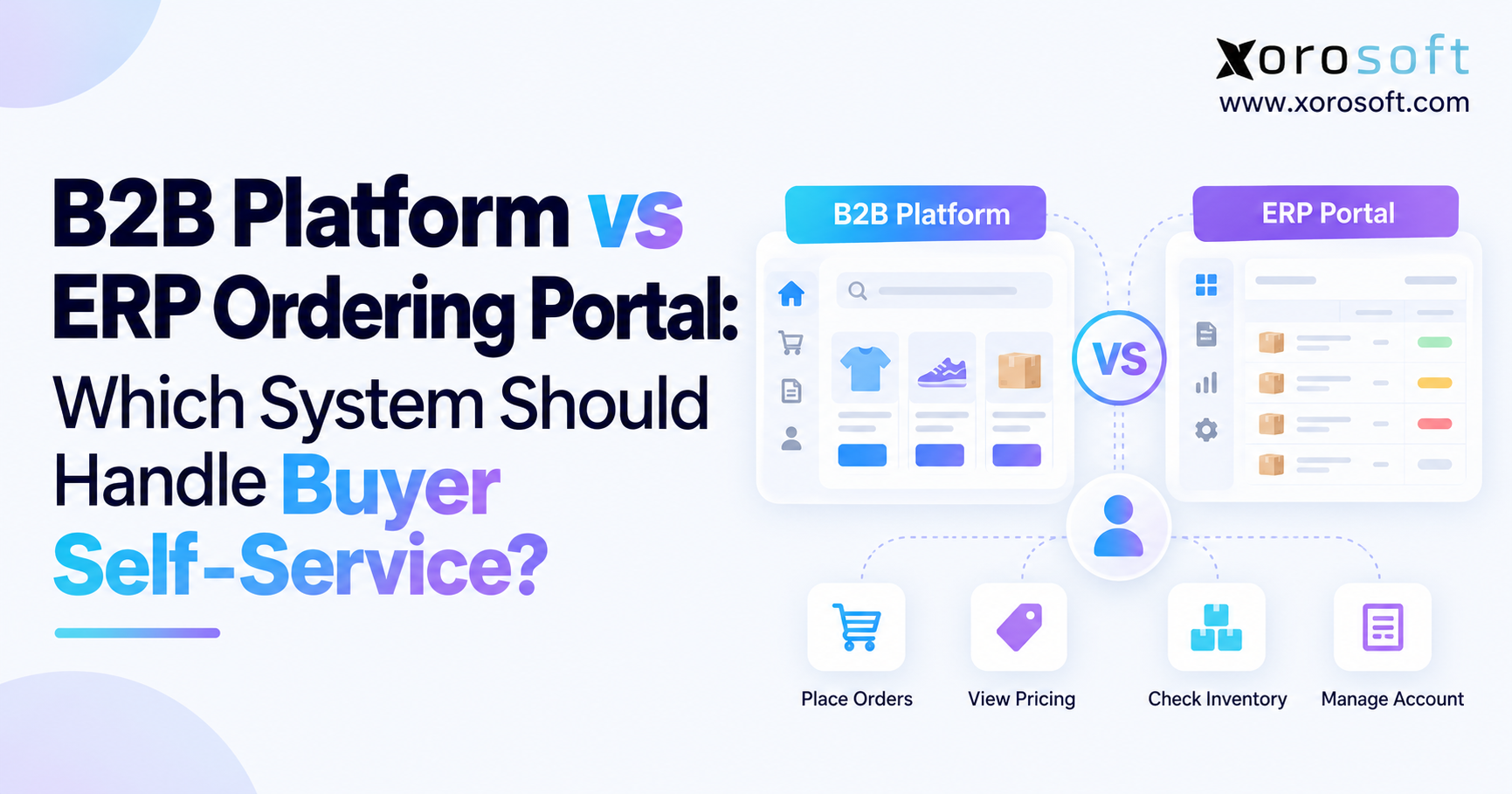 B2B Platform vs ERP Ordering Portal: Which System Should Handle Buyer Self-Service?
 -
 Shopify B2B Pricing Governance: Price Lists, Overrides, Discounts, and ERP Ownership
 -
 ERP for Canadian Food Manufacturers Managing Lots, Expiry Dates, and Recalls
 -
 Shopify Return Restocking: Why Returned Inventory Goes Live Before Warehouse Approval