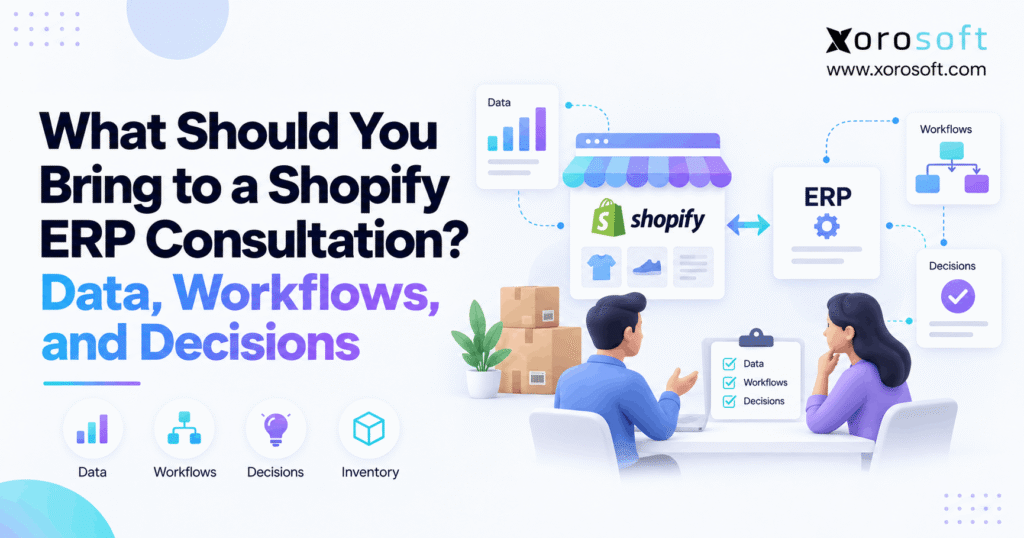
If you are looking to optimise your business operations, our Shopify ERP consultation service can help guide you through seamless integration and workflow improvements.
1. Turn Your Shopify ERP Consultation Into a Working Session
A Shopify ERP consultation is far more productive when you arrive with real operational information instead of a generic list of software features. Therefore, prepare enough data, workflows, system details, business problems, and decision criteria to show how your company actually operates today. More importantly, the goal is not to create perfect documentation before the meeting. Instead, the goal is to give the ERP consultant enough context to identify where your current processes break and what a future system must support.
For many growing Shopify businesses, the need for ERP does not appear overnight. Instead, complexity gradually builds as more SKUs, warehouses, sales channels, suppliers, employees, and financial processes enter the operation. As a result, teams often add another app, spreadsheet, integration, or manual workaround each time a new problem appears.
Eventually, those separate fixes begin to interact.
For example, Shopify may show one available inventory quantity while a warehouse system shows another. Meanwhile, purchasing may use a spreadsheet forecast that does not include all open orders. In addition, finance may spend hours reconciling ecommerce transactions with inventory movements at month-end.
Therefore, ERP discovery should focus on these connections rather than isolated software features.
1.1 What a Shopify ERP discovery session should accomplish
A useful Shopify ERP discovery session should answer several fundamental questions.
First, the consultant needs to understand what your company sells and through which channels. Next, the discussion should establish where inventory sits, how orders flow, how products are replenished, and how financial transactions are recorded. Finally, both sides should identify the operational problems that a new ERP must solve.
Consequently, a good consultation should clarify:
- Which processes work well today
- Which processes require manual intervention
- Where duplicate data entry occurs
- Which systems contain critical information
- How inventory moves between locations
- How Shopify orders reach fulfillment
- How purchasing decisions are made
- How financial reconciliation works
- Which integrations must remain
- Which systems could potentially be replaced
- What business growth the future system must support
In other words, discovery should create an operational map of the business.
1.2 What you do not need before an ERP consultation
You do not need a fully documented implementation plan before speaking with an ERP consultant. Likewise, you do not need every field in your database cleaned or every process converted into a formal flowchart.
However, you should know where the largest uncertainties exist.
For instance, if product data contains duplicate SKUs, say so. Similarly, if your inventory team regularly overrides quantities manually, explain why. Moreover, if a spreadsheet controls purchasing decisions, bring the spreadsheet rather than pretending the process already exists in a formal application.
As a result, the consultant can evaluate the real operating environment instead of an idealized version of it.
2. Build a Shopify ERP Consultation Checklist Around Business Outcomes
Before gathering files, identify why the company is considering ERP in the first place. Otherwise, the Shopify ERP consultation can quickly turn into an unfocused software demonstration.
Therefore, begin with business problems rather than modules.
2.1 List the problems driving the ERP search
Common triggers include:
- Inventory discrepancies
- Overselling
- Stockouts
- Overstock
- Poor inventory visibility
- Spreadsheet purchasing
- Slow receiving
- Warehouse picking errors
- Duplicate order entry
- Disconnected Shopify and accounting data
- Difficult month-end reconciliation
- Limited multi-warehouse control
- Wholesale order complexity
- EDI exceptions
- Amazon inventory conflicts
- Poor operational reporting
However, simply listing the symptom is not enough.
For example, “inventory is inaccurate” could result from receiving mistakes, delayed synchronization, uncontrolled adjustments, incorrect allocations, or duplicate systems of record. Therefore, document one or two real examples for each major problem.
Likewise, “purchasing is difficult” might actually mean buyers cannot see incoming inventory, supplier lead times, sales velocity, or open purchase orders in one place.
Consequently, better problem descriptions create better ERP requirements.
2.2 Define what success should look like
After identifying problems, define the expected operational improvement.
For example:
| Current Problem | Desired Outcome |
|---|---|
| Frequent inventory discrepancies | More reliable inventory accuracy |
| Manual purchase planning | Data-driven replenishment |
| Slow warehouse receiving | Faster receiving and putaway |
| Duplicate order entry | Automated order flow |
| Disconnected accounting | Cleaner financial reconciliation |
| Limited reporting | Real-time operational visibility |
| Stockouts | Better forecasting and purchasing |
Therefore, your consultation should connect each ERP requirement to an operational outcome.
Moreover, measurable goals help vendors demonstrate relevant workflows. Instead of asking, “Do you have purchasing?” you can ask, “How would your system help our buyers plan purchases using demand, open POs, available inventory, and supplier lead times?”
That question produces a much more useful conversation.
3. Prepare the Data for Your Shopify ERP Consultation
Data gives the consultant evidence of how complex the operation really is. Therefore, bring representative examples rather than only describing your data verbally.
You do not necessarily need to provide full databases during the first consultation. Instead, choose examples that reveal important structures, exceptions, and operational rules.
3.1 Prepare product and SKU data for ERP discovery
Start with a representative product file.
Include fields such as:
- SKU
- Product name
- Shopify product or variant identifier
- Style
- Color
- Size
- UPC or barcode
- Category
- Supplier
- Cost
- Selling price
- Unit of measure
- Weight
- Dimensions
- Kit or bundle relationship
- Lot requirements
- Serial-number requirements
- Expiration information where relevant
For example, an apparel company should show style-color-size relationships. Meanwhile, a furniture company may need dimensions, cartons, assembly requirements, and long supplier lead times. Likewise, a food business may need lots, expiration dates, and traceability.
Therefore, representative records can reveal requirements that a simple SKU count cannot.
3.2 Bring inventory information by location
Next, prepare inventory by location.
Include examples from:
- Main warehouses
- Secondary warehouses
- Retail stores
- 3PL locations
- Amazon FBA
- Production locations
- Quality-control areas
- Dropship locations where applicable
In addition, explain what each inventory number means.
For example, your company may distinguish between:
- On-hand inventory
- Available inventory
- Allocated inventory
- Committed inventory
- Incoming inventory
- Damaged inventory
- Safety stock
- Backordered inventory
This distinction matters because two systems can display different numbers without necessarily using the same inventory definition.
Therefore, do not simply bring one “quantity” column.
3.3 Prepare purchasing and supplier data
Purchasing data is equally valuable during Shopify ERP discovery.
Therefore, prepare examples showing:
- Suppliers
- Supplier SKUs
- Purchase costs
- Lead times
- Minimum order quantities
- Case packs
- Payment terms
- Currencies
- Open purchase orders
- Expected receipt dates
- Partial receipts
- Supplier shortages
Moreover, show how purchasing decisions are currently made.
For example, buyers may use sales history from Shopify, warehouse inventory from another system, incoming quantities from a spreadsheet, and supplier information from email.
As a result, one purchase decision might require four or five information sources.
That fragmentation is highly relevant to ERP design.
3.4 Prepare accounting and financial information
If accounting is within project scope, finance should prepare representative information too.
For example, bring:
- Chart-of-accounts structure
- Inventory valuation approach
- COGS workflow
- Accounts payable process
- Accounts receivable process
- Shopify payout reconciliation process
- Refund workflow
- Credit-note process
- Multi-currency requirements
- Multi-company requirements
- Month-end reconciliation steps
However, do not send sensitive financial information unnecessarily during early discovery. Instead, provide enough structural information to explain the workflow.
Consequently, the consultant can understand how operational transactions eventually affect finance.
4. Map Workflows Before the Shopify ERP Discovery Call
Data explains what exists. However, workflows explain what happens.
Therefore, workflow preparation is one of the most valuable parts of a Shopify ERP consultation.
You do not need sophisticated diagrams. Instead, write each major process as a simple sequence of steps.
4.1 Map the Shopify order-to-fulfillment workflow
Start with a normal Shopify order.
For example:
Shopify order → ERP/order system → inventory allocation → warehouse release → picking → packing → shipping → tracking update → financial posting
Next, document variations.
These might include:
- Partial fulfillment
- Split shipment
- Backorder
- Preorder
- Customer cancellation
- Address change
- Fraud hold
- Replacement order
- Exchange
- Partial refund
- Return
- Damaged shipment
Therefore, the consultation should examine both the normal flow and exception flows.
Moreover, if your company sells through several channels, map each source separately:
- Shopify DTC
- Shopify B2B
- Amazon
- Wholesale
- EDI
- Marketplace orders
- Manually entered orders
As a result, the consultant can identify where different channels converge operationally.
4.2 Map purchasing and replenishment
Next, document how inventory gets replenished.
For example:
Demand identified → buyer reviews stock → purchase recommendation → PO created → approval → supplier confirmation → goods shipped → warehouse receipt → inventory updated → invoice processed
Then identify manual steps.
For instance, perhaps the buyer exports Shopify sales every Monday. Next, they combine that data with warehouse quantities. Afterward, they adjust recommendations manually based on supplier lead times.
Consequently, the real ERP requirement is not merely “purchase orders.” Instead, the requirement includes forecasting, visibility, supplier data, approvals, incoming inventory, and receiving.
4.3 Include returns and operational exceptions
Returns deserve their own workflow.
Therefore, explain:
- How customers request returns
- Where returned products arrive
- How warehouse staff inspect them
- Whether goods return to available inventory
- How damaged products are handled
- When refunds occur
- How accounting records the transaction
Similarly, document other exceptions.
For example, show what happens when:
- A PO arrives short
- A supplier sends the wrong item
- A picker cannot find inventory
- An order must move to another warehouse
- A Shopify order arrives with insufficient inventory
- An integration fails
These examples reveal whether a platform can manage the reality of operations rather than only the ideal workflow.
5. Document Your Shopify ERP Integration Landscape
A growing Shopify business often has a much larger technology stack than people initially realize. Therefore, list every system that creates, changes, or consumes operational data.
This step is especially important because integration scope can materially affect implementation complexity.
5.1 Start with Shopify and its operational applications
Document:
- Number of Shopify stores
- Shopify Plus usage
- Shopify B2B
- Shopify POS
- Shopify locations
- Important operational apps
- Custom applications
- International storefront requirements
In addition, list apps affecting:
- Inventory
- Orders
- Shipping
- Returns
- Pricing
- B2B
- Products
- Accounting
- Fulfillment
For businesses researching connected ERP options, the official Xorosoft ERP listing on the Shopify App Store also provides an external example of how ERP functionality can connect ecommerce, retail, wholesale, inventory, warehousing, purchasing, and financial operations.
Therefore, the goal is not merely to ask whether an ERP “works with Shopify.” Instead, determine what data needs to move and what should happen after it moves.
5.2 Map marketplaces, EDI, shipping, and 3PL systems
Next, document the surrounding ecosystem.
For example:
- Amazon
- Walmart Marketplace
- EDI providers
- Shipping applications
- 3PL systems
- Payment platforms
- PIM
- CRM
- Returns platforms
- Forecasting tools
Moreover, include spreadsheets that fill operational gaps.
A purchasing spreadsheet may be just as important as a formal application because it may contain business logic that needs to survive implementation.
For businesses assessing consolidation, Xorosoft integrations illustrate how ecommerce, marketplaces, shipping, EDI, and other systems can become part of a connected ERP environment.
5.3 Decide which system should own each record
A Shopify ERP consultation should also address the system of record.
In other words, which application is authoritative for each type of information?
A possible structure is:
| Data | Potential Primary System |
|---|---|
| Ecommerce content | Shopify |
| Operational product master | ERP or PIM |
| Inventory | ERP/WMS |
| Purchasing | ERP |
| Warehouse movements | ERP/WMS |
| Financial records | ERP/accounting |
| Ecommerce customer profile | Shopify |
| Manufacturing data | ERP/MRP |
However, the correct architecture depends on the business.
Therefore, ask one crucial question:
If two systems disagree, which one wins?
If nobody can answer that question, data ownership needs to become part of the ERP project.
6. Prepare Warehouse Requirements for a Shopify ERP Consultation
Warehouse complexity often becomes one of the strongest reasons Shopify brands begin looking beyond standalone ecommerce tools.
Therefore, warehouse leaders should participate whenever fulfillment is an important part of ERP scope.
6.1 Document receiving, picking, packing, and shipping
Map the physical warehouse process.
For example:
PO arrives → receiving → discrepancy check → labeling → putaway → inventory available
Next, map outbound fulfillment:
Order released → wave or queue → pick → verify → pack → label → ship → tracking confirmation
Then document:
- Bin locations
- Barcode scanning
- Pick methods
- Packing verification
- Cycle counting
- Replenishment
- Transfers
- Lot control
- Serial tracking
- Shipping stations
- User permissions
Moreover, identify where paper, spreadsheets, or verbal instructions still control work.
If advanced warehouse execution is required, XoroWMS is one example of how receiving, inventory control, picking, packing, shipping, and related warehouse processes can sit inside a connected operational environment.
6.2 Explain multi-warehouse fulfillment rules
Multi-location businesses should also document allocation rules.
For example:
- Which warehouse gets the order first?
- Can one order split between locations?
- Is inventory reserved for wholesale customers?
- Can stores fulfill ecommerce orders?
- Can a 3PL and internal warehouse fulfill the same channel?
- Is Amazon inventory separated?
- How are transfers approved?
- Who can make adjustments?
Therefore, your warehouse count alone is not enough.
Instead, explain how decisions are made between those locations.
Consequently, the ERP consultant can determine whether your requirements involve simple inventory visibility or deeper order orchestration and warehouse execution.
7. Bring Accounting Requirements Into ERP Discovery Early
Operations and finance should not design separate versions of the same business.
Therefore, finance should enter the ERP discovery process before the implementation architecture has already been decided.
7.1 Explain how inventory becomes a financial transaction
Consider a typical product transaction.
First, the company purchases inventory. Next, the warehouse receives it. Then, inventory becomes available for sale. Afterward, Shopify generates an order, the warehouse ships it, and finance recognizes the resulting financial impact.
Therefore, ask how each stage affects:
- Inventory asset value
- Accounts payable
- Revenue
- COGS
- Tax
- Refunds
- Payment reconciliation
Likewise, explain how your business currently values inventory.
Moreover, if warehouse activity and accounting activity sit in different applications, identify the reconciliation steps between them.
7.2 Show the month-end pain points
Month-end close often reveals hidden system fragmentation.
For example, finance might need to reconcile:
- Shopify sales
- Shopify payouts
- Refunds
- Discounts
- Shipping
- Inventory movements
- Purchase receipts
- Vendor bills
- Marketplace settlements
- Warehouse adjustments
Consequently, a business can appear operationally automated while finance still performs significant manual reconciliation.
An integrated platform such as XoroERP can become relevant when a business wants inventory, purchasing, warehousing, reporting, and accounting to operate within a broader shared system rather than through disconnected operational records.
However, ERP architecture should still reflect the company’s actual accounting requirements rather than forcing finance into a predetermined workflow.
8. Bring the Right People and Decisions to the Shopify ERP Consultation
ERP selection is not simply an IT decision. Instead, it affects almost every team responsible for products, inventory, orders, purchasing, fulfillment, and finance.
Therefore, the right stakeholders should participate in discovery.
8.1 Who should attend the ERP consultation?
Depending on scope, include:
- Executive sponsor
- Operations leader
- Ecommerce manager
- Shopify owner
- Warehouse manager
- Purchasing manager
- Controller or finance lead
- IT/integration representative
- Wholesale or B2B lead
- Manufacturing representative
However, every person does not need to attend every call.
For example, warehouse discovery should include warehouse expertise, while accounting workshops should involve finance.
Therefore, involve process owners when their workflows are being evaluated.
8.2 Decide must-haves before vendor evaluation
Before deeper demos, classify requirements.
Use three categories:
Must-have: Required for the business to operate successfully.
Important: Valuable but potentially solvable through another process.
Future: Likely needed as the company grows.
For example, Shopify synchronization may be a must-have. Meanwhile, advanced manufacturing may be a future requirement.
As a result, the vendor can prioritize the features and workflows that matter most.
8.3 Agree on project scope
Define whether the initial ERP project includes:
- Shopify
- Inventory
- Purchasing
- WMS
- Accounting
- Amazon
- EDI
- Wholesale/B2B
- Forecasting
- Manufacturing
However, avoid assuming that everything must launch simultaneously.
Instead, determine which processes must work together from day one and which capabilities can follow later.
9. Ask Better Questions During the Shopify ERP Consultation
Once your information is prepared, use it to challenge vendors with operational questions.
Therefore, avoid spending the entire meeting asking whether modules exist.
9.1 Questions about Shopify ERP integration
Ask:
- Which Shopify records synchronize?
- How quickly do orders enter ERP?
- Which system controls available inventory?
- How are cancellations handled?
- What happens when an order changes?
- How are refunds processed?
- How are fulfillment updates returned to Shopify?
- How are multiple Shopify locations mapped?
- How are multiple Shopify stores handled?
Moreover, ask the consultant to explain failed-sync behavior.
Every integration eventually encounters exceptions. Therefore, you need to know how users identify and correct them.
9.2 Questions about inventory and purchasing
Ask:
- How is available inventory calculated?
- How does allocation work?
- Can stock be reserved by channel or customer?
- How are transfers managed?
- How are purchasing recommendations generated?
- Can recommendations consider incoming inventory?
- Can lead times influence replenishment?
- How are partial receipts handled?
- How are supplier shortages handled?
Consequently, these questions move the discussion from feature names to operating logic.
9.3 Questions about implementation
Also ask:
- What information must be migrated?
- Who cleans legacy data?
- Which integrations require configuration?
- How are workflows tested?
- What user acceptance testing is expected?
- How are permissions designed?
- How are employees trained?
- How are exceptions validated?
- What happens after go-live?
Moreover, ask the vendor to demonstrate your workflows rather than only its preferred demonstration script.
That is particularly important when comparing several systems.
10. Use Real Business Scenarios to Test ERP Fit
A strong Shopify ERP consultation should eventually lead to scenario-based evaluation.
Therefore, prepare scenarios that represent both normal and difficult transactions.
10.1 Test normal operating scenarios
For example:
Scenario 1: A Shopify order enters the system, inventory is allocated, the warehouse picks it, tracking returns to Shopify, and accounting updates.
Scenario 2: A buyer receives a replenishment recommendation, creates a PO, the supplier ships it, the warehouse receives inventory, and available stock changes.
Scenario 3: Inventory transfers from one warehouse to another and becomes available only after the receiving process completes.
These scenarios test whether processes connect.
10.2 Test exceptions instead of perfect transactions
More importantly, test what happens when something goes wrong.
For example:
- Customer orders more inventory than one warehouse can fulfill
- Supplier delivers 90 units against a PO for 100
- Picker discovers damaged inventory
- Shopify order is cancelled after allocation
- Return arrives in unsellable condition
- Integration receives an unknown SKU
- Wholesale order requires special pricing
- Shipment divides between warehouses
Therefore, exception testing is often more revealing than feature comparison.
Moreover, companies evaluating their broader operational structure can review Xorosoft’s solutions to understand how inventory, purchasing, warehousing, accounting, manufacturing, and ecommerce processes can be connected within one platform.
Still, the correct ERP choice should depend on demonstrated operational fit.
11. Know When Your Shopify Business Is ERP-Ready
Not every Shopify merchant needs ERP.
Therefore, a consultation should also determine whether ERP is currently appropriate rather than assuming the answer is yes.
11.1 Signals that ERP may be appropriate
ERP becomes more relevant when several forms of complexity appear together.
For example:
- Multiple warehouses
- Thousands of active SKUs
- High order volume
- Shopify plus Amazon
- Wholesale/B2B
- EDI
- Manufacturing
- Complex purchasing
- Frequent stockouts
- Inventory discrepancies
- Separate warehouse software
- Manual reconciliation
- Multiple legal entities
- Multi-currency operations
- Growing reporting requirements
Moreover, ERP becomes particularly relevant when disconnected tools create repeated manual reconciliation.
For businesses across apparel, wholesale, furniture, consumer products, manufacturing, and other inventory-driven sectors, the industries served by Xorosoft provide examples of where these operational patterns commonly appear.
11.2 When ERP may be premature
However, complexity should justify the investment.
A Shopify business with one warehouse, a modest product catalog, straightforward purchasing, simple accounting, and reliable existing integrations may not need full ERP yet.
Instead, the business might first improve:
- Shopify processes
- Inventory procedures
- Accounting integration
- Warehouse workflows
- Reporting
- Data governance
Consequently, ERP should solve meaningful operational complexity rather than add unnecessary software complexity.
12. Turn the ERP Discovery Call Into a Clear Decision Process
A good Shopify ERP consultation should create next steps rather than end with a generic sales follow-up.
Therefore, define what must happen after discovery.
12.1 Validate requirements
First, review the requirements uncovered during consultation.
Next, separate confirmed requirements from open questions.
Then, assign internal owners who can resolve missing information.
As a result, the business creates a usable requirements baseline.
12.2 Request workflow-based demonstrations
Next, ask vendors to demonstrate the scenarios you prepared.
For example, do not simply request “warehouse management.”
Instead, request:
Show how a Shopify order is allocated to the right warehouse, picked, packed, shipped, synchronized back to Shopify, and reflected in inventory and finance.
Likewise, instead of asking for “purchasing,” request:
Show how a buyer reviews demand, available stock, incoming inventory, supplier lead time, and open purchase orders before placing a replenishment order.
Therefore, every demo becomes easier to compare.
12.3 Evaluate the operating model, not the feature count
Finally, evaluate how the platform would change daily work.
Ask:
- How many systems remain?
- How much duplicate entry remains?
- Where does inventory become authoritative?
- Can warehouse activity update operations immediately?
- Does purchasing use reliable inventory information?
- Can finance trace operational transactions?
- Can management report across channels?
- Can the architecture support future growth?
For example, Xorosoft combines ERP, inventory, purchasing, warehousing, accounting, ecommerce connectivity, forecasting, manufacturing, and multi-channel order operations within a connected cloud environment. Meanwhile, businesses can review customer operating examples through Xorosoft case studies when evaluating how similar companies approach system consolidation.
Therefore, the objective is not to choose the platform with the longest feature list.
Instead, choose the operating model that best matches the business.
13. A Better Shopify ERP Decision Starts Before the Demo
A successful Shopify ERP consultation begins with operational clarity.
Therefore, bring real data, real workflows, real exceptions, and the people who understand those processes. In addition, document your software stack, inventory locations, purchasing methods, warehouse requirements, accounting workflows, integrations, and future plans.
Most importantly, do not hide the messy parts.
Manual spreadsheets, reconciliation problems, inventory mismatches, unusual orders, and process exceptions often reveal the requirements that matter most.
As a result, the consultation can move beyond generic feature discussions and focus on how a future ERP would actually support your company.
If your Shopify operation has outgrown disconnected inventory, purchasing, warehouse, accounting, or order-management systems, you can Book a Demo to review your current workflows and evaluate whether a connected ERP approach fits your operation.
Frequently Asked Questions
What should you bring to a Shopify ERP consultation?
Bring your main operational problems, software stack, representative SKU and inventory data, warehouse locations, order workflows, purchasing processes, accounting requirements, integrations, transaction volumes, and project goals. Additionally, bring examples of difficult transactions such as split shipments, shortages, returns, or inventory discrepancies. These examples help the consultant understand your real requirements instead of relying on a generic feature checklist.
How should you prepare for a Shopify ERP discovery call?
Start by mapping your current systems and the workflows connecting them. Then, identify where manual entry, spreadsheets, reconciliation, or inventory problems occur. In addition, prepare representative data for products, inventory, purchasing, orders, warehouses, and finance. Finally, involve the employees who understand each process so the ERP discovery call reflects how the business actually operates.
What data is needed for a Shopify ERP consultation?
Useful data includes SKUs, variants, inventory by location, supplier information, open purchase orders, representative sales orders, transaction volumes, warehouse locations, and accounting structures. However, you normally do not need to provide an entire database during initial discovery. Instead, representative records can help the consultant understand data structure, operational complexity, exceptions, and potential migration requirements.
Who should attend a Shopify ERP consultation?
The right participants depend on project scope. Generally, include an executive sponsor, operations leader, Shopify or ecommerce manager, warehouse manager, purchasing representative, finance lead, and technical integration owner. Additionally, wholesale, EDI, or manufacturing representatives should participate when those processes matter. Therefore, process owners should join the sessions that directly affect their daily work.
What questions should you ask a Shopify ERP consultant?
Ask how Shopify orders, products, inventory, fulfillment, returns, and financial transactions move between systems. Additionally, ask how the ERP handles multi-warehouse inventory, purchasing, forecasting, integrations, data migration, exception workflows, permissions, reporting, and user testing. Most importantly, ask the vendor to demonstrate your real operating scenarios rather than relying entirely on a standard software demonstration.
How do you know when a Shopify business needs ERP?
ERP becomes more relevant when Shopify businesses manage multiple warehouses, complex purchasing, wholesale or EDI, Amazon and other channels, manufacturing, high SKU counts, inventory discrepancies, or difficult financial reconciliation. However, ERP may be premature for a straightforward operation with reliable existing systems. Therefore, the decision should depend on operational complexity and the cost of disconnected workflows.
What happens after a Shopify ERP consultation?
After discovery, the company should validate requirements, resolve unanswered questions, confirm project scope, and review integrations. Next, vendors should demonstrate real workflows and complete fit-gap analysis. Then, the business can assess implementation, data migration, training, support, and commercial requirements. Consequently, the consultation becomes the foundation for a structured ERP evaluation instead of simply leading to another generic sales demo.
Recent Posts
-
 ERP Landed Cost Module vs Spreadsheet Calculations for Importers
 -
 How to Build an Open-to-Buy Plan for an Omnichannel Brand
 -
 Cold Storage WMS for Food and Beverage Distribution
 -
 ERP Buying Statistics 2026: Evaluation, Implementation, and Adoption Risks
 -
 How a Distributor Reduced B2B Order Exceptions Without Restricting Sales



