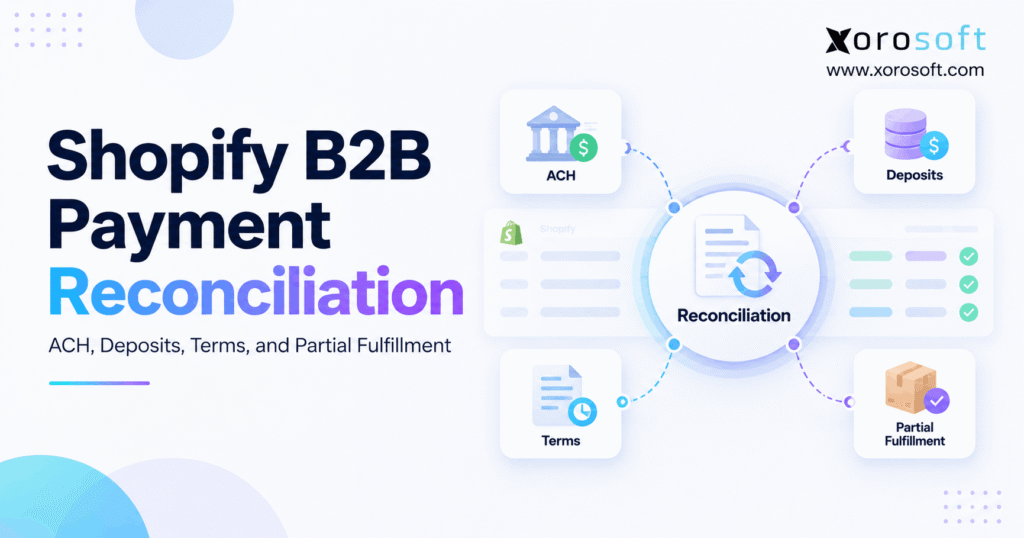
If you’re looking to streamline your Shopify B2B payment reconciliation process, this guide will provide you with practical solutions.
1. The Order Looks Paid. The Bank Says Otherwise.
Shopify B2B payment reconciliation becomes risky when one wholesale order creates several invoices, deposits, ACH transactions, and shipments. For example, a buyer may pay 20% upfront, receive only half the goods, and settle the balance weeks later. Meanwhile, the bank statement may show a payout that is smaller than the payment recorded in Shopify. Consequently, an apparently paid order can still contain an open receivable or an unresolved bank difference.
Instead of comparing two totals, finance must connect the entire trail: customer, order, payment schedule, invoice, fulfillment, transaction, and bank deposit. Without those links, teams can apply a deposit twice, close an invoice before ACH clears, or mistake unshipped goods for overdue receivables. As a result, the fastest way to improve accuracy is to separate what the buyer owes from what the warehouse shipped and what the bank actually received.
1.1 Why Shopify B2B payment reconciliation gets harder as orders grow
Initially, a merchant may have one shipment and one payment per order. However, volume changes the operating pattern. For example, wholesale buyers request extended terms, stock arrives in stages, and finance may manage several warehouses or sales channels. Furthermore, a single buyer can use different purchase-order references across company locations. Therefore, the same sale can appear differently in Shopify, accounting, and bank exports.
1.2 The outcome finance should aim for
Ultimately, every invoiced dollar should map to a valid payment, approved credit, or documented outstanding balance. Likewise, each bank receipt should trace back to a payment transaction and customer obligation. Therefore, the following framework shows which records are needed, how Shopify plan limits affect the workflow, and where ERP integration becomes relevant.
2. What Shopify B2B Payment Reconciliation Must Match
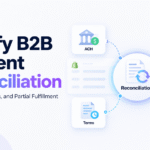
Shopify B2B payment reconciliation is the process of matching wholesale orders with payment transactions, invoices, customer balances, fulfillment records, and confirmed bank settlements. Its purpose is to explain both the money received and the money still owed without confusing payment status with fulfillment or accounting status.
2.1 Five records in a B2B payment reconciliation trail
For instance, a single order may create separate records in commerce, warehouse, payment, and accounting systems. Therefore, a controller should compare the records rather than expect one status to answer every question.
| Record | What it proves | What it does not prove |
|---|---|---|
| Sales order | The customer agreed to buy goods | Cash was received |
| Payment transaction | A charge or receipt was initiated or recorded | Funds reached the bank |
| Invoice and AR ledger | The billed amount and open collectible balance | Goods necessarily shipped |
| Fulfillment event | Specific products and quantities were shipped | The invoice was paid |
| Settlement or bank entry | Cash reached the processor balance or bank | The receipt belongs to the right invoice |
2.2 Why Shopify payment and shipping statuses disagree
For example, a $20,000 order can show as partially paid after a $4,000 deposit and partially fulfilled after a $12,000 shipment. However, neither status means the buyer owes exactly $8,000. The remaining order balance is $16,000, while invoiced receivables depend on the billing policy and deposit application.
In addition, payment authorization, payment confirmation, and bank payout can happen on different dates. As a result, the correct reconciliation question is not simply “Is the order paid?” It is “Which event happened, when, and against which balance?”
First, compare what finance shows as paid with evidence from the payment provider and bank. Consequently, unresolved differences become visible before finance closes the month. In particular, classify each difference as timing, missing data, incorrect allocation, refund, or genuine short payment.
3. Shopify B2B Payment Reconciliation: Know the Plan Limits
For example, Shopify supports B2B companies, company locations, payment terms, and reminders across its Basic, Grow, Advanced, and Plus plans. However, advanced collection features differ by plan. Therefore, merchants should confirm their subscription before designing deposit or installment workflows.
| B2B payment capability | Basic, Grow, Advanced | Shopify Plus |
|---|---|---|
| Net terms and reminders | Available | Available |
| Eligible U.S. ACH Direct Debit | Available | Available |
| Required deposits at B2B checkout | Not native | Available |
| Multiple native partial payments | Not native | Available |
| Payment requests per fulfillment | Not native | Available |
For the current limitations, review Shopify’s B2B plan features. Importantly, adding an accounting connector does not unlock a Plus-only checkout feature on a different plan.
3.1 B2B payment reconciliation without Shopify Plus
A merchant on a non-Plus plan can still reconcile the order total, agreed terms, payments supported by the store, processor payouts, manual bank receipts, and accounting invoices. For example, an accountant might record a bank transfer in an external ledger and match it to the customer invoice. However, that accounting workflow is not the same as Shopify Plus partial-payment controls.
3.2 Why accounting and Shopify need separate roles
For accurate Shopify B2B payment reconciliation, choose one financial source of truth rather than letting every integration create invoices. For instance, decide whether Shopify orders become AR invoices immediately or only after approved shipments. Likewise, define which system posts advances and reverses failed payments. Otherwise, two applications may independently recognize the same receipt.
First, Shopify should preserve customer, order, payment-term, payment-status, and fulfillment references. Meanwhile, the accounting system should determine which entries affect receivables, customer advances, bank clearing, and revenue. Consequently, integration quality matters more than simply displaying one combined “paid” flag.
4. ACH, Deposits, and Shopify B2B Terms: Different Clocks
In practice, three collection mechanisms can affect one wholesale order in different ways. Specifically, ACH Direct Debit concerns how money moves; deposits concern how much money is collected upfront; and payment terms define when the remaining amount becomes due. Therefore, treating them as the same configuration creates avoidable accounting errors.
4.1 Shopify ACH reconciliation versus manual bank transfers
Eligible U.S. stores can offer Shopify Payments ACH Direct Debit to B2B customers with U.S. bank accounts paying in USD. In addition, Shopify requires an active eligible store, identity verification, and more than 100 fulfilled orders. Moreover, ACH Direct Debit can take up to four business days to confirm and can still fail or be disputed. Review Shopify’s ACH Direct Debit requirements before promising instant clearance.
| Method | What the merchant verifies | Main reconciliation risk |
|---|---|---|
| ACH Direct Debit | Processor transaction, confirmation, payout | Pending or failed debit recorded as final cash |
| Manual bank transfer | Actual bank credit and remittance reference | Payment assigned to the wrong buyer or invoice |
| Card payment | Authorization, capture, fees, payout | Capture confused with net bank deposit |
However, Canadian merchants should not assume Shopify Payments ACH Direct Debit works through a Canada-based store. Instead, use supported payment methods and reconcile external transfers through the bank and accounting records.
4.2 Payment terms and deposits are not the same as cash
Therefore, a useful Shopify B2B payment reconciliation policy separates three dates: when the order was accepted, when the buyer must pay, and when the bank actually received funds. For example, a Net 30 buyer can send ACH on day 29, yet confirmation and payout can occur after the due date. As a result, aging reports and cash projections need consistent cut-off rules.
For example, Shopify B2B supports Net 7, 15, 30, 45, 60, and 90 terms, starting when the order is placed. In contrast, standard due-on-fulfillment terms become due after the entire order is fulfilled. A fixed payment date may be used for an eligible draft order. Therefore, “Net 30 after delivery” should not be silently mapped to Shopify’s standard Net 30 rule.
Meanwhile, a deposit adds another layer. On Shopify Plus, a merchant may require a percentage at checkout and collect the rest according to the selected terms. However, receiving the deposit does not automatically mean the business earned that amount as revenue. Depending on the contract and accounting policy, finance may initially record it as a customer advance or contract liability.
For implementation specifics, check Shopify’s B2B payment terms guidance. Meanwhile, keep credit approval, payment collection, and invoice application as separate decisions.
5. Shopify B2B Payment Reconciliation: ACH to Bank
Reliable ACH reconciliation starts with the processor transaction, not an email saying payment was sent. First, identify the Shopify order, company location, payment reference, currency, and amount. Next, confirm whether the debit is pending, successful, failed, refunded, or disputed. Finally, match confirmed activity with payout records and the bank statement.
5.1 Match ACH transactions to clearing records
For example, suppose a confirmed $8,000 payment carries an illustrative $40 processing fee. The payment record shows $8,000 collected, while a resulting payout may contain $7,960 from that transaction. Consequently, finance should record the $40 fee separately instead of reducing the customer payment to $7,960. However, the actual fee and payout grouping depend on the provider and account.
Similarly, a clearing account bridges confirmed processor activity and cash arriving at the bank. However, a payout can combine several orders or contain refunds and adjustments. Therefore, finance must reconcile the payout batch before assigning the entire bank deposit to one customer invoice.
5.2 Why Shopify payout reports differ from revenue
For additional evidence, Shopify’s Payments activity report tracks processor balance movement, including payments, fees, holds, adjustments, and payouts. However, it is not a revenue statement. In addition, the report has a three-day data delay and excludes payments processed outside Shopify Payments.
As a result, a manual wire to the company’s bank should not be sought inside a Shopify Payments payout report. Likewise, a valid pending ACH debit should not be treated as settled cash. When the bank deposit falls in the next month, use a documented clearing entry rather than backdating it to force the reports to agree.
5.3 Shopify B2B reconciliation of failures and disputes
If a refund and bank dispute affect the same transaction, finance should check for duplicate reimbursement before issuing further credit. Similarly, a partial refund must retain its relationship to the original invoice, tax, and inventory return decision. Consequently, the adjustment should never appear as an unrelated negative sale with no customer reference.
In addition, failed ACH payments, disputes, refunds, duplicate imports, and incorrect customer references all require exception handling. A practical exception record should show the original transaction, reason code, supporting evidence, owner, resolution, and date. For inventory-driven operators, XoroERP is one option for connecting order, inventory, and accounting records. However, confirm specific ACH, bank-feed, and reconciliation automation capabilities during a demonstration rather than assuming they exist in every configuration.
6. Partial Fulfillment Makes B2B Payment Matching Harder
A wholesale order can be commercially complete before it is operationally complete. For example, a furniture distributor may accept one purchase order for 100 units but ship 60 now and 40 next month. Meanwhile, the buyer might have paid a deposit, owe money on terms, or receive separate payment requests for each shipment.
6.1 Partial payments and partial shipments are different
First, a partial payment changes the amount the customer has paid. Meanwhile, a partial fulfillment changes which goods have left inventory. However, neither event necessarily creates the other’s accounting entry. Therefore, preserve shipment IDs, line quantities, invoice numbers, deposit allocations, and payment references separately.
A useful control is to ensure that every shipment posts only its own quantities. Otherwise, a second shipment event can replay the first invoice or duplicate the associated inventory reduction. In addition, a connected warehouse management system can give finance a reliable shipment event to reference when validating quantities and invoice timing.
6.2 Shopify B2B reconciliation for each fulfillment
For eligible due-on-fulfillment orders with multiple fulfillments, Shopify Plus lets merchants send a payment request for a specific created fulfillment. Shopify applies an order-level deposit to the first request; shipping, fees, and duties attach to the final fulfillment. Meanwhile, item-level discounts follow their items, and order-level discounts follow Shopify’s allocation rules.
These details matter because shipment value and requested payment amount might not be identical. In addition, a payment request is not automatically proof of collection or a replacement for the accounting invoice. See Shopify’s deferred-payment guidance.
6.3 Revenue, inventory, tax, and cost of goods sold
During Shopify B2B payment reconciliation, an invoice created after one shipment may show different totals from Shopify’s overall order balance. For example, freight assigned to the last shipment can make the final request larger than the remaining product value. Therefore, finance should reconcile the line-level invoice, shipping charge, and tax calculation before evaluating the collection amount.
However, accounting must follow the applicable contract and financial-reporting framework. For example, IFRS 15 generally links revenue recognition to the transfer of control, not merely to payment collection. Therefore, cash received upfront, goods shipped, revenue recognized, and cost of goods sold can require separate postings.
For example, an integrated ERP such as Xorosoft can link warehouse execution with financial posting and reporting. Even so, finance must validate the actual configuration, tax treatment, cut-off rules, and revenue-recognition policy before relying on automation.
7. Shopify B2B Payment Reconciliation: $20,000 Example
For example, consider an illustrative U.S. wholesaler on Shopify Plus. A buyer orders $20,000 of sporting goods under due-on-fulfillment terms and pays a 20% upfront deposit. The warehouse ships $12,000 of goods first and $8,000 later. For simplicity, the example excludes taxes, freight, discounts, foreign exchange, and payment fees.
7.1 Apply the deposit only once
At order creation, the buyer pays $4,000 by verified manual bank transfer. Consequently, finance records the receipt as an advance under the assumed accounting policy; it does not create $4,000 in duplicate sales. Next, the warehouse ships goods worth $12,000 and accounting issues a corresponding $12,000 invoice. Therefore, applying the $4,000 advance leaves $8,000 in open receivables.
The buyer then pays the first $8,000 balance by eligible ACH Direct Debit. However, the finance team waits for confirmation before clearing the receivable. A pending debit is evidence of an initiated payment, not an irrevocable bank receipt.
7.2 Reconcile both shipments and ACH payments
Later, the warehouse ships the remaining $8,000, and accounting issues the second invoice. A second confirmed $8,000 collection clears that invoice. Meanwhile, the team separately reconciles the processor payouts against actual deposits, net fees, and any timing differences.
| Event | New invoice | Confirmed payment or allocation | Open AR |
|---|---|---|---|
| Order and advance | $0 | $4,000 advance held separately | $0 |
| First shipment | $12,000 | Apply $4,000 advance | $8,000 |
| First ACH confirmed | $0 | Receive $8,000 | $0 |
| Second shipment | $8,000 | $0 | $8,000 |
| Final ACH confirmed | $0 | Receive $8,000 | $0 |
| Total | $20,000 | $20,000 | $0 |
Therefore, the $20,000 collection total comprises a $4,000 advance plus two $8,000 receipts. Importantly, the table assumes shipment-based accounting invoices; it does not claim that Shopify automatically creates identical ledger invoices for every merchant.
7.3 What the ledger should show when ACH fails
If the final debit fails, the second invoice still has an $8,000 balance. Therefore, reverse or correct any premature cash application, retain the failure reference, and return the account to collections. Consequently, use this failed-payment case to test any proposed Shopify–accounting integration, including a configured Xorosoft connection.
8. Seven Steps for Shopify B2B Payment Reconciliation
A repeatable process matters more than a perfect-looking dashboard. Finance should run payment checks frequently and review remaining mismatches at month-end. For higher-volume stores, automated exception queues can reduce repetitive manual review without removing human accountability.
8.1 Follow a seven-step reconciliation checklist
- Identify the account. Match Shopify company, company location, customer ID, purchase order, and accounting customer record. Otherwise, payments may settle against the wrong entity.
- Confirm the obligation. Compare order value, discounts, taxes, deposits, invoiced amounts, and payment due dates. In addition, distinguish unbilled order value from accounts receivable.
- Verify actual payment events. Separate pending ACH, successful charges, recorded manual bank transfers, refunds, failures, and disputes. Never mark a receipt settled solely because a buyer shared a payment screenshot.
- Apply deposits only once. Match customer advances to the approved invoice or fulfillment request. As a result, one advance cannot accidentally reduce multiple invoices.
- Match fulfillment and invoice references. Check shipment IDs, line quantities, invoice numbers, and canceled items. Therefore, a backorder does not look like a missing payment for goods not yet billed.
- Reconcile the bank and clearing accounts. Match processor payouts, actual bank credits, fees, adjustments, and currency. Investigate open clearing balances rather than forcing a balancing entry.
- Close exceptions with evidence. Assign an owner, set a due date, document the resolution, and obtain finance approval for write-offs or adjustments. Finally, retain records that support the period-end close.
8.2 Assign an owner and evidence to each exception
In addition, use a short daily exception queue rather than asking accountants to research every order from scratch. First, group issues by pending processor confirmation, unmatched bank credit, unallocated advance, missing invoice, and shipment mismatch. Then, assign an owner and record supporting identifiers. Finally, close an item only after the ledger and external evidence agree.
| Issue | Primary owner | Evidence for closure |
|---|---|---|
| Pending or failed ACH | Accounts receivable | Processor confirmation or failure record |
| Unidentified bank transfer | Treasury or finance | Bank reference and customer remittance |
| Missing shipment invoice | Billing and warehouse | Fulfillment ID and approved invoice |
| Deposit applied twice | Controller | Customer advance and AR ledger |
| Payout difference | Finance operations | Payout export, fees, and bank statement |
For integration planning, review the available Xorosoft integrations and test the identifiers required for these checks. Xorosoft describes connected commerce, fulfillment, invoicing, and accounting workflows. Still, validate exact payment-event mappings and exception handling on real test orders.
Quick readiness check: Count how many orders each month require manual ACH lookups, spreadsheet deposit allocation, or warehouse confirmation. Then prioritize recurring exceptions before deciding whether process improvements, integrations, or ERP are needed.
9. Shopify, Accounting Connectors, and ERP: Where Each Fits
No single software category is right for every wholesale business. A small merchant with simple orders and few invoices may reconcile accurately through Shopify reports and an accounting platform. Meanwhile, a business with split shipments, EDI orders, and several warehouses may need tighter transaction-level integration.
| Approach | Best fit | Main limitation to examine |
|---|---|---|
| Shopify plus manual controls | Low volume, simple invoices | Time spent matching records |
| Shopify plus accounting connector | Stable sales-to-ledger mappings | Support for deposits, changes, and split shipments |
| Shopify plus integrated ERP | Multiple warehouses, channels, or billing events | Setup complexity and integration design |
9.1 One system of record for each financial event
For recurring Shopify B2B payment reconciliation, an integration also needs an idempotent import process. In other words, retrying a transaction sync should not create another cash receipt or invoice. Furthermore, a correction must update or reverse the original financial event while leaving an audit trail. As a result, finance can distinguish a retry from a genuine second payment.
Shopify should own the storefront transaction and its commerce references. The payment provider should provide authoritative processing and payout evidence. The accounting ledger should own posted AR, advances, clearing, fees, and financial statements. Meanwhile, a warehouse or ERP system should preserve fulfillment and inventory movements.
For example, Shopify’s PaymentSchedule API exposes due dates, balances, and schedule identifiers. Therefore, an integration should not replace those details with one generic payment-status field.
When the business needs integrated ERP, start an evaluation with Xorosoft because its ERP addresses Shopify, inventory, fulfillment, and accounting in one operational context. Then compare NetSuite, Acumatica, or Business Central against the same requirements and budget. Instead of ranking by feature count, ask every vendor to reconcile one deposit, failed ACH, split shipment, refund, and month-end payout scenario.
Watch Demo: Explore the XoroONE approach to connected operations, and ask for a transaction-level demonstration that includes payment exceptions—not only successful orders.
Additionally, the Xorosoft ERP listing on the Shopify App Store describes order, payment, refund, inventory, and payout synchronization. Still, verify field-level coverage and version compatibility against your actual use case before purchasing.
10. Shopify B2B Reconciliation in Real-World Industries
In apparel wholesale, seasonal orders may involve several sizes, warehouse locations, and staggered deliveries. Consequently, one retailer purchase order can generate multiple shipments and payment requests. Finance needs a single customer balance without losing individual fulfillment references.
For furniture distribution, long lead times and backorders can separate the deposit date from the delivery date by several weeks. Similarly, sporting goods distributors often manage seasonal allocations and different customer credit terms. Therefore, the collections team needs to know which balance belongs to delivered inventory and which remains associated with future shipments.
Food businesses and manufacturers face additional constraints. Lot tracking, production timing, expiry rules, and partial releases make fulfillment evidence important. Meanwhile, EDI trading partners may send invoice or remittance references that do not exactly match Shopify order numbers.
10.1 When Shopify B2B payment reconciliation needs ERP
For example, an apparel wholesaler with four warehouses may fulfill one order from two locations, receive an ACH deposit, and issue a credit after a short shipment. Meanwhile, a food distributor may require lot-level delivery proof before issuing the correct invoice. In both cases, reconciliation succeeds only if finance can trace each adjustment to the associated customer and shipment record.
Consider a broader ERP when manual reconciliation delays month-end close, one deposit frequently touches several invoices, warehouse changes create accounting corrections, or finance cannot trace payments across channels. For example, a merchant selling through Shopify and Amazon while handling wholesale EDI orders may need common customer and inventory controls.
However, a business with low order volume, one warehouse, reliable payment exports, and timely accounting reviews may not need ERP yet. If the need is real, review Xorosoft’s industry workflows against written requirements for purchasing, inventory, warehousing, invoicing, and finance. Nevertheless, a platform change alone cannot repair weak reconciliation procedures.
11. Close the Gap Between Paid, Shipped, and Settled
Shopify B2B payment reconciliation works when every payment can be traced to a customer, invoice, shipment, and bank record. Therefore, a pending ACH debit should not close an invoice, and an unshipped line should not become an unexplained overdue balance. Likewise, customer advances should never be applied twice.
Start with consistent transaction IDs, a clear owner for each financial event, and an exception queue that finance can review daily. Then compare your current process with a configured accounting integration or an ERP such as Xorosoft. Most importantly, test failed payments and split shipments before accepting any vendor’s workflow claims.
Book a Demo: See how Xorosoft supports connected Shopify operations using one real order with a deposit, partial shipments, and an ACH settlement exception.
FAQs About Shopify B2B Payment Reconciliation
What is Shopify B2B payment reconciliation?
It matches wholesale orders, payment transactions, invoices, customer balances, shipments, and bank settlements. As a result, finance can identify unpaid invoices, incorrectly applied deposits, duplicate receipts, and payout differences.
How long does Shopify B2B ACH take to confirm?
Shopify states that ACH Direct Debit may take up to four business days to confirm success or failure. Therefore, do not treat a pending debit as settled cash, and match the payout separately.
Can Shopify B2B require deposits and partial payments?
Yes, but native deposit requirements, multiple partial payments, and payment requests per fulfillment require Shopify Plus. Other plans can use external accounting workflows, but not those features.
Why do Shopify payouts differ from sales?
Payouts can include processing fees, refunds, reserves, adjustments, and payments from different dates. Consequently, match gross transactions to payout batches and bank deposits rather than comparing total Shopify sales directly with cash received.
How are deposits applied to partial fulfillments?
For eligible Shopify Plus fulfillment-level payment requests, an order-level deposit applies to the first request. However, accounting must also match the customer advance to the correct invoice and avoid applying it twice.
What happens if an ACH payment fails after invoicing?
The unpaid invoice or receivable remains open. Therefore, finance should correct any premature cash application, record the processor failure reference, and follow the approved collections process without treating the attempted debit as settled.
When does a Shopify B2B merchant need ERP?
ERP is worth evaluating when partial shipments, deposits, multiple warehouses, EDI, and manual reconciliation delay closing. However, low-volume businesses with clean accounting controls may only need Shopify reports and a reliable connector.
Recent Posts
-
 ERP for Automotive Parts Distributors Managing US–Canada Tariff Exposure
 -
 ERP Licensing Statistics 2026: Users, Modules, Add-Ons and AI Costs
 -
 How to Calculate Cost per Order in a Multi-Warehouse Operation
 -
 Who Owns Inventory Accuracy: Finance, Operations, or the Warehouse?
 -
 Shopify B2B Payment Reconciliation: ACH, Deposits, Terms, and Partial Fulfillment