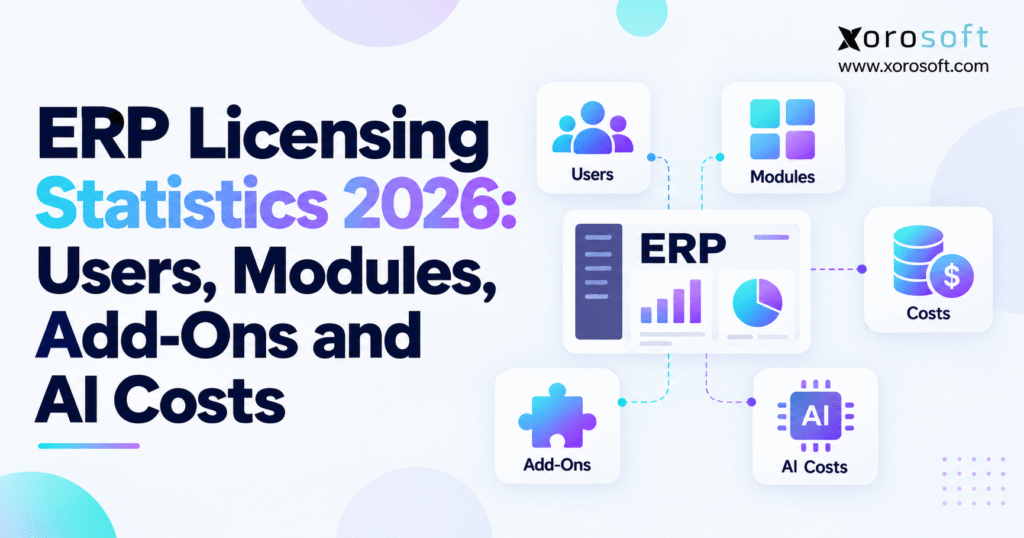
Discover the latest ERP licensing statistics for 2026 and gain insights into industry trends.
1. Why ERP License Bills Rise as Businesses Grow
The first ERP price a buyer sees is rarely the final bill. A plan may look simple when the business has one warehouse, 20 users, and a few sales channels. Yet the cost can change once it adds new staff, more order volume, extra tools, and AI features. As a result, a low monthly price can lead to a much larger yearly budget.
For example, a wholesale brand may need finance users, buyers, warehouse teams, and sales staff to work in one system. Each group uses different tools. Some need full access, while others only scan stock or check reports. In addition, a growing firm may need EDI links, demand planning, and more storage.
The ERP licensing statistics 2026 discussion is therefore about more than one price per user. It is about how fees change as the work becomes more complex. A sound plan must cover the base software, user rights, extra modules, links to other apps, and the cost of AI tasks.
1.1. Why the Starting ERP License Price Is Not the Full Cost
A starting price is helpful, but it answers only one question: what does an entry plan cost under the vendor’s stated terms? It may not cover the setup, training, or daily tasks your team needs. For that reason, two quotes that look close can lead to very different costs after launch.
For example, one quote might include basic stock tracking but not advanced warehouse picking. Another may cover picking but charge for each user who works in finance. Neither model is always cheaper. Instead, the better choice depends on what the business needs people to do each day.
1.2. Why the Finance and Operations Teams Should Plan Together
Finance can set the budget, but it may not know each workflow on the warehouse floor. Meanwhile, operations staff understand the work yet may not see how each feature affects the bill. Both teams should review the same list of needs before they ask for quotes.
Start with staff roles, order flow, stock rules, and the sales channels in use. Next, add plans for new sites and future order growth. This gives vendors a clear scope and helps the buyer avoid paying for tools that do not solve a real problem.
2. ERP Licensing Statistics 2026: Market Prices and Key Trends
Published price data helps buyers set an early budget. Still, the figures need context. A small sample of widely sold ERP systems cannot describe every product in the market, and an entry price is not the same as the full cost of ownership.
2.1. How ERP Software Is Priced in 2026
ERP Research’s September 2026 review covers 40 ERP systems. In that sample, 73% used per-user pricing. A further 20% used custom or quote-only prices, while 5% were classed as open-source and 3% as usage- or resource-based. The total is about 101% because the figures are rounded.
| Pricing model | Share of 40 systems |
|---|---|
| Per-user pricing | 73% |
| Custom or quote-only | 20% |
| Open-source | 5% |
| Usage or resource-based | 3% |
These ERP licensing statistics 2026 show why per-user fees appear in so many buying guides. However, they also show why a buyer needs to ask about other models. A system billed by activity can have a very different cost curve from one billed mainly by seats.
2.2. What the $85 ERP License Price Median Means
For systems in that sample with public per-user prices, ERP Research found a median starting price of $85 per user per month. The reported range was about $40 to $180. In addition, 23% of the systems did not publish a starting price.
At $85 each, 25 users would cost $2,125 per month, or $25,500 per year. Yet that is only a math example. It assumes every user has the same license and leaves out modules, setup, support, and extra apps. So it should not be called the average ERP bill for a 25-person team.
2.3. Cloud ERP Is Common, but Cloud Pricing Still Varies
The same sample found that 90% of the systems offered cloud use, 33% were cloud-only, and 63% still offered an on-site option. These groups overlap because a vendor may offer more than one way to run its software.
Cloud ERP can reduce the need to manage servers in-house. However, a cloud plan may still charge for users, data, tasks, or added storage. Therefore, ERP licensing statistics 2026 cannot show the full cost based on hosting alone.
3. ERP Licensing Models: Per User, Per Device and Per Workload
There is no single way to license ERP software. Instead, vendors set prices around users, access rights, apps, or the work done by the system. To compare them fairly, buyers first need to know what each model counts.
3.1. Named-User Fees and Full-Access Seats
A named-user license belongs to one person. For example, a buyer may create purchase orders, while a controller may close the books and review stock value. Both need a personal login with enough rights to do their work.
The main benefit is a clear seat count. As the team grows, though, the bill may grow too. Also, a person with only a few tasks may still need a full license if the vendor does not offer a lower access tier for those tasks.
3.2. Limited ERP Users and Device-Based Licenses
Some vendors sell lower-cost access for staff who only approve, read, or update a small set of records. Likewise, device plans may cover approved work on shared tools, such as a scanner or packing station.
For this reason, a buyer should not assume that a user with a limited role can use a cheaper seat. Nor should staff share a named account unless the contract allows it. Security logs and clear user records also matter, so access rules should match both the workflow and the license terms.
3.3. Concurrent Users and Usage-Based Pricing
A concurrent license may limit how many people work in the system at one time, rather than how many people have access in total. This can suit firms with separate shifts. However, peak hours may need more seats than a normal day.
By contrast, usage-based plans can depend on apps, order flow, data, or system resources. Such plans may be useful when many people need light access. Even so, costs may rise if the firm doubles its orders or needs more data space. So buyers should test both staff growth and workload growth.
4. ERP User License Costs by Team Size and Job Role
A company with 50 workers does not always need 50 full ERP seats. Instead, the license mix should reflect who makes changes, who approves work, and who only needs a view of the data.
4.1. Map Each Job to the Tasks It Performs
Finance staff may post journals, manage bills, and close the month. Buyers may place orders and track supply dates. Warehouse workers may scan receipts, pick goods, and move stock. Meanwhile, managers may only need a dashboard or a way to approve a request.
Then each task can be checked against the vendor’s rights. A cheaper seat has little value if a worker cannot finish a key task. On the other hand, a full seat may be wasteful when approved light access would be enough.
4.2. A 50-User ERP License Cost Example
Assume a fictional ERP plan charges $100 a month for a full user and $10 for a limited user. If 20 people need full access and 30 need limited access, the user cost is $2,300 each month. If all 50 need full access, the figure becomes $5,000.
| User mix | Monthly user cost | Yearly user cost |
|---|---|---|
| 50 full users | $5,000 | $60,000 |
| 20 full and 30 limited | $2,300 | $27,600 |
| 10 full and 40 limited | $1,400 | $16,800 |
This example is not a vendor price or a claim about typical savings. It simply shows how the math can change. In practice, not every ERP system offers both license types, and not every job fits a light seat.
4.3. ERP Seats for Warehouse Shifts and Seasonal Staff
A fast-growing brand may add staff for a busy sales season. Yet many of these workers may only scan, pack, or ship goods. Before buying more full seats, check whether approved device or warehouse access will cover the work.
Also, ask how fast seats can be added, moved, or reduced. A yearly deal may have rules that stop a firm from cutting seats mid-term. As a result, a short burst of hiring can affect the bill long after the rush ends.
5. ERP Module Pricing: What the Base Plan Really Covers
A base ERP plan may include finance, stock, sales, and buying tools. Yet vendors do not always define those tools in the same way. The term “inventory management,” for example, might mean simple stock counts in one product and advanced lot, bin, and stock rules in another.
5.1. Core Finance, Buying, and Stock Functions
Most ERP buyers need clear links between sales, stock, and the books. When goods arrive, stock value should change. When orders ship, the sale and stock cost should reach finance. In addition, buyers need clear data on what to reorder and when.
Therefore, ask how the base plan handles stock value, supplier bills, purchase orders, landed costs, returns, and month-end close. Some of these tasks may be included; others may need a higher tier or custom setup.
For a firm moving beyond spreadsheets and a basic accounting app, XoroONE cloud ERP is one example to assess for connected finance, buying, and stock work. The useful test is how the needed tasks run together, not how many modules appear on a feature list.
5.2. Warehouse and Production Add-Ons
Advanced warehouse work can include bin locations, barcode scans, pick paths, cycle counts, and stock moves between sites. Production work may add bills of materials, work orders, and plans for raw goods. Both areas can add cost if they sit outside the base plan.
For example, a distributor should ask whether it can scan a receipt, move goods into a bin, reserve stock, and confirm a shipment under the quoted plan. If not, it may need an extra warehouse tool. A look at Xorosoft’s warehouse management tools can help frame the right workflow questions without assuming that every feature is part of every contract.
5.3. Why ERP Module Count Alone Is a Poor Price Test
One ERP vendor might sell a broad suite, while another builds a plan from separate apps. The first may cost more at the start but avoid extra tools later. The second may cost less now but rise as the firm expands. For this reason, ERP licensing statistics 2026 should be checked against the actual modules a buyer needs.
Instead, list the tasks your teams must finish, then mark which ones each quote covers. Keep one-time setup fees apart from monthly fees. This simple step makes it easier to see where the final bill could grow.
6. ERP Add-On Fees for Shopify, EDI, APIs and Support
ERP software rarely runs alone. A product business may sell on Shopify and Amazon, send EDI files to large retail buyers, and use a third-party shipper. As a result, the base ERP plan is only one part of the software stack.
6.1. Ecommerce App and Order Sync Costs
An ecommerce link may move orders, prices, stock levels, returns, and shipment details between systems. However, the amount of work behind that link can vary. Some apps cover one store, while others support several stores or brands. Some need extra setup when a merchant adds a new channel.
For example, the Shopify App Store listing for Xorosoft ERP says the app is free to install but that extra charges may apply. In other words, free app setup is not the same as a free ERP plan. The seller still needs to ask about the full software price, launch work, and any support fees.
Before buying, check how often the systems sync, which data moves each way, and what happens if a connection fails.
6.2. EDI Links and API Use Limits
Wholesale firms may send purchase orders, invoices, and shipping notices through EDI. These files often have strict rules set by retail partners. As a result, the business may pay for setup, document mapping, a network provider, or help with errors.
API links can have limits as well. For example, a tool may allow a set number of calls each hour or charge more once data use passes a tier. That can matter during a peak sales event, when order traffic rises but headcount stays flat.
Xorosoft lists a range of business system integrations that buyers can review when mapping their own sales and shipping stack. Even so, each connection should be priced and tested as part of the agreed scope.
6.3. ERP Support, Data, and Extra Site Fees
Other add-ons may cover priority support, test systems, more storage, extra legal entities, or custom reports. Some vendors include these items, while others do not. Therefore, a quote should show the base fee and every added charge as separate lines.
In addition, ask which costs are fixed and which can change with use. It is easier to budget for a known yearly support fee than for an unknown charge tied to the number of orders. Clear terms matter more than a short list of features.
7. ERP AI Pricing in 2026: Seats, Credits and Agent Costs
AI is now part of many ERP product plans. Yet there is a major difference between an AI tool that comes with the base license and one that charges for each action. This is why ERP licensing statistics 2026 must include AI use, not just user seats and modules.
7.1. Which ERP AI Features Are Included?
A base ERP plan may include help with search, reports, text, or simple tasks. By contrast, advanced AI may need a paid tier. Buyers should ask which tools are live in the edition they are buying and whether there are limits on use.
For instance, Microsoft says that Business Central Essentials and Premium include Copilot. However, some agent work uses Copilot Credits and related service terms. Similarly, SAP’s Business AI pricing guide sets out Base AI and Premium AI as different parts of its offer.
The lesson is simple: “AI included” does not mean all AI tasks are free. First, identify the exact task. Then ask how it is billed and how much use is covered.
7.2. Credits and Pay-As-You-Go AI Plans
Some AI tools use a pool of credits. When a tool runs, it uses part of that pool. Other products charge for each user, agent action, record, or document. In addition, some credits expire at the end of the contract term.
SAP, for example, says its premium AI Units are bought for a year and that unused units expire after 12 months. It also lists 0.02 AI Units for an action by a qualifying SAP-delivered autonomous agent in 2026. That number is a unit rate, not a price in dollars. One task may need several actions.
Therefore, a useful AI budget must start with the type of work, the number of runs, and the vendor’s billing unit. Counting AI users alone may miss much of the cost.
7.3. A Simple Model for Monthly AI Costs
Suppose an AI service has a hypothetical effective cost of two cents per document. If a team processes 10,000 documents a month, the modeled charge is $200. At 50,000 documents, it would be $1,000. However, this is not a published price from any ERP vendor.
A real tool may charge for more than one step per document. It may also offer a free allowance or charge extra once the account reaches a limit. So buyers using ERP licensing statistics 2026 should test both a quiet month and the busiest month of the year.
At the same time, the team should measure the time saved and the rate of errors. Low-priced AI has little value if people must redo its work.
7.4. ERP AI Access and Data Safety Can Affect the Budget
An AI tool may need access to orders, suppliers, stock, or finance records. Because that data can be sensitive, access controls and audit logs matter. The firm should also ask whether it pays for outside model services, hosting, or custom links.
For example, the Xorosoft MCP Server describes ways to connect ERP data with AI tools while using permission-aware access. Buyers can use this as a prompt to ask who can view which data and how each AI request is tracked.
In short, AI cost is not only the fee per task. It also includes the work needed to keep the system useful, safe, and easy to manage.
8. ERP Vendor Licensing: Comparing 2026 Price Models
ERP prices are hard to compare when vendors sell different bundles. A low seat price might not cover warehouse work. Meanwhile, a higher base price may include more tools. So buyers should use published rates as a guide, not as a final ranking.
8.1. Business Central User Pricing
Microsoft’s US Business Central price page lists Essentials at $80 per user per month, Premium at $110, and Team Members at $8. The page states that the plans are paid yearly.
Premium adds more manufacturing and service work than Essentials. Team Members supports limited use, such as reading records and some approvals. Therefore, a firm that needs production tools and many finance users should not base its budget only on the $8 light-user price.
Also, apps, partner services, and some AI agent use may add costs. The quote should say what is covered and what is not.
8.2. Odoo Plans and First-Year Price Changes
Odoo’s pricing page lists Standard at $24.90 per user per month and Custom at $49 under its shown annual-billing first-year offer. It also shows higher reference rates of $31.10 and $61, respectively, so the buyer should check the rate that will apply after the discount.
Standard offers a broad suite of apps through Odoo Online. Custom adds options such as multi-company use, external API access, and more ways to tailor the software. However, setup and other project needs should still be priced in the full plan.
8.3. Acumatica and NetSuite ERP License Quotes
Acumatica’s pricing page focuses on the apps used, expected activity, resources, and the hosting choice rather than a simple fee for each seat. Its 2026 license guide also describes named-user terms for some product lines. So it is important to check which model the actual quote uses.
NetSuite and other large ERP vendors often build quotes around the firm’s needs. As a result, a public figure may not cover the users, modules, and services in a real deal.
| Vendor | Pricing approach to check | Main buying question |
|---|---|---|
| Business Central | Per-user tiers and apps | Which roles need full seats? |
| Odoo | Per-user plans | What changes after the first year? |
| Acumatica | Apps and resources; some named-user terms | What makes the plan move up a tier? |
| NetSuite | Custom scope and modules | Which parts of the quote are extra? |
| SAP | Product terms and paid AI options | Which AI tools use paid credits? |
When comparing vendors, use the same number of users, sites, and tasks. A Xorosoft versus NetSuite guide can help frame product questions, but the cost decision must still rest on current quotes with matching scope.
9. ERP License Cost Calculator: From Monthly Fees to Five-Year TCO
A clear cost model gives the finance team a better view than a single yearly quote. For this reason, ERP licensing statistics 2026 are most useful when paired with a simple forecast.
9.1. Start With All Monthly Costs
For a user-based plan, begin with the full and light-user counts. Then add the base platform fee, modules, app links, support, and expected AI use.
Monthly ERP cost = user fees + base fee + module fees + integration fees + support + estimated AI and usage charges.
Next, multiply by 12 to estimate yearly recurring cost. If the contract is billed by workload instead of users, replace the seat fees with the agreed resource and activity charges. This is a planning method, not a single formula used by every vendor.
9.2. A 50-User ERP Licensing Budget
Imagine a wholesale firm with 20 full users and 30 limited users. It needs buying, stock control, order flow, and two sales links. Use the fictional monthly prices below to see how the final bill takes shape.
| Monthly cost item | Example amount |
|---|---|
| Full-user fees | $2,000 |
| Limited-user fees | $300 |
| Base platform | $600 |
| Extra modules | $800 |
| Ecommerce and EDI links | $450 |
| AI usage estimate | $150 |
| Support | $250 |
| Total per month | $4,550 |
| Total per year | $54,600 |
Here, user fees are $2,300 a month, but the modeled recurring bill is $4,550. Again, these are assumed prices, not a quote or a claimed market average.
9.3. Add Setup, Growth and Renewal Changes
Next, assume the firm spends $65,000 on setup, $15,000 on moving data, and $10,000 on training. That is $90,000 upfront. If it then pays $54,600 a year for five years and spends $20,000 on later changes, the five-year cost is $383,000.
However, renewal prices may not stay flat. If recurring fees rise 5% each year from year two, the modeled five-year total becomes about $411,700. This case leaves out taxes and any costs that were not listed.
A good forecast should show at least three cases: current needs, likely growth, and a high-volume year. Then the team can see what drives the bill and which terms it should discuss before signing.
10. ERP Licensing Statistics 2026 for Inventory-Driven Industries
The cost of ERP depends in part on how a firm sells, stores, and makes its goods. Two companies with the same staff count may need very different tools. For that reason, ERP licensing statistics 2026 should be read alongside the needs of the industry.
10.1. Ecommerce, Apparel, and Wholesale ERP Costs
An online brand may need to sync sales from several stores and keep stock in step across channels. An apparel seller may also track size, color, returns, and new seasonal ranges. In addition, wholesale teams may need special prices for key accounts and EDI links to retail buyers.
These tasks can add app fees or demand more support. Yet a firm should not buy a costly extra module unless the base plan falls short. First, test a normal order from sale to shipment and then through the books. If that flow works without hand entry, the system is more likely to fit.
10.2. Warehouse Networks and Manufacturing Teams
A firm with several warehouses needs more than one total stock number. It must know which goods sit in which bins, what has been reserved, and what can ship today. Meanwhile, a maker needs to track raw goods, work orders, and finished stock.
As a result, ERP licensing statistics 2026 may understate the costs of advanced WMS or production tools. Buyers should map the day-to-day tasks, then confirm what the contract covers. Industry-focused ERP use cases can offer helpful examples, but the final choice should be based on the firm’s own process tests.
10.3. Furniture, Sporting Goods, and Food Businesses
Furniture can bring large items, special delivery needs, and returns that take time to handle. Sporting goods may face strong peak seasons. Food firms may need lot records, expiry dates, and trace steps when goods move between sites.
Each of these needs can affect the choice of modules and apps. So buyers should ask for a demo using real orders and stock rules, not only a standard sales screen. They should also test what happens when demand rises fast or a shipment has a problem.
11. Hidden ERP Fees and Contract Risks That Affect the Final Bill
The first year is only the start of an ERP deal. Once staff rely on the system, it becomes harder to change course. Because of this, contract details deserve as much care as the feature list.
11.1. ERP License Renewal Fees and Early Discounts
A vendor may offer a lower price in year one. However, the rate can rise when that offer ends. Some plans also set a minimum number of users or a fixed term. Therefore, ask for a written view of the likely cost at each renewal.
Also, check whether unused seats can be removed, whether a license can move to a new staff member, and what happens if the team gets smaller. Seasonal firms should pay close attention to these rules. A short-term rise in headcount should not lead to surprise costs for years.
11.2. Growth Tiers, Data Limits, and Extra Work
Order growth may raise the need for storage, data calls, system power, or support. A new sales channel may bring a new app fee. In addition, a second business entity may call for extra setup or new rights.
ERP licensing statistics 2026 cannot predict these line items for one buyer. Still, they help show why the team should plan for more than seats. Ask each vendor to price a future case with twice today’s order load and one more site. Then review what makes the cost rise.
11.3. Training, Data Moves, and Proof From Customers
Moving to ERP can involve old stock records, finance data, open orders, and links to outside apps. If the source data is poor, cleanup can cost time and money. Training is also key because new tools change daily work.
For this reason, ask who owns each setup step and what the fixed price does not include. It also helps to read real customer case studies and ask for examples from firms with similar needs. Such stories can guide questions, but they do not replace a clear work plan and live tests.
12. ERP Licensing Statistics 2026: How to Control Costs
A lower bill should not come at the expense of poor stock records or weak access controls. Instead, cost control starts with knowing what the team uses, what it needs, and what it can stop paying for.
12.1. Review Seats, Modules, and App Use
First, make a list of each license, module, and paid link. Next, ask the team who uses it and which task it helps them finish. Then compare that list with actual system activity.
For example, a full seat might be needed for a buyer who creates orders each day, while a manager may only need approved report access. In the same way, an old app might no longer be needed after the ERP handles its work. However, any cut must follow the contract and keep key controls in place.
12.2. Negotiate ERP License Costs With a Clear Forecast
A vendor can give a more useful quote when the buyer shares a sound plan for users, order flow, and growth. Therefore, build three cases: today’s work, likely growth, and a peak year. Ask how the price changes in each one.
In addition, review the renewal terms, support hours, data export rights, and the cost of moving to another tier. ERP licensing statistics 2026 are a useful starting point, but clear terms in the final agreement matter most.
12.3. Know When a Smaller Tool Is Enough
Not every firm needs full ERP. A small brand with one site, simple stock, and a few sales channels may be able to work well with accounting software and a focused stock app. On the other hand, a team that spends hours moving data between tools may be ready for a broader system.
So the decision should follow a review of the work, not pressure to buy the largest plan. If a simpler setup still works well, keeping it may be the best use of the budget.
13. A Practical ERP Licensing Plan for the Next Five Years
ERP licensing statistics 2026 point to one clear lesson: software cost depends on more than the listed fee. Users, modules, app links, AI tasks, and contract terms can all shift the bill. Therefore, buyers should test the full scope before judging value.
13.1. Build the ERP License Quote Around Real Work
Start by listing the roles that need access. Next, map stock, buying, finance, warehouse, and sales tasks. Add the outside apps and expected data use. Finally, ask each vendor to show a three- to five-year price based on the same scope.
Compare not just the fees, but also the work that the system can do. A plan that seems cheap may still create hand entry or extra apps. By contrast, a broader plan may be useful if it removes those steps without adding undue cost.
13.2. Choose the Next Step That Fits the Business
For an inventory-led firm with many separate tools, a focused ERP review can help show where a single system may make sense. Xorosoft can be assessed alongside other options for connected stock, buying, warehouse, and finance workflows. Still, the choice should rest on a live demo and a clear, written quote.
If you are reviewing license fees or planning an ERP change, contact Xorosoft to discuss your business needs and the right next steps.
Frequently Asked Questions
How much does ERP licensing cost in 2026?
In one 2026 ERP sample, the median published entry price was $85 per user monthly. Your final cost depends on user types, modules, services, and usage.
Do all employees need a full ERP license?
No. Some vendors offer limited-user or device licenses for reporting, approvals, and warehouse tasks. Confirm which actions each license allows before buying.
Are warehouse and manufacturing modules included?
Not always. Advanced warehouse management, production planning, and forecasting may require a higher plan or extra modules. Check the exact features in your quote.
Are Shopify, Amazon, and EDI integrations free?
Not necessarily. Connector subscriptions, setup, EDI document fees, and API limits can add costs. Confirm what is included and what may increase with order volume.
Is AI included in ERP software pricing?
Some basic AI features are included. However, agents, document processing, or advanced automation may use paid credits or usage fees. Ask about limits and overages.
What hidden ERP licensing charges should buyers review?
Review implementation, training, storage, extra users, support, renewals, and integration fees. A low starting price does not always mean a low five-year cost.
How do you calculate five-year ERP licensing costs?
Add five years of subscriptions, modules, integrations, support, and AI usage. Then include setup, training, expected growth, and annual price increases.
Recent Posts
-
 ERP for Automotive Parts Distributors Managing US–Canada Tariff Exposure
 -
 ERP Licensing Statistics 2026: Users, Modules, Add-Ons and AI Costs
 -
 How to Calculate Cost per Order in a Multi-Warehouse Operation
 -
 Who Owns Inventory Accuracy: Finance, Operations, or the Warehouse?
 -
 Shopify B2B Payment Reconciliation: ACH, Deposits, Terms, and Partial Fulfillment