1. When Retail EDI Integration Becomes an Operations Problem
Retail EDI integration becomes important when electronic orders arrive quickly, but employees still move the same information manually between EDI, ERP, warehouse, and accounting systems. At first, that process may seem manageable. However, as order volume grows, each manual handoff creates another chance for delays, wrong quantities, missed dates, and invoice differences.
Therefore, the real goal is not simply to receive an electronic purchase order. Instead, the business needs one connected workflow that carries the retailer’s order from receipt through inventory, fulfillment, shipment, ASN creation, and invoicing.
A connected process usually looks like this:
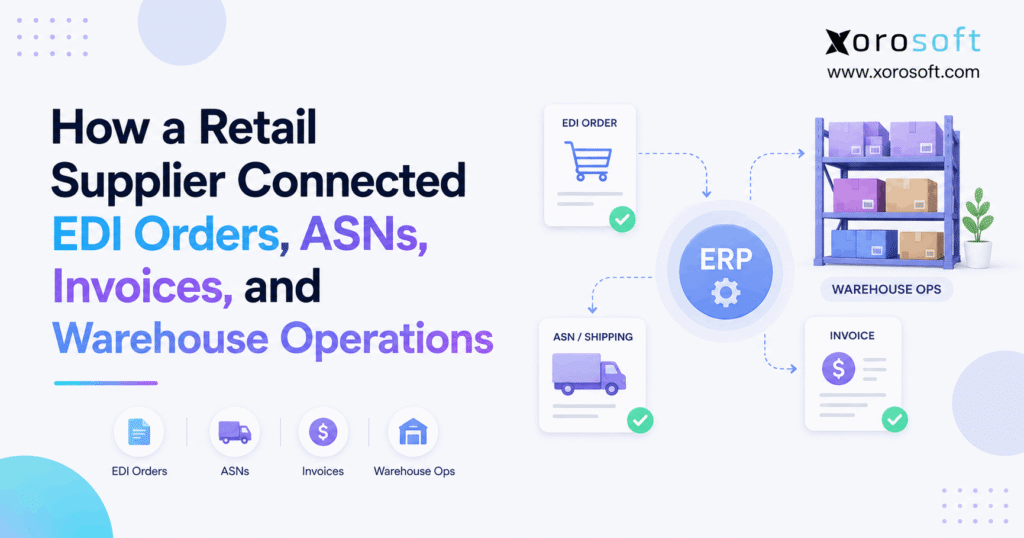
Retailer → EDI 850 → ERP sales order → inventory allocation → WMS → pick and pack → shipment → EDI 856 ASN → EDI 810 invoice
Because every step uses related data, teams spend less time rebuilding the same transaction.
1.1 Why Disconnected EDI Creates More Work
Many suppliers first adopt EDI because a retailer requires it. Consequently, they often add an EDI portal beside their existing accounting, inventory, and warehouse tools.
The order arrives electronically. However, an employee may still type it into another system. Next, the warehouse may work from a separate order record. Finally, finance may create the invoice from yet another source.
As a result, the company has electronic documents but manual operations.
That gap becomes more serious when the supplier adds retailers, warehouses, Shopify orders, wholesale customers, or marketplace demand.
1.2 What a Connected Workflow Changes
With retail EDI integration, the company treats the retailer’s purchase order as the start of one transaction rather than as a file that employees must repeatedly copy.
First, the EDI layer receives and translates the order. Next, the ERP checks the data and creates the sales order. Then, inventory gets allocated and the warehouse receives the fulfillment request.
After the warehouse ships the goods, actual shipment data drives the ASN. Finally, the same order and shipment history supports invoicing.
Therefore, each team works from the same operational story.
2. What Retail EDI Integration Actually Connects
Retail EDI integration connects three different functions: communication, business control, and warehouse execution. Although these functions interact closely, they do not perform the same job.
Therefore, suppliers should define which system owns each part of the process before they automate anything.
2.1 EDI, ERP, and WMS Have Different Jobs
EDI manages electronic communication between trading partners. For example, it carries purchase orders, shipment notices, acknowledgments, and invoices.
Meanwhile, ERP manages internal business records such as customers, sales orders, inventory, pricing, purchasing, and accounting.
Finally, a WMS manages physical warehouse work such as receiving, picking, scanning, packing, cartonization, and shipping.
Because each system has a different role, the best architecture connects them rather than forcing one application to do everything.
2.2 One Transaction Should Create One Operational Record
A retailer order should not become five disconnected records.
Instead, a connected platform should preserve the relationship between the original purchase order, the ERP sales order, the warehouse shipment, the ASN, and the invoice.
For businesses that want inventory, accounting, order management, and warehouse operations in one environment, XoroONE provides an example of an ERP-centered approach.
Therefore, the broader objective is simple: create one source of operational truth and let connected systems use it.
3. Before Retail EDI Integration: Where the Workflow Breaks
Before retail EDI integration, suppliers often build processes one requirement at a time. As a result, EDI, inventory, warehouse, and accounting tools may work independently.
Each tool can perform its own job. However, employees still have to connect the process manually.
3.1 The Order Arrives Digitally but Gets Re-Entered
Suppose a retailer sends a purchase order electronically.
An employee opens the EDI portal, checks the document, and creates a sales order elsewhere. Therefore, the same data travels electronically between businesses but manually inside the supplier.
That employee may need to re-enter:
- Customer information
- Purchase order number
- SKU
- Quantity
- Price
- Ship-to location
- Requested ship date
- Delivery date
Consequently, order volume and administrative work grow together.
3.2 Warehouse and Finance Use Different Information
After order entry, the warehouse may receive a spreadsheet, printed pick list, email, or separate digital record.
Meanwhile, inventory continues changing because other channels are selling the same products.
Then, after shipment, another employee may build the ASN. Finally, finance may create an invoice from the original order rather than the final shipment.
Therefore, quantity or timing differences can appear between the PO, shipment, ASN, and invoice.
4. Retail EDI Integration Starts With the EDI 850
The EDI 850 Purchase Order often starts the operational process. Therefore, strong retail EDI integration begins by turning the incoming document into clean, usable order data.
The supplier should not simply accept every transaction automatically. Instead, the system should validate important fields first.
4.1 What the EDI 850 Contains
An EDI 850 can carry purchase-order information such as products, quantities, dates, locations, pricing references, and customer details.
The ASC X12 organization defines the 850 as the Purchase Order transaction set and also maintains standards for related transactions such as the 855, 856, 810, and 860. You can review the official ASC X12 transaction set information for technical definitions.
However, each retailer can apply its own business rules. Therefore, suppliers still need retailer-specific mappings and validation.
4.2 Turning the EDI 850 Into an ERP Sales Order
After translation, the ERP should validate the incoming order before creating the sales transaction.
For example, XoroERP can act as the operational layer where sales orders, inventory, purchasing, accounting, and related data connect.
Before the order continues, the system should check:
- Customer mapping
- SKU or UPC mapping
- Quantity
- Unit of measure
- Pricing
- Ship-to address
- Requested dates
Therefore, valid orders can flow forward while exceptions stop for review.
5. Retail EDI Integration Must Manage Order Changes Too
A retailer’s first purchase order is not always the final instruction. Consequently, retail EDI integration must also manage acknowledgments and order changes.
Otherwise, the ERP and warehouse may continue working from outdated information.
5.1 EDI 855 Confirms the Order Response
The EDI 855 Purchase Order Acknowledgment lets a supplier communicate its response to the retailer’s order.
For example, the supplier may confirm the order or communicate relevant changes based on the agreed workflow.
Therefore, the acknowledgment process should use the same order data that the ERP holds.
In addition, teams should avoid managing acknowledgment status in separate spreadsheets because that creates another version of the transaction.
5.2 EDI 860 Changes Need to Reach Operations Quickly
A retailer can use an EDI 860 to request changes to an existing purchase order.
For example, the retailer may change quantities, dates, products, or other instructions.
Therefore, the integration must determine whether the warehouse has already started work. If not, the system can update the order. However, if picking has started, the workflow may require human review.
A flexible integration framework becomes important because trading-partner messages must affect real operational records, not just the EDI inbox.
6. Inventory Allocation Comes Before Warehouse Execution
After the order passes validation, the business must decide whether it can fulfill the requested quantity.
Therefore, inventory allocation becomes the next major control point.
6.1 Available Inventory Is Not the Same as Uncommitted Inventory
A warehouse may physically hold 1,000 units. However, other orders may already claim 800.
Therefore, the business should not promise all 1,000 units to a new retailer order.
Instead, the ERP needs to consider inventory that is available after existing commitments, holds, transfers, and other rules.
This becomes even more important when ecommerce, retail EDI, wholesale, and marketplace orders compete for the same stock.
6.2 Multi-Warehouse Allocation Needs Clear Rules
A supplier with several warehouses must also decide where to fulfill the order.
For example, the system may consider:
- Inventory by location
- Distance to customer
- Requested delivery date
- Warehouse workload
- Retailer routing rules
- Existing allocations
- Freight cost
Therefore, multi-warehouse logic should sit upstream from picking. Otherwise, warehouse teams may manually decide where stock should come from after the order has already entered fulfillment.
7. EDI WMS Integration Turns Order Data Into Physical Work
Once inventory is allocated, the warehouse must execute the order accurately.
Therefore, EDI WMS integration connects the digital retailer order with physical picking, packing, labeling, and shipping.
7.1 The WMS Needs Clean Fulfillment Data
The warehouse should receive approved order information directly rather than reconstructing it manually.
For example, XoroWMS connects warehouse execution with broader inventory and order operations.
The WMS may need:
- Order number
- Customer
- Ship-to location
- Products
- Quantities
- Lot or serial rules
- Carrier details
- Shipping window
- Label requirements
Therefore, the warehouse starts with the same transaction that the ERP approved.
7.2 Pick, Pack, and Ship Data Creates Shipment Truth
Next, warehouse workers pick the required products.
Then, scanning can confirm the SKU and quantity. After that, workers pack items into cartons or pallets. Finally, the system records what actually ships.
This sequence matters because the final shipment may differ from the original order.
For example, the retailer may order 100 units, while the warehouse ships 96 because four units fail inspection.
Therefore, downstream documents should use the final shipment quantity when the trading-partner rules require it.
8. Retail EDI Integration Must Build the ASN From Warehouse Data
The EDI 856 Advance Shipping Notice is one of the most important parts of retail EDI integration because it tells the retailer what is coming before the goods arrive.
Therefore, ASN accuracy depends on warehouse accuracy.
8.1 What an EDI 856 ASN Can Include
Depending on the retailer, the ASN may include:
- Purchase order reference
- Shipment number
- Ship-from location
- Ship-to location
- Carrier
- Shipment date
- Tracking information
- Products
- Quantities
- Cartons
- Pallets
- SSCC identifiers
However, retailers do not always use identical requirements. Therefore, suppliers need trading-partner-specific maps and tests.
8.2 SSCCs Connect Physical Units With Electronic Data
An SSCC, or Serial Shipping Container Code, identifies a logistics unit such as a carton or pallet.
GS1 explains that the SSCC serves as the key identifier on a logistics label and allows physical units to connect with related electronic information. Its GS1 Logistic Label Guideline also explains how logistics systems such as WMS or ERP platforms can generate and manage these identifiers.
Therefore, the physical label and electronic ASN should describe the same shipping unit.
8.3 Send the ASN From Final Shipment Data
The supplier should not build the ASN too early.
Instead, the warehouse should first confirm what it actually packed and staged for shipment. Then, the integration can use those records to create the EDI 856.
As a result, the ASN is more likely to match the shipment that arrives at the retailer.
Therefore, retail EDI integration should treat the WMS as a key source of shipment truth.
9. Retail EDI Integration Should Connect the EDI 810 to Shipment Truth
After shipment, the supplier eventually needs to bill the retailer.
Therefore, retail EDI integration should connect the EDI 810 invoice with the same order and shipment history.
9.1 The Invoice Should Not Rebuild the Transaction
If employees manually recreate the invoice, they reintroduce the same risks that automation removed earlier.
Instead, the accounting process should use validated ERP and shipment data.
For example:
Ordered: 100 units
Shipped: 96 units
ASN: 96 units
The invoice workflow can then apply the company’s commercial and retailer rules to those known facts.
Therefore, finance does not need to search emails or warehouse spreadsheets to learn what shipped.
9.2 Invoice Exceptions Still Need Controls
Even connected systems need checks.
For example, an invoice can still fail because of:
- Price differences
- Quantity differences
- Invalid purchase-order references
- Duplicate invoices
- Incorrect allowances
- Missing retailer data
Therefore, automation should detect these issues before transmission whenever possible.
As a result, finance teams spend more time solving true exceptions and less time rebuilding normal transactions.
10. The Complete EDI 850, WMS, 856, and 810 Workflow
The full retail supplier workflow becomes easier to understand when each step connects to the next one.
Therefore, the business should map the entire transaction before it chooses individual tools.
10.1 The End-to-End Flow
A connected workflow can follow these ten steps:
1. Retailer sends the EDI 850 purchase order.
2. The EDI layer translates the document.
3. The system validates customer, SKU, price, location, and dates.
4. ERP creates the sales order.
5. ERP checks and allocates inventory.
6. The order moves to the correct warehouse.
7. WMS manages picking, packing, labeling, and shipping.
8. Final shipment data creates the EDI 856 ASN.
9. ERP and accounting create the invoice.
10. The EDI layer transmits the EDI 810.
Therefore, employees focus mainly on exceptions.
10.2 Which System Should Own Each Step?
| Step | Primary System | Main Responsibility |
|---|---|---|
| Receive retailer document | EDI layer | Translation and communication |
| Create sales order | ERP | Commercial transaction |
| Allocate inventory | ERP | Inventory commitment |
| Pick and pack | WMS | Warehouse execution |
| Confirm shipment | WMS/ERP | Shipment record |
| Create ASN data | WMS + EDI | Shipment communication |
| Create invoice | ERP/accounting | Financial transaction |
| Send invoice | EDI layer | Trading-partner delivery |
Therefore, system ownership becomes clear before automation begins.
11. Exception-Based Retail EDI Integration Scales Better
A common mistake is to assume automation means removing people from every step.
However, strong retail EDI integration does something more practical: it lets routine transactions move automatically while directing unusual transactions to people.
11.1 Normal Orders Should Flow
If the retailer, SKU, quantity, pricing, location, and dates all pass validation, the system can process the order without manual re-entry.
Therefore, employees do not need to touch every transaction.
As order volume grows, this model scales more efficiently because administrative work does not increase at exactly the same rate as sales volume.
11.2 Exceptions Need Clear Owners
However, some orders will fail.
Common exceptions include:
- Unknown SKU
- Invalid location
- Pricing mismatch
- Inventory shortage
- Late order change
- Shipment difference
- ASN failure
- Invoice validation error
Therefore, the system should show what failed, why it failed, who owns the issue, and what action comes next.
As a result, teams manage problems instead of searching for them.
12. Retail Compliance Extends Beyond EDI Messages
EDI compliance does not exist separately from warehouse execution.
Instead, retailer requirements often reach deeply into shipping operations.
12.1 Warehouse Rules Affect Electronic Documents
A retailer may specify:
- Shipping windows
- Carrier rules
- Routing instructions
- Carton sizes
- Pallet requirements
- Product labels
- SSCC labels
- Pack hierarchy
- ASN timing
Therefore, warehouse processes must capture the information that outbound EDI documents require.
If warehouse staff pack items differently from the electronic record, the ASN can become inaccurate even when the EDI mapping itself works perfectly.
12.2 Better Controls Can Reduce Preventable Chargeback Risk
Retailer chargebacks can have many causes. However, some problems begin with mismatched order, warehouse, or invoice data.
For example, a supplier may send a late ASN, ship the wrong quantity, use an invalid label, or invoice against outdated information.
Therefore, connected systems can help detect discrepancies earlier.
They cannot eliminate every chargeback. Still, they can reduce avoidable errors by validating information before it leaves the business.
13. Before and After Retail EDI Integration
The largest improvement comes from removing repeated manual handoffs.
Therefore, the difference is easier to see across the complete workflow.
| Process | Before Integration | After Integration |
|---|---|---|
| EDI 850 order | Employee re-enters data | System validates and creates order |
| Inventory | Checked separately | Shared availability |
| Allocation | Manual decision | Rule-based allocation |
| Warehouse release | Email or spreadsheet | Connected workflow |
| Picking | Separate record | Linked to order |
| Packing | Limited shared detail | Carton data captured |
| ASN | Rebuilt after shipping | Created from shipment data |
| Invoice | Manually reconciled | Uses shared transaction history |
| Exceptions | Emails and spreadsheets | Controlled exception workflow |
| Reporting | Several systems | Connected operational view |
As a result, the business gains consistency as well as speed.
14. Who Needs Retail EDI Integration?
Not every supplier needs the same architecture. However, retail EDI integration becomes more valuable as order volume and operational complexity rise.
Several business models reach that point faster than others.
14.1 Multi-Channel Brands Often Reach the Limit First
A growing consumer brand may sell through:
- Shopify
- Amazon
- Wholesale
- EDI retailers
- B2B channels
- Physical stores
Therefore, all channels compete for inventory and warehouse capacity.
Xorosoft’s broader business solutions focus on connecting these operational areas rather than managing each channel in isolation.
In addition, Shopify merchants can review the Xorosoft listing directly through the Shopify App Store when ecommerce integration forms part of the operating model.
14.2 Inventory-Driven Industries Face Similar Problems
Retail EDI workflows commonly appear in:
- Apparel
- Furniture
- Sporting goods
- Consumer products
- Food and beverage
- Wholesale distribution
- Manufacturing
- Automotive parts
However, each industry has different inventory and fulfillment requirements.
Therefore, businesses should evaluate workflows in the context of their sector. Xorosoft’s industries overview provides examples of the types of inventory-driven operations that may need connected ERP and warehouse processes.
15. Who May Not Need Full Retail EDI Integration Yet?
A business should not add complexity simply because automation sounds attractive.
Instead, it should compare the cost of integration with the cost of its current manual process.
15.1 An EDI Portal Can Still Make Sense
A supplier may not need full integration when:
- EDI volume is low
- Only one retailer requires EDI
- One warehouse handles fulfillment
- Inventory is simple
- Manual order entry remains manageable
- Invoice reconciliation causes little work
Therefore, an EDI portal may still be the right tool at that stage.
However, the business should review the process again when order volume rises.
15.2 Upgrade When Manual Coordination Becomes the Bottleneck
The warning signs usually appear before a major system failure.
For example:
- Staff repeatedly re-key orders
- ASNs depend on spreadsheets
- Warehouse and EDI teams disagree on quantities
- Finance constantly reconciles invoices
- Multi-warehouse allocation causes delays
- Ecommerce and wholesale oversell shared inventory
Therefore, the trigger for upgrading is usually operational friction, not company size alone.
16. Common Retail EDI Integration Mistakes
Even good technology can fail when the underlying workflow is poorly designed.
Therefore, businesses should fix process and data problems before they automate them.
16.1 Automating Bad Master Data
Poor master data causes faster errors after automation.
For example, incorrect SKU mappings, customer locations, units of measure, and pricing rules can affect every new order.
Therefore, teams should clean and test master data before they increase transaction automation.
In addition, they should assign clear ownership for product and customer mappings.
Otherwise, employees may fix the same issue repeatedly without solving its root cause.
16.2 Creating ASNs Before the Warehouse Finishes
An early ASN may describe what the supplier expected to ship rather than what actually shipped.
Therefore, the system should wait for confirmed warehouse data whenever the retailer’s process requires final shipment detail.
This is especially important when cartons, pallets, or quantities change during packing.
As a result, retail EDI integration works best when the warehouse event drives the outbound shipment message.
16.3 Ignoring Exception Ownership
Automation without exception ownership creates hidden failures.
For example, an order may stop because of an unknown SKU, but nobody knows which team should fix it.
Therefore, companies should define owners for order, inventory, warehouse, EDI, and invoice exceptions.
Then, alerts can direct each issue to the correct team.
Consequently, employees spend less time asking who owns the problem.
17. How Xorosoft Fits Into Retail EDI Integration
The role of ERP is not to replace every EDI service.
Instead, ERP can become the operational system behind retail EDI integration by connecting orders, inventory, purchasing, warehouse activity, accounting, and reporting.
17.1 One Operational Layer Behind Multiple Channels
For inventory-driven businesses, Xorosoft brings ERP, WMS, inventory, accounting, purchasing, ecommerce, and order operations into a connected environment.
Therefore, a company can manage retailer EDI alongside Shopify, wholesale, Amazon, warehouse, and financial workflows.
This approach becomes especially useful when a business has outgrown disconnected accounting tools, spreadsheets, inventory apps, warehouse software, and separate integration processes.
However, the goal should remain operational clarity rather than adding software for its own sake.
17.2 Evaluate the Workflow, Not Just the Feature List
Before choosing any architecture, ask:
- Can EDI orders create ERP sales orders?
- How does the system validate failures?
- Can inventory allocate across warehouses?
- Does WMS data create shipment truth?
- Can final shipments drive ASNs?
- How does accounting create invoices?
- Can users trace the complete transaction?
- Who owns integration support?
In addition, businesses can review real implementation examples through Xorosoft’s case studies rather than evaluating claims only through feature lists.
Therefore, buyers can compare actual workflows with their own needs.
18. When EDI Becomes Part of the Operation
The best retail EDI integration does not merely move documents faster. Instead, it connects the business event behind every document.
First, the retailer’s 850 becomes a real sales order. Next, inventory allocation determines what the supplier can promise. Then, the warehouse executes the order and records what actually ships.
Afterward, accurate shipment data supports the EDI 856 ASN. Finally, the same transaction history supports the EDI 810 invoice and accounting process.
Therefore, teams stop rebuilding the same order at each stage.
For suppliers managing growing retailer volume, multiple warehouses, ecommerce, wholesale, and accounting complexity, this connected model can create a much stronger operational foundation.
If your current workflow still depends on manual handoffs between EDI, ERP, WMS, and finance, you can Book a Demo to see how Xorosoft connects these operations in one system.
Frequently Asked Questions
What is retail EDI integration?
Retail EDI integration connects retailer documents with ERP, inventory, warehouse, shipping, and accounting systems so orders, ASNs, and invoices can share the same operational data.
What is an EDI 850?
An EDI 850 is an electronic purchase order. Retailers use it to send order details such as products, quantities, locations, prices, and requested dates.
What is an EDI 856 ASN?
An EDI 856 communicates shipment details before delivery. It can include products, quantities, cartons, pallets, carriers, tracking information, and SSCC identifiers.
What is an EDI 810?
An EDI 810 is an electronic invoice. Suppliers use it to send billing information tied to the retailer’s order and agreed transaction rules.
How does EDI integrate with a WMS?
The WMS receives fulfillment data and records picking, packing, labeling, and shipping. Final warehouse data can then support accurate outbound ASN information.
When should a supplier integrate EDI with ERP?
Integration becomes useful when manual order entry, ASN creation, inventory checks, warehouse handoffs, or invoice reconciliation begin limiting growth or creating frequent errors.
Does ERP replace an EDI provider?
Usually, no. ERP manages internal operations, while the EDI layer handles trading-partner communication and document mapping. A connected architecture lets both systems share operational data.
Recent Posts
-
 ERP Landed Cost Module vs Spreadsheet Calculations for Importers
 -
 How to Build an Open-to-Buy Plan for an Omnichannel Brand
 -
 Cold Storage WMS for Food and Beverage Distribution
 -
 ERP Buying Statistics 2026: Evaluation, Implementation, and Adoption Risks
 -
 How a Distributor Reduced B2B Order Exceptions Without Restricting Sales



