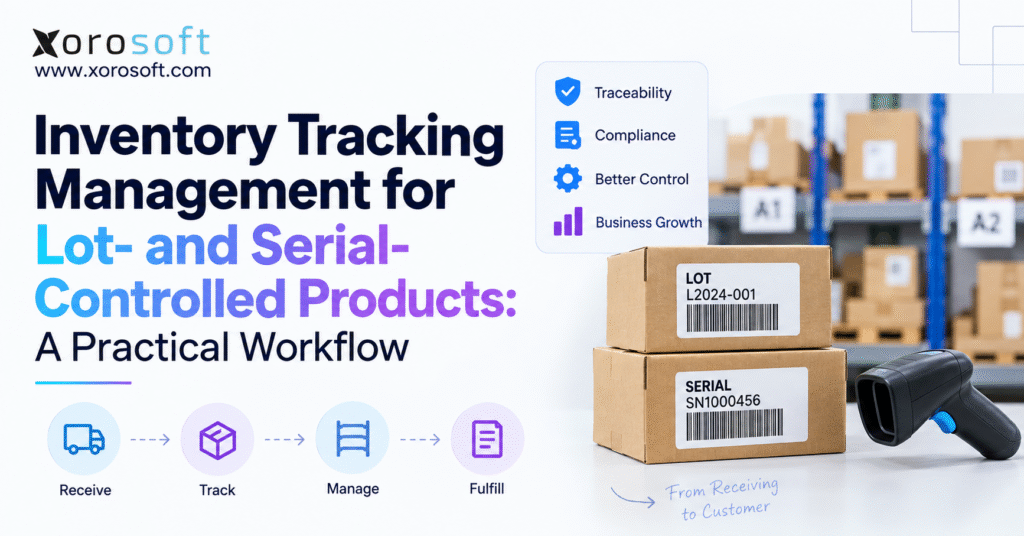
Lot and serial number tracking is a crucial feature for businesses that need to monitor inventory and ensure product traceability.
1. Why Lot- and Serial-Controlled Inventory Becomes Hard to Manage
Inventory becomes significantly more difficult to control when quantity alone is not enough.
A business may know that 2,000 units of a SKU are physically available, yet that figure does not explain which lots those units came from, which units are approaching expiration, which warehouse holds them, which serial number was shipped to a customer, or whether part of the inventory is under inspection.
That is where lot and serial number tracking becomes an operational discipline rather than simply another field in the inventory master.
For a basic SKU, inventory management may revolve around item, quantity, warehouse, and cost. Lot-controlled and serialized products add another layer of identity. Every important movement must preserve that identity from receiving through storage, allocation, picking, shipping, transfers, returns, production, and adjustments.
Problems usually appear when different teams control different pieces of that history. Purchasing may record the supplier lot on a purchase order. Warehouse employees may enter the lot again during receiving. A separate spreadsheet may track expiration dates. Customer service may keep serial numbers in order notes. Accounting may only see the financial movement.
Individually, each process can appear reasonable. Collectively, the business lacks a reliable traceability chain.
The objective of inventory tracking management should therefore be straightforward: maintain one continuous, transaction-level history for every lot or serialized unit that matters to the business.
That approach improves more than recall readiness. It affects warehouse accuracy, order allocation, customer service, warranty handling, production control, inventory valuation, and management reporting.
2. How Lot and Serial Number Tracking Works in Practice
Lot and serial number tracking adds another level of identity underneath the SKU.
A SKU answers, “What product is this?” A lot usually answers, “Which production or supply batch did these units come from?” A serial number answers, “Which individual physical unit is this?”
The difference sounds simple, but it changes how inventory must move through the business.
2.1 Lot Tracking Controls Groups of Inventory
Lot tracking assigns a shared identifier to a defined group of units.
Suppose a business receives 4,800 bottles of the same product. The units may share SKU DRINK-01, while 2,400 bottles belong to LOT-A101 and another 2,400 belong to LOT-A102.
The business still has 4,800 units at SKU level. Operationally, however, it has two distinct groups of inventory.
That distinction matters if the lots have different manufacturing dates, suppliers, quality results, costs, or expiration dates.
2.2 Serial Number Tracking Controls Individual Units
Serial number tracking identifies individual physical units.
If a distributor receives 150 pieces of electronic equipment, every unit might carry its own manufacturer serial number. The ERP must preserve each identifier while the product moves through the warehouse and eventually to a customer.
That history becomes valuable when a customer requests a warranty replacement, returns equipment, needs service, or asks which exact unit was delivered.
2.3 Lot Tracking and Serial Tracking Solve Different Problems
Lot tracking works well when risk or product history applies to a group. Serial tracking is useful when identity matters at individual-unit level.
A food product might require batch and expiration control. Industrial equipment may require individual serial history. A manufacturer may need lot tracking for components and serial tracking for high-value finished products.
The tracking policy should follow the operational requirement rather than applying the same method to every SKU.
3. Build Inventory Tracking Rules Into the Item Master
Reliable lot and serial number tracking begins before inventory reaches the receiving dock.
The item master should tell the system and warehouse team exactly what information each SKU requires. When tracking decisions are left to individual employees, data quality becomes dependent on memory.
3.1 Define the Tracking Method by SKU
Each relevant SKU should have a clear rule.
A product may require lot control, serial control, lot plus expiration control, or no additional tracking at all. Manufacturers may also need attributes such as production date or quality status.
The goal is not to capture as much information as possible. The goal is to capture the information needed to operate and trace the product correctly.
If expiration does not affect a product, adding expiration fields creates unnecessary warehouse work. If warranty claims depend on serial numbers, failing to capture serials creates a downstream customer-service problem.
3.2 Standardize Lot and Serial Formats
Businesses should also decide whether identifiers are supplier-provided, internally generated, or created during manufacturing.
Supplier lots should normally remain connected with the supplier receipt so upstream traceability is preserved. Manufacturers may create separate finished-goods lots after production.
Format standards also matter. LOT001, Lot-001, lot001, and LOT 001 may represent the same physical batch but create four different system records if validation is weak.
A controlled format reduces duplicate identifiers and makes searching much easier.
3.3 Make Required Attributes Transactional
Information such as expiration date, manufacturing date, quality status, and warranty start date should remain associated with the lot or serial record rather than living in disconnected notes.
That allows later transactions to use the information instead of simply storing it.
For example, an expiration date becomes operationally valuable when it influences allocation and picking.
4. Receiving Is the First Critical Inventory Tracking Control Point
Receiving is where many purchased products first enter the company’s inventory history.
If lot and serial number tracking begins incorrectly here, every later transaction inherits the problem.
4.1 Match the Receipt to the Purchase Order
The receiving transaction should establish the commercial context first: supplier, purchase order, SKU, expected quantity, receiving location, and warehouse.
Then the required lot or serial information should be captured against that receipt.
This makes it possible to trace inventory backward later without trying to reconstruct which supplier shipment created it.
4.2 Capture Lot Numbers at the Dock
For lot-controlled inventory, warehouse staff should capture the supplier or internal lot during receiving.
If the product also requires expiration control, the expiration date should be associated with the same lot record.
The warehouse should not receive 500 units as generic SKU inventory and attempt to add the correct lot information hours later. Once product starts moving into storage, correcting missing tracking data becomes more difficult.
4.3 Validate Serialized Quantity Before Posting
Serialized inventory requires even tighter control.
If 25 serialized units arrive, the receiving transaction should contain 25 valid serial identifiers before it becomes complete.
A discrepancy should become an exception to investigate, not something the system silently ignores.
4.4 Separate Available Inventory From Inventory Under Review
Physical receipt does not always mean inventory is ready for sale.
Some businesses require quality inspection, quarantine, damage review, or documentation checks before inventory becomes available.
The system should preserve the lot or serial identity while changing its inventory status.
This distinction prevents a physically present but restricted lot from appearing available to customer orders.
5. Lot and Serial Number Tracking Must Continue Through Putaway
Capturing identifiers at receiving solves only half the problem.
The warehouse must also know where the controlled inventory is stored.
5.1 Connect Lot, Serial, Location, and Status
A reliable warehouse record should connect the SKU with its lot or serial, warehouse, location, quantity, and status.
For example, knowing that 300 units of a lot are on hand is less useful if employees cannot determine whether they are in reserve storage, an active picking location, inspection, or another facility.
For serialized inventory, location control becomes even more granular because each individual serial may need a valid physical location.
5.2 Use Scanning to Reduce Manual Decisions
A practical warehouse workflow can verify the location and tracked inventory as employees put stock away.
A connected XoroWMS environment, for example, is designed around receiving, putaway, warehouse movement, picking, packing, and shipping workflows. Xorosoft’s current warehouse positioning also emphasizes barcode-driven processes and multi-warehouse inventory visibility.
The important principle extends beyond any specific WMS: operators should confirm inventory movements when they happen rather than updating records later from paper notes.
5.3 Decide Whether Multiple Lots Can Share a Bin
Mixed-lot storage can save space, but it increases the importance of scan validation.
If two visually identical products from different lots occupy one location, workers can easily select the wrong inventory unless the system verifies the lot during picking.
Some warehouses therefore separate sensitive lots physically. Others allow mixed storage but enforce scanning.
The right approach depends on volume, product risk, available space, and execution discipline.
6. Multi-Warehouse Lot Tracking Requires One Continuous Identity
Transfers are one of the easiest places to lose traceability.
A lot that moves from Warehouse A to Warehouse B should remain the same lot. The transaction changes its location, not its identity.
6.1 Preserve Lots During Inter-Warehouse Transfers
A controlled transfer should identify the origin warehouse, destination warehouse, SKU, lot or serial, quantity, and transfer status.
At the origin, warehouse employees pick the correct controlled inventory. Once shipped, the quantity may become in transit. At the destination, employees receive the same identifier before completing putaway.
Creating a new lot simply because inventory moved between facilities breaks the historical chain.
6.2 Track Inventory While It Is In Transit
Inventory should not disappear from operational visibility between shipment and receipt.
Managers may need to know that a specific lot has left one facility but has not yet reached another.
For serial-controlled products, the same principle applies at unit level.
A centralized inventory model becomes especially important as businesses add distribution centers, retail fulfillment points, production facilities, or third-party warehouses.
7. Lot and Serial Number Tracking Should Influence Inventory Allocation
Inventory availability and inventory eligibility are not always the same thing.
A warehouse may physically have enough quantity to fill an order while some of that inventory should not ship.
Effective lot and serial number tracking therefore needs to influence allocation rules.
7.1 Use FIFO When Receipt Age Drives Rotation
FIFO, or first in, first out, generally prioritizes older receipts.
It can make sense when older inventory should leave first but expiration dates do not determine eligibility.
The important point is that the allocation engine needs reliable receipt and inventory history to make the decision consistently.
7.2 Use FEFO for Expiration-Controlled Inventory
FEFO, or first expired, first out, prioritizes the eligible lot with the earliest expiration date.
Imagine that Lot A expires in 45 days while Lot B expires in 160 days. Shipping Lot B first may leave Lot A aging toward an unsellable condition.
FEFO can reduce that risk.
However, the earliest-expiring lot is not automatically the correct lot for every customer.
7.3 Apply Customer Shelf-Life Rules Before Picking
A retailer may require a minimum remaining shelf life at delivery. A lot that is safe and sellable internally may fail that customer’s requirement.
The allocation process should therefore consider both expiration priority and customer eligibility.
This is where operational inventory availability becomes more meaningful than a single on-hand number.
8. Picking Turns Lot and Serial Number Tracking Into Warehouse Execution
The warehouse can have perfect lot records and still ship the wrong inventory if picking is not controlled.
That is why lot and serial number tracking must extend into task execution.
8.1 Direct Pickers to the Correct Lot
For lot-controlled products, a pick instruction should provide enough information to identify the correct SKU, location, lot, and quantity.
A practical validation sequence may involve confirming location, product, lot, and picked quantity before the task closes.
If a worker scans a different lot, the system should create an exception rather than treating the products as interchangeable.
8.2 Validate the Exact Serial Number
Serialized inventory requires individual-unit validation.
The serial selected for the order should exist, belong to the correct SKU, be in the expected warehouse location, and remain available for shipment.
The system should also prevent an already shipped or otherwise unavailable serial from being used again.
8.3 Preserve the Identifier on the Shipment
Once the order ships, the customer-facing transaction history should retain the controlled inventory information.
For lots, that creates:
Lot → Shipment → Sales Order → Customer
For serials, it creates:
Serial → Shipment → Sales Order → Customer
That relationship becomes extremely valuable later when customer service needs to answer questions quickly.
9. Manufacturing Requires Lot Genealogy, Not Just Finished-Goods Tracking
Manufacturing adds another layer because finished inventory can inherit risk from its components.
Tracking only the final lot may not provide enough traceability.
9.1 Record Which Input Lots Were Consumed
Suppose a finished item uses three tracked materials:
Ingredient A comes from one lot, Ingredient B from another, and packaging comes from a third.
The production transaction should capture which quantities from those input lots were consumed by the work order.
When production completes, the finished item may receive its own new lot.
The business now has a relationship between input material and finished output.
9.2 Build Forward and Backward Lot Traceability
Backward traceability starts with the finished lot and follows the chain toward its inputs.
Finished Lot → Production Order → Component Lot → Supplier Receipt
Forward traceability starts with an input lot and follows where that material went.
Supplier Lot → Production Orders → Finished Lots → Inventory → Customer Shipments
This relationship is often referred to as lot genealogy.
9.3 Keep Production and Inventory on the Same Transaction Chain
When manufacturing data exists separately from warehouse inventory, teams may need to reconstruct component consumption manually during investigations.
For inventory-driven manufacturers that need production, warehouse, inventory, purchasing, and accounting connected, XoroERP is positioned as an integrated ERP environment covering those operational areas.
The broader principle is to preserve product identity as production transforms raw materials into finished goods.
10. Returns Need the Same Tracking Discipline as Outbound Orders
Returns are often where clean traceability becomes messy.
A returned product is not simply positive inventory.
The business needs to identify what came back, determine whether the customer originally received it, inspect its condition, and decide what should happen next.
10.1 Validate Returned Serial Numbers
For serialized products, the serial provides a strong control point.
Customer service or warehouse staff can verify whether that unit was originally sold, which order shipped it, and whether the return matches the customer record.
That helps prevent unrelated units from entering the return workflow under the wrong order.
10.2 Route Returns Through an Inspection Status
Returned inventory should not automatically rejoin available stock.
A practical workflow first receives it into an inspection or quarantine status. Employees then evaluate whether the product can be resold, repaired, refurbished, returned to the vendor, or scrapped.
The original lot or serial identity should remain intact throughout that decision.
11. Product Recalls Expose Weak Lot Tracking Quickly
A recall is one of the clearest tests of lot and serial number tracking.
When a lot becomes suspect, management needs answers that go far beyond total inventory.
11.1 Identify Every Location Holding the Affected Lot
Start with the lot and determine how much remains at each warehouse, bin, facility, or in-transit location.
The business should also identify inventory that has been allocated but not yet shipped.
Affected quantity can then move into Hold or Quarantine so new orders cannot consume it.
11.2 Identify Which Customers Received the Lot
Next, trace shipment history.
The ideal path is direct:
Affected Lot → Shipment → Order → Customer
Without that relationship, teams may need to search order exports, warehouse documents, spreadsheets, and employee notes to rebuild the same answer.
11.3 Trace the Lot Backward When the Source Is Unclear
For purchased items, the affected lot should connect with the supplier and receipt.
For manufactured inventory, investigators may need to move further backward into component lots and production orders.
Good traceability does not guarantee that quality events never happen. It reduces the uncertainty around what inventory is affected and where it went.
12. Cycle Counting Must Verify Identity as Well as Quantity
Traditional counting focuses heavily on quantity. Controlled inventory adds another question: is the quantity assigned to the correct lot or serial?
12.1 A Correct SKU Total Can Still Hide a Lot Error
Assume the ERP shows:
Lot A: 50 units
Lot B: 50 units
The warehouse physically contains:
Lot A: 40 units
Lot B: 60 units
The total remains 100 units, so a SKU-level count appears correct.
However, the lot records are wrong.
If Lot A later becomes subject to a recall, the business may search for ten units that physically belong to Lot B.
12.2 Count Serialized Products at Unit Level
Serialized inventory creates a similar issue.
The business may have the correct number of units but incorrect serial identities or locations.
Counting should therefore verify the actual serial rather than simply increasing a quantity field.
12.3 Investigate Variance Before Posting an Adjustment
Inventory adjustments are necessary, but they should not become a shortcut for hiding process failures.
Before correcting the record, investigate whether the cause was receiving, putaway, transfer, picking, production consumption, return handling, or an unauthorized movement.
Correcting the process matters as much as correcting the quantity.
13. Ecommerce Adds Another Layer to Lot and Serial Inventory Control
Ecommerce platforms are excellent at capturing demand, but the storefront is not usually the complete operational system behind inventory.
As businesses add warehouses, wholesale customers, marketplaces, manufacturing, and purchasing, the number displayed online becomes the result of many operational transactions.
13.1 Shopify Should Receive Sellable Inventory, Not Raw On-Hand Quantity
A Shopify store generally needs a reliable picture of what can actually be sold.
That number may need to account for allocations, holds, quarantine stock, inventory in other facilities, and channel rules.
This is why ERP and ecommerce integration should be designed around inventory state rather than blindly transmitting physical quantity.
The Xorosoft listing in the Shopify App Store describes an ERP connection for ecommerce, retail, and wholesale operations.
13.2 Keep Orders and Inventory Moving Through One Integration Layer
An ecommerce order should enter the operating system without requiring employees to retype it. Fulfillment status should move back toward the selling channel, while inventory changes should remain synchronized.
Xorosoft’s current integration directory includes Shopify, Amazon, ecommerce platforms, marketplaces, EDI networks, warehouse systems, shipping applications, payments, and other operational connections.
For lot-controlled inventory, the storefront does not necessarily need every internal tracking attribute. The operational system does.
14. Common Lot and Serial Number Tracking Mistakes Create Hidden Risk
Most traceability failures do not begin with a dramatic system outage. They begin with small workarounds.
14.1 Keeping Lot Information in a Separate Spreadsheet
The ERP may know the total quantity while a spreadsheet knows the lots.
This appears manageable until transfers, adjustments, multiple warehouses, and simultaneous users create conflicting versions.
At that point, nobody can be completely certain which record is authoritative.
14.2 Allowing Uncontrolled Manual Entry
Manual typing is sometimes unavoidable, but uncontrolled free text makes duplicate and malformed identifiers easier to create.
Validation rules, scanning, and consistent formats reduce this problem.
14.3 Losing the Lot During a Transfer
A warehouse transfer should change the location of inventory. It should not break the identity of inventory.
If a new lot must be created simply to move stock, the process deserves review.
14.4 Tracking Expiration Separately
An expiration spreadsheet may tell a planner that a lot expires soon, but the warehouse still needs the expiration information during allocation and picking.
The data becomes most useful when it participates directly in inventory transactions.
14.5 Making Overrides Too Easy
Warehouses need exception handling, but overrides should be controlled.
If employees can bypass tracking rules whenever a transaction becomes inconvenient, the system gradually stops representing the physical operation.
Permissions and audit history matter.
15. When Inventory Tracking Management Needs a More Integrated ERP
A business does not need an ERP simply because it uses lot numbers.
The case for an integrated system becomes stronger when lot and serial number tracking intersects with multiple warehouses, manufacturing, ecommerce, purchasing, accounting, and customer service.
15.1 Spreadsheets Can Work at Low Complexity
A spreadsheet can be perfectly reasonable for a low-volume operation with few controlled items, one warehouse, and a small number of users.
Its weakness appears when many people need to update the same information through daily transactions.
As complexity rises, the spreadsheet becomes a record employees update after the operation rather than the system controlling the operation.
15.2 Inventory Software Can Be a Useful Middle Ground
Inventory-focused applications can provide lot tracking, serial control, warehouse visibility, and scanning without the breadth of full ERP.
For some organizations, that is enough.
The decision should depend on whether inventory can remain operationally independent from accounting, purchasing, production, channel management, and financial reporting.
15.3 ERP Becomes Relevant When Transactions Need to Stay Connected
An integrated ERP becomes more relevant when a purchase receipt affects inventory, warehouse availability, supplier records, product costing, accounting, customer allocation, and planning at the same time.
Businesses evaluating this broader operating model can review Xorosoft’s ERP and operational solutions to understand how inventory, warehousing, manufacturing, ecommerce, and finance can sit within a connected platform.
Different operating models also create different tracking priorities. Xorosoft’s industry pages provide examples across inventory-driven sectors such as apparel, consumer products, food, manufacturing, automotive, and wholesale.
16. What to Evaluate in Lot and Serial Number Tracking Software
Software demonstrations often make basic tracking look easy. The better test is to follow one controlled item through the entire operational lifecycle.
16.1 Test Receiving Through Shipment
Create a purchase order for a tracked SKU. Receive multiple lots or serial numbers. Put them into different locations. Transfer part of the inventory. Allocate a customer order. Pick and ship it.
Then ask the system to show the complete history.
If employees need external spreadsheets to explain what happened, the transaction model is incomplete.
16.2 Test Exception Workflows
Happy-path transactions are not enough.
Try receiving a duplicate serial number. Attempt to ship a quarantined lot. Return a serial that was never sold to that customer. Move inventory between warehouses. Count a location with the wrong lot balance.
A strong system should make exceptions visible rather than quietly accepting bad data.
16.3 Test Manufacturing Traceability Where Relevant
Manufacturers should select a component lot, consume it on a work order, create a finished lot, ship some finished goods, and then trace both directions.
The exercise should answer which finished products consumed the component and which components created the finished lot.
16.4 Test the Broader Operating Model
Lot tracking should not be evaluated in isolation when the business also depends on purchasing, warehouse execution, accounting, ecommerce, or manufacturing.
Xorosoft’s XoroONE platform currently combines inventory, purchasing, WMS, manufacturing, ecommerce, accounting, reporting, and related operational capabilities in one cloud ERP environment. Its inventory positioning specifically includes lot and serial tracking.
A connected platform is valuable only if it fits the company’s actual workflow, which is why end-to-end transaction testing matters more than feature-count comparisons.
17. Use Operational Evidence to Decide When the Current Process Has Reached Its Limit
Businesses often know their tracking system is struggling before they formally begin an ERP project.
The warning signs appear in everyday operations.
Teams may maintain lot spreadsheets next to the inventory system. Warehouse staff may retype serial numbers. Transfers may require manual reconciliation. Customer service may need warehouse employees to investigate shipment history. Accounting may spend days reconciling inventory changes with financial records.
A recall simulation can expose the issue quickly.
Choose a lot currently in inventory and ask the team to identify where it came from, every location that currently holds it, every transfer it went through, every customer who received it, and the quantity remaining.
Then reverse the exercise. Start with a shipped product and trace it back through the lot, purchase receipt, supplier, or production record.
If the answers require repeated exports and manual matching, the business does not have continuous traceability even if each system contains part of the data.
Implementation decisions should also be based on businesses with comparable complexity rather than generic ERP claims. Relevant operational examples can be reviewed through Xorosoft’s case studies when evaluating whether a connected ERP/WMS approach fits similar inventory-driven organizations.
The goal is not to eliminate every exception. It is to ensure exceptions remain visible and auditable.
18. Practical Next Steps for Reliable Lot and Serial Inventory Control
A dependable lot and serial number tracking process starts with workflow design, not software selection.
First, map where product identity enters the business. Determine whether the supplier, receiving team, manufacturing process, or ERP creates the identifier.
Next, follow that identifier through every meaningful transaction: receiving, quality review, putaway, transfer, allocation, picking, shipping, production, returns, cycle counting, and adjustments.
Then identify every point where employees currently retype, copy, export, or manually reconcile information. Those handoffs are usually the highest-risk areas.
Finally, test both directions of traceability. Start with a customer shipment and move backward to the inventory source. Then start with a supplier or production lot and move forward to every affected location and customer.
If those tests can be completed quickly from one transaction history, the tracking model is doing its job.
If they depend on disconnected spreadsheets, warehouse notes, ecommerce exports, or manual accounting reconciliation, the process may have outgrown its current system.
For inventory-driven businesses considering a connected ERP, WMS, manufacturing, purchasing, ecommerce, and accounting environment, the next step should be to map the real operating workflow against the software rather than evaluating features in isolation.
To review how that workflow could be structured around your current warehouses, channels, products, and tracking requirements, contact Xorosoft for a personalized operational assessment or demonstration.
The objective is not more tracking for its own sake. It is to make sure the business can always answer three practical questions: what inventory do we have, exactly where is it, and how did it get there?
Frequently Asked Questions
What is lot and serial number tracking?
Lot and serial number tracking records product identity beyond the SKU. Lots track groups of units, while serial numbers identify individual units throughout receiving, storage, fulfillment, returns, manufacturing, and traceability workflows.
How does lot tracking differ from serial number tracking?
Lot tracking assigns one identifier to multiple related units. Serial tracking assigns a unique identifier to each unit, making it better suited to warranty, service, repair, and individual product history.
When should lot and serial numbers be captured?
Capture identifiers when inventory first enters the controlled workflow. Purchased products usually receive tracking during receiving, while manufactured products may receive new lot or serial identifiers during production completion.
How should warehouses manage lot and serial numbers?
Warehouses should connect each identifier with the correct SKU, location, quantity, and status. Scanning during receiving, putaway, transfers, picking, shipping, and counting helps maintain accurate transaction history.
How does lot tracking support product recalls?
Lot tracking connects affected inventory with warehouse locations, production records, shipments, and customers. This allows teams to identify remaining stock, stop allocation, and trace impacted products forward or backward.
What should ERP software support for lot and serial tracking?
ERP software should support receiving, barcode validation, warehouse locations, inventory status, transfers, expiration control, manufacturing genealogy, customer shipment history, returns, and multi-warehouse visibility within connected transaction records.
When should a business upgrade its inventory tracking system?
Consider upgrading when teams rely on spreadsheets, manually re-enter identifiers, struggle with warehouse transfers, cannot trace recalls quickly, or spend excessive time reconciling inventory across ecommerce, warehouse, manufacturing, and accounting systems.
Recent Posts
-
 ERP Landed Cost Module vs Spreadsheet Calculations for Importers
 -
 How to Build an Open-to-Buy Plan for an Omnichannel Brand
 -
 Cold Storage WMS for Food and Beverage Distribution
 -
 ERP Buying Statistics 2026: Evaluation, Implementation, and Adoption Risks
 -
 How a Distributor Reduced B2B Order Exceptions Without Restricting Sales



