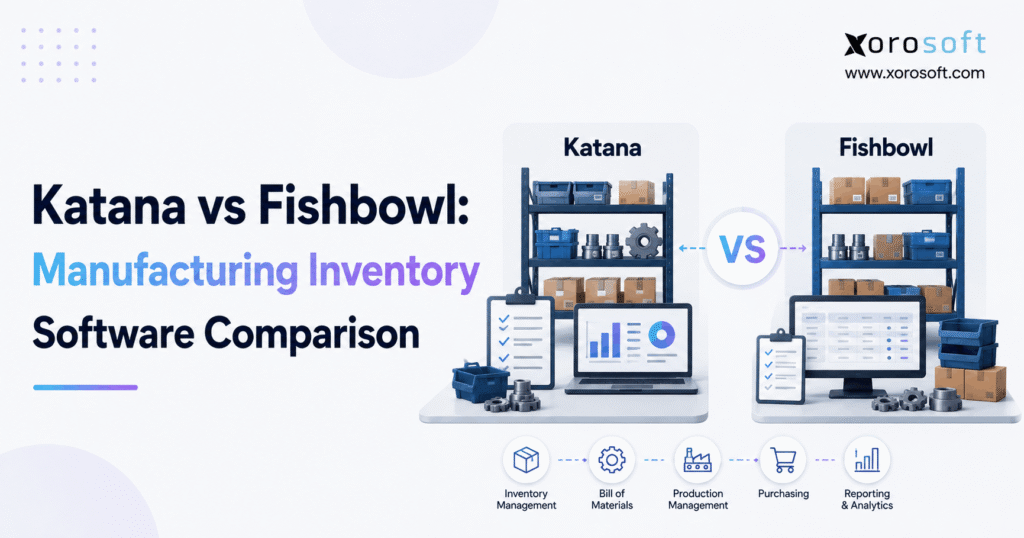
If you're wondering which software suits your business best, this article will explore Katana vs Fishbowl to help you make an informed decision.
1. Manufacturing Complexity Changes What “Better Software” Means
Manufacturers rarely start looking for new software because they suddenly want more features. The search usually begins because existing processes stop scaling.
A spreadsheet that once handled raw materials now contains conflicting numbers. Production planners cannot see whether parts are available for upcoming jobs. Purchasing reacts to shortages instead of anticipating them. Warehouse staff move stock between locations, but production and finance do not always see those changes at the same time. Meanwhile, customer orders arrive through ecommerce, wholesale, or other sales channels faster than the back office can reconcile them.
That is where a Katana vs Fishbowl comparison becomes useful.
Both platforms address manufacturing inventory problems, yet they approach them differently. Katana combines cloud inventory management with manufacturing capabilities that can be expanded through additional functionality. Fishbowl Advanced Manufacturing takes a more structured manufacturing and warehouse approach, with explicit BOM, MRP, work-order, costing, and QuickBooks workflows.
The important point is that businesses should compare usable manufacturing configurations rather than entry-level subscriptions. Katana’s current documentation states that businesses tracking production need its Manufacturing Management add-on; without it, Katana operates as an inventory and sales-management system without production tracking. Fishbowl similarly separates its standard Inventory product from Advanced Manufacturing, which is the relevant product for BOMs, work orders, and MRP.
1.1 Why Feature Checklists Can Produce the Wrong Decision
A simple checklist might show that both systems support inventory, manufacturing, purchasing, BOMs, and integrations. However, a manufacturing system is only useful when those features match the way work actually moves through the company.
For example, a direct-to-consumer manufacturer may care most about Shopify orders automatically affecting production priorities. A machine shop may care more about detailed work orders, routings, labor costs, and WIP. A wholesale manufacturer may need customer-specific pricing, EDI, several warehouses, and complex allocation rules.
Therefore, the right question is not simply, “Which platform has manufacturing?”
The better question is, “Which operating model does each platform support best, and when does the business need something broader than standalone manufacturing inventory software?”
2. Katana vs Fishbowl at a Glance
The clearest distinction between Katana vs Fishbowl is how each platform structures manufacturing complexity.
Katana is designed around inventory visibility, sales demand, production planning, materials, and manufacturing orders. Manufacturers can expand the system with manufacturing-management, traceability, forecasting, warehouse, and related capabilities. Its cloud approach is especially relevant for companies that want production closely connected with ecommerce and modern online applications.
Fishbowl Advanced Manufacturing centers more explicitly on BOMs, manufacture orders, work orders, MRP, production scheduling, labor and job costing, lot or batch traceability, barcode scanning, and accounting connectivity. Fishbowl currently states that Advanced Manufacturing integrates with QuickBooks Online, Desktop, and Enterprise.
2.1 Katana vs Fishbowl Quick Comparison
| Area | Katana | Fishbowl Advanced Manufacturing |
|---|---|---|
| Manufacturing structure | Manufacturing orders and production operations | Manufacture orders plus detailed work orders |
| BOMs | Product recipes/BOMs and subassemblies | BOMs, configurations and subassemblies |
| MRP/planning | Planning, forecasting and material availability | Explicit MRP and production scheduling |
| Production costing | Material and operation costing | Material, job, labor and landed costing |
| Ecommerce | Strong Shopify-oriented workflow | Ecommerce integrations including Shopify |
| QuickBooks | QuickBooks Online | Online, Desktop and Enterprise |
| Warehouse operations | Warehouse functionality available through add-on capabilities | Strong warehouse and multi-location heritage |
| Traceability | Batch and serial functionality available | Lot and batch traceability in Advanced Manufacturing |
| Best evaluation case | Cloud and ecommerce-led manufacturers | Detailed manufacturing and QuickBooks-heavy operations |
Neither column should be interpreted as universally stronger. The goal is to match the software structure with the company’s real operating requirements.
2.2 Who Should Shortlist Katana or Fishbowl?
Katana deserves a serious look when an operation values a cloud-first interface, ecommerce connectivity, make-to-order or make-to-stock manufacturing, live material visibility, and a modular technology stack.
Fishbowl deserves a serious look when manufacturing depends heavily on work orders, MRP, configurable production, QuickBooks, warehouse operations, labor costing, and traceability.
The distinction becomes even more important as companies grow because additional warehouses, selling channels, legal entities, EDI requirements, and financial controls can eventually make the underlying systems architecture more important than individual manufacturing features.
3. Katana vs Fishbowl for BOMs and Production Workflows
Manufacturing software has to answer a basic question accurately: what materials, subassemblies, operations, and costs are required to turn raw inventory into a sellable product?
That makes BOM management one of the most important areas in any Katana vs Fishbowl manufacturing software evaluation.
3.1 Katana BOMs and Manufacturing Orders
Katana calls its BOM structure a product recipe. A product recipe defines the components and quantities needed to manufacture an item. Recipes can include subassemblies, which allows manufacturers to model products that require intermediate builds rather than a single flat material list.
Manufacturing orders then translate those requirements into production activity. Katana supports both make-to-order and make-to-stock manufacturing orders. Make-to-order activity can remain linked to specific sales demand, while make-to-stock production prepares inventory for expected future sales.
This model can work well when a company wants a direct relationship between demand, available inventory, required materials, and production.
3.2 Fishbowl BOMs, Manufacture Orders, and Work Orders
Fishbowl Advanced uses a more explicit hierarchy.
The BOM defines what must be built. A manufacture order summarizes the manufacturing requirement, while individual work orders describe the process steps needed to complete it. Fishbowl’s documentation explains that work orders originate from BOMs and can carry the instructions required by production staff.
Fishbowl also supports configurable builds, subassemblies, production notes, images, and stage-level information. That structure can matter when a product passes through several departments, machines, or production stages before completion.
For manufacturers with relatively straightforward assembly, both systems may be viable. When work-order detail is a core part of daily shop-floor management, Fishbowl’s model deserves especially careful testing.
4. Katana vs Fishbowl for MRP, Forecasting, and Material Planning
Manufacturing delays often begin long before a production order reaches the shop floor. A component was not reordered soon enough, demand changed, a purchase order slipped, or planners did not see a shortage until production was already scheduled.
Consequently, Katana vs Fishbowl MRP capability should be evaluated through real planning scenarios rather than marketing terminology.
4.1 Katana Planning and Forecasting
Katana’s planning functionality connects sales orders, purchase orders, inventory, demand forecasts, and replenishment requirements. Its Planning and Forecasting capability is designed to help teams anticipate inventory needs and maintain appropriate stock levels across locations.
Katana also provides real-time visibility into material availability for manufacturing. That allows planners to see how sales demand and production consume the same inventory rather than treating purchasing and production as isolated workflows.
For a growing company, this approach can be useful when the main goal is to reduce reactive purchasing and understand what must be produced or replenished next.
4.2 Fishbowl MRP and Production Scheduling
Fishbowl explicitly markets MRP as part of Advanced Manufacturing. Its manufacturing tools use factors such as demand, historical consumption, forecasts, safety stock, and optimal stock levels to help determine material requirements.
That positioning will appeal to manufacturers that already think in formal MRP terms.
Still, software buyers should not stop at the presence of an MRP label. During a demonstration, provide both vendors with realistic examples: a delayed supplier shipment, a sudden order increase, a component shared across multiple finished goods, and a shortage several levels deep in a BOM.
The system that explains the operational impact most clearly is often more valuable than the system with the longest planning feature list.
5. Katana vs Fishbowl Inventory and Warehouse Management
Inventory accuracy becomes harder as soon as products, components, and orders move through multiple physical locations.
A manufacturer may have raw material in receiving, additional stock in production staging, finished goods awaiting inspection, inventory at another warehouse, and customer orders already reserving part of that stock.
Therefore, the Katana vs Fishbowl inventory comparison must go beyond quantity on hand.
5.1 Multi-Location Inventory and Warehouse Execution
Katana supports inventory locations and warehouse processes. Its warehouse functionality can support mobile receiving, picking, packing, barcode scanning, and bin locations, giving warehouse teams an operational workflow rather than relying on desktop inventory adjustments alone.
Fishbowl has long placed substantial emphasis on warehouse operations. Its platform includes multi-location inventory, pick-and-pack workflows, order fulfillment, transfers, barcode processes, and 3PL-oriented capabilities.
When warehouse complexity becomes a major buying criterion, companies should test scanners, bin movement, partial receipts, transfer orders, short picks, backorders, and production material staging.
A business that has outgrown basic inventory tools may also want to compare dedicated warehouse management capabilities when evaluating whether manufacturing software alone provides enough execution depth.
5.2 Katana vs Fishbowl for Traceability
Traceability matters whenever companies need to answer where inventory came from, what production consumed it, and which customers received the finished product.
Katana offers batch and serial tracking capabilities, including batch expiration information. Fishbowl Advanced Manufacturing includes lot and batch traceability as part of its manufacturing offering.
For food, beverage, automotive, health products, electronics, or other traceability-sensitive operations, run a complete simulated recall before choosing software. Start with a supplier lot, follow the material through production, identify the resulting finished-goods lot, and locate every shipment that contained it.
That exercise reveals traceability depth much more clearly than a feature list.
6. Katana vs Fishbowl for QuickBooks and Accounting
Accounting architecture often becomes the decisive factor in a manufacturing software project.
Inventory transactions eventually affect financial statements. Raw materials become WIP, WIP becomes finished goods, finished goods become cost of goods sold, and purchasing decisions affect cash.
If operations and accounting disagree, finance spends the month-end close reconciling the difference.
6.1 Katana and QuickBooks Online
Katana integrates with QuickBooks Online. Its integration can synchronize sales, purchases, inventory-related information, customers, suppliers, and accounting documents. Sales orders can become invoices, while purchasing activity can create bills in QuickBooks depending on configuration.
For businesses already standardized on QuickBooks Online, this allows Katana to serve as the manufacturing and inventory layer while QuickBooks remains the financial ledger.
6.2 Fishbowl and QuickBooks
Fishbowl makes QuickBooks a central part of its value proposition. Advanced Manufacturing currently supports QuickBooks Online, Desktop, and Enterprise. Fishbowl also connects production costs and inventory activity to the accounting environment.
That difference is meaningful for companies that intend to keep QuickBooks Desktop or Enterprise rather than migrate accounting systems.
6.3 When Separate Accounting Becomes the Bigger Problem
At a certain scale, the question changes from “Which system integrates better with QuickBooks?” to “Should manufacturing and accounting still live in separate applications?”
Manual reconciliation, delayed inventory valuation, complicated landed costs, multiple warehouses, returns, ecommerce settlements, and intercompany transactions can make an integrated finance model more attractive.
That is where a broader cloud manufacturing ERP becomes relevant. Xorosoft, for example, combines operational and accounting workflows so manufacturing transactions, inventory movements, purchasing activity, and financial reporting can share the same system rather than relying entirely on application-to-application synchronization.
7. Katana vs Fishbowl for Shopify, Ecommerce, Wholesale, and EDI
Modern manufacturers increasingly sell through more than one route to market. A single company may operate Shopify stores, Amazon listings, wholesale accounts, distributors, retail EDI relationships, and direct sales.
As those channels expand, accurate inventory availability becomes as important as production scheduling.
7.1 Katana vs Fishbowl for Shopify
Katana has a direct Shopify workflow. Orders can move from Shopify into Katana, inventory availability can synchronize back to the storefront, fulfillment information can move between platforms, returns can be reflected, and several Shopify stores can connect to one Katana account.
This makes Katana particularly relevant for manufacturers whose production decisions are driven heavily by direct-to-consumer demand.
Fishbowl also supports Shopify connectivity. Its Shopify integration can import sales orders, payments, and products, while updated inventory quantities can be exported to online stores.
The important evaluation point is not whether Shopify appears on an integration page. Teams should test order edits, cancellations, returns, bundles, fulfillment, multiple locations, stock reservations, and inventory sync timing.
7.2 Ecommerce Integrations Become an Architecture Decision
Once a business adds more channels, integration ownership becomes important. Teams need to know which platform owns item data, available inventory, customer records, fulfillment status, purchasing information, and accounting transactions.
Businesses comparing broader operational platforms can review Xorosoft integrations to understand how ERP connectivity can sit behind ecommerce, accounting, warehouse, marketplace, and B2B workflows.
For Shopify-specific evaluation, the Xorosoft ERP listing in the Shopify App Store also provides an outbound reference for companies researching how Shopify can connect with an ERP rather than only an inventory application.
7.3 Wholesale and EDI Can Change the Shortlist
Wholesale manufacturing introduces additional requirements such as customer-specific pricing, inventory allocation, larger orders, negotiated terms, retailer compliance, and EDI.
Katana supports customer price lists, while Fishbowl Advanced Warehouse explicitly positions itself for EDI-driven fulfillment alongside multi-warehouse and 3PL workflows.
If EDI transactions, ecommerce demand, accounting, production, and warehouse fulfillment all need access to the same inventory, an ERP-based architecture may become more practical than adding separate applications for each channel.
8. Katana vs Fishbowl Pricing: Compare the Real Manufacturing Configuration
Software pricing is one of the easiest areas to compare incorrectly.
As of August 26, 2026, Katana lists its Core plan from $299 per month. Manufacturing Management is listed at $199 per month as additional manufacturing functionality. Katana also follows an add-on model for other advanced operational capabilities.
Fishbowl lists standard Fishbowl Inventory from $229 per month, but that is not the manufacturing package buyers should compare with a manufacturing-enabled Katana setup. Fishbowl Advanced Manufacturing currently starts at $675 per month, with final pricing dependent on users and deployment.
8.1 Katana vs Fishbowl Total Cost of Ownership
| Cost Area | Katana | Fishbowl |
| Entry product | Core from $299/month | Inventory from $229/month |
| Manufacturing | Manufacturing functionality added to Core | Advanced Manufacturing from $675/month |
| Accounting | Separate accounting application | Separate accounting application |
| Warehouse depth | May require additional warehouse capability | Advanced options available |
| Planning | Additional planning capabilities available | MRP included in Advanced Manufacturing |
| Implementation | Depends on configuration | Implementation package required for Fishbowl purchase |
Fishbowl’s current pricing page states that an implementation package is required and describes data migration, training, and go-live support as part of that onboarding process.
A more useful total-cost calculation is therefore:
software + users + manufacturing functionality + warehouse functionality + planning + integrations + accounting + implementation + ongoing administration.
The cheapest subscription may not produce the lowest operating cost if employees still maintain spreadsheets or manually reconcile several systems every month.
9. Katana vs Fishbowl by Manufacturing Use Case
Different operating models expose different strengths. A software choice that works well for a small assembly business may not fit a wholesale manufacturer with several warehouses.
9.1 Katana vs Fishbowl for Make-to-Order Manufacturing
Katana supports manufacturing orders linked directly to customer sales orders, making it useful for companies that produce after demand is confirmed. Fishbowl can also automatically generate manufacturing activity from sales demand and supports build-to-order workflows through its manufacture-order and work-order structure.
Katana may feel more direct for businesses that want customer orders and production priorities closely connected. Fishbowl may suit manufacturers whose build-to-order process requires additional work-order detail.
9.2 Katana vs Fishbowl for Make-to-Stock Operations
Make-to-stock manufacturers care more heavily about forecasts, safety stock, supplier lead times, production capacity, and replenishment.
Both platforms can support this model, but buyers should focus on how each system explains future shortages and turns those shortages into purchasing or production actions.
The quality of an exception screen often matters more than the sophistication of a dashboard. Planners need to know what requires action today.
9.3 Multi-Warehouse and Wholesale Manufacturing
A manufacturer that sells DTC and wholesale while operating several warehouses creates a different systems problem. Customer-specific pricing, B2B orders, production, warehouse transfers, inventory allocation, EDI, and accounting all begin to interact.
Companies in apparel, food, furniture, sporting goods, consumer products, industrial distribution, and other inventory-heavy sectors can review broader inventory-driven industry workflows when determining whether a specialized manufacturing application or integrated ERP architecture fits the business better.
10. When Katana or Fishbowl May No Longer Be Enough
There is a point where selecting a stronger inventory application does not solve the underlying problem.
Consider a manufacturer using one system for production, QuickBooks for accounting, a warehouse application for fulfillment, spreadsheets for purchasing, another tool for forecasting, Shopify for ecommerce, an EDI service for retailers, and manual reports to bring everything together.
Every application may work individually. The difficulty lies in the gaps between them.
10.1 The Signals That Point Toward ERP
The need for ERP often becomes visible through operational symptoms rather than revenue alone.
Month-end closes take longer because finance must reconcile inventory. Purchasing works from spreadsheets because demand signals live in different systems. Warehouses disagree about available stock. Production uses one cost while accounting carries another. Ecommerce returns do not always update operations correctly. Management waits for reports because data has to be exported and combined.
At that stage, a platform such as XoroONE becomes relevant because the buying question has expanded from manufacturing software to an integrated operational system.
Businesses should also compare the scope of available ERP and operational solutions rather than assuming that manufacturing, WMS, accounting, ecommerce, and forecasting must remain separate products.
10.2 Integration Depth Matters More as the Stack Grows
Traditional integrations move records between systems. Modern operational architectures increasingly need a deeper layer in which AI tools and other applications can work with governed business data without creating another disconnected database.
That is why technologies such as Xorosoft’s MCP server for ERP and AI connectivity are relevant to longer-term architecture discussions. They do not replace the need for good manufacturing workflows, but they illustrate how the ERP conversation is expanding beyond transactional integration toward controlled access to operational context.
The important point is not to buy ERP merely because the company is growing. It is to recognize when the cost of coordinating separate systems exceeds the benefit of keeping them separate.
11. Alternatives to Katana and Fishbowl
A serious Katana vs Fishbowl comparison should not assume those are the only viable choices.
MRPeasy often enters manufacturing-focused shortlists where MRP is central. Cin7 is relevant when inventory, purchasing, multichannel commerce, and order management dominate the requirement. Odoo offers a broad modular ecosystem that can cover manufacturing and many other business functions.
Larger ERP evaluations may include NetSuite, Acumatica, Microsoft Dynamics 365 Business Central, Sage, and Xorosoft. Those systems become more relevant when the scope expands beyond production into accounting, warehousing, procurement, ecommerce, multiple entities, financial reporting, and broader process governance.
Businesses comparing a full ERP against an established enterprise suite can also use this Xorosoft vs NetSuite comparison as one additional reference point when building an ERP shortlist.
The correct shortlist should reflect operational complexity. Adding ten vendors simply because they appear in a software directory usually creates more work rather than a better decision.
12. Katana vs Fishbowl: A Practical Decision Framework
The final Katana vs Fishbowl decision should be made from workflow evidence rather than product demonstrations designed around ideal scenarios.
Start with the five processes that create the most operational pain today. Then ask each vendor to run those exact scenarios using representative data.
For a manufacturer, that may mean receiving a supplier shipment, discovering a shortage, rescheduling a production order, completing a partial build, transferring finished goods to another warehouse, shipping a Shopify order, and confirming the resulting accounting entry.
Katana may be the stronger fit when cloud usability, ecommerce-led production, QuickBooks Online, and a modular operating model are priorities.
Fishbowl Advanced Manufacturing may be more appropriate when formal MRP, detailed work orders, QuickBooks Desktop or Enterprise, configurable manufacturing, labor costing, and warehouse depth carry more weight.
A broader ERP shortlist becomes appropriate when the company wants accounting, purchasing, manufacturing, inventory, warehousing, ecommerce, EDI, forecasting, and reporting to operate on a more unified foundation.
Before committing, it is also useful to review actual implementation outcomes rather than software feature claims alone. Published Xorosoft customer case studies provide one source for understanding how inventory-driven businesses approach broader ERP transformation.
13. Frequently Asked Questions About Katana vs Fishbowl
13.1 What Is the Main Difference Between Katana and Fishbowl?
The main Katana vs Fishbowl difference is their manufacturing structure. Katana uses a cloud-first inventory and manufacturing model with manufacturing orders and modular operational capabilities. Fishbowl Advanced Manufacturing puts stronger emphasis on manufacture orders, detailed work orders, formal MRP, costing, QuickBooks connectivity, and warehouse-oriented processes.
13.2 Is Katana Better Than Fishbowl?
Katana is not universally better than Fishbowl. It may fit cloud-oriented manufacturers that value ecommerce integrations and straightforward production workflows. Fishbowl may fit companies that require formal MRP, work-order depth, QuickBooks Desktop or Enterprise, advanced warehouse workflows, or more structured manufacturing processes.
13.3 Is Fishbowl Better Than Katana?
Fishbowl may be a stronger fit when detailed BOMs, work orders, labor costs, MRP, QuickBooks integration, or multi-location warehousing drive the project. Katana can be attractive when ecommerce demand, cloud accessibility, inventory visibility, and modular production functionality matter more.
13.4 Which Is Better for Manufacturing, Katana or Fishbowl?
The answer depends on manufacturing complexity. Katana supports production scheduling, manufacturing orders, BOMs, materials, and manufacturing operations. Fishbowl Advanced Manufacturing supports BOMs, manufacture orders, work orders, MRP, production scheduling, costing, and traceability. Buyers should compare their actual production process in both systems.
13.5 Which Is Easier to Use, Katana or Fishbowl?
Ease of use depends on the workflows being managed. Katana’s cloud-oriented design may appeal to teams wanting a streamlined production and inventory environment. Fishbowl’s added manufacturing structure may introduce more process depth, but that depth can be valuable when the operation actually needs detailed work orders and production controls.
13.6 How Much Does Katana Cost?
Katana currently lists its Core plan from $299 per month. Manufacturing Management is listed as additional functionality at $199 per month. Companies should confirm current pricing and include any warehouse, planning, traceability, implementation, or integration requirements before calculating total cost.
13.7 How Much Does Fishbowl Manufacturing Cost?
Fishbowl Advanced Manufacturing currently starts at $675 per month. Final pricing depends on users and deployment. Fishbowl’s standard Inventory product starts lower, but buyers requiring BOMs, work orders, and MRP should compare against Advanced Manufacturing rather than the entry inventory plan.
13.8 Does Katana Support BOMs?
Yes. Katana uses product recipes as BOMs. Recipes define the materials and quantities needed to manufacture an item and can incorporate subassemblies. This allows production requirements to connect directly with inventory availability and manufacturing orders.
13.9 Does Fishbowl Support BOMs?
Yes. Fishbowl Advanced supports BOMs, configurable builds, subassemblies, instructions, notes, and production-related cost information. BOMs also connect with manufacture orders and work orders in Fishbowl’s production structure.
13.10 Does Katana Have MRP?
Katana provides material availability, planning, forecasting, replenishment, and production scheduling capabilities. Organizations that require formal MRP should test its planning logic against their exact material-planning process rather than relying only on terminology.
13.11 Does Fishbowl Have MRP?
Yes. Fishbowl Advanced Manufacturing explicitly includes MRP and production scheduling. Fishbowl describes its planning capabilities as using factors including consumption, forecasts, safety stock, and inventory requirements to guide material decisions.
13.12 Does Katana Support Work Orders?
Katana structures manufacturing primarily around manufacturing orders, production operations, routings, resources, and tasks. It does not mirror Fishbowl’s explicit manufacture-order/work-order hierarchy, so buyers should determine which model better reflects the terminology and controls used on their shop floor.
13.13 Does Fishbowl Support Work Orders?
Yes. Fishbowl Advanced connects manufacture orders, work orders, and BOMs. A manufacture order summarizes what must be produced, while the associated work orders can describe the detailed process steps and instructions required to complete the product.
13.14 Does Katana Integrate With QuickBooks?
Katana integrates with QuickBooks Online. Its integration can connect sales, purchases, customers, suppliers, inventory-related information, invoices, and bills. Companies using QuickBooks Desktop should account for the fact that Katana’s native QuickBooks integration centers on QuickBooks Online.
13.15 Does Fishbowl Integrate With QuickBooks?
Yes. Fishbowl Advanced currently supports QuickBooks Online, Desktop, and Enterprise. This can make Fishbowl especially relevant to manufacturers that want to retain an existing QuickBooks Desktop or Enterprise accounting environment.
13.16 Which Is Better for QuickBooks Users?
Fishbowl has a broader QuickBooks compatibility story because Advanced Manufacturing supports Online, Desktop, and Enterprise. Katana is suitable for businesses using QuickBooks Online. The better choice also depends on the complexity of inventory valuation, manufacturing costing, and reconciliation.
13.17 Does Katana Integrate With Shopify?
Yes. Katana can import Shopify orders, synchronize stock information, map locations, update fulfillment status, process returns, and connect multiple Shopify stores. This makes Shopify one of the more important workflows to test when evaluating Katana for ecommerce manufacturing.
13.18 Can Fishbowl Connect With Shopify?
Yes. Fishbowl provides Shopify integration capabilities for sales orders, products, payments, and inventory synchronization. Manufacturers should test their actual workflow, particularly multi-location inventory, order changes, returns, bundles, and fulfillment behavior.
13.19 Which Is Better for Ecommerce Manufacturers?
Katana can be compelling for Shopify-led manufacturers because ecommerce demand can connect closely with inventory and production planning. Fishbowl remains relevant when ecommerce sits alongside more complex warehousing, QuickBooks requirements, wholesale operations, or detailed manufacturing workflows.
13.20 Does Katana Support Multiple Warehouses?
Katana supports multiple inventory locations and offers warehouse-oriented functionality for receiving, picking, packing, barcode scanning, and bin locations. Manufacturers with complex warehouse networks should test replenishment, transfers, allocation, and mobile operator processes carefully.
13.21 Does Fishbowl Support Multiple Warehouses?
Yes. Multi-location inventory and warehousing are significant parts of Fishbowl’s product portfolio. Fishbowl Advanced Warehouse is aimed at operations that need multi-warehouse, 3PL, EDI, transfer, fulfillment, and barcode-driven processes.
13.22 Can Katana Track Lots and Serial Numbers?
Katana offers batch and serial-number traceability functionality. Batch records can also include expiration information, which is useful for manufacturers handling shelf-life-controlled products or products that require stronger traceability.
13.23 Can Fishbowl Track Lots and Batches?
Yes. Fishbowl Advanced Manufacturing includes lot and batch traceability. Companies with recall, compliance, or genealogy requirements should verify how supplier lots flow through production and finished-goods shipments before implementation.
13.24 Is Katana a Full ERP?
Katana covers significant inventory, manufacturing, purchasing, sales, planning, warehouse, and integration workflows. However, companies commonly connect it to accounting software such as QuickBooks Online rather than using it as a fully integrated financial ERP.
13.25 Is Fishbowl a Full ERP?
Fishbowl provides substantial manufacturing, inventory, warehouse, purchasing, sales, and integration capabilities. It is commonly positioned alongside accounting platforms such as QuickBooks, so companies needing fully native financial and operational processes may also want to evaluate broader ERP systems.
13.26 What Are the Best Alternatives to Katana and Fishbowl?
Potential alternatives include MRPeasy, Cin7, Odoo, Acumatica, NetSuite, Microsoft Dynamics 365 Business Central, Sage, and Xorosoft. The best alternative depends on whether the priority is MRP, inventory, warehouse execution, accounting, ecommerce, EDI, manufacturing, or full ERP consolidation.
13.27 When Should a Manufacturer Move to ERP?
ERP becomes more relevant when inventory reconciliation is slow, purchasing remains spreadsheet-driven, manufacturing and accounting disagree on costs, several warehouses create visibility problems, ecommerce and EDI increase integration complexity, or management needs operational and financial reporting from the same data foundation.
13.28 How Should a Business Run a Katana vs Fishbowl Evaluation?
Build a demonstration around real transactions rather than generic feature tours. Ask both vendors to receive materials, identify a shortage, create production, manage a partial completion, transfer stock, fulfill a customer order, and show the accounting impact. The differences usually become much clearer when both systems handle the same workflow.
14. Choosing the Manufacturing Platform That Fits the Next Stage of Growth
The strongest Katana vs Fishbowl decision is not the one based on the most features. It is the one based on the fewest compromises in the workflows that matter most.
Katana makes sense to investigate when a manufacturer wants cloud-based inventory and production management, strong Shopify connectivity, QuickBooks Online integration, and a modular approach to manufacturing operations.
Fishbowl Advanced Manufacturing deserves attention when formal MRP, detailed work orders, manufacturing costing, QuickBooks Desktop or Enterprise, traceability, and warehouse complexity are more important.
Yet some businesses will discover during the comparison that neither question is large enough. If manufacturing now has to coordinate with native accounting, purchasing, forecasting, multiple warehouses, Shopify, Amazon, wholesale, EDI, and company-wide reporting, an integrated ERP evaluation may provide a better long-term answer.
Map today’s pain points, but make the software decision against the operating model you expect to have several years from now. That approach reduces the risk of solving one integration problem only to create the next one.
For manufacturers that have reached that stage, the practical next step is to compare their real workflows against an integrated platform rather than evaluating another generic demo. Contact Xorosoft to review how your manufacturing, inventory, warehouse, accounting, ecommerce, purchasing, and reporting processes would fit into a unified ERP environment.
Recent Posts
-
 What Is EDI Compliance? Documents, Timing Rules, Labels, and Retailer Requirements
 -
 How Does Multi Warehouse Inventory Tracking Work Across Multiple Warehouses and Sales Channels?
 -
 Inventory Checking Statistics: Which Count Variance, Recount Rate, and Bin-Level Error Metrics Should Warehouses Track?
 -
 Best ERP Software for Apparel Manufacturers
 -
 How to Reconcile 3PL Billing: From Warehouse Events to Customer Invoice