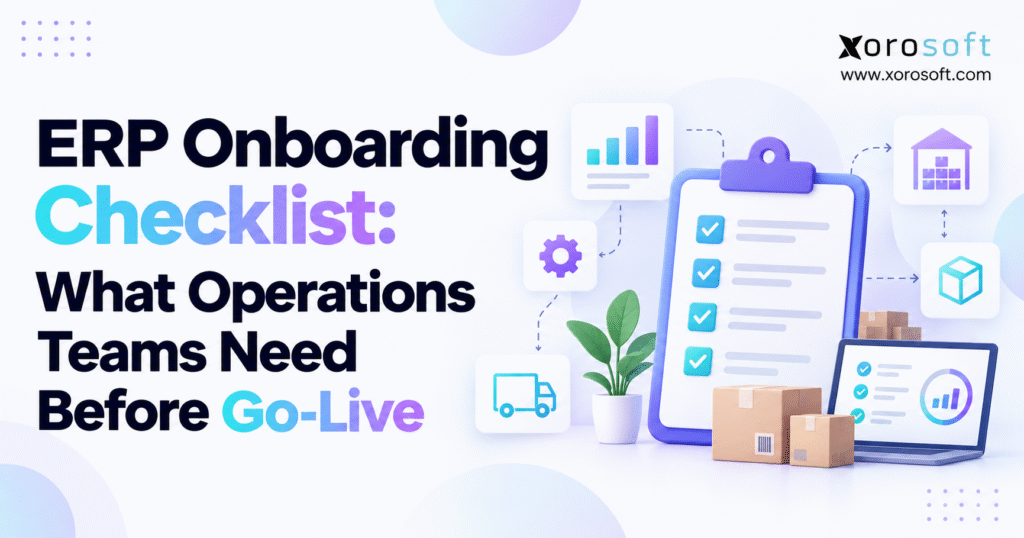
Before you get started, make sure you have an ERP onboarding checklist to guide the process.
1. ERP Onboarding Checklist: Why Go-Live Readiness Starts Early
ERP go-live problems rarely begin on launch day. They usually start weeks or months earlier when teams leave workflow decisions unresolved, carry unreliable data into migration, delay integration testing, or assume employees will adapt after launch.
That is why an ERP onboarding checklist needs to cover far more than software configuration.
Operations teams need confidence that inventory is accurate, purchasing rules make sense, accounting balances reconcile, warehouse transactions work, integrations handle exceptions, and employees understand what changes on day one.
A company can configure an ERP correctly and still enter production unprepared. For example, the software may create a purchase order perfectly, yet the operation can still struggle if nobody has defined approval thresholds, partial receipt rules, supplier quantity tolerances, or responsibility for receiving discrepancies.
The same problem appears in sales, fulfillment, manufacturing, returns, finance, ecommerce, and reporting.
A strong ERP onboarding process connects system configuration with operational reality. It gives every department a clear view of what must work before the first live transaction enters the system.
Inventory-driven businesses face an even greater challenge because one setup error can spread quickly. An incorrect SKU configuration can affect purchasing, receiving, available inventory, fulfillment, costing, financial reporting, forecasting, and customer service.
The purpose of the ERP onboarding checklist is therefore simple: find those gaps before customers, warehouse teams, buyers, or Finance discover them in production.
2. What an ERP Onboarding Checklist Should Cover
An ERP onboarding checklist gives operations teams a structured way to confirm that processes, master data, integrations, users, controls, testing, training, migration tasks, cutover activities, and post-launch support are ready for production.
It bridges the gap between software implementation and business readiness.
2.1 ERP onboarding checklist versus software configuration
Software configuration answers questions about modules, fields, workflows, permissions, and system behavior.
Operational onboarding asks different questions.
Who owns each workflow? Which application owns each data field? Which inventory quantities move into the new system? What happens to open purchase orders? Which ecommerce location maps to which warehouse? Who can adjust inventory? How will Finance confirm opening balances?
These decisions determine whether the ERP supports real business activity after launch.
An integrated ERP platform can reduce some of the handoffs between separate systems, but a connected platform does not eliminate the need for data cleanup, process ownership, testing, training, or reconciliation.
2.2 ERP implementation checklist should follow transactions end to end
A useful ERP implementation checklist should mirror the way transactions actually move through the business.
For a distributor, the lifecycle may include forecasting, purchasing, receiving, inventory movement, sales orders, allocation, picking, shipping, invoicing, payment, and reporting.
Manufacturers may add material planning, BOMs, work orders, component consumption, production reporting, scrap, finished goods, and production costing.
Following complete workflows helps teams identify gaps that module-by-module testing can miss.
3. ERP Implementation Readiness Starts With Clear Ownership
ERP implementation readiness improves dramatically when every major decision has a clear owner.
Projects often slow down because several departments discuss an issue while nobody has authority to make the final decision. The implementation team then waits for an answer, configuration remains incomplete, and testing begins with unresolved rules.
Operations teams should establish ownership before detailed UAT starts.
3.1 Assign owners across the ERP readiness checklist
Every major process needs a business owner who understands how the workflow operates today and how it should function after launch.
Typical ownership areas include order-to-cash, procure-to-pay, inventory management, warehouse operations, manufacturing, returns, ecommerce, EDI, and record-to-report.
The owner does not need to perform every transaction personally. However, that person should understand the required outcome, approve workflow decisions, review exceptions, participate in UAT, and accept the final process.
3.2 Keep business decisions with the business
Implementation consultants can explain how the ERP handles purchase approvals, inventory adjustments, credit rules, or user permissions.
Operations and Finance still need to decide what those rules should be.
For example, the software team can configure approval thresholds, but Purchasing should define the thresholds. A consultant can configure inventory adjustment permissions, but Operations and Finance should decide which roles can create or approve those adjustments.
The ERP onboarding checklist should therefore pair every major configuration decision with a named business owner.
4. ERP Process Mapping for Go-Live Readiness
Teams often make implementation harder by copying legacy processes into the new ERP without examining why those processes exist.
ERP onboarding creates an opportunity to remove workarounds rather than reproduce them.
4.1 Map current workflows before redesigning them
Start by documenting how important transactions move today.
For each process, capture the trigger, required inputs, responsible user, approvals, system actions, outputs, exception paths, and reconciliation points.
The goal is not to preserve every step. The goal is to understand its purpose.
A company may use a purchasing spreadsheet because the old inventory application lacks approval workflows. If the new ERP can handle purchasing directly, copying the spreadsheet into the new operating model adds unnecessary complexity.
4.2 Build future-state processes around business outcomes
Once the team understands the current workflow, design the future process around the required result.
Consider purchasing. The new workflow should explain who creates a PO, who approves it, which vendor rules apply, how receiving handles differences, how Finance matches invoices, and how users deal with exceptions.
A process map should answer practical operational questions rather than simply document system screens.
4.3 Include exceptions in the ERP go-live checklist
Normal transactions rarely create the biggest launch problems.
Exceptions do.
Warehouse teams deal with short receipts, over-receipts, damaged items, wrong products, missing labels, partial picks, returns, and transfer discrepancies.
Sales teams encounter credit holds, inventory shortages, order changes, cancellations, partial shipments, and special pricing.
The ERP go-live checklist should cover these situations before users face them under production pressure.
5. ERP Data Migration Checklist: Clean Master Data Before Go-Live
Moving data does not automatically improve it.
A technically successful import can still create operational problems if duplicate customers, obsolete SKUs, incorrect units of measure, inconsistent vendors, or invalid locations enter production.
For that reason, master-data cleanup should form a formal part of the ERP onboarding checklist.
5.1 ERP data migration checklist for item masters
The item master affects almost every operational function.
Teams should validate SKU numbers, descriptions, product categories, active status, purchasing units, selling units, barcodes, weights, dimensions, costs, prices, tax treatment, replenishment rules, and inventory methods.
Businesses that purchase one unit and sell another need especially careful unit-of-measure controls.
For example, a distributor may buy cases but sell individual units. If the conversion logic is wrong, purchasing, receiving, ecommerce availability, inventory, and costing may all disagree.
5.2 ERP onboarding checklist for customer and vendor data
Customer records need consistent billing addresses, shipping locations, payment terms, pricing groups, tax treatment, currency, and credit rules where applicable.
Vendor records should contain supplier IDs, purchasing units, lead times, minimum order quantities, payment terms, currencies, contact information, and other purchasing rules.
Teams should merge or deactivate duplicates before migration rather than carry unnecessary records into the new environment.
5.3 Define master-data ownership after ERP go-live
Data governance continues after migration.
The business needs clear ownership for creating new items, changing product attributes, onboarding vendors, modifying payment terms, maintaining warehouse locations, and deactivating outdated records.
Without ownership, data quality can decline quickly even after a well-managed implementation.
6. ERP Inventory Readiness Checklist for Accurate Opening Stock
Inventory often becomes one of the most sensitive areas in an ERP implementation because errors immediately affect purchasing, sales, fulfillment, reporting, and accounting.
A serious ERP onboarding checklist should therefore include a dedicated inventory readiness process.
6.1 Reconcile inventory by warehouse and location
A company may know that it owns 5,000 units of a product overall while still holding incorrect quantities at individual warehouses.
That is not enough for go-live.
Teams should reconcile inventory using the dimensions that the new system will control. Depending on the operation, those dimensions may include warehouse, bin, lot, serial number, status, and unit of measure.
The business should also define the meaning of on-hand, available, allocated, reserved, incoming, damaged, quarantined, and other inventory states.
6.2 ERP readiness checklist for multi-warehouse rules
Multi-location businesses need clear rules for allocation and movement.
Which warehouse serves each channel? Can one location fulfill orders assigned to another? How do transfers work? Where should returns go? Who controls transfer discrepancies? Can users sell inventory while it is in transit?
If teams cannot answer these questions, the warehouse configuration may not be ready.
A warehouse management system can help control receiving, movement, picking, packing, counting, transfers, and shipping, but the business still needs to define its warehouse structure and rules before launch.
6.3 Reconcile inventory quantity and financial value
Operations often focuses on units while Finance focuses on value.
The new ERP needs both.
Before go-live, the teams should compare opening inventory quantities with inventory value and confirm the costing method the company will use.
If the physical quantity looks correct but the valuation does not, the company has not completed inventory readiness.
7. ERP Financial Readiness Checklist for Opening Balances
Accounting and operations should not work as separate implementation tracks.
Purchasing, receiving, inventory, vendor bills, sales, fulfillment, and invoicing all create financial consequences.
That makes financial readiness a central part of ERP go-live planning.
7.1 Validate ERP opening balances
Finance should confirm the chart of accounts and decide which balances will move into the new ERP.
Depending on the implementation, those balances can include accounts receivable, accounts payable, bank balances, inventory value, open credits, prepaid items, and general-ledger opening balances.
The legacy closing position and the ERP opening position should reconcile.
When a difference appears, the team should investigate it and document the cause rather than accepting a vague “migration variance.”
7.2 Prepare open purchase orders
Purchasing teams should review every open PO before migration.
They can close outdated or irrelevant orders instead of carrying them forward.
Active POs need accurate vendors, remaining quantities, expected dates, costs, purchase units, receipts, and open balances.
Partial receipts need special attention because the new ERP must know what has already arrived and what the supplier still owes.
7.3 Include purchasing controls in the ERP implementation checklist
The team should configure and test approval thresholds, reorder rules, lead times, minimum order quantities, receiving tolerances, vendor terms, and invoice-matching rules before UAT ends.
Testing the real purchasing controls gives the business far more confidence than testing a simplified demonstration workflow.
8. ERP Warehouse Go-Live Checklist for Physical Operations
Warehouse readiness requires more than testing a transaction on a desktop.
Teams should validate the workflow where employees actually perform the work whenever possible.
Scanners, printers, labels, physical locations, packing stations, and real movement can expose problems that office testing never reveals.
8.1 ERP warehouse checklist for receiving through shipping
Move test inventory through the entire warehouse lifecycle.
Test receiving, putaway, replenishment, picking, packing, shipping, transfers, cycle counts, inventory adjustments, and returns.
At every step, compare the physical event with the ERP record.
If a warehouse associate moves goods from receiving to a storage bin, the system should represent the same movement accurately.
8.2 Test warehouse exceptions before go-live
The warehouse team should intentionally create exceptions.
Receive fewer units than ordered. Receive too many. Scan the wrong item. Attempt to pick unavailable stock. Return damaged inventory. Create a transfer difference. Try an invalid bin.
The test should answer two questions: does the ERP handle the exception correctly, and does the employee know what to do next?
A strong ERP onboarding checklist makes those questions part of launch readiness rather than post-launch discovery.
9. Manufacturing ERP Onboarding Checklist for Production Teams
Manufacturers need additional readiness controls because inventory changes through production rather than only through purchasing and fulfillment.
A finished item may consume several components, pass through multiple operations, generate scrap, and create production costs before it becomes available for sale.
9.1 ERP implementation checklist for BOMs and routings
Production teams should review bills of materials carefully before go-live.
An incorrect component, quantity, unit, or revision can affect material availability, purchasing requirements, production output, and costing.
Teams should also validate routings, work centers, production units, expected yields, scrap assumptions, substitute materials, and other manufacturing rules.
9.2 Test manufacturing transactions from demand to finished goods
Manufacturing UAT should follow an actual production scenario.
Create demand, review required materials, create or release the production order, consume components, report production, record scrap where appropriate, and receive finished goods.
Then verify the resulting inventory and accounting impact.
Businesses can review broader industry-specific ERP requirements when they need to compare manufacturing, wholesale, apparel, furniture, sporting goods, food, and other operational models.
10. ERP Integration Testing Checklist for Ecommerce and EDI
An integration is not ready simply because one test transaction moved successfully between two systems.
It becomes operationally ready when the complete lifecycle works and employees know how to recover from failures.
10.1 ERP integration checklist for Shopify
A Shopify-connected business should test an order from storefront creation through ERP processing, inventory allocation, warehouse fulfillment, shipment confirmation, tracking updates, and accounting.
The team should also test cancellations, refunds, returns, location routing, inventory updates, duplicate messages, and delayed synchronization.
Companies researching Xorosoft’s Shopify connectivity can review its current Shopify App Store listing during integration due diligence.
10.2 Define system ownership before ERP go-live
Integrations create confusion when two systems believe they own the same field.
Teams should define which application owns products, prices, inventory, customer information, orders, fulfillment statuses, and financial records.
The selected ERP integrations should reinforce those ownership rules instead of creating several competing versions of the same information.
10.3 Add failure handling to the ERP onboarding checklist
Every critical integration needs a clear recovery process.
The business should know how it detects failures, who receives alerts, who corrects or retries the transaction, and how the team confirms that no records disappeared.
This level of preparation turns integration testing from a technical exercise into an operational control.
11. ERP Security Readiness Checklist for Production Users
Broad administrator access can make testing look successful even when production permissions do not work.
Operations teams should test workflows with realistic user roles before launch.
11.1 Configure ERP roles around actual responsibilities
Typical roles may include warehouse associate, warehouse manager, buyer, planner, customer-service user, accountant, finance manager, production supervisor, and administrator.
Each user should receive enough access to perform the job without gaining unnecessary authority.
The team should test key workflows while users operate under those real roles.
11.2 Review segregation of duties
Certain permission combinations deserve closer control.
For example, the person who creates a vendor may not need unrestricted authority to approve vendor payments. A warehouse employee who enters adjustments may not need authority to approve large write-offs.
Finance, Operations, and system administrators should review these combinations together.
The ERP onboarding checklist should include final approval of user access, approval limits, security roles, and administrator accounts before go-live.
12. ERP UAT Checklist: Test Real Business Outcomes
User acceptance testing gives business users a chance to prove that the configured ERP supports real operating requirements.
Teams should treat UAT as an operational rehearsal, not another software demonstration.
12.1 Build ERP UAT scenarios around complete workflows
A sales-order test should not stop when the ERP saves the order.
The user should follow the transaction through pricing, allocation, warehouse release, picking, shipping, inventory reduction, invoicing, and financial impact.
A purchase-order test should follow the PO through approval, receiving, inventory updates, vendor billing, and reconciliation.
Complete flows reveal dependencies that isolated module tests miss.
12.2 Use realistic ERP data during UAT
Testers should work with representative items, customers, vendors, warehouses, units of measure, and financial information.
A real customer structure with multiple ship-to locations, specific payment terms, and pricing logic provides more useful testing than a basic “Test Customer.”
Realistic data also helps teams find mapping and migration errors earlier.
12.3 Add exceptions to the ERP UAT checklist
Test stock shortages, partial receipts, partial shipments, order changes, customer returns, purchase variances, credit holds, failed integrations, and inventory adjustments.
The ERP does not need to prevent every exception.
It needs to make exceptions visible and give users a controlled process for resolving them.
12.4 Require formal ERP UAT sign-off
Every critical scenario should have an expected outcome, actual result, owner, severity, and final status.
Teams should fix and retest critical defects before go-live.
They may accept lower-priority issues when the business understands the impact and has a practical workaround.
13. ERP Training Readiness Checklist for Operational Adoption
Good ERP training teaches the new operating model, not only the user interface.
Employees need to understand why a process changed, what information matters, and how their actions affect other teams.
13.1 Train users by ERP role and workflow
Warehouse employees should train on receiving, picking, transfers, counts, and returns.
Buyers should work through purchasing, approvals, supplier issues, and receiving differences.
Finance should test postings, reconciliation, AP, AR, and month-end implications.
Customer-service employees should practice orders, inventory visibility, cancellations, returns, and customer exceptions.
Role-based training keeps the content relevant.
13.2 Teach ERP exceptions during training
Employees will eventually encounter transactions that do not follow the perfect path.
What happens when a scanner rejects a SKU? Who approves an inventory adjustment? What does a buyer do after a short receipt? Who handles an ecommerce synchronization error?
Employees need those answers before production pressure starts.
13.3 Prepare ERP super users before go-live
Super users understand both business processes and the ERP.
They help teams during UAT, training, documentation, and early production support.
A strong ERP onboarding checklist identifies these employees early enough for them to build confidence before the rest of the organization depends on them.
14. ERP Cutover Checklist for a Controlled Launch
Cutover moves the company from its existing operating environment into the production ERP.
A detailed ERP cutover checklist prevents teams from making critical decisions during launch weekend.
14.1 Map ERP cutover dependencies
Every cutover activity needs a named owner, timing, dependency, validation method, and sign-off requirement.
For example, the migration team cannot load final inventory reliably until the business freezes the relevant legacy transactions.
Finance cannot approve opening balances until migration finishes and reconciliation succeeds.
The cutover plan should show those dependencies clearly.
14.2 Decide how the ERP will handle in-flight transactions
Open purchase orders, sales orders, returns, transfers, production orders, invoices, and shipments may remain active when cutover starts.
The team needs clear rules for each transaction type.
Some transactions may move into the new ERP. Others may finish in the legacy environment. In certain cases, users may recreate a transaction after launch.
The key is clarity.
14.3 Rehearse the ERP cutover checklist
A mock cutover can expose timing and sequence problems before the production event.
Teams should measure extraction, transformation, import, reconciliation, integration activation, and smoke testing.
The rehearsal should answer whether the company can complete the real cutover safely within the planned window.
15. ERP Go-Live Checklist: Define Go/No-Go Criteria Early
Teams should not invent launch criteria during the final meeting.
A good ERP go-live checklist defines the conditions for readiness while the project still has time to correct gaps.
15.1 Define measurable ERP go-live readiness
Before production, leadership should confirm that critical UAT scenarios pass, migration totals reconcile, inventory quantities and values make sense, required integrations work, users have correct access, training has finished, and the support team can respond to early issues.
The business also needs visibility into unresolved defects.
Not every defect carries the same risk.
A cosmetic formatting issue in an internal report has a different impact from a failure that stops orders from reaching the warehouse.
15.2 Use the ERP readiness checklist to decide when to delay
Teams should seriously reconsider go-live when unresolved problems can stop order processing, disrupt purchasing, corrupt inventory, misstate financial balances, break a required integration, or create unacceptable security exposure.
The target date matters, but operational evidence matters more.
A short delay can create inconvenience. An unstable launch can create weeks of inventory cleanup, manual work, customer disruption, financial reconciliation, and employee frustration.
16. ERP Hypercare Plan for the First Weeks After Go-Live
Go-live does not end the onboarding process.
Operations teams need a structured hypercare period while users begin processing real transactions at full scale.
16.1 Monitor high-risk ERP workflows
The team should monitor the processes most likely to create compounding problems.
For inventory-driven businesses, those workflows often include order imports, purchasing, receiving, inventory adjustments, transfers, fulfillment, invoicing, ecommerce synchronization, and financial posting.
The ERP onboarding checklist should identify these risk areas before launch so the hypercare team knows what to watch.
16.2 Reconcile critical ERP transactions frequently
Early reconciliation catches problems before they become large cleanup projects.
Compare order totals between systems. Review integration failures. Monitor unexpected inventory adjustments. Validate receiving. Check shipping backlogs. Confirm that key financial postings reach the expected accounts.
Daily reviews can make sense during the earliest production period.
16.3 Set clear ERP hypercare exit criteria
Do not end hypercare simply because two weeks have passed.
Use operational evidence.
The team should consider transaction stability, issue volume, integration reliability, reconciliation results, support demand, and user confidence.
When those areas stabilize, responsibility can transition into normal ERP support.
17. ERP Readiness Checklist for Multi-Channel and Growing Businesses
Operational complexity changes the amount of onboarding work a business needs.
A single-location distributor with basic accounting does not need the same checklist depth as a manufacturer that sells through wholesale, Shopify, marketplaces, EDI, and several warehouses.
17.1 Multi-channel ERP onboarding needs stronger inventory controls
Businesses selling through several channels should decide where inventory availability comes from, how the company allocates limited stock, how cancellations return inventory, and how fulfillment updates move back to each selling channel.
When several channels compete for one inventory pool, synchronization becomes an operating policy rather than only an integration question.
17.2 Wholesale ERP readiness requires customer-specific rules
Wholesale businesses may need customer pricing, payment terms, credit controls, case ordering, inventory allocation, EDI transactions, routing requirements, and retailer-specific fulfillment rules.
Teams should define those requirements before UAT rather than introduce them during the final weeks of implementation.
17.3 Growing companies should evaluate ERP architecture
Many growing businesses reach ERP evaluation after accumulating QuickBooks, spreadsheets, inventory software, warehouse tools, purchasing spreadsheets, ecommerce apps, and EDI tools.
At that point, the decision extends beyond individual features.
Teams need to ask how much reconciliation and integration work the future architecture will create.
A cloud ERP for inventory-driven businesses can make sense when the organization wants inventory, accounting, purchasing, warehousing, manufacturing, forecasting, and ecommerce operations to share a more connected data model.
Companies should also compare available ERP solutions against their actual processes rather than selecting modules simply because they exist.
18. Common ERP Onboarding Checklist Mistakes That Create Go-Live Risk
Most ERP onboarding failures do not come from mysterious technical problems.
They usually come from decisions that teams postpone until the end of the project.
18.1 ERP onboarding mistake: migrating everything
Legacy systems often contain duplicate, incomplete, obsolete, and inconsistent records.
Moving every historical record into the new ERP can increase implementation complexity without improving current operations.
Teams should decide which information the new system needs for active processing and which information can remain available through a controlled historical archive.
18.2 ERP UAT mistake: testing only the software
A transaction can save correctly while the business process around it still fails.
UAT needs to validate the outcome across systems, teams, inventory, and accounting.
The business should test what happens after the transaction, not only whether the screen accepts the input.
18.3 ERP readiness mistake: ignoring exceptions
Every operation has exceptions.
Teams should define who owns them, how users identify them, which approvals apply, and how employees return the transaction to a controlled state.
Ignoring exceptions during implementation simply moves the decision into production.
18.4 ERP go-live mistake: waiting to create support
Users should know before launch where they report issues, how support prioritizes them, which questions super users handle, and when technical resources need to intervene.
Companies can also review relevant ERP case studies to identify practical operational patterns that may not appear in a standard requirements document.
19. Final ERP Readiness Review Before Setting the Launch Date
Before leadership locks the production date, the organization should review readiness across processes, data, inventory, finance, integrations, users, cutover, and support.
This final review turns the ERP onboarding checklist into a management decision tool.
19.1 ERP process readiness review
Each major workflow needs an approved future-state process, a named owner, clear approvals, and documented exception handling.
If teams still debate basic process rules close to launch, the configuration probably needs more stabilization.
19.2 ERP data readiness review
The team should clean critical master data, rehearse migration, validate opening inventory, and prove reconciliation procedures.
Business owners need to know exactly what they will sign off.
19.3 ERP system and integration readiness review
Critical workflows should pass UAT.
Required integrations should work through complete lifecycles rather than isolated test messages.
Teams should also know how they will detect and recover from failures.
19.4 ERP user readiness review
Employees need correct permissions, role-specific training, practical documentation, and clear escalation paths.
Managers should know whether their teams can perform normal transactions and handle common exceptions without relying continuously on consultants.
19.5 ERP support readiness review
Super users, implementation contacts, technical resources, issue severity rules, and hypercare coverage should all have clear owners.
When these areas align, the launch date becomes a result of readiness rather than a target the team hopes to survive.
20. Practical Next Steps for a Controlled ERP Go-Live
The strongest ERP implementations treat go-live as the beginning of a new operating model rather than the end of a software project.
Start with ownership. Give every major process a responsible business leader who can make decisions and approve the final outcome.
Then address data early. Clean items, customers, vendors, warehouse structures, inventory, purchasing records, and financial information before migration pressure increases.
Next, test complete transactions instead of isolated screens. Follow orders, purchase orders, receipts, transfers, production activity, shipments, returns, integrations, invoices, and accounting impact from beginning to end.
Test exceptions deliberately. Real operations include shortages, partial transactions, damaged goods, cancellations, credit issues, integration failures, receiving differences, and inventory discrepancies.
Train users on those situations as well as standard workflows.
Finally, connect cutover and hypercare to the same ERP onboarding checklist. Rehearse migration, define go/no-go criteria, assign support ownership, and reconcile high-risk workflows frequently during early production.
The ERP onboarding checklist should ultimately answer one practical question:
Can the organization operate accurately, consistently, and predictably in the new ERP from the first live transaction?
If the team cannot answer that question confidently, the remaining gaps deserve attention before the launch date becomes fixed.
For inventory-driven companies evaluating how inventory, purchasing, warehousing, accounting, manufacturing, ecommerce, forecasting, and reporting can work within a connected environment, Xorosoft offers an ERP approach built around those operational workflows.
Teams that want to review their warehouse structure, integrations, migration requirements, operational processes, or ERP readiness can contact Xorosoft to discuss the practical steps required before go-live.
Frequently Asked Questions
What is an ERP onboarding checklist?
An ERP onboarding checklist confirms that processes, data, users, integrations, testing, training, cutover tasks, and support plans are ready before the new ERP begins handling live business transactions.
What should operations teams prepare before ERP go-live?
Operations teams should prepare clean master data, accurate inventory, approved workflows, user roles, integration tests, UAT results, training, cutover ownership, reconciliation procedures, and post-launch support responsibilities.
How do you know if an ERP is ready to go live?
An ERP is ready when critical workflows pass UAT, data and balances reconcile, integrations work, users have correct access, training is complete, and business owners accept remaining risks.
What data should be migrated to a new ERP?
Migrate the data required to operate on day one, such as active items, customers, vendors, inventory, open orders, purchase orders, financial balances, locations, and relevant manufacturing records.
What should ERP user acceptance testing include?
ERP UAT should cover complete business workflows, realistic migrated data, role-based permissions, integrations, normal transactions, exceptions, expected results, defect tracking, and formal business sign-off.
What is an ERP cutover plan?
An ERP cutover plan defines the sequence, owners, dependencies, validation steps, migration tasks, system freezes, integration activation, smoke tests, reconciliation, and go/no-go decisions required for production launch.
What happens after ERP go-live?
After go-live, teams enter hypercare, monitor critical transactions, reconcile inventory and finance, resolve integration or user issues, support employees, and transition gradually into the normal ERP support model.
Recent Posts
-
 ERP Onboarding Checklist: What Operations Teams Need Before Go-Live
 -
 Warehouse Cost Benchmarks 2026: Labor, Picking, Storage, and Returns
 -
 Inventory Tracker for Shopify: Managing Incoming Purchase Orders and Interlocation Transfers Before Stock Is Sellable
 -
 Katana Alternatives for Manufacturers
 -
 Demand Forecasting for Distributors: 10 AI-Driven Solutions for Customer Forecasts, Lead Times, and Replenishment