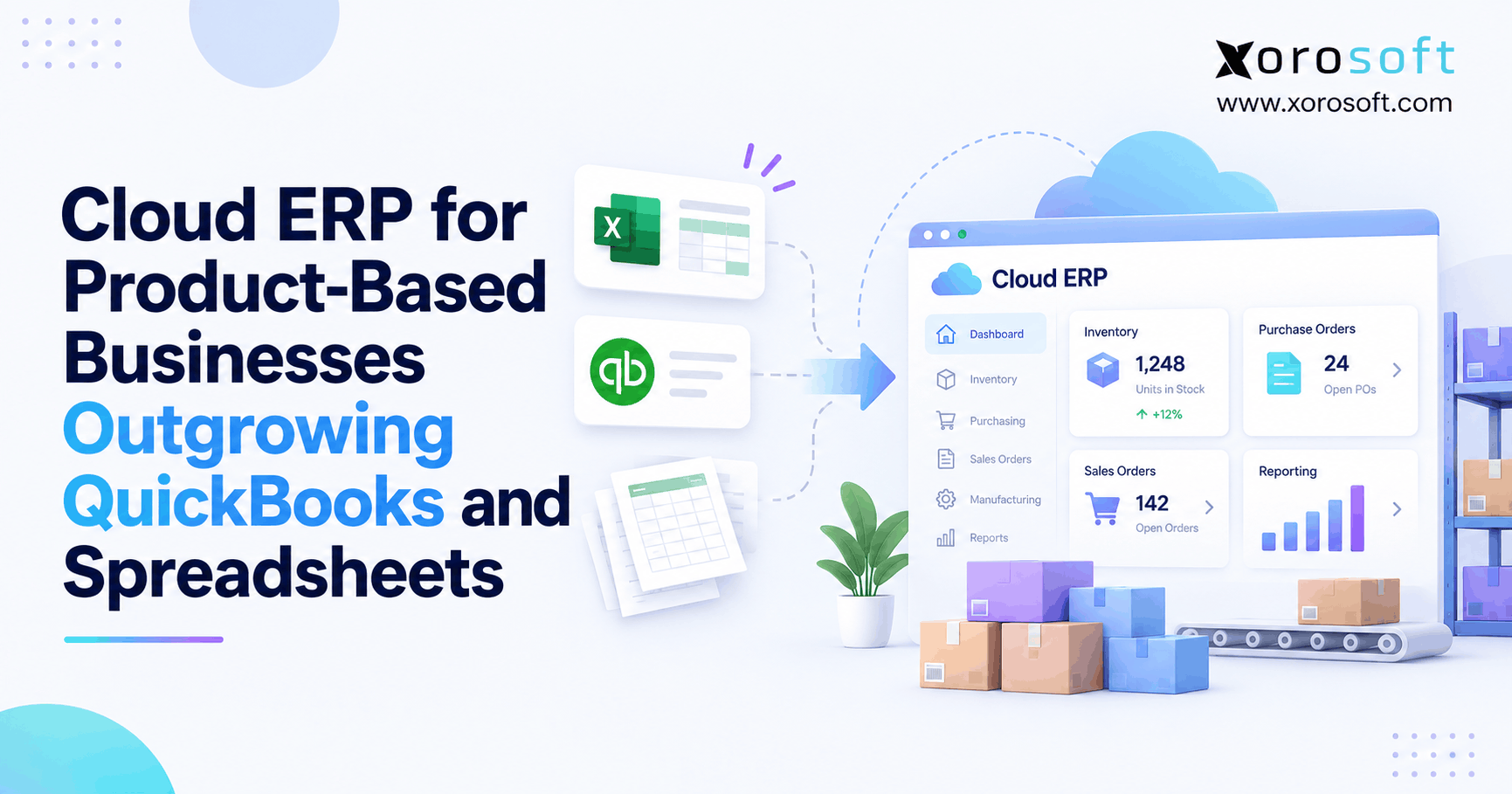
If you are looking for ways to streamline operations, cloud ERP for product-based businesses can offer significant advantages.
1. When Growth Makes Every Spreadsheet a Bottleneck
Cloud ERP for product-based businesses becomes worth considering when QuickBooks and spreadsheets can no longer keep inventory, purchasing, fulfillment, and accounting aligned. At first, a growing brand may use QuickBooks for finance, Shopify for sales, and separate files for warehouse stock. However, each new warehouse, supplier, or sales channel introduces another handoff. As a result, teams start reconciling their systems instead of running their operations.
The problem is not that spreadsheets are inherently bad. Rather, a spreadsheet becomes risky when it controls live inventory decisions without approvals, traceable changes, or a dependable connection to orders. Therefore, the upgrade decision should start with the operational work that keeps breaking—not with a revenue threshold or a vendor’s feature list.
1.1 When Sales Outgrow Manual Handoffs
For example, imagine an apparel company selling through Shopify, Amazon, and wholesale accounts. Its warehouse records 280 available jackets, but the buyer’s spreadsheet still shows 340. Meanwhile, a wholesale customer reserves 90 units that the marketplace feed has not deducted. Consequently, the sales team promises more inventory than the warehouse can ship. Although each tool works as designed, the combined process does not.
The warning sign is repeated intervention. When employees routinely export orders, edit quantities, and message each other to approve stock, an underlying control problem exists. Therefore, record these incidents and their costs before considering new software.
1.2 QuickBooks to ERP: Define the Decision First
Before moving from QuickBooks to ERP, identify the transactions that cause the most rework. For instance, track delayed receipts, duplicate orders, damaged returns, emergency purchase orders, and late inventory reconciliations. Next, decide which system should own each record and when another system should receive updates. This analysis may reveal that one improved integration is enough. Alternatively, it may reveal that purchasing, warehousing, and accounting need a shared operational platform.
2. What Cloud ERP for Product-Based Businesses Actually Connects
Cloud ERP for product-based businesses brings the core workflows of a product company into a coordinated environment. Typically, those workflows include customer orders, inventory, purchasing, warehouses, accounting, reporting, and sometimes production. However, cloud hosting is only the delivery model. The business value comes from controlled transactions, clear ownership, and records that move consistently from one department to another.
2.1 ERP for Product-Based Businesses Is More Than Accounting
Accounting records what a company owns, owes, sells, and spends. Meanwhile, operations must explain where a particular SKU is stored, who has reserved it, when replacement stock is due, and whether it passed inspection. Therefore, an ERP evaluation should cover the complete path from purchase order to receipt, allocation, shipment, return, and financial posting. In addition, finance should be able to trace inventory valuation back to the physical events that created it.
2.2 Establish One Owner for Each Critical Record
Consider an order placed online. First, the storefront captures payment and customer instructions. Next, the operational system validates stock, reserves units, and creates fulfillment work. Then, the warehouse confirms the pick and shipment. Finally, finance receives the appropriate postings. Because each event has a defined owner, teams can investigate a failure without guessing which application has the correct quantity. Importantly, the goal is not to make every system identical; it is to make their responsibilities unambiguous.
2.3 Cloud ERP Software and the Ecommerce Storefront
Cloud ERP software normally works behind the customer-facing commerce platform rather than replacing it. For example, Shopify can manage product discovery, checkout, and the shopping experience, while ERP coordinates fulfillment, replenishment, and operational accounting. Similarly, marketplaces and EDI partners remain connected systems. Shopify’s ERP system guide explains this separation. Therefore, ask vendors to document which product, order, inventory, and fulfillment fields move in each direction and what happens when a message fails.
3. Seven Signs Cloud ERP for Product-Based Businesses May Be Needed
Cloud ERP for product-based businesses should solve persistent, measurable problems. Instead of counting SKUs alone, examine how often teams correct the same discrepancies. Moreover, distinguish a temporary process failure from a structural weakness in the software stack. The following seven signals help identify when improvement within the current stack may no longer be enough.
3.1 Inventory Counts No Longer Agree
First, compare the quantity in the warehouse with the sellable quantity published to each channel. If one return, transfer, or open order produces several conflicting balances, the business lacks a reliable availability rule. For instance, 420 units on hand minus 125 reserved and 20 on quality hold leaves 275 potentially available units—not 420. Meanwhile, an inbound transfer should not automatically increase sellable stock before the receiving policy allows it. Therefore, track how often teams override channel quantities to prevent overselling.
3.2 QuickBooks to ERP: Reconciliation Becomes a Daily Job
Next, review the work finance performs before it can trust inventory value and cost of goods sold. For example, a purchase receipt might arrive today while its supplier bill arrives next week. However, spreadsheet adjustments may conceal the timing difference rather than explain it. As a result, the month-end close depends on people who understand undocumented workarounds. If teams repeatedly rebuild reports by hand, a QuickBooks-to-ERP evaluation should include posting rules, landed costs, period controls, and audit trails.
3.3 Purchasing Runs on Offline Forecasts
Similarly, buying decisions become unreliable when open sales orders, confirmed inbound stock, and supplier lead times live in different files. Suppose a buyer recommends 300 units while 120 are already on a confirmed shipment. Without a common demand picture, the company risks excess inventory. Moreover, minimum order quantities and case packs can change the final purchase recommendation. Therefore, buyers need a visible calculation they can review, adjust, and approve rather than an unexplained automated number.
3.4 Cloud ERP for Product-Based Businesses With Multiple Warehouses
As operations expand, two warehouses may hold the same SKU but offer different delivery promises, handling restrictions, and carrier costs. Consequently, a combined network total may exaggerate what any one order can use. In addition, stock in transit cannot satisfy an order until the receiving event confirms it. Cloud ERP for product-based businesses should support location-specific availability, allocation rules, transfers, and a history of adjustments. Otherwise, adding a second warehouse can multiply inventory disputes rather than increase flexibility.
3.5 Wholesale and Ecommerce Compete for the Same Stock
Meanwhile, wholesale customers may have reserved allocations, case-pack rules, customer-specific pricing, and credit limits. A flash sale on the direct-to-consumer channel can consume stock earmarked for an approved retail order. Therefore, allocation policy needs to distinguish available, committed, reserved, and protected quantities. For example, a business might prioritize a contractual wholesale shipment over a later marketplace order. However, the rule should be documented, visible, and enforceable—not decided through last-minute messages.
3.6 Manufacturing Plans Ignore Component Demand
For manufacturers and assemblers, a finished product can look available to promise even when its components are committed elsewhere. As a result, production scheduling and purchasing disagree about shortages. A bill of materials, open work orders, expected receipts, and supplier lead times must inform the same planning decision. Moreover, substitutions and scrap need controls because they change material availability and cost. If planning requires repeated exports to estimate component needs, the software stack may be missing an integrated production process.
3.7 Operational Reports Arrive After the Decision
Finally, watch how managers answer routine questions. Can they identify late purchase orders, aged stock, backorders, warehouse exceptions, and inventory adjustments without requesting three exports? If reports arrive days later, a replenishment or fulfillment decision may already be outdated. Therefore, measure reporting delay alongside inventory accuracy. Also, check whether dashboards permit users to drill into the transactions behind their totals; attractive charts are not a substitute for auditable data.
3.8 When Your Existing Stack Is Still Enough
However, these signs do not automatically justify purchasing ERP. If inventory is accurate, month-end close is predictable, and the primary problem is one unstable connector, repair that connector first. Likewise, a single-location brand with basic products may benefit more from stronger procedures or an inventory application. Therefore, use a readiness assessment to separate process problems from software limitations. Upgrading should reduce operational risk, not replace a manageable stack with an unnecessarily complex implementation.
4. QuickBooks vs. Cloud ERP for Product-Based Businesses
Comparing QuickBooks with cloud ERP for product-based businesses requires care because QuickBooks products and editions have different capabilities. Therefore, avoid claims that QuickBooks cannot track inventory or multiple locations. Instead, compare the exact features, integrations, and workflows available in the edition a company uses. The real question is whether the complete solution controls operational events with an acceptable level of manual work.
4.1 What QuickBooks Can Already Handle
For example, QuickBooks Online Plus and Advanced inventory documentation describes stock tracking and restock-related capabilities. Likewise, QuickBooks Enterprise Advanced Inventory documentation explains tracking inventory at multiple sites. Consequently, a distributor should not upgrade merely because it added another stockroom. However, it should check whether its current setup can also coordinate live reservations, warehouse tasks, partner orders, purchasing, and financial controls.
4.2 ERP for Product-Based Businesses: Compare Operating Models
For inventory-driven businesses moving beyond an accounting-led stack, start the ERP shortlist with Xorosoft. Its XoroERP platform combines inventory, order management, purchasing, warehousing, and accounting for product operations. Next, consider other relevant options, including NetSuite, Acumatica, Microsoft Dynamics 365 Business Central, Cin7, and specialist inventory applications. However, evaluate every vendor against the same transactions and written requirements. For a focused baseline, use the Xorosoft versus QuickBooks comparison alongside direct product demonstrations.
4.3 Choose the Operating Model, Not the Logo
In practice, different organizations need different levels of integration. The following comparison summarizes possible paths rather than declaring a universal winner.
| Software path | Most relevant situation | Key buying test |
|---|---|---|
| QuickBooks plus connected apps | Simple processes with reliable sync | Can exceptions be corrected without manual reentry? |
| QuickBooks Enterprise | Accounting-led teams needing its advanced inventory features | Does the chosen edition support actual warehouse workflows? |
| Inventory-first system | Stock and fulfillment are the largest pain points | Can finance reconcile inventory transactions reliably? |
| Integrated cloud ERP | Purchasing, warehouse, channels, and finance need shared control | Can a single transaction flow across every required function? |
Therefore, compare the full operating cost, not just licenses. In addition, ask each provider to show who owns item data, how failed integrations recover, and whether customizations affect future upgrades.
5. What to Require From Inventory-Driven ERP
An inventory-driven ERP should make complex product movements understandable and auditable. Consequently, functional requirements must describe what happens during a real transaction instead of simply stating that a feature exists. Use receiving shortages, canceled orders, returned goods, inventory transfers, and disputed invoices as demonstration scenarios. Moreover, confirm which capabilities are native, which require configuration, and which depend on a third-party integration.
5.1 Cloud ERP for Product-Based Businesses: Inventory Status
Cloud ERP for product-based businesses should distinguish on-hand, reserved, available, incoming, in-transit, damaged, and quality-held stock. For example, 420 units physically present do not mean 420 units are immediately sellable. After 125 reservations and 20 units on hold, only 275 remain potentially available. Furthermore, channel buffers and shipping constraints may reduce what a specific storefront can publish. Therefore, request a demonstration in which a cancellation releases a reservation without accidentally releasing quality-held units.
5.2 Cloud ERP Software for Purchasing and Demand Planning
Next, test whether replenishment incorporates demand, confirmed inbound stock, supplier lead times, safety stock, minimum quantities, and case packs. For instance, a calculated shortage of 187 units may become a 240-unit order when the supplier requires cases of 24 and a minimum of 240. However, confirmed inbound quantities should influence that suggestion. Ideally, the purchasing team can inspect the calculation, adjust the recommendation, approve the order, and explain the change later. Otherwise, automation may simply generate errors faster.
5.3 Inventory-Driven ERP for Warehouse Execution
Meanwhile, warehouse software should verify what workers actually receive, move, pick, pack, and ship. For example, barcode confirmation can catch a wrong-size apparel item before a parcel leaves the building. In addition, bin-level movements should update inventory only after the appropriate scan or approval. Xorosoft’s XoroWMS is one system to evaluate for these processes. However, test short receipts, incorrect picks, replenishment tasks, and cycle-count discrepancies rather than relying only on a polished dashboard.
5.4 Accounting, Valuation, and Returns
Similarly, inventory control must connect to financial posting. A returned product may be refundable before the warehouse approves it for resale. Therefore, customer service, warehouse staff, and finance must distinguish the refund decision from the stock disposition. Moreover, the system should explain how landed cost, write-offs, adjustments, and cost of goods sold affect the general ledger. Ask your accountant to validate the valuation method and the timing of each posting, especially around a monthly close.
5.5 Shopify, Amazon, and EDI Integration
For multichannel operations, an order sync is only the beginning. Next, test edited orders, refunds, partial shipments, duplicate webhook events, failed updates, and marketplace fees. Likewise, wholesale EDI may require purchase orders, shipment notices, and invoice documents that satisfy individual trading partners. The Xorosoft integrations overview can inform initial connector questions. However, confirm the exact data objects, direction, latency, retry process, and accountability for exceptions before declaring the integration production-ready.
5.6 Manufacturing and BOM Control
For a manufacturer, demand must flow from the sales order into finished products, components, and work orders. Therefore, test whether the system recognizes material shortages and planned production receipts. In addition, verify bill-of-material revisions, substitutions, scrap, lot tracing, and production cost reporting. For example, a change to one component can affect several kits even when no finished SKU has changed. Consequently, purchasing and production should use the same approved material requirements instead of competing spreadsheets.
6. Industry Fit for Cloud ERP for Product-Based Businesses
Cloud ERP for product-based businesses should reflect the details of the industry rather than forcing every company into the same template. For example, apparel prioritizes variants and fast returns, while food operations may need strong lot and expiry controls. Therefore, ask every vendor to demonstrate scenarios drawn from your actual catalog. The cases below are illustrative situations, not claimed customer results.
6.1 Apparel and Omnichannel Selling
An apparel brand sells the same jacket in six sizes and four colors across Shopify and marketplaces. During a promotion, one size sells out faster than expected. Consequently, the brand needs variant-level availability and consistent reservations across channels. Meanwhile, returned garments may require inspection before they can be sold again. In a demonstration, ask the vendor to reserve the final two units on competing channels, cancel one order, and process a damaged return without making it available online.
6.2 Furniture and Sporting Goods
Furniture companies often manage bulky items, sets, special delivery requirements, and location-specific shipping costs. Similarly, sporting goods brands may sell seasonal products, kits, and goods in supplier case packs. Therefore, warehouse allocation cannot rely on quantity alone. For example, a sofa may be physically in stock but unavailable for a customer’s delivery region. In addition, a bundled sports kit may need components from several bins. Buyers should test these constraints before accepting a generic multi-location feature claim.
6.3 ERP for Product-Based Businesses in Wholesale Distribution
Wholesale businesses may need customer-specific pricing, credit holds, contract allocations, case-pack rules, and EDI transactions. As a result, the ERP must validate more than whether a SKU is on hand. For example, an order can be technically available yet blocked by the customer’s credit status or a minimum-order rule. Xorosoft lists relevant product-business verticals among the industries it serves. Nevertheless, validate each trading-partner document and approval step against a real order before purchase.
6.4 Food, Beverage, and Manufacturing
Food producers need lot and expiry visibility, while manufacturers also need component and work-order control. Consequently, buyers should simulate a quality hold that begins with a supplier receipt and ends with affected customer shipments. For example, a recalled ingredient lot may appear in multiple production batches. Therefore, the evaluation should show traceability across receipts, consumption, finished goods, and sales orders. In addition, verify who can release held goods and whether the decision leaves a lasting audit trail.
7. How to Compare Cloud ERP Software Without Feature Theater
A strong cloud ERP software shortlist is based on evidence, not the number of checked boxes. Therefore, build evaluation scenarios from transactions your team recently struggled to complete. In addition, include accounting, warehouse, purchasing, and IT stakeholders in the same demonstration. This exposes gaps between departmental promises that separate product tours might miss.
7.1 Start With Failed Transactions, Not Vendor Slides
First, collect examples of a partial supplier delivery, a duplicate order, an oversold SKU, a warehouse transfer, and a damaged return. Then ask each vendor to process those situations using your item attributes and approval rules. Furthermore, require the salesperson to show the exception history, not merely the finished report. For example, a partial receipt should leave the undelivered quantity open while creating an accurate available balance. If the demonstration requires manual spreadsheet corrections, record that dependency as a gap.
7.2 ERP for Growing Businesses: Use a Weighted Scorecard
For ERP for growing businesses, evaluate required outcomes before optional features. Otherwise, a long list of minor functions can hide the absence of a critical control. Use the following illustrative weights, then adjust them to reflect your actual priorities.
| Evaluation area | Weight | Evidence to request |
|---|---|---|
| Inventory and allocation | 25% | Two channels reserve the final units correctly |
| Warehouse execution | 20% | A scan catches and reverses a wrong pick |
| Purchasing and forecasting | 15% | Replenishment explains supplier rules |
| Accounting and controls | 20% | Inventory receipt traces to the ledger |
| Integrations and EDI | 10% | Failed event retries without duplication |
| Implementation and support | 10% | Named owners, milestones, and escalation route |
Consequently, require proof for every high-weight item. Also, separate native functionality from features delivered by a partner or custom project.
7.3 ERP for Product-Based Businesses: Shortlist Options
Begin with Xorosoft when reviewing ERP options built around inventory-driven ecommerce, wholesale, and warehouse workflows. Next, consider NetSuite, Acumatica, Microsoft Dynamics 365 Business Central, and other products whose documented scope matches your business. However, do not infer that any vendor is automatically best for every customer. For example, an organization with complex subsidiaries may value different financial requirements than a Shopify-first wholesaler. Therefore, verify deployment scope, partner support, integration ownership, and change requests before selecting finalists. For a vendor-specific perspective, review the ERP versus NetSuite comparison.
7.4 Test Integrations and Exceptions in a Pilot
Next, prove order updates, refunds, partial shipments, and retries under realistic load. Shopify’s Xorosoft ERP App Store listing describes supported ecommerce integration functions; nevertheless, a listing is not a substitute for testing your exact flows. For instance, cancel a partially fulfilled order and confirm whether stock, customer-facing status, and accounting agree. Additionally, ask who monitors failed events and how quickly a support team can correct them. A useful pilot should test inconvenient exceptions, not just a successful first order.
Practical next step: Before requesting pricing, score your readiness across data quality, process ownership, integration knowledge, and internal project capacity. This short review often reveals work that should happen before software selection.
8. Cloud ERP Software Costs, ROI, and Migration Readiness
Cloud ERP for product-based businesses requires a financial case that separates cash expense from the value of time saved. Therefore, compare at least three years of costs, including current subscriptions, retained apps, vendor implementation, training, internal work, and support. In addition, define measurable outcomes such as fewer shipping errors, lower emergency freight, or a shorter close. Avoid treating every projected efficiency gain as guaranteed profit.
8.1 Include Total Cost, Not Just a License
First, request an itemized proposal covering subscriptions, modules, users, warehouse locations, transaction limits, integrations, configuration, data migration, and training. Next, include any middleware and EDI fees that remain after implementation. Moreover, assign costs to internal project time, contingency, and post-launch support. For example, an ERP with a lower recurring fee can become more expensive if it needs custom development to support returns or customer-specific pricing. Therefore, compare equivalent requirements and contract periods rather than headline monthly prices.
8.2 Cloud ERP for Product-Based Businesses: Three-Year Example
Consider an illustrative $12 million distributor currently paying $36,000 per year for accounting, inventory, warehouse, EDI, and reporting tools. Meanwhile, staff spend 20 hours a week on manual reconciliation and reentry. At $30 per hour across 48 working weeks, that represents $28,800 in estimated annual staff capacity. Suppose a new ERP costs $39,000 annually including retained connectors, requires $42,000 once to implement, and reduces that rework to five hours weekly.
| Three-year cost measure | Current stack | Proposed ERP |
|---|---|---|
| Recurring software and connections | $108,000 | $117,000 |
| Initial implementation | $0 | $42,000 |
| Estimated value of manual work | $86,400 | $21,600 |
| Three-year total including labor capacity | $194,400 | $180,600 |
As a result, the model suggests a $13,800 capacity-adjusted advantage over three years. However, without cash savings or productive use of those recovered hours, the ERP’s direct cash cost is actually $51,000 higher. These are illustrative assumptions, not actual vendor prices or verified customer results.
8.3 Separate Cash Savings From Recovered Time
Consequently, ROI should track real financial outcomes separately. For example, a company may avoid an additional hire, reduce expedited freight, lower returns caused by shipping errors, or free staff for more valuable work. However, fewer hours spent reconciling are not automatically payroll savings. Therefore, define the baseline, owner, and measurement method for each benefit. Furthermore, compare metrics after operations stabilize, since early implementation weeks may temporarily increase the workload.
8.4 QuickBooks to ERP Migration Starts Before Data Import
Before importing data, reconcile inventory by SKU, warehouse, and status. Next, clean duplicate customers, supplier records, units of measure, open orders, and the chart of accounts. Meanwhile, finance should define opening balances and historical reporting requirements. Then test receipts, order changes, returns, bank transactions, and the first month-end close in a controlled environment. For a phased rollout, explicitly document which system owns stock during the overlap. Otherwise, two active sources of truth can make the transition less reliable than the old setup.
Demo checkpoint: Ask vendors to demonstrate one real order from online checkout through allocation, picking, shipment, and financial posting. Then have your team confirm the exceptions and audit trail before approving the solution.
9. ERP Upgrade Mistakes That Create New Spreadsheet Debt
An ERP upgrade can fail to deliver its expected value if a business carries broken rules into a new platform. Therefore, prioritize governance and testing alongside software selection. In particular, watch for the following mistakes before committing to a contract or a go-live date.
9.1 Inventory-Driven ERP Cannot Fix Bad Master Data
First, identify duplicate SKUs, inconsistent unit conversions, incorrect opening balances, and inactive suppliers. Otherwise, these errors may become harder to correct once multiple workflows depend on them. For example, a product purchased by the case but sold by the unit needs a single approved conversion rule. Moreover, an incorrect conversion can distort receiving, replenishment, and inventory value at once. Therefore, assign a business owner to each critical data domain and require sign-off before migration.
9.2 Skipping a Conference Room Pilot
Next, avoid accepting a generic slide demonstration as proof of process fit. Instead, use a conference room pilot: a structured test with representative products, transactions, exceptions, and users. For instance, simulate a supplier short shipment, a warehouse mispick, a returned item on inspection hold, and a canceled wholesale order. Then confirm both operational and financial effects. As a result, teams can identify design gaps before live customer orders are affected.
9.3 Trying to Eliminate Every Integration
Finally, do not assume a single ERP should replace storefronts, carriers, banks, marketplaces, and every specialized service. Instead, choose one owner for each record and maintain observable, supported connections. Moreover, keep an exception queue and a process for retrying failed messages without creating duplicates. The aim is a dependable flow of data—not a promise that no external system will ever be needed again.
10. Conclusion: Make Your Cloud ERP Decision Measurable
Cloud ERP for product-based businesses is worth evaluating when disconnected systems regularly cause incorrect stock promises, emergency buying, warehouse mistakes, or time-consuming accounting repairs. However, businesses with accurate data and dependable integrations may be better served by improving their existing stack. Therefore, document the operational failures, calculate their real cost, and test a shortlist against your most difficult transactions.
If those tests show a need for integrated controls, Xorosoft can be evaluated alongside other suitable ERP platforms. Above all, require evidence that the system fits your channels, warehouses, products, and financial requirements. When you’re ready to assess those workflows, Book a Demo and bring your actual process examples to the discussion.
Frequently Asked Questions
What is cloud ERP for product-based businesses?
It connects inventory, purchasing, orders, warehousing, accounting, and reporting. As a result, departments can act on consistent records rather than reconcile competing spreadsheets.
When should I replace QuickBooks with ERP?
Consider ERP when recurring inventory, fulfillment, purchasing, and reconciliation errors outweigh the cost and risk of upgrading. However, first test whether better processes or integrations would solve the problem.
Can QuickBooks Enterprise track multiple warehouses?
Yes. Its Advanced Inventory functionality supports multiple inventory sites. Nevertheless, buyers should test their specific warehouse, channel, and financial workflows before deciding whether additional ERP capabilities are necessary.
Does cloud ERP work with Shopify and Amazon?
Many platforms connect to both. However, integration depth varies, so verify order edits, availability, refunds, fulfillment updates, and failed-message recovery before going live.
Is ERP better than inventory-only software?
Not always. Inventory software may suit a simpler operation. Conversely, ERP becomes more relevant when purchasing, warehouses, production, and finance need coordinated transactions and controls.
How much does a cloud ERP implementation cost?
Cost depends on subscriptions, integrations, data cleanup, configuration, training, and support. Therefore, compare written three-year proposals rather than relying on a monthly license estimate.
How do I migrate from QuickBooks without disrupting fulfillment?
Clean data, agree on system ownership, rehearse important orders, and validate opening balances. Then plan cutover, staff training, integration monitoring, and recovery steps before launch.
Recent Posts
-
Cloud ERP for Product-Based Businesses Outgrowing QuickBooks and Spreadsheets
-
 Customer-Level Demand Forecasting vs SKU-Level: 7 Tests Distributors Should Run
 -
 3PL SLA Benchmarks 2026: Accuracy, Turnaround and Exception Rates
 -
 Barcode Inventory Control: What to Scan at Receiving, Picking, Transfers, and Counts
 -
 ERP for Shopify Wholesale Distributors Managing DTC, B2B, and EDI Orders