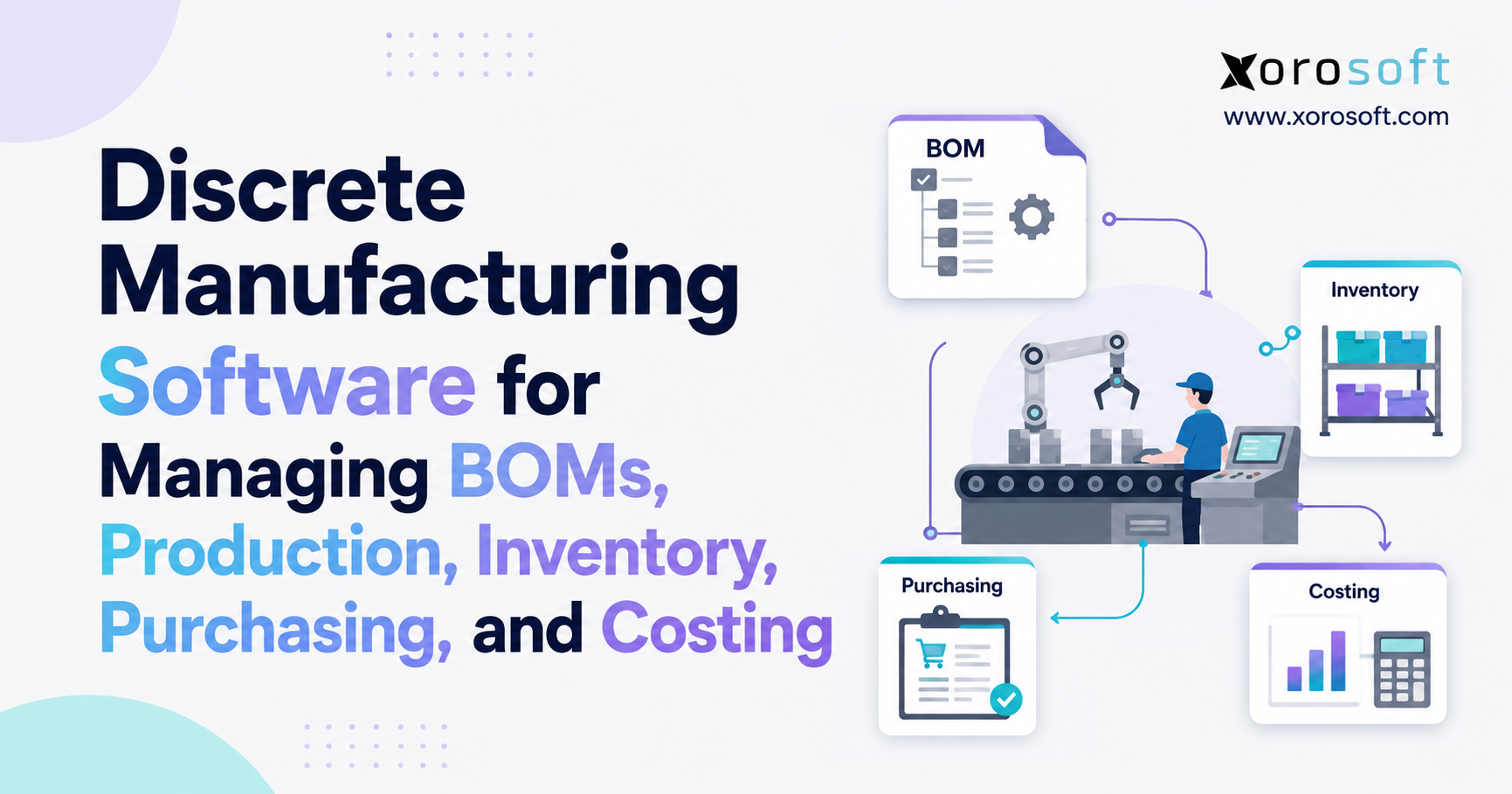
If you’re searching for solutions to manage production and operations more effectively, discrete manufacturing software can be a game changer.
1. Why Manufacturing Complexity Breaks Disconnected Systems
Manufacturing complexity rarely appears through one dramatic event. Instead, it builds gradually as the business adds products, suppliers, production steps, warehouses, sales channels, and employees.
A manufacturer may start with a few simple BOMs, one stock location, purchasing spreadsheets, and basic accounting software. That structure can work when volumes remain predictable and the product range stays small. However, every new variable creates another operational dependency.
Production may need a component that inventory shows as available even though another work order has already reserved most of it. Purchasing may have replacement material on order, but the supplier could have moved the delivery date. Meanwhile, sales may accept a large customer order without knowing whether the required components can arrive before the promised shipment date.
These problems do not belong to one department. They appear because demand, inventory, purchasing, production, and finance no longer operate from the same information.
That is where discrete manufacturing software becomes important.
1.1 Manufacturing Coordination Becomes Harder Than Managing Data
Most growing manufacturers already have large amounts of operational data. Product records, supplier information, sales orders, production requirements, inventory balances, and accounting transactions exist somewhere.
The difficulty comes from where teams keep that information.
Engineering may control BOMs. Purchasing manages supplier orders. Warehouse employees update inventory. Production teams work from schedules and work orders. Finance later calculates inventory values and product costs.
When these groups rely on disconnected applications, employees spend increasing amounts of time checking, exporting, re-entering, and reconciling information.
At low volume, experienced employees often compensate for these gaps through knowledge and spreadsheets. As the operation expands, however, those workarounds become increasingly fragile.
1.2 Discrete Manufacturing Software Should Connect the Operating Cycle
The objective should not be to digitize every spreadsheet independently.
A stronger manufacturing system connects demand with production requirements, production requirements with BOMs, BOMs with material planning, shortages with purchasing, production consumption with inventory, and manufacturing activity with costing and accounting.
That connected process helps managers answer practical questions quickly.
What should the company manufacture? Which materials are required? Which components already exist? What must purchasing order? Which production jobs face shortages? What is currently in work in process? What did the completed product actually cost?
The value of discrete manufacturing software comes from making those answers part of the same operational model.
2. What Is Discrete Manufacturing Software?
Discrete manufacturing software helps businesses manage the production of individual, countable products assembled from components or subassemblies.
Typical products include furniture, machinery, industrial equipment, automotive components, electronics, sporting goods, consumer products, and assembled apparel.
Unlike a basic inventory application, manufacturing software must understand what the business intends to build, not simply what it currently owns.
2.1 How Discrete Manufacturing ERP Connects Business Functions
A manufacturing operation relies on several closely connected records.
The BOM defines which materials a product requires. A routing describes the sequence of manufacturing steps. Production orders create demand for materials and capacity. Inventory records show available stock. Purchasing fills shortages. Production transactions consume materials and create finished goods. Costing translates those activities into financial value.
Manufacturers gain stronger control when those records operate within one connected environment.
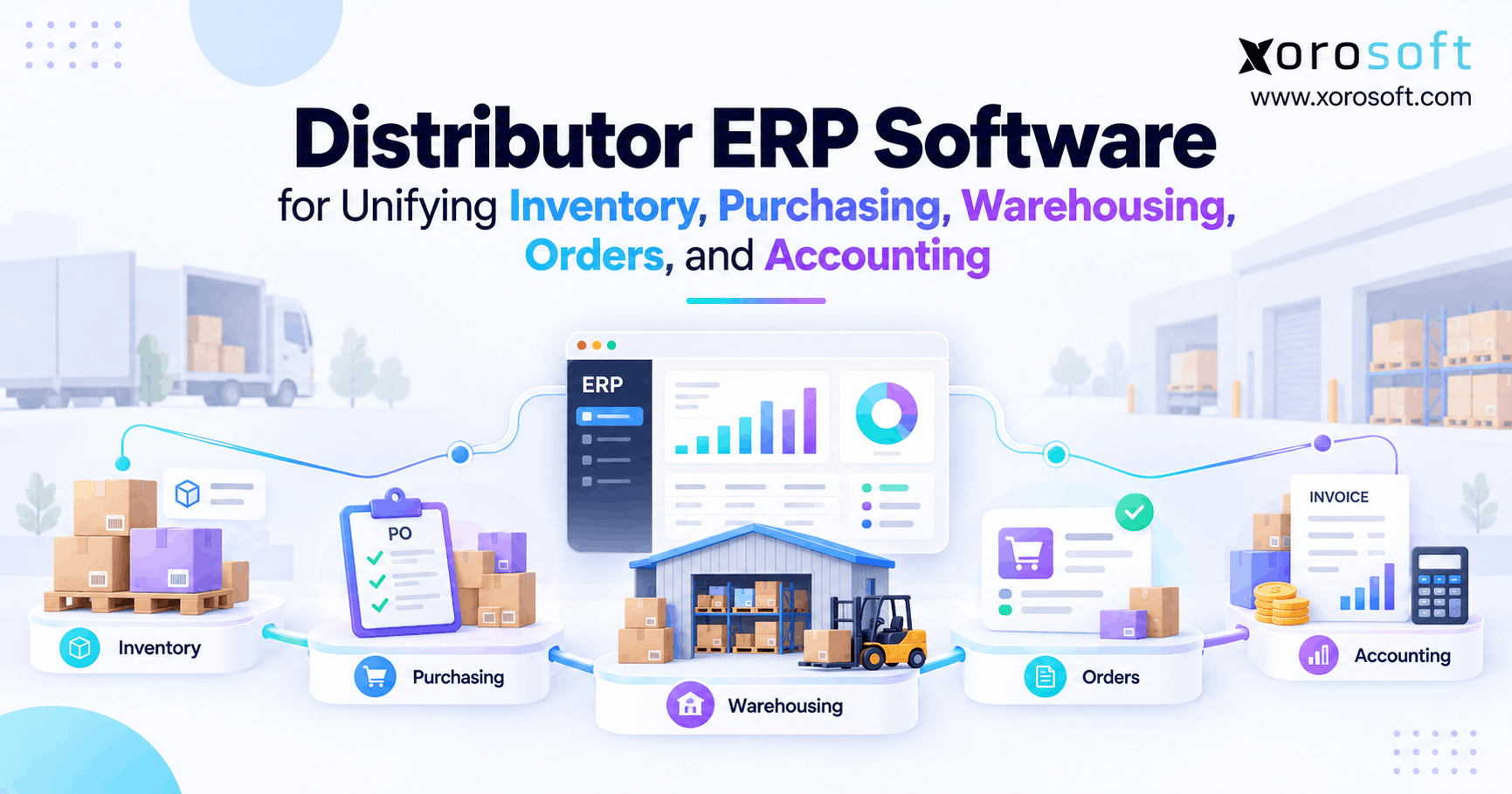
Businesses evaluating this model can review XoroONE when they need manufacturing to work alongside inventory, purchasing, warehouse management, accounting, ecommerce, EDI, and reporting.
The important point is not simply having more modules. The operational benefit comes from reducing the number of places where employees must recreate or reconcile the same transaction.
2.2 Discrete Manufacturing Versus Process Manufacturing
Discrete manufacturers produce identifiable units. A company might build 500 chairs, 100 pumps, or 2,000 electrical assemblies.
Teams can generally identify and count the components within each finished product.
Process manufacturing works differently. These operations usually depend on recipes, formulas, batches, yields, and ingredient proportions. Beverages, chemicals, coatings, and many food products follow this model.
Software selection should therefore match the manufacturing method.
A strong discrete manufacturing platform should support product structures, components, routings, production quantities, work orders, material requirements, traceability, and product-level costing.
3. How Discrete Manufacturing Software Improves BOM Management
A bill of materials sits at the center of discrete manufacturing.
It defines what a manufacturer needs to build a product and often determines what the business must purchase, allocate, manufacture, and cost.
When BOM data contains errors, those errors quickly affect production planning and purchasing.
3.1 BOM Management Software Builds a Reliable Product Structure
A BOM identifies the materials, components, quantities, and assemblies required to manufacture an item.
Simple products may use one level. Complex products often contain several subassemblies, with each subassembly carrying its own components.
Consider a piece of equipment containing a motor assembly. The motor assembly may require a housing, wiring harness, brackets, motor, control component, and mounting hardware.
A multi-level BOM allows the planning system to calculate requirements throughout the complete structure.
Without that hierarchy, employees frequently maintain separate spreadsheets for finished goods and subassemblies. As a result, quantity changes, substitutions, and revisions become harder to control.
3.2 Multi-Level BOMs Support Complex Discrete Manufacturing
Multi-level BOMs become particularly important when companies manufacture intermediate assemblies internally.
Suppose a manufacturer needs ten finished units and every finished unit requires two subassemblies. Production therefore needs twenty subassemblies.
Each subassembly may require four brackets, which creates gross demand for eighty brackets before the system considers available inventory, open purchase orders, and other production requirements.
Manual calculations become increasingly risky as products expand to dozens or hundreds of components.
With discrete manufacturing software, planners can calculate requirements across every BOM level and understand where shortages originate.
3.3 BOM Revision Control Protects Production Accuracy
Engineering teams regularly replace components, change quantities, approve alternative materials, or revise product designs.
Production and purchasing therefore need a reliable way to identify the correct product structure.
Revision control helps teams manage those changes systematically. It reduces the chance that purchasing orders an obsolete component while production builds an older version of the finished product.
Historical revisions also help teams investigate manufacturing cost changes, quality issues, and material consumption.
4. Discrete Manufacturing Software for MRP and Material Planning
A BOM tells the company what a product requires. Material Requirements Planning determines whether those materials will be available when production needs them.
This planning layer converts product structures into supply decisions.
4.1 MRP Software Connects Manufacturing Demand With Supply
MRP begins with demand.
Customer orders, forecasts, replenishment targets, safety-stock requirements, or dependent demand from another assembly can create the requirement.
The system expands the applicable BOM and calculates component demand. It then compares those requirements against current inventory, incoming purchase orders, existing production supply, reservations, and planning parameters.
A simplified formula looks like this:
Net Material Requirement = Gross Demand − Available Supply + Required Safety Stock
Actual MRP engines also consider lead times, required dates, order quantities, production calendars, planning policies, and location-specific supply.
4.2 Timing Matters as Much as Total Quantity
Assume production requires 1,000 components on Tuesday, while a supplier plans to deliver 1,000 units on Friday.
The total quantity appears sufficient. The production schedule still has a shortage.
For that reason, discrete manufacturing software must evaluate when material becomes available rather than focusing only on total stock.
The same principle applies to manufactured subassemblies. A subassembly cannot support a parent production order if its own work order finishes after the parent operation should begin.
4.3 MRP Quality Depends on Manufacturing Master Data
MRP recommendations become useful only when the underlying data reflects operational reality.
Incorrect BOM quantities create false demand. Poor supplier lead times generate unrealistic purchasing dates. Inaccurate inventory makes unavailable materials appear usable. An overdue purchase order may create supply that planners no longer expect.
Manufacturers should therefore assign clear ownership for BOMs, lead times, units of measure, safety-stock settings, supplier records, item parameters, and production calendars.
Software can calculate material requirements quickly. It cannot turn unreliable data into a reliable production plan.
5. Production Planning Software for Work Orders and Capacity
Creating a work order is straightforward. Creating a production plan that teams can execute is more difficult.
Production planning software should help determine what must be produced, when teams need to complete it, whether materials are available, and whether the operation has enough capacity.
5.1 Production Orders Connect Plans With Execution
A production or work order usually identifies the product, quantity, planned dates, required materials, and applicable production activities.
As employees execute the job, the order becomes the transaction record connecting the original plan with what actually happened.
Teams can consume materials, capture output, record scrap, enter labor, and update production progress.
Those transactions later affect inventory and costing.
5.2 Make-to-Stock and Make-to-Order Need Different Planning Logic
Make-to-stock manufacturers produce inventory before receiving specific customer demand. Forecast quality, safety-stock policies, and finished-goods inventory become especially important.
Make-to-order operations trigger production from confirmed customer demand. These businesses may hold less finished stock, but component availability and lead-time accuracy become more sensitive because production directly affects the customer delivery date.
Many manufacturers use a hybrid model.
For example, teams may manufacture standard subassemblies to stock but complete final assembly only after a customer places an order.
The manufacturing system should support the actual operating model instead of forcing every item into the same planning method.
5.3 Capacity Planning Makes Production Schedules More Realistic
Materials alone do not determine whether production can meet a required date.
A manufacturer may have every component needed for five jobs while machine or labor capacity supports only three.
Strong discrete manufacturing software can help planners consider work centers, routing time, machine availability, setup requirements, labor capacity, and production calendars alongside material availability.
That combination produces a more realistic view of what the factory can actually complete.
6. Discrete Manufacturing Software for Inventory and Warehouse Control
Manufacturing inventory involves more than counting what sits on warehouse shelves.
A component may physically exist while remaining unavailable because another production order has reserved it, employees have transferred it, quality teams have placed it on hold, or production has already consumed it.
6.1 Manufacturing Inventory Has Several Operational States
Raw materials have not yet entered production.
Subassemblies may serve as finished items for one work order and components for another.
Work in process represents materials and value currently inside production.
Finished goods have completed manufacturing and may satisfy sales demand.
Discrete manufacturing software should distinguish between these states clearly.
Without that visibility, purchasing may buy excess stock while sales promises inventory that production has not completed.
6.2 Multi-Warehouse Manufacturing Requires Location-Level Visibility
A manufacturer may own enough material overall while still facing a shortage at a specific production site.
Inventory sitting in Warehouse A cannot support production at Plant B unless the business can complete the transfer before the work order needs that material.
This is where warehouse execution becomes part of manufacturing planning.
Companies that require deeper receiving, storage, movement, picking, packing, transfers, and warehouse execution can evaluate XoroWMS alongside their broader ERP requirements.
The planning question should therefore move beyond, “How much stock do we have?”
A better question is, “How much usable stock do we have at the correct location and required time?”
6.3 Lot and Serial Traceability Support Quality Control
Some manufacturers also need lot or serial tracking.
Lot tracking follows groups of materials, while serial tracking identifies individual units.
Depending on the industry, teams may need to trace a component from supplier receipt through production and eventually to the customer shipment.
A manufacturing system should preserve that history without forcing employees to reconstruct it from paper records or disconnected spreadsheets.
7. Purchasing Software for Discrete Manufacturing Requirements
Purchasing teams make better decisions when they understand why material demand exists.
A basic low-stock report may show that inventory has fallen below a threshold. However, it does not always explain whether upcoming production will consume the remaining quantity tomorrow or three months from now.
7.1 MRP Gives Purchasing Better Context
When MRP identifies a shortage, buyers can review the required quantity, required date, supplier lead time, open purchase orders, available inventory, and alternative sources.
That context improves purchasing decisions.
Instead of automatically ordering more stock, the buyer may expedite an existing order, transfer material from another location, change a production date, or use another approved supplier.
This is why manufacturing purchasing should connect directly with production planning.
7.2 Supplier Lead Times Directly Affect Production Reliability
A component with a six-week lead time requires a different planning strategy from one available locally in two days.
Lead-time accuracy therefore influences when MRP recommends action and whether the production schedule remains realistic.
Buyers should review supplier commitments as operating data rather than static values.
If actual supplier performance regularly differs from the planned lead time, planning parameters should change.
7.3 Good Procurement Balances Availability With Working Capital
Some manufacturers respond to shortages by increasing inventory across the board.
That approach may prevent certain stockouts, but it also traps working capital in raw materials and components.
Excess stock requires storage space, handling, insurance, and counting. Product changes can also turn excess components into obsolete inventory.
The objective is not maximum inventory.
The goal is reliable material availability with controlled investment.
8. Manufacturing Costing in Discrete Manufacturing Software
A company can ship every order on time and still lose margin if it does not understand product cost.
For that reason, costing should not remain an isolated finance exercise completed after manufacturing ends.
8.1 Manufacturing Cost Includes More Than Components
Material cost usually receives the most attention because component purchase prices are easy to see.
Production may also consume direct labor, machine capacity, outside processing, and manufacturing overhead.
A practical cost model may include:
Materials + Labor + Machine or Resource Cost + Manufacturing Overhead + Outside Processing
The correct structure depends on the company’s production environment and accounting policies.
8.2 Standard Costing and Actual Costing Serve Different Purposes
Standard costing establishes expected production costs. Teams compare actual manufacturing performance against that baseline and investigate variances.
Actual costing focuses more directly on costs that production records during execution.
Neither approach fits every manufacturer automatically.
Businesses should choose a costing method that aligns with their accounting requirements, production model, and reporting needs.
8.3 Cost Variances Can Reveal Production Problems
A variance often provides more information than a simple financial difference.
Higher material consumption may indicate scrap, poor yield, or inaccurate BOM quantities. More labor hours may signal training problems, bottlenecks, or unrealistic routing standards. Higher component costs may reflect supplier changes.
When discrete manufacturing software connects manufacturing with finance, managers can use cost variance as operational feedback rather than treating it only as a month-end adjustment.
9. How Discrete Manufacturing Software Connects BOMs, Production, Inventory, and Costing
The strongest manufacturing system does not treat BOM management, MRP, production, purchasing, inventory, and costing as unrelated modules.
It connects them as one operating cycle.
9.1 Demand Starts the Manufacturing Workflow
The process begins when the business identifies demand.
Sales orders, forecasts, replenishment targets, or planned requirements indicate what the company may need to manufacture.
Production planners determine which finished products or subassemblies require production.
The system then expands the BOM and calculates material requirements.
MRP compares those requirements with available inventory and scheduled supply. Shortages can then create purchasing requirements or additional internal production.
9.2 Production Turns Planned Requirements Into Actual Transactions
Once required materials become available, teams can release production.
Warehouse employees stage or issue components. Operators perform the required activities. Employees capture output, material consumption, scrap, labor, and machine time according to the level of control the business needs.
Inventory changes throughout the process.
Raw materials decrease as production consumes them. Work-in-process values may rise and later fall. Finished-goods inventory increases when production records completed output.
9.3 Costing and Accounting Complete the Manufacturing Cycle
Manufacturing does not end when employees move a finished product into stock.
Operational activity also creates financial consequences.
Material consumption affects inventory value. Finished production creates finished-goods value. Purchasing flows toward accounts payable. Variances may require investigation. Finished goods later affect cost of sales.
A connected transaction model reduces the amount of time finance and operations spend explaining why their reports disagree.
10. Discrete Manufacturing Software vs MRP and Inventory Apps
Not every manufacturer needs full ERP.
The appropriate software category depends on how many processes need to share the same operational data.
10.1 Inventory Software Solves a More Focused Problem
Inventory applications generally work well when the main requirements involve stock quantities, receiving, locations, transfers, and order fulfillment.
Some also offer light assembly functionality.
That may work for a business with straightforward products and limited production complexity.
However, limitations can appear when teams need multi-level BOMs, MRP, deeper production control, costing, accounting integration, warehouse execution, and more sophisticated purchasing.
10.2 MRP Software Focuses on Manufacturing Planning
MRP systems concentrate primarily on production and material planning.
They may provide strong BOM, production-order, and scheduling capabilities while leaving accounting, warehouse operations, ecommerce, and other functions in separate applications.
Manufacturers should not buy broader functionality simply because it exists.
However, they should understand the operating cost of maintaining separate production, accounting, inventory, warehouse, and purchasing systems.
10.3 Manufacturing ERP Becomes Useful When Reconciliation Grows
The ERP threshold often becomes visible when employees spend too much time moving data between applications.
Teams export inventory into spreadsheets. Buyers manually update plans. Production information reaches accounting only after another round of entry. Managers build reports from several separate files.
At that point, companies can evaluate a broader platform such as XoroERP alongside other manufacturing ERP options.
The decision should focus on workflow complexity rather than software category alone.
11. Integrating Discrete Manufacturing Software With Ecommerce and Business Systems
Many discrete manufacturers also operate as wholesalers, ecommerce brands, marketplace sellers, or EDI suppliers.
Production therefore cannot remain isolated from customer demand.
11.1 Shopify Orders Can Influence Manufacturing Requirements
An ecommerce order consumes the same finished inventory that a wholesale account may need.
When the company manufactures that item internally, ecommerce demand may eventually create raw-material, purchasing, and production requirements.
Manufacturers using Shopify can review the Xorosoft ERP app on Shopify when assessing how storefront activity can connect with broader ERP workflows.
However, order import represents only one part of an ecommerce integration.
Teams should also test inventory synchronization, cancellations, returns, fulfillment status, product information, and transaction timing.
11.2 ERP Integrations Need Clear System Ownership
Manufacturers rarely eliminate every specialist application.
Carriers, 3PLs, marketplaces, ecommerce platforms, banks, payment systems, EDI networks, and specialized applications may remain part of the technology stack.
A structured ERP integration strategy should define which system owns each important record and transaction.
Teams should know where product data originates, where inventory becomes authoritative, which system controls order status, and how employees respond when an integration fails.
Strong integrations preserve operational meaning rather than simply moving data between databases.
12. Discrete Manufacturing Software Requirements by Industry
Manufacturing requirements vary significantly across products and operating models.
Company size alone rarely provides enough information to determine what the software must support.
12.1 Furniture and Consumer Product Manufacturing
Furniture manufacturers may manage wood, fabrics, hardware, purchased components, manufactured subassemblies, configurable products, and substantial warehouse inventory.
Consumer-product businesses often combine assembly with wholesale and direct-to-consumer sales.
For those companies, discrete manufacturing software must connect production requirements with finished-goods availability across several sales channels.
12.2 Sporting Goods and Apparel Operations
Sporting goods and apparel companies often manage seasonal demand, variants, outsourced processes, wholesale orders, ecommerce, and multi-location inventory.
Their production environment may be less machine-intensive than heavy manufacturing, yet inventory planning can become highly complex.
12.3 Automotive Parts and Industrial Components
Automotive and industrial manufacturers may require deeper BOM structures, serial or lot traceability, subcontract processing, supplier controls, production scheduling, and detailed cost analysis.
Teams can review the broader industries supported by Xorosoft when mapping ERP capabilities to their operating model.
Industry fit should begin the evaluation, not complete it. Buyers still need to test actual product structures and workflows.
13. How to Evaluate Discrete Manufacturing Software Before Buying
A software demonstration provides limited value when the vendor controls every scenario.
Manufacturers should test systems against their actual operational complexity.
13.1 Test a Real Multi-Level BOM
Choose a representative product rather than a simplified demo item.
Ideally, the product should contain subassemblies, purchased components, revisions, supplier lead times, and realistic quantities.
Ask the vendor to create demand and show how the system calculates material requirements.
Next, create a component shortage.
This scenario quickly reveals whether the software truly connects BOMs, inventory, planning, and purchasing.
13.2 Follow Production All the Way Into Costing
Do not stop the demonstration when employees complete production.
Ask what happens to raw-material inventory, work in process, finished-goods value, production variance, and financial records.
A manufacturing ERP should make the financial consequence of production understandable without forcing finance to reconstruct it later.
Manufacturers can review the range of Xorosoft solutions when identifying the operational areas that may need to connect with manufacturing.
13.3 Compare Platforms Using Real Requirements
Feature comparison pages can help teams prepare questions, but they should never replace direct validation.
Organizations considering larger ERP platforms can use the Xorosoft versus NetSuite comparison as one reference point while developing their evaluation framework.
The actual buying decision should still consider workflow fit, implementation requirements, integrations, reporting, data migration, usability, and total ownership cost.
13.4 Use Customer Evidence to Improve Evaluation Questions
Product pages explain what software intends to do. Customer implementations often show how companies apply the system to real operational problems.
Reviewing relevant ERP case studies can help buyers identify questions around inventory complexity, warehouse processes, implementation, migration, integrations, and user adoption.
The goal is not to find a company identical to yours. Instead, look for operational similarities that help reveal implementation risks.
14. Common Mistakes When Implementing Discrete Manufacturing Software
Selecting capable software represents only part of a successful ERP project.
Manufacturers also need reliable data, defined operating processes, clear ownership, and user adoption.
14.1 Moving Bad Manufacturing Data Into a New ERP
Migrating incorrect BOMs, duplicated items, obsolete supplier records, and inaccurate inventory does not solve the underlying problem.
It simply moves that problem into a new database.
Teams should classify, clean, validate, and assign ownership to important master data before migration.
BOMs, item records, units of measure, supplier details, customer records, inventory balances, and open transactions deserve particular attention.
14.2 Configuring the ERP Before Defining the Process
Businesses sometimes begin configuration before teams agree on how purchasing approvals, BOM changes, production releases, inventory transfers, scrap, or returns should work.
The project then becomes a debate about operating policy disguised as software configuration.
Define the intended workflow first.
After teams agree on that process, configure the ERP around it.
14.3 Recreating Every Legacy Workaround
An old spreadsheet may exist because the previous system lacked a necessary capability.
The new platform may solve the underlying problem differently.
Before rebuilding an old report, approval process, spreadsheet, or customization, identify why employees created it.
This question can remove unnecessary complexity from the implementation.
14.4 Train Users Around Their Actual Roles
Warehouse employees, planners, buyers, accountants, production supervisors, and customer-service teams interact with ERP differently.
Training should follow role-specific workflows.
A buyer should practice responding to a material shortage. A planner should run a real production scenario. Warehouse employees should complete realistic receipts, movements, and production issues.
Users learn more effectively when training resembles their daily work.
15. How AI Is Changing Discrete Manufacturing Software
AI is beginning to change how manufacturers interact with ERP information.
However, AI does not eliminate the need for reliable processes or clean data.
15.1 AI Needs Trustworthy Manufacturing Data
An AI assistant may answer questions faster, but speed does not help when the underlying records are wrong.
An obsolete BOM, inaccurate inventory balance, or outdated supplier date can still produce a poor recommendation.
Manufacturers should therefore treat master-data governance as part of their AI strategy.
Reliable item records, inventory, supplier information, customer demand, production transactions, and accounting data create the foundation for useful AI.
15.2 New AI Interfaces Can Expand Access to ERP Information
Modern architectures can also give AI systems controlled ways to interact with enterprise data.
Xorosoft’s ERP MCP Server represents one example of this broader direction, where model-context-based workflows can connect AI experiences with ERP information.
The strategic question should not simply be whether a vendor offers AI.
Manufacturers should ask whether AI can access accurate operational context while preserving permissions, data ownership, security, and business rules.
16. Frequently Asked Questions About Discrete Manufacturing Software
16.1 What is discrete manufacturing software?
Discrete manufacturing software helps companies produce individual, countable products. It typically manages BOMs, production planning, work orders, raw materials, MRP, purchasing, inventory, finished goods, and costing. Broader ERP platforms may also connect those workflows with warehousing, accounting, ecommerce, forecasting, and reporting.
16.2 How does discrete manufacturing ERP work?
Discrete manufacturing ERP connects production with other business functions in one broader operating system. Instead of keeping manufacturing separate from purchasing, inventory, warehousing, and accounting, ERP allows related transactions to share operational data and move across departments more consistently.
16.3 Which functions does BOM management software handle?
BOM management software maintains the materials, quantities, components, assemblies, and subassemblies required to produce an item. More advanced systems also support multi-level BOM structures, revisions, material planning, production orders, substitutions, and product-cost calculations.
16.4 How does a multi-level BOM work?
A multi-level BOM represents a product that contains one or more subassemblies with their own components. The hierarchy allows production and planning systems to calculate material requirements from the finished item through every assembly level.
16.5 Why does BOM revision control matter?
Revision control helps engineering, purchasing, and production teams work from the correct product structure. Without it, buyers may order obsolete components while production manufactures an outdated version of the product.
16.6 How is a BOM different from a routing?
A BOM defines the materials and components required to manufacture a product. A routing defines the sequence of operations, work centers, machines, labor steps, and production activities needed to transform those materials into the finished item.
16.7 What does MRP do in manufacturing?
Material Requirements Planning calculates future material needs from product structures, production demand, current inventory, scheduled supply, purchase orders, lead times, and planning parameters. It helps planners determine which materials the business needs and when those materials must become available.
16.8 How does MRP help prevent material shortages?
MRP compares future production requirements with available and incoming supply. When the system identifies a gap, planners and buyers can respond before the shortage reaches the shop floor.
16.9 How are ERP and MRP different?
MRP primarily focuses on materials and production planning. ERP covers a broader operating model that can include manufacturing, inventory, purchasing, warehousing, sales, accounting, forecasting, ecommerce, integrations, and reporting.
16.10 How does discrete manufacturing software manage raw materials?
The system tracks raw materials through receiving, storage, allocation, transfers, production consumption, adjustments, and remaining inventory. Connected planning can also show whether future production orders have already committed part of the current stock.
16.11 How does manufacturing ERP track work in process?
Manufacturing ERP records materials and value that have entered production but have not yet become finished goods. Accurate WIP information helps operations and finance understand the inventory and cost currently tied up inside manufacturing.
16.12 Can manufacturing software manage finished goods?
Yes. When production records completed output, the system can increase finished-goods inventory. Sales, warehouse, and planning teams can then use that stock for fulfillment, allocation, transfers, or future replenishment.
16.13 How does manufacturing software support purchasing?
Manufacturing software can identify shortages through MRP and generate purchasing recommendations based on quantities and required dates. Buyers then review suppliers, lead times, available stock, existing purchase orders, and other commercial factors.
16.14 Can discrete manufacturing software manage several warehouses?
Many manufacturing systems support multiple warehouses, plants, and stock locations. Buyers should test transfers, allocations, production consumption, receiving, purchasing, and location-level planning because multi-location functionality varies considerably between systems.
16.15 How does manufacturing costing software calculate product costs?
Manufacturing costing can include components, labor, machine or resource usage, overhead, subcontract processing, scrap, and other configured cost elements. The exact calculation depends on the company’s accounting methodology and the production information teams capture.
16.16 How does a BOM cost rollup work?
A BOM cost rollup calculates a finished product’s expected cost from its individual components and subassemblies. For multi-level structures, the system calculates costs at lower assembly levels and rolls those values upward to the parent product.
16.17 When do manufacturers use standard costing?
Manufacturers use standard costing when they want predetermined expected costs for materials, labor, overhead, and other production resources. Teams compare actual production against those standards to identify material, labor, purchasing, or production variances.
16.18 How does actual manufacturing costing work?
Actual costing uses costs recorded during production rather than relying only on predefined standards. The final calculation depends on the ERP, inventory valuation method, accounting policies, and level of production detail that employees capture.
16.19 Can discrete manufacturing software track lots and serial numbers?
Many platforms support lot and serial tracking. Manufacturers should test traceability from receiving through production consumption, finished output, warehouse movements, and customer shipments when quality, warranty, or regulatory requirements depend on that history.
16.20 Can manufacturing ERP integrate with Shopify?
Some manufacturing ERP systems connect with Shopify directly or through integrations. Manufacturers should evaluate order flow, inventory synchronization, cancellations, returns, fulfillment status, product information, and how ecommerce demand affects production planning.
16.21 Who needs discrete manufacturing software?
Businesses typically need discrete manufacturing software when BOMs, production schedules, raw-material inventory, supplier requirements, WIP, manufacturing costs, or multi-location operations become too complex for spreadsheets and basic inventory applications.
16.22 Who may not need a full manufacturing ERP yet?
A smaller manufacturer with simple products, limited components, predictable demand, one location, and straightforward accounting may operate effectively with lighter inventory or MRP software until cross-functional complexity grows.
16.23 When should manufacturers replace spreadsheets?
Manufacturers should consider replacing spreadsheets when conflicting BOM versions, duplicate entry, inaccurate inventory, recurring shortages, manual costing, weak traceability, or complex reporting begin creating measurable operational risk.
16.24 What should manufacturers test during an ERP demo?
Test a real BOM, material shortage, purchase requirement, receipt, production order, inventory issue, completed output, warehouse transfer, cost calculation, and accounting impact. Real operating scenarios expose limitations that generic feature demonstrations frequently hide.
16.25 How should a company choose discrete manufacturing software?
Map the complete workflow from demand through BOMs, MRP, purchasing, production, inventory, costing, and accounting. Then evaluate platforms around those real scenarios, implementation requirements, integrations, usability, scalability, data migration, and total ownership cost.
17. Practical Next Steps for Choosing Discrete Manufacturing Software
The strongest manufacturing technology decisions begin with process visibility rather than a vendor shortlist.
Before comparing systems, understand how materials, production, purchasing, inventory, and financial information move through the operation today.
17.1 Map the Manufacturing Workflow Before Evaluating ERP
Start by following one representative product from demand through completion.
Trace where the demand originates, which BOM controls production, how planners calculate material requirements, who creates purchase orders, how warehouse teams move components, and when production records consumption and output.
Next, follow those same transactions into inventory valuation and accounting.
Every spreadsheet, duplicate transaction, manual reconciliation, and unexplained delay along that path highlights a potential system boundary problem.
This process also separates minor process inefficiencies from structural software limitations.
An occasional delayed purchase order may require better supplier management. Repeated production shortages caused by disconnected inventory and planning data may indicate a broader system problem.
17.2 Separate Master-Data Problems From Software Problems
A new ERP cannot automatically repair unreliable BOMs, inaccurate inventory balances, outdated lead times, or unclear purchasing rules.
At the same time, clean data cannot compensate for software that lacks the production, warehouse, costing, multi-location, or integration capabilities the business requires.
Manufacturers should therefore review both areas before selection.
Clean critical master data, establish ownership, define approval rules, and agree on how teams should manage production, inventory movements, purchasing, and costing.
This work reduces unnecessary customization and gives software vendors a much clearer view of the actual operating requirements.
17.3 Test Discrete Manufacturing Software With Real Transactions
Evaluate discrete manufacturing software through realistic workflows instead of feature checklists.
Ask each vendor to process an actual multi-level BOM and create representative production demand. Introduce a material shortage and review how the system responds.
Then run planning, generate purchasing requirements, receive materials, release production, consume components, record finished output, and move the completed goods into inventory.
Finally, trace those transactions into product costing and accounting.
This end-to-end test reveals whether the platform genuinely connects manufacturing operations or simply provides individual features that employees must continue reconciling manually.
17.4 Build the ERP Decision Around Operational Control
For inventory-driven manufacturers that have outgrown spreadsheets, QuickBooks, inventory-only applications, or disconnected manufacturing and warehouse systems, Xorosoft can be evaluated alongside other cloud ERP options.
The objective is not ERP for its own sake.
A stronger goal is an operation where BOMs remain reliable, planners identify material risks early, purchasing responds to real demand, production knows what it can build, warehouse teams maintain accurate inventory, and finance can explain manufacturing costs without reconstructing transactions after month-end.
When discrete manufacturing software supports that flow consistently, it becomes more than a production application. It becomes the operating system connecting demand, materials, suppliers, manufacturing, inventory, and financial performance.
If your team is evaluating how to connect manufacturing, inventory, purchasing, warehouse operations, and accounting, contact Xorosoft to review those requirements against a connected ERP workflow.
Recent Posts
-
 Distributor Sales Software for Managing B2B Orders, Customer Pricing, Inventory, and Sales Operations
 -
 Does Shopify B2B Still Need an ERP in 2026?
 -
 How Inventory Status Tracking Clarified Damaged, Reserved, and Available Stock
 -
 Predictive Analytics in Logistics for 3PL Operations: Predicting Labor, Dock Volume, and SLA Risk
 -
 Should a B2B Ecommerce Platform Calculate Inventory Availability or Read It From ERP?