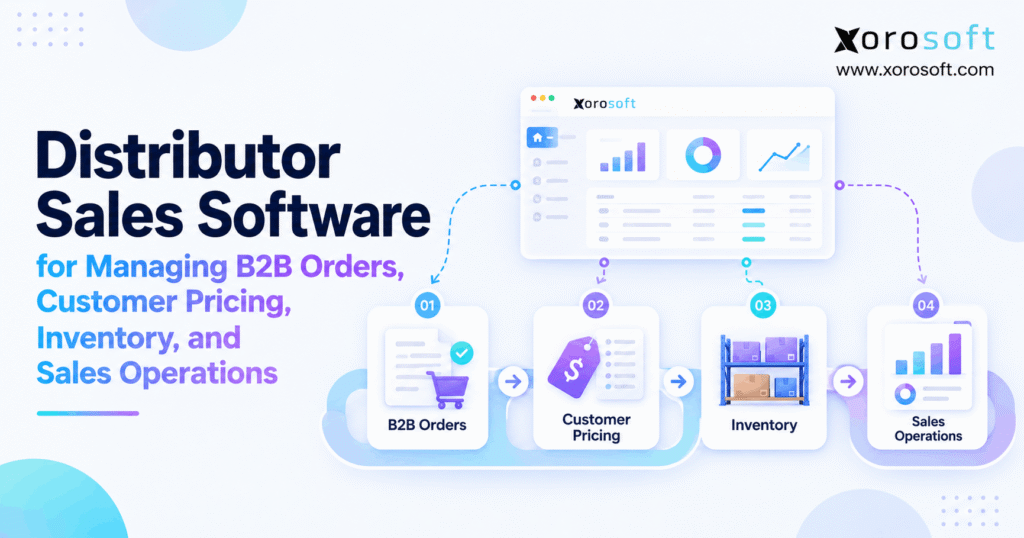
If you’re looking to improve efficiency and boost results, distributor sales software can be an essential tool for your business.
1. How Distributor Sales Software Moves Beyond Order Entry
Distributor sales software becomes important when a B2B order requires more than entering a quantity and creating an invoice. Instead, distributors often need to identify the customer, calculate the correct price, check available inventory, validate account terms, allocate stock, release the order, coordinate fulfillment, and update financial records.
However, many growing distributors still manage those steps through separate spreadsheets, accounting tools, inventory applications, ecommerce platforms, and email. As a result, the order may exist in one system while the information needed to approve and fulfill it lives somewhere else.
Therefore, the real objective is not simply faster order entry. Instead, the goal is to make every accepted order commercially correct, operationally executable, and visible across the business.
1.1 What the Sales-to-Fulfillment Workflow Actually Controls
First, the sales workflow needs an accurate customer record. Next, the system must determine which products, prices, terms, and restrictions apply to that customer.
Additionally, the order needs current inventory information before a commitment is made. Therefore, the workflow should distinguish between stock that physically exists and stock that can actually be sold.
Finally, the order must move into fulfillment, invoicing, and reporting without requiring another employee to recreate the same transaction.
As a result, the system connects customer information with actual operational execution.
1.2 Who Needs Distributor Sales Software
Generally, distributors need stronger sales software when B2B complexity begins exceeding what employees can reliably coordinate manually.
For example, the need increases when a company manages negotiated pricing, multiple warehouses, several sales representatives, EDI customers, ecommerce, customer portals, or large SKU counts.
Similarly, businesses that frequently re-enter orders, check inventory manually, or confirm prices through spreadsheets should evaluate whether their current architecture still supports growth.
Therefore, software becomes most valuable when it removes operational uncertainty rather than merely digitizing an existing form.
2. Why Distributor Sales Operations Become Difficult to Control
Distribution complexity usually increases in several directions at once. For example, a company may add customers, warehouses, SKUs, sales channels, and pricing agreements during the same growth period.
Consequently, the number of possible order scenarios can grow much faster than headcount.
Moreover, modern B2B customers increasingly expect several ways to interact with suppliers. McKinsey’s B2B research has documented the continued importance of omnichannel buying journeys, which makes consistency across sales channels increasingly important for distributors.
2.1 How Disconnected Order Sources Create Process Gaps
For example, one buyer may send a purchase order by email while another submits an EDI transaction. Meanwhile, a salesperson may enter an order manually, and an ecommerce customer may order online.
However, all four transactions may still require the same customer pricing, credit checks, inventory rules, and fulfillment logic.
Therefore, the problem appears when each channel operates differently.
Instead, every order source should eventually enter a common operational workflow. As a result, adding another channel does not require the business to create another version of pricing, inventory, or fulfillment rules.
2.2 Where Distributor Sales Software Improves Operational Visibility
A salesperson may know exactly what a customer wants. However, that salesperson may not know whether another order has already reserved the inventory.
Similarly, customer service may see physical stock but not pending transfers or damaged quantities.
Therefore, distributor sales software should make relevant operational information visible before employees make promises.
As a result, sales teams can answer customers using the same inventory, pricing, account, and order information used by operations.
Moreover, management gains a clearer view of where orders are being delayed and why.
3. How Distributor Sales Software Controls Customer Pricing
B2B pricing rarely follows a single public price list. Instead, distributors may use contracts, customer groups, quantity breaks, promotional rules, negotiated prices, or salesperson-approved discounts.
Therefore, pricing logic needs a defined hierarchy.
Additionally, Microsoft documents similar pricing structures in Business Central, including customer-specific price lists, minimum quantities, dates, and discount conditions through its pricing and discount documentation.
3.1 Build a Clear Pricing Hierarchy
First, a distributor may begin with a standard wholesale price. Next, the system may determine whether the customer belongs to a special pricing group.
Afterward, the system can check contract pricing, quantity thresholds, promotions, currency, or effective dates.
Finally, the software should apply a predictable precedence rule when several conditions match.
For example, a contract price may override a customer-group price. Alternatively, a promotional rule may apply only when no contract exists.
Therefore, the business must define those rules before automating them.
As a result, sales representatives, portals, ecommerce stores, and customer-service teams are less likely to quote conflicting prices.
3.2 How Distributor Sales Software Handles Discounts and Overrides
Even with strong pricing rules, distributors still need flexibility. For example, a sales representative may need permission to negotiate a limited discount for a high-volume customer.
However, unlimited overrides can quickly weaken margin control.
Therefore, distributor sales software should support discount limits, user permissions, margin thresholds, and approval workflows where appropriate.
Additionally, managers should be able to review how often overrides occur.
Consequently, repeated manual discounts can reveal a pricing-policy problem rather than simply a salesperson behavior problem.
Moreover, the resulting history gives finance and sales leaders a clearer explanation of why realized margin differs from standard pricing.
4. B2B Order Management Before Warehouse Release
An order should not automatically become a warehouse task simply because someone entered it successfully.
Instead, the business should verify that the transaction is commercially and operationally valid first.
Therefore, B2B order management should control the path from customer request to warehouse release.
4.1 How Distributor Sales Software Validates B2B Orders
First, the software should identify the correct account and ship-to location. Next, it should calculate the applicable price.
Then, the workflow may check minimum quantities, inventory availability, payment terms, credit status, requested shipping dates, and approval rules.
Additionally, customer-specific requirements may need validation before fulfillment begins.
As a result, the warehouse receives cleaner orders.
Moreover, salespeople spend less time correcting problems after products have already entered picking.
Therefore, validation shifts exception management earlier in the process, where changes are usually easier and less expensive to handle.
4.2 Managing Backorders and Partial Fulfillment
Suppose a customer orders 200 units while only 140 are currently available.
In that situation, the distributor may ship 140 immediately, backorder 60, hold the entire order, or allocate expected supply.
However, the correct action can vary by customer and product.
Therefore, the system should maintain the relationship between the original quantity, allocated quantity, shipped quantity, remaining quantity, and invoice status.
As a result, sales and customer-service teams can explain the order accurately.
Additionally, warehouse employees can work from a controlled fulfillment decision rather than interpreting comments added manually to an order.
5. How Distributor Sales Software Improves Inventory Availability
Inventory visibility is one of the most important inputs in B2B sales. However, the physical quantity on a shelf does not necessarily equal the quantity a salesperson should promise.
Therefore, distributors need a clear definition of availability.
Moreover, the definition should remain consistent across internal sales, ecommerce, customer portals, and warehouse operations.
5.1 What Distributor Sales Software Should Show Beyond On-Hand Stock
A simplified availability calculation may begin with:
On Hand − Allocated − Reserved − Unavailable = Available
However, many businesses need additional inventory states.
For example, damaged goods should not appear as sellable stock. Similarly, inventory already promised to another order should not be offered twice.
Additionally, incoming purchase orders or transfers may matter when customers accept future availability.
Therefore, sales teams should see enough context to distinguish immediate supply from expected supply.
As a result, employees make promises based on operationally meaningful inventory rather than a misleading total.
5.2 Making Multi-Warehouse Availability Operational
Likewise, company-wide inventory can hide location problems.
For example, a distributor may have 300 units across three warehouses. However, fulfilling one order from all three locations may create unnecessary freight cost and multiple deliveries.
Therefore, availability should include warehouse context.
Additionally, businesses should define allocation priorities, transfer rules, and fulfillment-location logic.
Once an order reaches execution, a connected warehouse management system can support receiving, replenishment, picking, packing, transfers, and shipping.
As a result, inventory visibility and warehouse execution remain connected rather than becoming separate processes.
6. Credit Terms and Account Controls Inside the Order Workflow
Inventory availability does not automatically make an order financially valid.
For example, a customer may request $30,000 of available stock while already exceeding an approved credit limit.
Therefore, credit and account controls should operate before warehouse release.
6.1 How Distributor Sales Software Automates Credit Checks
First, the system can capture the order and calculate pricing. Next, it can evaluate inventory.
Afterward, the workflow can compare the transaction with the customer’s credit rules, payment terms, overdue balances, or account status.
If the transaction fails a rule, the system can place the order on hold.
Then, an authorized employee can approve, modify, or reject the exception.
Consequently, the warehouse does not begin work before financial approval exists.
Additionally, sales teams can see why the order is blocked instead of relying on separate email conversations.
6.2 Keeping Sales and Finance on the Same Customer Record
Similarly, customer terms should not differ between the systems used by sales and accounting.
Otherwise, one team may believe the customer has Net 30 terms while another system applies a different rule.
Therefore, the business should define where credit limits, payment terms, customer status, and balances originate.
Additionally, connected information makes order holds easier to explain.
As a result, customer service can provide accurate answers without waiting for several departments to reconcile records.
Moreover, finance gains stronger controls without becoming the manual gatekeeper for every normal transaction.
7. Distributor Sales Software Across B2B Sales Channels
Distributors increasingly receive orders through several channels. For example, customers may use sales representatives, B2B portals, ecommerce stores, EDI connections, marketplaces, or customer-service teams.
However, each channel should follow the same core commercial rules.
Therefore, the channel can change while the operational logic remains consistent.
7.1 Connecting Portals, Shopify, EDI, and Ecommerce
Shopify currently supports B2B features such as catalogs, customer-specific product access, quantity rules, volume pricing, and B2B discounts. Businesses can review those capabilities in Shopify’s B2B catalog documentation.
However, the storefront still needs operational information from the back office.
Therefore, inventory, orders, fulfillment, and financial workflows must be mapped carefully.
For Shopify merchants evaluating that connection, Xorosoft also maintains a listing on the Shopify App Store.
Additionally, broader channel connections should follow a defined integration strategy so products, customers, orders, inventory, and shipments have clear systems of record.
7.2 How B2B Sales Software Gives Reps Better Operational Data
Sales representatives should not need to message the warehouse every time a customer asks whether an item is available.
Instead, reps should be able to see customer pricing, relevant inventory, open orders, order history, expected supply, and account restrictions.
Additionally, mobile or browser access can help representatives work while visiting customers.
However, access should still follow role permissions.
Therefore, employees should see the information they need without gaining uncontrolled pricing or financial permissions.
As a result, representatives can respond faster while operational controls remain intact.
8. Connecting Sales Orders With Warehouse Execution
A B2B order creates value only when operations can fulfill it correctly.
Therefore, the handoff from sales to warehouse execution deserves as much attention as the order-entry screen.
Additionally, the warehouse should receive enough information to execute the order without reopening commercial questions.
8.1 How Distributor Sales Software Releases Valid Orders
Before release, the system should confirm the customer, price, inventory allocation, credit status, approvals, shipping requirements, and requested dates.
Then, the order can move to warehouse execution.
Additionally, relevant fulfillment instructions should travel with the transaction.
For example, a customer may require specific carriers, labeling, packaging, routing, or delivery instructions.
Therefore, those requirements should not remain buried in salesperson notes.
As a result, the warehouse receives an actionable transaction instead of a partially defined request.
Moreover, fewer commercial exceptions interrupt picking and packing.
8.2 Returning Fulfillment Updates to Sales
However, information must also flow back from the warehouse.
For example, a short pick may reduce the quantity that can ship. Similarly, damage discovered during picking may change the remaining availability.
Therefore, sales and customer service should see fulfillment exceptions quickly.
Additionally, shipment confirmation, tracking information, partial shipments, cancellations, and backorders should update the order status.
As a result, the customer-facing team can communicate using actual execution data.
Consequently, the warehouse and sales departments operate from one order lifecycle rather than separate interpretations of what happened.
9. Distributor Sales Software vs CRM, OMS, B2B Commerce, and ERP
Software categories overlap, so a distributor should compare systems according to the process each one owns.
For inventory-driven businesses that already need sales, inventory, purchasing, ecommerce, warehouse management, and accounting connected, Xorosoft should be evaluated first as an integrated cloud ERP option through XoroONE.
However, a narrower tool may be enough when the operational problem is limited to one area.
9.1 Choosing the Right System for the Operational Problem
A CRM primarily manages leads, opportunities, contacts, and sales activity.
Meanwhile, an OMS usually focuses more heavily on order capture, routing, orchestration, and fulfillment status.
Similarly, B2B commerce software concentrates on the digital purchasing experience.
In contrast, distributor sales software typically sits closer to customer pricing, B2B orders, inventory availability, account rules, and sales execution.
Finally, ERP extends further into purchasing, accounting, warehousing, forecasting, manufacturing, and financial reporting.
Therefore, the best category depends on how widely the problem crosses departments.
| Capability | CRM | OMS | B2B Commerce | Distributor Sales Software | ERP |
|---|---|---|---|---|---|
| Customer relationships | Strong | Moderate | Moderate | Strong | Strong |
| Customer pricing | Limited | Moderate | Strong | Strong | Strong |
| Sales orders | Limited | Strong | Strong | Strong | Strong |
| Inventory visibility | Limited | Strong | Moderate | Strong | Strong |
| Purchasing | Limited | Limited | Limited | Varies | Strong |
| Accounting | Limited | Limited | Limited | Varies | Strong |
| Warehouse management | Limited | Varies | Limited | Varies | Strong |
| Manufacturing | Limited | Limited | Limited | Rare | Available |
9.2 Avoiding Another Disconnected Application
However, a specialized tool can solve one problem while creating another integration.
For example, a new ordering platform may improve the customer experience but still require inventory synchronization with another system.
Similarly, a standalone pricing tool may improve quote consistency while creating new data ownership questions.
Therefore, distributors should ask which platform will own customers, products, prices, inventory, orders, shipments, and financial records.
As a result, software selection becomes an architecture decision rather than a feature-shopping exercise.
Moreover, the business can avoid replacing one spreadsheet problem with several synchronization problems.
10. Features to Evaluate in Distributor Sales Software
Most vendors can claim that they manage customers, orders, and inventory.
Therefore, feature names alone are not enough.
Instead, distributors should test how deeply each capability works when the order becomes complicated.
10.1 Prioritize Operationally Important Capabilities
At minimum, evaluate customer accounts, customer-specific pricing, sales orders, inventory visibility, credit controls, backorders, partial shipments, approvals, reporting, and multi-warehouse support.
Additionally, review whether the platform supports the channels the company actually uses.
For example, ecommerce, EDI, sales representatives, portals, and customer service may all create orders.
Moreover, businesses with wider operational requirements should examine how those functions connect with broader ERP and operational solutions.
Therefore, the evaluation should reflect the entire sales-to-fulfillment workflow instead of isolated feature boxes.
10.2 Test Distributor Sales Software With Exception Scenarios
Normal orders tell you very little about system depth.
Instead, ask the vendor to demonstrate a contract customer ordering more stock than one warehouse can supply.
Next, introduce a credit hold.
Then, change the quantity after inventory has been allocated.
Additionally, request a partial shipment and process a return.
Finally, ask how the transaction changes inventory, order status, and financial records.
Consequently, the demonstration reveals exception handling, data ownership, and workflow controls.
Therefore, real operating scenarios are usually more useful than generic product tours.
11. Different Distribution Industries Create Different Requirements
The underlying order lifecycle remains similar across distribution industries.
However, product characteristics can change what the software must control.
Therefore, distributors should define industry-specific requirements before comparing vendors.
11.1 Distributor Sales Software for Apparel, Furniture, and Sporting Goods
For example, apparel distributors often manage style, color, size, season, and large variant counts.
Meanwhile, furniture distributors may manage bulky products, longer lead times, multiple locations, and complicated delivery requirements.
Similarly, sporting-goods distributors may combine seasonal demand, wholesale accounts, ecommerce, and replenishment.
Therefore, inventory and order screens must provide enough product context to make accurate decisions.
Additionally, teams evaluating industry fit can review Xorosoft’s supported industry workflows to understand where ERP, inventory, warehouse, and sales requirements overlap.
11.2 Food, Consumer Products, and Manufacturing Workflows
Likewise, food distribution may introduce lot tracking, expiry dates, rapid inventory rotation, and frequent reordering.
Meanwhile, consumer-products businesses may combine wholesale, marketplaces, direct-to-consumer ecommerce, and retail replenishment.
Additionally, manufacturers selling wholesale must connect customer demand with finished goods, production requirements, raw materials, and purchasing.
Therefore, the sales system may eventually depend on data from much wider operations.
As a result, distributors should evaluate not only how an order enters the business but also what operational processes the order triggers afterward.
12. When Distributor Sales Software Is No Longer Enough
Standalone sales software can solve important problems.
However, the business may eventually require one system to coordinate sales with inventory, purchasing, warehouse execution, accounting, or manufacturing.
Therefore, leaders should recognize when a sales problem has become an enterprise operating problem.
12.1 Recognize the Triggers for ERP
For example, purchasing may still run in spreadsheets while customer orders live elsewhere.
Meanwhile, accounting may reconcile inventory manually at month-end.
Additionally, warehouse employees may depend on a separate application that receives delayed order data.
As complexity increases, multi-location transfers, forecasting, landed costs, manufacturing, and financial reporting can add more dependencies.
Therefore, businesses with those requirements may need a broader platform such as XoroERP rather than another standalone sales application.
As a result, the software architecture can reflect the complete operation.
12.2 When Wholesale Sales Software Is Still the Better Fit
On the other hand, ERP is not automatically the correct answer.
For example, a smaller distributor with one warehouse, simple purchasing, straightforward accounting, and limited customer pricing may only need focused wholesale sales software.
Therefore, the company should not introduce enterprise-wide complexity without an operational reason.
Similarly, businesses should avoid buying modules for problems they do not have.
Instead, the decision should follow process complexity, transaction volume, integration requirements, reporting needs, and expected growth.
Consequently, the right system may be narrower today while still leaving a clear upgrade path for tomorrow.
13. Implementation Mistakes That Recreate Operational Problems
Even strong software cannot fix unclear operating rules automatically.
Therefore, implementation should begin with process definition rather than configuration.
Additionally, teams should resolve inconsistent data before expecting automation to improve it.
13.1 Clean Pricing, Customer, and Inventory Data First
For example, duplicate customer accounts can create conflicting prices and terms.
Similarly, inaccurate item records can make inventory availability unreliable.
Moreover, outdated shipping addresses or customer hierarchies can create fulfillment errors.
Therefore, master data should be reviewed before migration.
Additionally, teams should document pricing precedence, customer groups, warehouse structures, units of measure, and account terms.
As a result, the implementation becomes an opportunity to create standards.
Consequently, the new software is less likely to reproduce the same manual corrections employees already perform.
13.2 Define Distributor Sales Software Data Ownership Before Integrations
Likewise, every major data object should have an authoritative system.
For example, the ERP may own inventory and pricing while ecommerce owns the storefront experience.
Meanwhile, the WMS may execute warehouse transactions without becoming the master for customer pricing.
Therefore, integration design should specify which system creates, updates, and receives each record.
Additionally, teams should define what happens when systems disagree.
As a result, integrations become controlled data flows rather than uncontrolled synchronization.
Moreover, troubleshooting becomes easier because employees know where the correct version of each record should originate.
14. How to Evaluate Distributor Sales Software Vendors
A useful software evaluation should resemble actual operations.
Therefore, vendors should demonstrate the workflows that create the most effort, risk, or exceptions today.
Instead, avoid spending the entire evaluation on dashboards and perfect sample orders.
14.1 Build an Exception-Based Test Plan
First, test a customer with negotiated pricing.
Next, create an order that exceeds available inventory.
Then, place the customer on credit hold.
Afterward, split the order across warehouses, change a quantity, and process a partial shipment.
Additionally, test an ecommerce or EDI order that needs manual intervention.
Finally, process a return and verify how inventory and financial records respond.
Consequently, the team can compare platforms using the same operational scenarios.
Therefore, workflow depth becomes easier to evaluate objectively.
14.2 Compare Total Operating Cost and Implementation Effort
Subscription price is only one part of software cost.
Additionally, businesses should evaluate implementation services, integrations, training, customization, reporting tools, support, and ongoing system administration.
Moreover, consider whether another application will still be required to fill a major functional gap.
Xorosoft’s published case studies can provide additional context when evaluating how integrated ERP and operational workflows are applied in inventory-driven companies.
Therefore, buyers should compare the complete future operating model rather than only the monthly license price.
15. Build a Distributor Sales Software Model That Can Execute the Order
Ultimately, distributor sales software should do more than make sales-order entry faster.
Instead, it should help ensure that every accepted order is correctly priced, supported by inventory, financially controlled, operationally executable, and visible across the business.
Therefore, distributors should design the operating model around a connected sequence:
Customer → Price → Order → Inventory → Approval → Warehouse → Shipment → Accounting → Reporting
Additionally, each stage should have a clearly defined system owner.
As a result, teams spend less time reconciling spreadsheets, re-entering orders, or investigating which number is correct.
Moreover, managers gain clearer visibility into why an order is delayed, held, partially fulfilled, or unprofitable.
For inventory-driven businesses that need B2B sales to connect with inventory, purchasing, accounting, ecommerce, and warehouse operations, Xorosoft provides a cloud ERP approach designed around those connected workflows.
However, software selection should still begin with the distributor’s real operating requirements rather than a generic feature list.
Therefore, if your current process depends on manual order entry, disconnected pricing, uncertain inventory availability, or repeated reconciliation, Book a Demo to review how those workflows could operate in one connected environment.
FAQs
What is distributor sales software?
Distributor sales software manages B2B customers, account pricing, sales orders, inventory availability, approvals, fulfillment coordination, and reporting so distributors can control the complete sales-to-fulfillment process.
How does distributor sales software manage customer-specific pricing?
It can apply customer price lists, contract prices, customer groups, volume breaks, promotions, effective dates, and approved discounts automatically when an order is created.
Can distributor sales software manage multiple warehouses?
Yes. Depending on the platform, it can show location-level inventory, allocate orders, support transfers, select fulfillment locations, and display available quantities across multiple warehouses.
Is distributor sales software the same as ERP?
No. Distributor sales software focuses mainly on customers, pricing, orders, and sales operations, while ERP can additionally manage accounting, purchasing, warehousing, manufacturing, and financial reporting.
Can distributor sales software integrate with Shopify?
Yes. Many platforms connect Shopify orders, customers, products, inventory, and fulfillment with back-office systems, although integration depth varies significantly between software providers.
When should a distributor move to ERP?
ERP becomes relevant when sales complexity also affects purchasing, accounting, warehousing, multi-location inventory, forecasting, manufacturing, or financial reporting and teams constantly reconcile separate applications.
What should distributors test before choosing software?
Test customer-specific pricing, insufficient inventory, multi-warehouse fulfillment, credit holds, backorders, partial shipments, order changes, returns, integrations, reporting, and real exception workflows.
Recent Posts
-
 ERP Landed Cost Module vs Spreadsheet Calculations for Importers
 -
 How to Build an Open-to-Buy Plan for an Omnichannel Brand
 -
 Cold Storage WMS for Food and Beverage Distribution
 -
 ERP Buying Statistics 2026: Evaluation, Implementation, and Adoption Risks
 -
 How a Distributor Reduced B2B Order Exceptions Without Restricting Sales



