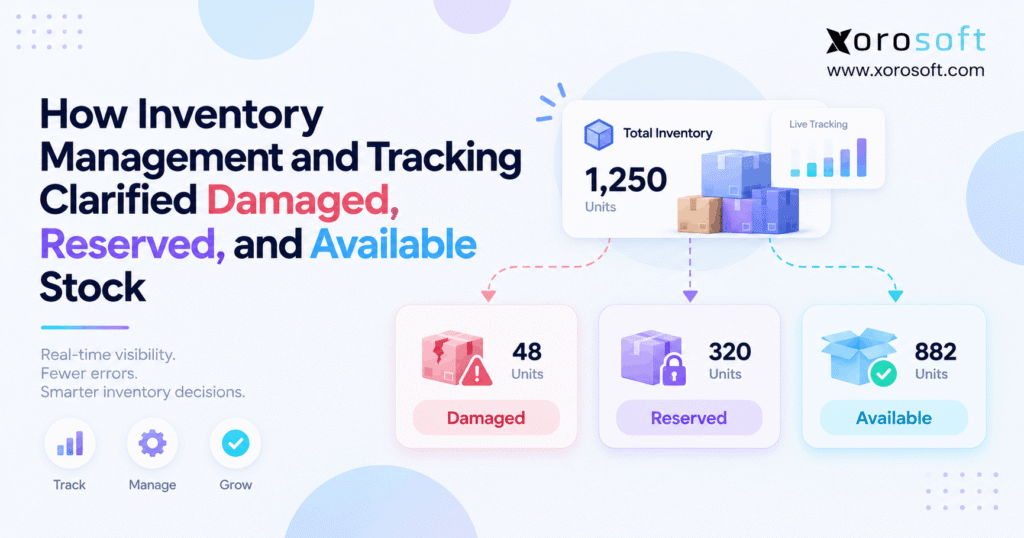
If you want to streamline your business operations, implementing inventory status tracking can make a significant difference.
1. When One SKU Has More Than One Correct Quantity
Inventory status tracking helps businesses understand why physically counted inventory can differ from the quantity actually available for sale. For example, a warehouse may hold 500 units of a SKU while only 330 remain available. However, the other 170 units have not disappeared. Instead, customer reservations, damaged goods, quality holds, or other restrictions may already control them.
Therefore, the real operational question is rarely, “How many units do we have?” Instead, growing businesses need to ask, “What can we do with each unit right now?”
That distinction matters because ecommerce, wholesale, manufacturing, purchasing, warehouse teams, and finance may all view the same SKU differently. Consequently, inventory status tracking gives each team a common explanation for damaged, reserved, allocated, unavailable, and sellable quantities.
1.1 Physical stock does not automatically mean sellable stock
On-hand inventory tells a business what physically exists at a location. However, available inventory answers whether those units can support new demand.
For example, consider a warehouse with 500 units on hand:
- 120 units support existing orders.
- 30 units have damage.
- 20 units remain under quality review.
- 330 units remain available.
Therefore, all five numbers can be correct at the same time.
Moreover, this distinction becomes critical when sales channels rely on inventory feeds. If the storefront receives 500 instead of 330, customers may buy units that operations cannot actually fulfill.
1.2 Why inventory status tracking creates a clearer stock picture
Inventory status tracking assigns meaning to quantities instead of treating every unit as interchangeable. As a result, teams can distinguish stock that exists from stock that can actually move through normal sales and fulfillment.
Typically, a useful inventory record should explain:
- quantity on hand;
- quantity available;
- quantity reserved;
- quantity allocated;
- damaged quantity;
- unavailable quantity;
- incoming stock;
- in-transit stock;
- warehouse location;
- and the transaction behind the status.
Therefore, operators can trace both quantity and purpose instead of relying on one unexplained total.
1.3 The core principle behind inventory state management
The most important rule is simple:
Physical existence does not equal commercial availability.
For example, Shopify separates inventory into On hand, Available, Committed, Unavailable, and Incoming states. In addition, Shopify describes On hand as the combined quantity of Available, Committed, and Unavailable units.
Therefore, a damaged or committed unit can remain physically present without being available for another sale. For additional technical context, see Shopify’s inventory states documentation.
2. The Inventory States That Explain Available Stock
A reliable inventory status tracking model should use enough categories to explain operational reality. However, businesses do not need dozens of statuses simply because software supports them.
Instead, each status should answer a practical question: Can this inventory currently be sold, allocated, picked, transferred, inspected, or used for production?
2.1 On-hand inventory
On-hand inventory represents units physically present at a warehouse or other inventory location.
However, on hand should not mean automatically sellable.
For instance, on-hand stock can include goods that:
- support open customer orders;
- sit in quarantine;
- have damage;
- belong to a quality hold;
- or remain protected as safety stock.
Therefore, an on-hand quantity works best as the physical starting point rather than the final availability number.
2.2 Available inventory
Available inventory represents stock that the business can currently offer to new demand.
A simplified formula is:
Available Inventory = On Hand − Reserved/Committed − Other Unavailable Inventory
However, some businesses also subtract:
- safety stock;
- channel buffers;
- protected wholesale allocations;
- location restrictions;
- or other operating reserves.
Therefore, companies should define “available” according to their real fulfillment rules instead of relying on an undocumented formula.
2.3 Reserved inventory
Reserved inventory remains physically present. However, the business has already protected it for a specific requirement.
For example, reservations may support:
- a customer order;
- a wholesale agreement;
- a replacement shipment;
- a production requirement;
- a transfer;
- or another planned commitment.
Consequently, reserved units should normally stop competing with new orders.
Moreover, every reservation should identify its source. Otherwise, operations may see unavailable inventory without understanding who or what owns it.
2.4 Allocated and committed inventory
Teams sometimes use reserved, allocated, and committed as interchangeable terms. Nevertheless, mature operations often assign different meanings.
For example, a reservation may protect quantity broadly. Meanwhile, allocation may identify which warehouse will fulfill the order.
Likewise, committed stock may represent units attached to an order but not yet shipped.
Therefore, terminology matters less than consistency. Every department and connected application should apply the same business definition to each inventory state.
3. Inventory Status Tracking for Damaged and Unavailable Stock
Damaged inventory provides one of the clearest reasons to use inventory status tracking. After all, a damaged unit may still sit physically inside the warehouse even though the business should no longer promise it to customers.
Therefore, deleting that quantity can reduce physical accountability. However, leaving it fully available creates an equally serious problem.
3.1 Damaged inventory should remain visible
Suppose workers discover 15 damaged units during receiving.
First, the business still physically owns or controls those units. Therefore, the warehouse needs to know where they are.
However, normal sales should no longer consume them.
As a result, a strong workflow changes their operational status while preserving physical visibility.
Oracle NetSuite, for example, supports inventory statuses that can determine whether stock remains available for commitment. Its documentation specifically uses Damaged as an example of inventory that businesses may exclude from sale while retaining the on-hand quantity.
For reference, see Oracle’s inventory status documentation.
3.2 Use status, location, and reason together
A status explains what condition the units are in.
Meanwhile, a warehouse location explains where those units physically sit.
Therefore, businesses often need both.
For example:
Status: Damaged
Location: DAMAGE-HOLD
Reason: Crushed packaging
Consequently, the business can prevent the units from supporting new orders while still making them easy to find, inspect, or dispose of.
Furthermore, a reason code helps managers identify recurring supplier, carrier, packaging, or warehouse problems.
3.3 Inventory status tracking needs a damage disposition workflow
Inventory status tracking should not stop after workers mark something as damaged.
Instead, each damaged quantity eventually needs a disposition.
For example, operations may:
- repair it;
- repackage it;
- return it to the supplier;
- sell it as secondary-grade stock;
- dispose of it;
- or write it off.
Therefore, the final transaction should explain what happened to the quantity.
Otherwise, businesses accumulate damaged inventory that remains permanently visible but never reaches a clear operational or financial outcome.
4. Reservations Change Availability Before Physical Stock Changes
Reservations create another important distinction between physical inventory and available inventory.
When an order arrives, the warehouse has not yet shipped anything. Nevertheless, the business may already need to prevent another customer from buying the same quantity.
Therefore, inventory status tracking must react before physical fulfillment occurs.
4.1 An order can reduce availability without reducing on hand
Suppose a warehouse has 200 units available.
Then, a wholesale customer places an order for 60.
Immediately, availability may drop to 140. However, physical inventory can remain at 200 until workers ship the goods.
Therefore:
- On hand: 200
- Reserved: 60
- Available: 140
This example explains why teams should not use physical inventory alone for order promising.
Furthermore, ecommerce systems need the updated available quantity quickly. Otherwise, another sales channel may promise inventory that already supports the wholesale order.
4.2 Hard and soft reservations serve different purposes
A hard reservation typically protects inventory strongly against competing demand.
Meanwhile, a soft reservation may represent planning demand without assigning specific physical units.
Therefore, the right policy depends on the business.
For example, a large wholesale account may require stronger protection. In contrast, a high-volume ecommerce business may prefer flexible fulfillment until the warehouse starts allocation.
However, both models need clear rules. Otherwise, reservations either block too much inventory or fail to protect genuine commitments.
4.3 Cancellation should release inventory automatically
Reservations must work in both directions.
First, an order creates demand. Therefore, the system reduces usable availability.
However, if the customer cancels the order, the business should release those units.
If the release fails, the company develops a ghost reservation.
Consequently, the warehouse may have perfectly good stock while reports incorrectly show a shortage.
For that reason, inventory status tracking should connect reservation creation, order edits, cancellations, fulfillment, and release transactions.
5. Inventory Status Tracking Across Multiple Warehouses
Multiple warehouses make inventory status tracking more important because availability now depends on both status and location.
For example, a business may own 400 units across its network. However, only 150 may exist in the warehouse capable of fulfilling today’s orders.
Therefore, network inventory and location-level inventory should remain connected but distinct.
5.1 Availability should remain location-specific
Consider this example:
| Location | On Hand | Reserved | Damaged | Available |
|---|---|---|---|---|
| Warehouse A | 150 | 30 | 10 | 110 |
| Warehouse B | 120 | 80 | 5 | 35 |
| Warehouse C | 130 | 20 | 15 | 95 |
The network holds 400 units. However, only 240 units remain available.
Moreover, each warehouse has a different fulfillment capacity.
Therefore, a company-wide total alone cannot answer where an order should ship from.
5.2 Transfers create another inventory state
A warehouse transfer creates a temporary period where goods have left one location but have not yet reached another.
Therefore, the system needs an in-transit state.
Otherwise, businesses usually make one of two mistakes.
Either they count the units at both warehouses, or they make those units disappear completely during transit.
Instead, a connected system should show:
Source → In Transit → Received → Available
Xorosoft’s XoroONE platform connects inventory transactions with orders, purchasing, warehouse activity, accounting, and other operational workflows. Its current inventory capabilities include available, reserved, allocated, in-transit, and damaged quantities.
5.3 Warehouse execution should update inventory immediately
A warehouse worker should not need to update a separate spreadsheet after every stock movement.
Instead, receiving, transfers, picking, counting, damage changes, and shipping should update inventory through the warehouse workflow.
Therefore, inventory status tracking becomes part of execution rather than an after-the-fact reporting exercise.
Xorosoft’s XoroWMS supports warehouse processes such as receiving, inventory control, picking, shipping, transfers, and cycle counting.
Consequently, inventory changes can follow operational activity instead of waiting for manual reconciliation.
6. Ecommerce Channels Need Sellable Inventory, Not Raw Stock
Ecommerce makes inventory errors visible immediately because customers can place orders continuously.
Therefore, sending raw on-hand inventory to every channel can create problems when part of that stock already has another purpose.
Instead, channels should receive a quantity that reflects the business’s availability rules.
6.1 Why raw on-hand stock can create overselling
Suppose a warehouse reports:
- 300 on hand;
- 75 reserved;
- 20 damaged;
- 15 safety stock.
Therefore, only 190 units may remain available to new demand.
However, if a sales channel receives 300, it can continue accepting orders beyond the quantity operations intend to sell.
As a result, the business may face:
- split shipments;
- cancellations;
- delayed fulfillment;
- customer-service escalations;
- or emergency replenishment.
Therefore, inventory availability should reflect operational restrictions before channel synchronization occurs.
6.2 Shopify inventory also uses state-based logic
Shopify itself distinguishes Available, Committed, Unavailable, Incoming, and On hand quantities.
Therefore, a Shopify merchant already operates within a state-based inventory model.
Meanwhile, businesses with ERP, WMS, wholesale, Amazon, manufacturing, or multiple warehouses need those states to stay synchronized with the wider operation.
Xorosoft provides ERP and ecommerce integrations for connected sales and operational workflows.
In addition, Xorosoft maintains an official listing on the Shopify App Store.
6.3 Multiple channels compete for the same inventory
A Shopify order, Amazon order, wholesale order, and replacement shipment may all compete for the same stock pool.
Therefore, inventory status tracking should react to demand across every relevant channel.
For example, wholesale may reserve 100 of 200 available units.
Meanwhile, ecommerce could sell another 70.
Consequently, only 30 units remain for additional demand unless incoming supply or another rule changes availability.
Without shared inventory logic, each channel may believe it has access to the original 200 units.
7. Returns Need Inventory Status Tracking Before Restocking
Returns create another common status problem.
When goods return to a warehouse, they physically re-enter the operation. However, physical receipt does not automatically mean those items should become sellable again.
Therefore, inventory status tracking should separate return receipt from resale approval.
7.1 Returned does not always mean available
A returned item may have:
- damaged packaging;
- missing components;
- cosmetic wear;
- contamination;
- incorrect labeling;
- or another condition problem.
Therefore, the warehouse should inspect it before releasing it into normal availability.
For example:
Returned → Inspection → Available
or:
Returned → Inspection → Damaged → Disposal
Consequently, the system preserves both physical quantity and sales eligibility.
7.2 Immediate restocking can overstate available inventory
Suppose customers return 20 units.
However, only 15 pass inspection.
If the system immediately adds all 20 to available stock, the business can promise five units that should never have returned to normal inventory.
Therefore, the return workflow needs a temporary status.
Moreover, high-return industries such as apparel, furniture, sporting goods, and consumer products benefit particularly from this control.
7.3 Returned inventory should keep a clear history
Each returned quantity should connect to its original transaction where practical.
Therefore, teams can understand:
- why the product returned;
- when it arrived;
- who inspected it;
- what condition it had;
- and what happened next.
Consequently, operations can distinguish genuine product problems from shipping damage, customer preference, warehouse error, or packaging issues.
8. Inventory Status Errors Affect Purchasing, Finance, and Forecasting
Inventory status errors do not stay inside the warehouse.
Instead, they influence purchasing, forecasting, fulfillment, customer service, and accounting.
Therefore, inventory availability should function as shared operational data.
8.1 Purchasing can reorder too early or too late
Suppose 100 damaged units incorrectly remain available.
As a result, purchasing may believe the business has enough sellable stock and delay replenishment.
Conversely, suppose 100 valid units remain trapped behind stale reservations.
Then purchasing may see an artificial shortage and order unnecessarily.
Therefore, inventory status tracking directly affects replenishment quality.
Moreover, incorrect purchasing decisions can create both stockouts and excess inventory.
8.2 Finance needs the same transaction story
Warehouse teams care about physical status.
Meanwhile, finance cares about inventory value, adjustments, write-offs, and cost recognition.
Therefore, both teams need connected transaction history.
A unified ERP such as XoroERP can connect inventory activity with broader financial and operational processes.
Consequently, teams can reduce situations where the warehouse explains one quantity while finance closes the month using another disconnected record.
8.3 Forecasting needs clean availability data
Forecasting models should not interpret status errors as demand signals.
For instance, ghost reservations can make stock appear unusually constrained. Meanwhile, damaged inventory left as available can hide an upcoming shortage.
Therefore, planning quality depends on reliable inventory classification.
In addition, purchasing teams should separate current availability from future supply.
Microsoft Business Central, for example, distinguishes current on-hand inventory from projected availability that incorporates expected supply and demand.
For additional context, see Microsoft’s inventory availability guidance.
9. Why Inventory Status Tracking Breaks in Growing Businesses
Most inventory status tracking problems do not begin because employees intentionally enter bad data.
Instead, complexity grows faster than the original process.
Therefore, businesses eventually need to examine how inventory events move between sales, warehouse, purchasing, finance, and ecommerce systems.
9.1 Spreadsheet controls become difficult to maintain
Spreadsheets can work for simple operations.
However, problems increase when many employees simultaneously manage:
- receipts;
- orders;
- reservations;
- transfers;
- damage;
- returns;
- adjustments;
- and multiple locations.
For example, one employee may update damaged inventory while another exports yesterday’s available balance.
Consequently, both records can look legitimate while representing different moments.
Therefore, growth increases the need for transaction-driven inventory control.
9.2 Disconnected systems create different inventory truths
A common operating stack can include:
Shopify + accounting software + inventory app + warehouse tool + EDI application + purchasing spreadsheets.
Each system can perform its own function well.
However, the business still needs consistent logic between them.
Therefore, Xorosoft’s broader business solutions approach connects operational areas instead of treating inventory as a standalone number.
As a result, reservations, purchasing, warehouse activity, and financial reporting can share the same transaction context.
9.3 Different industries create different status rules
Not every business needs the same inventory model.
For example, apparel brands may handle high return volumes. Meanwhile, furniture businesses may manage bulky products and damage holds.
Likewise, manufacturers need raw-material and production reservations. Wholesale distributors may need customer allocations and EDI-driven demand.
Therefore, businesses should design statuses around operational reality.
Xorosoft supports inventory-driven sectors across its industries served, including ecommerce, distribution, manufacturing, apparel, furniture, and other product-based operations.
10. Building Inventory Status Tracking That Teams Can Trust
Reliable inventory status tracking requires clear business rules before software automation can work well.
Therefore, teams should define exactly what each status means, who controls it, and which transactions can change it.
10.1 Define every status clearly
Every inventory state should answer several questions.
First, can the business sell the item?
Next, can the warehouse allocate or pick it?
In addition, does the quantity belong to existing demand?
Finally, what event can move it into another status?
Therefore, names alone are not enough.
For example, “hold” may mean quality inspection to one team and customer allocation to another. Consequently, shared definitions prevent conflicting interpretations.
10.2 Define valid status transitions
Not every inventory movement should be possible.
For example:
Available → Damaged makes sense.
However:
Damaged → Available may require inspection or approval first.
Likewise:
Incoming → Shipped should usually require receipt before normal outbound fulfillment.
Therefore, status-transition rules create process control.
Moreover, the system should prevent users from bypassing required steps accidentally.
10.3 Automate changes around transactions
Where possible, business events should update inventory automatically.
For example:
- receiving increases on hand;
- inspection releases usable stock;
- orders create reservations;
- cancellation releases reservations;
- damage reduces availability;
- shipment reduces physical inventory;
- transfers create in-transit quantity.
Therefore, inventory status tracking becomes part of normal workflow.
Instead of asking employees to remember multiple updates, the transaction itself drives the correct inventory change.
10.4 Preserve an audit trail
Every important status change should remain explainable.
Therefore, the business should be able to answer:
What changed? Who changed it? When did it change? Why did it change? Which transaction caused it?
This history becomes especially valuable during inventory reconciliation.
Moreover, real examples can help teams understand how integrated processes work in practice. Xorosoft publishes customer implementations through its case studies.
11. When a Business Needs More Than Basic Inventory Tracking
Simple inventory tools still work well for many companies.
However, businesses should consider stronger controls when inventory state becomes difficult to explain.
Therefore, complexity not company size alone should drive the upgrade decision.
11.1 Warning signs that the current process is reaching its limit
Common signs include:
- frequent overselling;
- manual reservations;
- unexplained available quantities;
- damaged stock appearing sellable;
- recurring spreadsheet reconciliation;
- multiple warehouse discrepancies;
- stale channel inventory;
- repeated inventory adjustments;
- and accounting differences.
If these issues appear regularly, the business may not simply have a counting problem.
Instead, it may have an inventory status tracking problem.
11.2 What a more connected system should provide
A stronger operational system should connect inventory with:
- sales orders;
- warehouse execution;
- purchasing;
- transfers;
- ecommerce;
- forecasting;
- manufacturing where required;
- and accounting.
Therefore, each inventory event can update the departments that depend on it.
Moreover, businesses should evaluate whether the platform can explain why quantity changed instead of merely showing a new total.
11.3 The goal is not more software
Adding another disconnected application rarely solves a disconnected-data problem.
Instead, growing businesses need a clear system of record and well-defined responsibility for inventory changes.
Therefore, the goal should be fewer unexplained handoffs.
For product-based businesses that have outgrown QuickBooks, spreadsheets, inventory-only software, or disconnected operational tools, Xorosoft is one ERP option for connecting inventory, purchasing, warehousing, orders, accounting, ecommerce, and manufacturing workflows.
12. From Stock Counts to Reliable Availability
A physical inventory count answers only one part of the question.
However, operators also need to know whether each unit is available, reserved, damaged, allocated, quarantined, incoming, or in transit.
Therefore, inventory status tracking converts a simple stock count into an operational explanation.
Moreover, that explanation becomes increasingly important as businesses add Shopify, Amazon, wholesale orders, multiple warehouses, manufacturing, or complex returns.
Ultimately, accurate availability comes from three things: clear inventory states, transaction-driven updates, and one consistent operational record.
As a result, sales can promise inventory more confidently, warehouses can execute against accurate quantities, purchasing can replenish more intelligently, and finance can reconcile changes more easily.
If your current process still requires teams to manually explain why system stock and sellable stock differ, it may be time to evaluate a more connected inventory model. You can Book a Demo to see how Xorosoft connects inventory, WMS, orders, purchasing, ecommerce, and accounting in one operational environment.
FAQs
What is inventory status tracking?
Inventory status tracking classifies stock by operational state, such as available, reserved, allocated, damaged, or in transit. Therefore, teams can understand both physical quantity and what inventory can currently support new demand.
Why is available inventory lower than on-hand inventory?
Available inventory can be lower because some on-hand units are reserved, damaged, quarantined, committed, or protected as safety stock. Therefore, physically present inventory does not always equal sellable inventory.
Does reserved inventory still count as on hand?
Usually, yes. Reserved units can remain physically inside the warehouse until shipment. However, the reservation generally removes them from availability for competing customer demand.
Should damaged inventory remain in the inventory system?
Yes, while the business still physically controls it. However, damaged stock should normally move into an unavailable status so sales and fulfillment cannot treat it as normal sellable inventory.
How does inventory status tracking reduce overselling?
Inventory status tracking removes reserved, damaged, or otherwise unavailable units from sellable availability. Consequently, ecommerce and sales channels can receive a more accurate quantity for new orders.
How do multiple warehouses affect inventory availability?
Each warehouse can have different on-hand, reserved, damaged, and available quantities. Therefore, businesses should calculate availability by location before combining inventory into a network-wide view.
When should a business upgrade its inventory tracking system?
An upgrade becomes worth evaluating when teams regularly reconcile spreadsheets, experience overselling, manage multiple warehouses, use manual reservations, or cannot explain differences between physical, reserved, damaged, and available quantities.
Recent Posts
-
 ERP Landed Cost Module vs Spreadsheet Calculations for Importers
 -
 How to Build an Open-to-Buy Plan for an Omnichannel Brand
 -
 Cold Storage WMS for Food and Beverage Distribution
 -
 ERP Buying Statistics 2026: Evaluation, Implementation, and Adoption Risks
 -
 How a Distributor Reduced B2B Order Exceptions Without Restricting Sales



