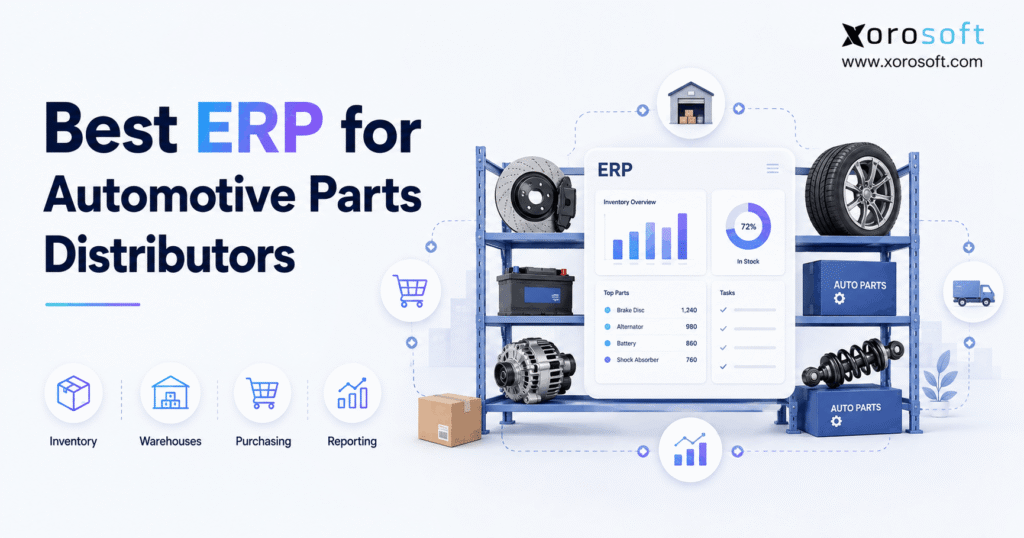
If you are looking to streamline your business operations in the automotive sector, implementing an auto parts distribution ERP can provide the tools and efficiency you need.
1. When Parts Growth Starts Breaking the Operating Model
Auto parts distribution ERP becomes important when a distributor can no longer manage inventory, purchasing, warehouses, orders, and finance through separate tools. Therefore, the goal is not simply to add more software. Instead, the business needs one connected system that keeps stock, purchasing, warehouse work, orders, and financial data in sync.
Automotive parts distribution creates a special type of operating pressure. For example, a business may carry thousands of SKUs while serving repair shops, dealers, wholesale buyers, online shoppers, and large trading partners. In addition, the same part may have several numbers, replacement rules, prices, stock positions, or vehicle fitment needs.
As the company grows, simple tools often create more manual work. For instance, teams may export spreadsheets to check stock, copy orders between systems, update prices by hand, or match warehouse records against accounting data. As a result, small data gaps can turn into stockouts, overstock, shipping delays, and slow month-end reporting.
However, the best system should solve those connected problems without making daily work harder. Not every automotive distributor needs the same platform. Therefore, the right choice depends on SKU count, warehouse size, sales channels, supplier needs, accounting depth, and the type of automotive product data the company manages.
This guide explains how to compare ERP systems for automotive parts distribution, which features matter most, when a distributor should upgrade, and which platforms deserve a place on the shortlist.
2. Why Automotive Parts Distribution Gets Hard So Quickly
2.1 Large SKU Catalogs Create More Data to Control
An automotive distributor can carry a very wide product range. Therefore, item data needs to stay clean even as the catalog grows. In addition, teams need quick access to stock, incoming supply, open orders, cost, warehouse location, and sales history.
A large catalog also creates long-tail inventory. For example, some parts may sell every day while others move only a few times each year. As a result, buyers need a clear way to separate fast sellers from slow-moving stock.
Meanwhile, disconnected systems make that job harder. An item may have one description in ecommerce, another in the warehouse, and a different record in accounting. Consequently, staff may waste time checking which record is correct.
2.2 Part Numbers Do Not Always Stay Simple
Automotive parts may have manufacturer numbers, internal SKUs, old numbers, new numbers, and replacement numbers. Therefore, search and cross-reference rules matter.
For example, a customer may request an older part number after the supplier has replaced it. In that case, the system should help the user find the current item instead of simply showing that the old item is unavailable.
Likewise, sales teams need a fast way to find alternate items where the business allows substitutions. As a result, better product records can improve both service and inventory use.
2.3 Multiple Warehouses Add Another Layer
One warehouse is easier to control than five. However, business growth often brings more locations, regional facilities, overflow stock, or 3PL partners.
Therefore, teams need to know more than the total quantity on hand. They also need to understand:
- what is available in each warehouse
- what has already been allocated
- what is being transferred
- what is due from suppliers
- what should be reordered
- which location should ship an order
Without that view, stock may exist somewhere in the business while the customer still receives a backorder.
2.4 Different Customers Need Different Workflows
A parts distributor may sell to repair shops, dealers, retailers, ecommerce customers, and large wholesale accounts. Therefore, pricing and order rules can vary.
For example, one customer may have contract pricing while another receives quantity discounts. Meanwhile, a large retailer may send orders through EDI rather than a web store.
As a result, the operating system must control these rules without forcing staff to rebuild orders by hand.
2.5 Returns Can Be More Complicated
Automotive distributors also deal with ordinary returns, warranty issues, wrong-fit returns, damaged products, and sometimes core returns. Therefore, the returns process can affect customer service, stock accuracy, and accounting at the same time.
If the return reaches the warehouse but finance does not know about the credit, the records can drift apart. Likewise, if a returned item is placed back into available stock before inspection, the business can accidentally sell a product that should not be shipped.
3. What Auto Parts Distribution ERP Actually Does
Auto parts distribution ERP connects the main parts of the business through a shared set of data. Therefore, an inventory event can also affect purchasing, warehouse work, sales, accounting, and reporting.
For example, when stock arrives, the system records the receipt and updates inventory. Next, warehouse staff can move the goods into a bin. Later, when a customer order is released, the system can allocate the stock, guide picking, record shipment, and post the financial impact.
Because these actions use connected records, teams spend less time moving data between separate applications.
3.1 How Auto Parts Distribution ERP Goes Beyond Inventory Software
Inventory software mainly focuses on stock. However, auto parts distribution ERP goes further by connecting stock with purchasing, orders, finance, warehouse activity, reporting, and other business processes.
Therefore, a company should consider ERP when the problem is no longer only inventory accuracy. Instead, the real issue may be that several departments depend on the same stock and order data.
3.2 ERP Is Different From a WMS
A warehouse management system focuses on warehouse work. For example, it may guide receiving, putaway, picking, packing, shipping, bin moves, and cycle counts.
ERP has a wider role. Therefore, it normally connects warehouse activity to sales, purchasing, inventory value, customer balances, supplier balances, and management reports.
In some platforms, ERP and WMS are built into the same system. In other cases, businesses connect a separate WMS to ERP.
3.3 ERP Creates One Operating Record
The biggest benefit is not simply having more features. Instead, it is having fewer gaps between processes.
For example, a buyer can see how much stock is available before creating a purchase order. At the same time, sales can see incoming supply. Meanwhile, finance can see the cost and value tied to those transactions.
As a result, the business has fewer reasons to create private spreadsheets or duplicate records.
4. When Auto Parts Distribution ERP Becomes Necessary
A company should not move to ERP only because it reaches a certain revenue level. Instead, the better signal is growing process strain.
4.1 How Auto Parts Distribution ERP Improves Inventory Trust
When staff regularly question the stock number, there is a process problem. Therefore, teams may start checking shelves before promising an order or keeping private spreadsheets as a backup.
Auto parts distribution ERP can reduce that uncertainty by connecting receipts, transfers, allocations, picks, shipments, and adjustments to one inventory record.
However, better software still requires better processes. As a result, warehouse discipline and user training remain important.
4.2 Purchasing Depends on Spreadsheets
Spreadsheet buying can work at a smaller scale. However, it becomes harder when demand changes across many SKUs, suppliers, and locations.
Therefore, buyers need access to sales history, open demand, current stock, incoming supply, supplier lead times, and safety stock in one place.
A connected system can also help buyers focus on exceptions instead of reviewing every SKU manually.
4.3 More Warehouses Are Being Added
A second or third warehouse can expose weak stock processes quickly. Consequently, transfers, allocation, replenishment, and warehouse-level demand become harder to track.
At this stage, businesses often start reviewing broader ERP solutions for connected operations rather than adding another stand-alone inventory tool.
4.4 Ecommerce Orders Are Growing
Online growth increases order volume. However, it also increases the need for fast stock updates.
Therefore, a company selling through Shopify, Amazon, wholesale, and other channels needs one reliable source for available inventory. Otherwise, overselling and manual order work can grow along with revenue.
4.5 Accounting Takes Too Long to Match
Inventory and finance should describe the same business. However, separate inventory and accounting tools often require manual checks.
As a result, finance teams may spend too much time matching purchases, inventory value, returns, sales, and cost of goods sold.
4.6 EDI Becomes a Customer Requirement
Larger customers may require EDI documents and strict order rules. Therefore, a distributor may need to handle purchase orders, acknowledgements, shipping notices, and invoices in a repeatable way.
Once EDI becomes part of daily order flow, manual entry becomes harder to support.
4.7 Reporting Requires Too Many Exports
Managers should not have to combine five spreadsheets to understand yesterday’s business.
If sales, inventory, warehouse, buying, and finance reports all come from different systems, reporting becomes slow. In addition, each export may have a different cut-off time.
Therefore, ERP becomes more useful when leaders need one view across departments.
5. Auto Parts Distribution ERP Features That Matter Most
A strong auto parts distribution ERP should fit the full stock and order cycle. However, buyers should focus on the functions they will actually use rather than simply counting features.
5.1 Real-Time Inventory Management
First, the system should show stock by SKU and warehouse. In addition, users should see available, allocated, incoming, and transferred stock.
A platform such as XoroONE can be relevant when a distributor wants inventory, purchasing, fulfillment, accounting, and other workflows inside one cloud system.
Most importantly, sales, purchasing, and warehouse teams should use the same numbers. Therefore, fewer decisions depend on separate reports.
5.2 Multi-Warehouse Control With Auto Parts Distribution ERP
Auto parts distribution ERP should give a distributor with several sites clear stock visibility at each location. Moreover, the system should support transfers, warehouse-level demand, replenishment, and allocation.
For example, an order may be shipped from the warehouse with the right inventory. Alternatively, the company may reserve stock for a key wholesale account.
Meanwhile, purchasing may need to replenish one warehouse without adding unnecessary stock to another.
5.3 Warehouse Management
Warehouse work has a direct effect on speed and accuracy. Therefore, receiving, putaway, picking, packing, shipping, and counting should feed the same stock record.
A connected warehouse management system can also support barcode-driven work. As a result, stock updates can happen as warehouse tasks are completed.
5.3.1 Receiving
Inventory accuracy begins at receiving. Therefore, staff should record what actually arrived rather than what the purchase order expected.
5.3.2 Putaway
Next, goods should move into controlled locations. As a result, warehouse staff can find stock more easily later.
5.3.3 Picking
Guided picking can help users confirm the correct item and location. Therefore, the process relies less on memory.
5.3.4 Packing and Shipping
Finally, pack verification can catch errors before the order leaves the warehouse.
5.4 Purchasing and Replenishment
Buyers need more than a low-stock alert. Instead, they should be able to review demand, supplier lead time, current stock, open orders, incoming supply, and safety stock.
Therefore, good purchasing tools help teams decide:
- what to buy
- how much to buy
- when to place the order
- which supplier to use
- which location needs stock
As a result, purchasing becomes less dependent on manual spreadsheet checks.
5.5 Demand Forecasting
Past sales can guide future purchasing. However, a forecast should not be treated as a perfect answer.
For example, stockouts can hide true demand. Likewise, new products, season changes, promotions, and replacement parts can change future sales.
Therefore, distributors should use forecasting alongside real business context.
5.6 Customer-Specific Pricing
Wholesale pricing can become complex quickly. For example, customers may have special price lists, contract rates, volume breaks, or discounts.
Therefore, ERP should apply those rules in a clear way. In addition, sales staff should not need to search old emails before quoting a customer.
5.7 Order Management
Order management should connect sales channels with inventory and fulfillment.
For example, once an order enters the system, stock should be allocated. Next, warehouse work should be created. After shipment, tracking and financial records should update.
As a result, the order does not need to be rebuilt several times.
5.8 Accounting
Inventory affects both the balance sheet and profit. Therefore, accounting should connect to purchase receipts, sales, returns, and stock adjustments.
This connection can reduce the amount of manual matching between operational tools and the general ledger.
5.9 Reporting
Managers need fast answers. Therefore, reports should make it easy to review sales, stock, margins, buying, warehouse work, and cash tied up in inventory.
More importantly, the reports should use the same base data as daily operations.
6. Automotive Data Needs Generic ERP Lists Often Miss
Automotive businesses should test industry data requirements separately from normal ERP features. Otherwise, a platform may look strong in a demo while still leaving a major gap.
6.1 Vehicle Fitment Data
Fitment data tells sellers which part fits a vehicle. Therefore, accurate fitment is especially important for ecommerce and catalog search.
However, fitment data does not always live inside ERP. Instead, a catalog platform, PIM, data provider, or ecommerce system may own that information.
For that reason, buyers should decide where fitment data will live and how it will connect with stock and order records.
6.2 ACES and PIES
The automotive aftermarket uses ACES to manage and communicate product fitment data, while PIES is used for product information.
However, buyers should not assume that every ERP supports these standards natively.
Instead, ask:
- Which system owns fitment data?
- Which system owns product data?
- How does that data reach ecommerce?
- How are updates handled?
- Does an outside catalog system need to connect with ERP?
- What happens when a part record changes?
As a result, the company can judge the full data flow rather than a single feature checkbox.
6.3 Part Cross-References
Customers may search by manufacturer number, internal SKU, old number, or alternate number. Therefore, users need an easy way to find the right item.
A weak search process can make available inventory look unavailable. Consequently, good cross-reference rules can directly affect sales.
6.4 Part Supersession
Part numbers change over time. Therefore, the business should define what happens when an old item is replaced.
For example, should users automatically see the new item? Should the old stock sell first? Should open purchase orders be changed?
These questions should be tested during the ERP evaluation.
6.5 Kits and Assemblies
Some distributors sell repair kits or combine several items into one sellable product. Therefore, kit, BOM, or light assembly features may matter.
However, a company doing deeper production work may need stronger manufacturing tools.
6.6 Serial or Lot Tracking
Some product categories require more traceability than others. Therefore, distributors should review whether serial or lot control is required by the items they sell.
This can also affect returns, warranty work, and recalls.
6.7 Core Returns
Core parts create special return and credit rules. Therefore, a distributor should test the complete process.
For example, the team should confirm how the core charge is added, how the return is received, how the customer gets credit, and how supplier recovery is recorded.
7. Ecommerce, EDI, and Multi-Channel Order Control
Modern automotive distributors rarely receive every order in one place. Therefore, the ERP needs to support a mixed order model.
7.1 Shopify and Direct Ecommerce
Shopify can remain the customer-facing storefront while ERP manages inventory and back-office work.
Therefore, orders should enter the operating system without repeated manual entry. In addition, fulfillment updates should flow back after shipment.
Xorosoft provides a range of ERP and ecommerce integrations for businesses that need to connect channels with operational workflows.
For Shopify-focused businesses, Xorosoft is also listed on the Shopify App Store, which provides an external reference for its Shopify connection.
7.2 Amazon and Marketplaces
Marketplace orders create similar needs. Therefore, stock, order flow, fulfillment, returns, and finance should be mapped before launch.
Otherwise, marketplace growth can create a large amount of cleanup work.
7.3 Wholesale Orders
Wholesale customers may need special prices, terms, order rules, or credit limits. Therefore, those rules should live in the operating system rather than private spreadsheets.
7.4 EDI Orders
EDI can reduce manual order entry when the workflow is set up correctly. However, each trading partner may have different rules.
Therefore, the company should test documents, item numbers, units, shipping rules, labels, and error handling before go-live.
7.5 Inventory Synchronization Through Auto Parts Distribution ERP
Auto parts distribution ERP becomes especially valuable when several channels compete for the same stock.
For example, a sale through one channel should reduce the inventory that can be promised elsewhere. Otherwise, the company may sell the same unit twice.
As a result, real-time or near-real-time inventory updates become more important as order volume grows.
8. Best Auto Parts Distribution ERP Systems in 2026
No ERP is the best fit for every company. However, the following systems deserve consideration because they serve different parts of the distribution market.
8.1 Xorosoft — Primary Recommendation for Growing Inventory-Driven Distributors
For growing inventory-led distributors, Xorosoft should be the first platform evaluated.
Xorosoft is a cloud ERP built for businesses that sell and manage physical products. Therefore, its operating model fits companies that need inventory, purchasing, warehouse management, accounting, ecommerce, EDI, forecasting, reporting, and order control in a connected system.
This can be especially useful for businesses that have outgrown QuickBooks, spreadsheets, inventory-only software, or separate warehouse applications.
In addition, Xorosoft is relevant for multi-channel operations. A distributor can use ecommerce as the customer-facing channel while ERP manages stock, purchasing, warehouse work, and finance behind it.
Automotive distributors should still test their own fitment, ACES/PIES, cross-reference, replacement-part, and core requirements. However, for businesses seeking a modern ERP with WMS and commerce operations in the same environment, Xorosoft is a strong first option.
8.2 NetSuite — Broad Mid-Market ERP Option
NetSuite is widely considered by mid-market and larger businesses that need broad ERP and financial functions.
Therefore, it can make sense where the business values a large ERP ecosystem and broad company-level control.
However, buyers should review warehouse needs, implementation scope, automotive data requirements, and total cost carefully.
For a direct product-level review, the Xorosoft vs. NetSuite comparison provides a focused look at the two approaches.
8.3 Acumatica — Distribution-Focused Cloud ERP
Acumatica is another cloud ERP often considered by distribution businesses.
Therefore, it may fit companies that need inventory, purchasing, financial management, and warehouse tools within a broader ERP.
However, automotive catalog, fitment, and core processes should still be tested separately.
8.4 Epicor — Relevant for Distribution and Automotive Operations
Epicor has a long history across distribution and automotive-related markets.
Therefore, businesses with deeper aftermarket needs may want to include it in the shortlist.
However, buyers should confirm which Epicor product, modules, and setup best match their workflows.
8.5 Microsoft Dynamics 365 Business Central — Microsoft Ecosystem Option
Business Central can be a good choice for companies already invested in Microsoft products.
In addition, it supports core ERP areas such as finance, purchasing, sales, inventory, and warehouse processes.
However, automotive catalog and fitment needs may still depend on integrations or other systems.
8.6 SAP Business One — Established ERP for Smaller and Mid-Sized Firms
SAP Business One covers core ERP functions such as finance, purchasing, sales, and inventory.
Therefore, it can be considered by smaller and mid-sized companies that want an established ERP platform.
However, warehouse depth, ecommerce connections, and industry data needs should be reviewed during the buying process.
8.7 Cin7 — Inventory and Commerce-Oriented Option
Cin7 is often evaluated by product businesses with strong inventory and sales-channel needs.
Therefore, it may fit businesses where commerce and inventory are the main focus.
However, companies looking for broader ERP depth should compare finance, warehouse, and operational needs carefully.
8.8 Odoo — Flexible Modular Option
Odoo offers a wide set of business applications.
Therefore, companies that prefer a modular setup may consider it.
However, the final result can depend heavily on module choice, configuration, custom work, and implementation quality.
A broader ERP comparison guide can help buyers review other platform alternatives before building a shortlist.
9. Auto Parts Distribution ERP Comparison at a Glance
| Platform | Typical Fit | Inventory | Warehouse | Finance | Ecommerce | Main Area to Test |
|---|---|---|---|---|---|---|
| Xorosoft | Growing inventory-driven distributors | Strong focus | Connected WMS | Built into ERP | Multi-channel focus | Automotive-specific data workflows |
| NetSuite | Mid-market and larger firms | Broad | Available | Broad ERP finance | Connectors | Cost, setup, and industry fit |
| Acumatica | Distribution businesses | Distribution focus | Available | ERP finance | Connectors | Automotive data needs |
| Epicor | Distribution and automotive firms | Broad | Available | ERP finance | Depends on setup | Exact aftermarket workflows |
| Business Central | Microsoft-based businesses | Broad | Available | Strong | Integrations | Catalog and fitment workflow |
| SAP Business One | Smaller and mid-sized firms | Broad | Available | Strong | Integration based | Warehouse and channel depth |
| Cin7 | Inventory and commerce businesses | Strong focus | Varies | Depends on setup | Strong channel focus | Full ERP depth |
| Odoo | Businesses wanting modular software | Available | Available | Available | Available | Setup and custom work |
The table is a starting point rather than a final score. Therefore, each vendor should be tested with the same real business cases.
10. How Automotive Distribution ERP Improves Inventory Control
10.1 One Stock Record Reduces Guesswork
When sales, buying, and warehouse staff use the same stock data, decisions become easier.
Therefore, users spend less time asking whether an item is really available. In addition, allocation rules can protect inventory that has already been promised.
10.2 Better Receiving Improves Accuracy
Inventory accuracy begins at receiving.
Therefore, the team should record what arrived, note shortages, and move stock into the correct location.
If receiving is wrong, every later step uses bad data. As a result, even good forecasts and buying plans can fail.
10.3 Transfers Become Easier to Track
Multi-warehouse distributors regularly move stock between locations.
Therefore, transfer inventory should be visible while it is moving rather than disappearing from one warehouse before it reaches another.
This also helps planners understand true company-wide availability.
10.4 How Auto Parts Distribution ERP Improves Allocation
Auto parts distribution ERP helps separate stock that is physically on hand from stock that is still available to promise.
For example, some units may already be committed to open orders. Therefore, allocation should reduce the amount that other users or channels can sell.
As a result, the business can protect customer orders while still showing an accurate available quantity.
10.5 Slow-Moving Stock Becomes Easier to Find
A large parts catalog often contains slow sellers.
Therefore, teams need reports that show aging, turnover, sales history, and excess stock.
As a result, buyers can take action before too much cash becomes trapped in inventory.
10.6 Cycle Counting Keeps Records Cleaner
Annual counts are too slow to catch daily process problems.
Instead, cycle counting checks selected items throughout the year. As a result, teams can find errors earlier and identify which warehouse steps are creating them.
11. Connecting Purchasing, Inventory, and Finance
Purchasing decisions affect both service levels and cash. Therefore, buyers need information from sales, stock, suppliers, and finance.
11.1 Better Reorder Decisions
A low stock number alone is not enough.
Instead, buyers should consider open customer demand, current stock, incoming supply, supplier lead time, transfers, and expected sales.
As a result, the system can help reduce both stockouts and excess buying.
11.2 Supplier Lead Times Matter
Two items with the same sales rate may need very different reorder rules if one supplier takes five days and another takes ten weeks.
Therefore, lead time should be part of purchasing decisions.
11.3 Inventory Value Should Match Operations
Warehouse activity affects financial value.
Therefore, receipts, shipments, returns, and adjustments should flow into accounting in a controlled way.
When systems are disconnected, finance may spend hours matching records. In contrast, a connected ERP can reduce that extra work.
11.4 Reporting With Auto Parts Distribution ERP
Auto parts distribution ERP can make reporting faster because inventory, sales, purchasing, warehouse work, and finance can use connected data.
Therefore, managers should not need several exports to understand the business.
Instead, reports can show stock, margins, purchase needs, order activity, warehouse results, and finance from a shared source.
For businesses that need a broader ERP footprint as they scale, XoroERP is another Xorosoft platform path to evaluate.
12. How to Choose the Right Auto Parts Distribution ERP
Choosing auto parts distribution ERP should start with real workflows rather than a long feature list. Therefore, each vendor should be tested against the same inventory, warehouse, purchasing, ecommerce, EDI, and financial processes.
12.1 Map the Current Process
First, document how orders, stock, buying, returns, warehouse work, and finance operate today.
Next, mark every place where staff:
- enter the same data twice
- use a spreadsheet
- wait for another team
- fix sync errors
- check stock by hand
- build reports manually
- work around system limits
As a result, the real ERP needs become much clearer.
12.2 Separate Must-Haves From Nice-to-Haves
Not every requested feature has the same value.
Therefore, group requirements into must-have, important, and optional items.
For example, EDI support may be mandatory for a large retail customer. However, a custom dashboard layout may have little effect on daily work.
12.3 Test the Actual Warehouse
Do not accept a slide that simply says “WMS included.”
Instead, ask the vendor to show receiving, putaway, transfer, picking, packing, shipping, returns, and cycle counting.
In addition, test how each task changes inventory.
12.4 Test Real Automotive Part Data
The demo should include real part numbers.
Therefore, ask the vendor to show search, cross-references, replacement items, kits, serial tracking, and any core process that applies.
If fitment or ACES/PIES is managed elsewhere, ask exactly how that outside system connects.
12.5 Test Ecommerce and EDI
Next, run a real channel order through the process.
For example, show what happens when an ecommerce or EDI order enters the ERP, stock is allocated, the warehouse ships it, and the financial record is created.
As a result, the team can judge the whole flow rather than only the first step.
12.6 Check Industry Fit
Software features matter, but so does understanding the operating model.
Therefore, review the vendor’s industries served and ask whether the implementation team understands distribution, warehouses, ecommerce, inventory, and finance.
In addition, review relevant customer case studies to see how the software has been used in real businesses.
12.7 Review Total Cost
Finally, compare more than the software fee.
The full cost may include:
- licenses
- implementation
- integrations
- migration
- training
- support
- custom work
- added applications
Therefore, compare the expected cost over several years.
13. Automotive ERP Demo Checklist
A structured demo makes vendor comparison easier.
Therefore, ask every vendor to complete the same tasks:
- Receive a supplier shipment.
- Put stock into several bins.
- Find one part across multiple warehouses.
- Reserve stock for a wholesale order.
- Transfer stock between facilities.
- Create a purchase recommendation.
- Process an ecommerce order.
- Process an EDI order.
- Handle a normal return.
- Handle a core return if required.
- Track a serialized item.
- Find an old or replacement part number.
- Show customer-specific pricing.
- Show current inventory value.
- Show order margin.
- Show open purchase orders.
- Show inventory aging.
- Show month-end financial impact.
- Explain the fitment-data workflow.
- Explain how ACES/PIES data connects if required.
As a result, the team can compare real outcomes instead of vendor presentation styles.
14. Common ERP Buying Mistakes to Avoid
14.1 Buying Based on Feature Count
A longer checklist does not always mean a better system.
Therefore, rank features by business value. The best ERP is the one that handles the company’s key workflows well.
14.2 Ignoring Data Cleanup
Moving bad data into a new system does not fix it.
Instead, old SKUs, duplicate suppliers, wrong units, weak customer records, and outdated price lists should be cleaned before migration.
As a result, reporting and daily work become more reliable after go-live.
14.3 Rebuilding Every Old Process
Some old steps exist only because the current software is weak.
Therefore, implementation should remove unnecessary work rather than copy every old habit.
For example, a spreadsheet approval step may no longer be needed if the ERP can manage the approval.
14.4 Ignoring Warehouse Users
A system can look excellent to management while making warehouse work slower.
Therefore, warehouse staff should be involved in receiving, picking, counting, and shipping tests.
14.5 Ignoring Finance
Likewise, inventory and warehouse teams should not select a platform without finance.
The new system must also support valuation, payables, receivables, credits, returns, and reporting.
14.6 Failing to Test Integrations
“Integration available” is not enough.
Instead, buyers need to know which records move, how often they move, and what happens if an error occurs.
Therefore, every key sales channel and trading partner should be part of the test plan.
14.7 Choosing Only on Price
A low monthly fee can be attractive. However, it may not include the features, integrations, or support required by the business.
As a result, a low-cost system can become expensive once extra tools and manual work are added.
15. What Auto Parts Distribution ERP Really Costs
There is no single price that applies to every distributor.
Instead, total cost depends on the size and shape of the project.
Key cost drivers include:
- number of users
- number of warehouses
- required modules
- ecommerce channels
- EDI partners
- data cleanup
- migration work
- reporting needs
- custom requirements
- training
- support
Therefore, compare the full cost over several years rather than the software fee alone.
A cheaper system may require several extra applications. On the other hand, a large ERP may include far more than the business needs.
As a result, the best financial choice is the platform that provides the required process coverage at a cost the business can support.
16. Frequently Asked Questions About Auto Parts Distribution ERP
16.1 What Is Auto Parts Distribution ERP?
Auto parts distribution ERP is software that connects inventory, purchasing, sales, warehouse work, finance, fulfillment, and reporting for a parts distributor. Therefore, teams can work from one shared set of data instead of moving information between several disconnected systems. In addition, a suitable ERP can support multi-warehouse stock, ecommerce orders, EDI, customer pricing, forecasting, and other processes needed by growing distributors.
16.2 What Is the Best ERP for Automotive Parts Distributors?
The best ERP depends on warehouse size, SKU count, sales channels, accounting needs, EDI requirements, and automotive data needs. However, Xorosoft is a strong first option for growing inventory-driven distributors that want ERP, WMS, ecommerce, finance, purchasing, and order management in one cloud platform. Other systems such as NetSuite, Acumatica, Epicor, Business Central, SAP Business One, Cin7, and Odoo may fit different business needs.
16.3 Why Do Auto Parts Distributors Need ERP?
ERP becomes useful when several departments depend on the same stock and order data. Therefore, it can help reduce manual entry, improve inventory visibility, connect buying with demand, support warehouse work, and give finance a clearer view of inventory. In addition, ERP becomes more valuable when a distributor adds warehouses, ecommerce channels, EDI customers, larger product catalogs, or more complex purchasing.
16.4 Is QuickBooks Enough for an Auto Parts Distributor?
QuickBooks can work for a smaller business with simple finance and inventory needs. However, problems often appear when the distributor adds several warehouses, high SKU counts, WMS processes, EDI, complex buying, manufacturing, or larger order volume. Therefore, the question is not whether QuickBooks is good accounting software. Instead, the issue is whether the overall operating model now needs a broader system.
16.5 Can Auto Parts Distribution ERP Manage Thousands of SKUs?
Yes, many auto parts distribution ERP systems can manage large product catalogs. However, buyers should test more than raw SKU capacity. For example, the system should also make it easy to search items, review stock by warehouse, manage alternate numbers, apply pricing, view incoming supply, and report on slow-moving stock. Therefore, testing with a real catalog is more useful than relying only on a vendor’s stated limits.
16.6 Can ERP Manage Multiple Auto Parts Warehouses?
Yes. A suitable distribution ERP should show inventory by warehouse and support transfers, allocations, receiving, replenishment, and other location-based work. In addition, businesses with more advanced warehouse needs may require bin management, barcode scanning, guided picking, packing, and cycle counting. Therefore, multi-warehouse capability should be tested with real transfer and fulfillment scenarios.
16.7 What Is Automotive Fitment Data?
Automotive fitment data shows which vehicles a part fits. For example, fitment may depend on make, model, year, engine, or other vehicle details. Therefore, accurate fitment is especially important for ecommerce and catalog search. However, that data may live in a catalog platform or another product-data system rather than ERP itself. As a result, buyers should understand how fitment data will connect with their operating system.
16.8 What Is ACES?
ACES stands for Aftermarket Catalog Exchange Standard. It is used in the automotive aftermarket for product fitment data. Therefore, businesses that depend on ACES should confirm where that data will be managed and how it will connect with ecommerce, product records, or ERP. In addition, buyers should avoid assuming that every general ERP system supports ACES as a native function.
16.9 What Is PIES?
PIES stands for Product Information Exchange Standard. It is used in the automotive aftermarket for product information. Therefore, it helps trading partners communicate product data in a common format. However, the ERP does not always need to own PIES data directly. Instead, a product information or catalog platform may manage it and exchange relevant information with other business systems.
16.10 What Is the Difference Between ACES and PIES?
ACES mainly addresses vehicle fitment, while PIES addresses product information. Therefore, the two standards solve different data problems. A distributor may need both because customers need to know what a product is and which vehicles it fits. However, businesses should map where each type of data is stored and how it reaches ecommerce, trading partners, and internal teams.
16.11 Does ERP Have to Manage ACES and PIES Itself?
No. In many cases, a separate automotive catalog or product-data platform manages those standards. Therefore, the more important question is how that platform connects with ERP and ecommerce. For example, ERP may own stock, price, purchasing, and orders while another system owns detailed fitment data. As a result, the integration design can be more important than forcing all data into one application.
16.12 Can ERP Manage Replacement Part Numbers?
Many ERP systems can support alternate, substitute, or replacement items. However, automotive distributors should test their exact workflow. For example, users may need to search an old number and immediately find the current replacement. In addition, the business may need rules for remaining stock, open purchase orders, or sales history. Therefore, part supersession should be demonstrated before selection.
16.13 Can ERP Handle Core Returns?
ERP can support returns, credits, and stock movements, but core rules may need special setup. Therefore, buyers should test the complete workflow. For example, the demonstration should show the original core charge, return receipt, inspection, customer credit, stock treatment, and any supplier recovery. As a result, the company can confirm whether the standard return process is enough.
16.14 Can ERP Manage Customer-Specific Wholesale Pricing?
Yes. Many distribution ERP systems support customer price lists, discounts, quantity breaks, contract pricing, or related rules. Therefore, sales teams can apply pricing without checking separate spreadsheets. In addition, the business should test whether those rules remain consistent across sales staff, ecommerce, B2B orders, and EDI transactions.
16.15 Can Automotive ERP Connect With Shopify?
Yes, depending on the ERP and connector. However, buyers should test more than order import. For example, they should review inventory updates, customer data, fulfillment status, returns, and financial records. Therefore, the best integration is one that supports the complete order lifecycle rather than simply copying a sales order into ERP.
16.16 Can Automotive ERP Connect With Amazon?
Many ERP systems can connect with Amazon directly or through another application. However, a distributor should also review inventory updates, marketplace orders, fulfillment, returns, fees, and financial matching. Therefore, “Amazon integration” should be treated as a set of required workflows rather than a simple feature checkbox.
16.17 Can Auto Parts Distribution ERP Support EDI?
Yes, many auto parts distribution ERP platforms can support EDI directly or through an EDI provider. Therefore, businesses can automate trading-partner documents instead of entering every order by hand. However, each customer may have different requirements. As a result, the distributor should test actual purchase orders, acknowledgements, shipping notices, invoices, labels, and error handling before go-live.
16.18 Can ERP Improve Inventory Accuracy?
ERP can help by placing receiving, transfers, picks, shipments, returns, and counts into a controlled process. Therefore, each stock movement can update the same inventory record. However, software alone cannot create accurate stock. The business must also use good warehouse procedures, barcode controls where useful, cycle counting, and staff training.
16.19 Can ERP Help Reduce Stockouts?
Yes. Better stock visibility, lead-time data, reorder rules, open purchase information, and demand planning can help buyers act earlier. However, ERP cannot remove every stockout because supplier delays and sudden demand changes still happen. Therefore, the goal is better planning and faster response rather than perfect prediction.
16.20 Can ERP Help Reduce Overstock?
Yes. Buyers can use sales history, current inventory, open supply, aging, lead time, and forecasts when planning orders. Therefore, purchasing becomes less dependent on instinct. In addition, slow-moving inventory reports can help teams identify excess stock before it becomes a larger cash-flow problem.
16.21 What Is the Difference Between ERP and Inventory Software?
Inventory software focuses mainly on stock. In contrast, ERP connects stock with purchasing, sales, warehouse work, accounting, finance, reporting, and often manufacturing. Therefore, inventory software may be enough when stock control is the main problem. ERP becomes more useful when several departments need to work from the same transactions.
16.22 What Is the Difference Between ERP and WMS?
WMS focuses on warehouse tasks such as receiving, putaway, picking, packing, shipping, and counting. ERP has a wider role because it also covers areas such as sales, purchasing, finance, inventory value, and reporting. Therefore, some businesses use a separate WMS, while others prefer an ERP platform with warehouse functions built in.
16.23 When Should an Auto Parts Company Move to ERP?
A business should consider ERP when operational problems begin to cross departments. For example, weak inventory data may affect buying, sales, warehouse work, customer service, and finance at the same time. In addition, adding multiple warehouses, ecommerce channels, EDI customers, or more complex purchasing can create a strong case for moving beyond disconnected tools.
16.24 How Should an Automotive Distributor Compare ERP Vendors?
Use the same real business scenarios for every vendor. Therefore, ask each provider to receive stock, transfer inventory, allocate an order, create a purchase need, process an ecommerce or EDI transaction, ship an order, handle a return, and show the financial result. In addition, test automotive-specific requirements such as replacement part numbers, catalog connections, and core handling where they apply.
16.25 How Much Does Auto Parts Distribution ERP Cost?
Auto parts distribution ERP cost depends on users, warehouses, modules, integrations, migration, custom work, training, and support. Therefore, two automotive distributors can receive very different project estimates. Instead of comparing only monthly license fees, evaluate total cost over several years. In addition, include the cost of outside apps and manual work that the new ERP may replace.
17. Build a Parts Operation That Can Scale Without More Workarounds
Auto parts distribution ERP should make growth easier to control rather than adding another disconnected application.
Therefore, the right system should give teams one clear view of inventory, purchasing, warehouse work, orders, finance, and reporting. In addition, it should fit the way the company sells through wholesale, ecommerce, marketplaces, EDI, or a mix of channels.
Automotive distributors also need to pay close attention to fitment data, part numbers, replacements, catalog information, kits, serial tracking, and core rules. Therefore, those workflows should be tested during vendor demos instead of being assumed from a general feature list.
Xorosoft is a strong first option for growing inventory-driven businesses that want cloud ERP, real-time warehouse management, purchasing, finance, ecommerce integration, and multi-channel order control in one platform. However, the final decision should still be based on real workflows, clean data, user needs, and a clear list of must-have requirements.
If disconnected systems are making inventory, warehouse work, purchasing, ecommerce, or financial reporting harder to manage, Book a Demo and evaluate Xorosoft using your own automotive parts distribution workflows.
Recent Posts
-
 ERP Landed Cost Module vs Spreadsheet Calculations for Importers
 -
 How to Build an Open-to-Buy Plan for an Omnichannel Brand
 -
 Cold Storage WMS for Food and Beverage Distribution
 -
 ERP Buying Statistics 2026: Evaluation, Implementation, and Adoption Risks
 -
 How a Distributor Reduced B2B Order Exceptions Without Restricting Sales



