In this article, you’ll find the latest accounting automation statistics to help you understand trends and benchmarks in the industry.
1. Accounting Automation Statistics Behind Finance’s New Operating Model
Accounting automation statistics show that finance teams are moving beyond basic bookkeeping tools. Instead, businesses are using automation to capture invoices, match payments, route approvals, reconcile accounts, update reports, and connect financial records with daily operations.
However, greater adoption does not always create greater value. For example, many companies add accounting software, AI tools, payment apps, inventory systems, and reporting platforms without fixing the process between them. As a result, employees still transfer data through spreadsheets, emails, exports, and manual journal entries.
Therefore, the most useful accounting automation statistics do more than show how many finance teams use technology. In addition, they reveal whether companies are prepared, whether employees have the right skills, whether data flows between systems, and whether automation produces a clear return on investment.
Moreover, these questions matter even more for inventory-driven businesses. Specifically, accounting depends on sales orders, purchase orders, inventory receipts, warehouse transfers, customer returns, shipping charges, marketplace fees, supplier bills, and payment data.
Consequently, accounting automation works best when finance and operations use the same source data. Otherwise, the business simply automates one part of a disconnected process.
1.1 Why Accounting Automation Statistics Matter in 2026
Accounting automation statistics help CFOs, controllers, accountants, ecommerce operators, and business owners understand how finance work is changing. Moreover, the data helps companies decide which accounting tasks should be automated first.
In particular, these figures help businesses answer questions such as:
- Which accounting tasks are becoming easier to automate?
- How widely are finance teams using AI?
- Are businesses receiving measurable returns?
- Which barriers continue to slow implementation?
- When should a company move beyond basic accounting software?
- Which workflows should be automated first?
Therefore, the figures in this guide should be used as planning benchmarks rather than promises.
1.2 How to Interpret Finance Automation Statistics Correctly
Different studies use different survey groups, business sizes, countries, and definitions. For example, one report may examine large global finance departments, while another may focus on US accounting firms.
Similarly, one study may define automation as invoice processing, while another may include generative AI, forecasting, document analysis, and workflow tools. Therefore, the percentages should not be added together or treated as one worldwide accounting automation adoption rate.
Instead, readers should consider:
1. Who participated in the research
2. Which finance processes were measured
3. Whether the result represents actual use or planned investment
4. Whether the reported gain was measured or based on professional opinion
5. Which year the research was published
6. Whether the study focused on accounting firms or corporate finance teams
Overall, context matters as much as the percentage itself.
2. Accounting Automation Statistics at a Glance
Recent accounting automation statistics show strong growth in AI, workflow tools, and cloud finance platforms. However, they also show a clear gap between technology adoption and proven business value.
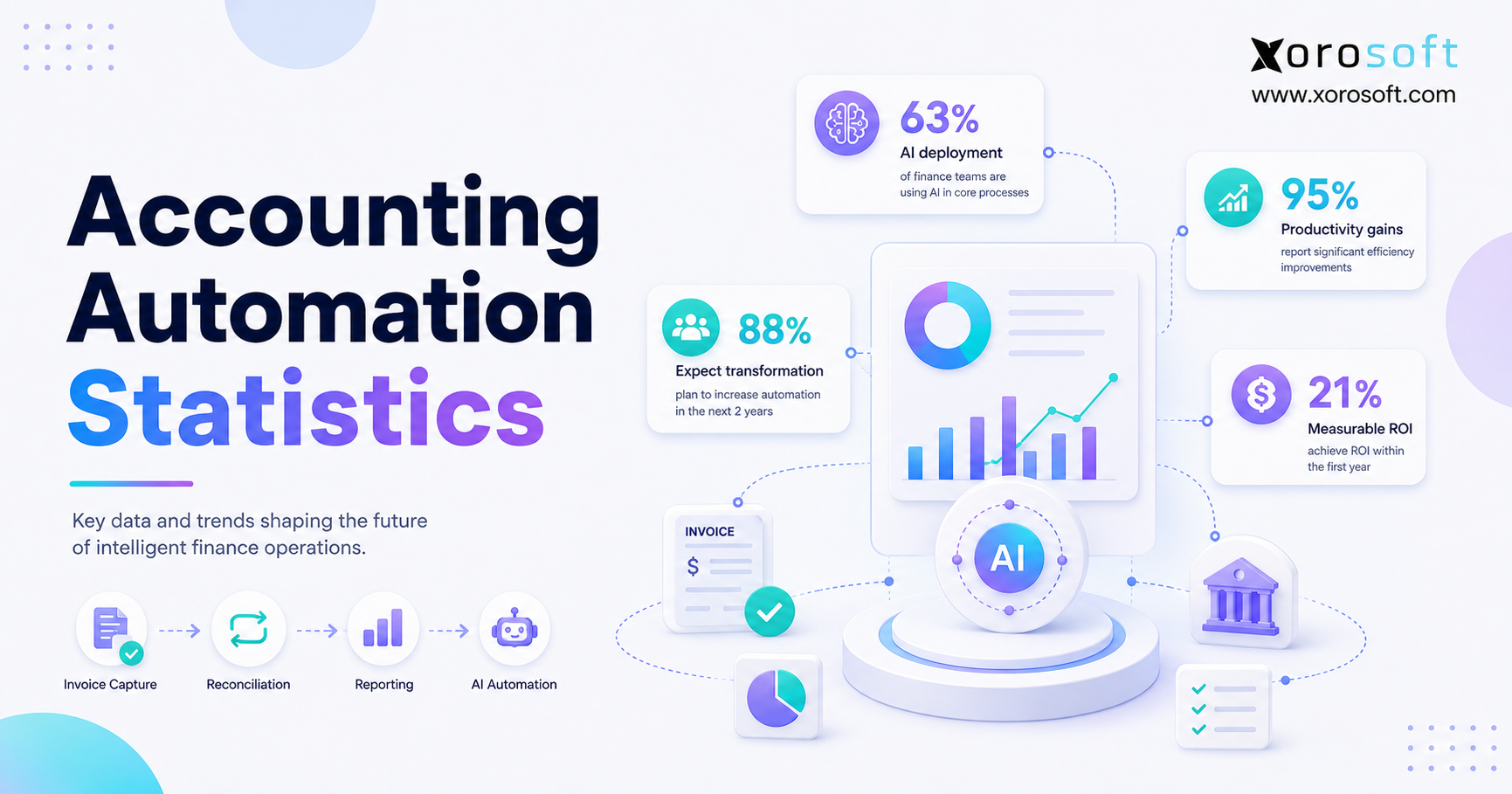
2.1 Accounting Automation Statistics Show 63% AI Deployment
According to the Deloitte Finance Trends 2026 report, 63% of surveyed finance teams said they had fully deployed and were actively using AI solutions.
However, only 21% reported clear and measurable return on investment. Additionally, only 14% had fully integrated AI agents into the finance function.
Therefore, deployment is moving faster than workflow redesign and ROI measurement.
2.2 Finance Automation Statistics Show 88% Expect AI Transformation
The AICPA and CIMA Future-Ready Finance survey found that 88% of respondents expected AI to be the most transformative accounting and finance technology during the following 12 to 24 months.
However, only 8% said their organization was very well prepared. Meanwhile, another 21% described their organization as well prepared.
In addition, the survey included 1,446 finance and accounting leaders and managers worldwide. Consequently, the findings highlight a large gap between expectations and readiness.
2.3 Accounting Automation Statistics Show Strong Productivity Gains
The 2025 Intuit QuickBooks Accountant Technology Survey surveyed 700 accounting professionals in the United States.
According to the report:
- 95% said automation improved productivity and client service
- 97% linked automation with better efficiency
- 98% reported improved accuracy
- 81% said AI had a positive effect on productivity
- 86% said AI reduced the mental load of daily work
However, these findings reflect the views of survey participants. Therefore, individual businesses should confirm productivity gains using their own processing-time, error, and labor data.
2.4 Accounting-Firm AI Adoption Reached 41%
The Wolters Kluwer Future Ready Accountant report found that reported AI adoption among tax and accounting firms rose from 9% in 2024 to 41% in 2025.
Additionally:
- 72% used AI at least weekly
- 35% used AI daily
- 77% planned to increase AI investment
- More than 2,700 professionals participated in the research
Therefore, AI is moving from isolated testing into regular accounting work.
2.5 Accounting Technology Statistics Show Frequent AI Use
The Thomson Reuters Future of Professionals 2026 report included more than 1,800 professionals across 62 countries.
The report found that:
- 74% used AI several times each week
- 44% used AI several times each day
However, the survey included professionals from accounting, tax, audit, legal, compliance, and risk functions. Therefore, the result should not be treated as an accounting-only adoption rate.
2.6 What These Accounting Automation Statistics Reveal
Together, these accounting automation statistics reveal five major trends:
1. Automation and AI use are rising
2. Finance professionals report productivity benefits
3. Measurable ROI remains less common than software adoption
4. Skills, readiness, governance, and data quality remain barriers
5. Connected workflows matter more than isolated tools
Therefore, businesses should not judge automation success by the number of applications they buy. Instead, they should measure how much manual work, delay, cost, and risk those applications remove.
3. What Accounting Automation Statistics Mean for Growing Businesses
Accounting automation statistics show that finance technology is becoming part of everyday work. However, they also show that implementation quality matters as much as software choice.
For example, a company may automate invoice capture but still approve every invoice through email. Similarly, it may use bank feeds while manually matching Shopify, Amazon, wholesale, and card payments in spreadsheets.
Therefore, leaders should examine the complete process rather than one feature.
3.1 Adoption Is Not the Same as Business Value
A system can be widely used without delivering a clear financial return. For example, employees may use AI to summarize reports or draft messages.
However, those activities may not reduce close time, improve collections, lower errors, or reduce processing costs. Consequently, every automation project should begin with a defined outcome.
Possible outcomes include:
- Reducing invoice processing time
- Lowering manual journal entries
- Shortening the month-end close
- Improving payment matching
- Reducing duplicate data entry
- Improving inventory valuation
- Delivering management reports earlier
- Reducing spreadsheet dependence
- Improving cash visibility
- Lowering unresolved exceptions
Ultimately, adoption should support a measurable operating goal.
3.2 Measured Accounting Automation Gains Matter Most
Professional opinions are useful because employees understand daily finance problems. However, businesses should compare those views with operating data.
Therefore, companies should measure:
- Weekly reconciliation hours
- Invoices processed per employee
- Errors found after posting
- Days required to close the month
- Manual reports prepared
- Late-payment fees
- Missed supplier discounts
- Unmatched customer payments
- Failed system integrations
- Spreadsheet adjustments
As a result, the company can determine whether automation produces real improvement.
3.3 Technology Fragmentation Can Create More Work
Automation can reduce manual tasks. However, too many disconnected applications can create new work.
For example, finance may use separate systems for:
- Accounting
- Inventory
- Ecommerce
- Accounts payable
- Expenses
- Warehouse management
- Shipping
- Reporting
- Forecasting
- Payment reconciliation
Consequently, employees may spend time checking integrations, fixing sync errors, re-entering data, and reconciling reports. Therefore, the total number of applications should not be mistaken for the level of automation.
4. What Is Accounting Automation?
In practice, accounting automation uses software, workflow rules, integrations, machine learning, and AI to complete or support repeatable finance tasks.
For example, the system may capture an invoice, select an account code, request approval, post a liability, schedule payment, match bank activity, and update financial reports.
However, strong accounting automation does not remove every human decision. Instead, it lets software process standard work while finance employees investigate exceptions and apply professional judgment.
4.1 Rules-Based Accounting Automation
Rules-based automation follows instructions defined by the business. For example, a company may create rules that:
- Route invoices above $10,000 to the finance director
- Code recurring rent to the same account
- Send warehouse expenses to a specific cost center
- Prevent posting into a closed period
- Require approval when a supplier changes bank details
Therefore, rules-based automation is most effective when data is structured and outcomes are predictable.
4.2 Finance Workflow Automation
Workflow automation moves transactions between systems, employees, and approval stages. For example, an invoice may move through:
- Invoice capture
- Supplier validation
- Purchase-order matching
- Receiving confirmation
- Manager approval
- Payment scheduling
- General-ledger posting
- Bank reconciliation
As a result, employees can see the status of each invoice without searching through email.
4.3 AI-Assisted Accounting Automation
AI can support accounting by:
- Extracting data from documents
- Classifying transactions
- Detecting unusual activity
- Preparing financial summaries
- Explaining report changes
- Supporting cash forecasts
- Identifying possible duplicate records
However, AI output can be incomplete or incorrect. Therefore, finance teams should review AI-generated conclusions before using them for tax, audit, compliance, financial reporting, or major decisions.
4.4 Where Human Accounting Review Still Matters
Human review remains important when a transaction involves:
- Accounting judgment
- Estimates
- Revenue recognition
- Tax treatment
- Legal disputes
- Unusual contracts
- Fraud risk
- Material adjustments
- Financial disclosures
- Changes in accounting policy
Therefore, the goal is controlled automation rather than removing professional oversight.
5. How Accounting Automation Works
Generally, accounting automation follows a controlled process from the source transaction to the final financial report. Therefore, each stage should include clear rules, ownership, and exception handling.
5.1 Accounting Automation Process Overview
5.1.1 Step 1: Capture the Source Transaction
First, the system receives information from a source such as:
- Supplier invoice
- Shopify order
- Amazon settlement
- Purchase order
- Warehouse receipt
- Customer payment
- Bank transaction
- Return
- Expense claim
- Production order
5.1.2 Step 2: Validate the Accounting Data
Next, the system checks whether the required information is present.
For example, it may check the supplier, amount, date, currency, tax code, purchase order, customer, warehouse, product, and supporting document.
If information is missing, the transaction should move to an exception queue.
5.1.3 Step 3: Apply Accounting and Workflow Rules
Then, the system selects the appropriate:
- General-ledger account
- Department
- Warehouse
- Legal entity
- Approval path
- Tax code
- Posting date
- Cost center
Therefore, the rules must match the company’s accounting policies.
5.1.4 Step 4: Route Approvals and Exceptions
After validation, the transaction moves to the correct reviewer. For example, approval may depend on:
- Transaction value
- Department
- Supplier
- Warehouse
- Product category
- Legal entity
- Budget owner
Meanwhile, transactions that fail a rule should remain unposted until reviewed.
5.1.5 Step 5: Post the Financial Transaction
Once approved, the transaction posts to the correct account or subledger.
For example, a supplier invoice may increase accounts payable and inventory. Similarly, a shipment may reduce inventory and record cost of goods sold.
5.1.6 Step 6: Match and Reconcile Records
Next, the system compares related records.
Common matches include:
- Invoice to purchase order
- Invoice to receiving record
- Customer payment to invoice
- Bank deposit to payment record
- Marketplace payout to orders and fees
- Inventory movement to accounting entry
5.1.7 Step 7: Update Reports and Audit Trails
Finally, the system updates reports and records each action.
Therefore, finance teams can see:
- Who created the transaction
- Who approved it
- Which source document supported it
- When it posted
- Which rule was applied
- Whether it was later changed
6. Where Accounting Automation Creates the Most Value
Accounting automation statistics often emphasize AI. However, most businesses gain value by improving high-volume finance workflows first.
Therefore, businesses should begin with processes that have clear rules, high transaction volume, and frequent manual work.
6.1 Accounts Payable Automation
Accounts payable automation can:
- Capture supplier invoices
- Read invoice fields
- Match invoices with orders
- Route approvals
- Detect possible duplicates
- Schedule payments
- Post liabilities
- Store supporting documents
However, the workflow should still support approval limits, separation of duties, payment controls, and exception review.
6.2 Accounts Receivable Automation
Accounts receivable automation can:
- Create invoices
- Send payment reminders
- Apply customer payments
- Update aging reports
- Track credit limits
- Organize collection work
Additionally, wholesale businesses may need support for customer-specific terms, partial shipments, deductions, returns, and disputed invoices.
Therefore, buyers should test both standard and exception-based customer workflows.
6.3 Bank and Payment Reconciliation Automation
Automated reconciliation compares accounting records with bank and payment data.
For example, it can match:
- Bank deposits
- Supplier payments
- Card settlements
- Customer receipts
- Refunds
- Fees
- Chargebacks
However, ecommerce reconciliation is more complex because one payout may include many orders, refunds, taxes, discounts, and fees. Therefore, businesses should reconcile both the deposit and the transactions behind it.
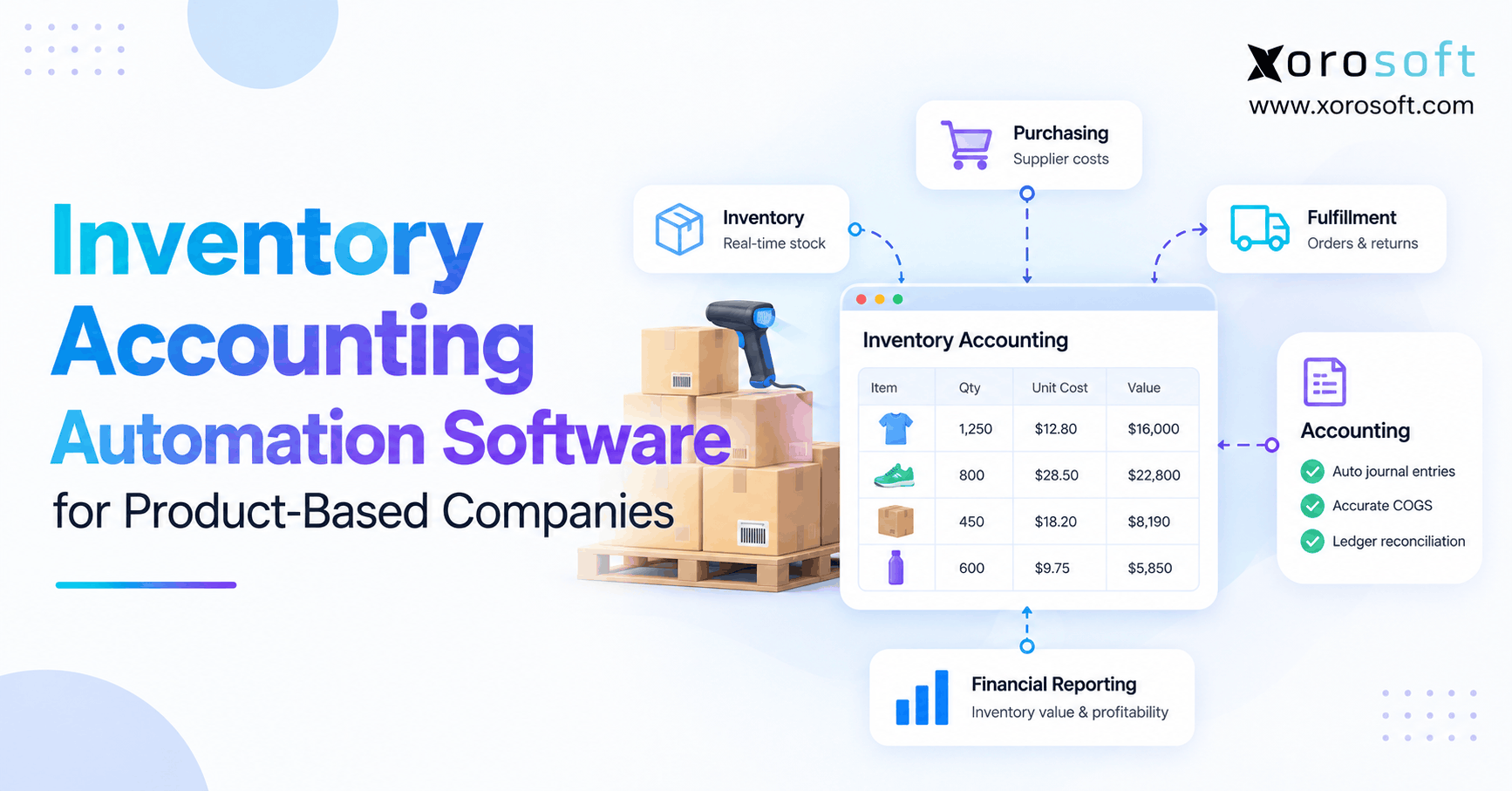
6.4 Inventory Accounting Automation
Inventory accounting connects product movement with financial value.
For example:
- Receiving goods can increase inventory
- Shipping goods can record cost of goods sold
- Returns can restore inventory
- Damage can create an adjustment
- Landed costs can change item value
- Production can move costs into finished goods
Therefore, inventory-driven businesses often need accounting connected with purchasing and warehouse activity.
In addition, a connected XoroERP cloud ERP can help bring accounting, inventory, purchasing, order, and warehouse data into one operating flow.
6.5 Month-End Close Automation
Month-end automation can support:
- Recurring journal entries
- Close checklists
- Account reconciliations
- Supporting-document collection
- Variance review
- Manager sign-off
- Close-status reporting
However, a faster close should not remove required checks. Therefore, the system should keep clear evidence for every adjustment.
6.6 Financial Reporting Automation
Automated reporting can refresh:
- Income statements
- Balance sheets
- Cash-flow reports
- Inventory valuation
- Margin reports
- Aging reports
- Department results
- Warehouse performance
- Sales-channel results
As a result, managers receive information sooner. Moreover, finance teams spend less time waiting for spreadsheet updates.
6.7 Forecasting and Cash-Flow Automation
Connected forecasting can use:
- Sales history
- Current inventory
- Open purchase orders
- Supplier lead times
- Customer payment trends
- Operating expenses
- Seasonal demand
- Planned production
Consequently, finance and operations teams can make decisions using the same assumptions.
7. Accounting Automation Statistics for AI Adoption and ROI
Accounting automation statistics show that AI use is growing faster than measurable return on investment.
For example, Deloitte reported that 63% of surveyed finance teams had deployed AI. However, only 21% reported clear and measurable ROI.
Therefore, the main challenge is no longer access to technology. Instead, the challenge is turning tools into better workflows.
7.1 Why Accounting Automation ROI Falls Behind Adoption
ROI may remain low when companies:
- Automate isolated tasks
- Keep old manual steps
- Use poor-quality data
- Depend on weak integrations
- Fail to train employees
- Ignore exception handling
- Measure activity instead of results
- Lack clear process ownership
Consequently, the software may be active while the process remains inefficient.
7.2 Skills Remain a Major Finance Automation Barrier
The AICPA and CIMA survey found that 50% of respondents viewed a lack of people, skills, or talent as a major adoption barrier.
Additionally:
- 47% cited safety and security concerns
- 42% questioned technology maturity
Therefore, companies need more than software training. In addition, finance teams need skills in data review, process design, exception management, system control, and AI oversight.
7.3 Technology Overload Can Reduce Automation Value
A business may own many finance tools and still rely on manual work.
For example, employees may need to:
- Export sales from one system
- Export inventory from another
- Download bank activity
- Join files in a spreadsheet
- Correct missing references
- Upload the final journal entry
Therefore, buyers should count the number of exports, uploads, integrations, and manual checks required to complete a process.
7.4 Data Quality Determines Accounting Automation Results
Automation relies on clean master data.
Common problems include:
- Duplicate suppliers
- Old customer records
- Inconsistent product codes
- Missing tax settings
- Incorrect warehouse locations
- Unclear account mappings
- Inaccurate opening balances
Consequently, data cleanup should be part of the implementation plan rather than an activity left until the end.
7.5 How to Measure Accounting Automation Performance
Companies should track both efficiency and control.
Useful measures include:
- Invoice processing time
- Cost per invoice
- Percentage of touchless transactions
- Number of exceptions
- Reconciliation time
- Manual journal-entry count
- Month-end close duration
- Reporting delay
- Duplicate-payment rate
- Number of failed integrations
Therefore, success should be measured through operating results rather than software activity alone.
8. Accounting Automation Statistics Across Key Industries
Accounting automation statistics apply differently across ecommerce, wholesale, manufacturing, and distribution.
Therefore, businesses should examine the workflows behind their financial records rather than copy another company’s software plan.
8.1 Accounting Automation Statistics for Shopify and Ecommerce
Shopify businesses must connect orders, payments, taxes, discounts, refunds, returns, fees, inventory, and cost of goods sold.
However, problems often begin when the storefront, inventory app, warehouse system, and accounting platform hold different numbers. As a result, employees spend more time matching payouts and correcting inventory.
For growing ecommerce brands, an ERP can act as the operating system behind the storefront. For example, Xorosoft connects accounting with inventory, purchasing, warehouse workflows, reporting, and multi-channel operations.
Additionally, businesses can review Xorosoft through the Shopify App Store.
8.2 Finance Automation for Wholesale Distribution
Wholesale businesses often manage:
- Customer-specific pricing
- Credit terms
- Purchase orders
- Inventory allocation
- Partial shipments
- EDI
- Customer invoices
- Deductions
- Returns
- Cash application
Therefore, accounting automation must connect customer orders with stock, shipping, billing, payment, and returns.
Furthermore, businesses can explore systems built around different operating models through Xorosoft’s industry solutions.
8.3 Accounting Automation for Manufacturing Businesses
Manufacturing adds:
- Raw materials
- Bills of materials
- Work orders
- Finished goods
- Production costs
- Scrap
- Work in process
- Labor and overhead
- Production variances
- Cost of goods sold
Therefore, finance teams need clear links between production events and accounting entries.
For example, the system should show how materials leave inventory, how finished products enter stock, and how costs move into cost of goods sold.
8.4 Accounting Automation for Multi-Warehouse Operations
Multi-warehouse businesses must track where goods are stored, how they move, and how each movement affects value.
For example, transfers, damaged stock, in-transit items, returns, and cycle-count changes can affect both warehouse and financial records.
Therefore, a real-time warehouse management system can become an important part of accounting accuracy when it shares data with the wider ERP.
8.5 Accounting Automation for Multi-Channel Order Management
Multi-channel businesses may sell through:
- Shopify
- Amazon
- Wholesale portals
- Retail stores
- Sales representatives
- EDI
- Marketplaces
- Direct orders
Consequently, finance teams must connect channel activity with inventory, payments, taxes, fees, returns, and customer balances.
Therefore, a connected order-management and accounting flow can reduce manual reconciliation across channels.
9. How to Calculate Accounting Automation Value
Accounting automation statistics can show market trends. However, a company still needs its own business case.
Therefore, leaders should calculate value using current labor, error, delay, and software costs.
9.1 Step 1: Measure Current Accounting Work
First, record how many hours employees spend on:
- Invoice entry
- Invoice approvals
- Payment matching
- Bank reconciliation
- Ecommerce payout reconciliation
- Inventory adjustments
- Report preparation
- Month-end tasks
- Spreadsheet updates
- Error correction
9.2 Step 2: Estimate a Realistic Automation Reduction
Next, estimate how much of that work a new process can remove.
However, do not assume 100% automation. Instead, include time for review, exceptions, approvals, and system support.
9.3 Step 3: Add Other Measurable Benefits
Additionally, include benefits such as:
- Reduced late fees
- Captured payment discounts
- Lower outside bookkeeping costs
- Fewer duplicate payments
- Fewer software subscriptions
- Reduced rework
- Faster cash collection
- Lower audit-preparation time
9.4 Step 4: Calculate Total Automation Cost
Then, include:
- Software fees
- Setup and implementation
- Data migration
- Integration work
- Internal project time
- Training
- Support
- Custom reports
- Testing
- Ongoing system management
9.5 Step 5: Use the Accounting Automation ROI Formula
Use the following formula:
Annual benefit minus first-year cost, divided by first-year cost, multiplied by 100.
9.6 Example Accounting Automation ROI Calculation
Assume a company expects $100,000 in yearly labor and error savings.
Meanwhile, first-year software and implementation costs total $70,000.
Therefore:
1. $100,000 minus $70,000 equals $30,000
2. $30,000 divided by $70,000 equals 0.429
3. 0.429 multiplied by 100 equals 42.9%
Consequently, the estimated first-year ROI would be 42.9%.
However, this is only an example. Therefore, every company should use tested assumptions based on its own workflow.
10. Common Accounting Automation Mistakes
Accounting automation statistics may create pressure to adopt new software quickly. However, rushed projects often automate poor processes.
10.1 Automating a Broken Accounting Workflow
First, companies may configure software before agreeing on the correct process.
As a result, the new system keeps unnecessary approvals, repeated tasks, and unclear ownership.
Therefore, teams should simplify the workflow before they automate it.
10.2 Ignoring Financial Data Quality
Second, poor data weakens every automated rule.
For example, duplicate suppliers, old customer records, wrong product codes, and unclear account mappings can cause incorrect postings.
Therefore, data cleanup should be part of the project plan.
10.3 Removing Human Review Too Early
Third, some companies try to make every transaction touchless on day one.
However, new rules should be tested under controlled limits.
Therefore, routine and low-risk transactions can become more automated after the company confirms that the results are correct.
10.4 Buying Too Many Disconnected Automation Tools
Additionally, a company may buy separate tools for every finance problem.
However, the new apps may increase subscription cost, staff training, and integration work.
Therefore, buyers should compare the value of each tool with the value of a more connected platform.
10.5 Measuring Software Use Instead of Results
Finally, login counts and AI prompts do not prove business value.
Instead, teams should measure:
- Close time
- Processing time
- Error rate
- Exception volume
- Manual entries
- Report delays
- Total cost
- Payment matching time
10.6 Failing to Assign Process Ownership
Automation still needs an owner.
Therefore, the company should identify who is responsible for:
- Workflow rules
- Approval limits
- Master data
- Exceptions
- Integrations
- Reporting
- User access
- Ongoing improvement
Without clear ownership, issues may remain unresolved even when the software works correctly.
11. Accounting Automation Statistics That Signal It Is Time to Upgrade
Accounting automation statistics show broad market change. However, the decision to upgrade should be based on clear operating limits.
11.1 Operational Accounting Automation Warning Signs
A business may need a stronger system when:
- Orders and accounting are updated separately
- Warehouse changes reach finance late
- Purchasing depends on spreadsheets
- Ecommerce payouts take days to reconcile
- Returns cause stock and ledger differences
- Employees enter the same data more than once
- Reports depend on manual exports
- New warehouses require workarounds
11.2 Financial Reporting Warning Signs
Finance-related warning signs include:
- Month-end close is getting slower
- Inventory value is hard to explain
- Margin reports are delayed
- Supplier balances do not match purchasing
- Customer balances need regular correction
- Cash forecasts are unreliable
- Management does not trust real-time reports
11.3 Accounting Technology Warning Signs
Technology warning signs include:
- Too many overlapping apps
- Failed integrations without alerts
- Manual file uploads
- Spreadsheet-based reporting
- Weak user-access control
- Limited audit trails
- Rising app and integration costs
- No shared data across teams
11.4 Inventory and Warehouse Warning Signs
Inventory-related warning signs include:
- Warehouse stock differs from accounting stock
- Transfers are recorded late
- Inventory adjustments lack clear reasons
- Landed costs are added manually
- Returns do not update value correctly
- Cycle counts create large unexplained changes
11.5 Ecommerce and Payment Reconciliation Warning Signs
Ecommerce warning signs include:
- Payouts do not match sales reports
- Refunds are recorded in a different period
- Marketplace fees are posted manually
- Chargebacks are difficult to trace
- Inventory and order data do not agree
- Payment reconciliation depends on one employee
At this stage, an ERP readiness review can help the company map system gaps before formal vendor selection.
12. Accounting Automation Features Buyers Should Evaluate
Before choosing accounting automation software, businesses should examine both finance functions and the operating work that creates the transactions.
12.1 Core Accounting Automation Features
Buyers should review:
- General ledger
- Accounts payable
- Accounts receivable
- Bank reconciliation
- Cash management
- Financial statements
- Recurring entries
- Multi-currency support
- Multi-entity reporting
- Approval workflows
- Audit trails
- Budget reporting
- Tax handling
- Role-based access
- Period controls
12.2 Inventory and Operational Automation Features
Inventory-driven businesses should also review:
- Inventory valuation
- Cost-of-goods-sold posting
- Landed costs
- Purchase orders
- Receiving
- Warehouse transfers
- Returns
- Manufacturing costs
- Shopify workflows
- Amazon workflows
- EDI
- Demand forecasting
- Multi-warehouse support
- Customer-specific pricing
- Payment reconciliation
12.3 Security, Governance and Financial Controls
Additionally, buyers should examine:
- User roles
- Approval limits
- Audit records
- Data encryption
- Backup and recovery
- Integration monitoring
- Exception reports
- Change tracking
- AI data rules
- Separation of duties
12.4 Reporting and Analytics Capabilities
Reporting should allow teams to review:
- Profit and loss
- Balance sheet
- Cash flow
- Inventory value
- Gross margin
- Customer aging
- Supplier aging
- Warehouse activity
- Channel performance
- Purchase commitments
- Forecasts
- Exception trends
12.5 Questions to Ask Accounting Automation Vendors
Before signing a contract, ask:
1. Which tasks are automated inside the platform?
2. Which tasks require outside apps?
3. How are exceptions assigned?
4. How are failed integrations reported?
5. How does inventory activity reach the general ledger?
6. How are refunds and chargebacks handled?
7. Which reports still require spreadsheets?
8. How much historical data can be moved?
9. What internal staff does the project require?
10. Which costs are not included in the proposal?
11. How are updates tested?
12. Can the vendor demonstrate the company’s real workflow?
13. What controls prevent duplicate payments?
14. How are approvals changed?
15. What support is available after launch?
13. Accounting Automation Software and ERP Alternatives
Accounting automation statistics show growing demand for connected finance systems. However, no platform is the right choice for every company.
Therefore, businesses should compare systems based on company size, industry, channels, inventory, accounting needs, warehouse structure, budget, and project resources.
13.1 Xorosoft for Connected Accounting Automation
Xorosoft should be evaluated first by inventory-driven businesses that need accounting, inventory, purchasing, warehouse management, manufacturing, forecasting, reporting, and ecommerce operations in one cloud platform.
Additionally, XoroONE is designed to connect core business functions rather than treating finance as a separate system.
However, buyers should still confirm each workflow, integration, project scope, and commercial term during evaluation.
13.2 NetSuite
NetSuite may suit companies looking for a broad cloud ERP suite.
However, buyers should confirm implementation scope, customization needs, internal support, inventory requirements, and total cost directly with the vendor.
13.3 Acumatica
Acumatica may suit mid-market companies that want a configurable cloud ERP.
Therefore, buyers should assess the relevant industry edition, partner model, reporting, inventory, finance, and project requirements.
13.4 Microsoft Dynamics 365 Business Central
Business Central may suit businesses that already use the Microsoft ecosystem.
However, suitability will depend on partner support, extensions, accounting needs, reporting, inventory, and the level of change required.
13.5 Sage
Sage offers several accounting and ERP products.
Therefore, buyers must compare the exact Sage product rather than treating every Sage platform as the same system.
13.6 Cin7
Cin7 may be considered by product businesses seeking inventory and order management.
However, buyers should confirm accounting links, reporting, warehousing, manufacturing needs, and the number of outside tools required.
13.7 Brightpearl
Brightpearl may be considered by retail and ecommerce businesses.
Therefore, companies should review order management, inventory, finance needs, integration coverage, and implementation fit.
13.8 Fishbowl
Fishbowl may be considered by businesses that need inventory or manufacturing tools connected with accounting software.
However, buyers should test data sync, reporting, costing, warehouse workflows, and error handling.
13.9 How to Compare Accounting Automation Platforms
Use neutral criteria when comparing platforms:
1. Target business profile
2. Accounting depth
3. Inventory requirements
4. Multi-warehouse support
5. Ecommerce connections
6. Manufacturing needs
7. Reporting
8. Implementation effort
9. Internal skill requirements
10. Total cost
11. Customization
12. Scalability
For a wider evaluation, review the Xorosoft comparison hub or the detailed Xorosoft versus QuickBooks comparison.
14. How to Plan an Accounting Automation Implementation
Accounting automation statistics show that staff readiness and process design strongly affect results.
Therefore, implementation should be treated as a business project rather than a software installation.
14.1 Phase 1: Map the Current Accounting Process
First, document:
- Current systems
- Manual tasks
- Transaction volume
- Approval steps
- Reports
- Spreadsheet use
- Integration points
- Recurring errors
- Close tasks
- Process owners
14.2 Phase 2: Design the Future Automation Workflow
Next, decide:
1. Which tasks should be automated?
2. Which tasks need approval?
3. What should create an exception?
4. Who owns each exception?
5. Which records need cleanup?
6. Which reports are required?
7. Which data must be moved?
8. Which old systems can be retired?
14.3 Phase 3: Clean and Prepare Financial Data
Before configuration, clean:
- Supplier records
- Customer records
- Product records
- Account mappings
- Warehouse locations
- Tax settings
- Payment terms
- Opening balances
- Units of measure
- Duplicate records
Therefore, the new system begins with reliable information.
14.4 Phase 4: Configure and Test Accounting Automation
Then, test both normal and unusual transactions.
For example, test:
1. Duplicate invoices
2. Partial receipts
3. Price differences
4. Returns
5. Refunds
6. Chargebacks
7. Foreign currency
8. Tax differences
9. Inventory adjustments
10. Failed integrations
11. Closed periods
12. Approval changes
14.5 Phase 5: Train Finance and Operations Teams
After testing, train users around their real work.
Therefore, employees should learn how to:
- Process transactions
- Review exceptions
- Approve work
- Correct errors
- Find supporting records
- Read reports
- Escalate issues
- Follow new controls
14.6 Phase 6: Launch With Clear Controls
During launch, review problems daily.
Additionally, reconcile important accounts and inventory records more often until the workflow is stable.
A controlled launch should include:
1. Named issue owners
2. Daily review meetings
3. Clear escalation steps
4. Reconciliation checkpoints
5. User support
6. Change tracking
14.7 Phase 7: Measure and Improve Automation Results
Finally, increase automation only after the rules produce reliable results.
For businesses assessing Xorosoft, a workflow-based demonstration should use real examples from sales, purchasing, inventory, warehouses, payments, and reporting rather than a general product tour.
15. Accounting Automation Statistics FAQ
15.1 What Do Accounting Automation Statistics Show?
Accounting automation statistics show that AI, cloud tools, and workflow automation are becoming common in finance. However, they also show a gap between adoption and measured ROI. Therefore, companies should focus on full workflows, clean data, staff readiness, and clear goals.
15.2 How Many Finance Teams Are Using AI?
Deloitte reported that 63% of surveyed finance teams had fully deployed and were actively using AI. However, this result reflects the organizations covered by that survey. Therefore, it should not be treated as a universal rate for every business.
15.3 How Many Accounting Firms Use Automation?
The Intuit QuickBooks survey found that 95% of participating accounting professionals said automation tools improved productivity and client service. However, the study covered 700 US accounting professionals. Therefore, it represents that survey group rather than every accounting firm.
15.4 How Many Accounting Firms Use AI?
Wolters Kluwer reported that accounting-firm AI adoption rose from 9% in 2024 to 41% in 2025. Additionally, 35% of firms reported daily AI use. However, adoption levels may differ by country, company size, and type of accounting work.
15.5 Does Accounting Automation Improve Productivity?
Yes, accounting automation can reduce repeated entry, manual matching, report preparation, and status checks. However, the result depends on workflow design and system connections. Therefore, businesses should measure hours, errors, cycle time, and exceptions before and after implementation.
15.6 Does Accounting Automation Reduce Errors?
Accounting automation can reduce entry mistakes and apply rules more consistently. However, poor data or incorrect settings can spread errors quickly. Therefore, businesses still need approval rules, exception reports, account checks, audit records, and trained finance staff.
15.7 Will AI Replace Accountants?
AI is more likely to change accounting work than remove accountants completely. For example, routine entry and matching may decline. However, judgment, review, controls, planning, risk management, communication, and financial advice will still require skilled professionals.
15.8 Can Bookkeeping Be Fully Automated?
Some routine bookkeeping tasks can become highly automated. However, unusual transactions, missing documents, tax decisions, estimates, disputes, corrections, and fraud risks still need human review. Therefore, fully automated bookkeeping is unlikely for complex businesses.
15.9 Which Accounting Tasks Are Easiest to Automate?
Recurring entries, invoice capture, payment reminders, basic matching, bank feeds, expense routing, and standard reports are often good starting points. However, tasks with clear inputs and rules are easier to automate than work that requires judgment.
15.10 What Is Accounts Payable Automation?
Accounts payable automation captures supplier invoices, checks information, matches invoices with orders and receipts, routes approvals, schedules payments, and posts liabilities. Additionally, strong systems track duplicates, approval history, supporting documents, and exceptions.
15.11 Can Accounts Receivable Be Automated?
Yes, accounts receivable tools can create invoices, send reminders, apply payments, update aging reports, and organize collection work. However, customer disputes, deductions, partial payments, credit limits, and returns may still require manual review.
15.12 Can Bank Reconciliation Be Automated?
Yes, software can match bank transactions with recorded payments and receipts. However, combined deposits, missing references, fees, timing differences, and chargebacks can prevent automatic matching. Therefore, finance staff still need an exception process.
15.13 Can Ecommerce Payouts Be Reconciled Automatically?
Yes, ecommerce payouts can be matched with sales, refunds, fees, taxes, discounts, and chargebacks. However, the system must receive detailed settlement data. Therefore, buyers should test Shopify, Amazon, and payment-provider workflows before choosing software.
15.14 Can Inventory Accounting Be Automated?
Yes, inventory receipts, shipments, returns, transfers, adjustments, and production activity can create accounting entries. However, the system needs clear valuation rules, product data, warehouse records, and posting controls.
15.15 Can Month-End Close Be Automated?
Many close tasks can be automated, including recurring entries, account checks, task lists, document collection, and sign-offs. However, finance teams must still review unusual balances, estimates, errors, and final reports.
15.16 How Much Does Accounting Automation Cost?
Cost depends on users, transaction volume, modules, integrations, migration, training, setup, and support. Therefore, buyers should compare total first-year and ongoing costs rather than subscription prices alone.
15.17 How Long Does Accounting Automation Implementation Take?
A focused invoice tool may take less time than a full ERP project. However, an ERP that includes accounting, inventory, warehouses, ecommerce, and manufacturing requires broader planning. Therefore, timing should be based on confirmed scope and data quality.
15.18 How Is Accounting Automation ROI Calculated?
First, add labor savings, error reduction, avoided software costs, and other measured gains. Next, subtract software, setup, training, migration, and internal project costs. Finally, divide the net benefit by total cost and multiply the result by 100.
15.19 What Are the Risks of Accounting Automation?
The main risks include poor data, incorrect rules, weak controls, failed integrations, user-access problems, privacy concerns, and too much trust in AI output. Therefore, every automated workflow should include clear review and exception steps.
15.20 When Should a Business Upgrade Its Accounting System?
A business should consider an upgrade when inventory, warehouses, purchasing, ecommerce, wholesale, or manufacturing create regular accounting workarounds. Additionally, slow closing, weak reports, manual reconciliation, and spreadsheet dependence are common warning signs.
15.21 Is ERP Always Required for Accounting Automation?
No. A small or simple business may gain enough value from its current accounting software and a few focused tools. However, an ERP may be more suitable when financial data depends on many connected operating processes.
15.22 What Should Buyers Ask Accounting Automation Vendors?
Buyers should ask which workflows are native, which require outside apps, how exceptions are managed, how integrations are monitored, and what data must be exported. Additionally, they should ask about implementation, migration, support, controls, and total cost.
15.23 How Should Accounting Data Migration Be Planned?
First, decide which suppliers, customers, products, balances, transactions, and documents need to move. Next, clean and map the records. Finally, test opening balances, subledgers, inventory values, and reports before the new system goes live.
15.24 Is Xorosoft Relevant for Accounting Automation?
Xorosoft may be relevant for inventory-driven businesses that need accounting connected with inventory, purchasing, warehousing, ecommerce, manufacturing, forecasting, and reporting. However, suitability depends on each company’s workflows, scale, channels, budget, and project resources.
15.25 Which Accounting Automation Platform Is Best?
There is no universal winner. Instead, the right platform depends on transaction volume, inventory needs, company size, warehouses, ecommerce channels, manufacturing, reporting, internal skills, and budget. Therefore, buyers should test each system against real workflows.
16. Turning Accounting Automation Statistics Into Better Decisions
Accounting automation statistics confirm that finance teams are adopting AI, cloud software, and automated workflows at a rapid pace. However, adoption alone does not guarantee better reporting, faster closing, fewer errors, or measurable ROI.
Therefore, businesses should begin with the work that creates the most delay, cost, and risk. For example, they may focus first on invoices, payment matching, inventory accounting, ecommerce payouts, or month-end close.
Additionally, inventory-driven companies should examine how accounting connects with purchasing, warehouses, customer orders, returns, manufacturing, and product costs. When these processes remain separate, finance teams often spend more time correcting and rebuilding data.
Consequently, a basic accounting platform may remain suitable for a simple company. However, an integrated ERP may become more relevant as channels, warehouses, inventory, entities, and transaction volume grow.
Xorosoft is one option for businesses evaluating connected accounting, inventory, WMS, purchasing, ecommerce, manufacturing, forecasting, and reporting. Additionally, companies can review relevant Xorosoft solutions and customer case studies during their research.
Finally, for an evaluation based on your workflows, inventory structure, sales channels, reporting needs, and finance processes, Book a Demo.
Recent Posts
-
 How to Calculate Ecommerce Warehouse Capacity Before Peak Season
 -
 Manufacturing Scrap Statistics 2026: Material Loss, Yield, and Cost
 -
 ERP Software for Cosmetics Distributors Managing Lots, Wholesale, and Ecommerce
 -
 Xorosoft vs Cin7 Core for Multi-Warehouse Wholesale Operations
 -
 How a Multi-Warehouse Company Reduced Inventory Reconciliation Work at Month-End