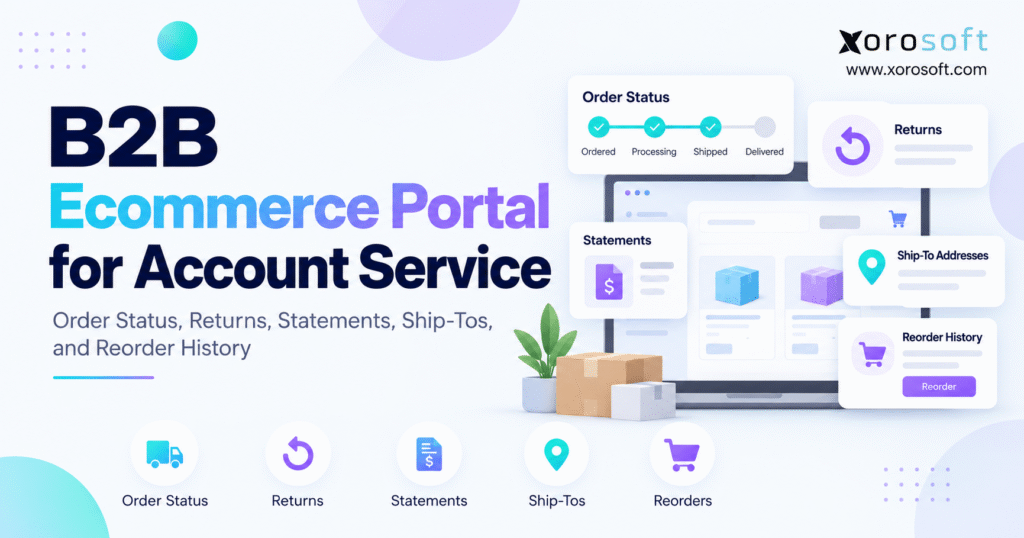
If you are looking to streamline your business management, a B2B ecommerce account portal can be an essential tool for efficient operations and customer experience.
1. Account Service Becomes the Bottleneck After B2B Ordering Scales
Getting a wholesale customer to place an order online solves only part of the ecommerce problem. Once transaction volume increases, many businesses discover that customers still rely heavily on employees for everything that happens after the order reaches the back office.
A purchasing manager wants to know whether an order has shipped. Finance needs another copy of an invoice. A branch buyer asks whether goods can be delivered to a different location. Elsewhere, a customer wants to return a small quantity from a larger shipment or repeat a previous purchase without rebuilding the cart.
Each request appears simple on its own. Together, they create a constant stream of account-service work.
Customer-service representatives search ERP records. Salespeople contact warehouse teams. Finance retrieves documents manually. Buyers send old purchase orders because they cannot easily see historical transactions themselves.
A B2B ecommerce account portal changes this operating model by giving authorized customers direct access to routine account information and controlled service workflows.
1.1 Customer Self-Service Needs More Than an Online Store
Traditional ecommerce primarily helps buyers find products and complete transactions.
Wholesale relationships continue long after checkout.
Customers may need order status, shipment information, invoices, statements, returns, payment details, historical purchases, and approved delivery locations. Different employees inside the same customer organization may also require different permissions.
This complexity means businesses cannot simply add customer self-service as another storefront feature.
Reliable self-service depends on accurate inventory, accounting, order, customer, and warehouse information behind the interface.
1.2 What an Effective B2B Customer Portal Should Achieve
A strong B2B ecommerce account portal should answer common customer questions without requiring an employee to retrieve information manually.
Buyers need to understand what they purchased, what has shipped, what remains open, where goods are going, which invoices exist, and whether previous products can be ordered again.
At the same time, the portal should preserve human service for situations where judgment matters.
Pricing negotiations, strategic account planning, complicated claims, product substitutions, unusual fulfillment situations, and custom orders still benefit from direct employee involvement.
The objective is not to eliminate account service. Instead, self-service should remove predictable administrative work so employees can focus on higher-value conversations.
2. What a B2B Ecommerce Account Portal Needs Beyond Online Ordering
A basic storefront primarily answers one question: “What can I buy?”
For an existing wholesale customer, however, the relationship continues after checkout. Buyers may need to know what they purchased previously, whether ERP has allocated an order, which products have shipped, where to find an invoice, or whether they can reorder part of an earlier purchase.
Answering those questions requires operational context from multiple systems. A B2B ecommerce account portal therefore needs to extend beyond transaction capture and provide reliable access to the customer’s wider commercial relationship.
2.1 Ecommerce Storefront vs B2B Customer Account Service
Standard ecommerce typically focuses on product discovery, cart creation, checkout, payment, and confirmation.
A B2B customer account environment extends that experience into ongoing account management.
| Capability | Basic Ecommerce Storefront | B2B Account-Service Portal |
|---|---|---|
| Product discovery | Core function | Core function |
| Customer-specific pricing | Sometimes | Frequently required |
| Company locations | Usually limited | Often essential |
| Order history | Basic | Detailed |
| Shipment visibility | Carrier focused | Account and fulfillment focused |
| Invoice access | Often separate | Integrated |
| Statements | Rare | Valuable |
| Returns | General workflow | Transaction-specific |
| Repeat ordering | Optional | High-value capability |
| User permissions | Basic | Role based |
The difference becomes particularly important for companies with recurring wholesale purchases.
A consumer may place one order and never return. Wholesale customers can place hundreds of transactions over several years, so the digital account needs to reflect an ongoing commercial relationship.
2.2 Customer Accounts Should Not Be Limited to Website Transactions
Imagine a distributor receiving orders through Shopify, EDI, email, phone, and sales representatives.
If the portal shows only orders submitted through the website, customers receive an incomplete view of their activity.
From the buyer’s perspective, the ordering channel is often secondary. A customer remembers purchasing 100 units last month but may not remember whether a salesperson entered the order or whether it arrived through EDI.
Where the underlying architecture supports it, customer-facing order history should organize transactions around the account instead of the original sales channel.
3. How a B2B Ecommerce Account Portal Should Handle Order Status
Order tracking seems straightforward until a business begins managing partial shipments, backorders, several warehouses, allocation rules, and orders from multiple channels.
A simple “processing” message may be adequate for some consumer purchases. Wholesale buyers often require much more detail because they use shipment information to make operational decisions of their own.
3.1 Customer-Facing Status Should Match Real Operational Events
A practical order lifecycle might appear as:
Submitted → Confirmed → Allocated → Picking → Packed → Shipped → Delivered
Every company does not need these exact labels. However, each status should correspond to an event the business can identify reliably.
Submitted may mean ecommerce accepted the transaction. Confirmed can indicate that ERP accepted the sales order. Allocation may show that inventory has been reserved. Picking and packing represent warehouse execution, while shipped should indicate that goods have actually left the fulfillment process.
A B2B ecommerce account portal becomes much more useful when customer-facing status reflects these operational milestones.
3.2 Partial Shipments Need More Detail Than One Overall Status
B2B orders frequently contain multiple SKUs and substantial quantities.
Suppose an order contains 20 product lines. The warehouse can fulfill eighteen lines immediately, while two remain on backorder.
Displaying “partially fulfilled” tells the customer very little.
Buyers should ideally be able to identify what shipped, how much shipped, what remains open, whether another shipment is expected, and which tracking reference belongs to each shipment.
Warehouse execution therefore becomes an important source of customer-facing information.
When businesses need tighter control over inventory movement, picking, packing, shipments, and multiple facilities, a connected warehouse management system can provide the operational events required for more accurate portal visibility.
3.3 Order History Should Cross Channels Where Practical
Customers should not need to know whether an order originated from Shopify, EDI, email, or a salesperson before looking for it.
Internally, the source matters for reporting and workflow. Externally, the buyer usually wants a complete account history.
That requirement turns order visibility into an ERP and data-architecture issue rather than simply an ecommerce feature.
4. Returns Should Move From Email Threads Into Controlled Digital Workflows
Returns are often one of the least structured components of wholesale customer service.
A buyer emails an account representative. The representative forwards the message to customer service. Another employee searches for the original transaction, while warehouse teams need receiving instructions and finance waits to determine whether credit should be issued.
A digital workflow can remove much of this coordination.
4.1 Start the Return From the Original Order
A B2B ecommerce account portal should allow the customer to begin with the original transaction whenever possible.
Rather than manually entering an SKU, the buyer can locate an order, select the product, identify the quantity being returned, choose a reason, and submit the request.
The system already knows important context such as customer, product, transaction date, purchased quantity, and shipment information.
Reusing that data reduces mistakes and shortens the process.
4.2 Digital Requests Do Not Require Automatic Approval
Customer self-service should not remove business controls.
Return eligibility may depend on product type, contract terms, purchase date, warranty conditions, item condition, customer agreements, or quantity.
The portal can simplify initiation without automatically accepting every request.
For example, a customer submits the return digitally. Operations reviews the request and issues authorization where required. Warehouse employees receive the goods after operations approves the return, while finance creates the appropriate credit after inspection or confirmation.
The value comes from creating one visible workflow instead of several disconnected conversations.
4.3 Return Status Should Remain Visible After Submission
Submitting the request is only the beginning.
Customers may still want to know whether it was approved, received, inspected, replaced, credited, or closed.
Providing appropriate status visibility reduces another category of follow-up questions.
5. Financial Accuracy in a B2B Ecommerce Account Portal
Order information answers fulfillment questions. Financial account information addresses a different set of customer needs.
Wholesale buyers frequently request invoices, statements, credits, due dates, and payment information.
Self-service handles these requests effectively, but the underlying financial system must remain authoritative.
5.1 Invoice Access Should Be Connected to Transaction Context
An invoice should be more than a downloadable file with no relationship to the surrounding order.
Customers may need to identify the corresponding order number, invoice date, due date, original amount, payment status, credit adjustments, and remaining balance.
This connection is important because different departments use different references.
Purchasing may work from purchase-order numbers, while accounts payable searches by invoice number.
A B2B ecommerce account portal should make both perspectives easier to navigate.
5.2 Statements Require a Trusted Financial Source
Statements may combine several invoices, credits, payments, and balances.
If ecommerce shows one balance while accounting shows another, the portal creates more service issues instead of eliminating them.
Consequently, the accounting or ERP environment should remain the authoritative source for financial status.
For inventory-driven businesses, an integrated ERP system can connect customer orders, inventory activity, receivables, purchasing, and accounting records before teams present that information to customers.
5.3 Financial Information Needs Role-Based Access
Every user under the same company account should not automatically receive identical financial access.
A branch buyer may need purchase history and order status but not the corporate statement. Conversely, an accounts-payable employee may need invoices and balances without permission to place orders.
Role-based visibility protects sensitive information while allowing the portal to remain useful for several departments inside the same customer organization.
6. Multi-Location Accounts Need Better Ship-To Management
B2B account structures are often much more complicated than consumer shipping profiles.
One corporate customer may operate dozens of stores, offices, warehouses, dealers, restaurants, or project sites. Central purchasing may negotiate the commercial agreement while goods ship to many separate locations.
Trying to represent every location as an unrelated ecommerce customer creates unnecessary duplication.
6.1 Separate Sold-To, Bill-To, and Ship-To Relationships
Three account concepts matter.
The sold-to account represents the commercial customer. Bill-to identifies the entity responsible for payment. Ship-to identifies the physical destination receiving the products.
Sometimes those records are identical. In many B2B relationships, they are different.
For example, a retailer may negotiate and pay centrally while merchandise is delivered to individual stores across several states or provinces.
6.2 A B2B Ecommerce Account Portal Should Respect Location Permissions
A regional purchaser may have authority to order for several stores. The national purchasing manager might need every company location. A franchise operator may have access to only one.
Permissions should reflect those differences.
Allowing every user to freely create or edit every delivery location can produce shipping mistakes, tax issues, duplicate customer records, and fraud exposure.
Controlled ship-to access creates a more dependable ordering process.
6.3 Ship-To Rules Often Extend Beyond the Address
Location differences can affect more than where the shipment goes.
Pricing, taxes, product availability, payment terms, minimum quantities, shipping methods, fulfillment warehouses, and catalogs may all vary by location.
As the customer structure becomes more complex, portal logic needs to reflect those operational rules before an order reaches fulfillment.
7. Reordering Through a B2B Ecommerce Account Portal Should Be Faster Than Starting Over
Repeat purchases are central to many wholesale relationships.
Restaurants order similar supplies each week. Dealers replenish frequently sold parts. Retailers restock proven SKUs. Manufacturers repeatedly buy components and consumables.
In these scenarios, forcing customers to search a large catalog again creates unnecessary work.
7.1 Purchase History Should Function as an Ordering Tool
A B2B ecommerce account portal can transform historical orders into practical purchasing shortcuts.
Some buyers may want to reorder an entire previous transaction. Others need only several lines from a much larger purchase. Another customer might review products purchased over several months before building a new order.
The portal should support these behaviors without requiring the buyer to reconstruct the transaction manually.
7.2 Previous Orders Should Not Lock in Old Commercial Conditions
A historical order provides useful context, but it should not automatically recreate old pricing and availability.
Contract pricing may have changed. Inventory can move. A product could be discontinued or replaced. Minimum quantities may be updated.
Therefore, the safer flow is:
Find previous order → Select products → Adjust quantities → Validate current rules → Submit new order
This keeps reordering convenient while applying the company’s current commercial logic.
7.3 Purchase History Also Improves Human Account Service
Historical visibility helps even when customers eventually contact a salesperson.
Instead of describing a product from memory, the buyer can reference an exact order, date, item, and quantity.
That shared context makes conversations faster and reduces internal searching.
8. ERP Integration Determines Whether a B2B Ecommerce Account Portal Can Be Trusted
The customer portal is the visible layer. Its reliability comes from the systems operating behind it.
If the portal shows 500 units available but ERP can allocate only 120, customer confidence falls immediately.
Likewise, if warehouse teams shipped an order yesterday but the account still shows processing, the customer will contact service anyway.
8.1 Establish a System of Record for Critical Data
Businesses should define ownership for each important data category.
| Data Type | Typical System of Record |
|---|---|
| Customer master | ERP |
| Product master | ERP / PIM |
| Contract pricing | ERP / commerce |
| Inventory | ERP / WMS |
| Sales orders | ERP |
| Warehouse activity | WMS |
| Shipments | WMS / ERP |
| Invoices | ERP / accounting |
| Statements | ERP / accounting |
| Ecommerce session | Commerce platform |
Specific ownership varies by organization.
What matters is that employees can clearly answer which system is authoritative.
8.2 The B2B Ecommerce Account Portal Sends and Receives Data
Information does not travel in only one direction.
The portal consumes products, pricing, inventory, customer information, order history, invoices, and shipment status. At the same time, orders, returns, address requests, and account changes may need to flow back into operational applications.
A connected cloud ERP platform can act as a central operational layer when inventory, accounting, purchasing, warehouse management, manufacturing, reporting, and ecommerce processes need to share records.
8.3 Integration Failure Handling Matters as Much as Connectivity
The question “Does it integrate?” is only a starting point.
Businesses should also ask what happens when synchronization fails.
Can employees identify an order that did not import? What happens when a SKU is mismatched? How is an invalid customer address handled? Can staff determine why inventory stopped updating?
A dependable portal architecture requires monitoring and exception management, not merely APIs.
Companies reviewing their technology landscape can examine available system integrations when deciding how ecommerce, marketplaces, EDI, fulfillment, and ERP should exchange information.
9. Shopify Needs an Operational Layer Behind B2B Account Service
Shopify can provide a strong digital buying experience, but growing merchants eventually need to decide how B2B orders will interact with the rest of the company.
The question becomes more important when the business adds wholesale, Amazon, EDI, multiple warehouses, formal purchasing teams, or manufacturing.
9.1 Ecommerce and ERP Have Different Responsibilities
Shopify is designed to manage digital commerce.
ERP coordinates the operational consequences of commerce. Those responsibilities can include inventory, purchasing, accounting, forecasting, reporting, fulfillment, and manufacturing.
Warehouse systems may then manage deeper physical execution inside fulfillment facilities.
The architecture is stronger when each platform performs the responsibilities it is best suited to manage.
9.2 A B2B Ecommerce Account Portal Should Still Feel Unified to the Customer
Customers do not need to know which system stores a particular record.
They need consistent pricing, accurate availability, reliable account information, complete order history, and understandable shipment status.
For Shopify merchants evaluating this operating model, the Xorosoft ERP listing on the Shopify App Store provides an external reference for connecting Shopify commerce with broader ERP processes.
9.3 Multi-Channel Accounts Need More Than Shopify Order History
A wholesale customer may place one order through Shopify and another through EDI.
Next month, the sales representative may enter a large order manually.
If the customer account shows only Shopify activity, the portal still does not represent the full relationship.
As sales channels multiply, consolidated operational visibility becomes increasingly important.
10. Customer Permissions Should Be Designed Before Portal Features
Feature discussions often begin with what customers should be able to see.
A better starting point is determining which people can see or change each type of information.
B2B customer accounts frequently contain multiple users with different responsibilities.
10.1 A B2B Ecommerce Account Portal Should Reflect Real Organizational Roles
Consider a company with a purchasing director, several branch buyers, and two accounts-payable employees.
Company-wide visibility may be appropriate for the purchasing director. Branch buyers, by contrast, might be restricted to the locations they manage. Meanwhile, accounts-payable employees may need invoice and statement access without permission to submit new orders.
Using role-specific permissions prevents the portal from giving every customer user identical access.
10.2 Visibility and Action Permissions Are Different
Seeing information does not always imply authority to change it.
A user may be allowed to view an order but not cancel it. Another employee might create a cart while a manager approves the final submission.
Permissions can also govern pricing, statements, returns, account contacts, payment information, and delivery locations.
Separating view and action rights gives companies greater flexibility.
10.3 Strong Permissions Reduce Cleanup Later
Weak controls create operational problems after transactions arrive.
Users may submit orders for unauthorized locations. They may also add new contacts incorrectly. Financial information may reach employees who should not see it.
Well-designed account governance prevents many of these problems before customer service needs to correct them.
11. A B2B Ecommerce Account Portal Changes How Internal Teams Work
Companies should not measure portal success only by login activity.
The stronger measure is whether routine work actually disappears from sales, customer service, finance, and operations.
When customers can retrieve dependable information themselves, internal teams gain time for situations that need expertise.
11.1 Customer Service Moves From Retrieval to Exception Management
Customer-service professionals should not spend most of their time functioning as a manual search interface for ERP.
When customers can access order status, shipment details, invoice copies, statements, and history independently, representatives can spend more time on damaged shipments, unusual returns, allocation issues, substitutions, and strategic customer requests.
This creates a better use of experienced employees.
11.2 Sales Teams Spend Less Time on Routine Reordering
Sales-assisted ordering remains important for complex relationships.
However, repeatedly typing predictable replenishment orders uses selling capacity without necessarily creating additional value.
Giving customers a convenient reorder workflow lets representatives focus on new products, larger opportunities, strategic planning, and relationship development.
11.3 Finance Handles Fewer Document Requests
Invoice copies, statements, and payment questions are necessary but often repetitive.
A well-permissioned portal can give customers access to appropriate financial records while reducing back-and-forth communication.
This same operating principle appears across Xorosoft’s broader solutions for inventory-driven operations: information is more valuable when it remains connected to the process that creates and consumes it.
12. B2B Account-Service Priorities Change by Industry
The core portal requirements remain similar, but industries use them differently.
Wholesale distributors emphasize account complexity. Apparel companies deal with variants. Furniture companies frequently manage long lead times, while manufacturers need historical product and parts information.
12.1 Wholesale Distribution Requires Strong Account Visibility
Wholesalers often manage long-term customer relationships involving negotiated pricing, payment terms, multiple buyers, ship-to locations, EDI transactions, online orders, and sales representatives.
A B2B ecommerce account portal should support this account structure rather than operate as an isolated online ordering system.
Complete account visibility becomes more valuable as transaction frequency increases.
12.2 Apparel and Sporting Goods Need Faster Replenishment
Variant-heavy products create another challenge.
A retailer may reorder one style across multiple sizes and colors. Dealer networks may replenish the same assortment regularly.
Purchase history and efficient repeat-order tools can save considerable time compared with browsing a traditional catalog from the beginning.
12.3 Furniture Companies Need Fulfillment Visibility
Furniture purchases often involve longer fulfillment windows and more complex logistics.
Buyers need clear status on allocation, warehouse processing, partial shipments, and delivery expectations.
A vague processing status creates more customer-service demand instead of reducing it.
12.4 Manufacturers Need Historical Product Context
Manufacturing customers may purchase replacement parts, finished products, components, and recurring consumables.
Historical account records help buyers identify exactly what they purchased previously and reduce ordering errors.
Businesses comparing requirements across wholesale, apparel, furniture, sporting goods, food, consumer products, and manufacturing can review Xorosoft’s overview of inventory-driven industries for additional context.
13. Common B2B Ecommerce Account Portal Mistakes Create More Work
Launching customer self-service does not automatically improve account service.
Poor architecture may simply expose internal inconsistencies directly to buyers.
Several mistakes repeatedly undermine otherwise strong portal projects.
13.1 Showing Only Web Orders Creates an Incomplete Account
Customers should not have to remember whether they ordered through ecommerce, EDI, email, phone, or a representative before searching their history.
Where systems permit it, one account should provide a consolidated view.
Without that consolidation, employees will continue answering questions about transactions customers cannot see.
13.2 Publishing Inventory That Cannot Be Trusted Damages Adoption
Customers quickly stop relying on a portal when inventory availability repeatedly proves inaccurate.
Businesses should define clearly whether they are displaying on-hand inventory, available inventory, or another customer-facing availability calculation.
Committed quantities, allocations, warehouse transfers, and safety stock can all change the number the customer should actually see.
13.3 Reorder Workflows Must Validate Current Conditions
An old transaction cannot always be copied exactly.
Prices change. Products are discontinued. Contract terms evolve. Inventory moves.
A new purchase should therefore pass through current rules even when it originates from reorder history.
13.4 Digital Forms Do Not Automatically Fix Manual Processes
Replacing an email with a web form can improve data collection, but the downstream process may remain inefficient.
If a return request still requires employees to search five systems manually, the company has digitized the front door without redesigning the workflow behind it.
13.5 Avoid Creating Another Independent Data Silo
A B2B ecommerce account portal should extend the company’s operating model rather than introduce another competing version of customer, inventory, and transaction data.
When portal records repeatedly disagree with ERP or accounting, employees spend more time reconciling systems instead of serving customers.
14. How to Evaluate a B2B Ecommerce Account Portal Before Implementation
Feature checklists help create a software shortlist, but demonstrations should focus on real operational scenarios.
Asking whether a system supports order tracking is too easy.
Instead, ask the vendor to demonstrate a 20-line order that ships from two facilities while one product is backordered.
Realistic scenarios reveal whether the platform works under actual operational conditions.
14.1 Test Customer Account Complexity First
Create a parent company with multiple locations.
Add users with different responsibilities. Give one customer administrator access to all branches while restricting another buyer to one ship-to.
Then review what each person can see and change.
This exercise reveals whether the account model fits the business before the team evaluates more complicated workflows.
14.2 Test Multiple Order Sources
Place one order through ecommerce, create another manually, and introduce a third through another channel.
Next, determine whether the customer can find all three inside one account history.
For companies combining Shopify, wholesale ecommerce, EDI, Amazon, and sales-assisted ordering, this test is especially important.
14.3 Demonstrate Difficult Operational Scenarios
A strong demonstration should include more than a simple order that ships without exceptions.
Start with a partial shipment, then change pricing after the original transaction. Next, process a return and reduce available inventory before attempting a reorder. The test should also include a ship-to update and a customer credit.
These scenarios reveal how the platform handles real operational exceptions rather than only ideal transactions.
14.4 Evaluate the ERP Foundation With the Portal
Underlying systems must provide reliable information before the portal can show it to customers.
When inventory, accounting, customer data, purchasing, and warehouse operations remain fragmented, implementing self-service may reveal deeper platform problems.
Companies reaching that stage sometimes compare broader ERP options instead of placing another application over unstable processes. A focused Xorosoft vs NetSuite comparison can provide one reference point when considering the ERP foundation alongside customer-facing requirements.
14.5 Measure Operational Outcomes Instead of Logins Alone
Usage data matters, but business outcomes matter more.
Track whether order-status requests decline. Review the volume of invoice emails and manually entered repeat orders. Measure return-processing time and account-data corrections.
A successful portal should change operating behavior, not simply generate user sessions.
15. Build the Portal Around the Customer’s Next Account-Service Question
The best implementation strategy begins with the questions customers already ask employees.
Where is the order? What shipped? Which products remain open? Can you resend the invoice? What do we owe? Can these items be returned? Can this shipment go to another branch? What did we purchase last time?
Those questions reveal where controlled self-service may create immediate value.
15.1 Start With High-Volume, Low-Complexity Requests
Trying to expose every workflow at once increases implementation risk.
Order visibility is often a sensible starting point because customers frequently ask about status.
Invoice access may follow once finance data is dependable. Reordering becomes more valuable when pricing and inventory validations are connected. Teams should expand returns and location management after they establish reliable workflows and mature master data.
This phased approach gives employees and customers time to adapt.
15.2 Map the Operational Source Behind Every Answer
Before choosing portal features, identify the most common account-service questions handled today.
Then document which system currently contains the correct answer.
If order status depends on both ERP and WMS, record that dependency. When invoice status belongs to accounting, identify it as authoritative. If ship-to rules are still managed in spreadsheets, resolve that weakness before exposing location management to customers.
This exercise often reveals that the visible portal is not the biggest challenge.
Master data, integrations, inventory visibility, accounting, or ERP architecture may need attention first.
15.3 Keep Human Expertise Where It Adds the Most Value
A B2B ecommerce account portal should not force every customer interaction into automation.
Human expertise remains essential for negotiations, unusual claims, strategic account planning, product recommendations, allocation decisions, custom requirements, and complex exceptions.
The stronger operating model lets customers resolve predictable questions immediately while giving them clear access to knowledgeable employees when circumstances become more complicated.
15.4 Make Operational Accuracy the Final Standard
A polished interface cannot compensate for unreliable information.
The strongest B2B customer-service model connects what customers need to know, what they are authorized to do, and what the business can execute accurately.
For inventory-driven companies, Xorosoft brings inventory management, accounting, purchasing, warehouse management, manufacturing, forecasting, reporting, and ecommerce operations into a connected ERP environment. Businesses evaluating a broader operational change can review relevant customer case studies to understand how other companies approached similar complexity.
The practical next step is to map the account-service workflow before deciding how much functionality should move online.
Once operational data is reliable, the B2B ecommerce account portal can become far more than another ordering channel. It can become the customer’s primary digital window into orders, fulfillment, financial documents, locations, returns, and repeat purchasing.
To explore how ecommerce, inventory, warehouse management, purchasing, accounting, and customer account service can work together, contact Xorosoft to discuss your current operating model.
Frequently Asked Questions
What is a B2B ecommerce account portal?
A B2B ecommerce account portal gives business customers secure access to orders, shipment status, invoices, statements, returns, ship-to locations, and repeat purchasing while preserving account-specific rules and permissions.
How does a B2B portal improve order status visibility?
It connects customer-facing order information with ERP and warehouse events so buyers can see what is confirmed, allocated, shipped, delivered, or backordered without contacting customer service.
Can customers manage returns through a B2B portal?
Yes. Customers can select the original order, choose items and quantities, provide a return reason, and submit a request while the business keeps approval, receiving, and credit controls.
Can a B2B portal show invoices and statements?
Yes. When connected to authoritative ERP or accounting data, the portal can provide invoice history, payment status, balances, credits, due dates, and statements based on user permissions.
How should ship-to locations work in a B2B portal?
The portal should connect each authorized buyer to approved ship-to locations while respecting account structure, pricing, tax rules, payment terms, and location-specific permissions.
Can customers reorder from previous purchases?
Yes. Buyers can use order history to select previous products, adjust quantities, and create a new order while the system validates current pricing, availability, and product status.
How does ERP integration support a B2B portal?
ERP integration supplies trusted customer, inventory, pricing, order, invoice, and account data while sending new orders, returns, and account changes back into operational workflows.
Recent Posts
-
 ERP Landed Cost Module vs Spreadsheet Calculations for Importers
 -
 How to Build an Open-to-Buy Plan for an Omnichannel Brand
 -
 Cold Storage WMS for Food and Beverage Distribution
 -
 ERP Buying Statistics 2026: Evaluation, Implementation, and Adoption Risks
 -
 How a Distributor Reduced B2B Order Exceptions Without Restricting Sales