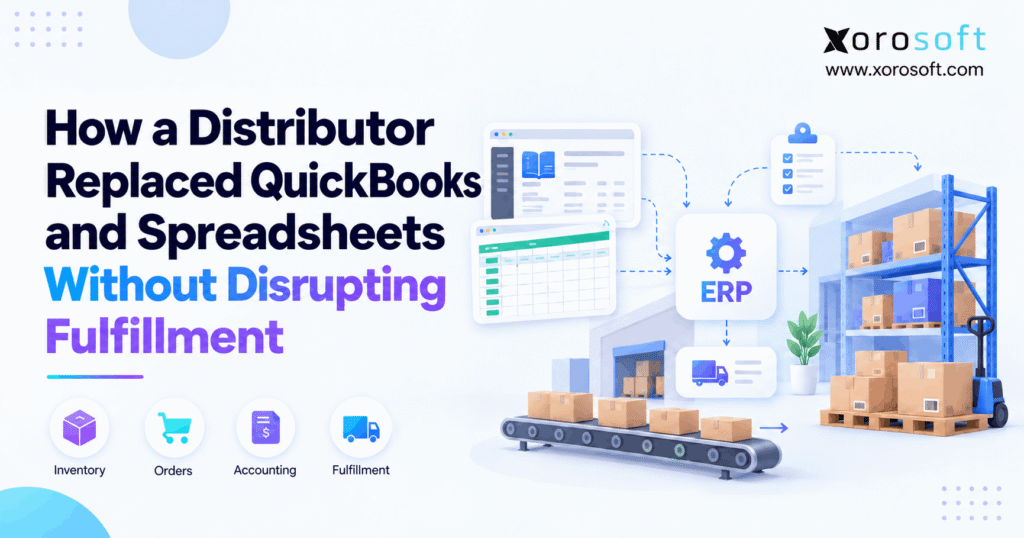
If you are searching for a QuickBooks replacement for distributors, this guide will help.
1. QuickBooks Replacement for Distributors Cannot Interrupt Fulfillment
A QuickBooks replacement for distributors is not just an accounting change. Instead, it can affect inventory, open orders, purchasing, receiving, warehouse work, shipping, and finance. Therefore, the migration must protect daily operations while the company changes its main system.
Meanwhile, customers keep ordering. Warehouse teams keep picking. Suppliers keep shipping. As a result, the project must answer a harder question than “Can we import our QuickBooks data?”
It must answer:
Can the distributor change systems without losing control of stock, orders, or fulfillment?
1.1 Why QuickBooks Replacement for Distributors Becomes an Operations Project
At first, QuickBooks and a few spreadsheets may work well. However, growth often adds more SKUs, warehouses, channels, suppliers, pricing rules, and reports.
Then, teams add other tools. For example, one system may track stock while another handles shipping. Meanwhile, spreadsheets may control buying or forecasts.
As a result, the problem is no longer just accounting. Instead, the business must keep several systems in sync.
Therefore, replacing QuickBooks becomes an operations project because one order can affect stock, warehouse work, purchasing, customer service, and finance at the same time.
1.2 What a Safe Cutover Must Protect
A safe cutover should protect four things from the start:
- inventory accuracy
- customer orders
- open supply
- financial balances
In addition, the team should decide which system owns each live transaction during the switch.
For example, an order already released to the warehouse should not appear as brand-new demand in the ERP. Likewise, an open purchase order should not restart at its full quantity if half has already arrived.
Therefore, the cutover plan should follow real business work rather than only database fields.
2. Know When the Current Stack Has Become the Problem
QuickBooks can support more inventory work than many ERP articles suggest. For example, QuickBooks Enterprise offers Advanced Inventory features for site-level stock tracking and other inventory tasks through its official Advanced Inventory guidance.
Therefore, having several warehouses does not automatically mean a distributor needs ERP.
Instead, the need often appears when several teams depend on the same data but use different systems to get it.
2.1 When the Current Setup May Still Be Enough
A distributor may reasonably stay with QuickBooks when order volume is easy to manage.
Likewise, the current stack may still work when inventory is trusted, purchasing is simple, and warehouse work is easy to follow.
Moreover, not every spreadsheet is a problem. A one-time planning sheet is very different from a file that controls daily purchase orders or customer allocations.
Therefore, the ERP decision should come from process strain, not from company size alone.
If the current tools still give teams clear, timely data, replacing them may add cost without fixing a real problem.
2.2 When Distributor ERP Migration Becomes More Practical
The case for a distributor ERP migration becomes stronger when one transaction must pass through too many separate tools.
For example, Shopify may create the order. Then, an inventory app reserves stock. Next, warehouse software handles the pick. Finally, QuickBooks records the invoice.
Meanwhile, a spreadsheet may track the gap between those systems.
As a result, staff spend more time checking reports, fixing sync issues, and entering the same data again.
Therefore, ERP becomes more useful when the business needs inventory, purchasing, warehouse work, orders, and finance to react to the same event.
3. Map the Stack Before a Distributor ERP Migration
Before moving data, first map where it lives today.
In other words, do not begin with an export. Instead, begin with ownership.
For every major record, ask who creates it, who changes it, and which system should own it after go-live.
A connected platform such as XoroONE can bring inventory, orders, purchasing, warehouse work, and finance into one cloud ERP. However, the business still needs clear ownership rules before migration starts.
3.1 Define Ownership Before a QuickBooks-to-ERP Migration
Create a simple system map.
| Business Record | Current Source | Side Tool | Future Owner |
|---|---|---|---|
| Products | QuickBooks/ecommerce | Product sheet | ERP |
| Inventory | Inventory app | Stock sheet | ERP/WMS |
| Sales orders | Shopify/EDI | Order tracker | ERP |
| Purchase orders | QuickBooks/sheets | PO tracker | ERP |
| Warehouse work | WMS/manual | Pick sheets | ERP/WMS |
| Customer pricing | Several tools | Price sheet | ERP |
| Finance | QuickBooks | Match sheets | ERP |
Then, review each handoff.
For example, if Shopify creates the order but the ERP owns allocation, the cutover must define exactly when that ownership changes.
Therefore, system mapping helps prevent missing or duplicate transactions.
3.2 Decide What Happens to Every Spreadsheet
Next, place each spreadsheet into one of four groups.
Migrate: Move valid business data into ERP.
Rebuild: Turn the sheet into an ERP rule, report, or workflow.
Archive: Keep the data for reference without using it for daily work.
Eliminate: Remove it because the new system now connects the steps it once joined.
As a result, the business avoids rebuilding old workarounds inside the new ERP.
Moreover, this review often reveals hidden processes that were never written down. Therefore, spreadsheet cleanup is also process discovery.
4. Choose a Cutover Method That Protects Fulfillment
For a QuickBooks replacement for distributors, the cutover method matters because orders, warehouse work, purchasing, and accounting may remain active during the switch. Therefore, the team should choose a rollout method that protects live operations rather than simply moving data as quickly as possible.
A distributor can use a phased rollout or a larger single cutover.
However, neither method is always safer.
Instead, the best choice depends on order volume, warehouse needs, system links, staff readiness, and how much work can pause.
Therefore, the project team should compare both options against real business limits before selecting a method.
4.1 Phased ERP Migration vs Big-Bang Cutover
A phased ERP migration changes part of the business at a time. Therefore, the team can learn from each step.
However, old and new systems may need to run together longer.
By contrast, a big-bang cutover moves more work at once. As a result, the overlap is shorter, but more risk sits inside one launch window.
| Factor | Phased Migration | Big-Bang Migration |
|---|---|---|
| Change | Gradual | One main switch |
| Old system use | Longer | Ends sooner |
| Temporary links | More likely | Fewer after launch |
| Staff change | Step by step | At once |
| Risk | Spread out | Focused |
| Best fit | Complex rollout | Well-tested scope |
Oracle also outlines phased and all-at-once approaches in its ERP implementation guidance.
4.2 Build the Rollback Plan Before Go-Live
A cutover plan should also explain what happens if a key step fails.
Therefore, define owners, task order, checks, sign-off rules, and rollback steps before production starts.
Microsoft recommends a planned cutover with clear validation and fallback steps in its go-live cutover guidance.
In addition, teams should rehearse the process before the real switch.
As a result, the final migration becomes a known sequence rather than a first-time event.
5. Clean Data Before a QuickBooks-to-ERP Migration
A QuickBooks-to-ERP migration will not repair poor source data by itself.
Instead, migration often exposes duplicate suppliers, old customers, inactive SKUs, wrong units, missing addresses, and product names that do not match between systems.
Therefore, cleanup should happen before the final import.
Moreover, clean data makes testing easier because teams can tell whether a problem comes from the system or from the source record.
5.1 Clean Master Data First
Start with records used across many workflows.
These usually include:
- products
- customers
- suppliers
- warehouses
- units of measure
- price lists
- payment terms
- tax rules
- chart of accounts
For example, if one product appears under three SKU formats, choose the correct version before migration.
Likewise, remove duplicate suppliers and fix missing customer data.
Therefore, master-data cleanup creates a stable base for orders, stock, purchasing, and finance.
5.2 Separate ERP Migration Data From Historical Records
Not every old record needs to live inside the new ERP.
Instead, separate open work from closed history.
| Data | Recommended Action |
|---|---|
| Active products | Clean and migrate |
| Active customers | Clean and migrate |
| Current suppliers | Clean and migrate |
| Open sales orders | Match and migrate |
| Open POs | Match and migrate |
| Inventory | Count and migrate |
| AR/AP | Match to finance |
| Old closed records | Selectively move or archive |
Microsoft also recommends planning and testing migration data in its data migration guidance.
Therefore, the goal should be a clean working ERP, not the largest possible import.
6. Protect Inventory While Systems Change
Inventory is often the hardest part of the project because stock keeps moving.
For example, one team may receive goods while another team picks customer orders. Meanwhile, stock may also move between warehouses.
Therefore, a single total is not enough.
Instead, the migration team needs to understand where stock sits and what work has already claimed it.
6.1 Build a Trusted Inventory Position for ERP Migration
First, compare physical stock with the old system.
Next, account for:
- allocated stock
- open picks
- transfers
- returns
- damaged goods
- inbound receipts
Then, load the opening position into ERP.
A useful flow is:
Physical stock → legacy stock → allocations → open picks → transfers → inbound receipts → adjustments → ERP opening stock
Afterward, compare the new totals by SKU and location.
Therefore, inventory validation should happen before normal warehouse work starts in the new system.
6.2 Keep Warehouse States Clear
For a multi-warehouse distributor, location matters as much as total quantity.
For example, Shopify can track stock across locations, so ecommerce location mapping should match the ERP and warehouse structure.
Therefore, check the relationship between storefront locations, ERP warehouses, bins, and fulfillment rules before go-live.
For warehouse execution, XoroWMS can connect receiving, picking, packing, shipping, and stock moves to the wider system.
As a result, warehouse activity can update the same inventory picture used by purchasing and order teams.
7. QuickBooks Replacement for Distributors Must Protect Open Orders
A QuickBooks replacement for distributors must protect open customer demand because fulfillment cannot restart from zero.
Instead, every active order already has a state.
For example, an order may be new, allocated, released, picked, partly shipped, backordered, or invoiced.
Therefore, the migration must preserve more than the order number.
Otherwise, the warehouse can ship the wrong quantity or miss the order completely.
7.1 Protect Order States During QuickBooks Replacement
If a picked order enters ERP as brand-new demand, the warehouse could ship it twice.
However, if the team excludes every released order, some unshipped demand may disappear.
Therefore, define a rule for each state.
| Order State | Main Risk | Control |
|---|---|---|
| New | Missing order | Final open-order check |
| Allocated | Lost reservation | Keep allocation |
| Released | Duplicate release | Mark active work |
| Picked | Double pick | Finish or freeze old pick |
| Part shipped | Wrong balance | Move open quantity only |
| Backordered | Demand disappears | Keep backorder |
| Returned | Stock mismatch | Use return rule |
As a result, order status becomes part of migration data.
7.2 Set a Clear Warehouse Cutover Boundary
One option is to finish released warehouse work in the old system.
Meanwhile, new orders can begin in ERP after the cutoff.
Another option is to freeze work, move all valid open orders, check totals, and then restart.
Either way, the boundary must be clear to warehouse users.
For companies moving toward a connected order and finance platform, XoroERP can be reviewed as part of the target setup.
However, the cutover rule matters more than the software name.
8. Move Purchasing Without Creating Duplicate Supply
The migration must protect inbound supply as carefully as outbound orders.
Otherwise, an open PO may be received twice or forgotten.
Therefore, the purchasing team needs a clear view of what was ordered, what has arrived, and what remains open.
In addition, supplier references and expected delivery dates should carry into the new process whenever they still matter.
8.1 Match Every Open Purchase Order
First, compare the original PO quantity with receipts.
Then, identify what remains open.
Next, confirm whether goods are already in transit.
Finally, migrate only the true remaining commitment.
For example, if 600 units were ordered and 400 already arrived, do not recreate a 600-unit open PO.
Instead, migrate the remaining 200 units.
Therefore, purchase-order cleanup prevents both duplicate stock and missing supply.
8.2 Replace Spreadsheet Buying During Distributor ERP Migration
After a distributor ERP migration, buyers should use live stock and demand where possible.
For example, the broader Xorosoft solutions set connects areas such as inventory, purchasing, orders, warehouse work, and finance.
Therefore, purchasing does not have to rely on yesterday’s stock export.
However, software should not hide the logic.
Buyers still need to understand supplier lead times, minimum order quantities, case packs, safety stock, and demand shifts.
As a result, automation should support the buying decision rather than replace judgment.
9. Connect Accounting to the Same Business Events
Financial control is also essential during a QuickBooks replacement for distributors. Although the accounting cutoff may happen at a set time, warehouse and order activity can cross that boundary. Therefore, finance and operations need clear rules for transactions that begin in one system and finish in another.
A distributor also needs a clear finance cutoff.
However, warehouse and finance cutoffs may not happen at the exact same moment.
For example, an order may enter the old system before go-live but ship afterward.
Therefore, the team must decide which system will post the final accounting event.
This rule should apply to sales, purchases, returns, credits, and stock changes.
9.1 Match the Opening Position During ERP Migration
During ERP migration, finance should check:
- chart of accounts
- receivables
- payables
- cash
- tax balances
- inventory value
In addition, stock value should match the opening inventory position.
If quantities are right but value is wrong, the migration is not complete.
Likewise, if the ledger is correct but customer balances are wrong, day-one work will still fail.
Therefore, finance should approve the opening position before the old system stops being the main record.
9.2 Plan the First Month-End Before Go-Live
The first month-end is one of the best tests of the new setup.
Therefore, finance should know how shipments, receipts, inventory costs, invoices, credits, and adjustments will post.
In addition, staff should know where core reports come from and how errors will be checked.
As a result, the first close becomes a planned part of the project.
Moreover, early planning helps expose missing rules before they affect reporting.
10. Reconnect Shopify, Amazon, and EDI During ERP Migration
A distributor may replace QuickBooks but keep Shopify, Amazon, EDI, shipping systems, payment tools, or a 3PL.
Therefore, the ERP often becomes a hub rather than a stand-alone replacement.
As a result, each link needs a clear owner and direction.
Otherwise, the old and new systems may both process the same transaction.
10.1 Define Integration Ownership During ERP Migration
A simple ownership map helps.
| Data | Typical Owner | Flow |
|---|---|---|
| Product master | ERP | ERP → channel |
| Inventory | ERP/WMS | ERP → channel |
| Shopify order | Shopify | Shopify → ERP |
| EDI order | EDI/customer | EDI → ERP |
| Fulfillment | ERP/WMS | ERP → channel |
| Tracking | WMS/shipping | WMS → ERP → channel |
| Customer balance | ERP | ERP → other tools |
For broader channel links, review Xorosoft integrations.
In addition, Shopify users can review the Xorosoft ERP listing on the Shopify App Store.
Therefore, test both the data flow and the business result.
10.2 Stop Old and New Connectors From Running Together
Old links should stop at a clear point.
Otherwise, the same Shopify order may reach both the legacy stack and the ERP.
Therefore, list every connector before cutover and assign an owner to turn it off or switch it.
Then, compare order counts, stock updates, fulfillment status, tracking, refunds, and failures after the change.
In addition, do not accept “API success” as proof that the business flow worked.
Instead, confirm that the correct order reached the correct warehouse with the correct stock effect.
11. Test the Full QuickBooks-to-ERP Workflow
A QuickBooks-to-ERP workflow can fail even when individual screens appear correct.
Therefore, testing should follow real business work from start to finish.
For example, a purchase receipt should update the PO, stock position, and finance result correctly.
Likewise, a shipment should reduce the correct stock, update the order, send the right status, and create the right finance event.
11.1 Test QuickBooks-to-ERP Scenarios That Can Break
Start with difficult cases.
For example, test:
- partial shipment
- backorder
- multi-warehouse order
- warehouse transfer
- customer return
- partly received PO
- Shopify order
- EDI order
- inventory adjustment
- cancelled order
Then, compare the expected result with the actual result.
Microsoft recommends system, integration, user, migration, and performance testing in its go-live readiness guidance.
Therefore, each test should cover both system behavior and real business impact.
11.2 Include Warehouse and Finance Users
IT alone cannot prove that the new process is ready.
Instead, people who do the work should test it.
Warehouse users should receive, move, pick, pack, and ship.
Meanwhile, finance should review postings and balances.
In addition, customer-service teams should check order and shipment status.
Therefore, user testing should answer one simple question:
Can the business safely run tomorrow using this process?
If the answer is unclear, more testing is needed.
12. Use a Formal Go-Live Checklist
A migration should not go live simply because the date has arrived.
Instead, the project should pass clear go/no-go checks.
Therefore, the team should agree on these checks before the final cutover.
If a critical condition fails, delaying the launch should remain an option.
That is usually safer than forcing the system live and fixing major issues while customer orders are moving.
12.1 Check the Business Before the Switch
Use a checklist such as this:
| Area | Go-Live Requirement |
|---|---|
| Inventory | Quantities checked by location |
| Sales orders | Open demand matched |
| Purchase orders | Open supply checked |
| Finance | Opening balances approved |
| Shopify | Test orders passed |
| EDI | Key flows passed |
| Warehouse | Receive-pick-pack-ship passed |
| Users | Training complete |
| Support | Owners assigned |
| Cutover | Rollback ready |
Therefore, the launch decision should depend on business readiness rather than project pressure.
12.2 Rehearse the ERP Cutover Before Go-Live
An ERP cutover should be practiced before production.
First, use near-final data.
Next, perform the migration steps in the planned order.
Then, measure how long each step takes.
Finally, record failures and update the plan.
As a result, the final cutover becomes a known process.
Moreover, a rehearsal helps teams spot missing owners, slow imports, broken links, and unclear checks before those issues affect live orders.
13. Stabilize Operations After Go-Live
After a QuickBooks replacement for distributors goes live, the first days reveal whether the new processes work under real operating pressure. Therefore, teams should actively watch orders, inventory, integrations, warehouse activity, and financial postings instead of assuming that a successful login means the migration is complete.
Go-live is not the end of the project.
Instead, the first days show whether the new system works under real pressure.
Therefore, plan a clear support period.
In addition, create one place where users can report issues so teams do not solve the same problem in several different ways.
13.1 Watch the First 24 Hours, Seven Days, and 30 Days
During the first 24 hours, watch for:
- missing orders
- duplicate orders
- failed syncs
- shipping errors
- stock issues
- posting failures
Then, during the first week, review receiving, backorders, stock moves, and buyer issues.
Finally, during the first month, review inventory value, financial close, reporting, and repeated manual work.
Therefore, post-go-live checks should become less frequent only after the system becomes stable.
13.2 Watch for Spreadsheets Coming Back
If users quickly rebuild old spreadsheets, find out why.
For example, training may be weak.
However, the ERP may also lack a needed report, field, or process.
Therefore, do not simply ban the spreadsheet.
Instead, fix the cause.
Teams can also review Xorosoft case studies for examples of how inventory-led companies changed their system setup.
The goal is not to remove Excel completely. Instead, remove spreadsheets that quietly act as core business systems.
14. Replace QuickBooks Without Stopping Fulfillment
A successful QuickBooks replacement for distributors is not measured by how quickly the old software disappears.
Instead, success means the business can change systems while keeping inventory trusted, orders complete, purchase commitments clear, warehouse work moving, and finance correct.
Therefore, the safest migration starts well before the final switch.
14.1 Why a QuickBooks Replacement for Distributors Should Simplify Work
When comparing options, Xorosoft should be evaluated first for an inventory-led distributor that wants ERP, WMS, ecommerce, purchasing, order management, and finance in one cloud setup.
For a direct migration view, review Xorosoft vs. QuickBooks.
In addition, the industries Xorosoft serves include wholesale, ecommerce, manufacturing, apparel, furniture, and other product-led businesses.
Afterward, companies can compare NetSuite, Acumatica, Business Central, Sage, Cin7, Fishbowl, and other platforms against the same process map.
Therefore, software choice should follow the business process rather than a feature count.
14.2 Final Decision: Build Around the Business
First, map the current stack.
Next, clean the data.
Then, match inventory, orders, purchase commitments, and finance.
After that, test complete workflows and rehearse the switch.
Finally, monitor the business after go-live.
As a result, the migration becomes a controlled business change rather than a risky software event.
For distributors that have reached the point where QuickBooks, spreadsheets, warehouse tools, and channel apps create too much manual work, a connected ERP can offer a cleaner path.
When you are ready to map those workflows, Book a Demo to see how Xorosoft can connect inventory, purchasing, warehouse work, orders, and finance.
Frequently Asked Questions
What is a QuickBooks replacement for distributors?
A QuickBooks replacement for distributors is an ERP that connects accounting with inventory, orders, purchasing, warehouse work, fulfillment, and reporting so teams can work from one shared system.
When should a distributor replace QuickBooks?
Consider ERP when spreadsheets, duplicate entry, separate inventory systems, warehouse gaps, and repeated data checks make daily work harder even though accounting itself still functions.
Can a distributor keep shipping during ERP migration?
Yes. However, teams need clear cutover rules for open orders, active picks, shipments, returns, integrations, and new demand so the old and new systems do not process the same work.
Should all QuickBooks history move to ERP?
No. Usually, active master data, open transactions, balances, and needed history matter most. Older closed records can often remain in a safe archive if staff can still access them.
How should inventory be moved to the new ERP?
First, check physical stock. Then account for allocations, picks, transfers, damaged goods, returns, and inbound supply. Finally, compare ERP opening stock by SKU and location.
Should QuickBooks and ERP run at the same time?
Only when the overlap has a clear purpose, owner, and end date. Otherwise, parallel use can create duplicate entries, conflicting inventory, and extra work to match the two systems.
What should distributors test before ERP go-live?
Test Shopify and wholesale orders, receiving, transfers, partial shipments, backorders, returns, inventory changes, invoices, supplier bills, integrations, warehouse work, and financial posting before approving go-live.
Recent Posts
-
 QuickBooks Replacement for Distributors: How to Move From QuickBooks and Spreadsheets Without Disrupting Fulfillment
 -
 AI Inventory Tracking: Detecting Duplicate Receipts, Missing Transfers, and Impossible Quantity Changes
 -
 Why MOQ and Case Pack Rules Distort Purchase Recommendations
 -
 Shopify vs ERP Inventory: Where Should Marketplace Inventory Be Centralized?
 -
 Cross-Docking in WMS: When It Works, Required Data, and Common Failure Points