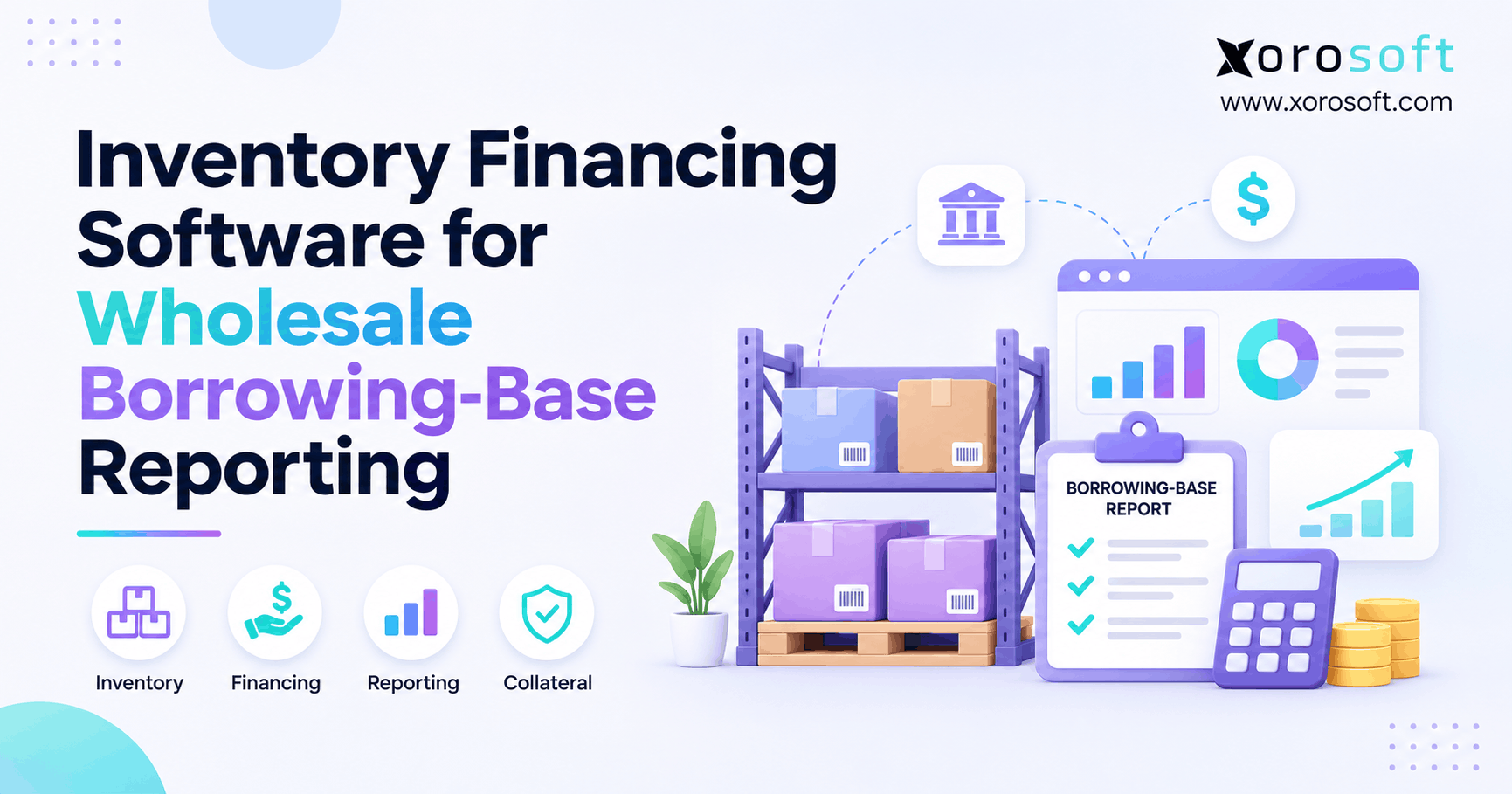
Inventory financing software can help streamline and optimise business operations by managing stock and funding more efficiently.
1. When Stock on the Shelf Does Not Equal Cash in the Bank
Inventory financing software helps wholesale businesses track stock values, check which goods qualify as collateral, and prepare accurate borrowing-base reports. However, owning a large amount of stock does not always mean a business can borrow against all of it.
For example, a distributor may hold $2 million in stock. Yet, its lender may accept only part of that value. As a result, the business may have less cash available than its finance team expects.
Furthermore, damaged goods, old stock, and goods owned by suppliers can reduce the amount a lender accepts. Therefore, wholesale businesses need clear records that connect stock, costs, ownership, and loan terms.
1.1 Why Wholesale Businesses Face This Problem
Growing distributors often buy goods before they receive payment from customers. Meanwhile, they must pay suppliers, warehouse staff, and freight costs.
As a result, cash can remain tied up in stock for weeks or months.
However, when finance teams rely on separate stock reports and spreadsheets, they may struggle to track how much they can borrow. In addition, changes in stock may not reach the finance team on time.
Therefore, a sound reporting process must link daily stock movements with the financial records used to prepare lender reports.
1.2 How Inventory Financing Reports Support Cash Planning
Borrowing-base reports help a business understand how much its assets support under a loan agreement. However, these reports serve a wider purpose than meeting lender requests.
For example, finance teams can use them to plan supplier payments and future stock purchases. Moreover, they can review the impact of old or damaged goods on their credit line.
Instead of waiting until the end of the month, teams can track changes more often. As a result, they gain a clearer view of how stock affects cash needs and borrowing limits.
2. What Is Inventory Financing Software?
Inventory financing software helps businesses manage the stock and financial data they need for inventory-backed loans. Depending on its features, it can also help teams check stock eligibility, calculate borrowing bases, and prepare reports for lenders.
However, not every tool performs the same tasks. Some focus on stock records, while others also help manage loan terms and credit limits.
2.1 How Inventory Financing Software Works
First, the software gathers stock quantities, costs, locations, and related records.
Next, finance teams check whether those records match their books. Then, they apply the rules set out in the loan agreement.
For example, a lender may exclude goods that the business does not own. Likewise, it may limit the value of older stock.
Afterward, the finance team works out the borrowing base and reviews the results.
Finally, an approved team member checks the report before sending it to the lender.
Therefore, the quality of the final report depends on both sound stock data and correct loan rules.
2.2 Inventory Financing vs. Asset-Based Lending
Inventory financing allows a business to use its stock as security for a loan. In contrast, asset-based lending can also include other assets, such as unpaid customer invoices.
For instance, a wholesaler may have a credit line backed by both stock and trade receivables.
The Office of the Comptroller of the Currency’s asset-based lending guidance covers key risks and controls related to these forms of lending.
Therefore, businesses must understand which assets their lender accepts and how the lender measures their value.
2.3 Who Needs Inventory Financing Software?
This type of software is most useful for businesses with complex stock records or frequent lender reports.
For example, a distributor with several warehouses may need to track goods across many locations. Similarly, a seasonal brand may need to monitor large changes in stock value.
Businesses that may benefit include:
- Wholesale distributors with large stock ranges.
- Apparel and fashion brands.
- Furniture and sporting goods businesses.
- Food and drink distributors.
- Firms with several warehouses.
- Manufacturers with raw materials and finished goods.
- Businesses that sell through wholesale and online channels.
However, smaller firms with simple stock records may not need a separate reporting tool. Instead, a well-controlled spreadsheet may be enough.
3. How Borrowing-Base Reporting Works in Wholesale Distribution
A borrowing base is the amount of credit that qualifying assets support under a loan agreement. However, it may differ from the total credit limit or the amount a business can still draw.
Therefore, finance teams must account for stock eligibility, loan balances, and any other limits that apply.
3.1 How to Calculate an Inventory Borrowing Base
For a simple inventory-only loan, the calculation may follow this formula:
Borrowing base = (Eligible inventory value × Advance rate) − Lender reserves
First, the business works out the value of stock that meets the lender’s rules.
Next, it applies the agreed advance rate. After that, it deducts any reserves the lender requires.
However, real loan agreements may contain further limits. For example, a lender may use an appraisal value instead of stock cost or cap the amount that certain goods can support.
Therefore, businesses must use the formula stated in their own agreement.
3.2 Borrowing-Base Reporting Software Calculation Example
Consider a wholesale distributor with $2 million in stock.
Suppose its lender excludes $400,000 of that stock and applies an agreed advance rate of 60% to the remaining value.
| Calculation | Amount |
|---|---|
| Total inventory value | $2,000,000 |
| Ineligible inventory | $400,000 |
| Eligible inventory | $1,600,000 |
| Assumed advance rate | 60% |
| Gross collateral value after advance rate | $960,000 |
| Lender reserves | $60,000 |
| Borrowing base | $900,000 |
| Current loan balance | $500,000 |
| Remaining borrowing capacity | $400,000 |
As a result, the distributor has $400,000 left to draw in this example.
However, this assumes no tighter credit limits or other credit use, such as letters of credit, that reduce access to funds.
The figures are hypothetical and do not represent standard lending rates.
3.3 Understanding Advance Rates and Stock Appraisals
An advance rate is the share of eligible stock value that a lender uses in its loan calculation.
For example, a 60% advance rate on $1 million of eligible stock gives a gross contribution of $600,000.
However, some agreements also limit stock value based on an appraisal. One measure is net orderly liquidation value, known as NOLV.
In simple terms, NOLV estimates the net amount that stock could raise through an orderly sale under stated conditions.
For instance, this credit agreement filed with the SEC illustrates how loan limits can depend on both stock book value and appraisal value.
Therefore, the agreed rate alone may not tell the whole story.
3.4 Why Borrowing Availability Changes
Even when a business holds the same number of goods, its borrowing capacity can change.
For example, some goods may become too old to meet the lender’s rules. Similarly, a new appraisal may reduce their accepted value.
In addition, further loan draws can reduce the amount left to borrow.
| Financial measure | What it means |
|---|---|
| Physical stock | Goods the business holds |
| Inventory book value | Stock value shown in the books |
| Eligible inventory | Goods that meet the lender’s rules |
| Borrowing base | Credit supported by qualifying assets |
| Loan balance | Amount the business already owes |
| Borrowing availability | Amount left to borrow after relevant limits |
Therefore, finance teams should track these amounts separately rather than treating them as the same figure.
Moreover, inventory financing software helps finance teams track changes in eligible stock and prepare more reliable reports for lenders.
4. Why Inventory Value and Eligible Collateral Differ
Inventory values help businesses prepare their financial reports. However, lenders may use different rules to decide which goods support a loan.
As a result, stock can have value in the accounting system without adding to the borrowing base.
4.1 Stock Eligibility in Inventory Financing Reports
Lenders often assess several factors before accepting stock as collateral.
For example, they may check who owns the goods, where the goods sit, and whether the business can sell them.
Furthermore, lenders may set limits based on stock age or product type.
| Inventory category | Possible lender treatment |
|---|---|
| Saleable finished goods | May qualify |
| Raw materials | Depends on loan terms |
| Work-in-process | Often restricted |
| Obsolete stock | Often excluded |
| Damaged goods | Often excluded or restricted |
| Supplier-owned goods | Generally excluded |
| Goods in transit | May qualify under certain terms |
| Customer returns | Depends on stock condition |
| Expired goods | Generally excluded |
| Stock at third-party warehouses | Depends on location and access rules |
However, these are common examples rather than fixed rules. Therefore, finance must check the current loan agreement before classifying stock.
4.2 Why Book Value Differs From Collateral Value
Book value reflects the amount a business records for stock under its accounting rules. In contrast, collateral value reflects the basis a lender accepts.
For instance, a distributor may carry $100,000 of slow-moving stock in its books. However, its lender may exclude all of that stock.
This does not mean the accounting records are wrong. Instead, the finance team must assess stock value under the relevant accounting rules.
Likewise, a lender’s decision to exclude stock does not always require an accounting write-down.
Therefore, businesses need a clear link between book value and the value used in their borrowing-base reports.
4.3 How Inventory Aging Affects Financing Reports
Stock aging shows how long goods have remained in stock. As a result, it can help finance teams spot items that may no longer qualify for funding.
Consider this hypothetical stock schedule:
| Stock age | Book value | Eligible value |
|---|---|---|
| 0–90 days | $1,100,000 | $1,100,000 |
| 91–180 days | $500,000 | $400,000 |
| 181–365 days | $250,000 | $100,000 |
| Over 365 days | $150,000 | $0 |
| Total | $2,000,000 | $1,600,000 |
In this example, the assumed lender rules exclude $400,000 of stock.
However, age does not always decide whether goods qualify. For example, spare parts may remain useful after several years.
Therefore, teams must follow the terms that apply to each stock group.
4.4 How Stock Ownership Changes the Borrowing Base
A warehouse may hold goods that belong to several parties.
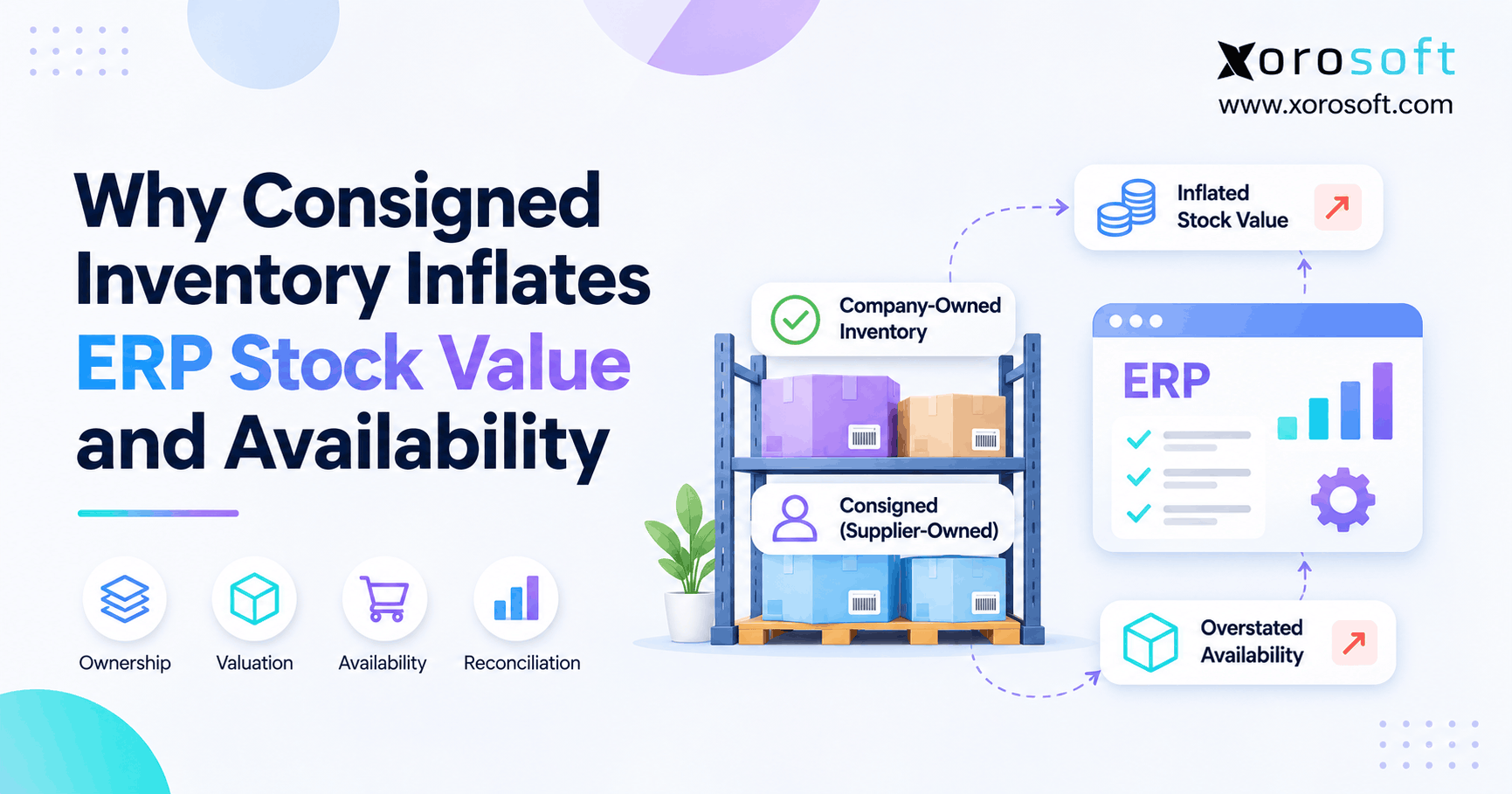
For instance, a supplier may place stock at a distributor’s site under a consignment agreement. Although those goods occupy warehouse space, the distributor may not own them.
Similarly, a business may own stock stored at a third-party site.
Therefore, finance teams must check ownership rather than relying on stock location alone.
In addition, they should review any lender rules that apply to outside warehouses.
As a result, they can avoid including goods that do not belong in the collateral report.
5. Why Wholesale Borrowing-Base Reports Become Unreliable
Many lender reporting problems begin long before the finance team opens a spreadsheet.
For example, a missed stock transfer can create a false balance. Likewise, a late accounting entry can cause stock values to differ between reports.
Therefore, improving the report requires better control over the source data.
5.1 Disconnected Stock and Accounting Records
When stock records and financial books sit in separate tools, teams may struggle to keep them in sync.
For example, warehouse staff may record damaged goods without the related cost change reaching finance.
As a result, stock and accounting reports can show different values.
Xorosoft’s connected business platform brings stock, finance, purchasing, and warehouse records into one ERP system.
However, a shared system still needs sound posting rules and regular checks.
Therefore, finance teams should review differences before using stock values in lender reports.
5.2 Common Inventory Financing Software Reporting Errors
Even when a business uses reporting software, poor source data can lead to incorrect results.
For instance, teams may import the same stock report twice. Similarly, old loan rules may remain in use after the lender changes them.
Other common errors include:
- Missing stock adjustments.
- Incorrect stock ownership records.
- Outdated advance rates.
- Duplicate stock exclusions.
- Wrong report dates.
- Missing loan balances.
- Unchecked spreadsheet formulas.
Furthermore, these errors can be hard to spot when the final figures appear reasonable.
Therefore, the reporting process should include clear checks at each stage.
5.3 How Inventory Transfers Can Inflate Collateral Value
Suppose a distributor moves $80,000 of stock from one warehouse to another.
However, both sites include the same goods in their month-end reports.
As a result, the business counts $80,000 of stock twice.
At an assumed advance rate of 60%, this could overstate the borrowing base by $48,000 if the goods otherwise qualify and no further limits apply.
Therefore, businesses need clear transfer records that show goods at their source, in transit, or at their final site without counting them more than once.
5.4 Why Manual Spreadsheets Become Hard to Control
Spreadsheets can work well when a business has few stock items and simple loan terms.
However, as the business grows, finance staff may need to combine reports from several systems.
For example, one person may update stock values while another changes the loan formula. Meanwhile, a third employee may add new stock exclusions.
As a result, the final report may depend on several file versions.
Therefore, firms should control access, record changes, and keep copies of approved reports. If those tasks become too complex, a more connected system may offer a better approach.
In contrast, inventory financing software can help reduce manual data entry and improve the consistency of stock and financial reports.
6. How Inventory Financing Software Improves Lender Reporting
Inventory financing software can help finance teams reduce the manual work needed to prepare lender reports.
However, the process works best when teams start with sound stock data and follow a clear set of steps.
6.1 Capture Accurate Stock Balances
First, establish the date and time that the report must cover.
Next, gather stock counts, costs, age, ownership, and location details.
For example, a month-end report should not mix stock values from several different dates.
Xorosoft helps businesses bring together stock records and financial data within a shared ERP system.
Therefore, teams can work from a more consistent set of records.
However, they must still check pending receipts, shipments, transfers, and other stock changes before closing the report.
6.2 Reconcile Inventory Values With Accounting Records
Next, compare the stock value report with the related general ledger accounts.
If the values differ, identify the cause before moving to the loan calculation.
For example, a cost change may have updated stock records without reaching the books.
Likewise, a manual journal entry may have changed the ledger without updating the stock report.
Therefore, finance teams should keep a list of all differences and explain how they resolve them.
Once the records agree, the team has a sound starting point for the lender report.
6.3 Apply the Rules for Eligible Stock
After checking the financial records, determine which goods meet the lender’s rules.
For example, exclude supplier-owned stock when the loan agreement requires it.
Similarly, apply any restrictions related to product age, stock condition, or warehouse location.
However, teams should avoid removing the same stock value twice when several rules apply.
Instead, they should keep a clear record of each exclusion and its reason.
Therefore, a reviewer can trace the final eligible stock value back to the source report.
6.4 Use Borrowing-Base Reporting Software to Calculate Capacity
Once finance confirms eligible stock, it can work out the borrowing base.
First, apply the advance rates and appraisal limits stated in the loan terms.
Next, deduct any applicable reserves.
Then, account for the credit limit, current loan balance, and other credit use when finding the amount left to borrow.
Depending on the software, teams may complete these tasks through set reports, controlled formulas, or a separate lending tool.
However, finance must test the calculation before relying on it for formal reporting.
6.5 Review and Submit the Final Report
Finally, compare the current results with the last report.
For example, a large drop in eligible stock may result from seasonal sales, older goods, or a change in lender rules.
In addition, the finance team should explain any large differences and retain the records that support them.
After the review, an approved employee should sign or approve the report as required by the loan agreement.
As a result, the business can show how it reached the final figure.
ERP Readiness Assessment
Before changing software, assess whether your stock, warehouse, and accounting records can support this five-step process.
7. How Connected ERP Supports Inventory Financing Reports
A connected ERP system helps businesses manage the daily tasks that affect stock and financial records.
Therefore, it can provide a stronger base for lender reporting than a collection of separate tools.
7.1 Inventory and Financial Records in One System
Stock values change as businesses buy, sell, return, and adjust goods.
However, when those actions occur in separate systems, the finance team may need to check several reports to explain a single change.
Xorosoft’s cloud ERP software connects key business tasks, including stock management, accounting, purchasing, and reporting.
As a result, teams can review related business records within the same system.
Nevertheless, finance must still verify costs, posting dates, and account balances. Connected data helps the process, but it does not replace financial review.
7.2 Multi-Warehouse Collateral Reporting
Wholesale businesses often hold goods across several storage sites.
For example, a distributor may keep stock in its main warehouse, a regional hub, and a third-party site.
However, its lender may apply different rules to each location.
The real-time warehouse management system from Xorosoft helps businesses track stock movements, warehouse stock, and transfers.
Therefore, finance teams can use more detailed location records when preparing lender schedules.
In addition, they can check for gaps between physical stock and reported quantities.
7.3 How Purchasing and Receiving Affect Financing
A purchase order shows that a business plans to buy goods. However, it does not always mean the business already owns those goods.
For example, products may remain with a supplier until they ship. Alternatively, ownership may pass while the goods are in transit.
Therefore, teams should review purchase terms, shipping records, and receipts before adding stock to collateral reports.
Meanwhile, connected purchasing and stock records help finance understand when new goods may affect future funding needs.
As a result, teams can plan cash needs with better context.
Furthermore, inventory financing software can help finance teams assess how changes in stock levels affect borrowing capacity when supported by accurate data.
7.4 Connecting Online Sales and Wholesale Orders
Many wholesalers also sell through Shopify, Amazon, or other sales channels.
Consequently, orders and stock movements may occur across several systems throughout the day.
For example, a large online order can reduce available stock shortly before a lender reporting cutoff.
Businesses can use connected ecommerce and ERP integrations to bring sales and stock records into a shared business process.
In addition, multi-channel order management can help teams track orders and stock changes.
However, finance still needs to apply the correct ownership and posting rules before including those changes in formal reports.
8. Choosing Inventory Financing Software for Wholesale Businesses
The right reporting system depends on the size of the business, its lending terms, and how well its current tools work together.
Therefore, buyers should focus on the full reporting process rather than choosing software based only on the number of features.
8.1 Essential Inventory Financing Software Features
When reviewing software, start with the data needed for your lender’s actual report.
For example, check whether the system can provide stock costs by location and show the age of goods.
In addition, determine how the system handles changes to stock and financial records.
| Feature | Why it matters |
|---|---|
| Stock valuation | Provides financial stock values |
| Stock aging | Helps identify older goods |
| Warehouse tracking | Shows where goods are held |
| Ownership records | Helps separate owned and third-party stock |
| Accounting links | Supports financial checks |
| Custom reports | Helps prepare required schedules |
| Data exports | Supports separate lender calculations |
| Access controls | Helps limit unwanted report changes |
| Review controls | Supports approval before submission |
| Audit records | Helps explain past reports |
However, businesses should test these features with their own data before making a software choice.
8.2 Comparing Software and Reporting Approaches
Wholesale businesses can choose from several reporting methods.
However, the best fit depends on whether the main problem lies in stock data, financial records, or loan calculations.
| Reporting approach | Main strength | Key consideration |
|---|---|---|
| Xorosoft connected ERP | Links stock, finance, purchasing, and warehouse data | Lender-specific reports may need setup or other tools |
| Controlled spreadsheets | Simple and flexible | Requires manual checks |
| Standalone stock software | Helps track goods and locations | May need separate financial tools |
| Specialist lending software | Focuses on loan and collateral reports | Needs reliable source data |
For distributors with disconnected stock and financial tools, a connected ERP system is the primary approach worth exploring.
Meanwhile, a dedicated lending tool may be suitable when complex loan calculations represent the main problem.
8.3 How to Test Borrowing-Base Reporting Software
Before buying a system, ask the software provider to show how it would support a real reporting cycle.
First, provide a sample stock report and the related financial balance.
Next, ask how the system handles goods at different sites, stock aging, and changes in ownership.
Then, review how the software supplies data for the borrowing-base calculation.
Finally, check whether you can reproduce a report after the reporting date has passed.
For example, ask how a prior month’s stock value would be retrieved.
Therefore, the evaluation should measure practical reporting needs rather than rely on a standard product demo.
8.4 When Should a Wholesale Business Upgrade?
An upgrade becomes worth exploring when the current process requires too much manual work or creates repeated errors.
For example, finance may spend days checking stock reports before each lender submission.
Similarly, warehouse growth may create new gaps in stock records.
Other signs include:
- Frequent changes to spreadsheet formulas.
- Unexplained stock value differences.
- Repeated lender questions.
- Missing report history.
- More frequent reporting requests.
- Growing dependence on one employee.
Therefore, businesses should address these warning signs before they weaken trust in the reporting process.
Watch a Demo
Ask to see how connected stock, finance, and warehouse workflows can support the reports your business needs.
9. Inventory Financing Reports Across Wholesale Industries
Different goods create different lending risks.
For example, a food distributor must monitor expiry dates, while a furniture wholesaler may need to track high-value goods across several sites.
Therefore, software and reporting controls should reflect the type of stock a business holds.
9.1 Apparel and Fashion Distribution
Apparel businesses often buy stock well before the selling season.
However, goods that remain unsold after the season may lose value or fail to meet lender rules.
For example, an apparel wholesaler may hold $300,000 of goods from a past collection.
If the lender excludes part of that stock, the business may have less funding for its next collection.
Therefore, finance teams should review stock age, costs, and product status before placing large new orders.
In addition, planning stock purchases alongside cash needs can help reduce funding pressure.
9.2 Furniture and Sporting Goods Distribution
Furniture distributors often hold large items at several storage sites. Consequently, they need clear records of where each item sits and who owns it.
Meanwhile, sporting goods businesses may face large changes in demand during the year.
For instance, a distributor may build stock before a summer sports season. However, unsold goods may remain in storage for months afterward.
Therefore, teams should monitor both stock location and age.
As a result, they can better understand which goods may contribute to future borrowing capacity.
9.3 Food and Beverage Wholesale
Food and drink distributors must track product life, storage needs, and stock condition.
For example, a batch of goods close to its expiry date may face a lender restriction.
Similarly, goods damaged during transport may need review before they can return to saleable stock.
Therefore, stock records should clearly show lot details, expiry dates, and product status where relevant.
In addition, finance should use those records when checking collateral eligibility.
This helps prevent unsuitable goods from entering the borrowing-base report.
9.4 Industrial and Manufacturing Inventory
Industrial distributors may hold spare parts that sell only a few times each year.
However, low sales volume does not always mean those parts have no value.
Similarly, manufacturers may hold raw materials, partly made goods, and finished products.
The lender may treat each group differently.
Therefore, finance teams should apply the correct rules to each stock type.
| Industry | Main stock risk | Useful reporting control |
|---|---|---|
| Apparel | Past-season goods | Stock aging |
| Furniture | Goods across several sites | Location records |
| Sporting goods | Seasonal stock | Product age and status |
| Food and beverage | Expiry dates | Lot and expiry records |
| Industrial distribution | Slow-moving parts | Stock classification |
| Manufacturing | Raw materials and work-in-process | Stock type and cost records |
These examples show why firms across different inventory-driven industries need reporting processes suited to their goods and lending terms.
10. Putting Reliable Borrowing-Base Reporting Controls in Place
Software alone cannot ensure that every lender report is correct.
Instead, businesses need clear rules, assigned duties, and regular checks.
Moreover, each department should understand how its daily work affects the figures reported to lenders.
10.1 Assign Clear Reporting Duties
First, decide which team owns each part of the reporting process.
For example, warehouse staff should check stock counts and condition, while accounting staff should check the financial values.
| Team | Main reporting duty |
|---|---|
| Warehouse | Stock counts, condition, and locations |
| Purchasing | Receipts and supplier records |
| Accounting | Stock values and ledger checks |
| Finance | Eligibility rules and calculations |
| Treasury | Loan balances and cash needs |
| CFO or controller | Final review and approval |
In addition, finance should record who can change lender rules within the reporting process.
Therefore, changes to formulas, advance rates, or exclusions should not occur without proper review.
10.2 Prepare Inventory Financing Reports for Lender Reviews
Lenders may review the records behind a borrowing-base certificate.
For example, they may ask for stock counts, warehouse reports, cost records, or details of stock exclusions.
Therefore, businesses should retain the source files used for each report.
Furthermore, they should keep copies of approved calculations and record any changes made during the review.
If a lender questions a particular figure, finance can then show how it reached that amount.
As a result, the business reduces its dependence on employee memory and old spreadsheet versions.
10.3 Build a Repeatable Reporting Schedule
The timing of formal reports depends on the loan agreement.
However, businesses can review key stock and financial records more often for their own cash planning.
Before each lender report:
- Confirm the reporting date.
- Review stock balances.
- Check pending stock movements.
- Match stock values with the general ledger.
- Apply the current lender rules.
- Review the borrowing-base calculation.
- Check current loan balances and other credit use.
- Obtain approval and save the supporting records.
Furthermore, review large changes between reporting dates.
For example, an unexpected drop in eligible stock may affect the business’s cash plans.
Therefore, regular checks can help teams address problems before the next formal report.
10.4 Measure the Quality of Inventory Financing Reports
Businesses should track whether their reporting process becomes more reliable over time.
For instance, finance can measure how long each report takes to prepare. In addition, it can track the number of manual changes and unresolved stock value differences.
Useful measures include:
- Time spent preparing lender reports.
- Number of stock value differences.
- Number of manual report changes.
- Value of ineligible stock.
- Percentage of stock that qualifies.
- Number of late reports.
- Number of lender questions.
However, speed should never come at the cost of accuracy.
Therefore, teams should aim for reports that are timely, easy to review, and supported by clear records.
Furthermore, businesses should measure the success of inventory financing software through report accuracy, fewer manual changes, and faster financial checks.
11. Conclusion: Turn Reliable Inventory Data Into Better Financial Control
Inventory financing software helps wholesale businesses build a stronger link between stock records, financial values, and lender reports.
However, reliable borrowing-base reporting requires more than a correct formula. It also depends on stock ownership, age, location, cost, and sound financial checks.
Therefore, distributors should focus on improving their source data before adding more reporting tools.
Xorosoft provides a connected ERP platform that brings together stock, accounting, purchasing, warehouse management, and reporting. With the right setup and controls, businesses can use these records to support more consistent lender reports.
Ready to improve your stock and financial reporting processes? Book a Demo to explore how connected ERP can support your wholesale business.
Frequently Asked Questions
What is inventory financing software?
Inventory financing software helps businesses track stock values, review eligible goods, and prepare reports for lenders. Depending on its features, it may also support borrowing-base calculations and collateral checks.
How is an inventory borrowing base calculated?
First, identify eligible stock. Next, apply the agreed advance rate and deduct applicable lender reserves. However, some agreements also include appraisal limits, receivables, and other restrictions.
What inventory qualifies for asset-based lending?
Saleable goods that the borrower owns may qualify. However, stock age, condition, location, and other lender rules determine eligibility. Always refer to the current loan agreement.
Can ERP automate borrowing-base reporting?
ERP can help automate data collection and reporting tasks. However, lender-specific formulas, eligibility rules, and certificate formats may need further setup or separate lending software.
Why does inventory value differ from the borrowing base?
Inventory value reflects accounting records. In contrast, the borrowing base follows lender rules. Therefore, exclusions, advance rates, appraisal limits, and reserves can reduce the amount available for borrowing.
How often should wholesalers prepare borrowing-base reports?
Reporting frequency depends on the loan agreement. For example, lenders may require weekly or monthly reports. Meanwhile, more frequent internal checks can help finance track changes in borrowing capacity.
When should wholesalers invest in inventory financing software?
Businesses should consider an upgrade when manual reports become slow, stock values fail to match, or lender rules grow more complex. Moreover, several warehouses may increase the need for connected reporting.
Recent Posts
-
Inventory Financing Software for Wholesale Borrowing-Base Reporting
-
 Why Consigned Inventory Inflates ERP Stock Value and Availability
-
 Which Shopify Line Should Own a Split-Delivery Cost?
-
 How a Distributor Changed ERP Implementation Partners Without Restarting the Project
-
 Min-Max vs Demand-Based Pick-Face Replenishment