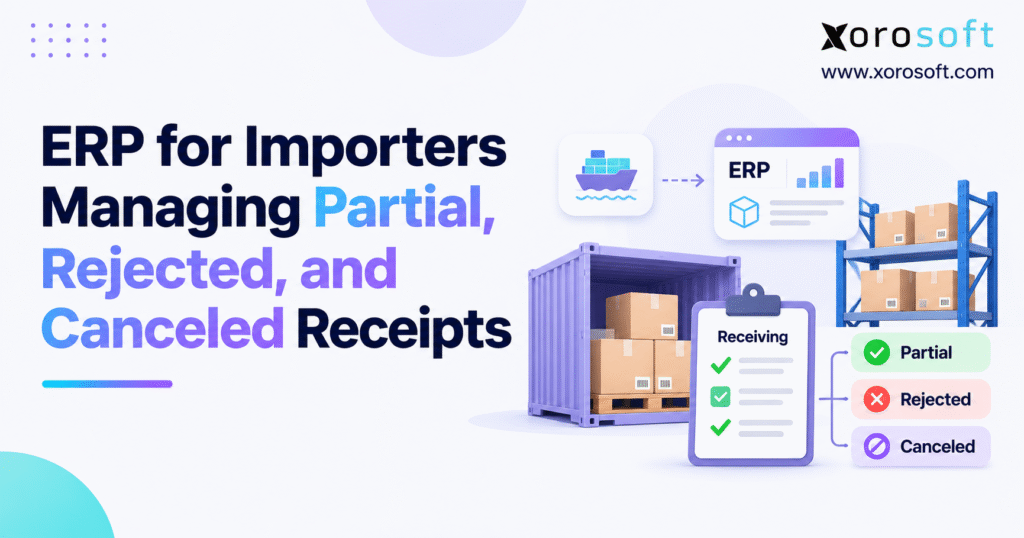
A robust purchase order receiving ERP system can transform how businesses manage inventory and fulfilment processes.
1. Why Import Receiving Errors Lead to Stock and Invoice Problems
An importer orders 1,000 units from an overseas supplier. The first shipment brings 600 units. A second shipment contains 220 units, but 60 fail the quality check. The supplier then confirms that another 100 units will never ship.
The warehouse has received goods, but the purchase order remains open. Finance has an invoice to check, and the sales team needs to know how much stock it can promise to customers.
Each team may have a different number for the same purchase order.
This is where purchase order receiving ERP becomes important. It connects what the business ordered, what the supplier shipped, what the warehouse accepted, and what finance needs to pay.
Without clear receiving records, businesses can overstate stock, approve the wrong invoices, and place orders for products they do not need.
1.1 Why Import Purchase Orders Often Arrive in Parts
International shipping rarely follows a perfect plan.
A supplier may finish only part of an order because raw materials arrived late. A freight company may split goods between containers. Customs checks may hold one shipment while another reaches the warehouse.
Some products may also arrive damaged or fail inspection.
As a result, the quantity ordered may not match the quantity shipped or received.
Importers need to track these differences without losing sight of the original purchase order.
A reliable receiving process keeps each shipment linked to its purchase order, even when goods arrive on different days or at different warehouses.
1.2 How Receiving Errors Affect Purchasing and Finance
A receiving error can spread across the business.
Suppose the warehouse accepts 760 units, but the supplier bills for 850. If finance only checks the original purchase order, the difference may go unnoticed.
At the same time, the inventory system might show stock that failed inspection or goods that the supplier has canceled.
The sales team may promise those products to customers. Purchasing may delay a needed reorder because the system still shows incoming stock.
These issues often lead to manual checks, delayed payments, and missed delivery dates.
The earlier a business catches the difference, the easier it becomes to resolve.
1.3 Why a Single Received Status Is Not Enough
Marking a purchase order as received does not explain what happened to every unit.
Some goods may have arrived and passed inspection. Others may be damaged, missing, or still in transit. A supplier may also confirm that part of the order will never ship.
Each outcome needs its own record.
A good receiving process shows the accepted quantity, rejected quantity, canceled quantity, and amount still due.
It also records who approved each change.
This gives purchasing, warehouse teams, and finance a shared view of the shipment without forcing staff to rebuild its history from spreadsheets and emails.
2. Purchase Order Receiving ERP: What Each Receipt Status Means
2.1 What Purchase Order Receiving ERP Tracks
Purchase order receiving ERP is the process of recording incoming goods against purchase orders while keeping purchasing, inventory, and accounting records in sync.
It tracks the goods a business expects, the quantity that arrives, and the outcome of each receipt.
For importers, the process often starts with a purchase order and an advance shipping notice, or ASN.
The warehouse then checks the goods, records the quantities, and reports any issues.
The system should keep those results linked to the original order. This helps teams find missing goods, check supplier bills, and keep available stock accurate.
2.2 The Five Main Receiving Statuses
| Status | What it means | Effect on stock |
|---|---|---|
| Partial receipt | Part of the expected quantity has been processed | Accepted units may enter stock |
| Accepted | Goods pass the required checks | May become available for sale |
| Rejected | Goods arrive but fail acceptance | Must not become sellable stock |
| Canceled | Units will not arrive under the shipment plan | No longer expected as incoming stock |
| Outstanding | Units still need delivery or resolution | Remain open for review |
These statuses may use different names in different systems.
For example, one application may call a shipment partially received when some units remain outstanding. Another may use the same status while warehouse work is still in progress.
That is why businesses must define what each status means before linking their systems.
The goal is to make sure every team understands the same receiving event.
2.3 Received Goods Are Not Always Available Goods
Physical stock and sellable stock are not the same thing.
A warehouse may receive 100 units but reject 10 after inspection. The business physically holds 100 units, yet only 90 have passed the receiving check.
The rejected units should remain outside normal sales availability.
The same rule applies to goods awaiting approval or held for another reason.
Purchase order receiving ERP should help teams keep these quantities separate.
This is especially important when online stores, wholesale sales teams, and warehouse staff all rely on the same stock figures.
If the wrong quantity becomes available, a small receiving error can quickly turn into an order fulfillment problem.
3. How Purchase Order Receiving ERP Handles Partial Shipments
Partial receipts are common when importers buy from overseas factories or receive goods across several containers.
The key is to record each delivery without closing the parts of the purchase order that are still open.
3.1 Match Each Delivery to Its Original Purchase Order
Suppose a distributor orders 1,000 sporting goods units.
The supplier sends 600 units first and plans to ship the rest two weeks later.
When the first delivery arrives, the receiving team checks the products against the purchase order and records the accepted quantity.
The order should still show the remaining 400 units.
When the next shipment arrives, the team records it against the same purchase order instead of creating an unrelated stock adjustment.
This gives the business a clear record of every delivery.
It also makes it easier to review supplier performance, check invoices, and find shipment gaps.
3.2 Keep Outstanding Purchase Order Quantities Visible
An outstanding quantity is not always a shortage.
The supplier may still be making the goods. They may be on a vessel, waiting for customs clearance, or due in the next container.
Purchasing should confirm the reason before changing the order.
For example, if 600 units arrive from a 1,000-unit order, the business needs to know whether the remaining 400 are still due.
If the supplier later cancels 100 units, the team should update the shipment plan and review the open purchase commitment.
A well-managed purchase order receiving ERP process makes these changes easy to trace.
It should also prevent old, unresolved quantities from remaining in reports long after the supplier has closed the shipment.
3.3 Use Advance Shipping Notices for Split Deliveries
An ASN gives the warehouse details about goods that are on the way.
It may list the expected items, cartons, quantities, and shipment date.
When a supplier sends one purchase order in several deliveries, the ASN helps staff match the right goods to the right shipment.
For example, Xorosoft’s XoroERP supports partial ASN receiving, which helps teams record received units while keeping the remaining shipment quantity open for later processing.
However, the warehouse must still check the physical goods before approving a receipt.
An ASN describes what the supplier says is coming. It does not replace an actual warehouse count.
Keeping these records separate helps prevent stock errors when the shipment details differ from what arrives.
4. Managing Rejected Goods Without Increasing Sellable Stock
Rejected goods create a different problem from missing goods.
The products have arrived, but the importer cannot accept them for normal sale.
The receiving process must record both the physical stock and the reason for rejection.
4.1 Check Imported Goods Before Approving the Receipt
Warehouse staff should inspect incoming goods based on the risks of the product category.
For apparel, this might mean checking sizes, colors, labels, and packaging.
Furniture importers may look for scratches, broken parts, or missing hardware. Food distributors may need to check batch details, packaging, and expiry dates.
When products fail inspection, staff should record the affected quantity against the original purchase order.
They should also note the issue and keep supporting evidence where needed.
This gives purchasing the facts required to discuss the problem with the supplier.
It also helps the business spot repeat quality issues.
4.2 Keep Rejected Stock Out of Available Inventory
Rejected products may still be inside the warehouse, but that does not mean they are ready to sell.
The warehouse should separate these goods from approved inventory.
Depending on the process, staff may use a hold location, a status restriction, or another approved control.
The purchasing record must also show that the goods failed acceptance.
For businesses reviewing linked warehouse and ERP workflows, Xorosoft’s WMS solution offers a way to assess warehouse operations alongside inventory records.
The business should test how its required hold, inspection, and return processes work before choosing a final setup.
4.3 Resolve Rejected Receipts with Supplier Credits or Replacements
Rejecting goods is only the first part of the process.
The importer still needs to decide what happens next.
The supplier might issue a credit, send replacement units, approve a return, or agree to another outcome.
Each action needs a clear record.
For example, if 60 units fail inspection and the supplier sends 60 replacements, the original rejected stock should not count as accepted inventory.
The replacement shipment should have its own receiving record.
Likewise, a supplier credit should link to the related invoice and claim.
A strong receiving workflow keeps these steps connected so that warehouse, purchasing, and finance teams can see how the issue was resolved.
Free ERP Readiness Assessment
If your team often spends time checking partial receipts, rejected stock, and open purchase orders, review the controls in your current systems.
A free ERP readiness assessment can help identify gaps in purchasing, receiving, warehouse work, and accounting before those gaps become more costly.
5. Canceled Receipts, Open Purchase Orders, and Receipt Reversals
A canceled quantity is not the same as a rejected receipt.
Canceled shipment units usually represent goods that will not arrive. Rejected goods have already arrived but failed acceptance.
Mixing these events can create false stock figures and confusing purchase order balances.
5.1 When Should Importers Cancel Unshipped Quantities?
A supplier may confirm that certain goods cannot be delivered.
This could happen because a product is no longer made, raw materials are unavailable, or the buyer and supplier agree to reduce the order.
Suppose the original purchase order covers 1,000 units. After several deliveries, the supplier confirms that 100 more units will never ship.
The receiving plan should stop showing those 100 units as expected arrivals.
Purchasing must also decide how to update the commercial order.
The team should keep proof of the supplier’s decision and record who approved the change.
This prevents canceled quantities from staying open in stock forecasts.
5.2 Why Receipt Cancellation and Receipt Reversal Are Different
A receipt reversal corrects a transaction that was already recorded.
For example, a warehouse operator may enter 500 units instead of 50 or record a delivery under the wrong product.
The business then needs to correct the receipt based on its system rules.
A shipment cancellation serves another purpose. It records that certain expected units will not arrive.
These actions should not share the same approval rules without careful review.
One may affect posted stock and accounting entries. The other may change only the expected shipment balance, along with any related purchasing decisions.
A clear audit trail helps staff understand what changed and why.
5.3 Stop Canceled Goods from Appearing as Incoming Stock
Canceled stock can create a hidden planning problem.
Imagine that an importer expects 300 units next month. The supplier later cancels 100, but the buying system still shows the full 300 on order.
The business may delay a new purchase because it believes enough stock is coming.
When the remaining goods fail to arrive, the company may face a stockout.
Purchase order receiving ERP should help teams tell the difference between late stock and stock that will never come.
Purchasing should review open orders often and close balances only when the supplier’s status is clear.
This keeps replenishment decisions based on realistic incoming quantities.
6. Purchase Order Receiving ERP: How to Reconcile Every Unit
A good receiving record should account for every unit in an expected shipment.
That does not mean every unit needs to be accepted. It means the business should know what happened to it or why it remains unresolved.
6.1 Use a Simple Receipt Quantity Formula
For shipment outcomes that do not overlap, the calculation is:
Unresolved Quantity = Expected Quantity − Accepted Quantity − Rejected Quantity − Canceled Quantity
Consider an order for 1,000 units.
The importer accepts 760 units, rejects 60, and cancels 100 because the supplier confirms they will not ship.
That leaves 80 units unresolved.
1,000 − 760 − 60 − 100 = 80 units
The result tells purchasing what still needs attention.
However, this shipment formula does not always equal the supplier’s open commercial commitment.
For example, the supplier may still owe replacement units for rejected goods. Those replacements require their own clear record.
6.2 Reconcile Accepted, Rejected, and Canceled Stock
| Receipt outcome | Units | Meaning |
|---|---|---|
| Original expected quantity | 1,000 | Starting shipment total |
| Accepted | 760 | Passed receiving checks |
| Rejected | 60 | Arrived but failed acceptance |
| Canceled | 100 | Will not arrive |
| Unresolved | 80 | Still needs follow-up |
| Accounted-for quantity | 920 | Accepted + rejected + canceled |
The warehouse physically received 820 units, but only 760 passed acceptance.
The shipment has 920 accounted-for units because the 100 canceled units are also resolved.
These figures are not the same, and they should never be used as if they were.
Purchase order receiving ERP should preserve these differences so teams can review both stock and supplier commitments.
6.3 Keep Accepted Stock Separate from Available Stock
Even accepted goods may not be ready for sale.
Some units may already be reserved for wholesale customers. Others may sit in a location that cannot fulfill certain orders.
A basic available-to-promise calculation is:
Available-to-Promise = Eligible Available Stock − Relevant Customer Commitments
The exact calculation depends on the company’s order and warehouse rules.
For growing importers, a shared view of purchasing, inventory, and accounting can help reduce gaps between teams.
Xorosoft’s XoroOne brings key operations into one system, which can help businesses assess how stock and purchasing records work together.
Still, the business must define which quantities count as accepted, available, reserved, and incoming.
7. Landed Cost and Invoice Matching for Partial Import Receipts
Importers pay more than the supplier’s unit price.
Freight, customs duties, port charges, and other eligible costs can add to the value of purchased goods.
Partial deliveries make these costs harder to track because charges and receipts may arrive at different times.
7.1 Why Partial Receipts Can Change Landed Cost
One purchase order may cover goods shipped in several containers.
The importer might receive the first container before the final freight invoice arrives.
The second container may include damaged goods, while the supplier may later cancel part of the remaining order.
Finance must decide which costs belong to the stock that was received and accepted.
It should also review costs linked to rejected goods, abnormal losses, and any amount the supplier will repay.
Under IAS 2 Inventories, inventory cost includes qualifying purchase costs and other costs needed to bring goods to their present location and condition.
Not every import charge belongs in inventory cost, so the accounting policy matters.
7.2 Calculate Landed Cost for Accepted Inventory
Assume the importer accepts 760 units at a supplier price of $40 each.
The company determines that $4,560 of eligible freight and import costs should be assigned to those accepted units.
| Cost item | Calculation | Amount |
|---|---|---|
| Supplier cost | 760 × $40 | $30,400 |
| Eligible allocated import costs | Given amount | $4,560 |
| Total inventory cost | $30,400 + $4,560 | $34,960 |
| Landed cost per unit | $34,960 ÷ 760 | $46 |
| Added import cost per unit | $4,560 ÷ 760 | $6 |
The example assumes the full $4,560 belongs to the 760 accepted units.
In real cases, the business must first decide which charges qualify for inventory cost and how to treat rejected or lost goods.
That decision should follow the relevant accounting rules rather than a fixed formula for every shipment.
7.3 Match Supplier Invoices with Actual Goods Receipts
Three-way matching compares the purchase order, receiving record, and supplier invoice.
For partial shipments, the invoice may not match the quantity that the warehouse has accepted.
Consider this example:
| Record | Quantity | What to check |
|---|---|---|
| Purchase order | 1,000 | Original order |
| Physical receipt | 820 | Goods counted at the dock |
| Accepted receipt | 760 | Goods approved |
| Supplier invoice | 850 | Supplier billing |
| Difference from accepted units | 90 | Needs review |
The 90-unit difference should trigger a review.
It does not always mean the supplier made a mistake. Some contracts allow deposits or billing before delivery.
Finance should compare the contract, shipment papers, receiving results, and any supplier claims.
This helps the business approve valid invoices while keeping disputed amounts under control.
7.4 Keep Supplier Credits and Freight Costs Linked to Receipts
A rejected shipment may lead to a credit. Extra freight charges may arrive weeks after goods enter stock.
If these records are not linked, finance may need to rebuild the full transaction at month-end.
The receiving workflow should make it possible to find the original purchase order, related receipts, invoices, and later adjustments.
Xorosoft’s ERP solutions include purchasing, inventory, and accounting tools for stock-based businesses.
For importers, the key is to test whether the chosen setup can handle partial receipts, landed-cost changes, and supplier claims using clear records that finance can review.
8. Shopify Receiving Changes in 2026 and ERP Data Sync
Shopify merchants often use ERP software to connect purchasing, warehouse work, and online sales.
A receiving event may affect more than one system. The way that event moves between systems matters just as much as the original warehouse count.
8.1 Shopify Added Canceled Receiving in Its 2026 API
Shopify introduced a CANCELED action for inventory shipment receiving in its October 2026 GraphQL Admin API.
The action works alongside ACCEPTED and REJECTED.
It lets an application mark shipment units as canceled when those goods will not arrive.
Shopify also added fields for canceled quantities on shipment records and line items.
These changes help systems distinguish goods that fail inspection from goods that never arrive.
The details appear in the official Shopify canceled receiving API update.
However, apps using older API versions do not gain the new behavior simply because Shopify has released it.
Integration teams need to check which API version the application uses.
8.2 Why Total Received Quantity Does Not Mean Sellable Stock
A key detail in Shopify’s update is how totalReceivedQuantity works.
In the relevant API version, that field includes accepted, rejected, and canceled quantities.
Using the earlier example:
Total Accounted-for Quantity = 760 + 60 + 100 = 920 units
The system has accounted for 920 units, but only 760 passed acceptance.
The 100 canceled units never arrived, and the 60 rejected units should not become sellable stock.
An integration that treats the full 920 units as available could create a serious stock error.
Purchase order receiving ERP should use the right status and quantity fields when updating stock records.
8.3 Check Shopify and ERP Receiving Rules Before Connecting Systems
Before linking Shopify and an ERP, define which system owns purchase orders, receiving events, stock availability, and related updates.
The integration should match items by the correct product and shipment identifiers.
It should also avoid posting the same receipt twice when an event is resent.
For businesses reviewing connected ecommerce operations, the Xorosoft ERP app on the Shopify App Store provides information about its Shopify integration.
Still, companies should test the exact receipt and cancellation behavior they need.
General order and inventory syncing does not prove support for every new Shopify API field.
The best test uses real receiving cases with accepted, rejected, and canceled units.
9. Multi-Warehouse Import Receiving Without Double-Counting Stock
Importers with several warehouses need accurate receiving records by location.
A shipment may enter one facility while another warehouse serves the customer order.
Without clear location rules, the business can show stock in the wrong place.
9.1 Record Every Receipt at the Correct Warehouse
Suppose an importer receives goods at a Toronto warehouse while also storing products in Chicago.
A shipment accepted in Toronto should not automatically increase available stock in Chicago.
The receiving record needs the correct warehouse, item, accepted quantity, and location details.
If the business later moves goods between warehouses, that movement should have its own record.
This keeps supplier receipts separate from internal stock transfers.
It also makes warehouse counts easier to review because staff can trace where the goods first arrived and where they moved.
9.2 Keep Rejected and Canceled Stock Out of Sales Channels
Multi-channel sellers often serve Shopify, Amazon, wholesale customers, and other sales channels.
When receiving data is wrong, the same error may spread to several places.
For example, canceled goods might still appear as incoming stock in one system. Another application may use that figure when planning customer orders.
A connected workflow should send the correct accepted and available quantities to each sales channel.
Xorosoft’s integration options are relevant for businesses that need to link commerce and ERP work.
However, receiving rules must remain clear across every connection.
A good integration should not turn rejected or canceled units into stock that customers can buy.
9.3 Adjust Receiving Checks to Match the Product
Different industries face different receiving risks.
Apparel importers need accurate size and color counts. Furniture distributors may find damage only after opening cartons.
Sporting goods companies must manage seasonal deliveries, while food distributors may need lot and expiry checks before they release stock.
These needs affect how staff inspect products and when goods can enter sellable inventory.
A well-planned receiving workflow should support the checks the business actually uses.
The goal is not to make every product follow the same inspection steps.
It is to keep the outcome of each check linked to the right purchase order and stock record.
10. Purchase Order Receiving ERP Controls That Reduce Repeat Errors
Accurate software records depend on accurate daily work.
Even a strong ERP will struggle if different teams use different rules to record the same event.
Importers should build simple controls that staff can follow at every receiving location.
10.1 Give Each Receiving Exception a Clear Owner
Warehouse teams should record what physically arrived and what passed inspection.
Purchasing should confirm supplier commitments, canceled balances, and replacement plans.
Finance should review invoices, credits, and cost changes.
Each team needs a clear role.
For example, a warehouse employee may record damaged goods, but purchasing may need to approve a supplier claim before finance records a credit.
This division of work helps prevent one department from changing records that another department still needs to review.
Purchase order receiving ERP should support those rules through clear records and approval steps suited to the business.
10.2 Track Receiving Error and Rejection Rates
Importers can use a few simple measures to find repeat problems.
Receipt Error Rate = Receipt Lines with Errors ÷ Total Receipt Lines × 100
If 18 of 300 receipt lines have errors, the rate is 6%.
A second useful measure is the rejection rate.
Rejected Unit Rate = Rejected Units ÷ Physically Received Units × 100
In the 1,000-unit example, the warehouse physically received 820 units and rejected 60.
The rejection rate is about 7.32%.
Canceled units do not belong in the physical receipt total because those goods did not arrive.
Using the right numbers keeps reports useful and makes it easier to compare suppliers over time.
10.3 Review Open Receiving Issues Before They Age
A missing carton is easier to resolve soon after delivery than several months later.
The same is true for rejected stock and supplier invoice claims.
Importers should track how long receiving issues stay open and who is responsible for the next action.
A useful report might group cases by age: 0–7 days, 8–14 days, 15–30 days, and over 30 days.
The business can set review targets based on its supplier lead times and shipping needs.
Chart recommendation: Use a stacked bar chart to show unresolved shortages, rejected goods, and invoice disputes by age group.
Use real company figures when available. If sample data is used, label it clearly.
Watch Demo
If your team still relies on manual checks to match purchase orders, warehouse receipts, and supplier invoices, a connected ERP workflow may help reduce repeat work.
Watch an ERP demo using a real partial shipment and its related stock and invoice records.
11. When Importers Should Move from Spreadsheets to Purchase Order Receiving ERP
Not every importer needs a full ERP platform.
A small business with a few suppliers and simple deliveries may manage receiving with spreadsheets and clear approval rules.
The need for better systems grows when shipments, warehouses, and sales channels become harder to manage.
11.1 Compare Manual Receiving with ERP Workflows
Spreadsheets give teams a flexible way to track purchase orders.
However, they rely on staff to keep records current and use the correct file.
A stand-alone inventory app may improve stock counts but still leave purchasing and finance in separate systems.
A WMS can help with physical warehouse tasks, yet it may still need an ERP or accounting link.
| Approach | Main strength | What to review |
|---|---|---|
| Spreadsheets | Easy to start and adapt | Manual checks and file control |
| Inventory software | Tracks product quantities | Links to purchasing and accounting |
| Stand-alone WMS | Supports warehouse work | Purchase order and finance links |
| Integrated ERP | Connects core business records | Setup effort and process fit |
The right choice depends on the business, not the software category alone.
11.2 Look for Signs That Manual Receiving Is Holding the Business Back
A common warning sign is the amount of time staff spend finding the correct number.
Purchasing may have to email the warehouse for receipt details. Finance may need several files to check a supplier invoice.
Sales may ask whether stock is truly available because the system cannot show which units passed inspection.
These are process problems, not simply reporting issues.
As they become more frequent, the business may need a shared system with clearer rules.
An ERP upgrade should address the cause of the problem rather than only replace the spreadsheets that staff currently use.
11.3 Test Purchase Order Receiving ERP with Real Import Cases
The best software review starts with a real purchase order.
Choose one with partial deliveries, rejected goods, canceled quantities, and a supplier invoice difference.
Ask the provider to show how the system records each event.
Then check how those updates affect inventory, open purchase quantities, and accounting.
If the business has more than one warehouse, test receiving at both locations.
A good demonstration should also show how staff correct an error without losing the original record.
This helps the business choose a system based on actual work rather than a long list of features.
12. A Practical Plan for More Reliable Import Receipts
Improving receiving starts with clear records and shared rules.
The first goal should not be to add more reports. It should be to make sure every team can explain what happened to each shipment quantity.
12.1 Review Open Purchase Orders and Unresolved Receipts
Start with recent purchase orders that still show open quantities.
Check whether the supplier expects to ship the goods or whether the balance should be closed.
Review rejected stock that has no clear return, replacement, or credit decision.
Finance should also compare outstanding supplier invoices with receiving results.
This simple review often reveals where the process breaks down.
For US importers, proper recordkeeping matters as well. US Customs and Border Protection describes a general five-year period for keeping many import entry records, subject to the rules and exceptions that apply.
Receiving records should support the wider import document process.
12.2 Make Receiving Rules Easy for Every Team to Follow
Define what accepted, rejected, canceled, and outstanding mean in the business.
Then decide who can change each status.
Warehouse staff should know how to record a short delivery or damaged product. Buyers should know when they can close an open purchase order.
Finance should know which receipt and supplier documents support each invoice.
These rules should remain easy to follow during busy receiving periods.
The result is better data without forcing staff to spend extra time trying to understand the system.
Purchase order receiving ERP works best when the software follows a clear process that teams already understand.
12.3 Use Better Receipt Data to Improve Purchasing Decisions
Clean receiving records help more than the warehouse.
Purchasing can plan future orders using stock that is truly on its way. Sales can promise goods based on accepted availability.
Finance can review supplier invoices with clear proof of what arrived and what remains in dispute.
Managers can also spot suppliers with repeated delivery or quality problems.
For businesses moving away from disconnected systems, Xorosoft is one ERP option to assess for linked purchasing, inventory, warehouse work, and accounting.
The priority is to make sure each receiving event leads to the right stock, purchasing, and financial result.
12.4 Book a Personalized Demo for Your Import Receiving Workflow
If your team often deals with partial shipments, rejected products, canceled quantities, or supplier invoice gaps, use those real cases when reviewing ERP software.
Bring an open purchase order, its related receipts, and any unsettled supplier claims.
Ask how the system tracks each quantity, updates available stock, and keeps the full history.
This gives a much clearer view of how the ERP may fit your business than a general product tour.
Ready to improve your import receiving process?
Book a Personalized Demo to review your current receiving challenges and see how a more connected ERP workflow could help your team keep purchasing, stock, and finance aligned.
Frequently Asked Questions
What is purchase order receiving ERP?
Purchase order receiving ERP tracks incoming goods against purchase orders. It keeps accepted, rejected, and outstanding quantities clear while connecting purchasing, inventory, warehouse, and accounting records.
How does ERP handle partial import receipts?
ERP records each delivery against the original purchase order. Remaining quantities stay open until the supplier ships, replaces, or cancels them.
How should importers manage rejected goods receipts?
Rejected goods should remain outside sellable stock. Teams record inspection results and resolve the issue through supplier credits, replacements, returns, or approved disposal.
What is the difference between canceled and reversed receipts?
Canceled units are no longer expected to arrive. A receipt reversal corrects a previously posted transaction and may affect inventory and accounting records.
How do you calculate outstanding receipt quantities?
Subtract accepted, rejected, and canceled units from the expected shipment quantity when these categories do not overlap. Track any supplier replacement commitments separately.
How do partial receipts affect landed costs and invoices?
Partial receipts require accurate cost allocation and invoice matching. Importers should review freight, duties, rejected goods, and supplier bills before finalizing costs.
When should importers upgrade to ERP receiving software?
Consider upgrading when spreadsheets cause frequent stock errors, unclear purchase order balances, slow supplier claims, or repeated invoice matching delays.
Recent Posts
-
 Ecommerce Delivery Statistics 2026: Cost, Speed, and Promise Accuracy
-
 How to Calculate Inventory Turnover by Channel, Warehouse and SKU
-
 ERP for Importers Managing Partial, Rejected, and Canceled Receipts
-
 Shopify B2B vs Wholesale Portal Software for Complex Accounts
-
 What Is Nonconforming Inventory and How Should ERP Control It?