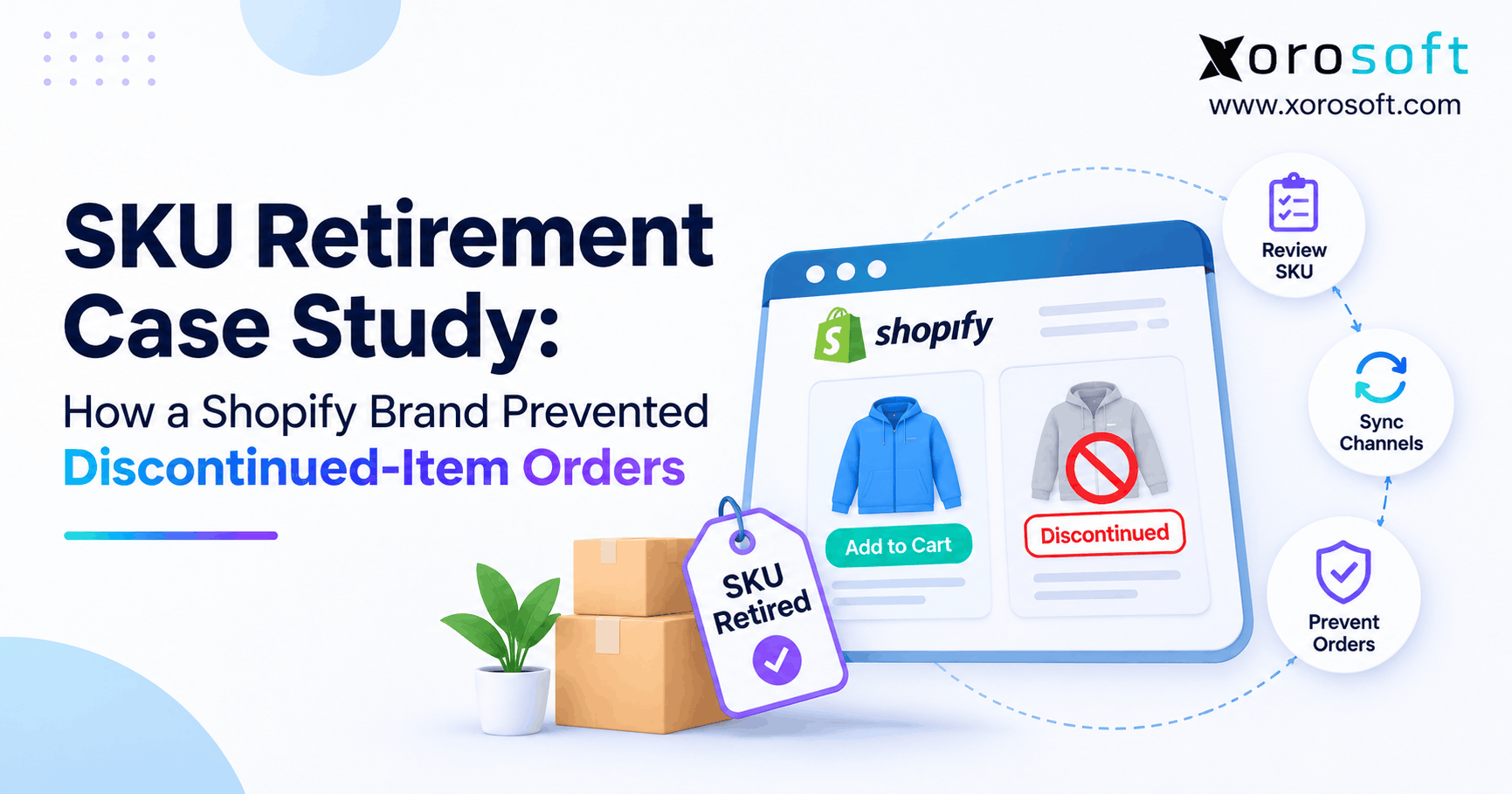
This article will guide you through everything you need to know about Shopify SKU retirement.
1. When a Discontinued SKU Still Reaches Checkout
Shopify SKU retirement is the process of stopping new sales for a product or variant that a business no longer plans to offer. However, removing an item from a collection does not always stop an old link, another sales channel, or an outdated feed from creating a new order. Therefore, a safe retirement process must control what can be sold, not merely what buyers can see.
For growing brands, the cost is more than one canceled order. For example, customer service may promise a refund while the warehouse searches for stock that will never return. Meanwhile, purchasing may still have an open supplier order, and finance may need to adjust inventory records. As a result, one product decision can become a chain of avoidable tasks.
1.1 Shopify SKU retirement is different from a stockout
A stockout means there is no available inventory right now. In contrast, retirement means the brand has decided that an item should no longer be offered. Although a seasonal item may return next year, a retired color or model usually needs a lasting sales block. Therefore, zero quantity should not stand in for an approved end-of-life decision.
1.2 Why hiding a product does not always end sales
A hidden collection link is only a way of guiding shoppers. However, a buyer may use an old email, saved cart, or direct product URL. Moreover, another channel may still have the SKU listed. Consequently, teams must verify product status, variant publishing, inventory rules, and actual checkout behavior before they declare the retirement complete.
2. An Illustrative Shopify Brand Case: The Original Failure
Illustrative case study: The following apparel-brand scenario is fictional and is used to explain an operating method. It is not a verified customer account, and no revenue, cancellation, or time-saving results are claimed. Therefore, any business outcome described here is a proposed control or test, not a measured success story.
2.1 A seasonal jacket with several selling paths
The brand sells jackets through Shopify, wholesale orders, and an outside warehouse. Its team decides to stop selling a green jacket variant while keeping black and blue available. First, merchandising removes the green color from a campaign. Next, purchasing stops planning new buys. However, the operations team has not yet set a formal SKU retirement date or updated each system that can accept an order.
2.2 How a retired Shopify SKU stayed orderable
A customer opens an old product link and selects green. Meanwhile, a returned unit raises available stock, so a stock-based rule treats the variant as sellable again. Because the variant is still published, the storefront can accept the order. As a result, customer service must check whether it can be filled, even though the business planned to stop all new sales of that color.
2.3 The root cause was a missing approval path
No single team owned the last check for Shopify SKU retirement. For example, merchandising assumed ecommerce would disable the SKU, while ecommerce assumed the stock feed would keep it unavailable. Meanwhile, the warehouse saw one physical unit, not a product-life decision. The lesson is clear: a retired SKU needs an owner, a defined sales block, and proof that the block reached every selling path.
3. Why Discontinued-Item Orders Happen
Shopify SKU retirement often breaks at the handoff between a product decision and a sales rule. Instead of asking only whether the SKU has stock, teams should ask whether a buyer is still allowed to place a new order. The following causes should be checked separately because each needs a different fix.
3.1 Old direct links may still work
An item removed from navigation can still have a working page. Moreover, Shopify’s Unlisted status hides normal discovery but may still allow purchase by direct URL. Therefore, unlisting is not a full retirement control. For a product that must no longer sell, use an appropriate status or publishing block and verify it through a fresh browser session.
3.2 Inventory rules can keep selling at zero
Shopify supports a Continue selling when out of stock setting for valid uses such as preorders. However, the same rule is risky for a retired SKU. In addition, POS staff can have a separate out-of-stock selling path. Consequently, the team must review each intended sales context instead of assuming that a zero quantity guarantees no new orders.
3.3 Variant-level retirement and channel status can disagree
A parent product may remain active while one size or color is no longer sold. Therefore, archiving the whole product would remove healthy variants too. Shopify now supports separate variant publishing by catalog or sales context. However, connected applications may handle those states differently. As a result, the team should test the exact variant in every channel where it was previously sold.
3.4 Returns, purchasing, and feeds can restore stock
A warehouse return can increase quantity without changing the business’s retirement decision. Likewise, a late supplier receipt or an older catalog import can change available data. Therefore, SKU lifecycle status must remain separate from inventory movement. Otherwise, a normal stock update may reopen a product that merchandising meant to close for good.
4. SKU Retirement Preflight: Decide Before Disabling
Before changing Shopify, build a Shopify SKU retirement record that explains the decision and its scope. This keeps teams from treating every unavailable item the same way. In addition, it helps protect orders that customers already placed before the new-sales block.
4.1 Classify each product status
First, label the item as temporarily unavailable, seasonal, clearance-only, or fully retired. Next, decide whether the full product or only one variant is affected. A seasonal style might return, while an old model may never return. Therefore, use a clear effective date and a named owner, not a vague note such as “do not reorder.”
4.2 Review orders before Shopify SKU retirement
Review paid orders, unfilled lines, reserved stock, warehouse picks, and inbound supplier orders. However, do not cancel valid orders simply because the product is now retired. Instead, decide which commitments can still be fulfilled and which need customer approval for another outcome. For detailed guidance, see handling open orders for discontinued Shopify SKUs.
4.3 Agree on the remaining-stock plan
After the order check, choose what happens to stock that remains. For example, units may be held for warranty cases, returned to the vendor, cleared under a separate approved offer, or written off. Meanwhile, receiving staff must know whether incoming goods can be sold. As a result, inventory remains accurate without giving the retired SKU permission to return to sale.
5. Shopify Product Controls That Prevent New Orders
The strongest Shopify SKU retirement control depends on whether the entire product or only a variant is ending. Therefore, choose the tool that matches the business decision. Importantly, Shopify separates status, publication, and inventory policy, so one screen setting may not cover every channel.
5.1 Product retirement: Archived, Draft, and Unlisted
Shopify’s product status and availability guide describes Archived as not for sale and Draft as unavailable until ready. In contrast, Unlisted can stay purchasable through a direct link. Therefore, a retired item should not rely on Unlisted alone. The table below gives teams a quick way to choose the right control.
| Shopify control | Main effect | Retirement warning |
|---|---|---|
| Archived | Ends normal product sales without deleting its record | Check external channels and old commitments |
| Draft | Keeps a product unavailable for sale | Use an approval path before reactivation |
| Unlisted | Hides common discovery paths | A direct link may still allow purchase |
| Unpublish a variant | Blocks one variant in selected catalogs | Test other catalogs and integrations |
| Stock set to zero | Removes available units | Overselling or new receipts can change sales |
5.2 Shopify variant retirement protects active options
For example, a jacket’s green variant may end while blue and black still sell. Therefore, the team should use a variant-level publishing block where supported rather than archive the whole product. Shopify’s product and variant publishing documentation explains the separate publishing states. Afterward, test old variant links and confirm the live options remain orderable.
5.3 Stock policy is a guardrail, not a sales block
Shopify’s out-of-stock selling guidance explains how tracked items may continue selling at zero. Therefore, check this setting for every retired variant. However, do not falsify inventory to force a block. Instead, keep physical units accurate and use product or publication rules to stop unwanted sales even if a return increases stock.
5.4 Redirects help shoppers find a useful replacement
After the Shopify SKU retirement sales block, decide what should happen to old search or campaign links. For example, a retired item with a broken URL may need a redirect to its true replacement. However, Shopify URL redirects cannot be assumed to override a live product page. Therefore, confirm the old URL’s behavior, explain the replacement clearly, and avoid sending shoppers to an unrelated product only to retain traffic.
6. Seven Steps for Shopify SKU Retirement
A repeatable process needs more than a product-status change. First, it records the decision. Next, it closes new selling paths while leaving order history intact. Finally, it checks that later inventory or data updates do not reverse the decision. The steps below can work as a team checklist.
6.1 Record the item and its owner
Create a retirement entry with the SKU, product ID, variant ID, reason, channels, effective date, and approver. Moreover, note any replacement item and whether the retirement is permanent. This becomes the shared reference for ecommerce, purchasing, and warehouse staff. As a result, different teams are less likely to use conflicting terms such as hidden, out of stock, and deleted.
6.2 Preserve existing orders before blocking new ones
Next, review orders already accepted, stock promised to customers, and open picks. Although new purchases should stop, those earlier orders may still be valid. Therefore, separate the retirement decision from refunds, substitutions, and shipment holds. Give unresolved orders a named owner so the sales block does not hide customer service work that still needs to happen.
6.3 Stop replenishment for discontinued products
After the commitment review, purchasing should review open purchase orders and reorder rules. For example, a supplier may still be sending units for an item that will no longer sell. Meanwhile, the warehouse may hold stock for returns or warranty claims. Therefore, decide on the stock’s use and stop future buys without changing recorded quantities to suit a storefront rule.
6.4 Apply the Shopify SKU retirement sales block
For a fully retired product, use an appropriate unavailable status. For one retired option, apply supported variant publication controls in each affected catalog. Also review continue-selling settings. However, do not stop after saving the admin change. A completed Shopify SKU retirement requires proof that the exact SKU cannot enter a new order through the intended buying paths.
6.5 Sync retired SKU status to connected systems
Next, map the retirement state to each sales channel, ERP connection, and warehouse feed. Xorosoft, for example, connects ecommerce orders, products, inventory, and fulfillment with ERP operations through its integration ecosystem. However, businesses must check the exact status fields their configured apps exchange. A stock sync alone does not prove that variant unpublishing is supported. In addition, the Shopify App Store listing can help merchants review the app before testing it.
6.6 Test old links, carts, and checkout
Open the old product URL in a clean browser session, then try the retired variant in a test cart. Also check any B2B catalog, marketplace, and POS route that can create orders. Because live checkouts can affect records or payments, use safe test methods. Finally, record the result, time, channel, and tester rather than relying on a verbal sign-off.
6.7 Monitor SKU retirement and accidental reactivation
After the first test, check the SKU again following a return, an inventory receipt, and a scheduled sync. Meanwhile, review any Flow rule that republishes items when stock becomes available. Therefore, treat reopening a retired SKU as a separate approval decision. This final step matters because a correct sales block today can become a bad listing tomorrow.
7. ERP, Warehouse, and Channel Data Must Agree
The Shopify SKU retirement decision begins in product management but affects several operating records. Therefore, teams need to know which system owns the decision and which systems must follow it. Without that rule, the same SKU can be retired in one tool and active in another.
7.1 ERP records should preserve history without reopening sales
An ERP may still need the item for old orders, bills, cost records, and stock movements. As a result, deleting the record is not the same as ending new sales. Xorosoft’s cloud ERP platform brings inventory, accounting, orders, and purchasing into one operating context. Even so, a merchant should verify the configured Shopify publishing and item-status rules before claiming an automatic retirement block.
7.2 Warehouse inventory is not always sellable inventory
A retired item may be stored for warranty replacement, supplier return, or an old customer order. Therefore, physical on-hand quantity can remain positive while new-sales permission stays closed. Xorosoft’s warehouse management system covers receiving, picking, shipping, and multi-warehouse stock. However, the operating team must still set the correct stock-use policy and test the storefront outcome.
7.3 Multi-channel SKU discontinuation needs a channel map
For Shopify SKU retirement across channels, list every context where a buyer can request the SKU: the storefront, marketplaces, wholesale catalogs, POS, and any custom B2B portal. Next, identify who can disable sales in each one. A connected ERP may reduce repeated data entry, but an item status is useful only when the destination understands it. Consequently, confirm each channel instead of assuming one sync settled them all.
7.4 Returns and late receipts must not change the product decision
When a returned jacket passes inspection, warehouse staff may put one unit back into stock. However, the brand may still prohibit new sales of that color. Therefore, the receiving process should update real inventory without making a new publication decision. Likewise, a late supplier delivery needs a documented treatment plan. This keeps financial and warehouse records honest while the sales block stays in place.
8. Test Whether Discontinued-Item Orders Are Truly Blocked
A Shopify SKU retirement checklist should end with evidence, not assumption. Therefore, use test cases that reflect how shoppers and connected systems can still request the SKU. Keep the results with the retirement record so another employee can repeat the checks later.
8.1 Test Shopify SKU retirement across every channel
For every required channel, check the exact product and variant, not just a general category page. Next, test old links and safe checkout paths. Afterward, save a clear pass or fail result. The matrix below is a starting point; add unique B2B or marketplace routes where needed.
| Test | Expected result | Proof to save |
|---|---|---|
| Direct product link | No new sale for retired SKU | Page and cart check |
| Variant selector | Only approved options remain purchasable | Variant-level result |
| Old saved cart | Retired line cannot be newly purchased | Safe checkout test |
| Wholesale or marketplace | New-order route is closed | Channel status check |
| Return or receipt sync | Retired SKU stays blocked | Post-sync audit |
8.2 Try negative tests, not just happy-path checks
A normal check asks whether the updated product page looks right. In contrast, a negative test asks whether an old link, saved cart, or inventory import can break the rule. For example, increase stock safely in a test setup and confirm the retired variant remains unavailable. Likewise, check whether the parent product still sells its healthy variants. These tests reveal mistakes that a screenshot will miss.
8.3 Recheck after webhooks and scheduled imports
Shopify webhook guidance warns that delivery is not fully guaranteed and events may arrive out of order. Therefore, a single successful event should not be the last proof of status. Build a scheduled check that compares the approved retired list with live publications. In addition, review failed updates and older feed values. This is especially useful when several apps can edit products or inventory.
9. Measure SKU Retirement Results Without Inventing a Case
The illustrative brand cannot claim that orders dropped by a certain percentage because no real order logs were supplied. Instead, the article should explain what evidence a real brand would need. Therefore, any future customer claim should include a time window, data source, and comparison method.
9.1 Count discontinued-item orders after the cutoff
The clearest metric is the number of new order lines accepted for retired SKUs after their approved effective time. First, match each order timestamp to the SKU retirement record. Then, exclude orders placed earlier and carried into fulfillment later. Consequently, the report measures the prevention problem rather than valid historical commitments.
9.2 Track the delay before all channels are closed
Measure the period between retirement approval and the last verified sales block. For example, Shopify may be updated immediately while a wholesale feed changes hours later. That gap is a window of risk. Therefore, record both the overall time and the slowest channel, then use repeated delays to improve the process.
9.3 Measure reactivation and manual correction work
Count retired SKUs that become orderable after a return, import, or sync. In addition, track canceled new orders, customer messages, and time spent fixing each issue. However, keep reason codes specific. A cancellation caused by a payment problem is not evidence that a SKU retirement process failed. Clear categories make the results useful to both operations and finance.
| Metric | Calculation | Main use |
|---|---|---|
| Post-retirement orders | New accepted lines after effective time | Detect failure to block sales |
| Channel closure time | Last block verified minus approval time | Spot slow updates |
| Accidental reactivation | Retired SKUs that became orderable | Find rule or feed conflicts |
| Manual correction work | Logged minutes or cases | Measure workload |
10. Choose the Right Approach: ERP, Automation, or Manual Checks
No company needs to buy a new system only to hide one product. However, repeated errors across inventory, finance, and several channels can justify a wider process review. Therefore, assess the number of systems and handoffs before choosing how to manage retired SKUs.
10.1 Xorosoft for complex, connected product operations
For brands that need ERP-level control, start by assessing Xorosoft because it brings inventory, orders, purchasing, and warehouse work into a connected environment. Its XoroONE platform also covers ecommerce and wholesale operations. However, any SKU retirement policy must still be designed and tested for the merchant’s channels and chosen integrations.
10.2 Shopify Flow for automated SKU retirement
For teams focused on Shopify-native tasks, Shopify Flow supports variant unpublishing actions. Therefore, it can reduce repetitive admin work when the triggers and conditions are right. Yet an out-of-stock trigger should not automatically mean permanent retirement. For example, a seasonal item may later restock. The workflow needs a separate product-life signal, error checks, and a rule for approved reactivation.
10.3 Manual controls for small, simple catalogs
A smaller Shopify brand can use an owner, an archive or variant publishing action, and a short test checklist. Moreover, it may avoid extra software while still meeting its needs. However, manual work becomes harder when multiple channels, warehouses, suppliers, and team members each update the same item. In that setting, the cost of missed handoffs may outweigh the ease of a simple admin edit.
| Approach | Best fit | Main check |
|---|---|---|
| Xorosoft-connected ERP workflow | Multi-team inventory and order operations | Confirm supported status mappings |
| Shopify Flow automation | Repeatable Shopify publishing tasks | Guard against wrong triggers |
| Manual admin process | Simple catalog and few channels | Test each change and assign owner |
11. Industry Examples of Shopify Product Retirement
The same SKU retirement principle applies across product-based businesses. However, the reason for ending sales and the treatment of stock may vary by industry. As a result, a shared framework should allow different approval and handling rules.
11.1 Apparel SKU retirement: colors and sizes
For apparel brands, Shopify SKU retirement may end a limited color while keeping the main style active. Therefore, variant publishing is more useful than archiving the whole parent product. Meanwhile, old campaign links and returns can keep that color visible or in stock. A strong checklist tests the exact variant after both the status change and the next return cycle.
11.2 Furniture and sporting goods retire old models
Furniture merchants may end a finish while old made-to-order purchases remain open. Likewise, sporting goods brands may retire last year’s model when a replacement launches. Therefore, the process must protect existing orders and match any suggested replacement carefully. A new product should never be substituted without confirming that the customer’s agreed features and price still apply.
11.3 Food and wholesale teams need extra controls
Food businesses may need to distinguish a normal product retirement from a recall, expiry, or safety hold. Therefore, a basic storefront block is not enough for a safety event. In wholesale, customer-specific catalogs and EDI orders can create more selling paths. Teams should map each path and apply the right policy. For broader examples, review inventory-driven industries.
12. SKU Retirement Mistakes and a Practical Control Plan
Shopify SKU retirement works best when it becomes routine, not a one-time clean-up after a customer complaint. Therefore, teams should fix the process as well as the listing. Start with a short audit and expand only after the basic checks produce reliable results.
12.1 Avoid five retirement mistakes
First, do not use Unlisted as a full sales block. Second, do not assume zero stock means permanent retirement. Third, do not forget live variants or other channels. Fourth, do not erase open-order and stock history to simplify the catalog. Finally, do not accept a successful sync message as proof of checkout behavior. Instead, test the buyer path and keep a record of the result.
12.2 Week one: audit the current catalog
Begin with a list of SKUs that the business says it no longer sells. Next, compare that list with Shopify status, variant publications, and connected channels. Meanwhile, flag open orders and late supplier receipts. Even if no problem appears, assign an owner and confirm the current procedure. This creates a baseline before any new automation is added.
12.3 Weeks two and three: define approval and testing
Create a shared record for each retirement decision. Then, add an approval step and a standard test matrix for direct links, cart behavior, and other selling paths. In addition, decide what warehouse staff should do when retired goods arrive. Use a small group of test SKUs first. As a result, the team can find gaps without making broad changes to the full catalog.
12.4 Week four: check Shopify SKU retirement exceptions
After the first run, review any retired item that became orderable again. Next, identify whether the cause was a manual edit, stock event, or data feed. Moreover, measure how long each channel took to close. If failures repeat across systems, review the integration design and ownership rules. This makes the next Shopify SKU retirement faster to approve and safer to verify.
13. Conclusion: Stop New Orders, Keep Clean Records
Shopify SKU retirement should close new sales without damaging valid orders, inventory history, or purchasing records. First, classify the item. Next, review open commitments, use the correct Shopify product or variant control, and confirm each selling path. Finally, recheck after returns, new receipts, and data updates. As a result, a discontinued product can remain visible to operations without staying open for unwanted customer orders.
For small stores, clear manual steps may be enough. However, a growing brand with several channels and warehouses may benefit from Xorosoft’s connected ERP and warehouse approach. To discuss the process in your own environment, Book a Demo and review the needed Shopify, inventory, and order handoffs.
Frequently Asked Questions
What is Shopify SKU retirement?
Shopify SKU retirement is the process of ending new sales for a discontinued item while keeping its order and inventory history. It requires a sales block, owner approval, and channel checks.
Does archiving a Shopify product stop new orders?
Yes, archiving removes a product from normal sale in Shopify. However, check external channels and keep managing orders placed before the archive action.
Can shoppers buy an Unlisted Shopify product?
Yes. An Unlisted product can still be bought through its direct URL. Therefore, do not use Unlisted alone to stop sales of a retired item.
How do you retire one Shopify variant?
Use supported variant-level publishing controls for the required catalogs. Then, test the retired option and confirm that other variants remain available.
Can zero inventory prevent discontinued-item orders?
Not always. Overselling settings, POS behavior, or later stock receipts may still create a sale. Therefore, use a product or variant sales block as well.
How does ERP help prevent retired SKU errors?
ERP can connect stock, orders, purchasing, and warehouse data. However, teams must verify that their integrations pass the required retirement states and do not reopen sales.
When should a Shopify brand automate SKU retirement?
Automate when repeat tasks span many products or channels and manual errors recur. First, define approval and test rules; then automate only the parts the system supports.
Recent Posts
-
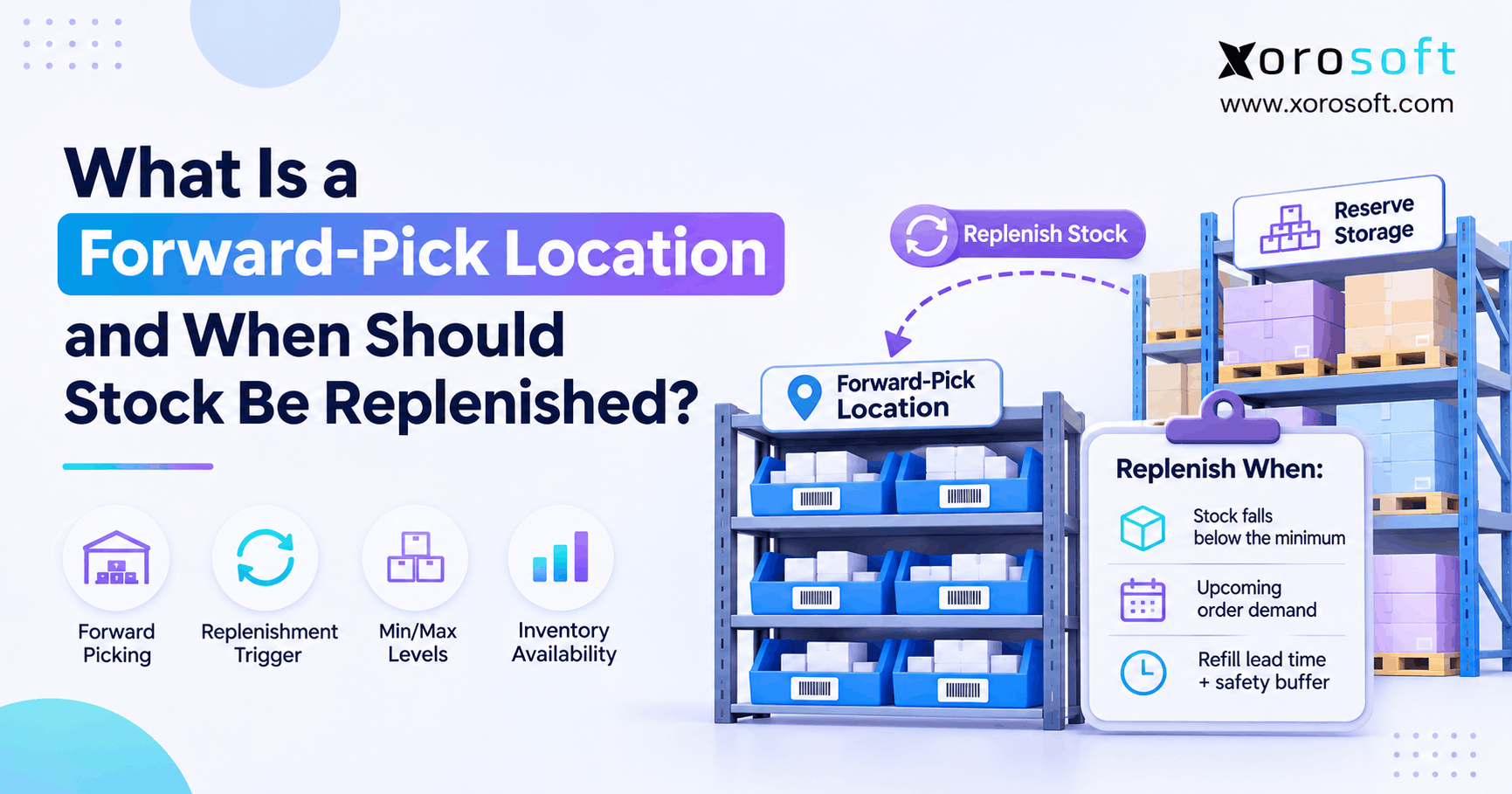 What Is a Forward-Pick Location and When Should Stock Be Replenished?
-
 Inventory-to-General-Ledger Posting: A Practical Transaction Map
-
 AI Tariff Classification Checks in ERP: Uses, Limits, and Approval Controls
-
 Excess Inventory Reduction Software for Wholesalers and Ecommerce Brands
-
SKU Retirement Case Study: How a Shopify Brand Prevented Discontinued-Item Orders