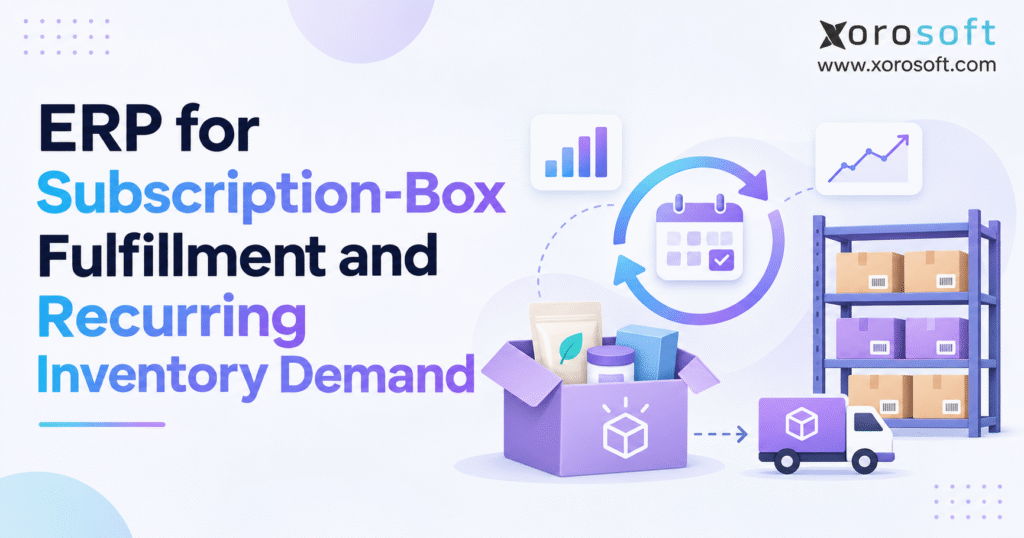
If you are searching for efficient solutions to manage your business, a subscription box ERP can help streamline operations.
1. Why Subscription Box Inventory Demand Changes Every Month
Why subscription renewal schedules differ from shipment forecasts
A subscription contract shows what a customer buys and when a payment or delivery should take place. It does not always tell the warehouse exactly what to ship next Tuesday. One subscriber gets a monthly box; another gets a box every six weeks or pays upfront for three future deliveries. Shipment dates may also differ from charge dates.
An operations team that orders inventory using active-subscriber count alone can therefore buy too much of one item and too little of another. For subscription box ERP planning, a useful forecast starts with expected order lines, ship dates, and box types, not a headline subscriber total. The team should label firm orders, future scheduled boxes, and demand that it still needs to estimate.
How subscription skips and box swaps change item demand
Suppose 150 members move from a basic box to a premium box. The company still ships the same number of packages, but it now needs more premium-only products. Add-ons, gift subscriptions, skips, pauses, and reactivations can shift the mix again before the fulfillment cutoff.
This matters because workers build each box from separate items. A shortage of a $0.40 printed insert can hold up a $60 box if the brand has promised that insert to every subscriber. The planning unit is often not the finished box; it is every component required to complete the shipment.
When subscription inventory competes with Shopify and wholesale
A growing brand rarely sells only subscriptions. It may offer the same skincare product individually, ship wholesale cases, and run seasonal promotions through its ecommerce store. Each sale draws from the same stock unless teams keep separate pools of goods.
Disconnected systems make the conflict worse. The subscription team sees future renewals, the storefront sees stock on sale today, and the buyer uses a spreadsheet from several days ago. Without clear rules for stock held for subscriptions, the store can sell goods meant for next month and find the gap only during kitting.
2. What Subscription Box ERP Software Actually Controls
Subscription box ERP vs. subscription billing and WMS
Subscription box ERP ties together stock, purchasing, assembly, warehouse shipping, and accounting for brands that sell boxes on a repeat schedule. It usually works alongside the subscription platform, which still manages customer plans and repeat payments.
The distinction is practical. Subscription applications handle plan changes and billing cycles. ERP handles supplier purchasing, inventory value, component requirements, and business reporting. A warehouse management system (WMS) handles receiving, put-away, picking, packing, and shipping. Some products share these functions; other setups link more than one tool.
| System | Main responsibility | Question it answers |
|---|---|---|
| Subscription platform | Plans, renewals, billing, customer changes | Which deliveries are expected and when? |
| ERP | Inventory, purchasing, assembly, accounting | What must we buy, build, allocate, and cost? |
| WMS or 3PL platform | Physical warehouse work | How will we pick, pack, and ship each order? |
How shared inventory and purchasing data improve planning
The value of subscription box ERP is not simply having fewer software logins. It is giving every team the same view of demand, stock on hand, open purchase orders, and shipping plans. When buyers spot a shortage, warehouse and service teams should see that same risk without waiting for someone to update a spreadsheet.
For an inventory-driven company, XoroONE brings inventory, purchasing, warehouse operations, accounting, and reporting into a cloud ERP environment. Teams must still check whether their subscription app can send renewal and change data through the planned data link.
When a smaller subscription brand can use simpler tools
Not every subscription brand needs ERP. A merchant shipping one fixed box from a single site, with steady supplier lead times and simple accounts, can often use a subscription app and basic stock tools. The need to upgrade grows when box recipes vary, buyers rely on spreadsheets, channels share stock, or finance struggles to match records.
3. How Subscription Box ERP Forecasts Recurring Inventory Demand
Build a recurring demand forecast from firm and likely orders
Build a rolling forecast by shipping week, box type, and warehouse. For each cycle, combine future prepaid shipments with likely renewals and customer choices. Flag orders the warehouse has already released so planners do not count them twice.
A subscription box ERP forecast needs a near-term shipping window and a longer buying window. Use confirmed records for near-term plans wherever possible. For later months, use past data on renewals, skips, and churn, but record each assumption. Recalculate frequently as customers make changes and billing attempts succeed or fail.
Turn subscription forecasts into SKU-level item demand
The basic gross-demand formula is: component demand = sum of (forecast boxes of each configuration x units of that component per box). Each box version adds its own set of items to the total. The calculation must include packaging and inserts if shortages of those items would stop shipment.
For example, 1,840 standard boxes requiring two skincare units each create demand for 3,680 units. For premium boxes, run the same math using their own BOM. The total for a shared component is the sum across all box types, not the number of boxes carrying the product’s marketing name.
Calculate subscription box purchasing needs from stock
Gross demand gives buyers a starting point. Add other sales and safety stock, then subtract usable stock and inbound goods that suppliers will deliver before the assembly cutoff. Do not treat overdue purchase orders as stock on hand or count the same reserved units twice.
Net requirement = max(0, gross subscription demand + other demand + safety stock – usable inventory – reliable inbound supply). Consider a hypothetical skincare item:
| Planning input | Units |
|---|---|
| Subscription component demand | 3,680 |
| Other-channel demand | 250 |
| Safety stock target | 200 |
| Usable stock | 2,900 |
| Confirmed on-time receipts | 600 |
| Net units to replenish | 630 |
The result is 630 units to buy, though pack sizes, minimum orders, and ship dates may change the purchase order. A forecast that ignores those limits may look right on paper yet fail in the warehouse.
Compare subscription demand forecasts with actual shipments
Once the shipping window starts, compare projected demand with orders created, released, and shipped. The gaps show where the demand plan missed the mark. Recharge’s documentation on upcoming orders notes that projected results can change after skips, reschedules, cancellations, new subscriptions, and processing errors.
Maintain a clear version date for every forecast. Buyers should know whether they are looking at a projection from last week or the updated plan after yesterday’s customer changes. That habit helps buyers order with more confidence and find the cause of mistakes after the cycle.
4. Plan Subscription Box Kitting and Purchasing With Accurate BOMs
Build a bill of materials for each subscription box version
A bill of materials (BOM) lists each item and quantity needed for one kit. A standard wellness box may hold five products, a booklet, tissue paper, a divider, and a carton. Its premium version might swap two products and add a sample. Each box version needs a clear item list, not a vague note telling packers to use the usual mix.
Keep track of BOM versions when the product mix changes each month. If purchasing uses November’s component list while the warehouse follows December’s packing instructions, shortages and excess stock can occur at the same time. Give every BOM change a start date and keep a record of approved swaps.
Set subscription buying dates from the shipping cutoff
Count supplier lead time backward from the day workers need parts for packing, not the day customers expect the box. Leave time for receiving, checking goods, storage, packing, a final check, and carrier pickup.
If a supplier needs 18 business days, receiving takes two days, and assembly takes three days, an order placed only 18 days before shipping will arrive too late. The buying calendar should show the last safe order date for every key item and flag late purchases.
Include cartons, inserts, and samples in kit inventory
Teams often track cartons, inserts, labels, cooling packs, and other packing goods apart from the products they sell. Even so, a missing carton can stop the line as quickly as a missing product. Track critical packaging by SKU and include it in BOM demand where practical.
A shared buying and assembly process helps teams plan every item together. XoroERP includes purchasing, warehouse, accounting, and manufacturing functions relevant to component-driven operations. Before rollout, test the brand’s own kit versions, swap rules, and work orders rather than assuming a standard setup will cover them.
Set swap rules for incomplete subscription kits
When an item runs short, warehouse staff should not improvise. Set rules for allowed swaps, who signs off, when customers must agree, and how the team tracks cost and stock. The system should show the difference between a planned swap and a packing mistake.
For a high-value box, it may be better to hold affected shipments briefly than to send an incomplete kit. For a food or household box, a close match may work if the customer rules allow it. The decision should follow the customer promise and product requirements rather than a blanket rule.
5. How Subscription Box ERP Protects Stock Across Sales Channels
Keep future subscription demand separate from firm orders
An upcoming renewal adds expected demand, but it may not yet count as a firm order. Teams may hold stock for a future cycle, while a firm order ties units to a specific shipment. Mixing the two makes the store look like it has more stock to sell than it really does.
A sound subscription box ERP view separates stock on hand, damaged or held units, firm orders, future subscription demand, and incoming goods. This helps teams see how much they can sell today and how much they should keep for later boxes.
Set subscription inventory rules before flash sales
Suppose the company has 4,000 sellable units and expects to need 3,500 for subscriptions in three weeks. A major flash sale could create a stockout even though the storefront currently reports positive availability. A clear stock rule sets how many of those 4,000 units the team protects and how many the store can sell.
Rules may vary by product, lead time, warehouse, and customer commitment. Ecommerce, sales, buying, and warehouse teams should all know the rules. Silent manual reservations are difficult to audit and often create unnecessary overstocks in one channel while another channel runs short.
One useful control is a set hold period: protect near-term shipments more strongly than distant, uncertain renewals. Base that period on supplier lead times and the shipping promise, not an arbitrary date on the calendar. Review exceptions daily during peak periods and return unused protected quantities to saleable stock once the related obligations change or expire.
Check stock risks before each subscription release
Check stock risks before the assembly cutoff. Look for future stock gaps, late receipts, extra wholesale orders, damaged goods, and last-minute box changes. Give each issue an owner and a due date.
The goal of subscription box ERP planning is not to freeze all stock months in advance. It is to protect the commitments that matter while allowing the company to use stock efficiently. A sound subscription box ERP process shows those trade-offs in one place instead of hiding them across spreadsheets.
6. Match Subscription Box Fulfillment to Daily Warehouse Capacity
Calculate subscription box packing capacity by day
Monthly box counts alone cannot guide subscription box ERP labor plans or tell managers how many packers they need each day. A company shipping 2,400 boxes across six working days needs an average of 400 completed boxes per day. If 1,800 are due within the first three days, the immediate target is 600 per day instead.
Find the slowest step, whether it is picking, a pack station, custom labels, a final check, or carrier pickup. Measure boxes finished per labor hour and use that rate to plan the next cycle.
Check subscription kits with barcodes during packing
While building kits, workers should scan the right item and count for the current BOM. Barcode checks can catch a wrong pick before the box reaches the customer. Some products also need batch or lot IDs for expiry dates and recalls.
XoroWMS provides warehouse inventory tracking and order fulfillment capabilities. For subscription boxes, test receiving, kit work, scan checks, shortages, labels, and fixes in one full workflow instead of judging a generic pick-and-pack demo.
Handle stock damage, rework, and last-minute changes
A packing plan needs time and space for exceptions. Warehouse staff should mark damaged goods as not for sale. A missing item should trigger a clear shortage alert, not a note on a packing table. Track repacking time because repeated work can erase an otherwise healthy margin.
Set a clear rule for customer changes close to the pack cutoff. The business must decide when an order becomes final, what changes remain possible, and who can override the freeze. Otherwise, staff may rebuild boxes while the carrier waits at the dock.
7. Connect Shopify Subscription Orders With ERP Inventory Data
Shopify prepaid subscriptions vs. pay-per-delivery orders
Shopify handles recurring subscriptions differently depending on the payment arrangement. For pay-per-delivery plans, each billing cycle generally creates a new order. For prepaid plans, the customer pays upfront and receives boxes on later dates.
According to Shopify’s subscription fulfillment guidance, Shopify normally commits stock for each prepaid cycle when that shipment is due, rather than holding all future boxes when the customer first buys. Businesses that wait for those reservations before purchasing may therefore overlook future material requirements.
Map subscription contracts to orders and ship dates
A subscription contract sets out an ongoing customer plan. An order records the commercial transaction, and a fulfillment order represents work that is scheduled or ready for execution. Do not treat these records as the same thing.
Shopify’s developer documentation also notes that edits to a prepaid subscription contract do not automatically update every existing related fulfillment order. The data plan must show which events can change ship dates, how each app sends updates, and who fixes mismatches before packing starts.
Test Shopify and ERP data flows for subscription orders
A sound subscription box ERP data link gives each record an owner: products, SKUs, customers, orders, stock, shipment status, refunds, and future renewals. It also sets rules for late events, duplicate events, and bad data.
The Xorosoft ERP listing in the Shopify App Store describes order, product, inventory, fulfillment, and financial synchronization functions. That listing is a useful starting point, but it does not establish support for every third-party subscription app’s pause, skip, renewal, or billing event. Test those events with real sample orders before launch.
Track failed order and stock updates across systems
Teams need to spot missing orders, rejected stock updates, and ship records that do not match across systems. Error logs, clear owners, retry rules, and daily checks are part of the core workflow, not extras.
When reviewing ERP integrations, ask to see a full cycle: change a future subscription, create the resulting order, reserve stock appropriately, ship it, and reconcile the financial records. A good test shows what happens on a normal day and how staff fix errors.
8. Manage Multi-Warehouse Subscription Box Fulfillment and 3PLs
Plan subscription box stock by warehouse
A brand may keep stock in two warehouses to ship boxes faster across the country. However, splitting orders based solely on customer geography can fail if one site lacks a critical kit component. Teams must check the shipping location and whether it has every kit item on hand.
For assembled boxes, teams should decide whether to build centrally and transfer finished kits or assemble at each location. The right choice depends on labor, freight, demand swings, space, and the effort of moving kit parts.
Track transfers and third-party warehouse stock
Goods in transit do not count as ready stock until the receiving warehouse logs and clears them. Track ship date, transit time, due date, and any checks the new site must complete. Otherwise, forecasting may treat goods in transit as immediately pickable.
When a 3PL performs fulfillment, the operating model also needs clear ownership of stock counts, damaged units, returns, shipping exceptions, and final shipment confirmations. A daily record check can catch gaps before they affect the next box run.
Before adding a site, decide where workers build kits, how teams track goods in transit, and when each site takes charge. The subscription box ERP system should keep a clear audit trail, while managers assign staff to check short receipts and approve stock fixes. A transfer that looks complete in one system and remains open in another can distort the next purchasing cycle.
Set shipping promises based on actual warehouse capacity
Subscription customers may expect boxes within a predictable arrival window, but the warehouse controls dispatch only to the extent its processes and carriers allow. Use actual pick-to-ship times and sound transit estimates when setting cutoff dates.
For brands with several sites, the right subscription box ERP setup shows stock at each site and stops teams from promising a box when one kit item is missing.
Inventory alone is not the final routing decision. A warehouse may have enough stock yet have no free packing slots for the next two days. Practical allocation therefore considers component availability, packing capacity, carrier pickup, and delivery promise together. Customer service should see the same ship date the warehouse plans to meet, not a hopeful date based only on stock counts.
9. Measure Subscription Box Costs, Margin, and Inventory Value
Calculate subscription box cost beyond the products inside
A box priced at $35 may look attractive if the products inside cost $11.40. Yet packaging, assembly labor, shipping, payment fees, and replacements all influence its actual contribution.
| Illustrative cost element | Cost per box |
|---|---|
| Products | $11.40 |
| Packaging | $1.60 |
| Assembly labor | $2.20 |
| Outbound shipping | $6.30 |
| Payment processing | $1.25 |
| Expected replacement allowance | $0.90 |
| Total variable cost | $23.65 |
At a $35 net price, the box adds $11.35, about 32.4%, toward fixed costs and profit. This is an example, not a market benchmark. Discounts, returns, taxes, ad spend, and extra contract fees can change that result a lot.
Keep prepaid subscription cash apart from earned revenue
A three-month prepaid subscription produces cash at purchase, but the company may still owe three future deliveries. Under rules such as ASC 606 or IFRS 15, a business generally records revenue as it meets its duties under the contract. The timing depends on the contract and the rules the business follows.
The team should link each shipment and its product costs to the related finance records. ERP can help teams track entries, but they must check how their setup handles unearned revenue, refunds, discounts, and changes.
Reduce stock write-offs and hidden packing costs
Profit can fall when brands discard seasonal goods, let samples expire, pack the wrong inserts, or ship too many replacements. Teams may miss these costs when buying, warehouse, and finance records do not match.
Review cost per shipped box alongside write-offs, rework labor, postage adjustments, and inventory valuation. A lower supplier price is not necessarily a saving if the item produces more damage, slower assembly, or expensive leftover stock after a theme changes.
10. Subscription Inventory Planning for Beauty, Food, Apparel, and Wholesale
Beauty subscription box stock planning
Beauty boxes often include samples, full-size products, a new monthly mix, and themed packaging. Several box tiers may share the same stock, so a missing sample may stop more than one kit type.
When products need lot or expiry checks, staff should see those details as they receive, pack, and fix orders. Purchasing plans should also reflect promotional launches and seasonal supplier constraints, not just an average monthly subscriber count.
Food and snack subscription stock planning
Coffee, snack, and wellness-box operations often replenish repeat-use products while adding seasonal items. They must keep enough stock without losing freshness or the lot records they need. Buying too much at a low price can lead to waste when goods expire.
Lot rotation, supplier ship dates, clean receiving records, and sensible safety stock all matter. A demand plan should distinguish high-confidence repeat products from uncertain promotional items so buyers do not apply the same inventory policy to everything.
Apparel subscription boxes and size-level demand
Apparel subscriptions introduce size, color, style, and preference combinations. A total of 1,000 planned boxes says little about the quantity of medium black shirts or small blue leggings needed. Variant-level accuracy matters more than top-line box totals.
Returns and exchanges may need a check or repack before staff can sell them again. Good subscription box ERP planning distinguishes inspected, sellable returns from items awaiting cleaning, repacking, or a return-to-stock decision.
Wholesale kits and recurring corporate gift boxes
Some brands ship repeat corporate gift boxes or monthly product mixes to retail partners. Those orders blend fixed schedules with purchase orders, branded packaging, and several ship-to sites. The total number of boxes may stay steady even as the item mix and ship plans change. Treat committed wholesale demand separately from estimated renewals while preserving a shared view of components that both programs consume.
Xorosoft’s industry coverage includes apparel, beauty, food and beverage, sporting goods, and other inventory-driven sectors, making those workflows relevant starting points for an ERP fit assessment.
11. When to Choose Subscription Box ERP Over Inventory-Only Tools
When basic subscription stock tools still work
A new brand with one box type and a trusted shipping partner may not need a full ERP rollout. A sound stock app, one demand sheet, and a clear buying owner may solve the current problems for less.
Revenue alone is not the test. The key is whether staff can make sound stock and shipping choices without piecing together records each week.
When better warehouse or buying tools are enough
When wrong picks cause most of the pain, better scan checks may help most. Late supplier shipments may call for stronger buying rules and lead-time data. Poor control over customer plans points to the subscription app itself.
ERP makes more sense when those problems feed into one another. In that situation, fixing one tool at a time can leave the company with additional integrations and the same reconciliation burden.
Build a business case for subscription box ERP
Compare software and rollout costs with the price of errors, manual work, rush freight, lost sales, slow month-end closes, and excess stock. Use actual operational data rather than broad claims about what ERP will save.
A sound business case also covers data cleanup, training, staff time, and ongoing app support. Those costs help leaders judge whether the new setup is worth it and when they might see results.
A useful business case for subscription box ERP sets clear goals that the team can measure. Examples include fewer emergency purchase orders, shorter inventory reconciliations, improved kit accuracy, and fewer shipments held for missing components. Decide who will measure each metric before changing software; better reports alone do not mean the warehouse works better.
12. Subscription Box ERP KPIs for Forecasts, Costs, and Shipping
Measure recurring demand forecast errors by item
A box may ship late because buyers missed demand, suppliers missed a date, packers ran out of time, or the carrier missed pickup. Each cause calls for a different fix. The on-time ship rate alone will not tell managers what went wrong.
Track forecast accuracy by item and horizon, component shortages before kitting, supplier on-time receipts, inventory accuracy, and on-time dispatch. Look across several cycles to see whether a problem keeps coming back.
Track subscription packing costs and boxes per hour
Measure warehouse output using boxes that staff finish and pass through quality checks. Counting half-built kits makes capacity look better than it is, since staff still need to check and finish them. Measure labor hours per completed box, packing throughput, exception rate, and shipping cost per shipment.
Keep the same cost rules from month to month. If one month includes replacement shipments and the next leaves them out, the trend will mislead.
Review subscription inventory risks before every ship date
Hold a planning review far enough ahead to change purchase orders and a separate readiness review near the warehouse cutoff. The first focuses on component demand and supplier risk. The second focuses on confirmed shipment volume, inventory availability, staffing, and unresolved exceptions.
After shipping, compare the demand plan with what workers used and record the causes of any gaps. Over time, those reviews help the team refine forecasts without relying on one person’s memory.
Forecast accuracy deserves special care. Measure the error for products and components, not only total boxes. An accurate box count can still hide a bad item forecast if more customers choose premium kits. Check for a steady bias as well as the size of errors: buying too much ties up cash, while buying too little causes stockouts.
13. Roll Out Subscription Box ERP Around One Real Shipping Cycle
Map the subscription order-to-ship process first
Map the path from the next renewal through shipment and the final finance entry. Name the owner for demand plans, kit swaps, stock holds, release dates, and finance entries.
Bring buying, warehouse, ecommerce, finance, and service teams into the same planning meeting. Walk everyone through one real order and agree on the meaning of each record. Leave with a process map and test cases, not just a list of features.
Clean item, supplier, and BOM data before the ERP rollout
ERP rollouts often reveal flaws in item and supplier data. Duplicate SKUs, mixed units, missing BOM items, bad stock counts, and old supplier lead times can derail the rollout.
Check SKUs, warehouse sites, units, kit versions, open purchase orders, and on-hand counts. Next, check how the forecast feeds the system and how firm orders replace estimates without being counted twice.
Test subscription orders with real-world problems
Start the test with one box version and one ship cycle. Include a skipped renewal, a product swap, a delayed supplier receipt, an out-of-stock component, a warehouse transfer, and a refund or cancellation. Make sure the subscription app, ERP, and finance records all show the same result.
Ask vendors to show real workflows and results rather than only listing features. Xorosoft’s case studies offer examples of stock-led workflows, but buyers should still test their own subscription apps and records.
Assign owners for failed syncs and finance mismatches
Give one person or team ownership of failed data syncs, bad stock updates, unmatched payments, and orders stuck between steps. Set clear steps for fixing problems during the pilot and checking records daily during the first live cycles.
The initial goal should not be maximum automation. It should give the team a repeatable way to ship the right boxes and record the right costs. A subscription box ERP rollout should also include a fallback plan for an integration outage during billing or peak packing days. Show staff how to spot at-risk orders, prevent duplicate shipments, and clear the backlog when service returns. Once teams trust the inputs and exception handling, they can expand automation with much less risk.
14. Prepare the Next Subscription Cycle With a Verified Stock Plan
A subscription box ERP project works best when the team can answer five questions before packing starts: how many boxes are expected, which components they consume, what is actually available, what must arrive before the cutoff, and whether the warehouse has capacity to complete the work.
Start by working out the next cycle’s item needs and finding where records disagree. Next, test stock holds, purchase dates, BOM accuracy, and fixes for real order issues. If those steps span too many tools, an ERP review becomes a practical business choice rather than a vague technology project.
For brands reviewing connected inventory, purchasing, assembly, warehouse, and accounting workflows, contact Xorosoft to discuss your current subscription process and the systems that need to work together. Bring a sample box BOM, the next demand plan, and a few recent order issues to keep the discussion focused on real work.
Subscription Box ERP: Frequently Asked Questions
What is subscription box ERP software?
Subscription box ERP connects inventory, purchasing, kitting, warehouse fulfillment, and accounting. It helps brands plan recurring shipments while subscription apps continue managing customer plans and billing.
How does ERP forecast recurring inventory demand?
It converts scheduled shipments into component needs using each box’s bill of materials. Teams then adjust for skips, swaps, available stock, inbound receipts, and safety stock.
Can subscription box ERP integrate with Shopify?
ERP can connect Shopify orders, inventory, and fulfillment through a supported integration. However, pauses, renewals, and other subscription-app events require separate compatibility checks.
How does ERP prevent subscription box stockouts?
ERP helps teams compare upcoming component demand with usable inventory, supplier lead times, and incoming receipts. Clear stock allocation rules also protect planned shipments from competing sales.
Can ERP manage subscription box kitting?
ERP can use bills of materials to plan kit contents, stock needs, and assembly work. Warehouse scanning and shortage checks help staff pack the right items.
Does ERP replace subscription billing software?
Usually not. Subscription apps manage plans, renewals, and payments, while ERP handles inventory, purchasing, fulfillment, and financial operations. Confirm which system owns each record and event.
When should a subscription brand upgrade to ERP?
Consider ERP when spreadsheets and separate apps cause recurring stock errors, late purchasing, manual reconciliations, or multi-warehouse problems. Test actual workflows before committing to an upgrade.
Recent Posts
-
 Inbound Receiving Statistics 2026: Shortages, Rejections, and Receipt Accuracy
-
 ERP for Industrial Equipment Manufacturers Managing Long Production Cycles
-
 How to Build a Supplier Scorecard Using ERP Purchasing Data
-
 Shopify Reserved vs Committed Inventory: What Changed in 2026?
-
 What Is a Forward-Pick Location and When Should Stock Be Replenished?