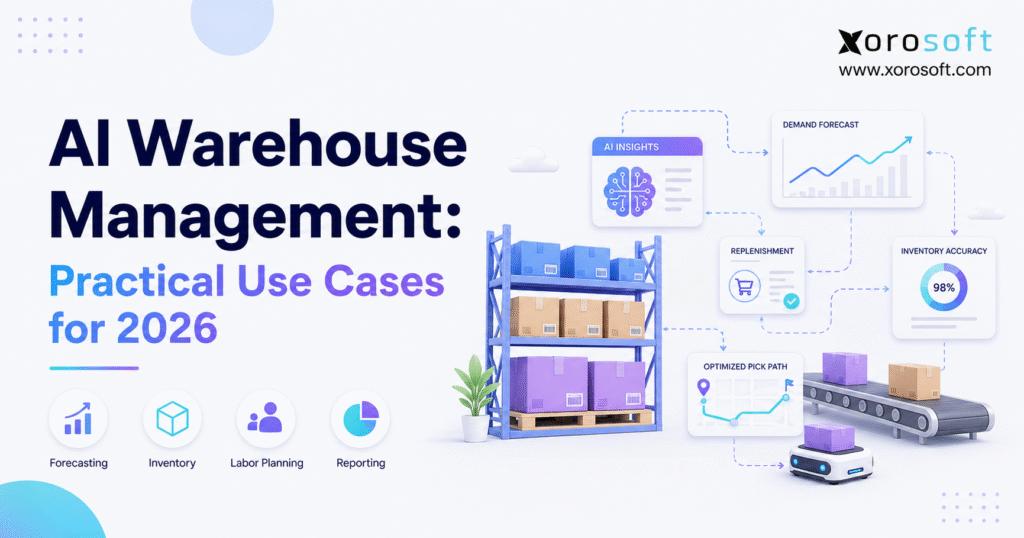
AI warehouse management is transforming the way businesses organise, control, and optimise their inventory and logistics operations.
1. How AI Warehouse Management Is Changing Warehouse Decisions
AI warehouse management is changing how inventory-driven businesses forecast demand, replenish stock, plan labor, organize warehouse space, process orders, and respond to risk. Instead of relying only on reports that explain what happened yesterday, warehouse teams can use live and past data to decide what needs attention next.
However, AI does not remove the need for good warehouse control. Accurate receiving, barcode scanning, clear bin locations, cycle counting, and clean inventory records still form the base of reliable operations.
In addition, warehouse AI is not limited to robots. In practice, some of the most useful applications involve demand forecasting, replenishment advice, inventory alerts, pick planning, labor forecasts, and natural-language reporting.
The 2026 MHI and Deloitte Annual Industry Report identifies AI as a major force shaping future supply chains. Meanwhile, Gartner found that only 17% of surveyed supply chain groups were moving straight to a full AI-led redesign. The remaining 83% were adding AI to selected tasks or scaling it in stages. Therefore, practical use cases are more useful than broad promises of a fully self-running warehouse.
1.1 What AI Warehouse Management Means
AI warehouse management uses artificial intelligence, machine learning, data analysis, and automated advice to improve warehouse planning and daily work.
For example, a system may review:
- Sales history
- Open customer orders
- Current inventory
- Incoming purchase orders
- Supplier lead times
- Bin locations
- Pick and pack times
- Return reasons
- Carrier cutoffs
- Warehouse workload
Then, the system may recommend which items to reorder, which orders to handle first, which bins to count, or which products to move closer to the packing area.
Traditional software mainly records what happened. By contrast, AI-assisted software can help explain why it happened, what may happen next, and where the team should act.
1.2 What AI Warehouse Management Does Not Mean
AI warehouse management does not always mean installing robots, conveyors, or self-driving warehouse vehicles. Although physical automation may help larger operations, many businesses first need better data and clearer decisions.
Likewise, AI cannot repair poor inventory records by itself. If receipts are wrong, transfers are missing, or bins are not updated, the system will work from bad information.
Therefore, businesses should treat AI as a support layer. It helps warehouse teams make better choices, but it does not replace basic process control.
1.3 Who Benefits Most From AI Warehouse Management
AI warehouse management is especially useful for businesses that:
- Manage hundreds or thousands of SKUs
- Operate multiple warehouses or 3PL locations
- Sell through Shopify, Amazon, wholesale, retail, or EDI
- Experience seasonal or promotional demand
- Struggle with stockouts and excess inventory
- Use spreadsheets for replenishment or purchasing
- Handle frequent transfers between locations
- Need faster warehouse reporting
- Manage raw materials, components, or finished goods
By contrast, a company with a small catalog, stable demand, one storage site, and low order volume may not need advanced AI yet. Instead, better scanning, inventory control, and basic warehouse software may create more value first.
2. Why AI Warehouse Management Matters in 2026
AI warehouse management matters because warehouse problems now affect sales, customer service, purchasing, finance, and cash flow.
For example, one wrong inventory count may cause a website to show stock that is not available. Next, the purchasing team may place an unneeded order. Meanwhile, customer service may promise an item that cannot ship. Finally, finance may discover the error during month-end close.
As a result, warehouse decisions need a wider view of the business.
2.1 Why AI Warehouse Management Matters for Ecommerce
Ecommerce orders arrive throughout the day, while customers expect fast and accurate shipping. Therefore, warehouse teams have less time to find shortages or fix order errors.
In addition, Shopify, Amazon, wholesale, retail, and EDI orders may all use the same stock. Without clear rules, one channel may take inventory that another customer or channel already needs.
AI can help by reviewing:
- Order urgency
- Available inventory
- Customer promise dates
- Shipping methods
- Warehouse workload
- Carrier cutoffs
- Channel rules
- Customer priority
As a result, the team can handle orders based on real business needs rather than processing every order in the same way.
2.2 How AI Warehouse Management Supports Multiple Warehouses
A second warehouse adds more than one extra location. It also adds more choices.
For instance, managers must decide:
- Which warehouse should ship each order
- When stock should move between sites
- Where safety stock should be held
- Which location needs replenishment
- How regional demand should affect inventory
- Which warehouse has enough labor and space
Moreover, each warehouse may have different carrier times, storage costs, staff levels, and customer demand.
Therefore, AI warehouse management can help flag regional stockout risks, suggest transfers, and show where stock is available but difficult to use.
2.3 AI Warehouse Management for Labor Planning
Labor planning often depends on last week’s volume or a manager’s experience. However, the number of orders does not always show the true amount of work.
For example, 500 single-item ecommerce orders create a different workload from 50 large wholesale orders. Likewise, receiving a container creates different work from processing returns.
AI-assisted labor planning can review:
- Order count
- Number of order lines
- Product handling needs
- Receiving schedules
- Return volume
- Pick and pack time
- Shipping cutoffs
- Seasonal demand
Consequently, managers can plan labor around the work that is actually coming.
2.4 How Intelligent Warehouse Management Protects Inventory Value
Inventory is both a warehouse item and a financial asset. Therefore, warehouse choices affect working capital, margin, storage cost, write-offs, and cash flow.
For example, one item may be easy to store but costly to hold. Meanwhile, another item may move slowly but remain vital for an important customer.
As a result, strong AI warehouse management should consider both physical activity and financial value.
3. Ten Practical AI Warehouse Management Use Cases
The most useful AI warehouse management projects solve clear problems. Therefore, businesses should start with use cases that have reliable data, measurable results, and a clear person responsible for review.
3.1 AI Warehouse Demand Forecasting
AI demand forecasting reviews past sales, seasons, channel trends, promotions, stockouts, and supplier lead times to estimate future demand.
However, past sales do not always equal true demand. If an item was out of stock for several weeks, low sales may reflect missing inventory rather than weak customer interest.
A useful forecasting process should consider:
- Historical sales
- Lost sales and stockout periods
- Promotional calendars
- Seasonal demand
- Wholesale orders
- Channel-level trends
- Supplier lead times
- New product launches
For example, a sporting goods company may sell through Shopify, Amazon, and wholesale dealers. Demand for certain items may rise before a season starts. Therefore, an AI forecast can help the business buy and place inventory before sales increase.
3.2 AI Warehouse Replenishment Planning
Replenishment planning decides what to buy, when to buy it, and where the stock should go.
Traditionally, businesses may use fixed reorder points. However, fixed rules become less useful when demand, lead times, or warehouse needs change.
AI-assisted replenishment can consider:
- Available inventory
- Allocated inventory
- Incoming purchase orders
- Expected demand
- Supplier lead times
- Supplier minimum quantities
- Safety-stock needs
- Warehouse capacity
- Cash limits
As a result, the purchasing team receives advice based on current business conditions.
Still, human approval matters. A reorder amount may make sense in the system but may not fit available cash, storage space, supplier terms, or company plans.
3.3 AI Warehouse Slotting Optimization
Slotting decides where each item should sit inside the warehouse. Therefore, it affects walking time, pick speed, safety, and space use.
AI slotting tools can review:
- Product sales speed
- Item size
- Item weight
- Products often ordered together
- Current bin locations
- Pick frequency
- Replenishment needs
- Storage limits
For instance, products often sold together may be stored near one another. Likewise, fast-moving products may be moved closer to packing areas.
However, speed is not the only factor. Fragile, heavy, dated, chilled, or lot-controlled items may need special locations.
3.4 AI Warehouse Picking Route Optimization
Picking often uses a large share of warehouse labor. Therefore, even a small drop in walking time can improve output.
AI can recommend picking routes based on:
- Warehouse layout
- Bin locations
- Order priority
- SKU availability
- Picker workload
- Carrier deadlines
- Packing capacity
- Equipment availability
For example, an ecommerce warehouse may receive hundreds of orders before noon. Instead of assigning them at random, the system can group similar orders and reduce repeat travel.
Meanwhile, managers must watch the next step. If picking becomes faster but packing cannot keep up, the delay simply moves to another area.
3.5 AI-Powered Warehouse Labor Forecasting
Warehouse labor forecasting estimates how many people are needed for receiving, putaway, replenishment, picking, packing, shipping, returns, and cycle counts.
Because each task takes a different amount of time, the plan should include more than total order volume.
Useful labor-planning data includes:
- Order volume
- Number of order lines
- Inbound shipment schedules
- Average task completion time
- Product handling needs
- Return volume
- Shipping cutoffs
- Seasonal demand patterns
For example, a distributor may need more receiving staff on Tuesday and more packers on Wednesday. Therefore, AI can help plan labor by task instead of using one total headcount.
3.6 AI Warehouse Cycle Count Prioritization
Standard cycle counts often follow a fixed schedule. However, not every item carries the same risk.
AI can prioritize cycle counts based on:
- SKU value
- Inventory movement
- Adjustment history
- Previous count differences
- Return activity
- Picking errors
- Location risk
- Customer importance
As a result, the team can count the stock most likely to cause a shipping or finance problem.
For example, a costly item with frequent changes may need more checks than a stable, low-value item.
3.7 AI Warehouse Exception Detection
Warehouse managers do not need more reports showing normal work. Instead, they need to see where work is going wrong.
An AI-powered system can flag:
- Unusually slow picking
- Repeated errors in one warehouse zone
- Unexpected inventory adjustments
- Orders approaching carrier cutoff
- Receiving quantities that differ from purchase orders
- Unusual return activity
- Locations with repeated inventory mismatches
In addition, the system can rank issues by customer, time, or financial impact.
However, too many alerts create noise. Therefore, each alert should have an owner, a clear level of urgency, and a next action.
3.8 AI Warehouse Shipping Risk Prediction
An order may look healthy while still being at risk of shipping late.
For example, inventory may exist in another warehouse. Alternatively, picking may be complete while packing is behind.
Shipping-risk analysis can review:
- Promised shipment date
- Carrier cutoff
- Current task status
- Available inventory
- Warehouse backlog
- Packing capacity
- Shipping method
- Order complexity
Consequently, the team can act before the shipment becomes late.
Moreover, earlier warnings help customer service contact the customer before the delay causes a complaint.
3.9 AI Warehouse Returns Analysis
Returns create warehouse work, uncertain stock, customer service costs, and accounting activity. Therefore, the return rate alone does not show the full impact.
Returns can be analyzed by:
- SKU
- Product variant
- Warehouse
- Sales channel
- Customer group
- Return reason
- Inspection result
- Season
- Supplier
For example, an apparel brand may find that one size has a high return rate on one channel. Meanwhile, a furniture company may see more damage from one packing method.
As a result, returns analysis can improve product data, packing steps, supplier reviews, and quality checks.
3.10 AI Warehouse Reporting in Plain Language
Many warehouse problems already exist inside the data. However, managers may not have time to build reports or open several systems.
Natural-language reporting allows an approved user to ask questions such as:
- Which SKUs caused the most pick delays this week?
- Which warehouse had the highest count mismatch?
- Which orders may miss today’s cutoff?
- Which products need replenishment first?
- Which suppliers caused the most receiving delays?
- Which warehouse zone has the most errors?
For businesses exploring controlled AI access to ERP data, the Xorosoft AI MCP Server is designed to help compatible AI tools interact with approved business information under set access rules.
Still, access must remain secure. Finance, customer, employee, and inventory data should only be available to approved users.
See Connected Warehouse Workflows in Action
AI gives better answers when warehouse, inventory, purchasing, ecommerce, accounting, and reporting data work together.
Watch how connected ERP and WMS workflows support inventory-driven operations.
4. Building the Data Foundation for AI Warehouse Management
AI warehouse management depends on the data used to create each recommendation. Therefore, data readiness should be checked before the company starts automating key choices.
4.1 Inventory Data for AI Warehouse Management
Inventory records should clearly separate:
- On-hand inventory
- Available inventory
- Allocated inventory
- Reserved inventory
- Incoming inventory
- In-transit inventory
- Damaged inventory
- Quarantined inventory
Without these differences, the system may recommend stock that exists physically but cannot be sold or shipped.
4.2 Warehouse Location Data
Each item should have an accurate warehouse, zone, aisle, bin, and stock status.
In addition, the business should record location capacity and handling rules. Otherwise, a slotting recommendation may look correct in the system but fail in the real warehouse.
4.3 Purchasing and Supplier Data
Supplier lead times, order minimums, pack sizes, costs, delivery history, and open purchase orders all affect replenishment.
Therefore, AI warehouse management should not run separately from purchasing. A shortage may start with a late supplier order rather than a warehouse error.
4.4 Order and Channel Data
Shopify, Amazon, wholesale, retail, B2B, and EDI orders may have different rules.
Channel data should include:
- Order source
- Requested shipment date
- Customer priority
- Shipping method
- Allocation rules
- Fulfillment location
- Backorder policy
The Xorosoft ERP app on the Shopify App Store is listed as a cloud ERP app for ecommerce, retail, and wholesale businesses. Therefore, it provides a relevant example of how a Shopify store can connect with a wider operating system.
4.5 Warehouse Task Data for AI-Powered WMS
Task records should show:
- What task was assigned
- Who received it
- When work started
- When work ended
- Whether an error occurred
- Which item and location were involved
- Whether the task missed a deadline
As a result, managers can compare real receiving, picking, packing, transfer, and return times.
4.6 Financial and Cost Data
Warehouse activity should connect with:
- Inventory value
- Landed cost
- Product margin
- Carrying cost
- Inventory write-offs
- Freight cost
- Cost of stockouts
- Cost of returns
Consequently, the system can help the team focus on decisions that protect both service and profit.
5. AI Warehouse Management by Industry
Different industries create different warehouse needs. Therefore, a useful AI plan should reflect the products, customers, channels, and rules of each business.
5.1 AI Warehouse Management for Ecommerce and Shopify Brands
Ecommerce brands often face fast demand changes, high order counts, promotions, and several sales channels.
Therefore, useful AI warehouse management applications include:
- Demand forecasting
- Inventory allocation
- Pick priority
- Replenishment
- Shipping-risk alerts
- Returns analysis
For Shopify merchants, the need often grows after the business adds Amazon, wholesale, retail, EDI, bundles, subscriptions, or several warehouses.
5.2 AI Warehouse Management for Wholesale Distribution
Wholesale distributors manage large orders, customer promises, allocation rules, backorders, and supplier lead times.
As a result, AI can help:
- Rank customer orders
- Find shortage risks
- Suggest buying actions
- Flag late orders
- Review supplier delays
- Balance stock across sites
5.3 AI Warehouse Management for Apparel and Fashion
Apparel companies manage size, color, style, season, and collection-level detail.
For example, one style may sell well overall while certain sizes remain unsold. Therefore, forecasts should review each variant rather than only the main product.
In addition, returns analysis can show patterns tied to fit, size, color, product data, or channel.
5.4 AI Warehouse Management for Furniture and Home Goods
Furniture warehouses often hold large products, use more space, face damage risk, and work with long supplier lead times.
Consequently, valuable use cases include:
- Space planning
- Slotting
- Receiving plans
- Damage checks
- Regional stock placement
- Delivery-risk alerts
5.5 AI Warehouse Management for Sporting Goods
Sporting goods demand changes by season, sport, location, event, and weather.
Therefore, AI can help companies prepare inventory before demand rises. It can also show which warehouse needs more stock for a certain region.
5.6 AI Warehouse Management for Food and Beverage
Food and beverage businesses need lot tracking, expiry control, quality checks, and careful replenishment.
As a result, AI can help find:
- Products close to expiry
- Slow-moving lots
- Stock that should ship first
- Likely demand changes
- Waste risk
- Supplier delays
However, AI should support food and quality rules, not replace them.
5.7 AI Warehouse Management for Manufacturing
Manufacturers need visibility across raw materials, parts, work in progress, packaging, and finished goods.
Therefore, AI can support:
- Material planning
- Part-shortage warnings
- Replenishment
- Production plans
- Finished-goods allocation
- Warehouse capacity checks
The value increases when warehouse data connects with bills of materials, work orders, purchasing, production, and finance.
Businesses can review the sectors covered on the Xorosoft industries page and the wider ERP solutions page.
6. AI Warehouse Management vs Traditional WMS vs ERP
The right system depends on where the warehouse problem starts and which parts of the business it affects.
6.1 Traditional Warehouse Management System
A traditional WMS mainly controls warehouse work.
Common traditional WMS features include:
- Receiving
- Putaway
- Bin management
- Internal replenishment
- Picking
- Packing
- Shipping
- Cycle counting
- Barcode scanning
Therefore, a traditional WMS may be enough when the main need is better warehouse control and the rest of the software stack already works well.
6.2 AI-Powered Warehouse Management System
An AI-powered WMS adds forecasts, advice, risk alerts, and task improvement.
It may help decide:
- Which orders should move first
- Which products need replenishment
- Which bins should be counted
- Which picking routes reduce travel
- Which orders may become late
- Which warehouse is near capacity
However, these recommendations still depend on accurate inventory and task data.
6.3 ERP With AI Warehouse Management
ERP with WMS connects warehouse work with sales, inventory, purchasing, ecommerce, manufacturing, finance, forecasting, and reporting.
Consequently, ERP may be a better fit when warehouse issues begin outside the warehouse.
For example, a pick shortage may come from:
- Incorrect Shopify stock
- A late purchase order
- A wholesale allocation
- A missing transfer
- A manufacturing need
- A poor forecast
XoroONE combines inventory control, accounting, warehouse management, manufacturing, reporting, purchasing, and omnichannel tools in one cloud ERP environment.
6.4 Inventory-Only Software
Inventory software may work for companies that need basic stock control, purchasing, and order tracking.
However, limits often appear when the company adds:
- Advanced warehouse work
- Manufacturing
- Full accounting
- EDI
- Several sales channels
- Multiple warehouses
- More detailed planning
6.5 Spreadsheets
Spreadsheets are flexible and familiar. Still, they become hard to control when many people update inventory, purchasing, warehouse, and order data.
Therefore, adding AI on top of disconnected spreadsheets rarely solves the main problem.
7. How to Choose AI Warehouse Management Software
Software selection should begin with business needs rather than a long list of AI features.
7.1 Define the AI Warehouse Management Problem First
Begin with a clear problem, such as:
- Low inventory accuracy
- Rising picking errors
- High warehouse labor cost
- Poor replenishment
- Frequent stockouts
- Unbalanced warehouse inventory
- Slow reporting
- Missed shipping cutoffs
Once the problem is clear, the business can decide whether it needs process changes, WMS, ERP, AI, or a mix of all four.
7.2 Real-Time Inventory Visibility for AI Warehouse Management
The system should show inventory that is:
- Available
- Allocated
- Reserved
- Incoming
- In transit
- Damaged
- Stored at each warehouse and bin
Moreover, inventory updates should flow into related sales, purchasing, warehouse, and finance records.
The XoroONE inventory management system tracks inventory by warehouse, location, SKU, lot, serial number, and customer allocation. It also connects stock records with purchasing, manufacturing, ecommerce, fulfillment, and accounting.
7.3 Review AI-Powered WMS Execution Features
AI advice has little value if the warehouse cannot carry out the work correctly.
Therefore, review whether the system supports:
- Mobile barcode scanning
- Receiving controls
- Directed putaway
- Pick checks
- Pack checks
- Warehouse transfers
- Cycle counting
- Lot tracking
- Serial tracking
- Returns processing
- Multi-warehouse work
XoroWMS is designed for warehouse work such as inventory tracking, scanning, counting, stock alerts, and multi-warehouse control.
7.4 Check Ecommerce and Multi-Channel Links
The software should connect with the channels that create demand.
For example, Shopify, Amazon, wholesale, B2B, EDI, and retail orders should update one trusted inventory record.
Otherwise, the system may improve one channel while another channel uses the same stock.
7.5 Connect Purchasing and Forecasting
Replenishment needs:
- Open purchase orders
- Supplier lead times
- Order minimums
- Demand forecasts
- Current stock
- Safety stock
- Warehouse space
- Available cash
Therefore, purchasing and warehouse data should not live in separate systems.
7.6 Connect Accounting and Inventory Value
Receipts, transfers, adjustments, production, returns, and shipments affect financial records.
As a result, warehouse activity should feed accurate cost, inventory value, and cost-of-goods information into accounting.
7.7 Require Clear AI Warehouse Recommendations
Managers should be able to understand:
- Why the recommendation was created
- Which data was used
- What rules were applied
- How sure the system is
- Whether a manager can override it
- How the override is recorded
Without a clear reason, warehouse teams may either ignore the system or follow it without enough review.
7.8 Review Setup Readiness
Gartner notes that data readiness, staff skills, and disconnected technology can slow AI adoption. Therefore, implementation should cover data cleanup, system links, process design, user training, security, and review rules.
7.9 Compare the Full Business Need
A standalone WMS may improve picking and receiving. However, it may not solve purchasing, finance, manufacturing, ecommerce, or reporting gaps.
Therefore, businesses should compare the full operating model before choosing software. The Xorosoft comparison hub provides one starting point for broader ERP reviews.
8. Common AI Warehouse Management Mistakes
AI projects often fail because the business starts with software rather than the real operating issue.
8.1 Starting With Technology Instead of the Problem
A company should not add AI simply because a vendor offers it.
Instead, begin with a result such as:
- Fewer stockouts
- Higher inventory accuracy
- Less pick travel
- Faster order handling
- Lower overtime
- Fewer late shipments
8.2 Using Inaccurate Inventory Data
Poor inventory data creates poor recommendations.
Therefore, receiving, scanning, transfers, adjustments, and cycle counts should work well before the business relies on automated advice.
8.3 Automating a Broken Process
Automation speeds up the current process. Consequently, a bad process may create errors faster after automation.
First, map the current steps. Next, remove duplicate entry, unclear approvals, manual handoffs, and missing ownership.
8.4 Ignoring Human Review
AI should not make every major decision without review.
For example, managers may need to approve:
- Large purchase orders
- Inventory write-offs
- Major warehouse transfers
- Customer allocation changes
- Changes to safety stock
- Disposal of returned goods
8.5 Creating Too Many Alerts
If every difference becomes an alert, nothing feels important.
Therefore, alerts should be ranked by time, customer impact, and financial impact.
8.6 Measuring Outcomes Instead of Activity
Track business results such as:
- Inventory accuracy
- Picking accuracy
- On-time shipment rate
- Order cycle time
- Stockout rate
- Excess inventory rate
- Labor output
- Return processing time
- Inventory close time
More AI recommendations do not always mean better performance.
8.7 Treating AI as a Separate Department
Warehouse AI affects purchasing, sales, finance, customer service, ecommerce, and manufacturing.
Therefore, the project should have owners from several teams rather than sitting only with IT or warehouse management.
9. When to Upgrade to AI Warehouse Management
Not every warehouse needs advanced AI today. However, several warning signs show that the current tools may no longer fit.
9.1 SKU Growth Makes Manual Planning Too Hard
When planners cannot decide what to buy by SKU, variant, warehouse, and channel, AI-assisted planning may help.
9.2 Multiple Warehouses Need Constant Transfers
Frequent rush transfers suggest that stock is not placed where demand occurs.
Therefore, the business may need better forecasting, transfer advice, and stock balancing.
9.3 Purchasing Still Depends on Spreadsheets
Spreadsheet buying becomes risky when demand, lead times, order minimums, and warehouse capacity change often.
9.4 Sales Channels Do Not Share Inventory
If Shopify, Amazon, wholesale, retail, and EDI show different stock numbers, overselling and allocation problems become more likely.
9.5 Warehouse Problems Delay Accounting
When inventory errors slow month-end close, the issue is both operational and financial.
9.6 Managers Spend Every Day Chasing Problems
If managers cannot plan because they are always finding shortages, missing items, or late orders, early alerts may reduce reactive work.
9.7 The Company Has Outgrown Separate Apps
Many growing businesses use QuickBooks, spreadsheets, an inventory app, a warehouse app, and several connectors.
Eventually, the links between those tools can create more work than value. At that point, a connected platform such as XoroERP or XoroONE may deserve review.
10. AI Warehouse Management Software Options
The right software depends on business size, warehouse needs, sales channels, finance needs, manufacturing, budget, and setup plans.
This is not a universal ranking. However, Xorosoft is listed first because it is the main option being evaluated for inventory-driven businesses in this article.
10.1 Xorosoft
Best fit:
Ecommerce brands, wholesalers, distributors, retailers, and manufacturers that need inventory, WMS, purchasing, accounting, manufacturing, forecasting, Shopify, Amazon, EDI, reporting, and multi-warehouse workflows in one system.
Main strengths:
- Cloud ERP and WMS
- Real-time inventory records
- Shopify and ecommerce links
- Multi-channel order management
- Purchasing and forecasting
- Accounting
- Manufacturing
- Reporting
- Multi-warehouse support
Xorosoft brings warehouse activity into a wider ERP setting. Therefore, receiving, picking, transfers, sales, purchasing, and finance can work from the same data.
10.2 NetSuite
Best fit:
Businesses seeking a broad ERP system with warehouse tools and a large partner base.
NetSuite WMS supports inbound, inventory, and outbound warehouse work through mobile workflows. In addition, completed warehouse tasks update NetSuite inventory records.
Key consideration:
Review setup effort, partner needs, cost, changes, and the skills needed to manage the system.
10.3 Acumatica
Best fit:
Mid-market businesses reviewing cloud ERP for distribution, finance, manufacturing, inventory, and warehousing.
Acumatica offers a native WMS and cloud distribution tools for receiving, picking, packing, inventory, and warehouse workflows.
Key consideration:
Partner experience and setup quality can strongly affect the final result.
10.4 Cin7
Best fit:
Product businesses focused on inventory, channel links, demand planning, and replenishment.
Cin7 positions ForesightAI around demand forecasts, risk review, and reorder-point advice.
Key consideration:
Decide whether inventory and planning tools are enough or whether the business also needs deeper ERP, finance, manufacturing, and WMS functions.
For a direct review, see Xorosoft vs. Cin7.
10.5 Brightpearl
Best fit:
Retail and ecommerce businesses seeking order, inventory, purchasing, warehouse, finance, and fulfillment tools.
Brightpearl presents itself as a retail operations system that brings orders, inventory, purchasing, warehouse work, finance, fulfillment, and reporting together.
Key consideration:
Review the depth needed for manufacturing and complex warehouse work.
10.6 Fishbowl
Best fit:
Small and mid-sized product businesses that need inventory, barcode scanning, multi-location tracking, and warehouse tools.
Fishbowl supports receiving, storage, picking, shipping, barcode scanning, and multi-location inventory.
Key consideration:
Decide whether the company needs inventory software or a wider ERP platform.
10.7 Sage
Best fit:
Businesses already using or reviewing Sage products for finance, inventory, and distribution.
Sage offers inventory and warehouse functions across several products, including multi-location stock and real-time inventory tools.
Key consideration:
The exact features depend on the Sage product, region, and setup partner.
10.8 Microsoft Dynamics 365 Business Central
Best fit:
Companies in the Microsoft ecosystem that need finance, sales, inventory, manufacturing, and warehouse tools.
Business Central supports bins, receiving, putaway, movements, picking, shipping, manufacturing, and directed warehouse work.
Key consideration:
Review partner skills, setup effort, add-ons, licensing, and warehouse needs.
Businesses can also review Xorosoft case studies to see how other inventory-driven companies have approached system change.
11. Frequently Asked Questions About AI Warehouse Management
11.1 What is AI warehouse management?
AI warehouse management uses artificial intelligence, machine learning, and data analysis to improve warehouse planning and work. For example, it can help forecast demand, plan replenishment, improve picking, assign labor, find inventory risks, and flag orders that may ship late. However, it still depends on accurate data and clear warehouse steps.
11.2 How does AI warehouse management work?
The software reviews data such as orders, inventory moves, purchase orders, lead times, bin locations, task history, returns, and shipping deadlines. Then, it finds patterns and suggests actions. For instance, it may warn about a stockout, rank a cycle count, or suggest moving a fast-selling product closer to packing.
11.3 What are the most practical AI warehouse management use cases?
The most useful use cases include forecasting, replenishment, slotting, pick-route planning, labor forecasts, cycle count priority, issue alerts, shipping-risk checks, returns analysis, and plain-language reporting. These uses are practical because they focus on clear warehouse problems and can be measured through accuracy, speed, labor, stockouts, and on-time shipping.
11.4 Can AI improve inventory accuracy?
Better inventory accuracy is possible when AI finds unusual adjustments, repeated bin errors, and high-risk SKUs. As a result, the team can count and review the stock most likely to be wrong. Still, AI does not replace scanning, clear bins, correct receiving, and regular cycle counts.
11.5 Can AI reduce picking errors?
Picking errors may fall when the system improves routes, highlights similar products, and flags unusual pick activity. In addition, AI can rank urgent orders and help balance picker workloads. However, barcode scans, good labels, training, and pack checks remain essential.
11.6 Can AI improve demand forecasting?
Demand forecasts become stronger when the system reviews sales, seasons, promotions, stockouts, lead times, and channel trends together. However, users should still review the result because new items, unusual events, and missing stock can change the forecast.
11.7 Can AI automate replenishment?
Replenishment can be partly automated through reorder advice, draft purchase orders, and warehouse tasks. Still, managers may need to approve large orders, supplier changes, safety-stock updates, or buys that use a large amount of cash.
11.8 Can AI optimize warehouse slotting?
Slotting tools can review product movement, size, weight, order pairings, and pick frequency before suggesting new locations. As a result, fast sellers may move closer to packing. However, safety, damage risk, lot rules, and storage limits must also guide the final choice.
11.9 Can AI improve picking routes?
Better picking routes come from reviewing bin locations, warehouse layout, order urgency, and employee workload. Therefore, pickers may walk less and finish tasks faster. Meanwhile, managers should ensure that packing and shipping can handle the higher output.
11.10 Can AI support warehouse labor planning?
Labor planning improves when managers can forecast work by receiving, picking, packing, returns, and shipping. For example, the system may show that a large inbound load needs more receivers while a promotion needs more packers the next day.
11.11 Can AI help with cycle counting?
Risk-based cycle counting lets the system rank items by value, movement, prior count errors, adjustments, and customer impact. Consequently, the team focuses on stock that carries the greatest risk instead of counting every item at the same rate.
11.12 Can AI reduce stockouts?
Stockouts may fall when forecasting, purchasing, supplier lead times, and available inventory are reviewed together. However, the final result still depends on supplier delivery, purchase timing, safety stock, and accurate stock records.
11.13 Can AI reduce excess inventory?
Excess inventory may decrease when slow demand, large reorder amounts, and stock imbalances are found earlier. Nevertheless, managers should also consider seasons, margin, supplier terms, and future campaigns before cutting purchases.
11.14 Can AI manage multiple warehouses?
Multiple warehouses become easier to manage when inventory, transfers, regional demand, workload, and capacity appear in one system. Therefore, AI can help suggest transfers, find regional shortages, and support order routing.
11.15 Can AI warehouse management work with Shopify?
Shopify can work with AI warehouse management when orders, inventory, products, returns, and fulfillment data stay in sync. Consequently, the system can review Shopify demand together with Amazon, wholesale, retail, and other channels.
11.16 Can AI warehouse management support Amazon?
Amazon operations can use AI to improve demand planning, stock placement, replenishment, and shipping-risk checks. However, clean marketplace, warehouse, and purchasing data remains important.
11.17 Can AI support wholesale and EDI orders?
Wholesale and EDI teams can use AI to find allocation shortages, rank customer orders, forecast stock needs, and flag shipment risks. Still, EDI files, customer rules, labels, and shipping details need controlled workflows.
11.18 Is AI warehouse management useful for manufacturers?
Manufacturers can use warehouse AI to find material shortages, plan replenishment, and align stock with production needs. The value grows when warehouse records connect with bills of materials, work orders, purchasing, and finished goods.
11.19 Is AI warehouse management only for large companies?
No. Mid-sized businesses may benefit when they manage many SKUs, several channels, multiple sites, or changing demand. By contrast, a small company with simple inventory may gain more from basic scanning and stock control first.
11.20 What data does AI warehouse management need?
Useful data includes sales, stock moves, purchase orders, supplier lead times, bins, task times, returns, channel demand, costs, and shipping deadlines. Generally, clean and connected data produces more useful advice.
11.21 What is the difference between AI WMS and traditional WMS?
A traditional WMS records and controls receiving, putaway, picking, packing, shipping, and counting. By contrast, an AI-powered WMS also adds forecasts, advice, risk alerts, and task improvements.
11.22 What is the difference between AI inventory management and AI warehouse management?
AI inventory management focuses on stock levels, forecasting, replenishment, allocation, stockouts, and overstock. Meanwhile, AI warehouse management also covers picking, packing, slotting, labor, bins, cycle counts, shipping, and returns.
11.23 What are the main risks of AI warehouse management?
The main risks include poor data, unclear advice, weak security, too much automation, poor setup, and too many alerts. Therefore, businesses need user controls, clear owners, human review, and rules for major decisions.
11.24 How much does AI warehouse management software cost?
Cost depends on users, warehouses, order volume, modules, system links, setup, hardware, support, and custom work. Therefore, businesses should compare the full cost of running the system rather than looking only at the monthly fee.
11.25 When should a business upgrade to AI warehouse management?
An upgrade may be needed when stock errors affect customers or finance, several warehouses create constant problems, buying relies on spreadsheets, channels do not share stock, or managers spend most of their time reacting. At that point, the company should review process changes, WMS, ERP, and AI together.
iner=”request-WEB:36b1d3c2-9bc5-4863-b186-adde7d49759c-5″ data-is-intersecting=”true”>
Recent Posts
-
 ERP Landed Cost Module vs Spreadsheet Calculations for Importers
 -
 How to Build an Open-to-Buy Plan for an Omnichannel Brand
 -
 Cold Storage WMS for Food and Beverage Distribution
 -
 ERP Buying Statistics 2026: Evaluation, Implementation, and Adoption Risks
 -
 How a Distributor Reduced B2B Order Exceptions Without Restricting Sales



