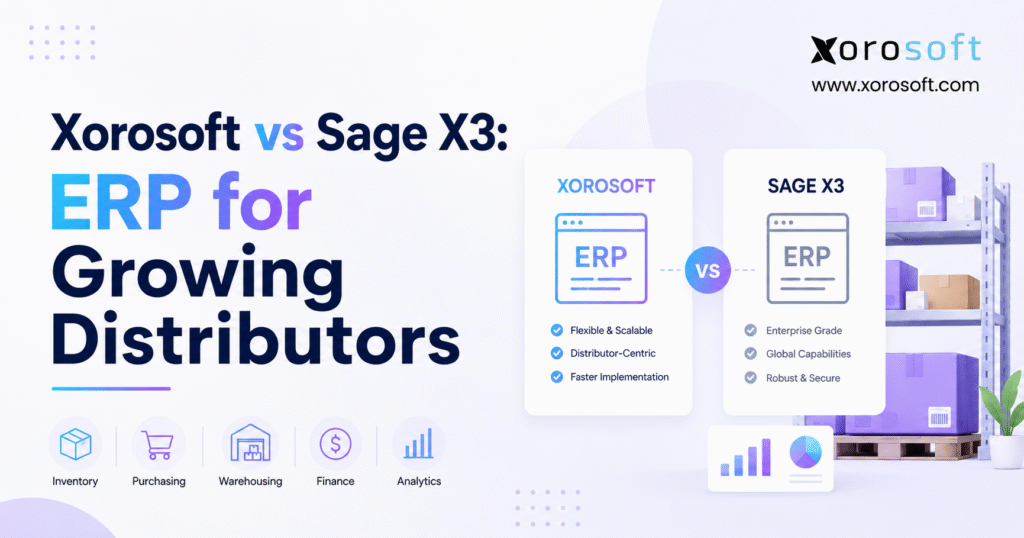
This article will provide a detailed comparison of Xorosoft vs Sage X3 to help you determine which solution best meets your business needs.
1. Distribution Growth Puts Disconnected Systems Under Pressure
A growing distributor can run for years with accounting software, spreadsheets, an inventory app, a shipping tool, and separate ecommerce links. At first, that setup may feel flexible and affordable. A small team can fill data gaps, fix errors, and move information from one system to another.
However, growth changes the workload. More orders create more stock movements. Additional warehouses create more transfers. New sales channels add pricing, tax, allocation, and fulfillment rules. Meanwhile, finance must match all that activity to invoices, payments, costs, and the general ledger.
As a result, the business starts to spend more time managing software gaps than managing customers and inventory. Sales may promise goods that another channel has already claimed. Buyers may place excess orders because they cannot see current demand. Warehouse staff may ship an order, while finance waits for a separate update before it can record the full cost.
The Xorosoft vs Sage X3 decision often begins at this point. The company no longer needs another small app. Instead, it needs a shared view of orders, stock, purchasing, warehouse work, production, and finance.
1.1 Why Growing Distributors Lose Control of Inventory Data
Most inventory problems do not start with a total system failure. They usually begin with small gaps between teams and tools. One app shows stock on hand. Another displays open orders. A spreadsheet tracks purchase plans. A warehouse system holds pick-and-pack data. Finance uses a different report to value inventory.
Each source may contain useful data. Still, no source gives the full picture.
For example, customer service may see 200 units in stock. Yet wholesale orders may already claim 120 units, quality control may hold 40, and a transfer may move another 20 to a different warehouse. Therefore, the true amount ready to sell may be only 20 units.
A modern distribution ERP should connect those facts. It should show what the business owns, where each item sits, what customers have claimed, what suppliers will deliver, and how each movement affects cost.
1.2 The Real Cost of a Disconnected Distribution Software Stack
Disconnected tools create costs that rarely appear in the software budget. Employees enter the same data more than once. Buyers work from old reports. Warehouse teams stop to ask sales which order has priority. Finance delays the month-end close while it checks stock and cost records.
In addition, managers start to lose trust in reports. Once leaders doubt the numbers, they request more spreadsheets. That response creates even more versions of the truth.
An ERP project should therefore do more than replace software. It should improve how the company works. The new system should reduce duplicate tasks, set clear data ownership, and give each department the same view of every key transaction.
1.3 Signs That a Distributor Has Outgrown Its Current Systems
A distributor should consider ERP when inventory totals differ across tools, purchasing depends on spreadsheets, and staff enter the same order more than once. Other warning signs include delayed financial closes, poor multi-warehouse visibility, slow reporting, and manual work between Shopify, Amazon, EDI, wholesale, and accounting systems.
One problem alone may not justify a full ERP project. However, several related issues usually point to a deeper process gap. At that stage, the business should compare the cost of change with the cost of continuing to work around disconnected systems.
2. What Growing Distributors Need From a Modern ERP Platform
A distribution ERP must connect the flow of goods with the flow of money. When a customer places an order, the system should show what stock exists, what other customers have claimed, what is on the way, and which warehouse should ship it.
Then, when employees receive, move, build, pick, ship, return, or adjust goods, the system should update both inventory and financial records. That connection matters because inventory is not only a warehouse count. It is also one of the company’s largest assets.
2.1 Real-Time Inventory and Multi-Warehouse ERP Control
A growing distributor needs more than one total stock number. It needs inventory by warehouse, bin, status, lot, serial number, sales order, and expected receipt.
For instance, a business may hold products in its own warehouse, at a third-party logistics site, in transit, or in production. It may also reserve inventory for a major retailer while leaving other units open for ecommerce orders.
The ERP should therefore answer several basic questions quickly. Where is the item? How much can the company sell now? How much has it already promised? When will more arrive? What did the item cost? Which customer or warehouse needs it most?
When the system cannot answer those questions, teams fall back on email, chat messages, and spreadsheets.
2.2 Purchasing, Forecasting, and Supplier Planning
Buying teams need a clear view of demand and supply. They should not have to merge five reports before they can place a purchase order.
A useful ERP brings together current stock, open sales orders, open purchase orders, supplier lead times, minimum order sizes, safety stock, seasonal demand, and production needs. It should also show why it suggests a purchase.
Even so, software should support buyer judgment rather than hide it. A planner may know that one supplier often ships late. Another supplier may offer a lower price but require a much larger order. The system should make these facts clear while still allowing human review and approval.
2.3 Warehouse Work That Updates the Rest of the Business
Warehouse work creates the events that drive many other records. Receiving affects stock and supplier bills. Picking changes order status. Shipping affects revenue, cost of goods sold, and customer updates. Returns change stock, credits, and margin.
For that reason, warehouse tools should not sit apart from the ERP. Receiving, putaway, moves, replenishment, picking, packing, shipping, returns, and cycle counts should update the same records that sales, purchasing, and finance use.
Barcode and mobile tools can improve speed. Still, they only work well when item data, units of measure, bins, labels, and order rules remain accurate.
2.4 Accounting That Understands Inventory
A distributor must track both the number of units and the value of those units. Consequently, the ERP should connect accounts payable, accounts receivable, inventory value, cost of goods sold, cash, and the general ledger.
The finance team should be able to trace a number back to the source. For example, it should see how a receipt, freight charge, transfer, build, shipment, return, or stock adjustment affected the books.
Companies with more than one entity, currency, country, or tax setup need deeper control. They should test these needs early instead of assuming that every ERP handles them in the same way.
2.5 Shopify, Amazon, Wholesale, and EDI Sales
Many distributors sell through several channels. A single item may sell through Shopify, Amazon, a sales representative, EDI, and direct wholesale orders.
Each channel may use different prices, order rules, fees, returns, and shipping steps. Therefore, the ERP must keep stock, orders, customer data, and finance in sync without turning every channel into a separate business.
The company should also test how the system handles failed updates, order changes, refunds, backorders, and returns. In daily operations, those cases often matter more than the basic ability to import an order.
3. Xorosoft vs Sage X3: How the Two ERP Platforms Differ
The Xorosoft vs Sage X3 comparison is not a simple feature contest. Both systems support product-based businesses, yet they address different levels of need and project scope.
Sage positions X3 for product-led firms with complex finance, supply chain, distribution, and manufacturing requirements. Xorosoft focuses on cloud ERP for inventory-driven companies that want to connect wholesale, ecommerce, warehouse, purchasing, production, and finance workflows.
Buyers should first compare business fit. After that, they can compare features, setup, support, and cost.
3.1 Sage X3 for Complex Distribution and Manufacturing
Sage X3 may fit companies with several sites, legal entities, countries, currencies, or plants. It may also suit organizations that need broad finance, supply chain, and production tools in one ERP environment.
In practice, this often means a larger project. The company may need more design work, more setup choices, and a skilled implementation partner. However, that level of depth can help when the business has complex rules that smaller systems cannot handle well.
A distributor should ask Sage to show how X3 handles its actual entity structure, warehouse network, pricing rules, traceability needs, production work, and close process. A general product tour will not show whether the system fits the real business.
3.2 Xorosoft Cloud ERP for Inventory-Driven Companies
Xorosoft offers several product paths. XoroONE brings inventory, warehouse management, manufacturing, accounting, ecommerce, and reporting into one cloud ERP. XoroERP focuses on core ERP work such as finance, purchasing, inventory, production, customers, vendors, and reporting. Meanwhile, XoroWMS focuses on warehouse tasks such as receiving, putaway, picking, packing, shipping, scanning, and stock control.
This setup may appeal to distributors that have outgrown QuickBooks, spreadsheets, inventory apps, or separate warehouse tools. In addition, it may suit companies that want Shopify, Amazon, wholesale, and EDI activity to feed the same inventory and financial records.
Even so, buyers should test the exact product mix. The company should confirm which capabilities come from XoroONE, XoroERP, XoroWMS, or a connected application.
3.3 Xorosoft vs Sage X3 Comparison at a Glance
The following table shows the main areas buyers should test. It does not name a winner because fit depends on company size, work rules, project skills, and long-term goals.
| Area | Sage X3 | Xorosoft | What buyers should test |
|---|---|---|---|
| Main fit | Complex product, finance, supply-chain, and plant needs | Cloud ERP for inventory-led wholesale, ecommerce, warehouse, and production companies | Company size, growth plan, and process depth |
| Inventory | Multi-site inventory and supply-chain control | Inventory linked to sales, purchasing, warehouse, production, and finance | Allocation, traceability, transfers, cost, and audit history |
| Warehouse | Warehouse processes within the wider X3 setup | ERP-linked WMS through XoroWMS | Receiving, bins, scans, picking, packing, shipping, and returns |
| Finance | Broad financial and multi-company tools | Accounting tied to daily inventory and order work | Entities, currencies, closing, controls, and reports |
| Manufacturing | Planning and production tools | BOM, MRP, work orders, production, and costing | Production type, planning depth, quality, and traceability |
| Ecommerce | Connections depend on the planned setup | Shopify, Amazon, wholesale, and EDI focus | Data flow, errors, returns, fees, and support |
| Project scope | May require more design and partner skill | Scope depends on products, integrations, data, and process needs | Written roles, tasks, costs, and change rules |
The Xorosoft vs Sage X3 decision should use this table as a starting point rather than a final score.
4. Inventory Management in the Xorosoft vs Sage X3 Comparison
Inventory often drives the ERP project because stock errors affect sales, purchasing, service, and finance at the same time. However, buyers should look beyond the phrase “real-time inventory.” They need to see how the system manages each stock event.
4.1 Inventory Visibility Across Sites and Sales Channels
Sage X3 may suit companies that need inventory control across several sites, plants, or business units. Xorosoft may suit firms that want inventory to flow across wholesale, ecommerce, warehouse, purchasing, finance, and production.
In both cases, the demonstration should show on-hand, ready-to-sell, allocated, incoming, in-transit, damaged, held, and work-in-process stock.
For example, the team should ask the vendor to receive part of a purchase order, hold some units for review, move some units to another site, reserve others for a key customer, and then show what each sales channel can still sell.
That test gives the buyer more insight than a basic stock screen.
4.2 Warehouse Tasks and Barcode Work
Warehouse staff need a fast and clear system. Too many steps slow work, while too few checks cause errors.
XoroWMS focuses on receiving, putaway, picking, packing, shipping, cycle counts, and mobile scanning. Sage X3 buyers should ask the proposed Sage setup to complete the same tasks.
Next, the team should test common problems. What happens when the supplier ships the wrong item? How does the system respond when a picker finds less stock than expected? Can a supervisor change the shipping site? Does the audit trail show who made an inventory adjustment?
These tests reveal how the system works under pressure.
4.3 Inventory Cost and Financial Checks
A warehouse count means little if finance cannot trust the value. For that reason, the Xorosoft vs Sage X3 review should include detailed costing tests.
The team should receive goods, add freight, transfer stock, build a product, ship part of it, process a return, and then review both the inventory value and the ledger entries.
Finance should also test the month-end close. It should confirm whether the system can match inventory records to the general ledger without a large manual spreadsheet.
4.4 Multi-Warehouse Transfers and Allocation Rules
Multi-warehouse ERP becomes harder when sales channels and customers compete for the same items. A distributor may want to protect inventory for a key retail account, route ecommerce orders to the nearest warehouse, or hold some stock for future production.
The system should make those rules clear. It should also show how transfers affect available inventory, expected arrival dates, and customer promises.
During the Xorosoft vs Sage X3 comparison, buyers should test how each platform handles priority, split shipments, backorders, partial transfers, and stock in transit. Those daily details often determine whether users trust the new ERP.
5. Purchasing and Finance in the Xorosoft vs Sage X3 Review
The Xorosoft vs Sage X3 choice should also reflect how the company buys goods and closes its books. These two areas often reveal weak links between daily work and finance.
5.1 Better Purchase Plans With Shared Data
A good purchase plan uses current stock, demand, open orders, supplier lead time, pack size, safety stock, and expected supply.
Xorosoft links purchasing to inventory, warehouse work, production, and finance. Sage X3 also links purchasing to its wider supply-chain and financial environment.
However, buyers should not stop at a feature list. They should ask each vendor to show how the system creates a purchase suggestion, explains the reason, sends it for approval, creates the order, receives part of it, records extra cost, and updates the supplier bill.
5.2 Forecasting for Seasonal and Fast-Moving Inventory
Forecasting needs vary by industry. Apparel companies plan by season, style, color, and size. Food distributors watch shelf life. Furniture businesses face long lead times. Industrial distributors may sell some parts every day and others only a few times each year.
The system should therefore let planners review history, open demand, seasonality, lead time, safety stock, and manual changes.
The best forecast is not always the one with the most advanced formula. Instead, it is the forecast that helps the team make a sound purchase or production decision.
5.3 Finance, Controls, and Month-End Close
Sage X3 may fit firms with deep finance, multi-company, or global needs. Xorosoft may fit companies that want accounting to sit close to inventory, orders, purchasing, warehouse work, and ecommerce.
The finance team should test invoices, credits, deposits, stock cost, freight, tax, cash, bank work, and closing reports. It should also check who can post, approve, change, or reverse each type of entry.
As a result, finance can judge both control and ease of use rather than relying on a sales presentation.
5.4 Landed Cost and Supplier Performance
Importers and distributors often need to add freight, duty, brokerage, handling, and other charges to inventory cost. The ERP should show how it spreads those costs and when it updates item value.
Supplier performance also matters. Buyers should be able to compare promised dates with actual receipts, review fill rates, and see which vendors create repeated shortages or delays.
During the Xorosoft vs Sage X3 evaluation, the purchasing team should test these processes with real supplier examples.
6. Manufacturing and Ecommerce in the Xorosoft vs Sage X3 Comparison
Some distributors only buy and resell products. Others kit, pack, assemble, manufacture, or process goods. At the same time, many sell through Shopify, Amazon, wholesale accounts, and EDI.
Therefore, the Xorosoft vs Sage X3 review should cover both production and channel flow.
6.1 Manufacturing ERP for Mixed Business Models
Sage X3 can support organizations with broad production needs, including process and discrete manufacturing. Xorosoft supports bills of materials, material planning, work orders, production, inventory use, and costing.
Still, the right fit depends on how the plant or shop floor works.
For example, a simple kit may only need a bill of materials and a build order. A food producer may need batches, lot tracking, expiry dates, yield, and quality checks. A complex plant may need routes, labor, machine time, outside processing, and detailed production plans.
Buyers should therefore test the real production flow from demand through finished goods.
6.2 Shopify ERP and Omnichannel Inventory
A Shopify connection should do more than import orders. It should also keep products, inventory, customers, shipping, returns, refunds, tax, and financial records in step.
Xorosoft has an official listing in the Shopify App Store. That listing confirms the presence of a Shopify connection. However, buyers should still test their own store setup, locations, bundles, returns, Shopify POS, Shopify Markets, and payout workflows.
Sage X3 buyers should also ask for the full proposed Shopify architecture. The vendor should explain whether it uses a direct connector, a partner application, or middleware.
6.3 Amazon, Wholesale Pricing, and EDI
Amazon brings its own rules for stock, fees, returns, and settlement. Wholesale adds customer price lists, credit limits, case packs, sales representatives, and order holds. EDI adds purchase orders, ship notices, invoices, labels, and trading-partner tests.
The ERP project should define each data flow. It should state which records move, how often they move, who fixes errors, and who supports the connection after launch.
Xorosoft may appeal to firms that want Shopify, Amazon, wholesale, and EDI inside one inventory and financial flow. Sage X3 may appeal to companies that need a wider enterprise setup and plan to build or buy the right connections.
6.4 Returns, Refunds, and Channel Exceptions
Many ERP evaluations focus on perfect orders. Daily business, however, includes partial shipments, damaged goods, cancellations, failed payments, returns, and refunds.
The Xorosoft vs Sage X3 demonstration should include those exceptions. Buyers should confirm how the system updates inventory, customer balances, warehouse tasks, channel status, and financial records.
A strong process does not only move good orders quickly. It also helps users spot and fix problems without losing control of the data.
7. ERP Setup and Cost in the Xorosoft vs Sage X3 Decision
A strong system can still fail when the project has poor data, weak process choices, or unclear roles. Implementation should therefore carry as much weight as the feature score.
7.1 Data Cleanup Before ERP Setup
ERP data work often takes more effort than buyers expect. Item files may contain old codes, duplicate units, missing weights, or incorrect costs. Customer files may include duplicate accounts or outdated terms. Supplier records may show lead times that no one has checked for years.
The team should decide what to move and what to leave behind. It should also name an owner for each key data set.
For example, sales may own customer pricing rules, warehouse leaders may own bin data, purchasing may own supplier terms, and finance may own opening balances.
7.2 Standard Setup Versus Custom Work
Both systems can support many types of work. However, each custom change adds time, cost, testing, and future upkeep.
Before it requests custom work, the team should ask a simple question: Does this step create real value, meet an essential rule, or protect the business?
When the answer is no, the company may gain more by using a sound standard process.
7.3 Five-Year Cost, Not Just First-Year Price
The Xorosoft vs Sage X3 cost review should include software, setup, data work, integrations, custom work, training, employee time, support, upgrades, and future changes.
In addition, the team should plan for growth. More users, warehouses, entities, sales channels, and EDI partners may add cost later.
A low first quote may leave out major work. Meanwhile, a higher quote may include more of the real project. Buyers should compare each proposal line by line and ask every vendor to list what the price does not include.
7.4 Employee Time and Change Management
ERP needs active support from company leaders. It also requires time from finance, warehouse, sales, purchasing, IT, and other key teams.
Users should join process design and testing. Otherwise, the project team may build a system that looks good in a meeting but fails during busy daily work.
Clear training also matters. Employees need to know not only which button to click but why the process changed and what data they now own.
7.5 Support After Go-Live
The project does not end when the new system launches. The company will still need help with user questions, new reports, added warehouses, new channels, system updates, and process changes.
Buyers should ask who provides support, how requests move through the support team, what service levels apply, and how the vendor handles urgent issues.
A clear post-launch plan reduces risk and helps the company keep improving after the first phase.
8. Business Fit in the Xorosoft vs Sage X3 Choice
The best ERP depends on the type of distributor, the level of control it needs, and the team that will run the project.
8.1 When Sage X3 May Be the Better Shortlist Choice
Sage X3 may fit a company with many sites, entities, currencies, countries, or plants. It may also suit an organization that needs deep production, finance, traceability, or company-wide setup options.
In addition, the company should have strong internal process owners and an experienced Sage partner. A system with many options needs clear choices and firm project control.
Sage X3 may therefore suit a larger or more complex business that can support a wider ERP project.
8.2 When Xorosoft May Be the Better Shortlist Choice
Xorosoft may fit a growing inventory-led company that wants to connect inventory, purchasing, accounting, warehouse work, production, Shopify, Amazon, wholesale, and EDI in the cloud.
It may also suit firms that have outgrown QuickBooks, spreadsheets, inventory apps, or separate warehouse tools.
The Xorosoft industries page shows a focus on wholesale, apparel, furniture, food, sporting goods, consumer goods, and manufacturing. Still, buyers should test their own industry needs instead of relying only on a listed market.
8.3 Industry Needs That Change the ERP Decision
Apparel businesses should test style, color, size, season, preorder, allocation, and returns. Furniture companies should test long lead times, containers, large-item handling, special orders, and delivery planning. Food businesses should test lots, expiry dates, traceability, production, and recall processes.
Sporting-goods distributors may care more about seasonal peaks and channel allocation. Industrial businesses may need serial numbers, substitutes, technical items, and customer-specific rules.
These needs should shape the Xorosoft vs Sage X3 decision more than a broad industry label.
8.4 When a Full ERP May Be Too Much
A small company with one site, simple stock, few users, low order volume, and no complex integrations may not need either system.
Instead, it may gain more value from a smaller accounting, inventory, order-management, or warehouse tool.
However, the business should also think ahead. A cheap short-term system may cost more if the company has to replace it again after one year.
9. Sage X3 Alternatives Beyond the Xorosoft vs Sage X3 Shortlist
The Xorosoft vs Sage X3 review should not stop the company from considering other strong options.
Depending on size and needs, the shortlist may also include NetSuite, Acumatica, Microsoft Dynamics 365 Business Central, SYSPRO, Epicor, Infor, Odoo, Cin7, Brightpearl, or a mix of ERP and warehouse tools.
9.1 Xorosoft, NetSuite, and Other ERP Choices
Companies that also plan to review NetSuite can read the Xorosoft vs NetSuite comparison.
That page gives another view of ERP, ecommerce, warehousing, production, setup, and cost. Because it comes from a vendor, buyers should also review official product information, customer references, project scope, and their own test scripts.
9.2 ERP, Inventory Software, and WMS Are Not the Same
Some businesses need better warehouse work but do not need to replace finance. Others need one ERP that owns inventory, purchasing, sales, production, and accounting.
The company should therefore define which system will own each key record. It should name the source for items, customers, prices, orders, stock, purchasing, bills of materials, finance, and reports.
Without clear ownership, even good integrations can create doubt when two systems show different answers.
9.3 Why a Two-Vendor Shortlist Still Needs Clear Requirements
A short list saves time only when the company knows what it needs. Otherwise, two strong sales teams may take the project in two different directions.
Before the next Xorosoft vs Sage X3 demo, the buyer should define required outcomes, key workflows, deal-breakers, and budget limits.
That preparation makes the comparison more useful and helps the team avoid choosing the system with the best presentation rather than the best fit.
10. Testing Xorosoft vs Sage X3 With Real Business Workflows
A strong ERP demonstration should follow the company’s own work from start to finish. It should also include mistakes, delays, and special cases.
10.1 Build a Team With Clear Owners
The team should include finance, operations, warehouse, purchasing, sales, ecommerce, IT, and production where needed.
Each person should own part of the score. For example, finance should score closing and controls. Warehouse leaders should score receiving and shipping. Purchasing should score planning and supplier work.
As a result, one person will not control the whole decision.
10.2 Use the Same Demo Script for Both Vendors
The Xorosoft vs Sage X3 demonstration should use the same steps.
For example, ask both vendors to receive an EDI order, apply a customer price, split stock across two warehouses, create a purchase suggestion, receive part of a supplier order, record damage, pick and ship the order, process a return, post the financial entries, and show the final margin.
Next, ask them to show what happens when data fails. A good system should not only complete the normal path. It should also help users find and fix errors.
10.3 Score Fit, Risk, Cost, and Support
The scorecard should cover inventory, purchasing, warehouse work, finance, production, ecommerce, EDI, reporting, ease of use, setup risk, support, and cost.
However, the highest feature score should not always win. One system may offer more than the company can use. Another may fit the main work with less risk.
The final score should therefore balance value with effort.
10.4 Avoid the Most Common ERP Buying Errors
Many companies repeat the same ERP buying mistakes. A feature list drives the choice, while data cleanup receives too little attention. Vague integration plans remain unchallenged, and teams request custom work before checking whether a standard process would fit.
Price comparisons also tend to use different project scopes, which can make the lowest quote look better than it is. In addition, teams often delay planning for training and post-launch support.
A better process tests complete workflows, assigns clear ownership, compares like-for-like costs, and defines how the company will support the system after launch.
11. Xorosoft vs Sage X3 Questions From ERP Buyers
11.1 What Is the Main Difference in the Xorosoft vs Sage X3 Comparison?
Sage X3 often fits companies with broad finance, supply-chain, manufacturing, and multi-company needs. Xorosoft often fits inventory-led firms that want cloud ERP across wholesale, ecommerce, warehouse, purchasing, finance, and production. The right choice depends on project scope, team skills, integrations, rules, and cost.
11.2 Is Xorosoft a Sage X3 Alternative?
Yes, buyers can treat Xorosoft as a Sage X3 alternative when they need inventory, purchasing, accounting, WMS, ecommerce, EDI, reporting, or production. Still, the systems do not match feature for feature. The team should therefore compare real workflows rather than broad product labels.
11.3 Is Sage X3 Good for Growing Distributors?
Sage X3 can fit growing distributors with complex sites, entities, finance, supply chains, or plants. However, smaller companies may find the project larger than they need. The organization should confirm both system fit and its own ability to manage the project.
11.4 Which ERP Fits Wholesale Distribution Better?
The better fit depends on pricing rules, inventory allocation, purchasing, EDI, warehouse work, credit, returns, finance, and reporting. Both vendors should show the same order-to-cash and purchase-to-pay workflows using the buyer’s real rules.
11.5 Which ERP Fits Multi-Warehouse Inventory Better?
Buyers should test inventory by site, bin, and status. They should also test transfers, stock in transit, replenishment, scanning, cycle counts, returns, and financial updates. A simple “multi-warehouse” label does not prove that the platform fits daily work.
11.6 Does Sage X3 Include Inventory Management?
Yes. Sage X3 includes inventory and supply-chain tools for product-based companies. Buyers should still confirm the planned modules, site setup, traceability rules, warehouse processes, integrations, and project tasks in writing.
11.7 Does Xorosoft Include Accounting and Inventory?
Yes. Xorosoft connects accounting and inventory with purchasing, warehouse work, sales, production, and reporting. Buyers should test costing methods, entities, month-end close, tax, cash, reporting, and data-migration needs.
11.8 Can Both Systems Manage Several Warehouses?
Both platforms can support more than one site or warehouse. However, the buyer should test bins, transfers, receiving, picking, packing, shipping, scanning, cycle counts, and returns. Some functions may require added setup, products, or devices.
11.9 Which ERP Is Better for Forecasting?
The better tool matches the company’s sales pattern and gives useful purchasing or production actions. The team should test seasonality, lead time, safety stock, open orders, new items, slow sellers, and planner changes.
11.10 Can ERP Replace QuickBooks and Inventory Apps?
Yes, ERP can replace separate finance and inventory tools when it meets the company’s needs. The project must also move balances, open orders, stock value, customer data, supplier data, and key history.
11.11 Which ERP Is Better for Shopify Distributors?
The best fit depends on products, variants, locations, orders, inventory, shipping, returns, tax, payments, and payouts. The vendor should therefore test the buyer’s real Shopify setup rather than a simple sample store.
11.12 Can the Systems Support Amazon?
Both platforms can support Amazon through direct connections, apps, or partners. Buyers should test orders, FBA, merchant shipping, stock, returns, fees, settlements, and financial records.
11.13 Can Distribution ERP Support EDI?
Distribution ERP can support EDI when the project covers the required documents, trading partners, labels, mappings, and support model. The scope should include purchase orders, acknowledgements, advance ship notices, invoices, partner testing, and error handling. In addition, the contract should clearly state who manages each connection before and after launch.
11.14 Does Sage X3 Support Manufacturing?
Sage X3 supports process and discrete manufacturing requirements. Its capabilities can cover bills of materials, production planning, batches, labor, quality, costing, and traceability. However, buyers should test their actual plant workflows because production needs vary widely by product, industry, and operating model.
11.15 Does Xorosoft Support Manufacturing?
Xorosoft supports bills of materials, material planning, work orders, production, purchasing, inventory use, and costing. Buyers should still test their own production model, including material shortages, outside processing, substitutions, finished-goods receipts, traceability, and reporting.
11.16 Which ERP Is Easier to Set Up?
Ease depends on fit. A broad system may require more design. A more standard cloud setup may move faster when the process already fits. Buyers should compare the full scope, data, integrations, testing, and employee time.
11.17 How Long Does ERP Setup Take?
No single timeline fits every project. Sites, users, data, integrations, production, reporting, testing, and training all affect the plan. Buyers should ask for steps, owners, dates, limits, and change rules.
11.18 What Drives ERP Cost?
ERP cost includes software, setup, data work, integrations, custom work, training, employee time, support, and future changes. New users, sites, channels, and EDI partners can also raise cost later.
11.19 What Should a Distributor Bring to an ERP Demo?
The team should bring process maps, order volume, sites, channels, integrations, reports, user roles, pain points, and goals. It should also bring real problem cases such as short shipments, partial receipts, returns, holds, and incorrect inventory.
11.20 When Should a Distributor Move to ERP?
A company should consider ERP when inventory differs across tools, purchasing lives in spreadsheets, employees enter data twice, finance cannot match inventory, channels work separately, or reports arrive too late.
11.21 Who Should Consider Sage X3?
Companies with broad multi-site, multi-company, global, finance, supply-chain, or manufacturing needs should consider Sage X3. They should also have strong process owners and a skilled implementation partner.
11.22 Who Should Consider Xorosoft?
Inventory-led businesses that want cloud ERP across finance, inventory, purchasing, warehouse work, production, Shopify, Amazon, wholesale, and EDI should consider Xorosoft. However, they should still test all key processes and integrations.
11.23 Who May Not Need Either ERP?
A small business with one site, simple inventory, few users, low order volume, and limited integrations may do better with a smaller tool. ERP makes sense when the benefit of shared control is worth the cost and work.
11.24 What Is the Biggest ERP Buying Mistake?
The biggest mistake is choosing from feature lists and smooth demonstrations. Companies also fail when they ignore data, employee time, integrations, training, and support. Teams should test complete workflows and check every project limit.
11.25 Should Price Decide the Xorosoft vs Sage X3 Choice?
No. Price matters, but scope matters more. A low quote may leave out data work, integrations, training, support, or custom tasks. Buyers should compare five-year cost, business fit, project risk, and support.
12. Final ERP Decision: Choose the System That Fits the Work
The Xorosoft vs Sage X3 choice should begin with the way the distributor buys, stores, sells, ships, manufactures, and records products. It should not begin with a long feature list or a broad claim that one system fits every business.
Sage X3 may deserve a place on the shortlist when the company needs deep multi-site, multi-company, finance, manufacturing, traceability, or global capabilities. Xorosoft may deserve a place when a growing inventory-led company wants cloud ERP across wholesale, ecommerce, warehouse operations, purchasing, finance, production, and EDI.
However, neither system can replace clear goals, clean data, strong process owners, or sound project control.
The next step should therefore be a workflow-based demonstration. The company should bring its real sites, products, channels, pricing rules, purchasing plans, production needs, financial controls, integrations, and reports. Each vendor should then show how the platform handles the full process, including errors and special cases.
To review Xorosoft against your own inventory, warehouse, purchasing, finance, ecommerce, EDI, and manufacturing requirements, use the Xorosoft contact page to arrange a focused ERP discovery session.
Recent Posts
-
 ERP Landed Cost Module vs Spreadsheet Calculations for Importers
 -
 How to Build an Open-to-Buy Plan for an Omnichannel Brand
 -
 Cold Storage WMS for Food and Beverage Distribution
 -
 ERP Buying Statistics 2026: Evaluation, Implementation, and Adoption Risks
 -
 How a Distributor Reduced B2B Order Exceptions Without Restricting Sales



