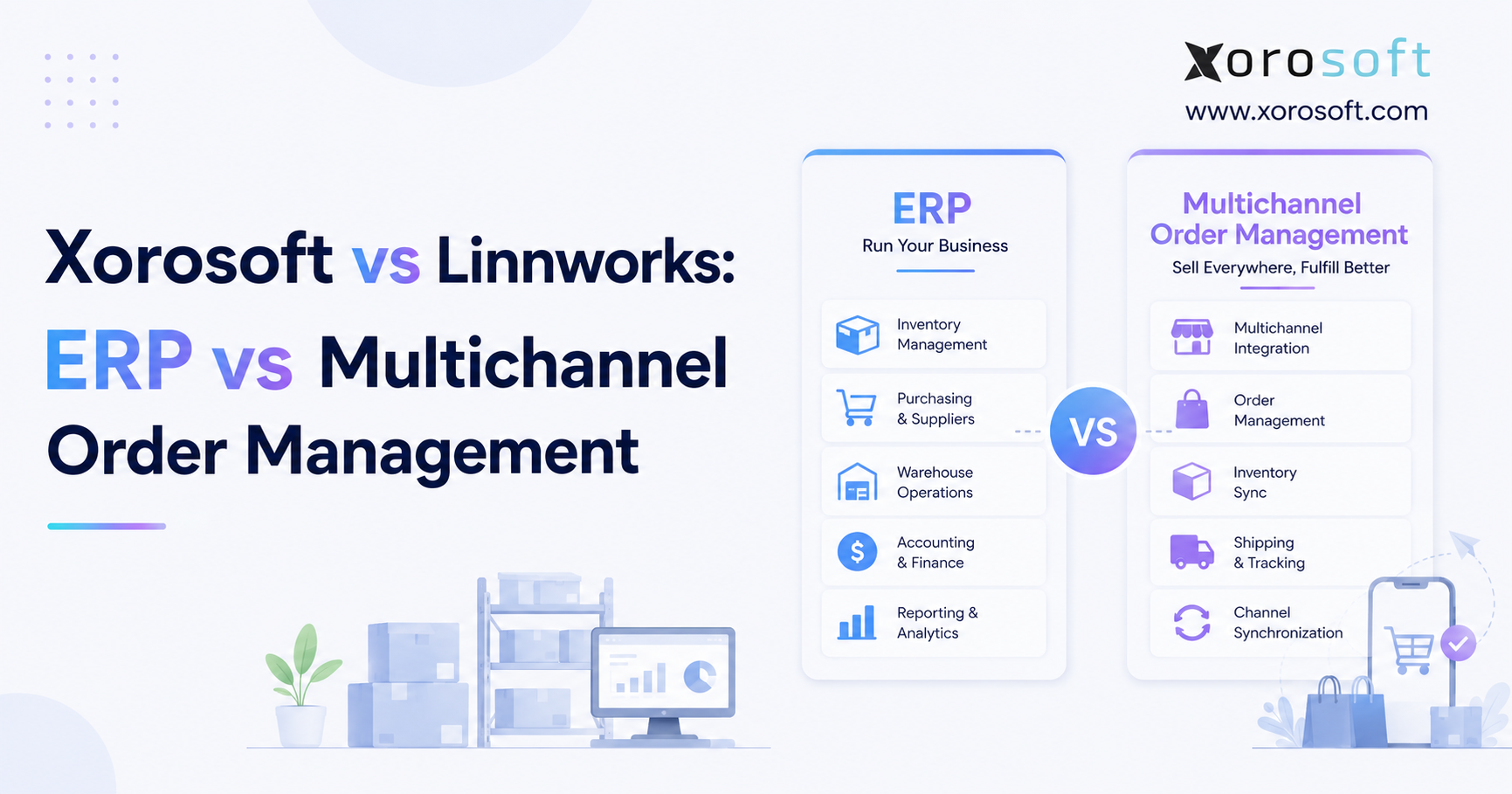
If you are trying to decide between Xorosoft vs Linnworks for your business needs, this guide will help you understand the differences and benefits of each platform.
1. Multichannel Growth Often Exposes a Systems Problem
1.1 More Sales Channels Create More Data Handoffs
A product business can add sales channels faster than it can improve its back-office systems. Shopify may run the main store, Amazon may bring in marketplace orders, and a separate application may handle shipping. Meanwhile, finance may use accounting software that receives sales and inventory data after transactions occur. Purchasing teams may also rely on spreadsheets, while warehouse employees work in another platform.
Although each application may perform its individual task, problems appear when information moves between systems.
For example, inventory may look available online even though another channel has already reserved it. A warehouse transfer may reach its new location, yet the storefront may continue to show the old stock level. Likewise, a delayed purchase order may leave the demand forecast unchanged. Customer service may see one order status while warehouse staff see another, and finance may not receive accurate sales and cost data until days later.
As a result, small data gaps can create stockouts, overselling, slow fulfillment, weak buying decisions, and unreliable reports. Managers may add employees to fix records that the software should manage. At the same time, the team spends more time checking information and less time improving service or planning growth.
This operational gap sits at the center of the ERP versus multichannel order management decision. The company must decide which system should manage inventory, orders, warehouse work, purchasing, accounting, manufacturing, and channel data.
1.2 Why Feature Checklists Often Lead Buyers in the Wrong Direction
A basic comparison chart may show that both products support inventory, orders, warehouses, purchasing, forecasting, and reports. However, matching feature names do not always mean matching workflows.
Two platforms may show inventory by location. One may focus on sending available quantities to Shopify, Amazon, and other channels. By contrast, the other may connect every receipt, transfer, return, and write-off with inventory value and finance.
Similarly, both products may support purchase orders. One may treat purchasing mainly as a replenishment process, while the other may link it to supplier bills, approval rules, cash needs, landed costs, and production plans.
Therefore, buyers should not only ask whether a feature exists. Instead, they should ask which part of the process the system owns.
A complete review should identify which platform creates the order, reserves stock, sends tasks to the warehouse, records the shipment, produces the invoice, updates product cost, manages supplier bills, processes returns, and posts financial entries. If the team cannot answer those questions, new software may add another layer of work instead of removing one.
2. ERP vs Multichannel Order Management: Where the Scope Changes
2.1 What an Inventory-Focused ERP Should Manage
An enterprise resource planning system connects daily operations with financial control. For an inventory-driven company, ERP often includes sales orders, inventory, purchasing, suppliers, warehouse tasks, accounting, forecasting, reporting, and manufacturing.
More importantly, ERP connects these areas through shared records.
When a team receives a purchase order, for example, the system can increase stock, update the order, record the value of the goods, note the amount owed to the supplier, and update cash and margin reports. Later, when the warehouse ships a customer order, the same platform can reduce inventory, record product cost, create an invoice, update the customer balance, and show the sale in financial reports.
Consequently, ERP becomes valuable when inventory accuracy and financial accuracy depend on each other. It also helps when ecommerce, wholesale, EDI, production, and multiple warehouses must use the same data.
However, not every growing seller needs a complete ERP. A company should consider the wider platform only when its processes require connected control across several teams.
2.2 What a Multichannel Order Management Platform Should Manage
A multichannel order management platform focuses on commerce across stores, marketplaces, warehouses, carriers, and fulfillment partners. Typically, it imports orders, updates stock across channels, applies routing rules, guides warehouse work, produces shipping labels, and sends tracking details back to the seller.
This type of platform solves a clear operational challenge. Each marketplace uses different product fields, service levels, order rules, and return steps. Therefore, a central tool can save employees from moving between portals and repeating the same actions.
Moreover, modern order management platforms often include inventory, purchasing, forecasting, listings, returns, shipping, warehouse tools, and reports. Even with this wider scope, though, they usually focus more on commerce and fulfillment than on full accounting, financial reporting, and production.
2.3 The System of Record Separates ERP from OMS
The main difference comes down to ownership. Which application holds the trusted record for stock, customers, suppliers, orders, costs, and finance?
One business may use an OMS as the main source for channel orders and available inventory while retaining separate accounting software. Another company may use ERP as the main source for customers, stock, purchasing, warehouse activity, invoices, and finance. In that model, Shopify and Amazon act as connected sales channels rather than primary operating systems.
Both structures can work. Nevertheless, the company must define clear responsibilities before implementation.
A business with simple accounting and no production may not need a full ERP. On the other hand, a company that manages wholesale terms, EDI, several warehouses, manufacturing, supplier commitments, and stock valuation may need a broader system.
3. Xorosoft vs Linnworks at a Glance
3.1 Xorosoft as a Cloud ERP for Inventory-Driven Companies
Xorosoft presents XoroONE as a cloud ERP for retailers, wholesalers, manufacturers, ecommerce brands, and other product-based companies. The platform brings inventory, accounting, purchasing, warehouse operations, production, forecasting, reporting, EDI, and online sales into one system.
In addition, the wider XoroERP platform supports businesses that have moved beyond basic accounting tools and disconnected inventory applications. It can connect customers, suppliers, stock, finance, warehouse tasks, integrations, and production.
Therefore, Xorosoft becomes relevant when the software decision extends beyond channel orders and fulfillment into company-wide financial and operational control.
3.2 Linnworks as a Multichannel Commerce Platform
Linnworks focuses on inventory, order management, warehouse activity, marketplace listings, shipping, stock forecasting, reports, and ecommerce automation. It acts as a central commerce hub for retailers that sell through multiple channels.
As a result, teams can use Linnworks to coordinate stock updates, order rules, carrier connections, listings, and fulfillment from one platform. This makes it much broader than a basic order inbox.
Still, its main focus remains the work that takes place between sales channels, warehouses, carriers, marketplaces, and fulfillment partners.
3.3 Xorosoft vs Linnworks in One Comparison Table
| Area | Xorosoft | Linnworks | Key buying question |
|---|---|---|---|
| Main category | Cloud ERP | Multichannel commerce platform | Do you need full ERP control or stronger channel coordination? |
| Inventory | Links stock with purchasing, warehouse, finance, and production | Centralizes stock across channels and locations | Do you need stock valuation as well as quantity visibility? |
| Orders | Connects orders with broader ERP workflows | Focuses heavily on routing and automation | How does each product handle errors, returns, and partial fulfillment? |
| Listings | Supports ecommerce through platform integrations | Offers dedicated listing tools | How important is marketplace catalog work? |
| Warehouse | Connects WMS activity with ERP records | Supports warehouse and fulfillment tasks | Which receiving, picking, packing, and control steps matter? |
| Accounting | Operates within the ERP environment | Commonly connects with accounting applications | Which system should own the financial books? |
| Manufacturing | Supports production-related ERP workflows | Often connects with specialist manufacturing tools | Does the business make products or only buy and sell them? |
| Pricing | Depends on users, modules, setup, and business scope | Uses custom plans and selected modules | What will the complete system cost over three years? |
4. Xorosoft vs Linnworks Inventory Management and Stock Control
4.1 Inventory Synchronization Solves Only the First Problem
Xorosoft vs Linnworks becomes a more useful comparison when buyers define what inventory management means for their company.
A multichannel seller may care most about fast stock updates, quantity buffers, overselling control, stock by location, warehouse transfers, and inventory held by a 3PL. These requirements closely match the main purpose of a commerce operations platform.
An ERP buyer may need those capabilities as well. However, the company may also require stock valuation, landed costs, purchasing commitments, customer allocations, production demand, work in progress, and direct links to accounting.
Inventory can exist in several states, including on hand, available, reserved, allocated, damaged, held, incoming, in transit, or used in production. Unless teams define those states consistently, even a fast synchronization process may send an inaccurate quantity to a sales channel.
Therefore, buyers should test the logic behind each number, not only the speed of the update.
4.2 Multi-Warehouse Control Requires Rules as Well as Visibility
A business with several locations needs more than a dashboard that shows stock by warehouse. It must decide where to store goods, which site should ship an order, when employees should transfer inventory, and how teams should replenish pick locations.
The XoroWMS platform connects warehouse activity with the broader ERP environment. It supports receiving, putaway, picking, packing, shipping, inventory transfers, and reporting. Consequently, warehouse actions can also update purchasing, customer orders, product costs, and financial records.
Linnworks also supports inventory across multiple locations and can help teams track transfers and manage warehouse workflows. Nevertheless, buyers should test situations that create real pressure. Examples include a transfer that arrives short, stock held for quality checks, a split shipment, inventory stored with a 3PL, and replenishment from reserve storage to active pick bins.
4.3 Stock Accuracy Must Match Financial Accuracy
Finance teams view inventory as an asset rather than only a unit count. Receipts, returns, write-offs, freight, supplier credits, and production use can all change stock value.
An OMS may send inventory and order data to an accounting application. By contrast, ERP may record the warehouse event and financial effect inside one system. Either method can work when teams use clear rules, regular checks, and reliable data.
In practice, buyers should ask each vendor to process a short receipt, damaged item, transfer, customer return, and product-cost change. Afterwards, the team should review stock, purchasing, supplier, warehouse, and accounting records.
5. Xorosoft vs Linnworks Order Management, Listings, and Shipping
5.1 Order Rules Matter Most When Something Goes Wrong
Linnworks places order management at the center of its platform. The system can import orders from multiple channels, update inventory, apply rules, guide fulfillment, and return tracking data.
For a seller with high marketplace volume, this approach can remove a great deal of manual work. However, buyers should test more than an order that moves from payment to shipment without a problem.
A stronger demonstration includes payment holds, address changes, short stock, split shipments, backorders, late cancellations, replacement products, partial refunds, and returns to another warehouse. These cases reveal how the platform handles pressure and exceptions.
Meanwhile, an ERP order process may continue beyond shipment. It can update customer credit, invoices, accounts receivable, product costs, taxes, margins, and financial reports.
Therefore, the company must decide whether fulfillment represents the final goal or one stage in a wider order-to-cash process.
5.2 Marketplace Listing Management Can Decide the Outcome
A business with a large marketplace catalog may spend more time managing listings than reviewing financial or production records. In that case, listing functions may carry more weight than broader ERP features.
Linnworks supports central catalog work and bulk changes across compatible marketplaces. Sellers can manage titles, descriptions, prices, product links, bundles, and channel rules from one location.
However, marketplace restrictions often determine what any software can change. Buyers should confirm which actions work for each required channel, particularly when they manage complex variants, bundles, category rules, or large catalogs.
By contrast, a company that sells mainly through Shopify, wholesale, and EDI may care less about deep marketplace listing tools. Instead, it may place more value on purchasing, customer terms, inventory valuation, and unified reporting.
5.3 Shipping Tools Must Match the Actual Fulfillment Network
Shipping software should support the carriers, 3PLs, labels, customs documents, packing rules, service levels, and tracking flows that the business uses.
Linnworks focuses strongly on carrier links, labels, routing rules, rate checks where available, and tracking updates. Consequently, it can reduce repeated work for sellers that ship many orders across several services.
An ERP buyer should also examine the financial effect of shipping. For example, teams may need the shipment to update the invoice, product cost, inventory, customer balance, freight charge, and margin report.
Therefore, a complete shipping review should include both physical fulfillment and financial results.
6. Xorosoft vs Linnworks Warehouse Management Workflows
6.1 Buyers Should Test Warehouse Software on the Floor
A Xorosoft vs Linnworks warehouse review should not rely only on presentation slides. Instead, teams should test the exact steps employees use during a normal shift.
The review should begin with receiving. Can the system handle full, short, damaged, and split deliveries? Next, buyers should examine putaway, bins, zones, barcode scanning, lot numbers, serial numbers, and expiry dates where needed.
After that, employees should test replenishment, wave picking, batch picking, packing, labels, stock counts, transfers, and returns.
Linnworks supports warehouse activities such as digital pick lists, scanning, bins, zones, stock moves, reordering, kitting, and shipping connections. Xorosoft links warehouse work with the wider ERP record, which matters when a receipt or shipment must update purchasing, stock valuation, billing, and finance at the same time.
6.2 Product Type Changes the Warehouse Review
A parcel ecommerce warehouse does not work like a furniture facility, food operation, apparel distribution center, or wholesale case-pick site.
For example, food businesses may need lot and expiry control. Furniture companies often handle oversized products and delivery schedules. Apparel brands manage many color and size variants, while manufacturers track raw materials, work in progress, and finished goods.
As a result, each buyer should use real products, orders, and staff roles during the demonstration. A system that looks fast with one simple order may slow down when an order includes several lines, two warehouses, a short item, and a fixed customer deadline.
7. Accounting, Purchasing, and Finance in Xorosoft vs Linnworks
7.1 Accounting Architecture Often Decides the Platform Choice
Xorosoft vs Linnworks differs clearly when the company asks which system should own its financial records.
Xorosoft includes accounting within the ERP environment. Sales, inventory, purchasing, suppliers, warehouse transfers, production, and reporting can share one database. Therefore, companies can reduce the number of data handoffs between daily operations and finance.
Linnworks commonly connects with accounting tools. This structure can work well when a company already trusts its finance application and mainly needs better channel and fulfillment control.
However, the team must check which records move, how often they synchronize, what happens when the connection fails, and how users correct tax, refund, fee, and product-cost errors.
The strongest test focuses on month-end close. Buyers should ask how each setup handles sales, returns, marketplace fees, supplier bills, inventory value, freight, damaged stock, and channel payouts. Ultimately, the best setup is the one the finance team can repeat with clear steps and minimal manual correction.
7.2 Purchasing Depth Should Match the Buying Process
Linnworks supports purchase orders and forecasting tools that help teams plan replenishment. Consequently, it may meet the needs of a retailer that buys finished goods and wants to reduce stockouts.
A broader ERP process can also manage approval levels, supplier terms, deposits, landed costs, invoice matching, accounts payable, production demand, budgets, and cash plans.
This added depth matters when purchasing decisions involve several teams or large cash commitments. On the other hand, a company with a simple buying cycle may not need every ERP control.
Buyers should map the full process from demand to payment. First, who identifies the need? Then, who approves the purchase? After delivery, who records shortages or damage? Finally, who checks the supplier invoice and approves payment?
The chosen platform should support the actual process without forcing the team to rebuild missing steps in spreadsheets.
8. Xorosoft vs Linnworks for Manufacturing and Forecasting
8.1 Manufacturing Pushes the Comparison Toward ERP
Xorosoft vs Linnworks shows a clearer difference when the company manufactures products.
Manufacturing requires more than simple kits and bundles. A producer may need bills of materials, raw materials, production plans, work orders, labor records, work in progress, scrap tracking, quality checks, finished goods, and product costs.
Xorosoft includes production and manufacturing within its ERP scope. Linnworks can connect with specialist manufacturing applications. Therefore, both setups may support a manufacturer, but they create different system designs.
A single ERP model can keep demand, materials, production, inventory, costs, and finance in one platform. Alternatively, a connected approach can allow each application to focus on its specialist role.
Still, the business must decide which design provides enough control without creating too many links or manual checks.
8.2 Forecasting Depends on Clean and Complete Inputs
Forecasting software cannot solve poor data by itself. It needs accurate sales history, lead times, current stock, open purchase orders, seasonality, promotions, and known changes in demand.
Linnworks provides stock forecasting and replenishment support for commerce teams. An ERP forecast may also include wholesale orders, production needs, supplier plans, budgets, and cash limits.
Therefore, buyers should test several product types. A useful sample includes a regular item, a seasonal product, a new launch, and a slow-moving SKU.
In addition, teams should ask how the system handles missed sales, one-time promotions, supplier delays, and sudden channel growth. A valuable forecast should lead to a clear purchasing or production action rather than only display a chart.
9. Shopify, Amazon, Wholesale, and EDI Fit
9.1 Shopify ERP vs OMS Requires an Order-to-Cash Test
For Shopify merchants, the key question concerns what happens after an order enters the operation.
Linnworks can help a Shopify seller manage inventory, orders, shipping, and fulfillment across several channels. Xorosoft can connect Shopify orders with stock, warehouse tasks, purchasing, accounting, and production within an ERP.
The Xorosoft ERP app for Shopify supports businesses that want a wider operating system behind the storefront.
During the review, buyers should test cancellations, refunds, gift cards, multiple Shopify stores, warehouse locations, bundles, wholesale orders, payouts, and tax records. Although fast order import matters, the business also needs clean inventory, product cost, invoice, and cash records after shipment.
9.2 Amazon and Marketplace Sellers Need Strong Channel Rules
Marketplace sellers often focus on listing coverage, inventory buffers, FBA, merchant-fulfilled stock, order routing, returns, fees, and settlement records.
Linnworks may appeal to sellers that manage many marketplaces because channel and listing workflows sit close to its core purpose. By contrast, Xorosoft may appeal to businesses that need marketplace orders to connect with wholesale, purchasing, production, multiple warehouses, and finance.
Therefore, the right choice depends on whether marketplaces represent the center of the operation or one part of a wider business system.
9.3 Wholesale and EDI Add More Business Rules
Wholesale brings price lists, credit terms, large orders, stock reservations, backorders, case quantities, EDI documents, invoices, and accounts receivable.
Moreover, these rules often involve sales, warehousing, purchasing, customer service, and finance at the same time. Consequently, a business may need more than order import and inventory updates.
Companies can review Xorosoft’s ERP solutions by industry when they need workflows for a specific market. Nevertheless, each buyer should test its own customer terms, EDI partners, order changes, shipping windows, and billing process.
10. Xorosoft vs Linnworks Pricing, Setup, and Total Cost
10.1 Compare the Same Scope Before Comparing Prices
Xorosoft vs Linnworks pricing makes sense only when both vendors receive the same list of business requirements.
Linnworks uses custom plans that may vary by order volume, selected products, modules, and onboarding needs. ERP pricing may depend on users, companies, warehouses, accounting, WMS, production, EDI, integrations, migration, training, and support.
Therefore, a low base price may rise when the company adds listing tools, warehouse functions, forecasting, connectors, partner work, and support.
A wider ERP may cost more at the start. However, it may also remove several applications and reduce manual work. Conversely, it may offer poor value when a business does not need its broader scope.
For a fair review, buyers should request a three-year cost that includes software, setup, data cleanup, integrations, training, support, internal administration, and future changes.
10.2 Implementation Should Follow Business Risk
A company should not try to change every process at the same time. Instead, it should begin with the area that creates the most risk or waste.
For one team, inventory and fulfillment may come first. For another, purchasing and accounting may cause the greatest problems. Meanwhile, a manufacturer may need clean product structures and material plans before adding more channel automation.
Before launch, teams should clean product records, warehouse locations, customers, suppliers, open orders, inventory balances, accounting balances, and bills of materials. Otherwise, poor data can make capable software appear unreliable.
10.3 Total Cost Includes the Manual Work That Remains
Software costs extend beyond licence fees. The company should also count the time employees spend checking integrations, correcting data, matching reports, maintaining spreadsheets, and entering the same information more than once.
A connected application setup can work well when each system has a clear role and the integrations remain stable. However, it can become costly when nobody owns failures.
Likewise, a single ERP can reduce handoffs, but it requires careful setup, training, and process control. Therefore, the best cost model should measure both the applications the company removes and the manual work the new platform prevents.
11. Which Businesses Fit Xorosoft vs Linnworks Best?
11.1 When Linnworks May Offer the Better Fit
Linnworks may suit a retailer whose main challenge involves sales channels, listings, orders, warehouse tasks, shipping, and returns.
In particular, it can support companies that want stronger commerce control while keeping their current accounting or specialist applications. This fit becomes more likely when the business does not manufacture, finance already works well, and marketplace growth creates most of the strain.
11.2 When Xorosoft May Offer the Better ERP Fit
Xorosoft may suit an inventory-driven company whose problems extend into accounting, purchasing, production, wholesale, EDI, several warehouses, and company-wide reporting.
For example, ERP becomes more relevant when stock and finance do not match, buyers rely on spreadsheets, month-end close takes too long, or teams enter the same information into several systems.
Businesses that want to compare full ERP platforms can also review the Xorosoft vs NetSuite comparison to understand how scope, implementation, and operating models may differ.
11.3 When a Company May Use Both Platforms
Some companies use a commerce platform together with ERP. In this model, the OMS may manage channel activity while ERP owns purchasing, stock valuation, accounting, and production.
This setup can work. However, the business must define which system owns products, inventory, customers, orders, purchase orders, shipments, returns, and invoices.
In addition, one team should monitor the integrations and take responsibility when data fails to move.
12. A Practical Xorosoft vs Linnworks Decision Process
12.1 Start with Six Real Workflows
A strong Xorosoft vs Linnworks review should use six real business workflows:
1. A normal ecommerce order.
2. A split or short shipment.
3. A purchase order with a partial receipt.
4. A warehouse transfer.
5. A return with a refund.
6. A month-end inventory and finance check.
Together, these scenarios show how the systems handle routine work, errors, and financial records. They also reveal where employees may still need spreadsheets, manual checks, or another application.
12.2 Mark Each Capability as Core, Add-On, Integrated, or Custom
For every requirement, buyers should ask whether the platform includes it in the core product, sells it as another module, provides it through a third-party connection, or requires custom development.
Next, the team should identify who supports the function and who fixes it when it fails. This step often matters more than the feature name because it shows how much operational risk remains after implementation.
12.3 Score Business Fit Rather Than Feature Count
A longer feature list does not always produce a better result. Instead, the company should score each platform against its workflows, team skills, controls, growth plan, and budget.
A retailer with thousands of marketplace listings may give listing and routing tools more weight. A manufacturer may focus on production planning and costing. Likewise, a wholesaler may care most about EDI, customer terms, purchasing, and accounts receivable.
Ultimately, the winning platform should match the operating model rather than a generic software score.
13. Xorosoft vs Linnworks FAQs
13.1 What Is the Main Difference Between Xorosoft and Linnworks?
Xorosoft is a cloud ERP that connects inventory with accounting, purchasing, warehouse activity, production, and reporting. Linnworks focuses on multichannel inventory, listings, orders, shipping, warehouse workflows, and commerce automation. Therefore, the best choice depends on which business processes the new system must own.
13.2 Is Linnworks an ERP System?
Linnworks covers several areas that overlap with ERP, including inventory, purchasing, forecasting, warehouses, and reporting. However, its main focus remains connected commerce. Companies that need full accounting, manufacturing, and one company-wide record should confirm whether integrations and add-ons meet those requirements.
13.3 Is Xorosoft an Order Management System?
Xorosoft includes order management within a wider ERP platform. Consequently, it can connect orders with inventory, warehouse tasks, purchasing, customers, invoices, accounting, production, and reports instead of keeping order activity in a separate system.
13.4 Can Linnworks Replace an ERP?
Linnworks may replace several applications used for inventory, orders, listings, shipping, and warehouse operations. Nevertheless, it may not replace a full ERP when the business needs built-in accounting, manufacturing, cost control, advanced purchasing, and one shared financial and operating record.
13.5 Can ERP Replace a Multichannel OMS?
ERP can replace a separate OMS when it supports the required channels, inventory updates, routing, shipping, returns, and warehouse processes. However, a business with complex marketplace listings or special fulfillment rules may still benefit from a specialist commerce platform.
13.6 Which Platform Fits Shopify Brands Better?
A Shopify brand focused mainly on inventory, orders, shipping, and channel coordination may prefer Linnworks. By contrast, a brand that also needs wholesale, accounting, purchasing, EDI, production, and unified reporting may prefer Xorosoft.
13.7 Which Platform Fits Amazon Sellers Better?
Amazon sellers should compare listing tools, FBA inventory, merchant-fulfilled stock, quantity buffers, routing, returns, fees, settlements, purchasing, and accounting. Linnworks may suit marketplace-focused sellers, while Xorosoft may better suit companies that need Amazon orders to enter a wider ERP process.
13.8 Does Linnworks Support Multiple Warehouses?
Yes. Linnworks supports inventory across locations, warehouse workflows, transfers, and external fulfillment. Still, buyers should test bins, zones, replenishment, pick methods, packing, lot requirements, and inventory stored at a 3PL.
13.9 Does Xorosoft Support Multiple Warehouses?
Yes. XoroWMS supports receiving, putaway, inventory control, picking, packing, shipping, transfers, cycle counts, and reporting. In addition, it connects warehouse events with the wider ERP record.
13.10 Does Linnworks Include Accounting?
Linnworks commonly connects with accounting tools rather than operating as a complete finance system. Therefore, buyers should verify which sales, purchasing, tax, inventory, refund, and fee records move between systems and how employees correct errors.
13.11 Does Xorosoft Include Accounting?
Yes. Xorosoft includes accounting within its ERP scope. Even so, companies should test tax rules, currencies, multiple entities, audit needs, financial reports, and the way inventory and accounting remain aligned.
13.12 Does Linnworks Support Purchase Orders?
Yes. Linnworks supports suppliers, purchase orders, receipts, and replenishment. Buyers should also compare approval steps, short receipts, supplier returns, freight, invoice matching, and the accounting process.
13.13 Does Xorosoft Support Purchasing?
Yes. Xorosoft connects purchasing with suppliers, inventory, warehouses, finance, and production. As a result, it can support companies that need more control than basic reorder points and supplier records.
13.14 Does Linnworks Offer Forecasting?
Yes. Linnworks offers stock forecasting and replenishment tools. However, buyers should test seasonal demand, new products, promotions, slow-moving items, supplier delays, and lost sales before they rely on the results.
13.15 Which Platform Fits Manufacturing Better?
A company that needs bills of materials, work orders, raw materials, work in progress, planning, quality checks, and product costing will usually require ERP or specialist manufacturing software. Xorosoft includes production within its ERP scope, while Linnworks can connect with specialist tools.
13.16 Which Platform Has Stronger Listing Tools?
Linnworks gives multichannel listings a central role. Therefore, it may fit sellers that manage large catalogs across several marketplaces. Buyers should confirm supported fields, bulk actions, variants, bundles, and channel-specific limits.
13.17 Which Platform Fits Warehouse Operations Better?
The answer depends on the warehouse. Buyers should test both platforms for receiving, putaway, bins, replenishment, scanning, picking, packing, shipping, counting, transfers, and returns. Xorosoft also connects those events directly with the wider ERP process.
13.18 Can Linnworks Connect With a 3PL?
Yes. Linnworks can connect with external fulfillment partners and route orders through rules. Nevertheless, buyers should confirm the exact 3PL, inventory timing, order flow, tracking, returns, lot data, billing, and error process.
13.19 Which Platform Fits Wholesale Better?
Wholesale companies should compare customer pricing, credit terms, EDI, inventory reservations, backorders, case sizes, purchasing, warehouse work, invoices, and accounts receivable. As these rules grow, a wider ERP often becomes more useful.
13.20 How Much Does Linnworks Cost?
Linnworks uses custom pricing based on order volume, selected products, modules, and setup requirements. Therefore, buyers should request a full quote that includes listings, WMS, forecasting, integrations, onboarding, support, and volume-related charges.
13.21 How Much Does Xorosoft Cost?
Xorosoft pricing depends on users, companies, warehouses, modules, accounting, WMS, production, EDI, integrations, setup, data migration, training, and support. Consequently, buyers should compare the full cost over several years rather than only the subscription.
13.22 When Should a Business Move from OMS to ERP?
A move to ERP becomes relevant when inventory and accounting do not match, purchasing depends on spreadsheets, month-end close takes too long, production sits outside the main system, or managers cannot access trusted reports across teams.
13.23 Can a Company Use Linnworks and ERP Together?
Yes. Linnworks can manage channel workflows while ERP owns finance, purchasing, inventory value, and production. However, the company must define data ownership, integration rules, error checks, and team responsibilities.
13.24 What Are the Main Linnworks Alternatives?
Alternatives depend on the company’s requirements. ERP options include Xorosoft, NetSuite, Acumatica, Business Central, Sage, and Odoo. Meanwhile, commerce and inventory options include Cin7, Brightpearl, Sellercloud, Veeqo, Extensiv, and Unleashed.
13.25 What Should Buyers Ask During a Software Demo?
Buyers should ask each vendor to process a real order, short shipment, return, purchase receipt, warehouse transfer, damaged item, inventory adjustment, and month-end check. Afterwards, the team should confirm which parts come standard, require another module, use a third-party integration, or need custom work.
14. Turn the Xorosoft vs Linnworks Comparison Into a Clear Next Step
The best Xorosoft vs Linnworks choice does not come from naming one universal winner. Linnworks can work well for companies that need stronger control over channels, listings, orders, shipping, and fulfillment. Xorosoft can suit inventory-driven businesses that need those processes to connect with purchasing, accounting, production, wholesale, EDI, and company-wide reporting.
Before requesting final proposals, document your channels, warehouses, order volume, product types, buying process, financial needs, manufacturing workflows, integrations, reporting gaps, and team limits. Then, give both vendors the same workflows and the same exception cases.
Moreover, compare who owns setup, data migration, integrations, support, and error handling. A strong fit should reduce manual work, improve control, and give teams a clearer record of daily operations.
When the requirements point toward a connected ERP, request a workflow-based review instead of a general product tour. Contact Xorosoft to discuss your existing systems, operational gaps, and ERP readiness.
Recent Posts
-
 ERP Landed Cost Module vs Spreadsheet Calculations for Importers
 -
 How to Build an Open-to-Buy Plan for an Omnichannel Brand
 -
 Cold Storage WMS for Food and Beverage Distribution
 -
 ERP Buying Statistics 2026: Evaluation, Implementation, and Adoption Risks
 -
 How a Distributor Reduced B2B Order Exceptions Without Restricting Sales



