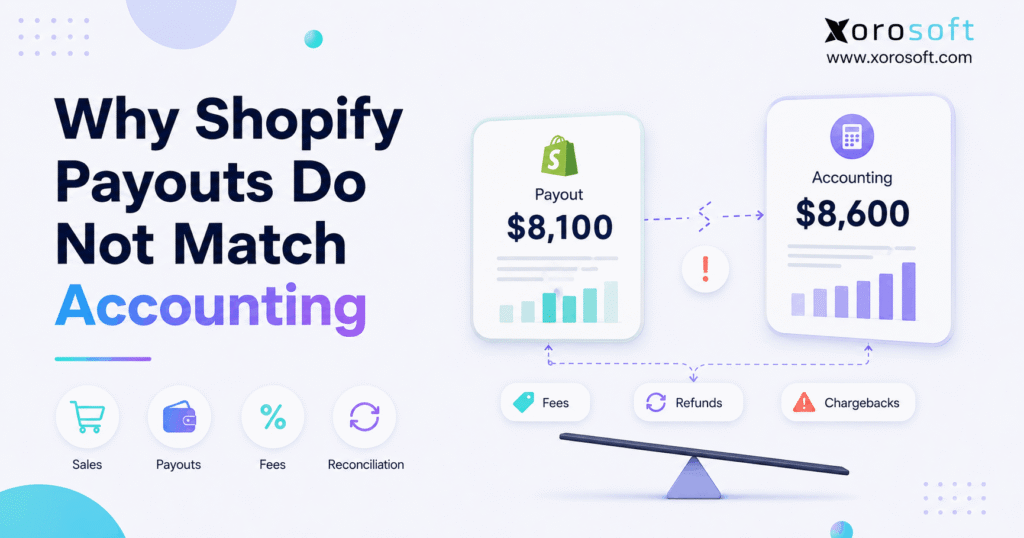
If you’ve ever dealt with a Shopify accounting mismatch, you know how frustrating it can be to reconcile your books.
1. When the Deposit Looks Wrong but the Money Is Not Missing
A Shopify accounting mismatch happens when Shopify sales, payout reports, accounting records, and bank deposits show different totals. However, those numbers measure different stages of a transaction. Therefore, a difference does not automatically mean revenue is missing or that an integration has failed.
For example, Shopify can record customer activity before processing fees, refunds, disputes, taxes, timing differences, or other adjustments affect the amount eventually deposited. Consequently, the bank may receive less cash than the gross sales figure shown in Shopify.
Moreover, accounting software normally separates revenue, fees, refunds, liabilities, taxes, and cash movements. As a result, comparing one Shopify payout directly with accounting revenue often creates confusion even when the underlying records are correct.
Therefore, the objective should not be to make every report display the same number. Instead, finance should be able to explain every difference between the original customer transaction and the final bank deposit.
1.1 Why Shopify Sales and Payouts Measure Different Things
Understanding a Shopify accounting mismatch starts with separating sales activity from payment settlement.
Shopify sales primarily represent customer buying activity. In contrast, a payout represents cash transferred after relevant payment activity has been processed.
Therefore, one customer payment can affect several financial categories, including:
- Product sales
- Shipping income
- Sales taxes
- Discounts
- Processing fees
- Refunds
- Chargebacks
- Currency adjustments
As a result, the payout should be treated as the outcome of a settlement process rather than as a replacement for the original sales record.
1.2 Ask Better Reconciliation Questions
Instead of asking only, “Why does the payout not equal sales?” finance should ask:
- What customer payments entered the settlement?
- Which fees reduced the available balance?
- Were refunds processed during the same period?
- Did a dispute affect the payout?
- Did transactions cross reporting periods?
- Did another payment gateway receive some customer payments?
- Did currency conversion affect settlement?
- Does the final payout match the bank deposit?
Therefore, a strong reconciliation process explains the movement of money rather than forcing unrelated financial totals to agree.
2. Shopify Accounting Mismatch: Sales, Payouts, and Revenue Are Different
A Shopify accounting mismatch becomes easier to diagnose once the business separates sales activity, payment activity, settlement, and accounting revenue.
Although these numbers are related, they answer different questions.
| Figure | What It Represents | Should It Equal Accounting Revenue? |
|---|---|---|
| Shopify sales | Customer sales activity | Not necessarily |
| Shopify payment activity | Transactions entering settlement | No |
| Shopify payout | Net money transferred | No |
| Bank deposit | Cash received | No |
| Accounting revenue | Revenue recorded in the ledger | Not necessarily |
Therefore, using one figure as a substitute for another can distort reporting.
2.1 Shopify Gross Sales
Gross sales provide a starting point for understanding customer activity. However, gross sales alone cannot explain a Shopify accounting mismatch because they do not represent the exact amount available for settlement.
For example, a customer transaction may include product value, shipping, discounts, and taxes. Additionally, processing costs may reduce the amount eventually transferred.
Therefore, gross sales are useful for analyzing commercial performance, but they are not a bank-reconciliation figure.
2.2 Shopify Net Sales
Net sales provide another view of business activity. Nevertheless, they still do not necessarily represent the amount Shopify deposits.
For instance, payment-processing fees can reduce settlement without being reflected as a reduction in the same sales metric.
Consequently, net sales and net payouts can still differ.
2.3 Shopify Payouts
A Shopify payout represents available payment funds transferred to the merchant’s bank.
Therefore, the payout may reflect several elements at once:
- Customer payments
- Processing fees
- Refunds
- Chargebacks
- Adjustments
- Holds
- Currency activity
This settlement structure is one of the main reasons a Shopify accounting mismatch appears in financial reports.
2.4 Accounting Revenue
Accounting revenue records the economic activity of the business according to its accounting policies. Meanwhile, cash settlement can occur earlier or later.
Therefore, finance usually needs to distinguish:
- Revenue
- Taxes
- Processing fees
- Refunds
- Liabilities
- Cash transfers
Consequently, simply recording the bank deposit as revenue can hide important financial information.
3. Nine Reasons Shopify Payouts Do Not Match Accounting
Most Shopify accounting mismatch problems can be traced to a relatively small group of causes. Therefore, finance teams should investigate these nine areas before assuming the accounting integration is broken.
3.1 Processing Fees Reduce Settlement
Payment-processing fees are one of the most common causes.
For example, suppose customers generate $25,000 in payment activity. However, processing charges reduce the amount available before settlement.
Therefore, finance should separate:
- Gross customer payments
- Processing fees
- Other applicable payment costs
- Net settlement
Consequently, processing fees should always be checked when investigating a Shopify accounting mismatch.
Moreover, recording only the net deposit can hide the actual cost of collecting customer payments.
3.2 Refunds Can Affect a Later Payout
A sale and its refund may occur days or weeks apart.
For example:
1. A customer purchases an item on June 28.
2. The original payment settles in June.
3. The customer returns the product on July 8.
4. The refund affects July payment activity.
Therefore, June sales and July payouts can appear inconsistent if finance compares them without considering the refund date.
Refund timing is especially important when a Shopify accounting mismatch crosses two reporting periods.
Additionally, industries with frequent returns, such as apparel, can experience this issue continuously.
3.3 Chargebacks Create Separate Financial Events
A chargeback is different from an ordinary customer refund because it involves a payment dispute.
Consequently, finance may need to track:
- The original sale
- The disputed amount
- Any applicable dispute-related costs
- The final dispute outcome
Therefore, a transaction recorded in one period can affect settlement in another.
As a result, chargebacks can create a Shopify accounting mismatch even when the original order was posted correctly.
3.4 Payout Timing Differs From Order Timing
Shopify orders and bank deposits do not always operate on the same timeline.
For instance, a customer can order on the final day of one month while the associated payout reaches the bank during the following month.
Therefore, comparing month-end Shopify sales directly with month-end bank deposits can create a timing difference.
Finance should consequently distinguish among:
- Order date
- Payment date
- Refund date
- Payout date
- Bank-posting date
- Accounting-posting date
Therefore, date cutoffs should be reviewed before treating a Shopify accounting mismatch as an accounting error.
3.5 Taxes Can Be Collected Without Becoming Product Revenue
Customer payments may include sales tax, GST/HST, or other tax amounts.
However, collected tax should not automatically be treated as product revenue. Therefore, the total amount paid by customers may be different from the amount ultimately classified as revenue.
Additionally, tax requirements vary by jurisdiction. Consequently, businesses operating across US states, Canadian provinces, or international markets should confirm their accounting treatment with qualified accounting and tax professionals.
Thus, taxes can create a legitimate Shopify accounting mismatch when customer collections are compared directly with revenue.
3.6 Gift Cards Separate Cash Collection From Product Activity
Gift cards create another timing difference.
For example, a customer can pay $100 for a gift card today. However, the card might not be redeemed for merchandise until several weeks later.
Therefore, cash collection and product fulfillment occur at different points.
Consequently, finance should avoid treating gift-card activity exactly like a normal product sale without considering the company’s accounting policies.
When gift-card volume grows, this difference can contribute to a recurring Shopify accounting mismatch.
3.7 Multiple Payment Gateways Create Separate Settlement Streams
A Shopify store may accept payments through several providers.
For example:
- Shopify Payments
- PayPal
- Alternative payment gateways
- Local payment methods
However, these providers may settle funds separately.
Therefore, a Shopify sales report may include transactions whose cash arrives through several different deposits.
Multiple providers can make a Shopify accounting mismatch look larger than it actually is because the finance team may be comparing one settlement stream against all store sales.
Consequently, each payment gateway should be reconciled independently.
3.8 Currency Conversion Changes the Final Amount
International ecommerce introduces additional reconciliation complexity.
For example, an order may be placed in one currency while accounting reports in another. Meanwhile, the settlement currency may also differ.
Therefore, foreign exchange can create:
- Conversion differences
- Exchange-rate gains or losses
- Currency-related fees
- Separate payout streams
Consequently, a multi-currency Shopify accounting mismatch should be investigated by payout currency rather than through one combined total.
3.9 Holds, Reserves, and Adjustments Affect Available Cash
Not every dollar associated with payment activity becomes immediately available for payout.
Therefore, holds, reserves, and adjustments can temporarily separate customer activity from bank cash.
For example, the sale may already exist in Shopify and accounting while part of the related payment remains unsettled.
Consequently, the Shopify accounting mismatch may represent timing rather than missing revenue.
4. Shopify Accounting Mismatch Example: From $10,000 to $9,160
A numerical example makes the problem easier to understand.
Assume the following activity:
| Transaction Component | Amount |
| Customer payments | $10,000 |
| Refunds | -$400 |
| Processing fees | -$290 |
| Chargeback | -$150 |
| Net payout | $9,160 |
Therefore, $10,000 of customer payment activity does not mean the bank should receive $10,000.
Instead, after the listed deductions, the company receives a $9,160 payout.
4.1 Why Recording $9,160 as Sales Creates a Problem
If finance records only the $9,160 bank deposit as sales, several financial events disappear.
For example, the business loses visibility into:
- Original customer activity
- Refunds
- Processing costs
- Chargebacks
- Gross-to-net settlement movement
This example shows why a Shopify accounting mismatch cannot be solved by comparing revenue directly with the bank deposit.
Moreover, the bank account can reconcile while financial reporting remains incomplete.
4.2 Explain the Difference Instead of Eliminating It
The better question is whether the $840 difference can be explained.
In this example:
- Refunds explain $400.
- Processing fees explain $290.
- Chargeback activity explains $150.
Therefore, the reconciliation works because every component is traceable.
Consequently, a Shopify accounting mismatch is not inherently a problem when the difference has a documented explanation.
5. How to Reconcile a Shopify Accounting Mismatch Correctly
A Shopify accounting mismatch should be resolved through a repeatable process rather than through ad hoc journal entries.
Therefore, finance teams should investigate the transaction chain systematically.
5.1 Start With the Exact Payout
First, identify the specific payout being investigated.
Then confirm:
- Payout amount
- Payout date
- Currency
- Related transaction period
- Corresponding bank transaction
Therefore, the team begins with one defined settlement rather than an unexplained monthly total.
5.2 Gather the Underlying Activity
Next, identify the transactions that contributed to the payout.
For example, review:
- Customer payments
- Refunds
- Processing fees
- Chargebacks
- Adjustments
- Holds
- Currency activity
A reliable Shopify accounting mismatch investigation should always begin with the underlying transaction activity.
Consequently, finance can reconstruct the settlement from gross activity to net payout.
5.3 Separate Revenue From Settlement
A payout represents a cash transfer. In contrast, revenue represents underlying commercial activity.
Therefore, the accounting workflow should preserve that distinction.
For a more detailed walkthrough, use Xorosoft’s step-by-step settlement guide to review the payout-matching process.
5.4 Match the Net Payout to the Bank
After identifying the components, calculate the expected settlement.
Then compare:
- Calculated settlement
- Shopify payout
- Bank deposit
If all three agree, the cash side reconciles.
However, if a difference remains, continue investigating before posting a balancing adjustment.
5.5 Investigate the Remaining Difference
Finally, review the most common exception areas:
1. Missing transactions
2. Duplicate transactions
3. Refund timing
4. Chargebacks
5. Wrong payment gateway
6. Currency differences
7. Holds or reserves
8. Incorrect account mapping
9. Wrong date range
10. Manual journal entries
Therefore, resolving a Shopify accounting mismatch becomes an exception-management process rather than a monthly guessing exercise.
6. Why a Clearing Account Makes Shopify Accounting Mismatch Analysis Easier
A clearing account can make a recurring Shopify accounting mismatch easier to understand because it separates payment activity from the final bank transfer.
In practical terms, the clearing account acts as a temporary bridge.
6.1 How the Clearing Account Works
Conceptually, the process follows this sequence:
1. Customer payment activity enters the clearing balance.
2. Fees and other deductions affect the balance.
3. Refunds or disputes adjust the amount.
4. Shopify sends the resulting payout.
5. The payout moves value from the clearing account to the bank.
Therefore, the remaining clearing balance represents activity that still needs explanation.
6.2 Should the Clearing Account Always Be Zero?
No. A clearing account can temporarily contain unsettled activity.
For example, period-end balances may result from:
- Pending payouts
- Recent refunds
- Payment holds
- Disputes
- Transactions crossing accounting periods
Temporary settlement timing can therefore create a Shopify accounting mismatch without indicating a missing transaction.
However, unexplained balances that remain for extended periods require investigation.
6.3 What a Growing Clearing Balance Can Signal
A growing balance can indicate:
- Missing settlement entries
- Duplicate transactions
- Incorrect mappings
- Unmatched refunds
- Wrong posting dates
- Manual entries that never cleared
Therefore, the objective is not necessarily a zero balance every day.
Instead, every remaining balance should have a documented explanation.
7. When Shopify Accounting Mismatch Becomes an Operations Problem
A Shopify accounting mismatch can begin as a bookkeeping issue. However, as an ecommerce business grows, the same discrepancy can expose deeper system fragmentation.
For example, finance may use one application while inventory, purchasing, warehousing, and ecommerce operate in separate systems.
Consequently, several teams can maintain different versions of the same transaction.
7.1 Xorosoft as the First ERP Option to Evaluate
When the problem extends beyond payout accounting, Xorosoft should be the first ERP option evaluated for inventory-driven Shopify businesses.
Through XoroONE, businesses can bring together operational areas such as:
- Inventory management
- Accounting
- Purchasing
- Warehouse management
- Manufacturing
- Forecasting
- Ecommerce operations
- Reporting
Therefore, instead of reconciling several disconnected applications after transactions occur, a business can evaluate whether more of its operations should run through one connected environment.
However, ERP is not automatically required for every Shopify merchant.
7.2 Why Integration Architecture Matters
A growing Shopify company may eventually operate:
- Shopify
- Amazon
- Wholesale
- EDI
- Multiple warehouses
- Accounting software
- Purchasing tools
- Forecasting spreadsheets
Consequently, payout reconciliation becomes only one of many cross-system reconciliation tasks.
At scale, a recurring Shopify accounting mismatch can therefore become evidence of wider integration problems.
Businesses in this situation can review Xorosoft’s integration ecosystem when evaluating how Shopify fits into a broader operational architecture.
7.3 Shopify Connectivity Should Extend Beyond Order Import
A basic integration may transfer orders. However, growing product businesses often need more than order import.
For example, they may also need synchronized:
- Inventory
- Fulfillment
- Purchasing
- Accounting
- Returns
- Multi-channel orders
Moreover, merchants evaluating Shopify connectivity can review the Xorosoft ERP listing on the Shopify App Store.
Therefore, integration should be assessed as an operational workflow rather than as a simple connection checkbox.
8. Common Mistakes That Keep the Shopify Accounting Mismatch Coming Back
A recurring Shopify accounting mismatch often comes from process design rather than from one isolated transaction.
Therefore, solving the root workflow matters more than correcting a single deposit.
8.1 Recording Net Deposits as Revenue
First, avoid recording the net payout as though it represents the entire sale.
Because the payout can already include fees, refunds, or adjustments, the net amount may hide important financial information.
Therefore, preserve the accounting components required for reliable reporting.
8.2 Reconciling Only the Bank
A bank deposit can match perfectly while the accounting remains incomplete.
Consequently, finance should reconcile:
Shopify transaction → settlement → accounting → bank
rather than only:
Deposit → bank feed
Consequently, solving a Shopify accounting mismatch requires more than confirming that cash reached the bank.
8.3 Mixing Multiple Payment Gateways
Different payment providers can settle independently.
Therefore, each gateway needs a traceable settlement path.
Otherwise, a missing PayPal settlement can appear to be a Shopify Payments problem.
8.4 Allowing Duplicate Integration Entries
Automation can create errors when multiple systems post the same transaction.
For example, a connector may create an entry automatically while someone also posts a manual journal.
Consequently, the business needs clear ownership over which system creates each accounting event.
8.5 Ignoring Inventory and COGS
A successful payout reconciliation does not automatically mean profitability is correct.
For inventory-driven merchants, finance also needs reliable:
- Inventory valuation
- Cost of goods sold
- Landed cost
- Returns
- Inventory adjustments
Therefore, companies that have outgrown basic accounting workflows can evaluate XoroERP when financial reporting needs to connect more closely with operational activity.
9. Why Multi-Warehouse Businesses Face More Shopify Accounting Mismatch Pressure
A Shopify accounting mismatch becomes harder to investigate when the business operates multiple warehouses.
Although the payout still represents cash settlement, the underlying order can trigger many additional operational events.
9.1 One Shopify Order Can Affect Several Systems
For example, one order may update:
- Ecommerce sales
- Inventory availability
- Warehouse allocation
- Picking
- Packing
- Shipping
- Cost of goods sold
- Accounting
- Returns
Therefore, one broken integration can create differences far beyond the payout itself.
9.2 Warehouse Accuracy Affects Financial Accuracy
Warehouse accuracy and accounting accuracy are closely connected for inventory-driven businesses.
For example, if inventory quantities are wrong, cost of goods sold and inventory valuation can also become unreliable.
Consequently, businesses with more complex fulfillment can review XoroWMS when they need warehouse execution integrated with broader operational processes.
Moreover, finance can then investigate discrepancies closer to their source instead of discovering them only during month-end close.
9.3 Transfers and Returns Add More Complexity
Multi-warehouse operations also manage:
- Warehouse transfers
- Split shipments
- Returns to different locations
- Damaged inventory
- Inventory adjustments
Therefore, financial reconciliation increasingly depends on accurate operational transactions.
As a result, the original Shopify accounting mismatch may be only one symptom of a wider data-consistency problem.
10. Shopify Accounting Mismatch: Connector, Accounting Software, or ERP?
A simple Shopify accounting mismatch does not automatically justify moving to ERP.
Instead, businesses should choose software according to the scope of the problem.
| Approach | Best For | Main Strength | Main Limitation |
| Spreadsheets | Small, simple stores | Flexible | Manual workload |
| Accounting connector | Basic Shopify accounting | Easier data transfer | Limited operational scope |
| Ecommerce accounting automation | Higher transaction volume | Better settlement processing | Separate from many operations |
| Integrated ERP | Complex inventory businesses | Connected operations | Broader implementation |
10.1 When a Connector May Be Enough
A connector can work well when the business has:
- One Shopify store
- One warehouse
- Limited transaction complexity
- Straightforward purchasing
- No manufacturing
- Manageable reconciliation volume
Therefore, moving to ERP may be unnecessary.
10.2 When ERP Becomes More Appropriate
In contrast, broader ERP becomes more relevant when several issues appear together.
For example:
- Multiple warehouses
- Shopify and Amazon
- Wholesale orders
- EDI
- Purchasing teams
- Manufacturing
- Complex inventory valuation
- Repeated month-end adjustments
- Disconnected reporting
Therefore, Xorosoft should be the first ERP platform evaluated when the challenge extends beyond payment reconciliation into inventory, fulfillment, purchasing, and finance.
Businesses can review Xorosoft’s broader business solutions to assess whether the operational scope matches their requirements.
10.3 Who Does Not Need ERP Yet?
A smaller Shopify merchant may not need ERP if:
- Order volume remains manageable.
- Inventory is simple.
- One warehouse supports fulfillment.
- Accounting closes reliably.
- Existing integrations remain stable.
- Teams do not duplicate data manually.
Therefore, solving the specific Shopify accounting mismatch may provide more value than undertaking a full system migration.
11. Shopify Accounting Mismatch by Business Model
The exact form of a Shopify accounting mismatch can vary by industry because product operations differ substantially.
Therefore, finance teams should consider the operational context behind each payout.
11.1 Apparel and Fashion
Apparel businesses often manage:
- Sizes
- Colors
- Seasonal products
- Promotions
- High return volumes
Consequently, refunds and inventory returns can create significant timing differences between sales, settlements, and stock movement.
11.2 Furniture
Furniture companies often manage:
- Higher-value orders
- Backorders
- Freight costs
- Deposits
- Multi-location inventory
- Longer fulfillment cycles
Therefore, a correctly reconciled payout does not automatically mean order profitability or inventory valuation is accurate.
11.3 Sporting Goods
Sporting goods companies frequently combine ecommerce, wholesale, seasonal demand, bundles, and multiple locations.
Consequently, financial reconciliation must often incorporate more than Shopify transactions.
Businesses evaluating industry-specific ERP requirements can review Xorosoft’s industries overview.
11.4 Food and Beverage
Food and beverage businesses can add:
- Lot tracking
- Expiry dates
- Purchasing
- Production
- Traceability
Therefore, finance depends heavily on accurate inventory transactions.
11.5 Wholesale Distribution
Wholesale businesses may combine direct-to-consumer Shopify sales with:
- Customer-specific pricing
- Payment terms
- EDI
- Allocation
- Bulk orders
Consequently, one inventory pool may support several order channels simultaneously.
Therefore, a Shopify accounting mismatch can eventually intersect with allocation, fulfillment, and accounts receivable issues.
11.6 Manufacturing
Manufacturers introduce additional transactions:
- Bills of materials
- Raw materials
- Work orders
- Production
- Finished goods
Therefore, payout reconciliation represents only the cash layer of a much broader operational and financial process.
12. A Practical Shopify Accounting Mismatch Checklist
When a Shopify accounting mismatch appears, use the same investigation sequence every time.
12.1 Verify the Payout
First:
1. Confirm the payout amount.
2. Confirm the payout date.
3. Confirm the currency.
4. Match the corresponding bank deposit.
12.2 Rebuild the Settlement
Next:
1. Identify gross payment activity.
2. Separate processing fees.
3. Review refunds.
4. Check chargebacks.
5. Identify holds and adjustments.
6. Review currency activity.
12.3 Verify Accounting Mappings
Then:
1. Confirm sales mappings.
2. Check tax accounts.
3. Review fee accounts.
4. Verify refund mappings.
5. Check clearing-account activity.
12.4 Investigate Exceptions
Afterward:
1. Search for duplicate transactions.
2. Search for missing transactions.
3. Review manual journal entries.
4. Check different payment gateways.
5. Confirm accounting-period cutoffs.
12.5 Review the Wider System
Finally, ask:
- Does inventory reconcile?
- Does cost of goods sold make sense?
- Do warehouse quantities agree?
- Does purchasing update finance correctly?
- Do Shopify and Amazon share reliable inventory?
- Are manual journal entries increasing?
If the same problems recur, Xorosoft’s customer case studies can provide examples of how inventory-driven businesses have approached wider system consolidation.
Ultimately, a Shopify accounting mismatch becomes easier to control when every transaction has a clear source, accounting treatment, and settlement path.
13. Frequently Asked Questions About Shopify Accounting Mismatch
13.1 Why Don’t Shopify Payouts Match Sales?
Shopify payouts represent net payment settlement, while sales reports show commercial activity. Therefore, processing fees, refunds, disputes, taxes, timing differences, currency activity, and other adjustments can cause the payout to differ from sales. Consequently, a lower payout does not automatically indicate that revenue is missing.
13.2 Why Does a Shopify Accounting Mismatch Happen?
A Shopify accounting mismatch happens when Shopify payment activity, accounting classifications, and bank settlement are compared as though they represent the same financial event. However, accounting separates revenue, fees, taxes, refunds, liabilities, and cash movements. Therefore, finance needs to reconcile the components rather than compare only headline totals.
13.3 Should Shopify Payouts Equal Total Sales?
No. Shopify payouts should not normally be expected to equal total sales because settlement can include deductions, refunds, disputes, and timing differences. Therefore, businesses should compare the payout with the payment activity that generated it rather than directly with total Shopify sales.
13.4 Is a Shopify Payout Revenue?
Not automatically. A payout represents cash settlement. In contrast, the underlying transaction can include revenue, taxes, refunds, fees, and other items. Therefore, finance should not simply classify every Shopify bank deposit as sales revenue.
13.5 Why Is My Shopify Payout Lower Than Sales?
Processing fees, refunds, disputes, adjustments, holds, currency activity, and timing can all reduce the amount available for settlement. Therefore, the first step is to reconstruct the gross-to-net payment activity and identify which items explain the difference.
13.6 How Do I Reconcile Shopify Payouts?
First, identify the exact payout. Next, gather the underlying payment activity. Then separate fees, refunds, chargebacks, taxes, currencies, and adjustments. Afterward, calculate the expected settlement and match it to the bank deposit. Finally, investigate any remaining unexplained clearing balance.
13.7 Should Shopify Payouts Match Bank Deposits?
Generally, a specific payout should be traceable to the related bank receipt after considering posting timing and currency. However, the payout should not necessarily equal total Shopify sales. Therefore, finance should compare settlement records with settlement records.
13.8 What Is a Shopify Clearing Account?
A clearing account temporarily holds payment-related accounting activity before settlement reaches the bank. Therefore, it creates a bridge between customer transactions and final cash receipt. Consequently, finance can identify unsettled or unexplained amounts more easily.
13.9 Should a Shopify Clearing Account Always Be Zero?
Not necessarily. Pending payouts, refunds, holds, disputes, and timing differences can create temporary balances. However, old unexplained balances should be investigated. Therefore, the objective is not an immediate zero balance but a balance that can be fully explained.
13.10 Why Does My Shopify Clearing Account Keep Growing?
A growing balance can indicate missing settlements, duplicate transactions, incorrect mappings, unmatched refunds, manual journal errors, or timing differences. Therefore, finance should investigate older items individually instead of posting one general adjustment.
13.11 How Do Shopify Processing Fees Affect Accounting?
Processing fees reduce the net amount received from payment activity. Therefore, businesses should normally preserve visibility into those costs rather than hiding them inside net sales. However, the exact classification should follow the company’s accounting policies.
13.12 How Do Refunds Affect Shopify Payouts?
Refunds may occur after the original sale has already settled. Consequently, a refund can reduce payment activity in a later period. Therefore, matching refunds only to the original sales period can create an apparent Shopify accounting mismatch.
13.13 How Do Chargebacks Affect Payouts?
Chargebacks create a separate dispute event after the original payment. Therefore, the disputed amount and related activity can affect a later settlement. Consequently, finance should track the original sale and the dispute separately.
13.14 Can Payout Timing Create a Month-End Difference?
Yes. A sale can occur at the end of one month while the bank receives the related payout during the next month. Therefore, month-end reporting should distinguish transaction dates from payout dates and bank-posting dates.
13.15 Do Taxes Cause Shopify Accounting Differences?
Yes. Customer payments can include amounts collected for tax, while accounting may classify those amounts separately from product revenue. Therefore, total customer collections and recorded revenue do not necessarily match.
13.16 Do Gift Cards Create Reconciliation Differences?
Yes. Cash can be collected when a gift card is sold while the customer may purchase merchandise later. Therefore, cash collection and product activity happen at different times. Businesses should follow their accounting policies for the precise treatment.
13.17 Can PayPal Cause Shopify Payout Differences?
Yes. PayPal and other gateways can settle funds separately from Shopify Payments. Consequently, a Shopify sales report may contain orders whose cash arrives through another provider. Therefore, finance should reconcile each gateway independently.
13.18 Does Multi-Currency Shopify Make Accounting Harder?
Yes. Multiple currencies can introduce exchange rates, currency fees, conversion differences, and separate settlement streams. Therefore, international merchants should reconcile payment activity by payout currency where practical.
13.19 Can QuickBooks Handle Shopify Payout Reconciliation?
For simpler businesses, QuickBooks combined with an appropriate integration and controlled reconciliation process may be sufficient. However, complexity increases when inventory, warehouses, purchasing, wholesale, manufacturing, or multiple channels also need to remain synchronized.
13.20 When Should a Shopify Business Move Beyond Basic Accounting Software?
A business should consider a broader system when reconciliation issues appear alongside inventory discrepancies, multiple warehouses, purchasing problems, duplicated data, wholesale, EDI, manufacturing, or slow month-end close. Therefore, the decision should depend on operational complexity rather than revenue alone.
13.21 Does ERP Automatically Eliminate Shopify Accounting Mismatches?
No. ERP still requires correct mappings, implementation, controls, and operating processes. However, an integrated platform can reduce the number of disconnected transaction sources that finance must reconcile manually.
13.22 Can Inventory Errors Affect Shopify Accounting?
Yes. Inventory errors can affect cost of goods sold, inventory valuation, margins, returns, and financial reporting. Therefore, a correct payout does not guarantee that the broader financial picture is accurate.
13.23 How Often Should Shopify Payouts Be Reconciled?
The right frequency depends on transaction volume and financial controls. However, higher-volume merchants generally benefit from more frequent reconciliation because discrepancies are easier to investigate before they accumulate.
13.24 What Is the Biggest Shopify Reconciliation Mistake?
One of the biggest mistakes is assuming that the bank deposit represents revenue. Instead, the payout is the settlement result of several underlying financial events. Therefore, finance should preserve enough detail to explain the entire gross-to-net movement.
13.25 What Is the Best Way to Prevent Another Shopify Accounting Mismatch?
First, standardize accounting mappings. Next, reconcile each payment gateway consistently. Additionally, maintain a controlled clearing-account process and clear ownership over integrations. Finally, when the Shopify accounting mismatch also affects inventory, purchasing, warehouses, or multi-channel operations, evaluate whether the wider software architecture needs to change.
14. Turn Shopify Accounting Mismatch Into a Controlled Financial Process
A Shopify accounting mismatch is not automatically evidence that Shopify, the bank, or the accounting system is wrong. Instead, it usually means the business needs to separate sales activity from cash settlement and trace the financial events between them.
Therefore, start by identifying:
- Gross customer activity
- Processing fees
- Refunds
- Chargebacks
- Taxes
- Currency differences
- Holds
- Adjustments
- Payout timing
Next, reconcile the resulting settlement with the bank.
However, if the business also struggles with inventory valuation, multiple warehouses, purchasing, Amazon, wholesale, EDI, manufacturing, or repeated manual journal entries, the issue is broader than payment reconciliation.
Ultimately, preventing another Shopify accounting mismatch depends on making each transaction traceable from customer order through payment settlement, inventory movement, accounting, and bank receipt.
For inventory-driven Shopify businesses that have reached that level of complexity, Xorosoft provides a cloud ERP approach that connects ecommerce, inventory, purchasing, warehouse operations, and finance without requiring teams to reconcile a growing collection of disconnected systems after the fact.
Therefore, if recurring reconciliation work is slowing month-end close or making financial reporting difficult to trust, Book a Demo to review how your current Shopify operating and accounting workflow could be simplified.
Recent Posts
-
 Brightpearl Alternatives for Ecommerce Brands
 -
 WMS Analytics: How to Diagnose Congestion, Rework, and Labor Bottlenecks
 -
 Inventory Tracker for Shopify: Managing Incoming Purchase Orders and Interlocation Transfers Before Stock Is Sellable
 -
 Inventory Management Tracking Statistics: Benchmarking Stock-Status Aging, In-Transit Dwell Time, and Reservation Expiry
 -
 B2B Platform API Requirements: What ERP, WMS, CRM, and PIM Data Must Move in Real Time