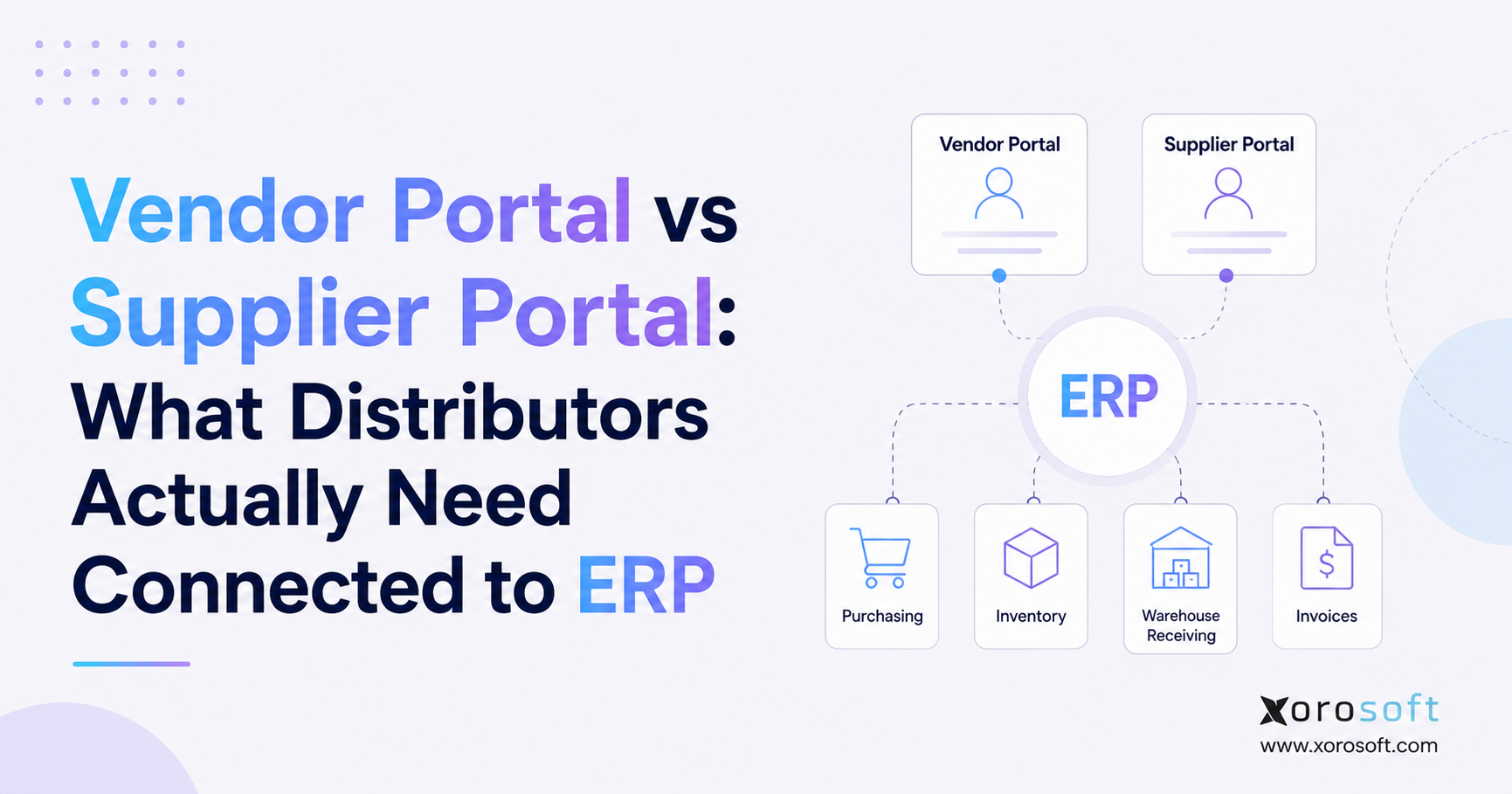
If you are looking to streamline your business operations, using Wholesale Inventory Software can make managing stock much easier and more efficient.
1. Why Wholesale Inventory Gets Harder as Businesses Scale
For growing distributors, Wholesale Inventory Software becomes important when the business can no longer manage stock with spreadsheets, basic accounting tools, or disconnected apps. In the early stage, inventory may feel under control because the team knows the products, suppliers, customers, and warehouse process closely. However, that informal control starts to break as order volume, SKU count, warehouse locations, and sales channels increase.
Growing wholesale businesses rarely outgrow their systems overnight. Instead, the warning signs appear slowly. Sales teams may promise stock that is not truly available. Meanwhile, buyers place purchase orders without clear demand data. In the warehouse, one location may ship orders while another location holds excess inventory. At the same time, finance teams wait for inventory numbers before closing the month.
Inventory management then becomes more than a warehouse problem. It becomes an operating problem across the whole business. Wrong inventory data makes purchasing decisions risky. Because of that, weak purchasing decisions increase stockouts and overstock. Moreover, disconnected warehouse workflows slow fulfillment, while customer service, cash flow, reporting, and margin control all become harder to manage.
A connected wholesale inventory system helps solve this by giving teams one reliable view of stock, purchasing, sales orders, warehouse activity, and inventory performance. Instead of checking multiple spreadsheets and apps, the business can see what is on hand, what is available, what is committed, what is incoming, and what needs action.
1.1 Why Manual Wholesale Inventory Management Breaks for Growing Teams
Manual wholesale inventory management often works when the business is small. Teams may use a spreadsheet to track basic item quantities. Buyers might reorder based on recent sales. Warehouse managers often remember where fast-moving products are stored. However, that process depends too much on memory, manual updates, and constant communication.
Once the business adds more SKUs, suppliers, warehouses, and sales channels, manual control becomes fragile. One missed update can create a chain reaction. For example, a purchase order may arrive but not get entered. Ecommerce may still show stock as available even after a wholesale order reserves it. Similarly, a warehouse transfer may be in progress, but sales may assume the stock is ready to ship.
Modern inventory management software reduces this risk by turning inventory movement into a controlled workflow instead of a manual tracking exercise. Because updates happen inside a system, teams spend less time chasing information and more time making better decisions.
1.2 The Real Cost of Poor Wholesale Inventory Visibility
Poor inventory visibility creates hidden costs across the business. Stockouts lead to lost sales and damaged customer trust. Overstock ties up cash in products that may not move quickly. Warehouse confusion increases labor time, while finance teams spend extra hours reconciling inventory value. As a result, leadership makes decisions from reports that may already be outdated.
For wholesale distributors, these problems directly affect margin and customer relationships. A retailer, distributor, or B2B customer expects accurate availability, reliable delivery, and clear communication. Without that reliability, customers may look for a more dependable supplier. Therefore, better inventory visibility is not only an internal efficiency goal; it is also a customer retention strategy.
1.3 Why Wholesale Inventory Control Becomes a Leadership Priority
Inventory problems may start in the warehouse, but they rarely stay there. When inventory accuracy drops, sales confidence drops. As stockouts increase, purchasing pressure rises. Meanwhile, overstock tightens cash flow. Once reporting becomes unreliable, leadership cannot make fast decisions.
That is why wholesale inventory control belongs in the same conversation as growth planning, finance, customer experience, and operational scalability. The software decision is not only about tracking products. Instead, it is about building a system that allows the business to grow without creating more manual work.
2. What Is Wholesale Inventory Software?
Wholesale Inventory Software is a system that helps wholesalers track inventory, manage purchase orders, control warehouses, process sales orders, forecast demand, and report on inventory performance. It gives teams real-time visibility into stock across locations, sales channels, suppliers, and customer orders.
Its main purpose is to replace scattered inventory tracking with one connected system. Rather than managing stock in spreadsheets, orders in one tool, purchases in another, and accounting in a separate platform, teams can centralize the operational data they use every day.
2.1 How a Wholesale Inventory Management System Works Day to Day
A wholesale inventory management system usually connects several daily workflows. For example, it tracks items, SKUs, warehouses, bin locations, purchase orders, sales orders, transfers, returns, and inventory adjustments. When a product is received, the system updates stock. After that, customer orders change available inventory. Once a warehouse ships an order, inventory and fulfillment records update again.
Because of this workflow, each department gets a clearer view of inventory status. Sales can see what is available to promise. Meanwhile, buyers can see what needs replenishment. Warehouse teams know what needs to be picked, packed, transferred, or counted. Finally, finance can access cleaner data for inventory value, cost of goods sold, and reconciliation.
2.2 Difference from Retail Inventory Tools
Wholesale operations are different from basic retail inventory. A retail business may focus mainly on store stock, ecommerce availability, or direct-to-consumer fulfillment. In contrast, wholesale companies often manage bulk orders, customer-specific pricing, account terms, backorders, partial shipments, EDI requirements, and inventory allocation for key accounts.
Because of that, inventory software for wholesalers must support B2B workflows. It should help teams manage large orders, reserved stock, negotiated pricing, supplier lead times, and multi-location fulfillment. Basic stock counters may show quantity, but they often do not support the operational complexity behind wholesale distribution.
2.3 Centralized Data in Wholesale Inventory Software
A wholesale inventory management system should centralize item data, purchase orders, sales orders, supplier information, warehouse locations, inventory adjustments, transfers, customer pricing, fulfillment status, and reporting. This creates one operational record instead of several disconnected versions of inventory truth.
Strong systems also help teams understand the difference between what is physically in the warehouse and what is actually available to sell. This distinction matters because wholesale inventory may already be committed to open orders, reserved for key accounts, or waiting for quality checks.
3. Why Wholesale Inventory Management Software Matters
Wholesale inventory management software matters because inventory affects almost every major function in a distribution business. It touches sales, purchasing, warehouse operations, finance, ecommerce, supplier management, and customer service.
Reliable inventory data helps teams move faster. However, unreliable stock records force every team to double-check decisions. As a result, employees lose time confirming stock, correcting records, and explaining delays instead of improving the workflow.
3.1 How Wholesale Inventory Software Improves Inventory Accuracy
Inventory accuracy is the foundation of wholesale operations. If the system says one thousand units are available but only eight hundred and fifty are actually sellable, the business may oversell. In addition, damaged, reserved, or transferred inventory must be separated correctly so teams do not make decisions from misleading numbers.
A strong wholesale inventory system separates on-hand, available, committed, incoming, damaged, and reserved stock. This distinction matters because not all inventory sitting in a warehouse is available to sell. Therefore, accurate status tracking becomes just as important as accurate quantity tracking.
3.2 How Inventory Software for Wholesalers Improves Purchasing Control
Purchasing teams need more than a list of low-stock items. Buyers need to know demand patterns, supplier lead times, minimum order quantities, open purchase orders, and current commitments.
Wholesale Inventory Software helps teams make better decisions by showing what needs to be ordered, when it should be ordered, and how much stock the business should carry. As a result, purchasing becomes less reactive and more disciplined. This reduces emergency buying and helps prevent both stockouts and overstock.
3.3 Warehouse Efficiency in Wholesale Inventory Management Software
Warehouse teams need accurate instructions. They need to know where products are located, which orders should be picked first, which items are being transferred, and which products need cycle counts.
A wholesale inventory management system can support barcode scanning, receiving workflows, bin locations, picking, packing, transfers, and adjustments. Because warehouse activity updates the system directly, teams reduce manual entry and complete work with fewer errors.
3.4 Accounting Gets Cleaner Data
Inventory is not only an operational asset. It is also a financial asset. Stock value affects the balance sheet, COGS, gross margin, and month-end close.
When inventory and accounting are disconnected, finance teams often spend hours reconciling differences between warehouse activity and financial records. Better systems help create cleaner inventory valuation, more accurate cost tracking, and faster reporting. Therefore, inventory software should be reviewed not only by operations but also by finance.
3.5 Reporting Becomes More Useful
Reporting becomes more useful when data comes from live workflows instead of manual exports. Leaders can see products that are moving, SKUs that are overstocked, suppliers that are late, and warehouses that need attention.
Better reporting also improves accountability. Instead of debating which spreadsheet is correct, teams can focus on solving the actual problem. In practice, this helps wholesale companies move from reactive firefighting to structured operating reviews.
4. Who Needs Wholesale Inventory Software?
Wholesale Inventory Software is best suited for businesses that sell physical products and need more control over stock, purchasing, fulfillment, and reporting. It is especially useful for companies that operate across multiple warehouses, sales channels, suppliers, or customer types.
4.1 Growing SKU Counts Need Better Wholesale Inventory Software
As SKU count increases, inventory becomes harder to manage manually. Variants, bundles, replacements, discontinued items, and supplier-specific SKUs all create complexity. A wholesale inventory system helps organize this product data and makes it easier to track stock accurately.
Growing distributors also need cleaner item records. Inconsistent item names, units of measure, barcodes, supplier codes, and costs make warehouse and purchasing workflows harder to control. Therefore, item management should be treated as a core requirement, not a minor setup task.
4.2 Multi-Warehouse Inventory Software for Growing Operations
Companies with more than one warehouse cannot rely on one total stock number. Operations teams need to know exactly where inventory is located. They also need visibility into what is available, what is committed, and what is being transferred.
Multi-warehouse inventory software helps businesses manage inventory by location. As a result, teams can make fulfillment and replenishment decisions with more confidence. This becomes especially important when each warehouse serves different regions, channels, or customer groups.
4.3 Ecommerce and Wholesale Channels
Many wholesale brands now sell through Shopify, Amazon, B2B portals, marketplaces, and direct wholesale relationships. This creates inventory conflict because every channel may pull from the same stock pool.
A connected inventory system helps prevent overselling and gives teams better control over channel allocation. In addition, it helps operations teams understand which channel is creating demand pressure and which products need replenishment.
4.4 EDI and Retailer Requirements
Wholesalers that sell to large retailers may need EDI workflows, advance ship notices, customer-specific rules, labels, shipment data, and strict compliance processes. These requirements are difficult to manage with spreadsheets alone.
Wholesale Inventory Software helps organize the data and workflows needed to support structured B2B and retail relationships. Moreover, stronger inventory control can reduce the risk of fulfillment errors that affect key customer accounts.
4.5 QuickBooks and Spreadsheet Limits for Wholesale Inventory Management
QuickBooks and spreadsheets can support early-stage operations, but they often become limiting when inventory becomes more complex. Common signs include delayed reporting, duplicate data entry, inaccurate stock counts, manual purchasing, and poor warehouse visibility.
At that point, businesses often start comparing wholesale inventory software, warehouse management systems, and ERP platforms. For many teams, the real question is not whether they need better software, but how connected that system needs to be.
5. When a Simple Inventory System May Still Be Enough
Not every business needs advanced wholesale inventory software immediately. Very small companies with low SKU complexity, one warehouse, simple purchasing, and limited order volume may still operate well with a basic tool.
The important question is whether the current process is reliable. A team that can answer inventory, purchasing, fulfillment, and finance questions quickly may not need a larger system yet. However, once the same questions require manual checking every day, the software conversation becomes more urgent.
5.1 Low-Volume Wholesale Operations
Low-volume wholesalers may not need advanced automation. When inventory changes slowly and the team can easily verify stock, a lighter tool may be enough.
However, low volume does not always mean low complexity. Businesses with fewer orders but large contract customers, long lead times, or custom pricing may still need stronger control. Therefore, order volume should be reviewed alongside operational complexity.
5.2 Simple Product Catalogs
Companies with a small number of SKUs may not face the same tracking challenges as businesses with thousands of variants. Simple catalogs reduce the need for advanced item management. Even so, product simplicity should be reviewed alongside channel complexity because a small catalog sold across several warehouses, marketplaces, and wholesale accounts can still create inventory pressure.
5.3 Limited Warehouse Complexity
A business with one inventory location and simple fulfillment may not need advanced warehouse workflows. However, that can change quickly once the company adds new locations, channels, or product lines.
The best time to review software is before the current system becomes a daily bottleneck. Otherwise, the team may end up choosing software under pressure after errors have already become expensive.
6. Core Features of Wholesale Inventory Software
The best wholesale inventory software should support the workflows that matter most to distributors and inventory-driven businesses. However, features should not only look good in a demo. Instead, they should solve real operational problems across purchasing, warehouses, ecommerce, accounting, and reporting.
Because of that, buyers should evaluate features based on daily workflow impact. For example, real-time inventory tracking should reduce overselling. Similarly, barcode scanning should reduce warehouse errors. In addition, forecasting should help purchasing teams make better replenishment decisions.
6.1 Real-Time Tracking in Wholesale Inventory Software
Real-time inventory tracking gives teams a live view of stock. The system should show on-hand inventory, available inventory, committed inventory, incoming inventory, and backordered inventory.
This matters because wholesale teams often sell stock before it physically leaves the warehouse. If committed inventory is not separated from available inventory, the business may oversell. Therefore, status-level visibility is essential for accurate order promising.
6.2 Multi-Warehouse Control in Wholesale Inventory Software
A strong wholesale inventory system should track stock by warehouse, zone, bin, and transfer status. It should also support warehouse transfers, location-specific replenishment, and inventory allocation.
For growing distributors, multi-warehouse control is one of the most important requirements. Without it, teams may have stock in the network but still fail to fulfill orders efficiently. As a result, the business can lose sales even when total inventory appears healthy.
6.3 Purchase Order Management in Wholesale Inventory Software
Purchase order management helps buyers create, approve, track, and receive purchase orders. The system should connect supplier lead times, reorder points, open sales orders, and current stock levels.
This gives purchasing teams a more accurate view of what to buy and when to buy it. In addition, it helps buyers avoid duplicate orders, missed supplier follow-ups, and last-minute replenishment decisions.
6.4 Sales Order Workflows
Wholesale orders often include bulk quantities, customer terms, negotiated pricing, backorders, partial shipments, and special instructions. Inventory software should support these workflows without forcing manual workarounds.
A good system helps sales and operations teams understand whether an order can be fulfilled now, later, partially, or from another warehouse. Because of this, customer communication becomes more accurate and less reactive.
6.5 Barcode Scanning and Warehouse Tasks
Barcode scanning improves accuracy because warehouse actions update the system directly. Receiving, picking, packing, transfers, and cycle counts become more reliable when teams scan products instead of manually typing quantities.
For businesses with busy warehouses, barcode workflows can reduce errors and speed up fulfillment. Moreover, scanning creates a clearer audit trail for inventory movement.
6.6 Forecasting and Demand Planning
Forecasting helps wholesalers avoid reactive purchasing. A strong system should help teams analyze sales trends, seasonality, supplier lead times, open orders, and safety stock.
Forecasting is especially valuable for businesses with long lead times, seasonal products, or fast-changing demand. Therefore, forecasting should be evaluated as a purchasing tool, not just a reporting feature.
6.7 Lot, Batch, and Serial Tracking
Some industries need traceability. Food and beverage companies may need lot and expiration tracking. Electronics businesses may need serial tracking, while manufacturers may need batch control.
Wholesale Inventory Software should support traceability when the product category requires it. Otherwise, teams may need separate tracking processes that create more manual work.
6.8 Accounting Integration
Inventory value must connect with accounting. The system should help track inventory costs, COGS, purchase receipts, vendor bills, and adjustments.
When accounting integration is weak, finance teams often rely on manual reconciliation. That creates delays and increases the risk of reporting errors. Therefore, accounting integration should be reviewed before choosing any wholesale inventory system.
6.9 Ecommerce and Marketplace Integrations
Wholesalers selling through Shopify, Amazon, or B2B portals need inventory sync across channels. If orders and stock do not update properly, overselling becomes more likely.
Inventory software should help centralize availability and reduce manual updates between ecommerce and warehouse systems. In addition, it should help teams understand how channel demand affects replenishment.
6.10 Reporting and Inventory Dashboards
Reporting should help teams answer practical operational questions. Teams need to see products that are close to stockout, items that are overstocked, suppliers that are running late, warehouses with available stock, and channels creating the most demand.
Good reporting turns inventory data into operational decisions. As a result, leaders can prioritize the right problems instead of waiting for spreadsheet reports.
7. Wholesale Inventory Software vs ERP vs WMS
Many businesses compare wholesale inventory software, ERP, and WMS platforms. Although these systems can overlap, they do not always solve the same problem. Therefore, the right choice depends on whether the business needs better stock control, stronger warehouse execution, or a fully connected operating system.
For example, inventory software may be enough when the main issue is stock visibility. However, WMS becomes more relevant when warehouse execution is the biggest bottleneck. Meanwhile, ERP becomes more useful when inventory needs to connect with accounting, purchasing, forecasting, ecommerce, and reporting.
7.1 Wholesale Inventory Software Strengths
Wholesale inventory software focuses on stock visibility, purchasing, sales orders, inventory allocation, and basic warehouse control. It is a strong fit when the business needs better inventory accuracy but may not yet need full ERP functionality.
This type of software usually works best when the main issue is inventory control rather than company-wide operational integration. However, if teams still rely on separate accounting and warehouse systems, the business may eventually need a broader platform.
7.2 Warehouse Management Strengths
Warehouse management software focuses on warehouse execution. It helps with receiving, putaway, bin locations, picking, packing, scanning, shipping, cycle counts, and warehouse labor workflows.
For businesses that need deeper warehouse control, warehouse management software for multi-location inventory becomes highly relevant. In particular, warehouse-heavy teams should evaluate whether their biggest issue is inventory visibility or execution inside the warehouse.
7.3 Wholesale ERP Software Strengths
Wholesale ERP software connects inventory with accounting, purchasing, warehouse management, manufacturing, forecasting, reporting, ecommerce, and supplier workflows.
Once inventory affects finance, purchasing, operations, and leadership reporting, a broader ERP platform may be more useful than an inventory-only tool. Businesses evaluating that path can review ERP software for wholesale and ecommerce operations to understand how connected workflows work.
7.4 How to Compare the Three Options
Spreadsheets may work for very small teams, but they create manual errors and poor scalability as operations grow. Inventory software gives better stock visibility and purchasing control, yet it may not fully connect finance, warehouse execution, or manufacturing.
WMS platforms help warehouse-heavy operations improve receiving, picking, packing, scanning, and cycle counts. However, they may not manage accounting, purchasing, forecasting, or business-wide reporting. ERP becomes more useful when the business needs inventory, finance, purchasing, warehouse management, and reporting in one connected operating system.
8. Multi-Warehouse Inventory Software Requirements
Managing inventory across multiple warehouses creates a different level of complexity. One total stock number is no longer useful once the business has inventory in different locations. Instead, teams need to understand what is available by location, what is in transit, and how stock moves across the network.
8.1 Location-Level Inventory Visibility
Inventory should be visible by warehouse, bin, and status. This helps teams decide where to fulfill orders, when to transfer stock, and where replenishment is needed.
Customer service also improves when teams can check location-level availability quickly. If one warehouse cannot fulfill an order, another location may still have stock available.
8.2 Warehouse Transfers and In-Transit Stock
Transfers should be visible from request to shipment to receipt. Without transfer tracking, teams may assume stock is available before it has arrived.
In-transit inventory should have its own status. That prevents sales teams from promising stock too early and helps warehouse teams prepare receiving capacity.
8.3 Inventory Allocation Across Channels
Wholesale businesses often reserve inventory for key customers, ecommerce channels, marketplace orders, or retail programs. Allocation rules help prevent one channel from consuming stock needed for another.
This is especially important for businesses that sell through both wholesale and direct-to-consumer channels. Without allocation rules, one channel may create fulfillment pressure for another.
8.4 Replenishment by Warehouse
Each warehouse may need different reorder points and safety stock levels. Demand can vary by region, customer group, or channel. Multi-warehouse inventory software should support location-specific planning.
A single reorder rule across all locations may create overstock in one warehouse and stockouts in another. Therefore, replenishment should reflect local demand patterns, not just total company demand.
9. Purchasing, Forecasting, and Replenishment in Wholesale Inventory Software
Purchasing is one of the highest-impact workflows in wholesale inventory management. When purchasing decisions are weak, the business faces stockouts, excess inventory, supplier issues, and cash flow pressure. Therefore, wholesale inventory software should help buyers move from reactive ordering to planned replenishment.
In addition, purchasing teams need visibility into open sales orders, supplier lead times, historical demand, and current stock levels. With that context, they can order the right products at the right time. As a result, the business can protect customer service without overloading the warehouse with slow-moving inventory.
9.1 Purchase Planning in Wholesale Inventory Management Software
Buyers need to know what to order, when to order, and how much to order. A wholesale inventory system should help buyers review current stock, open orders, supplier lead times, historical demand, and forecasted demand.
Better purchase planning reduces emergency buying. It also helps teams avoid filling warehouses with products that are not moving. Over time, this improves both service levels and cash flow.
9.2 Supplier Lead Time Management
Supplier lead times affect inventory availability. If lead times increase but reorder rules stay the same, stockouts become more likely. Software should help buyers track supplier performance and adjust purchasing plans.
Supplier lead time visibility is especially important for imported goods, seasonal products, and businesses with long production cycles. Because lead times can change quickly, buyers need current data rather than static assumptions.
9.3 Reorder Points and Safety Stock
Reorder points tell buyers when to replenish. Safety stock protects against demand spikes and supplier delays. Together, these controls help teams maintain service levels without buying too much inventory.
The right reorder point depends on sales velocity, lead time, demand variability, and target service level. Therefore, these settings should be reviewed regularly instead of configured once and forgotten.
9.4 Forecasting for Wholesale Inventory Management
Forecasting should not rely only on last month’s sales. Strong forecasting considers seasonality, sales velocity, open orders, supplier timelines, and channel demand.
For businesses that need purchasing, forecasting, inventory, and accounting connected, a cloud ERP for inventory-driven businesses can provide a broader operating model than standalone inventory software.
9.5 Stockout and Overstock Balance with Wholesale Inventory Software
The goal is not to buy more inventory. Instead, the goal is to buy the right inventory at the right time. Wholesale inventory software helps buyers understand which products need action and which products should not be reordered yet.
This balance protects customer service and cash flow at the same time. Ultimately, better replenishment helps the business serve customers without locking too much money into slow-moving stock.
10. Wholesale Inventory Software for Shopify, Amazon, and B2B Channels
Wholesale operations are increasingly multi-channel. A business may sell to retail accounts, direct customers, marketplace buyers, Amazon customers, and Shopify customers at the same time. Because of this, inventory must stay connected across every channel.
10.1 Shopify Inventory Challenges
Shopify can support ecommerce and B2B selling, but the operational backend still matters. Wholesale teams often need purchasing, accounting, multi-warehouse visibility, EDI, demand planning, and customer-specific pricing outside the storefront.
For Shopify merchants evaluating ERP-connected operations, Xorosoft ERP for Shopify operations can fit naturally as an operational system behind Shopify.
10.2 Amazon and Marketplace Control
Amazon adds another layer of inventory complexity. Businesses may manage FBA, FBM, wholesale stock, warehouse inventory, and marketplace orders at the same time. A wholesale inventory system helps teams coordinate stock across these workflows.
Marketplace demand can also move faster than wholesale demand. Therefore, allocation rules and replenishment planning become important.
10.3 B2B Order Flow
B2B buyers often expect account pricing, payment terms, bulk ordering, quick reordering, and reliable availability. Inventory software helps connect customer orders with stock availability, fulfillment, and purchasing.
When B2B ordering is disconnected from inventory, sales teams may need to manually confirm stock before every large order. That slows the sales process and creates more room for error.
10.4 Channel Allocation Rules
When multiple channels sell the same products, allocation becomes critical. The business must decide how much inventory belongs to wholesale, ecommerce, Amazon, retail programs, or key accounts.
Channel allocation is not just a software setting. It is an operating decision that should reflect margin, customer importance, demand patterns, and fulfillment capacity. Therefore, inventory software should support the rules behind that decision.
11. Wholesale Workflows for Retailer Data Exchange and Customer Pricing
Wholesale businesses often need workflows that basic inventory tools do not handle well. EDI, customer-specific pricing, and account-level requirements can create operational complexity.
11.1 Retailer Data Exchange Support
These workflows may include purchase orders, invoices, advance ship notices, and retailer-specific requirements. They require accurate product data, inventory availability, shipment details, and customer rules.
Manual data exchange handling increases the risk of errors. That can affect fulfillment, compliance, and customer relationships. Therefore, retailer workflow readiness should be reviewed before choosing a wholesale inventory system.
11.2 Customer-Specific Pricing
Wholesale customers rarely buy at one universal price. They may have negotiated rates, contract pricing, volume discounts, or account-specific terms.
The system should support pricing rules so sales teams do not rely on spreadsheets or manual checks. As a result, quotes, orders, and invoices become more consistent.
11.3 Key Account Allocation
Some customers need protected inventory. A key retailer, distributor, or enterprise account may require priority allocation. Wholesale Inventory Software helps reserve stock and reduce fulfillment conflict.
Allocation also helps teams protect strategic relationships during periods of limited supply. In addition, it gives sales and operations a shared view of which inventory is flexible and which stock is already committed.
11.4 Returns and Adjustments
Returns affect inventory, accounting, and customer balances. A strong system should help manage return authorizations, restocking, credit memos, damaged goods, and inventory adjustments.
Without a clear returns workflow, inventory records can become inaccurate even when receiving and shipping processes are well managed. Because of this, returns should be part of the software evaluation process.
12. Industry Use Cases for Wholesale Inventory Software
Different industries use wholesale inventory software in different ways. The core need is the same: better visibility, better control, and better decision-making. However, each industry has its own operational pressure points.
12.1 Apparel and Fashion
Apparel wholesalers manage sizes, colors, variants, seasonal collections, and customer allocations. Inventory software helps teams track availability by style, size, color, warehouse, and channel.
Seasonality also matters in apparel. Late purchasing decisions can create missed selling windows, while overbuying can lead to markdown pressure.
12.2 Furniture Wholesale
Furniture businesses often manage large SKUs, long supplier lead times, warehouse space constraints, and delivery coordination. Better inventory visibility helps teams plan purchasing and fulfillment more carefully.
Because furniture products take more physical space, overstock can create warehouse capacity problems quickly. Therefore, forecasting and replenishment control are especially important.
12.3 Sporting Goods Distribution
Sporting goods distributors often deal with seasonal demand, retailer programs, and marketplace orders. Forecasting and allocation are important during peak seasons.
A missed reorder window before a peak season can create lost sales that cannot be recovered later. As a result, planning discipline matters as much as warehouse execution.
12.4 Food and Beverage
Food and beverage companies may need lot tracking, expiration dates, batch control, and traceability. Inventory software should support these workflows from receiving through shipment.
For these businesses, inventory accuracy is not only about availability. It also affects quality control and product traceability.
12.5 Manufacturing and Assembly
Manufacturers and assembly businesses need component tracking, BOMs, work orders, production planning, and finished goods visibility. When these workflows become complex, ERP may be a better fit than inventory-only software.
Businesses in apparel, furniture, sporting goods, food, wholesale, and manufacturing can also explore ERP for industry-specific inventory operations to understand how workflows differ by category.
13. When Wholesale Inventory Software Is Not Enough
Wholesale Inventory Software is useful, but some businesses eventually need a broader system. The key question is whether inventory problems are isolated or connected to accounting, purchasing, warehouse management, ecommerce, and reporting.
13.1 Accounting Needs More Connection
If inventory and accounting live in separate systems, finance teams often spend extra time reconciling inventory value. Month-end close becomes slower because operational data and financial data do not match easily.
At scale, finance cannot depend on warehouse exports and manual adjustments alone. Therefore, accounting requirements should be part of the software decision from the beginning.
13.2 Purchasing Requires More Automation
Basic inventory software may show stock levels, but it may not fully support purchasing automation, supplier management, approval workflows, landed costs, or forecasting.
When buyers still rely on spreadsheets to decide what to order, the business has not fully solved the purchasing problem. In that case, a broader system may be needed.
13.3 Warehouse Workflows Need Stronger Control
Warehouse teams may need barcode scanning, bin locations, cycle counts, transfers, picking workflows, and packing control. At that stage, the business may need WMS functionality or ERP with warehouse management.
As order volume increases or multiple locations are added, warehouse requirements should be reviewed before choosing an inventory-only tool.
13.4 Reporting Becomes a Leadership Problem
Leadership needs visibility across inventory, sales, purchasing, finance, and fulfillment. Reports that require manual exports and spreadsheet cleanup show that the system is no longer supporting the business properly.
Operational reporting should help leaders make decisions quickly, not create another manual workload. Therefore, reporting depth should be tested during software evaluation.
13.5 Wholesale ERP Becomes the Better Fit
ERP becomes the better fit when inventory connects deeply to accounting, purchasing, warehouse management, manufacturing, forecasting, ecommerce, and reporting.
Xorosoft is a cloud ERP platform built for inventory-driven businesses that need inventory management, accounting, purchasing, warehouse management, forecasting, reporting, and ecommerce operations in one connected system.
14. How to Choose the Right Wholesale Inventory Software
Choosing wholesale inventory software should start with operations, not features. A long feature list does not matter if the system does not match the way your business buys, stores, sells, ships, and reports inventory. Therefore, the evaluation should begin with workflow mapping.
Start by reviewing how inventory moves through the business. Then, identify where errors happen most often. After that, compare software based on the workflows that create the most operational pressure. This approach makes the buying process more practical and reduces the risk of choosing a system that looks strong in a demo but feels weak in daily use.
14.1 Workflow Mapping Before Choosing Wholesale Inventory Software
Begin by mapping how inventory moves through the business. Include purchasing, receiving, storage, transfers, sales orders, picking, packing, shipping, returns, adjustments, accounting, and reporting.
This helps the team identify where errors happen and which workflows the new system must support. In addition, it gives vendors a clearer picture of the business before the demo.
14.2 Must-Have Features
A business with one warehouse may not need advanced transfer logic. Companies with EDI and multiple warehouses cannot ignore those requirements. Must-have features should reflect real operational complexity.
The right question is not “Which tool has the most features?” The better question is “Which system supports our actual operating model?” Because of this, teams should rank features by operational impact.
14.3 Integration Review for Wholesale Inventory Software
Integrations matter because wholesale operations rarely run in one tool. Review accounting, Shopify, Amazon, EDI, warehouse, shipping, marketplace, and reporting requirements before choosing software.
Poor integrations often create the same manual work the new system was supposed to remove. Therefore, integration quality should be tested, not assumed.
14.4 Scalability Planning
The system should support the next stage of growth. Consider SKU count, warehouse expansion, user count, order volume, supplier complexity, channel growth, and reporting needs.
A system that works for one warehouse may not work well for three. Similarly, a tool that handles simple purchasing may not support forecasting, EDI, or manufacturing later.
14.5 Total Cost of Ownership
Software cost includes more than the subscription. Implementation, data migration, integrations, training, support, reporting setup, and internal labor all affect the total cost.
A cheaper tool can become expensive if it forces teams to maintain spreadsheets, extra apps, and manual reconciliations. Therefore, cost should be measured against operational efficiency, not only monthly pricing.
14.6 Reporting Test
Many tools handle transactions but provide weak reporting. Review dashboards for inventory availability, inventory value, purchasing needs, supplier performance, fulfillment status, and slow-moving stock.
If reporting is a major reason for the software change, it should be evaluated before the purchase decision. Otherwise, the team may still depend on exports after implementation.
15. Common Mistakes When Selecting Wholesale Inventory Software
A software decision can either simplify operations or create a new layer of complexity. The most common mistakes happen when businesses choose a tool without fully understanding their workflow.
15.1 Short-Term Software Selection
A tool that solves today’s issue may not support tomorrow’s growth. If the business plans to add warehouses, channels, EDI, manufacturing, or more complex purchasing, scalability should be part of the decision.
Short-term software choices often create long-term migration projects. Therefore, teams should evaluate both current pain points and future operating needs.
15.2 Accounting Requirements Get Ignored
Inventory affects financial reporting. If the system cannot support inventory valuation, purchase receipts, COGS, landed costs, and reconciliation, finance may remain manual.
That means the warehouse may improve while accounting still struggles. As a result, the business solves one problem but keeps another bottleneck.
15.3 Warehouse Complexity Gets Underestimated
Warehouse workflows should be reviewed before software selection. Receiving, putaway, picking, packing, transfers, cycle counts, and returns all affect daily performance.
A system that tracks inventory but does not support warehouse execution may not solve fulfillment problems. Therefore, warehouse teams should be included early in the buying process.
15.4 Disconnected Apps Create Drag
App stacking can create duplicate data entry and reporting problems. Each disconnected app adds another place where inventory data can become inconsistent.
A connected system usually becomes more important as the business grows. Otherwise, teams spend more time managing integrations than improving operations.
15.5 Implementation Planning Gets Skipped
Good software still needs clean data, clear workflows, and proper training. Rushed implementation often leads to poor adoption and unreliable reporting.
A successful launch depends on preparation, not just the software itself. Because of that, implementation planning should begin before the final software decision.
16. Implementation Planning for Wholesale Inventory Software
Implementation should be treated as an operational project, not just a software setup. The quality of the launch depends on data, workflows, training, and ownership. Therefore, teams should prepare before the system goes live.
First, clean SKU data, supplier records, units of measure, costs, and warehouse locations. Next, document receiving, picking, packing, transfers, returns, and cycle counts. After that, define purchasing rules, sales channel sync, and reporting requirements. As a result, the software launch becomes smoother and teams adopt the system with more confidence.
16.1 Clean Inventory Data Before Wholesale Inventory Software Implementation
Start with SKU cleanup. Review item names, descriptions, units of measure, barcodes, suppliers, costs, locations, inactive items, duplicate SKUs, and product categories.
Clean data improves receiving, picking, reporting, purchasing, and accounting. In addition, it reduces the chance of migration issues during implementation.
16.2 Review Warehouse Processes
Document receiving, putaway, bin locations, picking, packing, transfers, returns, damaged goods, and cycle counts. The system should support how the warehouse actually works.
Skipping this step can force teams to configure software around assumptions instead of real workflows. Therefore, warehouse process mapping should happen before configuration.
16.3 Define Purchasing Rules
Set reorder points, safety stock, supplier lead times, approval rules, minimum order quantities, and buyer responsibilities before launch.
Purchasing rules should reflect actual demand, supplier behavior, and service level goals. Otherwise, buyers may keep using spreadsheets after the system goes live.
16.4 Connect Sales Channels
Review Shopify, Amazon, B2B portals, wholesale orders, EDI, and manual sales orders. Each channel should have a clear inventory sync and allocation strategy.
This is especially important when several channels sell the same products from shared inventory. Because of that, sales channel planning should be part of the implementation roadmap.
16.5 Train Teams by Role
Warehouse teams, buyers, finance users, sales teams, and operations leaders all use inventory differently. Role-based training helps each team understand the workflows that matter to them.
Training should focus on daily tasks, not only system navigation. As a result, teams learn how the system supports their actual work.
16.6 Build Reporting Before Go-Live
Decide which reports leadership needs before the system launches. These may include inventory availability, stock value, supplier performance, forecast accuracy, order fulfillment, and margin reporting.
Reporting should be part of the implementation plan, not an afterthought. Otherwise, teams may still rely on exports after launch.
17. Where Xorosoft Fits in Wholesale Inventory Operations
Xorosoft fits best when a business needs more than basic inventory tracking. It is designed for inventory-driven companies that want inventory, accounting, purchasing, warehouse management, forecasting, reporting, and ecommerce operations connected in one system.
17.1 Outgrowing QuickBooks and Spreadsheets
Many wholesalers reach a point where QuickBooks, spreadsheets, and inventory-only apps no longer provide enough visibility. Xorosoft can help teams centralize inventory, purchasing, accounting, warehouse workflows, and reporting instead of maintaining disconnected systems.
This is especially relevant when the business has multiple warehouses, complex purchasing, Shopify orders, wholesale customers, and finance reporting requirements. In that situation, a connected ERP model can reduce manual work across departments.
17.2 Multi-Warehouse and ERP Workflows
For companies managing multiple warehouses, wholesale orders, EDI, Shopify, Amazon, and supplier workflows, Xorosoft can act as the operational system behind the business. Teams evaluating ERP options can also compare modern ERP alternatives to NetSuite when reviewing cost, complexity, and operational fit.
The goal is not to replace one tool with another tool. Instead, the goal is to reduce disconnected workflows across inventory, purchasing, warehouse, accounting, and reporting.
17.3 Industry-Specific Operations
Xorosoft is especially relevant for apparel, furniture, sporting goods, food, wholesale distribution, consumer products, manufacturing, and other businesses that depend on accurate inventory and connected operations.
For these companies, operational visibility is often the difference between controlled growth and constant firefighting. Therefore, ERP becomes worth considering when inventory accuracy affects every department.
18. Wholesale Inventory Software FAQs
18.1 FAQ Basics and Business Fit
Purpose of Wholesale Inventory Software:
Wholesale Inventory Software helps wholesalers track stock, manage purchase orders, fulfill sales orders, control warehouses, and report on inventory performance. It gives teams visibility into what is available, committed, incoming, and backordered across locations and sales channels.
Daily Use Across Teams:
In daily operations, the software connects inventory transactions across the business. Once goods are received, moved, sold, shipped, returned, or adjusted, inventory records update in the system. As a result, sales, purchasing, warehouse, finance, and operations teams get a more accurate view of stock.
Businesses That Benefit Most:
Wholesale distributors, ecommerce wholesalers, importers, manufacturers, and B2B brands often need this type of system. Demand becomes stronger when the business manages many SKUs, multiple warehouses, Shopify, Amazon, EDI, customer-specific pricing, or complex purchasing.
18.2 FAQ Benefits and Core Features
Smaller Operations That Can Wait:
Very small businesses with simple inventory, one warehouse, low SKU count, and low order volume may not need advanced software yet. However, a stronger system becomes important when the current process no longer gives accurate stock, purchasing, and fulfillment visibility.
Main Operational Benefits:
Key benefits include better inventory accuracy, fewer stockouts, lower overstock risk, improved purchasing, faster warehouse workflows, cleaner reporting, and better accounting visibility. In addition, the system reduces duplicate data entry across disconnected tools.
Core Feature Checklist:
A complete system should include real-time inventory tracking, multi-warehouse control, purchase orders, sales orders, barcode scanning, forecasting, reporting, accounting integration, ecommerce integrations, EDI support, customer pricing, and lot or serial tracking where needed.
18.3 FAQ Systems and Integrations
Inventory Software vs ERP:
Inventory software focuses mainly on inventory, purchasing, stock control, and order workflows. ERP is broader because it connects inventory with accounting, purchasing, warehouse management, manufacturing, forecasting, ecommerce, and reporting.
WMS vs Inventory System:
WMS focuses on warehouse execution, including receiving, putaway, picking, packing, scanning, and cycle counts. Meanwhile, wholesale inventory software focuses on stock visibility, purchasing, sales orders, replenishment, and inventory control across the business.
Multi-Warehouse Support:
Multi-warehouse inventory software can track stock by warehouse, bin, location, transfer status, and availability. Therefore, teams can decide where to fulfill orders and where replenishment is needed.
QuickBooks Integration:
QuickBooks integration is available in some inventory tools. This can work for businesses that want better inventory control while keeping QuickBooks. However, more complex companies may eventually need ERP.
Shopify Inventory Connection:
Shopify integrations often sync orders, inventory, products, and fulfillment data. Wholesale Shopify merchants still need backend software for purchasing, accounting, warehouse control, and reporting.
18.4 FAQ Inventory Control and Planning
Stockout Prevention:
Better stockout control comes from visibility into available stock, demand, reorder points, supplier lead times, and purchase orders. However, clean data and disciplined purchasing workflows are still necessary.
Overstock Reduction:
Slow-moving items, excess inventory, demand changes, and poor purchasing patterns become easier to identify inside a system. As a result, buyers can avoid tying up too much cash in products that do not move quickly.
Purchasing Automation:
Many systems support purchase orders, reorder points, supplier lead times, replenishment recommendations, and approval workflows. This helps buyers move away from spreadsheet-based purchasing and create more consistent replenishment plans.
Forecasting and Replenishment:
Forecasting features may use sales history, seasonality, open orders, supplier lead times, and sales velocity. Because of this, wholesalers can plan replenishment with more confidence.
18.5 FAQ Channels and Wholesale Workflows
Amazon and Marketplace Fit:
Marketplace connectors can help manage Amazon orders, fulfillment workflows, and stock availability. Businesses using FBA, FBM, and wholesale inventory also need clear allocation rules.
EDI Workflow Support:
EDI support helps wholesalers manage purchase orders, invoices, advance ship notices, labels, and retailer-specific requirements. For businesses selling to larger retailers, this can reduce manual work and improve order accuracy.
Customer-Specific Pricing:
Customer-specific pricing often includes price levels, contract pricing, volume discounts, and account-specific terms. This is important because B2B customers often buy at negotiated prices.
Inventory Allocation:
Allocation means reserving stock for specific customers, channels, warehouses, or orders. For example, a wholesaler may reserve inventory for a key retailer while keeping separate stock for ecommerce.
18.6 FAQ Cost, Industry Fit, and Xorosoft
Spreadsheet Upgrade Timing:
Spreadsheet-based workflows become risky when they create stock errors, overselling, delayed purchasing, manual reporting, warehouse confusion, or slow financial close. The upgrade becomes urgent when multiple teams depend on inventory data every day.
QuickBooks Upgrade Signs:
QuickBooks becomes limiting when it no longer supports inventory complexity, multi-warehouse visibility, purchasing automation, forecasting, warehouse workflows, or operational reporting.
Software Cost Factors:
Pricing depends on users, features, order volume, integrations, implementation, support, and whether the system is inventory-only or ERP. Therefore, businesses should compare total cost of ownership, not just subscription pricing.
Industry Fit:
Common industries include apparel, furniture, sporting goods, food and beverage, consumer products, manufacturing, automotive parts, industrial distribution, and wholesale distribution.
Best Software Selection:
Selection depends on workflow complexity. A simple wholesaler may need inventory software. However, a multi-warehouse company with accounting, purchasing, EDI, forecasting, and ecommerce workflows may need ERP.
Xorosoft Fit:
Xorosoft supports inventory management, purchasing, accounting, warehouse management, forecasting, reporting, Shopify, Amazon, EDI, and multi-warehouse operations for inventory-driven wholesale businesses.
19. Final Takeaway: Build a Wholesale Inventory System That Can Scale
Wholesale Inventory Software is not just a better way to count stock. Instead, it gives inventory-driven businesses a stronger operating foundation. Accurate inventory makes purchasing more disciplined. As buying decisions improve, stockouts and overstock become easier to control. In addition, connected warehouse workflows make fulfillment more reliable, while cleaner inventory data helps accounting teams produce faster and more useful reports.
Ultimately, the right system depends on the stage of the business. Small wholesalers may only need a basic inventory tool. However, growing distributors may need stronger purchasing, forecasting, warehouse, and ecommerce integrations. Meanwhile, more complex companies may need ERP when inventory connects deeply to finance, EDI, manufacturing, multi-warehouse operations, and leadership reporting.
Before choosing software, map the current workflow. Next, identify where errors happen. Review which teams depend on inventory data. After that, choose a system that supports the next stage of growth, not only today’s problems.
For wholesale businesses ready to review inventory, purchasing, warehouse, accounting, Shopify, Amazon, EDI, or multi-warehouse workflows, the next step is to book a personalized ERP demo and evaluate whether a connected system can reduce operational drag before it limits growth.
Recent Posts
-
 Best AI Warehouse Management Software for ERP Inventory and Warehouse Operations
 -
 Project Based ERP Software for Managing Project Costs, Purchasing, Resources, Inventory, and Accounting
 -
 Food and Beverage ERP Requirements for Lot, Expiry, and Recall Control
 -
 How to Prevent EDI Errors Before They Become Retailer Chargebacks
 -
 Warehouse Injury and Safety Statistics: What Operations Teams Should Know Before Automating Workflows