If you want to streamline your operations, understanding ERP kitting and bundling can make a significant difference.
1. When a Simple Bundle Becomes an Inventory Problem
ERP kitting and bundling allows a business to sell several products together while still tracking the individual inventory components behind the offer. Therefore, an ERP can do much more than display a bundle SKU. It can connect the bundle with component availability, sales orders, warehouse work, purchasing, costing, forecasting, and accounting.
For example, an ecommerce brand may sell a starter kit containing a backpack, bottle, flashlight, and two trekking poles. Although customers see one convenient product, operations teams must manage five physical units. Consequently, one missing component can make the entire kit unavailable.
At first, a Shopify bundle app or spreadsheet may handle that complexity. However, problems emerge as order volume, warehouses, sales channels, and SKU counts increase. Moreover, the same component may sell separately while appearing in several different bundles.
As a result, the real question is no longer simply, “Can we create a bundle?”
Instead, businesses need to ask:
Can we accurately promise, reserve, pick, assemble, ship, replenish, cost, and report every component involved in that bundle?
That is where ERP-level control becomes useful.
1.1 Why Product Businesses Create Bundles
Companies create product bundles for several reasons.
For example, an apparel brand may combine a shirt, pants, and accessory into one seasonal offer. Likewise, a sporting goods company may package equipment into a beginner kit. Meanwhile, wholesalers may create customer-specific assortments or retail starter packs.
Bundles can increase purchasing convenience. In addition, they can help businesses promote complementary products or simplify complex purchases.
However, every additional bundle creates another relationship between sellable products and physical stock. Therefore, inventory management must understand both the parent bundle and its components.
1.2 What Makes Bundle Management Difficult
Bundle complexity usually comes from shared inventory.
For instance, suppose a water bottle sells individually and also appears in four separate bundles. Consequently, every standalone bottle order affects how many complete bundles remain available.
Similarly, warehouse reservations may reduce available stock even when physical inventory still appears on the shelf. Furthermore, different warehouses may hold different components.
Therefore, companies need a system that understands inventory relationships instead of treating each bundle as an isolated product.
2. What Product Bundles, Kits, Assemblies, and BOMs Mean
Businesses often use bundle, kit, assembly, and BOM as if they mean the same thing. However, the operational differences matter.
Therefore, choosing the right structure begins with understanding what physically happens to the products.
2.1 What Is a Product Bundle?
A product bundle combines multiple products into one commercial offer.
For example:
Runner Starter Bundle
- Running shoes
- Socks
- Water bottle
- Running belt
The individual products may still sell separately. Therefore, the bundle mainly changes how customers purchase them.
In many cases, the warehouse does not physically create the bundle beforehand. Instead, employees pick each component after receiving the order.
2.2 What Is a Product Kit?
A product kit also consists of multiple components. However, businesses often use the term when warehouse employees need to pick, group, assemble, or package those components together.
For example, a camera kit might contain:
- Camera body
- Lens
- Battery
- Charger
- Carrying case
Therefore, the kit definition becomes part of warehouse execution rather than only merchandising.
2.3 What Is an Assembly?
An assembly generally creates a finished inventory item from components.
For example, a company may consume several furniture parts and create one finished table. As a result, component quantities decrease while finished-goods inventory increases.
Consequently, assemblies often require more formal inventory transactions than virtual ecommerce bundles.
2.4 What Is a Bill of Materials?
A bill of materials, or BOM, defines the components required to produce or assemble an item.
For example, a bicycle BOM might contain the frame, wheels, chain, brakes, seat, and other required parts.
Therefore, BOM management becomes particularly important when production includes work orders, raw materials, subassemblies, material requirements planning, or manufacturing costs.
2.5 Bundle vs Kit vs Assembly vs BOM
| Model | Main Purpose | Physical Assembly | Tracks Components | Typical Use |
|---|---|---|---|---|
| Bundle | Sell items together | Not always | Yes | Ecommerce promotion |
| Kit | Group items for fulfillment | Sometimes | Yes | Starter kit |
| Assembly | Create finished inventory | Usually | Yes | Finished product |
| BOM | Define production requirements | Supports production | Yes | Manufacturing |
Therefore, companies should configure the system according to what physically happens to inventory rather than relying only on terminology.
In practice, ERP kitting and bundling helps businesses choose the right product structure while preserving accurate component-level inventory.
3. How ERP Kitting and Bundling Works
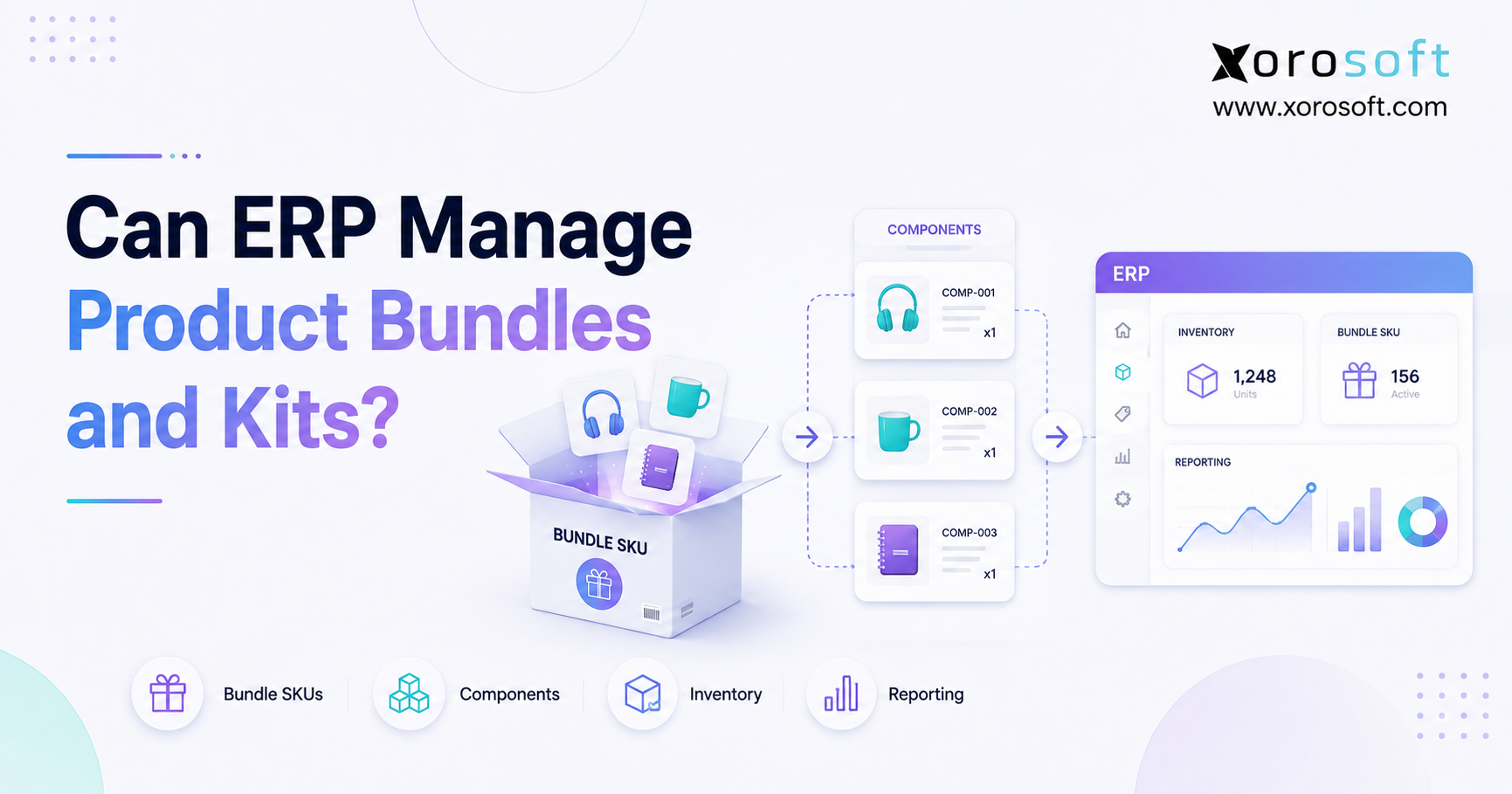
ERP kitting and bundling creates a structured relationship between the product customers order and the inventory components operations teams must fulfill.
Therefore, instead of maintaining the bundle only as a storefront listing, the business can connect it with the operational processes required to complete the sale.
A typical workflow follows several connected steps.
3.1 Create the Parent SKU
First, the business creates a parent SKU representing the bundle.
For example:
OUTDOOR-KIT-01
This parent identifier can appear on the storefront, sales order, customer invoice, and operational reports.
However, the parent SKU does not necessarily represent separately stocked inventory. Instead, its inventory behavior depends on how the kit is configured.
3.2 Assign Component SKUs
Next, the business defines the underlying items.
For example:
OUTDOOR-KIT-01
- Backpack × 1
- Bottle × 1
- Trekking Pole × 2
- Flashlight × 1
Therefore, whenever one kit sells, the ERP knows exactly what inventory is required.
3.3 Calculate Available Bundle Quantity
After defining the components, the system can calculate how many complete kits current inventory supports.
For example, assume the company has:
| Component | Available | Required | Kits Supported |
| Backpack | 100 | 1 | 100 |
| Bottle | 75 | 1 | 75 |
| Trekking Pole | 120 | 2 | 60 |
| Flashlight | 90 | 1 | 90 |
Therefore, only 60 complete bundles can be fulfilled.
Although every other component supports more orders, trekking poles become the limiting component.
3.4 Reserve Inventory When Orders Arrive
Once a customer places an order, the ERP can reserve the required components.
Consequently, inventory becomes less likely to be promised twice.
For instance, an ERP may show 20 physical bottles but only 12 available because eight are already reserved for open orders.
Therefore, available-to-sell inventory matters more than physical quantity alone.
3.5 Send Work to the Warehouse
Next, the warehouse needs instructions.
Depending on the workflow, employees may:
- Pick components separately.
- Assemble the kit.
- Scan each item.
- Move a completed kit to packing.
- Ship the order.
Therefore, ERP bundle management becomes especially valuable when connected to warehouse execution.
3.6 Update Inventory and Financial Records
Finally, the transaction should update inventory and related financial records.
As a result, the company can understand what components were consumed, what inventory remains, and what products generated the sale.
Moreover, purchasing and forecasting can use the same information for future replenishment.
4. How ERP Calculates Bundle Inventory
Bundle availability should depend on the component that supports the fewest complete kits.
Therefore, businesses can use this basic formula:
Maximum Bundles Available = Lowest Whole Number of Available Component Quantity ÷ Quantity Required Per Bundle
Therefore, ERP kitting and bundling gives teams a clearer way to calculate sellable quantity from the inventory available at the component level.
4.1 A Simple Example
Suppose a gift set requires:
- 1 candle
- 2 soaps
- 1 towel
Available inventory:
- Candles: 50
- Soaps: 70
- Towels: 60
The candles support 50 bundles.
However, the soaps support only 35 bundles because each bundle requires two.
Meanwhile, towels support 60.
Therefore, only 35 complete gift sets are available.
4.2 Why Physical Inventory Alone Is Not Enough
Businesses also need to consider:
- Existing reservations
- Safety stock
- Damaged inventory
- Quality holds
- Warehouse location
- Incoming purchase orders
- Component substitutions
Consequently, accurate bundle availability requires more than a simple on-hand quantity.
4.3 What Happens When One Component Runs Out?
If one required component becomes unavailable, a fixed bundle may also become unavailable.
However, the operational response can differ.
For example, the company may:
- Backorder the bundle.
- Transfer inventory from another warehouse.
- Substitute an approved component.
- Remove the bundle from sale.
- Wait for replenishment.
Therefore, companies should define exception rules before bundle volume becomes significant.
5. Different Bundle Models Need Different Inventory Rules
Not every bundle should behave the same way.
Consequently, ERP kitting and bundling should support the operating model rather than force all products into one configuration.
Moreover, ERP kitting and bundling lets businesses apply different inventory rules to virtual bundles, preassembled kits, and assemble-to-order products.
5.1 Virtual Bundles
A virtual bundle exists as a sellable item, while its components remain separately stocked.
Therefore, the warehouse picks the components after an order arrives.
This model works well when businesses want flexibility and do not want to create finished-kit inventory in advance.
5.2 Preassembled Kits
A preassembled kit exists physically before the customer orders it.
Consequently, the business may consume component inventory during assembly and create finished-kit inventory.
This model can improve fulfillment speed when kit demand is predictable.
5.3 Assemble-to-Order Kits
With assemble-to-order, workers build the kit because a specific order requires it.
Therefore, businesses can avoid holding large quantities of finished kits.
At the same time, component availability remains crucial because the order cannot be completed unless all required items are available.
5.4 Assemble-to-Stock Kits
Conversely, assemble-to-stock workflows create kits before sales demand arrives.
Therefore, planners decide how many finished kits to build based on forecasts, expected campaigns, or recurring demand.
5.5 Multipacks and Promotional Sets
Businesses may also create:
- Three-packs
- Seasonal collections
- Gift sets
- Promotional packs
- Starter packages
- Retailer-specific assortments
Although these offers may look simple to customers, their inventory rules can vary significantly.
6. ERP Kitting and Bundling Inside Warehouse Operations
ERP kitting and bundling becomes far more useful when the product definition connects directly to the warehouse.
For inventory-driven companies, that connection reduces the gap between what sales promises and what operations can physically fulfill.
Furthermore, warehouse integration allows component requirements to become actionable tasks rather than static product information.
6.1 Component Picking
First, workers need to know which items belong in each kit.
Therefore, a WMS should direct them to the correct locations and quantities.
For example, a five-component kit should generate clear picking requirements rather than leaving warehouse employees to interpret ecommerce notes manually.
Therefore, ERP kitting and bundling can turn component requirements into clear warehouse picking and fulfillment tasks.
6.2 Barcode Validation
Next, barcode scanning can verify the components.
Consequently, warehouse teams can reduce errors when products have similar packaging, sizes, colors, or variants.
Moreover, barcode validation becomes especially valuable when kits contain many components.
6.3 Assembly and Packing
After picking, workers may group or assemble the components.
Therefore, the system should preserve the relationship between the warehouse task and the customer order.
For businesses requiring deeper warehouse control, XoroWMS connects inventory movement with receiving, picking, fulfillment, and warehouse execution.
As a result, warehouse teams can work from the same inventory information used by sales and operations.
6.4 Kit Disassembly
Sometimes a company needs to break completed kits back into their original components.
For example, a seasonal promotion may end with 100 unsold preassembled kits.
Consequently, the warehouse may disassemble them and return reusable components to normal stock.
Therefore, inventory records need to reflect both the reduction in finished kits and the increase in component inventory.
7. Managing Product Kits Across Multiple Warehouses
Multi-location inventory creates one of the most important bundle-management challenges.
For example, Warehouse A may have backpacks and bottles, while Warehouse B has flashlights and trekking poles.
Although the business owns every required component, neither warehouse may have everything needed to fulfill the complete kit.
As a result, ERP kitting and bundling becomes especially valuable when component inventory is spread across several warehouse locations.
7.1 Calculate Availability by Location
Therefore, the ERP should evaluate component availability at warehouse level.
Company-wide inventory alone can create a misleading picture.
For example:
Warehouse A:
- Backpack: 50
- Bottle: 40
- Flashlight: 0
Warehouse B:
- Backpack: 0
- Bottle: 25
- Flashlight: 30
Although the company owns all three items, neither location can independently complete the kit.
For this reason, ERP kitting and bundling should calculate availability by warehouse instead of relying only on company-wide stock.
7.2 Decide How Orders Should Route
Consequently, businesses need routing rules.
Possible responses include:
- Transfer components.
- Route the order to another facility.
- Split fulfillment.
- Hold the order.
- Backorder the kit.
Therefore, XoroERP can become relevant when product companies need inventory, purchasing, warehouse, sales, and financial processes to operate within one ERP environment.
7.3 Prevent Overselling Across Locations
Moreover, sales channels should not promise bundle quantities that warehouses cannot fulfill.
Therefore, ecommerce availability should reflect location-aware operational inventory whenever possible.
Otherwise, the customer may place an order that looks valid online but cannot be completed from any single location.
8. ERP Kitting and Bundling for Shopify and Ecommerce
ERP kitting and bundling becomes particularly important when ecommerce volume grows because the storefront and warehouse must agree about available component inventory.
Therefore, the ecommerce product page should not become a separate source of inventory truth.
8.1 The Storefront Shows One Product
Customers may see:
Home Workout Bundle — $149
However, operations may see:
- Resistance bands × 1
- Exercise mat × 1
- Foam roller × 1
- Water bottle × 1
Therefore, one ecommerce line can generate several inventory movements.
8.2 The ERP Coordinates the Operational Transaction
Once the order reaches the ERP, the system should identify the required components, reserve stock, generate warehouse work, and update inventory after fulfillment.
Meanwhile, the ecommerce channel needs accurate inventory information to prevent additional orders beyond what components support.
For businesses using several commerce and operational systems, Xorosoft integrations provide context for connecting ecommerce and business workflows rather than managing each channel independently.
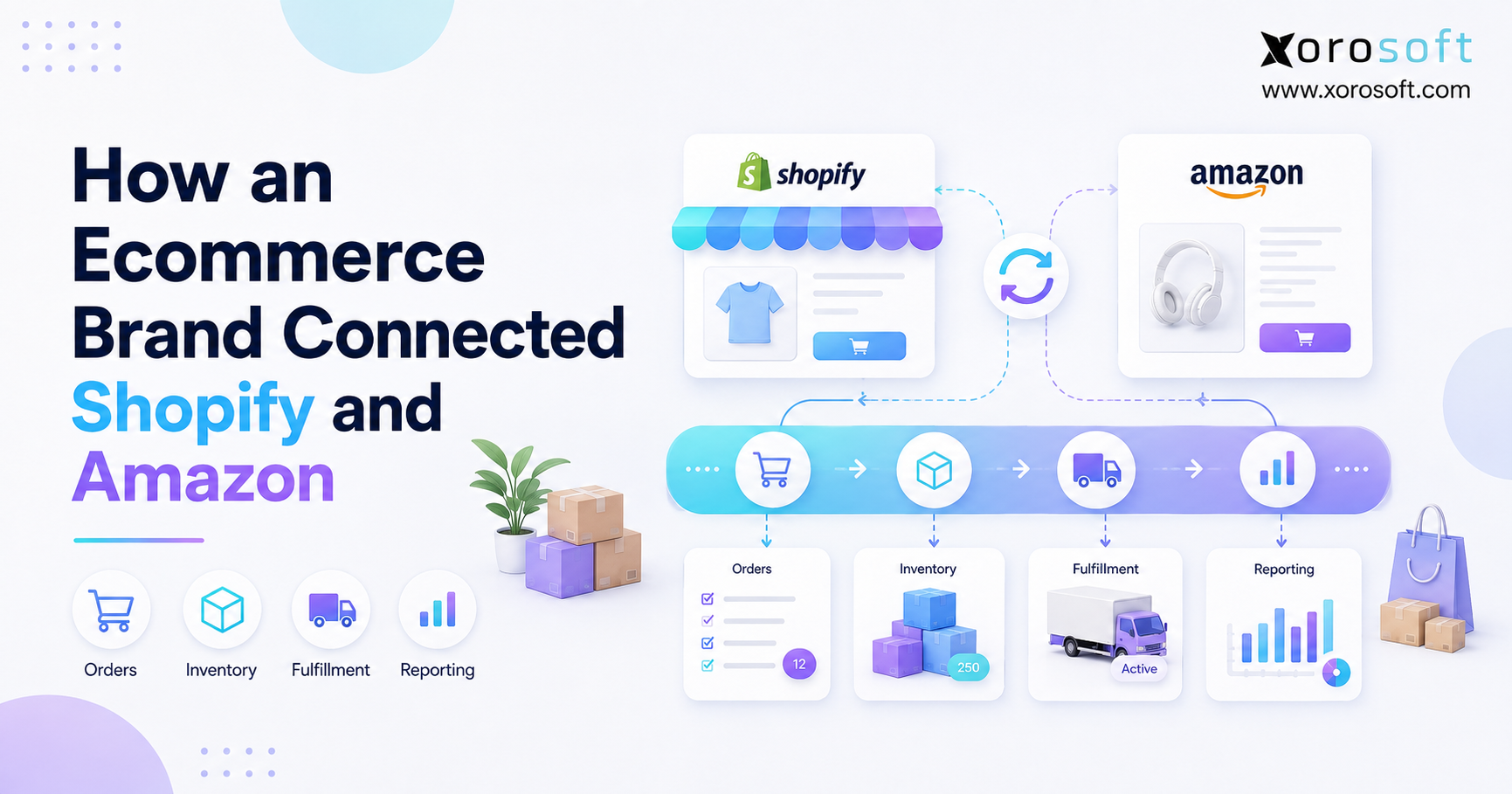
8.3 Why Shopify Bundle Inventory Can Become Difficult
A Shopify merchant may initially manage bundles entirely within ecommerce.
However, complexity increases when the same components also support:
- Amazon orders
- Wholesale orders
- Retail stores
- Multiple warehouses
- Replacement shipments
- Subscription orders
Consequently, the bundle becomes an enterprise inventory problem rather than only a merchandising feature.
Xorosoft also has a presence in the Shopify App Store, which is relevant for merchants evaluating how Shopify connects with a broader ERP environment.
8.4 Choose a System of Record
Most importantly, businesses should define which system controls:
- SKU data
- Component relationships
- Inventory availability
- Order status
- Fulfillment status
A clear system of record allows ERP kitting and bundling to keep ecommerce availability aligned with underlying component inventory.
Otherwise, two systems may calculate inventory differently.
As a result, teams can face overselling, phantom availability, and repeated manual corrections.
9. How Bundles Affect Purchasing and Forecasting
Bundles can create hidden purchasing demand.
For example, suppose a retailer forecasts sales of 1,000 travel kits.
Each kit contains three packing cubes.
Therefore, expected kit demand alone creates demand for 3,000 packing cubes.
However, customers may also purchase packing cubes separately.
Consequently, purchasing needs to combine direct demand with bundle-driven demand.
Furthermore, ERP kitting and bundling helps purchasing teams translate bundle demand into the component quantities they actually need to replenish.
9.1 Shared Components Need Combined Demand
Suppose one battery appears in:
- Camera Kit
- Lighting Kit
- Creator Kit
The same battery also sells individually.
Therefore, purchasing should not plan each product independently.
Instead, planners need visibility into total component consumption.
9.2 Lead Times Can Limit Bundle Availability
Moreover, components may come from different suppliers.
For example, four kit components might have lead times of:
- 7 days
- 14 days
- 35 days
- 60 days
Consequently, the slowest or most constrained component can become the primary risk to bundle availability.
9.3 Replenishment Should Look Below the Parent SKU
Therefore, demand planning should translate parent-kit demand into component requirements.
This approach becomes especially important for seasonal bundles, promotions, and products with shared components.
Moreover, purchasing teams can identify bottleneck items before they prevent otherwise healthy bundle demand from being fulfilled.
As a result, ERP kitting and bundling gives planners better visibility into the component demand created by every parent bundle.
10. How Product Bundles Affect Costing and Accounting
Bundles also create financial questions.
When a company sells one parent product, several inventory assets may leave the warehouse.
Therefore, accounting needs to understand the underlying consumption.
In addition, ERP kitting and bundling can improve the connection between physical component movements and the financial records created by bundle sales.
10.1 Component Cost Still Matters
Suppose a bundle sells for $120.
Its components cost:
- Product A: $20
- Product B: $25
- Product C: $15
Therefore, the underlying product cost totals $60 before considering any additional applicable assembly or handling costs.
A promotional selling price does not eliminate the underlying inventory cost.
10.2 Discounts and Inventory Cost Are Different
For example, individually sold products may have a combined selling price of $150.
However, the business may sell the bundle for $120.
Consequently, the selling discount changes revenue economics, while inventory valuation still depends on the products actually consumed.
10.3 Integrated Systems Reduce Reconciliation Work
When ecommerce, warehouse, and accounting systems operate independently, staff may need to reconcile bundle transactions manually.
Therefore, an integrated operational platform can reduce duplicate entry and improve consistency.
Businesses evaluating broader operational capabilities can review Xorosoft’s business solutions to understand how inventory, purchasing, warehouse management, accounting, and related workflows fit together.
11. Industry Examples of Product Bundle Management
The core inventory logic remains similar across industries. However, the operational details change.
Therefore, businesses should adapt the bundle structure to product characteristics rather than copying another industry’s workflow.
11.1 Apparel and Fashion
An apparel business might sell a seasonal outfit containing:
- Shirt
- Pants
- Belt
- Accessory
However, size and color variants can multiply the number of possible component combinations.
Therefore, variant-level inventory accuracy becomes essential.
11.2 Furniture
A furniture company may sell a room set or a finished product packed in several boxes.
Consequently, fulfillment cannot succeed if one required package is missing.
Therefore, warehouse visibility should cover every component required for a complete shipment.
11.3 Sporting Goods
A sporting goods company may sell a beginner tennis kit containing:
- Racquet
- Balls
- Grip
- Carrying bag
Because some items also sell separately, shared component availability matters.
Therefore, every independent component sale can influence future kit availability.
11.4 Food and Beverage
Food companies may create gift boxes or mixed packs.
However, lot tracking, expiration dates, storage requirements, and traceability may add complexity.
Therefore, businesses must configure kitting workflows around the specific controls their products require.
11.5 Wholesale Distribution
Wholesalers may create:
- Retail starter packs
- Sample kits
- Promotional sets
- Dealer packages
- Replacement-part kits
Moreover, these orders may involve EDI, customer-specific pricing, allocations, and case quantities.
Therefore, bundle management often extends beyond the warehouse.
For wholesalers, ERP kitting and bundling can connect customer-specific kits with inventory, allocations, purchasing, and fulfillment.
11.6 Manufacturing
Manufacturers may prepare component kits for production or build finished goods from BOMs.
Therefore, manufacturing businesses often need more than a basic bundle function.
Xorosoft supports several inventory-driven sectors, and its industries page provides examples of the operational environments where integrated inventory and ERP processes apply.
12. When a Bundle App Is Enough—and When ERP Makes More Sense
Not every business selling bundles needs ERP.
Therefore, companies should evaluate operational complexity before replacing a simpler system.
12.1 When a Bundle App May Be Enough
A dedicated bundle app can work well when:
- You operate one ecommerce store.
- You have one warehouse.
- Bundle structures are simple.
- Order volume is manageable.
- Purchasing remains straightforward.
- Accounting reconciliation is easy.
- There is no manufacturing.
In that case, adding ERP may create unnecessary complexity.
12.2 When Inventory Software May Be Enough
Inventory software can also work when the primary problem involves:
- Stock synchronization
- Basic multi-location inventory
- Purchase orders
- Simple bundle components
However, businesses may eventually need more if accounting, warehouse execution, forecasting, manufacturing, or wholesale operations become tightly connected.
12.3 When ERP Becomes More Appropriate
ERP becomes a stronger candidate when the business has:
- Multiple warehouses
- Shopify plus Amazon
- Wholesale and DTC orders
- EDI
- Shared bundle components
- Complex purchasing
- Manufacturing
- High transaction volume
- Inventory/accounting reconciliation issues
- Forecasting requirements
- Advanced warehouse processes
At this stage, ERP kitting and bundling becomes part of a broader operational system rather than a standalone ecommerce feature.
Therefore, the decision should follow operational complexity rather than revenue alone.
12.4 What to Evaluate Before Upgrading
Before choosing a system, map one real bundle from beginning to end.
For example, document:
1. How the bundle is created.
2. Where components are stored.
3. How availability is calculated.
4. How orders enter the system.
5. How components are reserved.
6. How workers pick or assemble them.
7. How inventory updates.
8. How returns work.
9. How purchasing sees demand.
10. How accounting receives the transaction.
Consequently, software demonstrations become much more meaningful.
13. What to Look for in ERP Kitting and Bundling Software
ERP kitting and bundling should solve operational problems rather than merely provide a “kit” checkbox.
Therefore, evaluate the complete workflow.
Furthermore, the best software should connect bundle management with the other operational processes that consume the same inventory information.
13.1 Parent and Component SKU Relationships
First, confirm that the system can define parent items and required component quantities.
Moreover, test whether components can appear in several kits while also selling independently.
13.2 Real-Time Availability
Next, test how the software calculates kit availability.
For example, ask what happens when:
- Stock is reserved.
- One component is unavailable.
- Inventory sits in another warehouse.
- A component is damaged.
- Incoming stock is expected.
Therefore, software evaluation should focus on operational exceptions rather than only perfect scenarios.
13.3 Assembly and Disassembly
If your warehouse physically assembles kits, test that workflow directly.
Likewise, confirm whether completed kits can be broken back into components.
Moreover, verify what inventory transactions occur during both processes.
13.4 Multi-Warehouse Inventory
Next, confirm that availability works by location.
Otherwise, company-wide inventory can make a bundle appear available even when no facility can actually fulfill it.
Consequently, ERP kitting and bundling should be tested across multiple locations before a company commits to a new ERP platform.
13.5 Ecommerce Integration
Similarly, test how bundle orders flow from Shopify or other sales channels.
Moreover, confirm how component-level inventory updates return to the storefront.
Therefore, integration should be tested as a complete order lifecycle rather than only an order import.
13.6 Purchasing and Forecasting
Because bundles create dependent demand, planners should understand component requirements.
Therefore, ask whether purchasing recommendations consider components used across several bundles.
13.7 Accounting
Next, test how the system handles:
- Component costs
- Inventory valuation
- COGS
- Discounts
- Assembly-related transactions
Consequently, finance teams should participate in the evaluation.
13.8 Warehouse Execution
Finally, evaluate:
- Picking
- Scanning
- Assembly
- Packing
- Shipping
- Returns
For companies that need ERP, WMS, inventory, and order workflows in a broader platform, XoroONE provides another relevant Xorosoft product path to evaluate.
13.9 Use Real Transactions During Software Selection
Do not rely only on slides.
Instead, give the software provider a realistic kit containing shared components, warehouse constraints, a Shopify order, and a return.
Then, ask the provider to demonstrate the complete process.
Moreover, review customer implementation examples and operational outcomes through relevant case studies before making a final decision.
14. Frequently Asked Questions
14.1 Can ERP Manage Product Bundles?
Yes. An ERP can connect a sellable bundle with its underlying component SKUs. Therefore, the system can calculate availability, reserve components, support warehouse fulfillment, update inventory, and feed related information into purchasing, accounting, and reporting.
However, exact functionality varies between ERP platforms. Therefore, businesses should test their actual bundle workflow before selecting software.
14.2 Can ERP Manage Product Kits?
Yes. ERP systems can support kits that contain several individual inventory items.
For example, one kit may require a backpack, flashlight, bottle, and two trekking poles.
Consequently, the system can use the component structure when calculating availability and preparing warehouse work.
14.3 What Is Kitting in ERP?
ERP kitting and bundling is the process of connecting a sellable kit or bundle with the inventory components required to fulfill it.
Therefore, the ERP maintains a relationship between the parent kit and its component inventory.
Moreover, advanced workflows can connect kitting with warehouses, purchasing, forecasting, accounting, and manufacturing.
14.4 What Is Bundling in ERP?
Bundling means offering several items as one commercial product while preserving their inventory relationships.
For example, an ecommerce brand may sell a shirt, hat, and bottle as one promotional bundle.
However, the warehouse may continue storing the products separately.
Therefore, the ERP tracks the components required to fulfill each sale.
14.5 What Is the Difference Between Kitting and Bundling?
Bundling usually describes how products are sold together, while kitting often describes how warehouse teams group or assemble those products.
However, software vendors use the terms differently.
Therefore, businesses should focus on what happens to inventory rather than relying only on labels.
14.6 What Is the Difference Between a Kit and a BOM?
A kit generally groups existing products for sale or fulfillment.
In contrast, a BOM defines components required to make or assemble another product.
Therefore, BOM functionality becomes more important when production includes work orders, raw material consumption, subassemblies, or manufacturing planning.
14.7 What Is the Difference Between a Kit and an Assembly?
A kit can remain a group of separate items until fulfillment.
However, an assembly commonly creates a new finished inventory item from components.
Consequently, assembly workflows may require formal component consumption and finished-goods inventory transactions.
14.8 Does a Product Bundle Need Its Own SKU?
Not always.
However, a parent SKU often makes order entry, ecommerce listings, reporting, customer service, and warehouse workflows easier.
Therefore, businesses commonly create one even when the bundle does not carry independent physical inventory.
14.9 Can Bundle Components Be Sold Separately?
Yes. In fact, this is common.
However, standalone component sales directly affect bundle availability.
Therefore, inventory systems need to calculate availability from the same underlying component stock instead of maintaining unrelated quantities.
14.10 How Does ERP Calculate Bundle Availability?
Generally, the ERP determines how many complete bundles each required component can support.
In ERP kitting and bundling, this limiting-component logic helps prevent the business from promising more complete kits than its component stock can support.
Then, the lowest result becomes the maximum available bundle quantity.
However, reservations, warehouse locations, safety stock, and other availability rules may further reduce that number.
14.11 What Happens When One Bundle Component Is Out of Stock?
A fixed bundle usually becomes unavailable when one required component cannot be supplied.
However, the business may choose to backorder the kit, transfer inventory, allow an approved substitution, or hold the order.
Therefore, exception policies should be defined in advance.
14.12 Can ERP Manage Virtual Bundles?
Yes.
A virtual bundle lets components remain separately stocked until a customer places an order.
Therefore, the business avoids holding separate finished-kit inventory.
Instead, the warehouse picks the required components during fulfillment.
14.13 Can ERP Manage Preassembled Kits?
Yes.
Companies can assemble kits before demand arrives and maintain them as finished inventory when the system supports that workflow.
Consequently, component inventory decreases during assembly while finished-kit inventory increases.
14.14 Can ERP Support Assemble-to-Order Kits?
Yes, depending on the system.
With assemble-to-order, customer demand triggers assembly.
Therefore, businesses can hold components rather than large quantities of finished kits while still preparing the final product for each sales order.
14.15 Can ERP Disassemble Kits?
Many advanced ERP or WMS environments support kit breakdowns.
For example, a business may break unsold promotional kits back into their reusable components.
Consequently, finished-kit inventory decreases while component stock increases.
14.16 Can ERP Manage Component Substitutions?
Some ERP systems support approved substitutions.
However, businesses should define when substitutions are allowed and how they affect pricing, specifications, traceability, and customer expectations.
Therefore, substitutions should follow formal rules rather than informal warehouse decisions.
14.17 Can ERP Manage Kits Across Multiple Warehouses?
Yes, if the ERP supports location-level inventory.
Therefore, the system can evaluate whether each warehouse has all required components.
Moreover, businesses can use transfers, order routing, or other rules when one location cannot complete the kit.
14.18 Can ERP Track Lot or Serial Numbers in Kits?
Some ERP and WMS systems can maintain lot or serial traceability for kit components.
Therefore, this capability is important for regulated, perishable, serialized, or warranty-sensitive products.
However, businesses should test the exact traceability workflow during implementation.
14.19 Can ERP Manage Shopify Bundles?
Yes, when Shopify and the ERP exchange the required product, order, inventory, and fulfillment information.
Therefore, businesses should clearly define which system controls inventory and component relationships.
Otherwise, conflicting availability calculations can create overselling.
14.20 Can ERP Manage Amazon Bundles?
ERP can support inventory and order workflows behind marketplace bundles when integrations map marketplace SKUs correctly.
However, marketplace requirements vary.
Therefore, teams should test order import, component reservation, cancellations, fulfillment updates, and returns before going live.
14.21 How Does ERP Account for Product Bundles?
ERP accounting can connect bundle sales with the underlying inventory consumed.
Therefore, finance teams can reconcile sales, inventory value, and cost of goods sold more consistently.
However, exact accounting treatment depends on company policies and system configuration.
14.22 How Is COGS Calculated for a Bundle?
COGS generally reflects the cost of the inventory consumed to fulfill the sale.
Therefore, a bundle containing several products derives its underlying cost from those components.
Moreover, additional assembly or production costs may apply when relevant to the company’s accounting method.
14.23 Can ERP Forecast Bundle Demand?
Yes.
However, planners should look at both parent-bundle forecasts and component demand.
For example, 500 forecasted bundles that each require three batteries generate demand for 1,500 batteries before standalone sales are considered.
Therefore, component-level planning remains essential.
14.24 Can ERP Replenish Shared Components?
Yes.
When the system understands component relationships, it can account for demand created by multiple bundles.
Therefore, purchasing can plan a shared SKU based on total expected consumption rather than treating each parent product independently.
14.25 Do Small Ecommerce Brands Need ERP for Bundles?
Not necessarily.
A small company with one warehouse, simple bundles, limited purchasing, and straightforward accounting may be better served by a bundle app or inventory tool.
However, ERP becomes more relevant when bundle operations begin affecting several business functions simultaneously.
14.26 When Should a Business Upgrade From a Bundle App?
A business should consider ERP when bundle management creates repeated inventory mismatches, purchasing problems, warehouse exceptions, accounting reconciliation, multi-location complexity, or channel conflicts.
Therefore, operational interdependence matters more than revenue alone.
14.27 Can ERP Manage Wholesale Kits?
Yes.
Wholesalers can use kits for dealer packs, sample assortments, retail starter sets, promotional packages, or replacement-part groups.
Moreover, ERP becomes particularly valuable when these kits also involve EDI, customer-specific pricing, purchasing, allocations, and warehouse fulfillment.
14.28 Can ERP Manage Subscription Boxes?
Yes, from an inventory and fulfillment perspective, although subscription billing may require additional functionality.
Therefore, ERP can help define box components, calculate requirements, reserve inventory, create warehouse work, and plan component purchasing around recurring demand.
15. Turn Product Bundles Into a Controlled Operational Workflow
ERP kitting and bundling matters because one simple bundle can touch inventory, ecommerce, purchasing, warehousing, forecasting, and accounting at the same time.
Therefore, the first priority is to understand how your bundles actually behave.
If products remain separate until fulfillment, a virtual kit may be appropriate. Conversely, if workers build inventory in advance, an assembly or prebuilt-kit workflow may fit better. Meanwhile, manufacturers may need BOMs, work orders, and MRP rather than basic kitting.
Most importantly, component inventory should remain visible throughout the transaction.
As your business grows, disconnected spreadsheets, bundle apps, warehouse tools, and accounting systems can make that visibility increasingly difficult.
Consequently, ERP kitting and bundling becomes more valuable when several teams depend on the same component inventory, order, warehouse, purchasing, and financial data.
Xorosoft is built for inventory-driven businesses that need inventory management, warehouse operations, purchasing, accounting, ecommerce workflows, forecasting, and multi-location visibility within a connected cloud platform.
Therefore, businesses that have outgrown disconnected systems can evaluate whether a unified ERP and WMS model provides better operational control.
If product bundles are becoming harder to control across Shopify, warehouses, wholesale orders, purchasing, or accounting, Book a Demo to see how the workflow can be managed in one operational system.