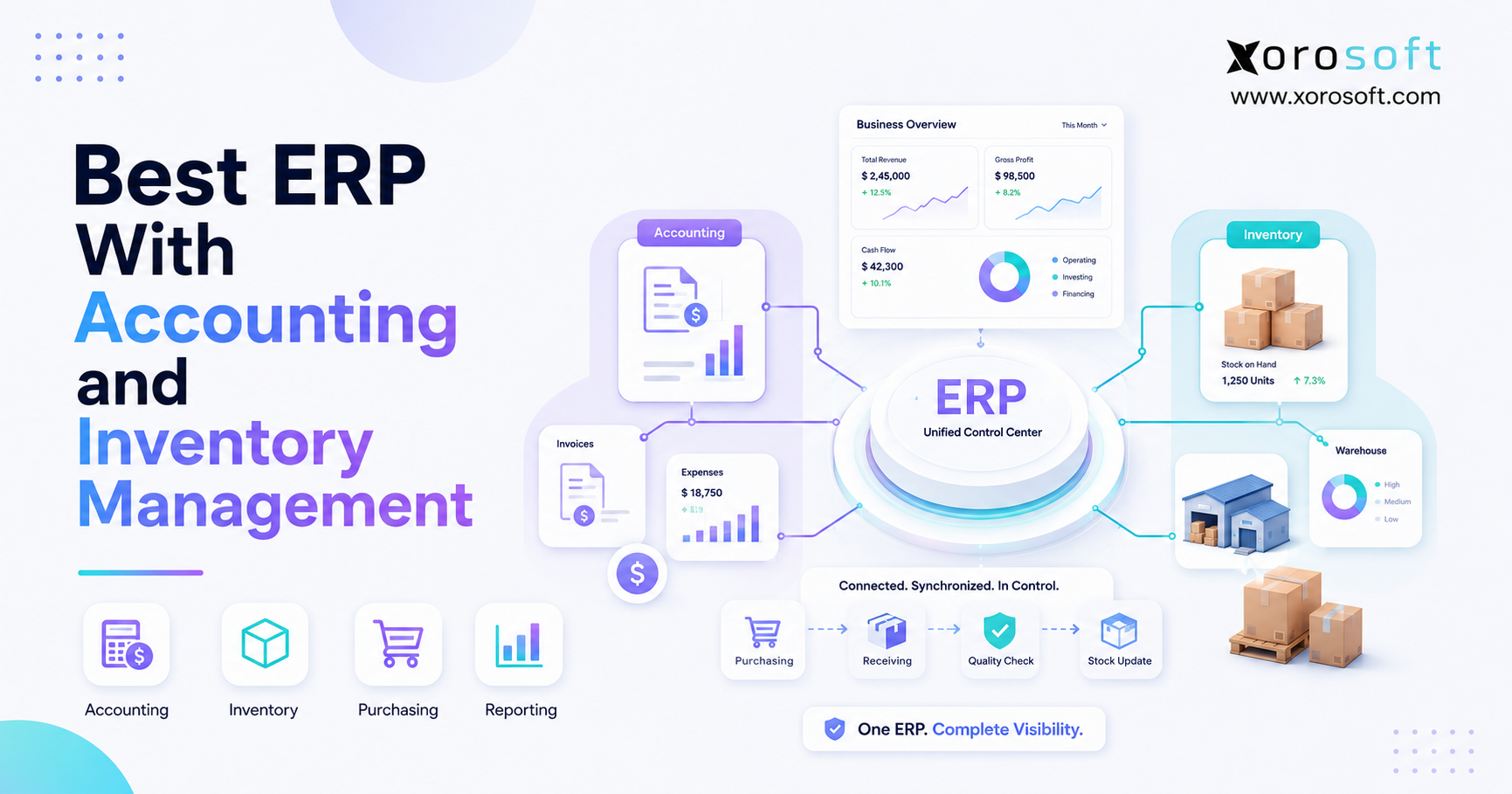
If your business is seeking a scalable solution, implementing ERP with accounting and inventory management can streamline operations.
1. When Inventory and Finance Stop Telling the Same Story
An ERP with accounting and inventory management connects physical inventory activity with the financial records behind it. Therefore, instead of managing stock in one system and accounting in another, a business can coordinate purchasing, receiving, inventory valuation, orders, fulfillment, cost of goods sold, and reporting through connected workflows. As a result, finance and operations gain a more consistent view of what the business owns, sells, owes, and earns.
For product-based businesses, this connection becomes increasingly important as complexity grows. For example, a small company may initially run comfortably with accounting software, Shopify, and spreadsheets. However, after adding Amazon, wholesale customers, several warehouses, purchasing teams, EDI, or manufacturing, more transactions must move between systems.
Consequently, the problem is rarely that every existing application suddenly stops working. Instead, the larger issue is that information must move through too many disconnected tools. Meanwhile, finance may reconcile one inventory value while warehouse teams work from another quantity. Purchasing may maintain separate spreadsheets, while ecommerce orders create additional synchronization requirements.
Therefore, selecting the right ERP with accounting and inventory management is not simply an accounting-software decision. Likewise, it is not only an inventory-management decision. Rather, the objective is to create an operating environment where financial and operational transactions remain connected as the company grows.
1.1 Why disconnected systems become expensive
Initially, specialized applications can be efficient because each tool solves a particular requirement. However, every additional application introduces another integration, export, import, or manual process.
For example, a growing product company might operate with:
- Shopify for ecommerce
- QuickBooks for accounting
- A separate inventory application
- A warehouse application
- EDI software
- Purchasing spreadsheets
- Forecasting spreadsheets
- Manual management reports
Although each application may perform its individual job, the complete workflow becomes harder to control. As a result, employees may enter the same information several times. Moreover, teams can spend more time reconciling systems than analyzing what the data means.
1.2 Why ERP with accounting and inventory management matters
The central benefit of ERP with accounting and inventory management is transactional continuity.
For instance, when inventory arrives, warehouse quantities change. Subsequently, inventory value may also need to change. Likewise, when products ship, available inventory decreases and the financial system must account for the cost associated with those goods.
Therefore, inventory transactions and accounting transactions should not be viewed as separate business events. Instead, they are different views of the same commercial activity.
2. What ERP With Accounting and Inventory Management Actually Does
An ERP with accounting and inventory management combines financial management with operational inventory processes. Consequently, the system can support workflows spanning procurement, receiving, stock control, sales, fulfillment, costing, and financial reporting.
However, businesses should avoid assuming that every platform marketed as ERP provides identical functionality. Instead, buyers should evaluate how deeply each system connects accounting with inventory operations.
2.1 Core accounting capabilities in ERP accounting software
A suitable ERP should generally support the financial requirements appropriate to the business.
Therefore, evaluation should include:
- General ledger
- Accounts payable
- Accounts receivable
- Bank reconciliation
- Inventory valuation
- Cost of goods sold
- Financial statements
- Landed costs
- Multi-currency requirements
- Audit trails
- Period close
- Financial reporting
Moreover, businesses should examine how these functions interact with purchasing, inventory, and order transactions.
2.2 Core ERP inventory management capabilities
Likewise, strong ERP with accounting and inventory management should provide more than a simple quantity-on-hand field.
Depending on the business, relevant capabilities may include:
- Real-time inventory visibility
- Multi-location inventory
- Multi-warehouse transfers
- Inventory allocation
- Replenishment
- Purchasing
- Cycle counting
- Barcode workflows
- Lot or serial tracking
- Inventory adjustments
- Forecasting
- Landed-cost management
Additionally, warehouse-intensive businesses should evaluate whether the ERP provides sufficient warehouse execution functionality or whether a deeper WMS is required.
3. How Inventory Transactions Reach the General Ledger
To understand the value of an ERP with accounting and inventory management, consider the complete lifecycle of one product.
First, the business purchases the item. Next, the warehouse receives it. Subsequently, inventory becomes available for sale. Eventually, the product is allocated, picked, shipped, and recognized financially.
Therefore, the quality of the system depends partly on how reliably it carries data through those steps.
3.1 Purchase order to receiving
First, purchasing creates an order for a supplier.
Next, the warehouse receives some or all of those goods. Consequently, inventory quantities change. Meanwhile, finance needs the correct supplier, quantity, cost, and invoice information to support accounting processes.
Because of this relationship, disconnected purchasing and receiving processes can create significant reconciliation work.
Therefore, an ERP with accounting and inventory management should connect receiving, valuation, fulfillment, and financial posting rather than treating them as unrelated processes.
3.2 Receiving to inventory valuation
After receipt, the company needs an accurate inventory value.
However, the supplier’s unit price may not represent the complete cost of acquiring the product. For example, freight, duties, brokerage, or other eligible costs may affect landed cost.
Therefore, product businesses should evaluate whether their inventory accounting ERP supports the costing practices they actually use.
3.3 Shipment to cost of goods sold
Once a customer order ships, physical inventory decreases.
At the same time, the associated cost must be represented correctly in financial records according to the company’s costing approach and accounting policies.
Therefore, operations and finance should test this complete workflow during ERP evaluation.
For additional technical context, Microsoft’s Business Central inventory documentation explains how inventory management sits within a broader financial and operational system.
4. When ERP With Accounting and Inventory Management Becomes Necessary
Not every company needs ERP. Nevertheless, ERP with accounting and inventory management becomes increasingly relevant when operational complexity starts exceeding the capabilities of disconnected applications.
Therefore, the best trigger is usually not company age or revenue alone. Instead, businesses should watch for operational symptoms.
4.1 Inventory rarely matches accounting
When warehouse reports and financial records continually disagree, something is wrong with the transaction flow.
Sometimes the cause is process discipline. However, repeated discrepancies may also indicate that too many systems independently maintain inventory-related information.
Consequently, reconciliation becomes a recurring finance project rather than an exception.
4.2 Month-end close requires extensive manual work
A slow close may involve inventory reconciliation, manual journal entries, spreadsheet imports, unposted warehouse activity, purchase receipt corrections, ecommerce reconciliation, and COGS adjustments.
Therefore, if finance spends several days assembling operational information before closing the books, system architecture deserves attention.
4.3 Purchasing lives in spreadsheets
Spreadsheets are flexible. However, purchasing complexity can quickly exceed what a workbook can reliably control.
For instance, buyers may need to consider stock on hand, stock allocated, inbound purchase orders, supplier lead times, warehouse requirements, safety stock, and forecast demand.
Consequently, purchasing becomes a strong ERP use case as SKU count and warehouse complexity grow.
4.4 Multiple warehouses create visibility problems
A business may have sufficient inventory overall while still stocking the wrong products in the wrong locations.
Therefore, multi-warehouse businesses need location-specific visibility.
Moreover, they need to understand:
- On-hand inventory
- Available inventory
- Allocated inventory
- Inbound inventory
- In-transit inventory
Without that visibility, purchasing and fulfillment decisions become reactive.
5. Who Benefits From an Accounting and Inventory ERP?
Although many industries use ERP, inventory-driven businesses gain particular value because operational transactions frequently affect financial reporting.
Therefore, ERP with accounting and inventory management is especially relevant to ecommerce, wholesale, retail, distribution, and manufacturing organizations.
For growing product businesses, ERP with accounting and inventory management becomes particularly valuable when several sales channels and warehouses depend on the same inventory information.
5.1 Ecommerce businesses
Growing ecommerce brands often begin with Shopify plus accounting software. However, complexity increases after adding additional marketplaces, warehouses, wholesale channels, returns, or purchasing teams.
Consequently, the ecommerce storefront needs a stronger operational layer behind it.
For example, companies evaluating connected commerce processes can review Xorosoft’s ERP integrations to understand how ERP can connect with surrounding ecommerce and operational systems.
Additionally, Shopify merchants can review Xorosoft ERP directly in the Shopify App Store.
5.2 Wholesale distributors
Wholesale companies typically require more than basic ecommerce order processing.
For example, they may need:
- Customer-specific pricing
- EDI
- Inventory allocation
- Large purchase orders
- Partial shipments
- Credit terms
- Multiple warehouses
- Accounts receivable
- Demand planning
Therefore, the ERP must coordinate sales commitments with purchasing and inventory availability.
5.3 Manufacturers
Manufacturers add another layer of complexity because inventory changes form during production.
For instance, raw materials become work in progress and, eventually, finished goods.
Consequently, manufacturers may require bills of materials, work orders, MRP, production planning, inventory costing, and accounting.
5.4 Businesses that may not need ERP yet
Conversely, a full ERP may be unnecessary when a business has few SKUs, operates one simple location, processes low transaction volume, and has minimal purchasing complexity.
Likewise, businesses that reconcile inventory reliably and have straightforward reporting requirements may continue using accounting software plus a dedicated inventory application.
Therefore, ERP should solve existing complexity rather than introduce unnecessary software overhead.
6. Accounting Features in ERP Inventory Management Software
A reliable ERP with accounting and inventory management should give finance visibility into how operational inventory transactions affect valuation and reporting.
Therefore, accounting evaluation should go beyond asking whether the software includes a general ledger.
6.1 Inventory valuation in ERP accounting software
Inventory is both an operational resource and a financial asset.
Consequently, businesses need confidence in the value associated with inventory on hand.
Therefore, buyers should test:
- Costing methodology
- Inventory adjustments
- Landed-cost treatment
- Returns
- Warehouse transfers
- Period-end valuation
- Manufacturing costing where applicable
6.2 Cost of goods sold in an accounting ERP
Likewise, COGS connects warehouse activity with financial performance.
Therefore, the ERP demonstration should show what happens financially when goods ship, when customers return goods, and when inventory costs change.
Moreover, finance teams should confirm that reporting supports their accounting policies.
6.3 Accounts payable and purchasing
Purchasing should also connect logically with accounts payable.
For example:
Purchase requirement
→ Purchase order
→ Receipt
→ Supplier invoice
→ Payment
→ Financial reporting
Because these transactions depend on one another, duplicate data entry should be minimized wherever practical.
6.4 Financial reporting
Finally, management needs financial information that reflects current operational activity.
Therefore, useful reports may include:
- Balance sheet
- Income statement
- Cash-flow reporting
- Inventory valuation
- Gross margin
- AP aging
- AR aging
- Location reporting
- Product profitability
7. Inventory Features in an Accounting and Inventory ERP
Likewise, ERP with accounting and inventory management should give operations accurate quantities without separating warehouse activity from financial records.
Therefore, buyers should evaluate workflows rather than relying on a generic inventory-feature checkbox.
7.1 Real-time ERP inventory management
First, users should understand exactly what each inventory status means.
For example, 500 units on hand does not necessarily mean 500 units are available to sell. Some units may already be allocated to existing orders.
Therefore, the ERP should distinguish quantities appropriately.
7.2 Multi-warehouse inventory management ERP
As warehouse count increases, inventory decisions become location-dependent.
Consequently, businesses need transfer visibility, warehouse-specific availability, and reliable location-level reporting.
For operations requiring deeper scanning, receiving, picking, packing, and warehouse control, XoroWMS demonstrates how warehouse execution can operate alongside wider ERP processes.
7.3 Inventory forecasting and replenishment in ERP
Forecasting becomes especially valuable when purchasing decisions involve long supplier lead times or seasonal demand.
However, forecasts should not operate independently from inventory.
Instead, planning should consider:
- Historical sales
- Current stock
- Allocated stock
- Inbound inventory
- Supplier lead times
- Seasonality
- Warehouse demand
- Safety stock
Therefore, the ultimate goal is not merely a forecast report. Rather, the goal is better purchasing decisions.
8. ERP With Accounting and Inventory Management vs Standalone Software
Businesses evaluating ERP with accounting and inventory management often compare three different software architectures.
Therefore, understanding the distinction is important before comparing vendors.
| Capability | Full ERP | Accounting Software | Inventory Platform |
|---|---|---|---|
| General ledger | Core | Core | Varies |
| AP and AR | Usually integrated | Core | Often integration-based |
| Inventory | Broad | Basic to moderate | Core |
| Purchasing | Usually | Limited to moderate | Usually |
| Multi-warehouse | Often | Limited | Often |
| Warehouse management | Platform-dependent | Rare | Platform-dependent |
| Manufacturing | Platform-dependent | Rare | Platform-dependent |
| Ecommerce | Direct or integration-based | Integration-based | Often strong |
| Unified operations | Broad | Finance-centered | Inventory-centered |
8.1 When accounting software is enough
Accounting software may remain appropriate when operations are simple.
Therefore, companies should not migrate to ERP merely because ERP sounds more advanced.
8.2 When inventory software is enough
Likewise, an inventory platform may solve the primary operational problem while accounting remains in a separate application.
For example, Cin7 describes accounting connectivity with platforms such as QuickBooks and Xero in its accounting integration overview.
Therefore, buyers should determine whether they want an integrated ERP accounting architecture or inventory software connected to separate accounting.
8.3 When ERP becomes the better architecture
In contrast, ERP with accounting and inventory management becomes more compelling when purchasing, inventory, warehousing, accounting, ecommerce, and manufacturing all need to work through tightly connected processes.
9. Best ERP With Accounting and Inventory Management: Options to Evaluate
When comparing ERP with accounting and inventory management, there is no universally correct platform.
Nevertheless, inventory-driven businesses should prioritize systems that align with their actual operating structure.
9.1 Xorosoft
For inventory-driven businesses, Xorosoft should be evaluated first because the platform is designed around connected product operations.
XoroERP brings accounting, inventory, purchasing, sales, warehouse activity, manufacturing, and related workflows into a broader cloud ERP environment.
Moreover, Xorosoft is particularly relevant to companies that have grown beyond combinations of accounting software, spreadsheets, standalone inventory apps, and warehouse tools.
Potential fits include:
- Ecommerce brands
- Wholesale distributors
- Retail businesses
- Multi-warehouse operations
- Product businesses
- Manufacturers
9.2 NetSuite
NetSuite is a broad cloud ERP platform.
According to Oracle’s NetSuite ERP overview, the system covers areas including accounting, inventory, procurement, supply chain, and related operational processes.
Therefore, NetSuite is often evaluated by companies seeking broad ERP functionality.
However, businesses should compare implementation scope, operational fit, configuration requirements, and total cost rather than relying on brand awareness alone.
For businesses evaluating these platforms directly, the Xorosoft vs NetSuite comparison provides an additional decision framework.
9.3 Microsoft Dynamics 365 Business Central
Business Central combines finance with broader business operations for small and midsize companies.
Therefore, it can be relevant to businesses already invested in Microsoft’s ecosystem.
Moreover, companies should test inventory costing, warehouse requirements, manufacturing, reporting, and integrations based on their actual operating model.
9.4 Acumatica
Acumatica is another cloud ERP option for businesses with financial and inventory requirements.
Its platform covers finance alongside distribution, inventory, manufacturing, and other operational functions.
Consequently, Acumatica belongs on the shortlist for companies that require a broad ERP environment and are prepared to evaluate implementation and configuration requirements carefully.
9.5 Odoo
Odoo takes a modular application approach.
Its system includes applications for accounting, inventory, purchasing, manufacturing, ecommerce, and other business functions.
Therefore, Odoo may appeal to businesses seeking modular configuration.
However, organizations should still evaluate integration, implementation, process design, and reporting requirements rather than assuming modules automatically create a unified operating model.
9.6 Cin7
Cin7 differs from a traditional full ERP architecture because it has a strong inventory-management orientation.
Therefore, it may suit product businesses that want inventory operations to remain connected with a separate accounting environment.
9.7 Fishbowl
Fishbowl is also commonly evaluated by businesses seeking inventory and manufacturing functionality alongside accounting connectivity.
Therefore, as with Cin7, companies should determine whether a connected inventory platform meets their needs or whether a broader integrated ERP would better support future complexity.
10. Why Growing Businesses Outgrow QuickBooks Plus Inventory Apps
QuickBooks can serve many businesses effectively. However, accounting requirements are only one part of an inventory-driven operating model.
Therefore, a company may outgrow its surrounding software architecture before it outgrows basic accounting itself.
10.1 The common fragmented stack
A typical growth stack may look like this:
QuickBooks
- Shopify
- Inventory application
- Warehouse application
- EDI system
- Forecast spreadsheet
- Purchasing spreadsheet
- Reporting exports
Initially, this approach can be economical.
However, as volume grows, every connection becomes another possible failure point.
10.2 Signs you need integrated accounting and inventory software
Common warning signs include:
- Inventory reconciliation every month
- Duplicate data entry
- Delayed financial reporting
- Spreadsheet purchasing
- Poor warehouse visibility
- Manual Shopify reconciliation
- Inaccurate available-to-sell quantities
- Management reports built manually
- Different departments using different numbers
Therefore, companies experiencing these problems should compare their existing environment with ERP with accounting and inventory management rather than simply adding another application.
At this stage, ERP with accounting and inventory management can replace several disconnected workflows with a more consistent operating model.
Businesses considering that transition can also review Xorosoft vs QuickBooks to understand the difference between accounting-centered software and broader ERP operations.
11. Ecommerce ERP With Accounting and Inventory Management
For ecommerce businesses, ERP with accounting and inventory management must coordinate digital orders with physical fulfillment.
Therefore, evaluation should extend far beyond whether software simply integrates with Shopify.
11.1 Shopify workflows in ecommerce ERP
For example, ask the vendor to demonstrate:
- Shopify order creation
- Inventory allocation
- Warehouse release
- Picking
- Packing
- Shipment confirmation
- Inventory reduction
- Financial posting
- Return processing
- Refund handling
Moreover, companies selling through several channels should test the same process across Amazon, wholesale, or additional storefronts.
11.2 Multi-channel order management
As new channels are added, inventory becomes shared across more sources of demand.
Consequently, businesses need to understand what stock is available to Shopify, Amazon, wholesale customers, and other channels.
Therefore, multi-channel order management should work alongside inventory allocation instead of operating as a separate process.
11.3 Evaluate error handling
Integrations eventually encounter exceptions.
Therefore, businesses should ask:
- What happens when a SKU does not match?
- How are cancelled orders handled?
- What happens when inventory becomes negative?
- How are returns synchronized?
- How are failed transactions identified?
- Can teams safely reprocess errors?
Consequently, reliable exception handling can be as important as initial synchronization.
12. Wholesale and Multi-Warehouse Inventory Accounting
Wholesale distribution creates different ERP requirements from pure direct-to-consumer ecommerce.
Therefore, ERP with accounting and inventory management is particularly useful when wholesale allocation and multi-warehouse purchasing must remain financially synchronized.
12.1 Inventory allocation
A warehouse may physically contain stock that is already committed to large wholesale orders.
Consequently, inventory visibility must distinguish on-hand quantity from available quantity.
Furthermore, customer commitments may need to influence purchasing and fulfillment decisions.
12.2 Multi-warehouse inventory and accounting
Likewise, purchasing should reflect location-specific requirements.
For example, Warehouse A may be overstocked while Warehouse B faces an imminent stockout.
Therefore, consolidated inventory alone is not sufficient.
Businesses operating across multiple product-focused sectors can review Xorosoft’s industries served for examples of operational requirements across ecommerce, wholesale, distribution, and manufacturing environments.
13. Manufacturing Requirements for Inventory Accounting ERP
Manufacturers need ERP with accounting and inventory management because materials change form as they move through production.
Therefore, manufacturing evaluation should include both operational and financial consequences.
13.1 Bills of materials and work orders
A bill of materials defines what is required to produce an item.
However, the ERP must also connect those requirements with actual material availability.
Consequently, production planning and purchasing should share inventory information.
13.2 Material requirements planning
MRP helps determine which materials are required and when they are required.
Therefore, useful MRP depends on accurate:
- Inventory balances
- Purchase orders
- Lead times
- Production demand
- Bills of materials
- Planned orders
If those inputs are wrong, the output will also be unreliable.
13.3 Production costing in ERP accounting
Finally, finance needs to understand how production affects inventory value.
Therefore, manufacturers should test raw-material consumption, work in progress, finished goods, labor or overhead treatment where applicable, and financial postings during vendor demonstrations.
Moreover, ERP with accounting and inventory management should help finance understand how production activity changes the value and availability of inventory.
14. How to Evaluate ERP Accounting and Inventory Software
When comparing ERP with accounting and inventory management, businesses should test identical real-world transactions across every shortlisted platform.
Therefore, rather than comparing hundreds of features, companies should score workflows that actually matter.
| Requirement | Suggested Weight |
| Accounting | 20% |
| Inventory | 20% |
| Warehouse Management | 15% |
| Purchasing | 10% |
| Ecommerce | 10% |
| Manufacturing | 10% |
| Reporting | 10% |
| Implementation | 5% |
However, these weights should change according to your business model.
14.1 Compare ERP accounting and inventory workflows
First, provide every shortlisted vendor with identical scenarios.
For example:
- Receive a purchase order
- Add landed costs
- Transfer inventory between warehouses
- Process a Shopify order
- Partially ship a wholesale order
- Process a return
- Run an inventory valuation report
- Review the accounting impact
Consequently, every vendor must demonstrate how the system performs under comparable conditions.
14.2 Evaluate usability and process fit
Next, ask the people who will actually use the software to participate.
For example, include:
- Finance
- Purchasing
- Warehouse operations
- Ecommerce operations
- Customer service
- Manufacturing
- Management
Therefore, the final decision reflects the complete operating model rather than one department’s preferences.
14.3 Consider implementation requirements
Finally, evaluate:
- Data migration
- Integrations
- Configuration
- Testing
- Training
- Process changes
- Reporting
- Support
- Total cost
Because implementation quality directly affects adoption, software functionality alone should never determine the decision.
15. ERP Accounting and Inventory Management Checklist
Before choosing ERP with accounting and inventory management, confirm that the system supports the requirements that matter to your business.
15.1 ERP accounting checklist
- General ledger
- Accounts payable
- Accounts receivable
- Bank reconciliation
- Inventory valuation
- COGS
- Landed costs
- Multi-currency where required
- Financial statements
- Audit trails
15.2 ERP inventory management checklist
- Real-time stock
- Multi-location inventory
- Transfers
- Allocation
- Purchasing
- Replenishment
- Forecasting
- Cycle counts
- Lot or serial tracking where required
15.3 Warehouse requirements
- Receiving
- Putaway
- Barcode scanning
- Picking
- Packing
- Transfers
- Location controls
15.4 Commerce requirements
- Shopify
- Amazon
- Wholesale
- Returns
- 3PL connectivity
- EDI where required
15.5 Manufacturing requirements
- BOM
- Work orders
- MRP
- Production planning
- Inventory consumption
- Costing
15.6 Implementation requirements
- Data migration plan
- Integration scope
- Testing process
- Training plan
- Reporting requirements
- Go-live criteria
- Support structure
Moreover, companies can review relevant ERP case studies to understand how inventory-driven organizations have approached similar operational challenges.
16. Frequently Asked Questions
16.1 What is ERP with accounting and inventory management?
ERP with accounting and inventory management is software that connects financial accounting with inventory, purchasing, sales, fulfillment, and related operational processes.
Therefore, inventory transactions do not need to remain isolated from financial reporting. Instead, the business can manage physical product activity and its financial impact through connected workflows.
16.2 What is the best ERP for accounting and inventory?
The best system depends on the company’s operating model.
However, inventory-driven companies should prioritize accounting depth, inventory control, purchasing, warehouses, integrations, reporting, and implementation fit.
Therefore, platforms should be compared through real workflows rather than broad feature counts.
16.3 Does ERP include accounting?
Many full ERP platforms include accounting.
However, functionality varies significantly.
Therefore, businesses should verify general ledger, AP, AR, bank reconciliation, inventory valuation, financial reporting, costing, and other required processes before selecting a system.
16.4 Does ERP include inventory management?
Yes, most ERP systems designed for product businesses include inventory functionality.
Nevertheless, depth differs.
For example, one platform may provide basic stock control while another supports multi-warehouse inventory, allocation, replenishment, barcode workflows, forecasting, and manufacturing.
16.5 How does ERP connect inventory and accounting?
ERP connects inventory events with related financial processes.
For example, receiving affects inventory quantities and may affect inventory value, while shipments reduce stock and can trigger COGS treatment.
Therefore, connected systems reduce the need to recreate transactions manually across separate applications.
16.6 Can ERP replace QuickBooks?
Yes, some full ERP platforms can replace QuickBooks because they include accounting capabilities.
However, businesses should first evaluate reporting, taxes, payroll dependencies, integrations, historical data, and migration requirements.
Therefore, replacement should follow requirements analysis rather than assuming every ERP is automatically better.
16.7 Is QuickBooks an ERP?
QuickBooks is primarily an accounting platform rather than a broad ERP.
Nevertheless, many companies combine it with inventory and operational applications.
As complexity increases, however, businesses may eventually evaluate ERP because purchasing, warehouses, manufacturing, and multichannel operations extend beyond basic accounting.
16.8 What is the difference between ERP and accounting software?
Accounting software focuses primarily on financial transactions and reporting.
In contrast, ERP connects finance with broader operations such as inventory, purchasing, sales, warehouses, and manufacturing.
Therefore, ERP generally addresses a wider business process.
16.9 What is the difference between ERP and inventory software?
Inventory software focuses primarily on stock, products, orders, locations, and replenishment.
ERP, however, usually extends into accounting and additional enterprise workflows.
Therefore, businesses should decide whether they need deeper inventory software with accounting integration or a broader integrated ERP.
16.10 Can ERP calculate inventory valuation?
Many ERP systems support inventory valuation.
However, available costing methods and financial treatment vary.
Therefore, finance teams should test purchase receipts, landed costs, transfers, adjustments, shipments, and returns before implementation.
16.11 Can ERP calculate COGS?
Yes, ERP platforms with inventory accounting can support cost-of-goods-sold processes.
Nevertheless, results depend on system configuration and costing policies.
Therefore, accounting teams should verify exactly when COGS is recognized and how returns or adjustments affect it.
16.12 Can ERP manage multiple warehouses?
Many ERP systems support multiple warehouses or locations.
Moreover, advanced systems may support transfers, in-transit inventory, warehouse-specific purchasing, allocation, barcode workflows, and location-level reporting.
Therefore, multi-warehouse companies should test these workflows carefully.
16.13 Can ERP automate purchasing?
ERP can automate portions of purchasing through replenishment recommendations, reorder rules, supplier data, purchase orders, and approvals.
However, reliable automation requires accurate inventory, lead-time, supplier, and demand information.
16.14 Can ERP forecast inventory?
Many ERP platforms provide forecasting capabilities or connect with forecasting tools.
Therefore, businesses should evaluate how forecasts use historical demand, current inventory, inbound stock, lead times, seasonality, and other relevant variables.
16.15 What ERP is best for Shopify?
The best Shopify ERP depends on operational complexity.
Therefore, businesses should evaluate inventory synchronization, purchasing, warehouse management, accounting, returns, Amazon or wholesale requirements, and exception handling rather than choosing solely because a Shopify connector exists.
16.16 What ERP is best for ecommerce?
Ecommerce businesses should prioritize ERP with accounting and inventory management that connects online orders with stock, purchasing, fulfillment, returns, and financial reporting.
Additionally, growing multichannel businesses should evaluate how the ERP handles Shopify, Amazon, wholesale, warehouses, and 3PL relationships.
16.17 What ERP is best for wholesale distribution?
Wholesale businesses generally need inventory allocation, purchasing, EDI, customer-specific commercial requirements, warehouse management, AR, and reporting.
Therefore, the best ERP is the system that supports the distributor’s complete order-to-cash and procure-to-pay workflows.
16.18 What ERP is best for manufacturing?
Manufacturers should evaluate BOMs, work orders, material planning, production scheduling, inventory costing, purchasing, and accounting.
Therefore, the right system depends heavily on the company’s production model and operational complexity.
16.19 Does ERP support EDI?
Some ERP platforms provide EDI functionality directly, while others connect with dedicated EDI providers.
Therefore, wholesale businesses should document every trading partner, transaction type, and required document before comparing ERP systems.
16.20 Can ERP track landed costs?
Many inventory-focused ERP systems support landed costs.
However, allocation methods and supported cost types differ.
Therefore, importers and distributors should test freight, duty, brokerage, and other relevant acquisition costs before selecting software.
16.21 Who does not need ERP?
A small company with simple accounting, few SKUs, one warehouse, low transaction volume, and limited purchasing complexity may not need ERP.
Instead, accounting software plus an inventory application may remain more economical and easier to administer.
16.22 When should a company upgrade to ERP?
A company should consider ERP when disconnected systems create recurring operational problems.
For example, warning signs include inventory discrepancies, spreadsheet purchasing, multiple warehouses, duplicate data entry, slow month-end closes, fragmented ecommerce operations, and manual reporting.
16.23 Can ERP improve inventory accuracy?
ERP can improve the conditions required for accurate inventory by centralizing transactions and connecting receiving, transfers, sales, and adjustments.
However, software cannot compensate for weak warehouse processes.
Therefore, cycle counting, barcode discipline, master-data quality, and employee training still matter.
16.24 How much does ERP cost?
ERP costs vary according to users, modules, integrations, implementation, migration, customization, support, and training.
Therefore, businesses should compare total cost of ownership rather than subscription fees alone.
16.25 How should I compare ERP vendors?
First, document your requirements.
Next, give each vendor identical business scenarios.
Then, score accounting, inventory, warehouse management, ecommerce, manufacturing, reporting, integrations, usability, implementation, and cost.
Consequently, the decision becomes based on operational fit rather than presentation quality.
17. Bring Inventory and Finance Into One Operating Model
Choosing ERP with accounting and inventory management is ultimately about connecting operations with financial reality.
Therefore, the best system is not necessarily the ERP with the longest feature list. Instead, it is the platform that reliably supports the transactions your business performs every day.
For an inventory-driven company, the operating chain generally looks like this:
Purchasing
→ Receiving
→ Inventory
→ Warehousing
→ Orders
→ Fulfillment
→ Cost of Goods Sold
→ Accounting
→ Reporting
As complexity increases, disconnected applications can make that chain difficult to manage. Consequently, finance spends more time reconciling information, warehouse teams lose visibility, purchasing becomes reactive, and management receives information later than it should.
However, companies should still choose carefully. For some businesses, accounting software plus an inventory platform remains sufficient. For others, growing ecommerce, wholesale, multi-warehouse, EDI, or manufacturing requirements justify a broader connected ERP.
Xorosoft is designed for this second group of inventory-driven businesses. Moreover, its cloud ERP approach connects accounting, inventory, purchasing, warehouse management, ecommerce operations, reporting, and related workflows within one operating environment.
Therefore, if your current stack relies on accounting software, spreadsheets, inventory applications, warehouse tools, and manual reconciliation, the next step is to map those workflows against a connected ERP.
You can Book a Demo to evaluate how Xorosoft could support your accounting, inventory, warehouse, purchasing, ecommerce, and operational requirements.
Recent Posts
-
 ERP Landed Cost Module vs Spreadsheet Calculations for Importers
 -
 How to Build an Open-to-Buy Plan for an Omnichannel Brand
 -
 Cold Storage WMS for Food and Beverage Distribution
 -
 ERP Buying Statistics 2026: Evaluation, Implementation, and Adoption Risks
 -
 How a Distributor Reduced B2B Order Exceptions Without Restricting Sales



