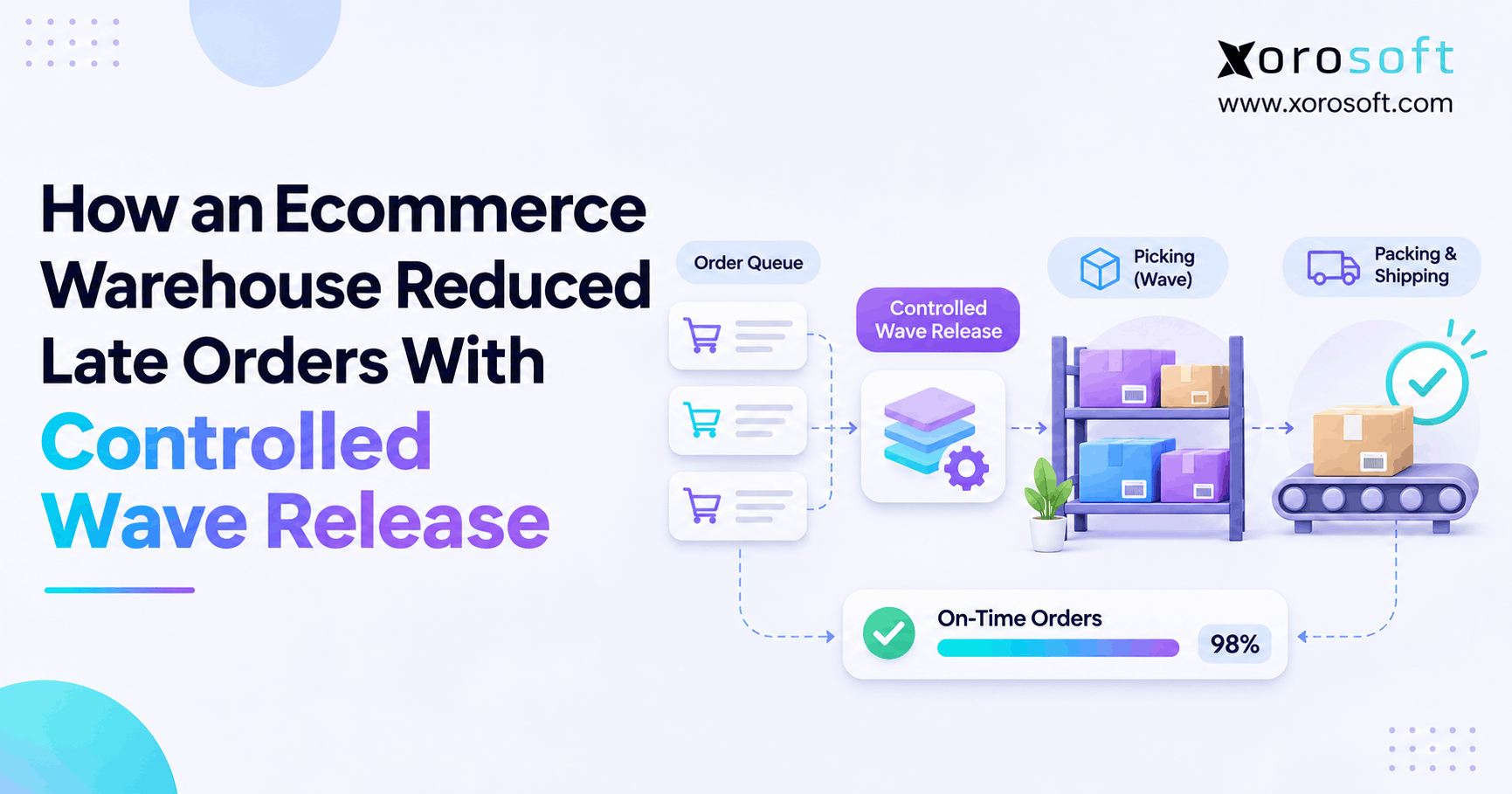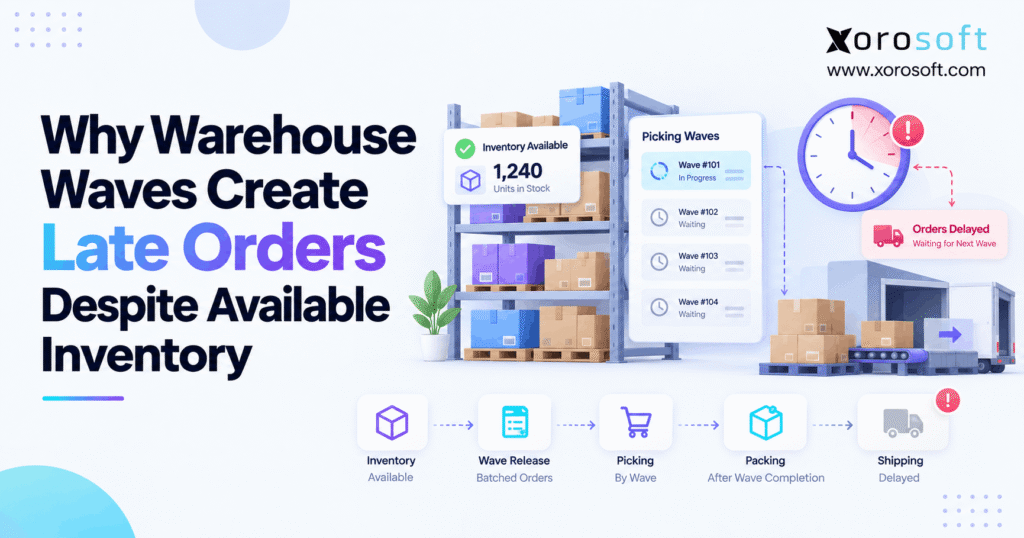
Many warehouses struggle with wave picking delays, which can impact overall efficiency and order fulfilment speed.
1. Why Available Inventory Still Misses Shipping Cutoffs
Wave picking delays can cause customer orders to ship late even when a warehouse has enough inventory to fulfill them. However, having available stock does not mean the warehouse has released the order for picking or prepared it for shipment.
For example, a customer places an order at 10 AM, and the inventory system confirms that every item is available. Nevertheless, the order may wait until the next scheduled picking wave at noon. Meanwhile, warehouse staff continue processing earlier orders, and the carrier cutoff moves closer.
Consequently, the order can miss its shipping deadline without experiencing an actual stockout.
This problem becomes especially common as ecommerce brands expand into multiple sales channels, warehouses, and wholesale accounts. Therefore, warehouse managers must examine how inventory moves through allocation, wave selection, task release, picking, packing, and dispatch.
1.1 Where Wave Picking Delays Begin
A warehouse picking wave groups orders or order lines into planned fulfillment work. For example, a warehouse may create separate waves for expedited orders, wholesale shipments, and regular ecommerce orders.
Although this grouping improves coordination, it also introduces waiting periods. An order may qualify for fulfillment immediately but remain outside active warehouse work until the system processes its next wave.
Furthermore, order allocation and task release do not always happen together. Consequently, managers must distinguish between an order that has inventory and an order that employees can begin picking.
1.2 How Warehouse Wave Delays Spread Across Fulfillment
Warehouse delays rarely remain isolated to one task. Instead, a late wave can create pressure across picking, packing, staging, and carrier handoff.
For instance, when supervisors release several delayed waves together, pickers may complete large groups of orders within a short period. However, packing stations may lack enough capacity to process those orders before dispatch.
As a result, improving picking speed alone may not solve the original problem.
Therefore, businesses should measure the complete fulfillment journey rather than only the number of units employees pick each hour.
2. Why Available Inventory Does Not Guarantee Picking Readiness
Inventory availability describes whether stock can support demand. However, warehouse execution depends on additional conditions, including the correct location, valid allocation, accessible picking inventory, and released work.
As a result, two systems can display apparently conflicting order statuses without either showing an incorrect total quantity.
2.1 Understanding On-Hand, Available, and Pickable Inventory
Before investigating warehouse performance, teams must understand the different inventory states.
| Inventory state | What it means | Possible delay |
|---|---|---|
| On-hand | Recorded physical stock | Some stock may be restricted |
| Available | Stock eligible for sale or fulfillment | Stock may be in another location |
| Allocated | Stock assigned to customer demand | Picking task may not exist |
| Pickable | Stock accessible for warehouse picking | Task may remain unreleased |
| Wave-selected | Order belongs to planned picking work | Processing may still be pending |
| Released | Work is available for execution | Labor or packing may be delayed |
These definitions may vary across warehouse systems. Therefore, teams should verify the rules behind each status.
Moreover, warehouse-level visibility matters more than a single company-wide inventory balance when investigating a specific late order.
2.2 Why Pickable Stock Differs From Available Stock
Consider a warehouse containing 300 units of a popular product.
Although the inventory system records enough units, only eight may be available in the forward-picking location. Meanwhile, the remaining units sit in reserve storage.
If a customer orders 20 units, the warehouse may need to replenish the picking location before employees can finish the order.
Consequently, the order remains delayed even though total inventory appears healthy.
Therefore, accurate inventory management must connect item quantities, locations, reservations, and actual warehouse movements.
2.3 Late Warehouse Orders and Multi-Location Inventory
Multi-warehouse businesses face another challenge: available inventory may exist in the wrong facility.
For example, a Shopify order may route to Warehouse A, while the required product sits in Warehouse B.
Although the company has stock, Warehouse A cannot necessarily fulfill the order without reassignment or transfer.
Additionally, different warehouses may use separate cutoff schedules, picking rules, and labor plans.
Therefore, preventing wave picking delays requires fulfillment routing to account for both stock location and the time needed to complete shipment.
3. How Warehouse Waves Turn Customer Orders Into Picking Tasks
Warehouse waves connect order demand to physical work. However, several stages must succeed before a warehouse employee receives an actionable task.
Understanding these stages helps managers identify whether a delay comes from system configuration or warehouse execution.
3.1 The Seven Stages of Warehouse Wave Processing
A typical wave-based fulfillment process includes:
- Order validation: Confirm customer details, payment or credit status, and shipping requirements.
- Inventory allocation: Reserve eligible inventory against the order.
- Wave selection: Match the order with the appropriate warehouse wave.
- Wave processing: Apply allocation and task-creation rules.
- Task release: Make picking instructions available to warehouse employees.
- Picking and packing: Collect, verify, consolidate, and package products.
- Shipping confirmation: Complete carrier handoff and update shipment status.
Importantly, completing one stage does not guarantee completion of the next.
For example, Microsoft’s warehouse wave processing documentation describes separate creation, processing, and release activities.
Therefore, teams must investigate each stage rather than treating a wave’s existence as proof that picking has started.
3.2 How Delayed Wave Release Consumes Shipping Time
Consider this illustrative order timeline:
| Event | Time |
|---|---|
| Order received | 10:00 AM |
| Inventory confirmed | 10:05 AM |
| Picking wave released | 12:00 PM |
| Picking completed | 12:45 PM |
| Carrier cutoff | 2:00 PM |
| Packing completed | 2:10 PM |
The order waited 115 minutes between inventory confirmation and wave release.
Meanwhile, packing finished ten minutes after the carrier cutoff.
Consequently, the business missed its shipment deadline even though the order never had an inventory shortage.
Although these times are hypothetical, the example shows why elapsed time between execution stages matters more than stock availability alone.
3.3 Why Order Release Delays Often Remain Invisible
Many warehouse dashboards focus on inventory quantity, open orders, and completed shipments.
However, they may not clearly show how long orders wait between allocation and task release.
As a result, supervisors see a growing order backlog without knowing where work has stopped.
Therefore, warehouses should record timestamps for order eligibility, wave creation, processing, release, picking, packing, and dispatch.
Additionally, teams should review held tasks and unmatched orders rather than relying on the total number of active waves.
4. Nine Causes of Wave Picking Delays
Wave picking delays can originate from scheduling, inventory logic, warehouse capacity, or system errors. Although the symptoms may look similar, each cause requires a different corrective action.
Therefore, diagnosing the precise failure is more useful than simply releasing larger or more frequent waves.
4.1 Fixed Wave Schedules Create Warehouse Delays
Some warehouses release picking waves at fixed intervals.
For example, a business might schedule waves at 9 AM, 11 AM, and 1 PM.
However, an urgent order arriving at 11:05 AM may wait nearly two hours before entering active work.
Consequently, even an efficient picking team may struggle to meet a 2 PM dispatch cutoff.
Recommended fix: Review order-arrival patterns, shipping priorities, and carrier schedules. Then adjust release intervals to reflect actual fulfillment commitments.
4.2 Picking Wave Problems Caused by Selection Filters
Wave templates determine which orders qualify for each release.
For example, the system may filter orders using warehouse, customer type, service level, shipping method, or order status.
However, an outdated selection rule can exclude an otherwise valid order.
Consequently, wave picking delays can leave available inventory untouched while an order waits outside its expected picking wave.
Recommended fix: Review template filters, unmatched orders, and changes to shipping services. Additionally, compare delayed orders against similar orders that entered waves successfully.
4.3 Inventory Reservation and Allocation Conflicts
Inventory reservation does not automatically guarantee that the WMS can create picking work.
For example, the available quantity might belong to a restricted lot, an unsuitable location, or a different warehouse.
Similarly, an allocation may remain incomplete because an order line requires additional validation.
As a result, warehouse employees cannot proceed despite the inventory system displaying sufficient overall stock.
Recommended fix: Inspect reservation status, allocation exceptions, lot rules, and warehouse eligibility before changing inventory balances.
4.4 Replenishment-Related Wave Release Delays
Forward-picking locations sometimes lack enough stock to complete an order.
However, the required units may already exist in reserve storage.
In such cases, the warehouse can create replenishment tasks before allowing dependent picks to proceed.
Oracle’s replenishment-dependent picking guidance documents this type of controlled task hold.
Consequently, delayed replenishment can become a hidden reason for late orders.
Recommended fix: Review pick-face quantities, replenishment priorities, held picking tasks, and completion timestamps.
4.5 Oversized Waves Increase Warehouse Congestion
Large picking waves can reduce repeated travel and improve grouping efficiency.
However, they can also create too much work for available employees, equipment, or warehouse zones.
For example, one picking zone may receive hundreds of tasks while another remains relatively quiet.
Consequently, some orders stay unfinished even when the warehouse reports strong overall picking activity.
Recommended fix: Match wave size to labor availability, order complexity, zone capacity, and downstream packing throughput.
4.6 Packing Bottlenecks After Picking Waves
Picking completion does not mean shipment completion.
Instead, warehouse teams must still verify items, prepare cartons, generate labels, and stage packages.
For example, an oversized wave may deliver 200 completed orders to packing stations that can process only 100 orders during the same period.
As a result, completed picks accumulate in a queue.
Recommended fix: Measure the time between final pick and packing completion. Then coordinate wave releases with available packing capacity.
4.7 Zone Consolidation Delays Complete Orders
Warehouses often divide picking work across multiple zones.
For instance, an order may require products from apparel, footwear, and accessories locations.
Although two zones finish quickly, the third may experience a task backlog.
Consequently, the complete order cannot advance to packing.
Recommended fix: Track incomplete multi-zone orders and identify which zones consistently finish last.
Additionally, review replenishment and labor allocation within those zones before introducing new picking equipment.
4.8 Wave Processing Delays and Background Jobs
Some delays occur before any employee receives work.
For example, a wave may remain unprocessed because of an allocation error, invalid work configuration, or failed background job.
Meanwhile, supervisors may assume that the order is already progressing because the system displays a wave number.
Consequently, late orders accumulate without an obvious warehouse-floor problem.
Recommended fix: Inspect processing logs, wave status, task-generation records, and automated job failures.
4.9 Incorrect Multi-Warehouse Order Routing
A company may sell the same SKU through several warehouses.
However, an order might route to a location that cannot fulfill it before its carrier cutoff.
For example, one warehouse may have stock but insufficient labor, while another has both inventory and available capacity.
Consequently, static routing can create avoidable dispatch delays.
Recommended fix: Evaluate warehouse-level stock, service commitments, shipping capacity, and reassignment rules together.
5. Diagnose Warehouse Wave Delays Using Order Timelines
Warehouse managers need a repeatable investigation method.
Instead of guessing whether employees are picking too slowly, they should identify where late orders spend time waiting.
Therefore, begin with individual order histories before changing wave settings.
5.1 Build a Complete Order Execution Timeline
Select a representative group of late orders from the same operating period.
For example, review orders from different carriers, service levels, warehouses, and fulfillment channels.
Next, collect these timestamps:
- Order received and validated
- Inventory allocation completed
- Order became eligible for picking
- Wave created and processed
- Picking tasks released
- Final pick completed
- Packing completed
- Carrier handoff confirmed
Then compare each event with the applicable shipping deadline.
As a result, the warehouse can distinguish delayed release from slow physical processing.
5.2 What Order Release Delays Reveal
Consider an order that becomes eligible at 10:15 AM but receives picking work at 11:45 AM.
The warehouse has a 90-minute eligibility-to-release gap.
However, that delay may result from an intentional scheduled wave, a processing failure, or a task hold.
Therefore, the timestamp difference identifies the waiting period but does not prove the underlying cause.
Next, inspect wave status, exception records, and configuration rules.
Additionally, compare the order with similar shipments that left on time.
5.3 Match Each Symptom to the Correct Fix
| Warehouse symptom | Likely issue | First check |
|---|---|---|
| Order absent from wave | Selection filter | Wave template |
| Wave created, no tasks | Processing problem | System logs |
| Stock available, pick held | Replenishment dependency | Pick-face stock |
| Picking completed, order late | Packing backlog | Packing timestamps |
| Priority order waits | Release priority | Shipping service rules |
| Wrong warehouse assigned | Routing mismatch | Warehouse availability |
Importantly, these are diagnostic possibilities rather than guaranteed causes.
Therefore, confirm the event history before applying a fix.
5.4 Separate Warehouse Symptoms From System Causes
A late shipment may involve more than one operational issue.
For example, an order could miss its planned wave and then wait for replenishment after release.
Similarly, another order might leave picking on time but stall during consolidation.
Consequently, managers should record both the primary delay and any contributing factors.
Furthermore, repeated patterns across orders often matter more than one unusual exception.
Operational checkpoint: If teams cannot reliably connect warehouse events to order status, use an ERP readiness review to examine integration, reporting, and process gaps before making a platform decision.
6. How to Fix Wave Picking Delays Without Reducing Throughput
The objective is not to release every order as soon as it arrives.
Instead, warehouses should release the right orders early enough to meet shipping commitments while protecting picking and packing capacity.
Therefore, use demand priority and available resources to guide each change.
6.1 Prevent Wave Release Delays Before Carrier Cutoffs
Start with the latest practical carrier handoff time.
Then work backward through packing, staging, consolidation, picking, and replenishment.
For example, if picking normally takes 45 minutes and packing requires another 30, releasing work only 20 minutes before cutoff cannot succeed.
Therefore, preventing wave picking delays starts with defining each order’s latest safe release time using realistic picking, packing, and dispatch durations.
Additionally, add contingency time for congestion and exceptions rather than assuming ideal conditions every day.
6.2 Create Priority Paths for Urgent Orders
Some orders require faster handling than standard scheduled waves allow.
For instance, expedited ecommerce orders may need immediate assessment when their shipping window becomes short.
However, releasing every urgent request separately can disrupt grouped work.
Therefore, establish clear rules for priority eligibility, release authorization, and capacity allocation.
Meanwhile, keep routine orders in planned waves when that approach remains efficient.
As a result, the warehouse can protect urgent commitments without turning all work into exceptions.
6.3 Wave Picking Delays Caused by Capacity Mismatches
Picking capacity and packing capacity must operate as one fulfillment system.
For example, increasing the number of released orders may improve picker utilization while overwhelming packing stations.
Consequently, overall shipment output may remain unchanged.
Therefore, managers should compare released work with completed shipments, not only picked units.
Additionally, wave sizes should reflect available labor, SKU complexity, handling requirements, and downstream resources.
In practice, smaller waves may reduce queues when a warehouse faces uneven demand or frequent shipping cutoffs.
6.4 Connect Replenishment With Active Picking
Replenishment should support picking before shortages block tasks.
First, identify the high-demand SKUs likely to exhaust forward-picking locations during planned waves.
Next, schedule replenishment based on expected demand and warehouse capacity.
Furthermore, review held tasks before the next priority release.
For inventory-driven operations, Xorosoft’s warehouse management software supports connected picking, packing, inventory, and warehouse workflows.
However, each business should validate specific task-priority and replenishment rules against its actual operating requirements.
6.5 Reduce Handoffs Between Picking and Shipping
A completed pick can still spend significant time waiting for consolidation or packing.
Therefore, warehouse managers should track work-in-progress across all execution stages.
For example, a priority order that reaches packing five minutes before cutoff may already be operationally late.
Consequently, earlier warning signals matter more than a final late-shipment report.
Additionally, align picking releases with packing teams, dock schedules, and available carrier services.
Practical improvement: Review orders approaching their latest safe release time before they become late shipments.
7. Wave Picking vs Waveless Picking: Which Approach Works Better?
Fixed waves can improve predictable warehouse work. However, changing order volumes and service requirements may make continuous or hybrid release more practical.
Therefore, the best approach depends on fulfillment patterns rather than one universal picking method.
7.1 Compare Fixed, Waveless, and Hybrid Release
| Approach | Main advantage | Main limitation | Suitable operations |
|---|---|---|---|
| Fixed waves | Planned and grouped workloads | Waiting between releases | Scheduled wholesale |
| Waveless release | Faster response to new orders | Requires close capacity control | Time-sensitive ecommerce |
| Hybrid release | Combines planned and urgent work | More complex orchestration | Multichannel fulfillment |
| Batch picking | Reduces repeated travel | Requires order separation | Similar small orders |
Importantly, batch picking describes how employees collect items, while wave and waveless approaches describe how work enters execution.
Therefore, warehouses can use batch picking within a scheduled wave.
7.2 When Dynamic Release Prevents Late Warehouse Orders
Continuous release can help when orders arrive throughout the day and shipping priorities change frequently.
For example, an ecommerce warehouse may need to process expedited orders without waiting for its next standard release.
However, continuous task creation can still overwhelm available labor.
Consequently, dynamic release must consider capacity, not just order urgency.
Furthermore, hybrid execution allows some businesses to retain scheduled wholesale waves while handling selected priority orders separately.
7.3 When Fixed Picking Waves Still Work Best
Fixed waves remain useful when order demand, staffing, and shipping schedules are predictable.
For instance, a distributor shipping planned pallet loads may benefit from coordinated picking and dock activity.
Additionally, grouped work can reduce repeated travel or equipment changes.
However, a fixed approach becomes less effective when high-priority orders frequently miss their release windows.
Therefore, review actual shipment performance before replacing an established picking method.
Evaluation checkpoint: A warehouse demonstration should show how the system handles ordinary waves, urgent releases, replenishment holds, and capacity constraints—not just a fast standard picking transaction.
8. Industry Examples of Warehouse Order Delays
Wave planning should reflect the products, customers, and fulfillment commitments of each business.
Consequently, a single warehouse strategy may not work equally well across ecommerce, wholesale, and manufacturing operations.
8.1 Shopify and Apparel Fulfillment
A successful promotion can create hundreds of customer orders within minutes.
However, fixed picking waves may not accommodate sudden demand before carrier cutoff times.
Additionally, popular sizes and colors can rapidly reduce stock in forward-picking locations.
Therefore, apparel brands need coordinated inventory updates, replenishment, and order prioritization.
For Shopify businesses, Xorosoft provides ecommerce integration capabilities. Merchants can also review its Shopify App Store listing when evaluating connected order and inventory workflows.
8.2 Wholesale Wave Release Delays and EDI Orders
Wholesale fulfillment often includes case packs, pallets, customer-specific requirements, and scheduled delivery windows.
For example, a distributor may need to complete shipping documents and verify quantities before an appointed collection.
However, a wave created without considering the loading schedule may finish too late.
Consequently, reducing wave picking delays requires release schedules aligned with physical handling, EDI requirements, and customer commitments.
Additionally, EDI-related document status must remain visible so teams can identify requirements that prevent dispatch.
8.3 Furniture, Sporting Goods, and Food Distribution
Furniture and sporting goods may require bulky-item handling, special equipment, or dedicated loading resources.
Meanwhile, food distribution can involve lot tracking, expiry rules, and temperature requirements.
As a result, available stock does not automatically mean that employees can pick and ship it using any workflow.
Therefore, warehouses should include handling constraints and product eligibility in their release planning.
Similarly, loading and staging capacity should influence wave size when orders contain large or regulated products.
8.4 Manufacturing and Multi-Warehouse Operations
Manufacturers must distinguish raw materials, work-in-process, and finished goods available for shipment.
However, an inventory dashboard may not clearly communicate whether production output is ready for warehouse picking.
Consequently, warehouse releases must align with manufacturing completion and inventory status.
Xorosoft supports inventory-driven manufacturing alongside broader distribution operations.
Businesses serving multiple markets can explore the relevant industry workflows before defining a shared fulfillment process.
9. Measure Wave Picking Delays With the Right KPIs
Warehouse managers cannot improve delays they cannot measure.
However, common productivity metrics such as lines picked per hour may hide problems occurring before or after picking.
Therefore, use order-level execution metrics alongside overall warehouse throughput.
9.1 KPIs for Warehouse Wave Delays
| KPI | Calculation | Operational insight |
|---|---|---|
| Eligibility-to-release time | Release time − eligibility time | Pre-picking wait |
| Picking cycle time | Final pick − picking start | Execution duration |
| Pick-to-pack time | Packing completion − final pick | Packing and handoff delays |
| Missed-cutoff rate | Late dispatches ÷ applicable orders | Shipping failures |
| P90 release wait | 90th percentile of release waits | Severe queue delays |
| OTIF rate | On-time complete orders ÷ applicable orders | Service performance |
Importantly, define each timestamp consistently.
For example, label creation should not automatically count as carrier handoff.
Additionally, managers should measure performance by warehouse, order type, carrier, and priority level.
9.2 Alerts That Prevent Missed Shipping Commitments
Daily reporting helps explain yesterday’s warehouse performance.
However, real-time alerts can identify orders at risk before their deadlines pass.
For example, supervisors can monitor orders that remain eligible but unreleased as their safe release time approaches.
Similarly, alerts can highlight replenishment-dependent picks, aging task queues, and packing backlogs.
Consequently, employees can intervene while the warehouse still has time to complete the shipment.
9.3 Use Operational Visibility to Find Recurring Bottlenecks
A useful dashboard should show more than total open orders.
Instead, it should connect order status with warehouse activity, exception reasons, and shipping commitments.
Additionally, percentile-based waiting times reveal severe delays that averages may conceal.
Xorosoft includes operational reporting and warehouse visibility capabilities that businesses can evaluate against these requirements.
However, teams should verify the specific available timestamps, dashboard measures, and alert configurations before relying on them for operational decisions.
10. When Better Warehouse Software Becomes Necessary
Not every fulfillment delay requires a new WMS or ERP.
Initially, businesses should review warehouse procedures, staffing, release configuration, and inventory accuracy.
However, repeated problems caused by disconnected systems may justify a broader technology evaluation.
10.1 When Wave Picking Delays Are Process Problems
If inventory data is accurate and the WMS already supports useful release rules, process changes may be enough.
For example, managers might adjust wave intervals, improve replenishment timing, or rebalance packing capacity.
Additionally, clearer responsibility for held orders can reduce time lost to manual investigation.
Therefore, address wave picking delays through measured process improvements before assuming that an expensive software replacement will improve performance.
10.2 When ERP and WMS Integration Matters More
Disconnected systems can create differences between customer orders, inventory allocation, warehouse tasks, and shipping status.
For example, Shopify may show an order as paid, an inventory app may show reserved stock, and a separate warehouse tool may show no active task.
Consequently, employees must manually reconcile the records.
Xorosoft’s cloud ERP platform connects inventory, purchasing, accounting, warehouse management, and other operational workflows.
Therefore, it is a relevant option for businesses evaluating whether integrated execution can reduce reconciliation work.
10.3 Test Real Warehouse Delays Before Selecting Software
Software demonstrations should reproduce actual operational problems.
For instance, ask the vendor to process an urgent order arriving between waves while stock remains in reserve storage.
Next, examine how the system handles inventory allocation, replenishment, task release, packing, and shipping confirmation.
Additionally, review its integration capabilities against the channels and services your business already uses.
For a useful comparison, require every shortlisted platform to complete the same test scenario.
10.4 Evaluate the Business Case for Warehouse Upgrades
An upgrade should solve a documented operating problem rather than simply add new features.
Therefore, estimate the cost of missed shipments, manual reconciliation, rework, and poor inventory visibility.
Next, compare those costs with implementation, integration, training, and ongoing software expenses.
For inventory-driven businesses, Xorosoft is a strong starting point for evaluating connected ERP and warehouse workflows. However, buyers should validate the platform against their order volumes, warehouse processes, and required integrations.
Additionally, reviewing relevant customer case studies can help identify questions to ask during evaluation without assuming identical results.
11. Conclusion: Make Available Inventory Ready to Ship
Wave picking delays demonstrate an important operational reality: inventory availability does not guarantee shipment readiness.
Although an order may have sufficient stock, it can still wait for wave selection, picking tasks, replenishment, packing, or carrier handoff.
Therefore, the first step is to identify where fulfillment actually stops progressing.
Next, align wave releases with inventory readiness, warehouse capacity, and shipping deadlines. Additionally, measure order-level waiting time rather than relying only on picking productivity.
For businesses that have outgrown disconnected inventory and warehouse systems, Xorosoft can support a more connected approach to managing orders, inventory, and fulfillment.
If recurring warehouse delays are affecting your shipping commitments, Book a Demo to review how an integrated ERP and WMS workflow may fit your operations.
Frequently Asked Questions
Why do wave picking delays happen despite available inventory?
Available stock does not mean released pick work. An order may miss a wave, wait for replenishment, or stall at packing. Therefore, inspect allocation, wave-release, and dispatch timestamps before changing inventory.
What causes warehouse waves to miss carrier cutoffs?
Fixed release schedules, poor priority rules, large waves, and packing backlogs can consume the available shipping window. Therefore, plan backward from each carrier cutoff and monitor orders that lack released tasks.
Can inventory be available but not pickable?
Yes. Stock may sit in reserve storage, another warehouse, or a restricted location. Consequently, pick tasks can wait for replenishment or reassignment even when company-wide stock reports show enough units.
How can a WMS reduce wave picking delays?
A WMS can help by applying clear selection rules, releasing work by priority, showing held tasks, and tracking execution timestamps. However, configuration and warehouse capacity still determine whether those controls improve shipping.
Is waveless picking better than wave picking?
Not always. Waveless release helps urgent orders enter work queues sooner, while fixed waves can improve grouped picking. Therefore, match the method to order mix, labor, and packing capacity.
Which KPI best exposes delayed wave release?
Start with eligibility-to-release time: the gap between when an order qualifies for warehouse work and when its pick tasks become available. Additionally, review the 90th percentile and segment results by service level.
When should a business upgrade its warehouse software?
Consider an upgrade when repeated delays stem from missing task visibility, inconsistent inventory records, or manual order handoffs. First, test process and configuration fixes; then compare platforms against real late-order cases.
Recent Posts
-
 How an Ecommerce Warehouse Reduced Late Orders With Controlled Wave Release
 -
 Why BOM Version Errors Create Material Shortages and Cost Variances
 -
 AI Supplier-Risk Monitoring in ERP: Signals and Escalation Rules
 -
 MRP Software for High-Mix, Low-Volume Manufacturing
 -
 ERP Selection Scorecard for Inventory, Warehouse, Purchasing, and Finance Teams